Razer - BlackShark V3 Pro ANC Wireless Over-the-Ear Gaming Headset for PC, Mac, Playstation, Nintendo Switch, Smartphone - White
Color
White Razer - DeathAdder V4 Pro Lightweight Optical Gaming Mouse with 150 Hour Battery - Wireless - White$169.99

Related Item

Specifications
- Noise Cancelling (Active)YesSound ModeStereoConnection TypeWireless, WiredWireless ConnectivityRadio Frequency (RF - 2.4 Ghz/Low Latency), BluetoothTrue WirelessNoMaximum Wireless Range33 feet
- Key Specs
- Noise Cancelling (Active): true
- Sound Mode: Stereo
- Connection Type: Wireless, Wired
- Wireless Connectivity: Radio Frequency (RF - 2.4 Ghz/Low Latency), Bluetooth (The manner in which a device sends data to another device over a short distance without the use of wires or cables.)
- True Wireless: false (These headphones not only lack wires between the device and headphones, they also lack wires between the headphones themselves. (true wireless is really only possible with in-ear headphones))
- Maximum Wireless Range: 33 feet
- Water Resistant: false (Resists some degree of water penetration.)
- Built-In Microphone: true
- Carrying Case: false
- Microphone Features: Detachable
- Headphone Fit: Over-the-Ear
- Adjustable Headband: true
- Battery Life: 70 hours (Battery life will vary depending on the product configuration, product model, applications loaded on the product, power management setting of the product and the product features used by the customer. As with all batteries, the maximum capacity of this battery will decrease with time and usage.)
- Battery Charge Time: 4 hours (Battery charge time will vary depending on the product configuration, product model, applications loaded on the product, power management setting of the product and the product features used by the customer. Charging time will likely decrease with time and usage of the battery.)
- Compatible Platform(s): Mac/Windows, PlayStation, Nintendo Switch, iOS, Android
- Voice Assistant Built-in: No (A digital assistant built into the device that uses voice commands to answer questions and control smart devices.)
- General
- Brand: Razer
- Model Number: RZ04-05400200-R3U1
- Product Name: BlackShark V3 Pro ANC Wireless Over-the-Ear Gaming Headset for PC, Mac, Playstation, Nintendo Switch, Smartphone
- Color: White
- Audio
- Noise Cancelling (Active): true
- Sound Isolating: true
- Environmental Noise Control: true (A technology that automatically or manually adjusts, or eliminates, ambient background sound to allow conversational voices to be heard clearer.)
- Minimum Frequency Response: 12 hertz (Describes the maximum range of frequencies or musical tones a product can reproduce, from very low tones to very high treble tones. The minimum frequency or musical tone the speaker can reproduce. High treble tones have higher frequencies while low tones and deep bass have lower frequencies.)
- Maximum Frequency Response: 28 kilohertz (Describes the maximum range of frequencies or musical tones a product can reproduce, from very low tones to very high treble tones. The maximum frequency or musical tone the speaker can reproduce. High treble tones have higher frequencies while low tones and deep bass have lower frequencies.)
- Impedance: 32 ohms (Describes the resistance of an electric signal throughout the system. Devices with low impedance require less power to deliver optimal signals but are more at risk for damage from overloading. Higher impedance requires more power but is more protected from overload damage.)
- Sensitivity: 108 decibels adjusted
- Integrated Amplifier: false
- Total Harmonic Distortion: 0 percent (Measurement of the harmonic sound distortion. The lower the percentage, the cleaner the sound.)
- Volume Limiting Function: false
- Sound Mode: Stereo
- Driver Size: 50 millimeters
- Connectivity
- Connection Type: Wireless, Wired
- Wireless Connectivity: Radio Frequency (RF - 2.4 Ghz/Low Latency), Bluetooth (The manner in which a device sends data to another device over a short distance without the use of wires or cables.)
- True Wireless: false (These headphones not only lack wires between the device and headphones, they also lack wires between the headphones themselves. (true wireless is really only possible with in-ear headphones))
- Bluetooth Version: 5.3 (The Bluetooth specification formalized by the Bluetooth Special Interest Group. All versions of the Bluetooth standard are backwards compatible with previous versions.)
- Maximum Wireless Range: 33 feet
- Connector Size: 1/8 in. (3.5mm), USB-C
- Features
- Water Resistant: false (Resists some degree of water penetration.)
- Waterproof: false (Designed or treated to be impervious to water in certain situations. Products are tested under controlled laboratory conditions and then assigned an Ingress Protection (IP) rating to denote the degree of protection from water ingress. The level of protection may decrease over time with natural wear of the product.)
- Built-In Microphone: true
- Carrying Case: false
- Microphone Features: Detachable
- Controls: Mute, Volume
- Body Metrics Measured: Not Applicable
- Bone Conducting Technology: false
- Lighting Type: None
- Maximum Talk Time: 70 hours
- High Resolution Audio: THX Spatial Audio (Hear music the way musicians and sound technicians intended it to be heard. Products that support hi-res audio deliver audio signals with a dynamic range and bandwidth far greater than that of a standard CD so you'll be able to enjoy pure music with outstanding sound quality. The device supports high-resolution audio signals, which more closely resemble the quality of music as it was originally recorded, with more texture and detail than can be heard via typical music streaming services or CDs.)
- AI Translation: None (Artificial Intelligence (AI) can automatically translate some speech and text functions to allow for conversations with others even if you don’t speak the same language.)
- Design
- Headphone Fit: Over-the-Ear
- Style: Gaming
- Adjustable Headband: true
- Foldable Design: false
- Power
- Rechargeable: true
- Battery Life: 70 hours (Battery life will vary depending on the product configuration, product model, applications loaded on the product, power management setting of the product and the product features used by the customer. As with all batteries, the maximum capacity of this battery will decrease with time and usage.)
- Battery Charge Time: 4 hours (Battery charge time will vary depending on the product configuration, product model, applications loaded on the product, power management setting of the product and the product features used by the customer. Charging time will likely decrease with time and usage of the battery.)
- Charging Accessory Included: Cable
- Battery Life Provided by Charging Case: 0 hours
- Charging Interface(s): USB-C (The connection for transmitting power to charge the device.)
- Charging Interface Generation/Version: 2.0
- On/Off Switch: Yes
- Compatibility
- Compatible Platform(s): Mac/Windows, PlayStation, Nintendo Switch, iOS, Android
- Voice Assistant Built-in: No (A digital assistant built into the device that uses voice commands to answer questions and control smart devices.)
- Material
- Ear Cushion Material: Dual-Layered Flowknit Memory Foam Cushions
- Headband Material: Steel-Reinforced Frame with Padded Cushion
- Dimensions
- Product Height: 7.88 inches (The out of box height of the item. Height is measured as the vertical distance from the bottom of the item to the top as it would be primarily used or placed.)
- Product Width: 3.74 inches (The out of box width of the item. Width is measured as the horizontal distance from one side of the item to the other as it would be primarily used or placed.)
- Product Length: 6.42 inches (The out of box length of the item. Length is measured as the longest dimension of the item.)
- Product Weight: 0.84 pounds (The out of box weight of the item.)
- Warranty
- Warranty - Parts: 2 years
- Warranty - Labor: 2 years
- Other
- UPC: 840272919507
The esports headset trusted by pros evolves for ultimate dominance. Stay ahead of the competition with the Razer BlackShark V3 Pro—an advanced wireless ANC esports headset. Upgraded with industry-leading ultra-low latency wireless technology and a full band mic, victory is all but assured.
- Razer HyperSpeed Wireless Gen-2: Outpace all competition with a fast wireless technology optimized for ultra-low latency as low as 10 ms, delivering near-instantaneous audio. Perfect for clutch plays and split-second decisions.
- Detachable Razer HyperClear Full Band 12 mm Mic: Armed with a large 12 mm capsule, this next-gen full band mic captures every detail of your shotcalls clearly and effectively suppresses background noise with a unidirectional pick-up pattern.
- Hybrid Active Noise Cancellation: Stay in the zone and block out all distractions with advanced hybrid ANC paired with superior sound isolation from swiveling earcups and hybrid memory foam ear cushions that form a perfect seal.
- Razer TriForce Bio-Cellulose 50 mm Drivers Gen-2: Tuned for improved clarity and positional performance, the Gen-2 drivers feature a unique bio-cellulose diaphragm to deliver natural, powerful sound—hear every footstep with absolute precision.
- 4 Modes of Connectivity: Gain the competitive edge when gaming on PC, console or mobile. Simultaneously mix 2.4 GHz and Bluetooth audio on 2 devices at once or stay plugged in for non-stop gaming with USB or 3.5mm.
- THX Spatial Audio: Achieve ultimate competitive awareness through an expanded soundstage. Activate 7.1.4 surround sound and enjoy precise overhead audio with an upgraded engine powered by the latest spatial algorithms.
- Pro-Tuned FPS Profiles and Customizable EQ: Enhance your audio advantage with game-specific EQ profiles, precision-tuned with Razer's roster of esports champions. Create your own EQs, save it to the headset, and be ready to compete anytime.
- Razer HyperSpeed Wireless Gen-2: Outpace all competition with a fast wireless technology optimized for ultra-low latency as low as 10 ms, delivering near-instantaneous audio. Perfect for clutch plays and split-second decisions.
- Detachable Razer HyperClear Full Band 12 mm Mic: Armed with a large 12 mm capsule, this next-gen full band mic captures every detail of your shotcalls clearly and effectively suppresses background noise with a unidirectional pick-up pattern.
- Hybrid Active Noise Cancellation: Stay in the zone and block out all distractions with advanced hybrid ANC paired with superior sound isolation from swiveling earcups and hybrid memory foam ear cushions that form a perfect seal.
- Razer TriForce Bio-Cellulose 50 mm Drivers Gen-2: Tuned for improved clarity and positional performance, the Gen-2 drivers feature a unique bio-cellulose diaphragm to deliver natural, powerful sound—hear every footstep with absolute precision.
- 4 Modes of Connectivity: Gain the competitive edge when gaming on PC, console or mobile. Simultaneously mix 2.4 GHz and Bluetooth audio on 2 devices at once or stay plugged in for non-stop gaming with USB or 3.5mm.
- THX Spatial Audio: Achieve ultimate competitive awareness through an expanded soundstage. Activate 7.1.4 surround sound and enjoy precise overhead audio with an upgraded engine powered by the latest spatial algorithms.
- Pro-Tuned FPS Profiles and Customizable EQ: Enhance your audio advantage with game-specific EQ profiles, precision-tuned with Razer's roster of esports champions. Create your own EQs, save it to the headset, and be ready to compete anytime.
Whats Included
- Razer BlackShark V3 Pro
- Razer HyperSpeed Wireless Gen-2 Dongle
- Detachable Razer HyperClear Full Band 12mm Mic
- USB Type A to Type C cable
- 3.5mm TRRS analog to USB-C converter cable
- User Guide
- Razer BlackShark V3 Pro
- Razer HyperSpeed Wireless Gen-2 Dongle
- Detachable Razer HyperClear Full Band 12mm Mic
- USB Type A to Type C cable
- 3.5mm TRRS analog to USB-C converter cable
- User Guide
A: The protruding knob on the left is a volume control. If that's the one you are talking about, then yours is defective.
A: undefined
Q: Does this have a 3.5mm splitter?
A: undefined
A: Hi, I recommend returning them as I had no issues with the mic mute button. You might've gotten a bad unit. If you aren't able to return, contact Razer, and as long as you haven't thrown them of physically abused the headset, they can help you with either fixing it or giving you a replacement.
Compare similar products

The esports headset trusted by pros evolves for ultimate dominance. Stay ahead of the competition with the Razer BlackShark V3 Pro—an advanced wireless ANC esports headset. Upgraded with industry-leading ultra-low latency wireless technology and a full band mic, victory is all but assured.

Embrace the sound of esports with the Razer BlackShark V2 X—a triple threat of amazing audio, superior mic clarity and supreme sound isolation. With our headset mic and audio drivers packed into a unique aviation-style headset, your competitive play is destined to turn pro.

The esports headset trusted by pros evolves for dominance. Stay ahead of the competition with the Razer BlackShark V3 Pro for Xbox—an advanced wireless ANC esports headset for Xbox. Upgraded with industry-leading ultra-low latency wireless technology and a full band mic, victory is assured.
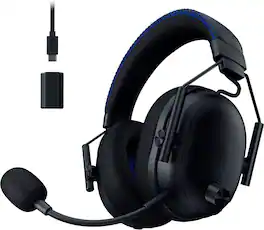
The esports headset trusted by pros evolves for dominance. Stay ahead of the competition with the Razer BlackShark V3 Pro for PlayStation—an advanced wireless ANC esports headset for PS5. Upgraded with industry-leading ultra-low latency wireless tech and a full band mic, victory is assured.
| Pros for Razer - BlackShark V3 Pro ANC Wireless Over-the-Ear Gaming Headset for PC, Mac, Playstation, Nintendo Switch, Smartphone - White | |||
|---|---|---|---|
| Sound Quality, Comfort, Battery Life, Connectivity, Weight | Sound Quality, Comfort, Weight, Price, Fit | Sound Quality, Comfort, Battery Life, Connectivity, ANC | There were no pros for this product— |
| Cons for Razer - BlackShark V3 Pro ANC Wireless Over-the-Ear Gaming Headset for PC, Mac, Playstation, Nintendo Switch, Smartphone - White | |||
| There were no cons for this product— | Microphone, Volume, Cord Length, Compatibility, Bass | There were no cons for this product— | There were no cons for this product— |
Specs
Reviews
Customer Images
The vast majority of our reviews come from verified purchases. Reviews from customers may include My Best Buy members, employees, and Tech Insider Network members (as tagged). Select reviewers may receive discounted products, promotional considerations or entries into drawings for honest, helpful reviews.
- Rated 5 out of 5 stars
Razer headset
I love this headset! If you have a small head this is the best fit for you!
Posted by LaiT
- Rated 5 out of 5 stars
Razer's New BlackShark
Razer's BlackShark line has long been synonymous with competitive gaming audio, lauded for its superb microphones and featherlight comfort. With the BlackShark V3 Pro, Razer appears to be taking this legacy to an entirely new level, adding features that solidify its position as a top-tier contender for the most discerning gamers. After spending some time with this headset, it's clear Razer has listened to its community, delivering a wireless experience that truly enhances competitive play and beyond. First off, the audio. The THX Spatial Audio with 7.1.4 surround sound helps you pinpoint where sounds are coming from. This helps to tell you the direction of footsteps or gunfire, which can be pretty useful. Plus, pro-tuned FPS profiles and a customizable EQ means you can pick a sound setting optimized for competitive games, or fine-tune it yourself. The TriForce 50mm drivers handles the sound, aiming for a balanced range from bass to highs. A notable addition is Hybrid Active Noise Cancellation (ANC). While previous BlackShark models offered good passive noise isolation, ANC actively works to reduce background noise. So, if you're in a noisy environment, it could help cut down on distractions from your computer's fans or other sounds around you, helping you focus on your game. Then there's the microphone. The BlackShark series is known for its microphones, and this one offers a HyperClear Full Band 12mm microphone offering clear voice communication. Your teammates should be able to hear you clearly, and it would likely reduce background noise from your end. For connectivity, it's designed for simultaneous Bluetooth and 2.4 GHz audio. This means you could be wirelessly connected to your PC for gaming while also paired to your phone via Bluetooth. You could take a call or listen to music on your phone without having to switch headsets. The Razer HyperSpeed Wireless Gen 2 should provide a stable, low-latency connection, which is important for gaming. Comfort-wise, it features dual-layered Flowknit memory foam cushions. These are soft and breathable, designed to be comfortable during longer gaming sessions. The headset's lightweight design would also contribute to this comfort. You'd also get game/chat balance controls directly on the headset, making it easy to adjust audio levels between your game and voice chat. The Razer BlackShark V3 Pro is definately a strong contender in the competitive wireless gaming headset market. It combines established comfort and microphone quality with advanced audio features and improved noise cancellation. It seems designed to provide a comprehensive and effective audio experience for gamers.
This review is from Razer - BlackShark V3 Pro ANC Wireless Over-the-Ear Gaming Headset for PC, Mac, Playstation, Nintendo Switch, Smartphone - Black
Posted by hahanson
- Rated 5 out of 5 stars
Almost Perfect Gaming Headset
I wanted to pick up a new headset that had surround sound and active noise cancelling so I can tune out background noise but also enjoy a more immersive sound experience. That’s when I found out Razer was releasing a new Razer BlackShark V3 Pro Gaming headset with both features! Pros: - Very comfortable even after long gaming sessions. - 7.1 Surround sound with THX Spatial Audio is amazing! - Audio and Mic enhancements are great. - Up to 70hrs of Battery Life on a single charge. Cons: - Mic EQ profiles provide little boost. Out of the Box: Razer at least knows that most of their customers are gamers and making the setup easy is important for them. Included in the box is the BlackShark V3 Pro Gaming headset, the detachable microphone boom, the wireless receiver, a USB-C to USB-A cable, and a USB-C to 3.5mm Jack cable. Setup is simply plug in the Receiver to the USB-C to USB-A cable, then plug that into your PC (or Playstation) and open Synapse 4 to complete the setup. The headset arrived with about 75-80% charge, which was plenty to jump straight into playing. Build & Feel: The Razer BlackShark V3 Pro Gaming headset is very comfortable for long gaming sessions, mainly due to the dual-layered memory foam ear cushions which are extremely comfortable while providing airflow, so you don’t get that headset sweat. The ear cushions sit snuggly around your ears with inner cushions between the speakers and your ear to prevent your ears from rubbing up against the harder plastic of the speakers. The adjustable headband keeps the ear cushions firmly in place without applying too much pressure. These are on the heavier side at 0.84lbs (13.5 Oz). Overall build quality is solid, even the plastic parts have strong feel, with a light textured surface. I couldn’t figure out how to remove the ear cushions but based on the prior models and materials I found on Razer’s website I think the ear cushions pop off with the right pry tools. Controls: The BlackShark V3 Pro has controls that sit on each of the ear cups that allow you to on the fly change the settings for the most part. On the Left Ear: Push Button Mute, Power/Pause/Play, Power-On LED, USB-C Port for Charging and connectivity, and the Microphone port. The dial on the outside of the Left ear controls the volume. Over on the Right Ear: Sound Mode multi-function button, Channel Balance, and the ANC button. My only complaint about the buttons is how long you must push the power button before it turns on. Having multi-functional buttons help reduce the total number of buttons on the headset, but because of that the push to turn on or off the headset is awkwardly long, like 5 seconds to turn on. It just feels off for how fluid and well thought out the rest of the headset is. The Sound Mode multi-function button allows for switching between settings without using Synapses. A single press cycles through the Sound EQ presets. A double press switches the audio source mode: Wireless, Bluetooth, and Simultaneous which allows for both Wireless and Bluetooth connections at the same time. The ability to connect to both Wireless and Bluetooth is helpful if you want to play a game and talk on the phone or need to be able to listen for a text or call while gaming, it’s a very convenient feature. The channel mix dial is one of my favorite features as I often must turn up the chat volume to hear over the gun fire or game music. Razer added a beep when the mix is equal (50/50) and a double beep of different tones when the mix is 100% at chat (lower tone) or game (higher tone). The ANC button cycles through turning on ANC, Ambient, or ANC off. Synapse 4: Razer makes setup and configuration simple using the Synapse software for all Razer devices. Just download the Synapse 4 software and let it get to work. Once you have the Synapse 4 installed, one of the first things you’ll want to do is enable the THX Spatial Audio. The THX really changes the quality of the sound, for everything it just sounds much fuller and more dynamic. Some games are specifically built for THX, so make sure to enable it in the game settings as well. Within Synapses there are specific tabs for Sound, Enhancements, MIC, Power, and Demo. Within the Sound tab you can adjust the Sound EQ, this is where the THX Spatial Audio setting is (go turn that on). To get the most out of the BlackShark V3 Pro you will want to adjust the EQ settings to your preferences, which can take a bit of time but will make a huge difference. Within the Sound tab you will also see the volume and game/chat balance which is helpful in case you’ve hit the channel mix dial a few times. The next most important tab is the Enhancement tab, where the setting for ultra-low latency mode, Active Noise Cancellation and Ambient modes. Many gaming headsets have some form of noise cancelling, but only a few have Active Noise Cancelling that with multiple levels of cancellation. And even fewer have Ambient mode, which is usually reserved for ear buds or mobile phone headsets. It’s a great feature if you want to play with a gaming headset on but need to be able to hear what’s going on around you. The MIC tab allows for setting the Microphone EQ profiles, which more below on that but really might need to adjust these manually to get the best results to no surprise. The additional Mic Enhancements are available, along with Mic Monitoring to hear the effects in live fashion. The Power Tab allows you to customize the Receiver Indicator light to indicate connection status, Battery Status, or only Battery Warning. I switched it to Battery Status as I can see my receiver on the desk, which helps me know when it’s time to charge the headset. The last tab is a Demo tab to see the full effects of your sound settings. Highly recommended trying the Demo with Stereo on, then try it again with THX enabled. Sound: Hands down, the THX Spatial Audio surround sound is the GOAT here. After turning it on, I couldn’t turn it back off. When I did, I could instantly notice how flat, or empty the sound was. Even for audio not designed for THX, having it enabled would boost the fullness of the sound. Add in a tuned EQ and you’re BOOMING! The other effect here is the ability to hear in full 7.1.4 surround sound. You can hear the footsteps in games where THX is enabled, which gives you the edge over your opponents! You can hear them coming around or up the stairs. Microphone: The Mic by itself is good, it is clear and picks up a wide range of volume without too much distortion. It’s not my favorite headset microphone, but it is very good compared to most. The biggest downside I found with the microphone was that the pre-set EQ profiles didn’t really provide much punch nor bass. The different profiles didn’t make a big enough difference to make me want to use anyone except Flat default. During my testing, I found that the profiles loss a lot of the Bass sound for whatever reason, more so than I would have expected and caused distortion with my voice in some cases. This might be due to my own voice, either way in the end I left the default flat sound for best results. I found the MIC Enhancements left a tinny sound to the voice. The noise cancelling was good, but there are other options I have on the PC that work way better. If it’s the only option, it will do but expect some distortion. ANC & Ambient: The Active Noise Canceling actually works. Razer did a great job in making the ANC block out background noises, like mechanical key typing or your roommate’s movie playing in the background. I’m surprised by how well the ANC works, plus there are 4 different levels of noise cancellation you can adjust between. But at the same time if you need to be able to hear while gaming, Ambient mode can help you control the noise that does pass through. Usually these are settings reserved for ear buds for your phone, but Razer included them into a Gaming headset and it’s a game changer! Dual Channels & Sources: One of my longtime favorite features of gaming headsets is the dual channels for Game and Chat volume. Splitting Game/App audio from Communications makes it easier to hear what’s going on, while being able to focus on which ever audio is more important. I often have issues hearing what people are saying between gun fire of FPS’s, so being able to turn up the volume on just chat is very important to me. Plus, Razer included the ability to connect multiple audio sources simultaneously. You can connect via the Wireless and Bluetooth at the same time, enabling game play while listening to your phone or being on a call. You can even set smart behaviors to adjust the Wireless volume when a call is incoming. Battery Life: Razer made sure you didn’t have to worry about running out of power mid game, with a stated 70-hour battery life on Wireless. I didn’t measure the exact time, but I’ve only charged to full once with daily use and still have 80% charge left. With about 8+hours of use a day, that easily adds up to over 70-hours of battery life. Additionally, the battery is replaceable with the removal of a magnetic cover and 2 screws! Conclusion: If you want a pro gaming headset with all the features, while not caring about microphone EQ profiles, then the Razer BlackShark V3 Pro gaming headset is one of the best choices for you! Hands down the THX Surround Sound is a blast to listen to; I’ve enjoyed a whole new experience of gaming with these. The ANC is also a huge must have for any gamer in a noisy environment, cutting out the background keystrokes, leaving just you and the game. I’ve found a new favorite headset, which will be hanging under my desk for a long time I suspect.
This review is from Razer - BlackShark V3 Pro ANC Wireless Over-the-Ear Gaming Headset for PC, Mac, Playstation, Nintendo Switch, Smartphone - Black
Posted by BradfordBT