Customer Ratings & Reviews







- Model:
- ADO951800F208
- SKU:
- 6517210
to a friend
Customers are saying
Customers frequently mention the ease of use and improved video editing capabilities of Premiere Elements 2023, praising its intuitive interface and helpful tutorials. The enhanced performance, including faster startup times and rendering speeds, is also a significant point of positive feedback. However, some users express concerns about the price, particularly for those upgrading from previous versions.
This summary was generated by AI based on customer reviews.
- Pros mentioned:Ease of use, Performance, Video editing

great product for video editing
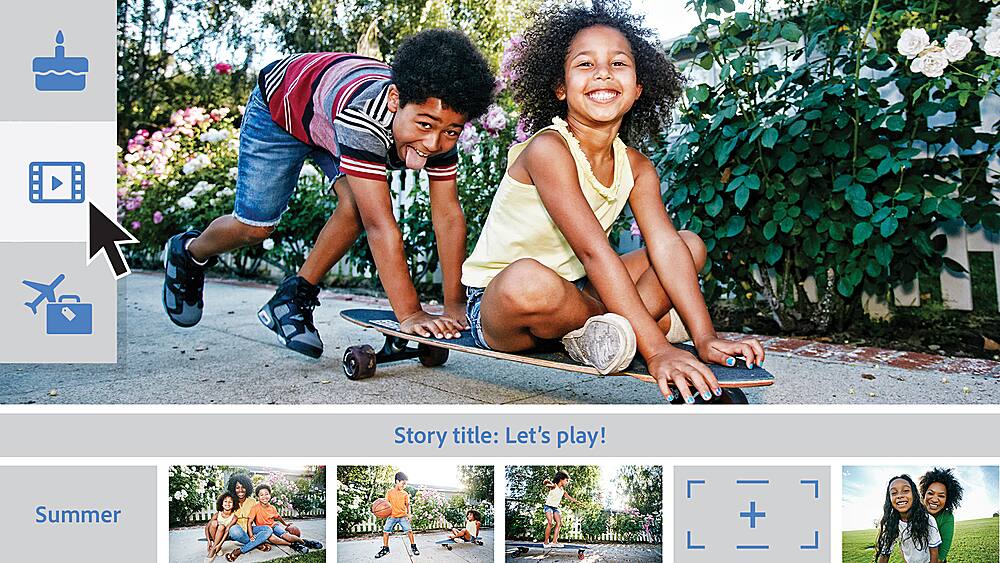
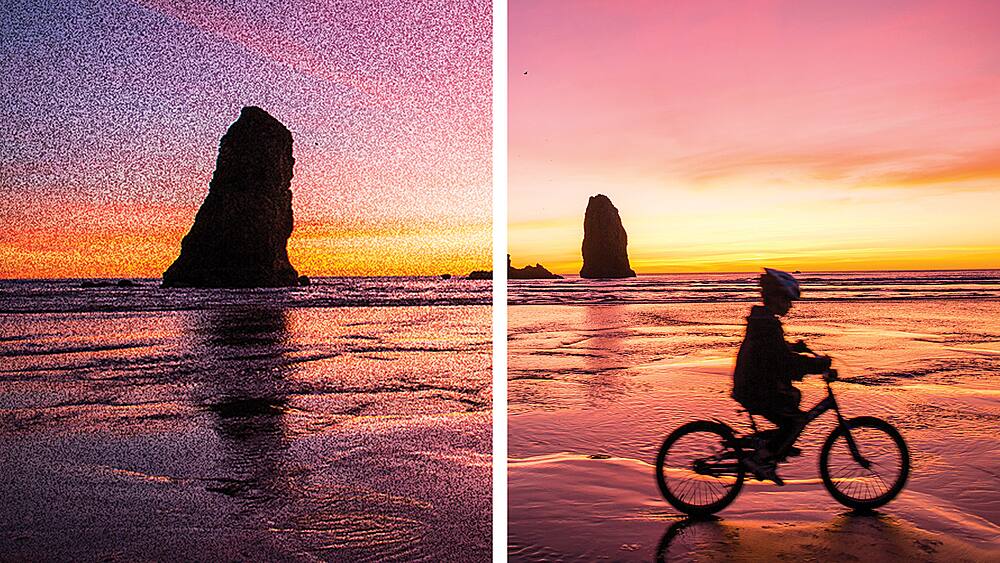
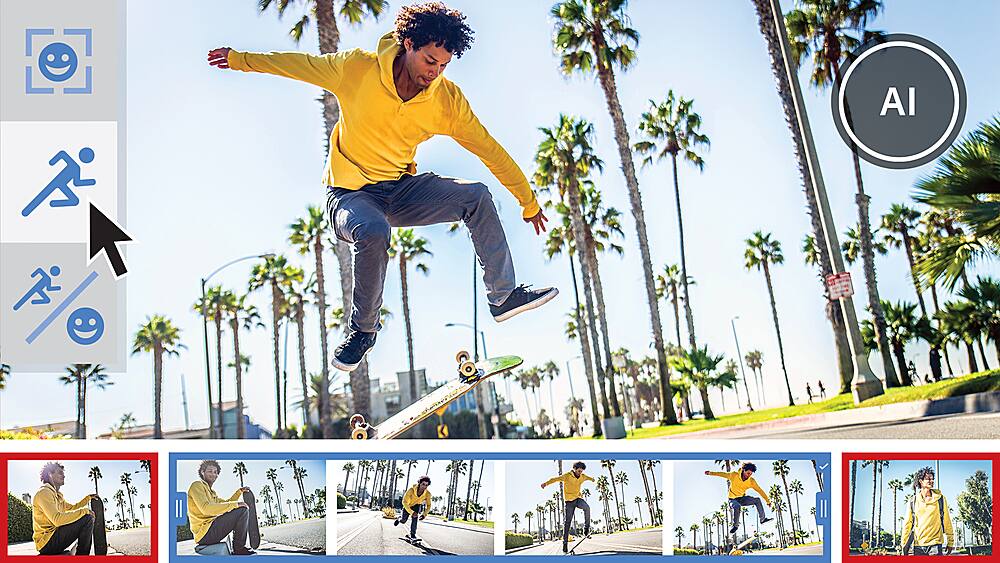
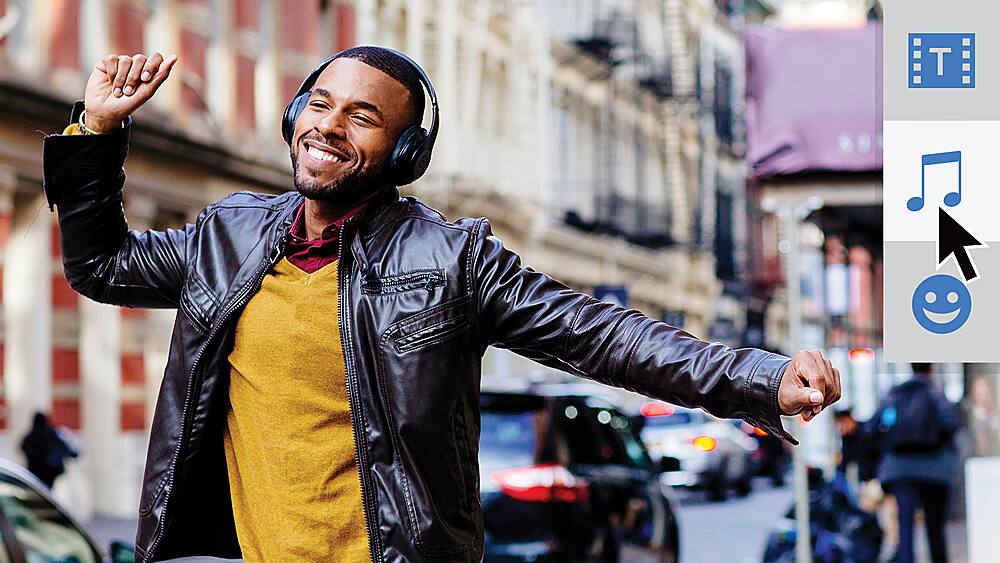
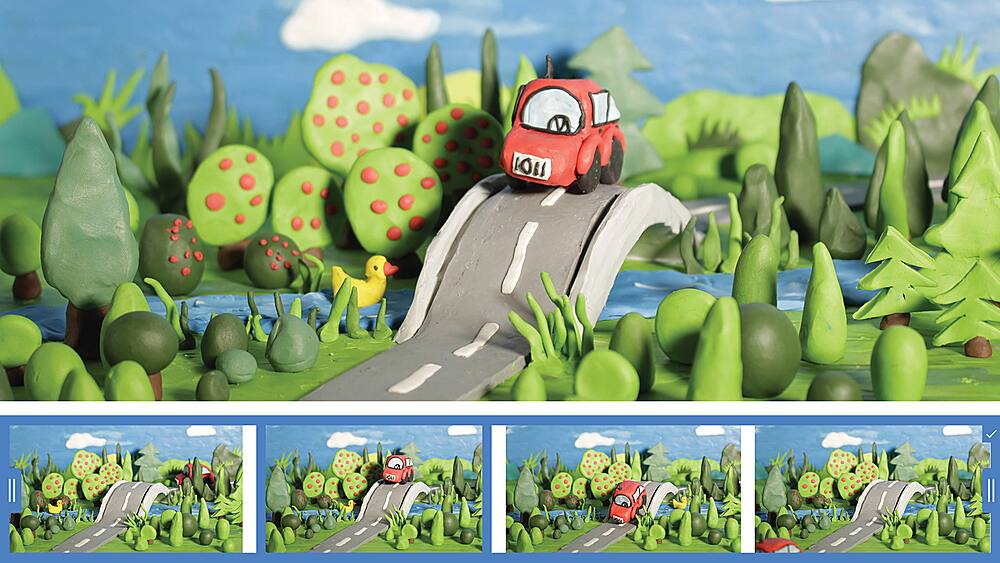
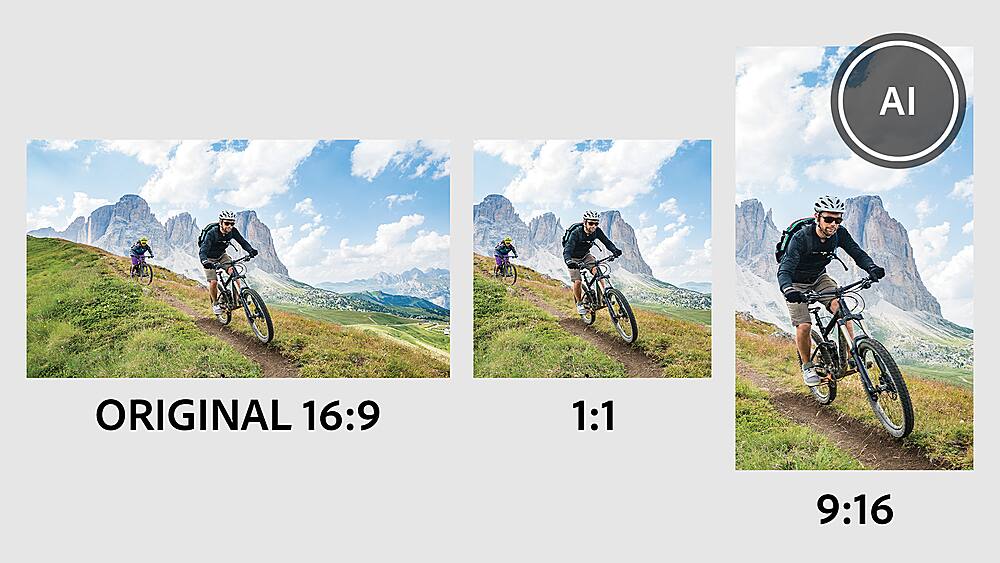
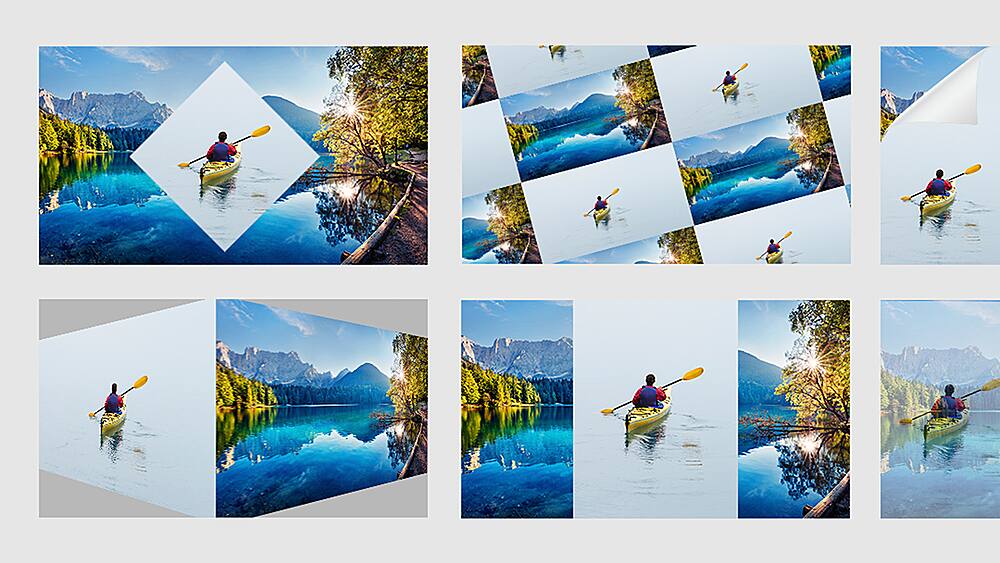
|Posted .This reviewer received promo considerations or sweepstakes entry for writing a review.More features than the core operating system version. Adobe - Premiere Elements 2023 - Android, Mac OS, Windows Model:ADO951800F208 Publisher:Adobe SKU:6517210 Release Date:08/24/2022 Pros Easy install Navigation in basic mode was simple Imports were fast on a high-end desktop Able to take XBOX game clips and edit them without issue Advanced menu to add special effects (very large number of affects) Can combine still shots with video of all lengths Simple layout of edit screen Adobe quality Permanent install with no fees of any kind Can install on 3 devices Cons Some quality of picture enhancements not available Setup: Followed the directions exactly on initial setup. Imported clips from XBOX and Vietnam digitized home super 8 color movies. Program automatically imported content in the correct format. Was able to move to scenes easily on the scroll video clip bar at the bottom of the screen. There was no function to clean up the snow on my old super 8 movies that I could find. This function is probably only available from an advanced commercial lab. For the price this is excellent software. Description Whether you want to resize and trim or add creative effects and overlays, making awe-inspiring movies is easier than ever. With Adobe Sensei*, click once to transform your videos with effects inspired by famous works of art. Showcase your memories with new photo and video slideshow templates, and create the mood you want with new audio tracks. Plus, go beyond your desktop with new web and mobile companion apps (English-onlybeta), and enjoy faster installation and performance plus Apple M1 chip support. Have fun with the easy moviemaker for Mac and Windows. Features Click once to turn your videos into art Transform your clips with effects inspired by famous works of art or popular art styles. Just like with Photoshop Elements, you can click to add an amazing artistic effect. Tell stories with all-new slideshow templates Share your photos and videos in animated slideshows that feature a range of modern looks and themes. Try out great audio tracks The perfect video needs the perfect soundtrack. Create just the feel you want with fresh audio tracks, including new options. Experience better performance and stability Enjoy up to 35% faster installation and launch times. And since we've reduced the app size by up to 45%, less space is required on your computer. Apple M1 chip support With full support for Apple M1 chip systems, you’ll enjoy up to 70% faster launch times and performance on Mac computers. Do more from any browser (English-only beta) Explore the new web companion app to access and view your edited Elements photos and videos from any browser, create collages and slideshows, and share the way you like. Have fun with your photos on the go (English-only beta) Try the new Android companion app to upload mobile photos and videos to Elements on desktop and web, do more creative and advanced editing on the desktop, and then access, view, and share back on your mobile. Enjoy ongoing companion app updates and included storage (English-only beta) The web and mobile beta apps are just the beginning—they’ll be updated throughout the year with new features. The apps are available to licensed Elements users and they come with 2GB of cloud storage. Auto-reframe your subject Easily resize your videos for social media and more while keeping the most important part of the action in the frame. Works great for clips with a lot of movement, like a kid’s birthday party or a sporting event Make precise selections in video Select a specific object—or area—of your video and easily apply an effect that tracks throughout the video, like brightening the subject or blurring the background. Improve grainy videos Shot your video in low light? Make it look crisper with a simple drag and drop of the Reduce Noise effect. Smart Trim Smart Trim finds and brings together the best scenes based on the style of your video. *Adobe Sensei is the technology that powers intelligent features across all Adobe products to dramatically improve the design and delivery of digital experiences, using artificial intelligence and machine learning in a common framework.
I would recommend this to a friend - Pros mentioned:Ease of use, Video editing
OK for Pro & experienced not so much beginners
|Posted .This reviewer received promo considerations or sweepstakes entry for writing a review.I’ve been using Adobe Photoshop Elements 2021 for over a year now and find it user friendly, but it only allows editing for photos and not videos. Adobe Premiere Elements 2023 has both video and photo editing within the software. Setup was easy using the downloadable version and the instructions sent by email. What I like is that Elements 2023 didn’t write over my Photoshop 2021 so that I can use the 2021 which I’m more used to (until I get more familiar with the Elements 2023) and use the Premiere Elements 2023 for my videos. There are several different functions (editing, slideshows, adding music, montages, just to name a few), that at times Adobe Photoshop Elements 2023 can be a bit overwhelming for a beginner. I’ve been using it now for a few weeks and have only scratched the surface of what Elements 2023 can do. Fortunately, Adobe Website has a very detailed step by step tutorial that is really helpful. For a more experienced photographer Adobe Premiere Elements 2023 may be easier to navigate through all the features. For the amateur/hobbyist photographer it will most likely take longer to understand all the features of Elements 2023. So far, I’ve only used some of the features of Elements 2023 for photo editing and video editing. I like the ability to add music to my videos and slideshows. The video editor is great as it lets me combine shorter similar videos into one continuous with video with music added. I like the photo editor as I was able to fix up some old black and white photos to make them clearer. I was able to restore some of the original color photos and delete red-eye from many of them. I still have a long way to go to use all of the excellent features of the Adobe Premiere Elements 2023. By following the tutorials on the Adobe Website, I’m finding the software a little less daunting and more fun to use. I wouldn’t recommend the Adobe Premiere Elements 2023 for the complete novice. For the knowledgeable amateur and professional or even those that have used prior versions of Adobe Photoshop they will find Premiere Elements 2023 efficient and practical with all the extra features. I recommend it with reservations as Adobe Premiere Elements 2023 is not for everyone.
I would recommend this to a friend - Pros mentioned:Effects
Minor Updates to a Solid Video Editor
|Posted .This reviewer received promo considerations or sweepstakes entry for writing a review.For the last few weeks, I have been using Adobe Premiere Elements 2023 on a Windows PC to edit and create videos for YouTube. Anyone familiar with Premiere Elements will feel right at home with the latest version of Adobe’s software. For new users, the application does a pretty good job at walking them through the editing process. New artistic filters and masks make it easier than ever to stylize videos. Beyond that, a lot of the updates for this year’s version seem to be under the hood with improved loading times and a smaller installation footprint. It seems like MAC users got the lions share of performance improvements as I found rendering and export times to be much lengthier than I expected. In addition, I experienced a few system crashes while editing and mixing audio. The moral of the story is that you should save your work and save often. I’m sure there are many people wondering if they should upgrade from a prior year’s version of Elements. I upgraded from Adobe Premiere Elements 2018. At this point, my old copy of Premiere Elements was five years old. Still, I can’t say I noticed too many new features. The artistic effects and new audio effects are nice, but what I really wanted were more title templates. I wanted more tools to create and assemble my own style of titles and credits. I wanted improved tools within Elements and those feel few and far between. The core experience of Premiere Elements hasn’t changed much five years on from my prior version. I feel that is the biggest problem with this year’s release. A yearly update to the core software should feel like more than a patch. Additional content is nice. The new artistic filters add a new element to videos. But at some point, it would be nice to see more tools and features. Perhaps we could get a customizable experience shaped around the user and their goals? But I digress. The 2023 version of Premiere Elements is still a perfectly suitable video editor. It’s perfect for the new video editor. I just wish there was more here to justify an upgrade for existing users. Recommended: 4/5
I would recommend this to a friend - Pros mentioned:Ease of use, Video editing
Media must-have
|Posted .This reviewer received promo considerations or sweepstakes entry for writing a review.I’m almost constantly sourcing new audio, video, and photos from any combination of a drone, a GoPro, a Canon DSLR camera, and of course my phone; I generate a lot of raw data and material. One of my favorite and most effective ways to put all that material together for presentation is to create a video, and Adobe Premiere Elements has long been a staple product for creating simple but polished videos for sharing life’s stories and moments with my friends, family, and other social circles. I’m going on something like 5 years since first discovering and using Adobe Premiere Elements and it continues to impress me with how simple yet deceptively powerful it is, and each year it just gets better. Anything from simple cuts, trims, fades, and bounce backs. To post-production pan, zoom, slow-mo, or time lapse. To creative visual effects, audio effects, narration, transitions, or adding text overlay designs. Adobe Premiere Elements may not be “professional” but I’ve been using it for years and there’s honestly not anything I’ve really wanted or needed to do that I couldn’t pull off with Adobe Premiere Elements. One of the most appealing aspects of it to me is the wealth of available guides and tutorials; its accessibility and adaptability to the needs of a spectrum of users. I’ve been using some version of Adobe Premiere Elements for years so I know my way around pretty well, but just recently my son wanted to learn to make his own videos so I sat down with him for a bit, had him go through the included introductory tutorials, and in a relatively short time he was competent enough to be putting his own videos together and knew how to lookup new tutorials and information when he was inspired to do something he hadn’t yet done. I spend most of my time in “Expert” mode but Guided mode continues to be a great resource for learning new editing skills. If you do any creative video work at all, Adobe Premiere Elements is at the top of my list of software recommendations.
I would recommend this to a friend - Pros mentioned:Video editing
Great deal on super editing video software !
||Posted . Owned for 1 week when reviewed.This reviewer received promo considerations or sweepstakes entry for writing a review.This fits the bill for what i am looking for. I do videos on youtube and need to better edit and also to add sound over etc. They had an ever better deal on photo and video but my budget is limited at the moment. Great PROFESSIONAL helper !!!
I would recommend this to a friend - Pros mentioned:Video editing
Perfect for making picture videos
||Posted . Owned for 3 weeks when reviewed.This reviewer received promo considerations or sweepstakes entry for writing a review.Was looking to make a picture video for a service and this was perfect. Video was perfect also.
I would recommend this to a friend - Pros mentioned:Ease of use
Great program
||Posted . Owned for 1 month when reviewed.This reviewer received promo considerations or sweepstakes entry for writing a review.Easy to use. Upload times to YouTube are way faster. Wish I got sooner.
I would recommend this to a friend Good starting point for video editing
||Posted . Owned for 2 months when reviewed.This reviewer received promo considerations or sweepstakes entry for writing a review.If youre just getting into editing this is a great starter. Enough to make qualiy videos without breaking the bank.
I would recommend this to a friend- Pros mentioned:Ease of use
Abobe
||Posted . Owned for 1 week when reviewed.This reviewer received promo considerations or sweepstakes entry for writing a review.Easy to use and its affordable. I enjoy using this products.
I would recommend this to a friend looks like everything we were hoping for
||Posted . Owned for 2 weeks when reviewed.This reviewer received promo considerations or sweepstakes entry for writing a review.1st impressions, this looks like everything we were hoping for. One time purchase which was what we were looking for and the price was reasonable.
I would recommend this to a friendPremier Elements is GREAT
||Posted . Owned for 1 week when reviewed.This reviewer received promo considerations or sweepstakes entry for writing a review.This is exactly what I was looking for. I've had the older version before and loved it. I would recommend it to anyone.
I would recommend this to a friend- Pros mentioned:PerformanceCons mentioned:Price
Great product but an underwhelming upgrade
|Posted .This reviewer received promo considerations or sweepstakes entry for writing a review.I’ve been using Premiere Elements for several years now and it’s one of the best video editing packages that I’ve found with respect to features for the price. So, this was an upgrade for me from the 2022 version. One important thing to note is that there really aren’t any price discount options offered if upgrading versions so you will have to pay full price for each new release. Here is a quick overview of the new features in 2023: • Artistic effects • New slideshow templates • New audio tracks • Web and mobile companion apps (Only useful if you store your content in the Adobe cloud) The biggest thing for this release is probably the performance improvements. I ran some quick benchmarks against Elements 2022: • Video editor startup time went from 13 seconds down to 10 • Rendering a 5-minute video that took one minute and 27 seconds improved to 42 seconds for Elements 2023 The new features, which are sparse in my opinion, are not really compelling enough to justify a $100 price tag. The performance enhancements make the offer a little bit more appealing but still an iffy value proposition as I suggest that fixing performance issues should be offered as updates to existing versions rather than making customers pay for them. I also wish that there might have been some updates to areas of the user interface that I find unfriendly. For example, the transition dialog boxes are so tiny and cluttered that they are hard to use. If you are new to Premier Elements though I would highly recommend it as a powerful video editor with tons of features for beginners as well as more advanced users.
I would recommend this to a friend - Pros mentioned:Ease of use, Performance, Video editing
Familiar look and feel with even more features...
|Posted .This reviewer received promo considerations or sweepstakes entry for writing a review.After using several previous versions, as well as the full version of Adobe Premier, I am still impressed with the features and consistency of the user interface. I actually started out using the full version and so was a bit hesitant to try the “Elements” version. That first version did everything I had done with the full version and each subsequent version I have installed still looks and feels just as easy to use. Installation was a breeze, downloading quickly and installing with little effort. Startup continues to take a bit, but this version was installed on a newer computer with an SSD, so it does seem to be a bit quicker. The program still starts up to a menu screen where you are given the choice between several common uses before going to the main program. I use the software for editing and compiling videos and don’t usually pay much attention to the “fancy” stuff they offer. I guess since I started using it when there wasn’t anything else, I have a habit of just clicking through to the editor. This version has many little effects and additions that I will have to spend more time getting into. I’ll have to see how the photo extraction feature works, as well as some of the other effect such as slo-mo and the transitions. Quite a few of the items on the opening screen take you to an offer for Photoshop Elements, so it was surprising to have “ads” that aren’t really ads in the program – I guess Adobe really hopes you will just buy the combo of both programs. I did once years ago, but found I didn’t use the photo editing nearly enough. Once in the Workspace, it is the familiar and effective space it has been. I use the “Expert” mode almost exclusively, since I prefer to see the timing and be able to mix channels in the video and audio. It still renders my video projects well and has many options for the output quality and file size. I appreciate the ability to use the same project and output several files or burn to disk for the end use. It allows a great deal of flexibility while keeping my effort at a minimum. For beginners, there is a nice tutorial on editing and producing videos to allow even a newbie to feel comfortable in no time. Maybe I should spend some time going through that and see if I’m missing anything! Now, back to those video projects for the Family Christmas gifts…
I would recommend this to a friend - Pros mentioned:Performance, Video editingCons mentioned:Price
Great product at a poor value
|Posted .This reviewer received promo considerations or sweepstakes entry for writing a review.THIS.... Is adobe premiere elements (2023), the latest entry level iteration for adobe's video editing software. While this may be a reduced version of Adobe premier pro…it still is quite capable. Adobe premiere elements allows you to edit video and photos to a high degree. That being said, my largest point of contention isn’t with how well or how fast the software works… it is that it is $75 for a stripped down version of premier pro and is quite expensive compared to other version. If you have a mac, it almost doesn’t make sense to get it over Final Cut pro. It does perform edits, uploads and exports quite fast on windows 11 and I really couldn’t find anything wrong with the software or features involved and I really do think that this is more than enough for a content creator to make a YouTube or Instagram content unless you wanted to do something really complex, large or at odd export ratios. That being said, if this is your first entry and you want to get started with Adobe editing or you simply love the layout and features offered, it isn’t an inherently poor product and I would even recommend this product. The price just really makes it hard to buy over other elements which is unfortunate for the quality of the product. That being said, if this is something you think you might like I wouldn’t shy away and i would still pull the trigger because each person has different preferences with software but I would try and get it on sale.
I would recommend this to a friend To back to a simple CD!
||Posted . Owned for 1 week when reviewed.This reviewer received promo considerations or sweepstakes entry for writing a review.software use to come on a disk now you have to down load it but before you can you now need to open an account with the company who makes it. then you have to figure out how to down load it. I still have yet to use it because i'm unable to download it. If I would have known this before I bought it I would have never done so.
No, I would not recommend this to a friend- Pros mentioned:Ease of use, Video editing
Nice Clip editor for Home Movies
|Posted .This reviewer received promo considerations or sweepstakes entry for writing a review.This is a fairly nice and neat package to provide a father of 3 teens a great tool to make cringe worthy tikkity toks to embarrass my kids. The presentation is fairly straight forward and easy to make those dances the kids are fond of, as well as make videos for me of actually having great moments for with my kids and enjoying myself. It makes organizing your video's easy and has some nice templates out of the box, but it is also possible to get your creativity on and just enjoy yourself being a goofy goober yay! I didn't really have any problems with the software or using it. Seemed very easy to get into and open and start. Had a nice interface and tutorials that guided me and when I got better at understanding I could open up to a do things on my own. If your used to the other adobe products you'll feel right at home, but I feel beginners should be able to do this without issue too as the walk throughs were very good, at least for me in getting me going and creating videos using the software.
I would recommend this to a friend - Pros mentioned:Ease of useCons mentioned:Price
A Minor Upgrade to an already Solid Program
|Posted .This reviewer received promo considerations or sweepstakes entry for writing a review.While Photoshop is famous for making elaborate Photo editing a breeze, Premier Elements remains much less flashy - though it does continue to be a good option for video editing. Users who are new to the software will appreciate that the program is highly capable and reasonably simple to learn - but those who are looking to upgrade - well, shouldn’t. I am extremely appreciative that Adobe has not (yet) moved to a subscription model for the software, but it does feel as though the 2023 version should be a free upgrade (for those with previous versions). There are a few additional artistic effects, but there is very little that feels truly new. I would have liked to see new tools, or improved tutorials, but perhaps the focus was on performance. I do seem to run into fewer crashes, but I am still not fully confident in the stability of the software. Perhaps I have simply been burned too often in the past by crashes that led to HOURS of rework, but I still recommend a healthy level of paranoia - SAVE YOUR WORK OFTEN. If you are new to the program, I would honestly recommend purchasing the Photoshop & Premiere Elements bundle. The bundle offers decent savings (vs separate purchases) and even if you spend more time editing Video, you will absolutely find good use from Photoshop. Adobe seems to have gone far out of their way to make sure that there is very little cross functionality. If you want to do anything at all involving Photos - Photoshop is practically a requirement. I do recommend Premier Elements for new users wanting to create and edit creative video content, but existing users should absolutely wait until significantly more is added to justify the price to upgrade.
I would recommend this to a friend - Pros mentioned:Ease of use, Video editing
Great for beginners!
|Posted .This reviewer received promo considerations or sweepstakes entry for writing a review.Adobe creates some amazing software for all kinds of photo and video editing. Adobe Premiere Elements 2023 is used to create videos. It is designed to be simple and to work with users of all levels, from beginners to pros. When you start the software you have the option of creating a quick project, a guided project, or an expert project. I have quite a bit of video editing experience so I typically choose expert. For those that aren't comfortable with that, the guided project is probably more for you. It walks you through step by step of how to create a great project. This software includes all kinds of ways to make cool transitions between video clips, ways to add text to the video clips, and ways to fine tune the look of your videos or the sound of your audio. Once you have finished uploading all your photos/videos/audio, editing your project, and fine tuning all your titles and effects, you then have all kinds of options for exporting the project. Adobe allows you to export to many different formats! They really do take the guess work out of creating a professional looking video project! If your looking for software to assist you in content creation, you will love Adobe Premiere Elements 2023!
I would recommend this to a friend - Pros mentioned:Ease of use, Performance
Good starting software at a good price!
|Posted .This reviewer received promo considerations or sweepstakes entry for writing a review.I've used Adobe Premium Elements for the last couple of years. Every year there is are slight changes. The 2023 edition seems to have a few added updates this does seem to be a bigger upgrade than in the past. I do notice that the performance was more stable. It didn't seem to be lagging as much on bigger edits. The content does seem to be more updated and more relevant from the past upgrades. The peek-through overlays is a neat feature. You can get some very nice looking shots. The guided edits are easy to follow and the AI is pretty accurate. My wife is the main user as she does all the photos and editing and she does seem to be enjoying this edition more than before. I don't here the frustration I used to hear when something didn't work. The price is decent compared to other photo editing software. The software is easy pretty user friendly and even a first time user can figure it out pretty quickly. I would recommend the software but I don't know how this compares to the really high-end software but this is a good start.
I would recommend this to a friend - Pros mentioned:Ease of use, Effects
Not for beginners IMO
|Posted .This reviewer received promo considerations or sweepstakes entry for writing a review.I really wanted to like Adobe Premiere Elements 2023 as I wanted to do more video editing. First off, I don't find the software very intuitive. Setup took forever. Like a lot of software now, there's all kind of background tracking. It's not that it's hard to adjust preferences and turn off, it's that it's a pain to have to do it at all. Adobe Premiere Elements 2023 runs on both windows 10 and 11, which if you're getting this software, you should already have at least windows 11. Here's a con- If you're looking to edit VR or 3d, this isn't the software as I found no way so far to do it. If you're a beginner to video editing, you may want to watch several videos first on how to edit, as I did not find this to be intuitive or easy. There is no Multi-cam edit option either. The pros- Once you know what to do, this makes quick work of editing. There are loads of effects you can add. Editing action stuff like motorcycling vids is a breeze, once you know what to do. All in all it's not bad, especially for the price.
I would recommend this to a friend