Customer Ratings & Reviews








- Model:
- ADO951800F208
- SKU:
- 6517210
to a friend
Customers are saying
Customers frequently mention the ease of use and improved video editing capabilities of Premiere Elements 2023, praising its intuitive interface and helpful tutorials. The enhanced performance, including faster startup times and rendering speeds, is also a significant point of positive feedback. However, some users express concerns about the price, particularly for those upgrading from previous versions.
This summary was generated by AI based on customer reviews.
- Pros mentioned:Ease of use, Video editing

Create more videos, spend less time editing them
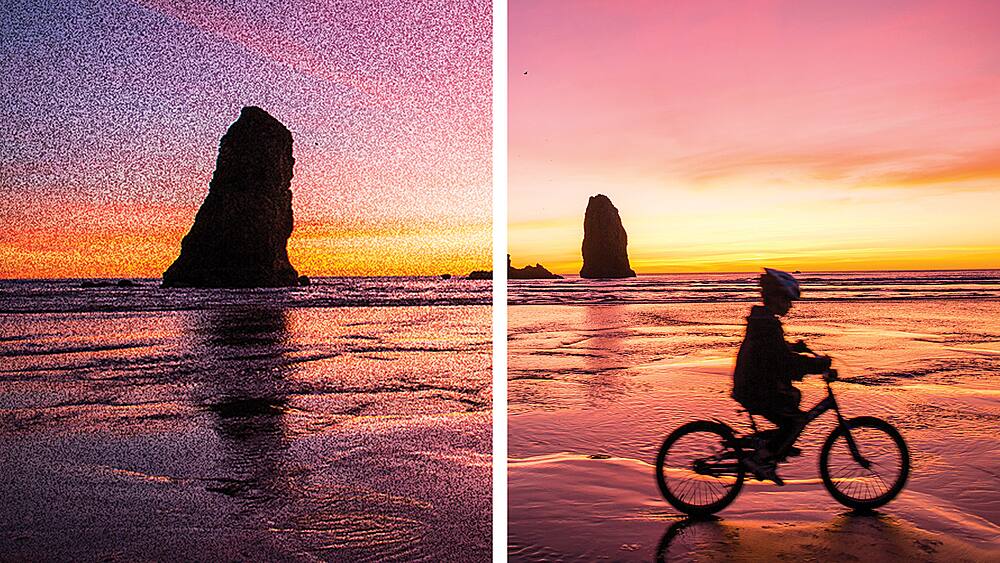
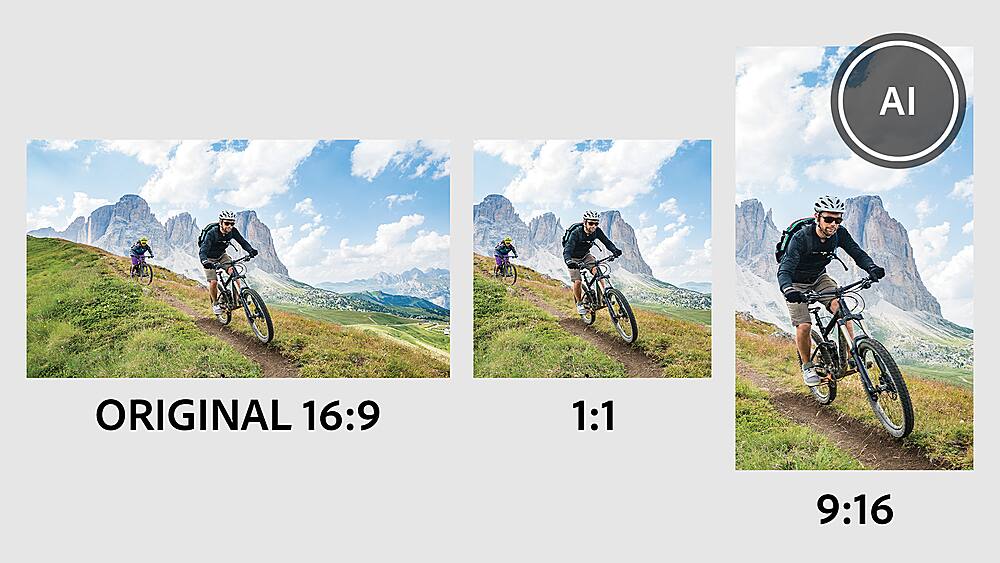
|Posted .This reviewer received promo considerations or sweepstakes entry for writing a review.If you like to record videos or fly drone and you’re looking for a software that is easy to use, this is it. Most people don’t really like spending their time editing videos so a smart software is a must. Most video editing software out there requires monthly subscription or cost a lot so this product is actually a good deal though it doesn’t give you as many features as those who charge you monthly fees. However, the essential features you need to edit and create videos are there. The software is geared towards enthusiasts, those who want to do the job quickly and effectively without having the need to attend time consuming video editing workshops. There are three ways to edit video: using quick mode, guided process or expert mode. The fastest one to do the job is by using the quick mode, which is basically a point and click exercise. A guided mode will give you specific instructions to accomplish your editing goal, while in the expert mode you are expected to have familiarized yourself with the tools and the specific steps it requires to get the job done. There are tutorial videos provided by Adobe on its website but most of the time editing feels intuitive and simple enough. Adobe provides a number of useful editing tools and effects so your video won’t look boring, of notable note is the software can reduce the noise of your video that is useful when you record videos in low light situation. You can edit contents for a variety of media and formats from popular social media platforms to conventional formats. Videos can be reformatted from landscape to the popular and trending portrait orientation. I’m using a gaming laptop to edit 4K videos and the editing work and rendering went well. Overall, this is quite a powerful tool for beginners and enthusiasts.
I would recommend this to a friend - Pros mentioned:Video editing
Year in, year out.
|Posted .This reviewer received promo considerations or sweepstakes entry for writing a review.This is my 4th year in a row using (upgrading) my version of Adobe Premiere Elements. I continue to edit videos for a Soundscape Wellness YouTube channel as well as for my own personal family videos and this application is the exact level of editing software I need because while I no longer consider myself a beginner, I am also certainly not a professional but Adobe Premiere Elements 2023 makes my videos look pretty darn professional. At this point I am past the simplistic layout and choose to have multiple video and audio tracks displayed along with a separate music track as well. Additionally if there is a feature I want to try but haven't yet, figuring it out in Premiere Elements is a breeze. The only thing I would like to see fixed about this application is the Help menu. It would be great if someone would be able to type in layman's terms what they're trying to do and the program would intuitively point you to the appropriate knowledge base article. It is frustrating if you don't know the technical term for something but you're still trying to use the app for help. Overall however the app is outstanding and I love the downloadable content (titles, slides, etc.) that you can access through it.
I would recommend this to a friend - Pros mentioned:Ease of use, Video editing
Great for social media use!
|Posted .This reviewer received promo considerations or sweepstakes entry for writing a review.The Adobe Premiere Elements 2023 is a great tool to edit videos. I have found this to be a great tool to edit the videos I post on social media channels for work. I have to say that I am a self taught Adobe user. I use AI and PS on a limited basis - I am not a power user. Adobe Premiere Elements 2023 has tons of ways to transform your boring videos into something different and special. First, it is very easy to trim and resize your videos so they will play correctly on certain platforms or on mobile phones. Next, it is just a click of a button to add an artitic touch to your video. You can chage the colors and the intensity. The program has 87 guided edits that you can follow to make basic adjustments, artistic creations, animations and more. We produce consumer events and I post a lot of pictures on Facebook and Instagram. There are templates that allow me to put those pictures ro create animated social media posts that will get more attention that just pictures alone. This is a great program for someone who wants to do basic editing up to someone who wants to do advanced editing.
I would recommend this to a friend - Pros mentioned:Ease of use
Great software!
|Posted .This reviewer received promo considerations or sweepstakes entry for writing a review.This software is absolutely amazing for what it is. Adobe Premiere Elements makes life easier when it comes to turning photos into a stunning video. With three different options at start up to help guide you along the way, it makes video creation a blast. You can use "Quick, Guided, or Expert," to create your master piece. The templates that comes with Adobe Premiere Elements are great, fun, and super easy to use. Overall I'm extremely happy with this product and when it comes to Premiere Elements you can't go wrong for all your basic video needs. You can add your music, you can do voice overs, and so much more with this software. This is the perfect software for someone who wants to turn their photos into a timeless family video, or for someone working on a quick project for school or work. There's a lot of great features that I did not mention. This software is very user friendly and fun to use. This is great for the beginner and hobbyist alike. I would definitely recommend this to a friend.
I would recommend this to a friend - Pros mentioned:Ease of use
Is the new Premiere better for you than Resolve?
|Posted .This reviewer received promo considerations or sweepstakes entry for writing a review.Adobe Premiere Elements is a great video editing software that allows you to seamlessly edit your videos and keep it organized. By far one of the best video editing software's I have used hands down, but that comes with the price of being super complicated to learn. I am still fairly new to video editing. My only experience comes from editing videos for family events as well as a few social media post as well. The software I used before was Davinci Resolve, and is the reason I'm giving this product four stars. The Davinci Resolve software uses a mix of both your PCs CPU and GPU, while apparently Adobe Premiere Elements uses mostly your CPU. This has caused issues with my PC, and I have noticed a lot more crashes with this software than I would experience with Davinci Resolve. This has led me to lose a lot of progress with my videos that I didn't save, which was annoying, but I fixed by closing out of my browser tabs. It's not like there are only cons however, as it is still a great video editing software that does the job, and has a lot of options to choose from depending on what you want from your video.
I would recommend this to a friend - Pros mentioned:Effects
Great software for beginners to mid level editors.
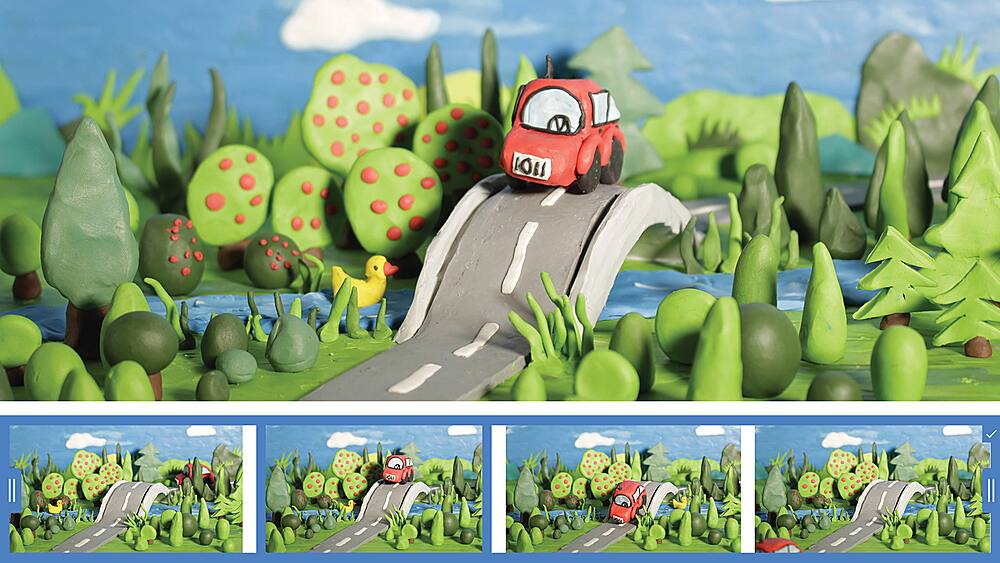
|Posted .This reviewer received promo considerations or sweepstakes entry for writing a review.Adobe Premiere Elements 2023 has made some huge improvements since the last time I’ve used the software. The biggest change is the support for the new MacBook Pro with the M1 chips. I downloaded the software for my newish MacBook pro 14” with M1 Pro and the first thing I noticed was how fast the program booted up this time around. Not only does it boot much faster, but editing is faster than it ever has been before. I also didn’t experience any crashes while using the software (this is a first for me with Premiere). The layout and work areas are split up in 3 different user interfaces; there’s quick, which makes the editing process as quick as possible, there’s guided which walks you through every step of the creating process. Then there’s the expert layout, which is you tradition Premiere layout with all the detail. Personally, I like to use the expert layout because this is what works best for my needs. Adobe added a bunch of new features in the software that really enhances the editing process as well as make your work even more creative. Some of my favorite new features are stock music. There is a lot of high-quality music that you can add to your videos to make them sound more professional. There is also a lot of new effects added, I was really impressed with the number of affects you can add to your movies. You now have the ability to create stop motion videos, not only do they look really cool, but they are easy to make. And finally, they added the ability to reframe videos that you recorded. This is an extremely useful feature seeing how everyone uses a phone to view content and with the ability to reframe your video, you can resize it to fit on your phones screen. As far as the editing experience, I think Premiere has some of the best editing capabilities when it comes to cutting clips and adding transition. Making cuts is incredibly smooth and it gives you full control, something other editing software’s need to take note of. Adobe has always managed to master the syncing of audio with clips when making cuts, in this version it does it flawlessly. I loaded a 9-minute video recorded at 4k 30fps, I was able to edit it with no lag at all. The software was able to keep up with everything I was throwing at it. Rendering seems to be improved as well, it took roughly 5min to render and export my 9min 4k movie. The end results were great! Overall, I think Premiere Elements 2023 has made some excellent improvements, and new features to the software. The stock music is a great addition as well as the extra effects. The ability to now create stop motion is really cool, auto framing videos is incredibly useful. Editing has never been easier and faster with how it takes advantage of the M1 chip. I would definitely recommend this to anyone looking to become an editor as it’s a great learning tool.
I would recommend this to a friend - Pros mentioned:Ease of use
Guided instructions!
|Posted .This reviewer received promo considerations or sweepstakes entry for writing a review.Much like Adobe's Photoshop Elements is an introduction into digital photo editing, Premiere Elements is an introduction to video editing. The extent of my video editing experience is trying to correctly time pressing pause during commercials while recording something on television onto a VHS. There's a few more intricacies to Premiere. Not to worry, though. The program offers simple walk-throughs for some of its most useful features. I am excited at the creative possibilities for editing home movies and my mind fantasizes about editing together my first full-length science fiction thriller. In reality, I don't know that Premiere Elements could handle a feature. At least not on a home computer. I've been playing with the Premiere on a PC that far exceeds the recommended specifications to run the program, but it has frozen on me a couple times just splicing together two 30 second cellphone clips. I realize that with technology there could be hundreds of reasons why this would happen that are no fault of the software. And I'm certainly not the savviest when it comes to creative software. Although, I always got the idea that the "Elements" line of softwares was supposed to be dummy-proof, for a lack of a better term. When the program is functioning properly, it is pretty straightforward to operate. I get a kick out of all the scene transitions available. Yes, there is a star wipe! As stated previously, I will predominantly use Premiere to edit home videos. As my kids get older, I imagine it will be a useful tool for some school projects. I did not have access to anything like this during high school and college art classes. I can think of a few projects this would've come in very handy. Had this been an option during my scool days, this software would have been invaluable to me. Especially at its value price.
- Pros mentioned:Video editing
A Solid Photo and Video Editing Program
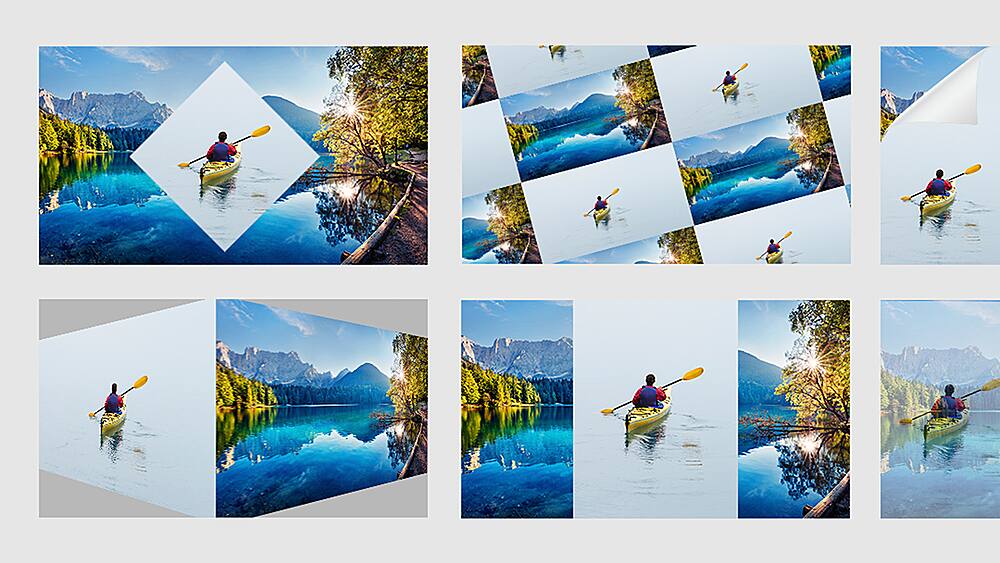
|Posted .This reviewer received promo considerations or sweepstakes entry for writing a review.I was excited to receive Adobe Elements Premier 2023 as I had used Elements extensively in years past. I downloaded it, opened and installed it and immediately began having difficulty trying to register it prior to use. I am using it in trial mode for this review. The program has some very nice features built into it but was very difficult and sluggish to use. The program comes without a user manual and is slow to load and open. I spent hours importing my large photo files and perhaps that is why it is so sluggish. Once opened, Premier Elements presents its Home screen from which you navigate to the Organizer, Photo Editor or Video Editor. After importing thousands of photos and videos into the Organizer, the program showed me several Auto Creations it produced from my imported pictures. I really liked the program's ability to perform auto creations. They really made some of my photos "pop" once completed. I did not try out the Video Editor as I take very few videos. However I see that it has three interface modes: Quick, Guided and Expert. So it should provide great output based on your personal level of video expertise. When working with photos, Adobe Premier Elements 2023 shines. The program will help correct your photos brightness, color, tone, and has an Instant Fix button that only works for photos. Premier Elements also has a very good search function that allows you to find photos more easily especially when you have a large number of images imported into Elements Organizer. The program allows you to tag objects and people that will help find just what you are looking to work on. For Slideshow and Videos, you can also add music to them to enhance their output making viewing pleasurable. Adobe has put a lot of effort in to upgrade its Premier Elements 2023 and provide it with many new features. It does a nice job if you have patience to practice with it and stay with it through its somewhat sluggish performance.
No, I would not recommend this to a friend - Pros mentioned:Effects
Subtle Changes this year
|Posted .This reviewer received promo considerations or sweepstakes entry for writing a review.I think Adobe Premier is a great product for basic editing and a nice stepping stone to Premier Pro for those that want to take their projects to the next level. For me, I’m just a simple man and Premier Elements does enough for me. One thing I do like about Elements is the perpetual license, as opposed to subscription based products like Pro. I’m not a full time video editor and don’t want to be paying for months when I’m not using the product, this version is yours to keep and use without any expiration or additional charges. That being said, it doesn’t look like there was much of an overhaul from the previous year. They have added Artistic Effects which seems like a cool idea, bringing in old school painting type-art to transform video images. Some other changes appear to be that exporting videos to Blu Rays or DVD’s is no longer an option. I did enjoy this back in the day, but I haven’t used a DVD writer in my desktop for years, but still think it should be an option. Other than that I don’t notice any huge changes, its still a solid video editor for beginner and intermediate users. This time around it does feel like there is a mesh between the Photoshop elements and Premier elements with how you edit and customize the images in videos. More options are good IMO.
I would recommend this to a friend - Pros mentioned:Ease of use
Subscription free great product!
|Posted .This reviewer received promo considerations or sweepstakes entry for writing a review.I have been an adobe user off and on for many years now. I have tried different products from them from premier Photoshop and after effects. I have to say that this offering from Adobe is certainly one of the better products I have used from them. it is very user friendly in a package that requires no subscription which is often a big turn off for many buyers. Pros: ease of use - this software is very incredibly easy to pick up out of the box and start working. although I didn't take advantage of the tutorials, even jumping into the software with some Adobe background was incredibly intuitive, and I imagine it would be for those who have any experience with other video editing softwares. price - rejoice! finally a fully fledged Adobe product back that requires no subscription and is not exorbitantly expensive out of the box. although there are still many good free options out there, the price point of this software is very good considering all that it has to offer. cons - The only thing that I can think of as I possible con here is that the feature set is not completely as built out as you would with a premier pro product. however, for a relatively casual user. this software still did everything I wanted and I am very pleased.
I would recommend this to a friend - Pros mentioned:Ease of use, Performance, Video editing
Great tool at a great price.
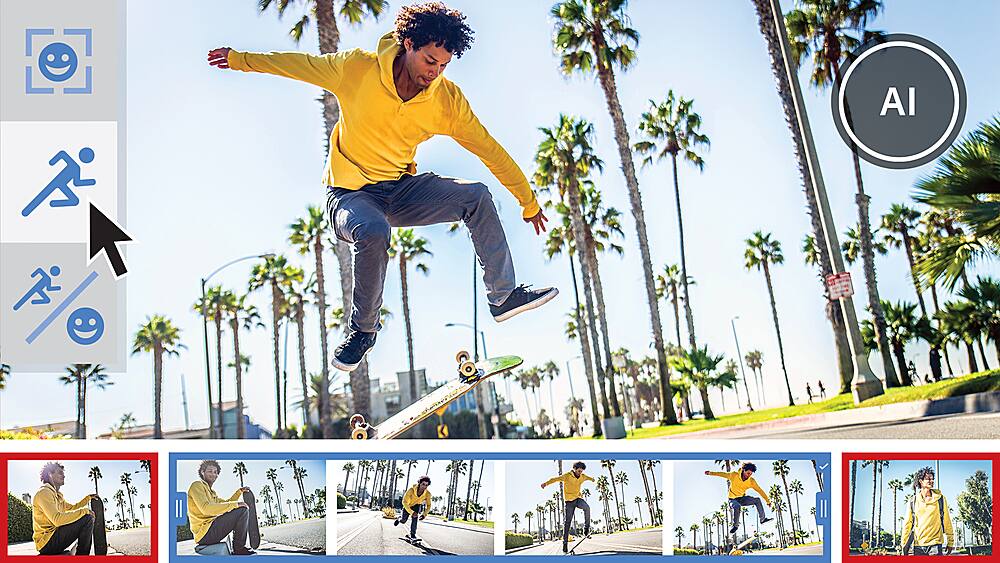
|Posted .This reviewer received promo considerations or sweepstakes entry for writing a review.When it comes to editing photos and videos, nobody does it like Adobe. The last version of Premier Elements I used was several years ago. While it is still the same great app, a lot has changed. With Premiere Elements 2023 you can auto reframe videos, improve low light videos and reducer noise. You can create stop motion animated videos. You can also create stylish slideshows that combine video and photos with a choice of modern looks and themes. You can apply art styles by famous painters or popular art styles. There are many new audio tracks to use and it all installs and runs faster than ever. They also now allow you to access, view, share, and edit with new on-the-go web and mobile companion apps. If you need to do video editing without the cost and complexity of Adobe Premiere, this is a great alternative that is much cheaper and easier to use than the full blown product. Give it a try and see just how easy it is to use. You'll save money and make some great looking projects. I highly recommend it.
I would recommend this to a friend - Pros mentioned:Performance
Quality Editting Software
|Posted .This reviewer received promo considerations or sweepstakes entry for writing a review.At this point Adobe has the formula down. They understand video editing software and are continuing to make great improvements year over year. The 2023 edition of Premiere works great like other Adobe products. If you're unfamiliar with Adobe Premiere, it is a beast of a program. There are so many things it can do to make your videos look amazing, but that level of features does make it somewhat daunting to use. I've been impressed with the usability of this release. So far, runninging it on my somewhat powerful laptop, I haven't seen and noticable hiccups or crashes. Editting seems smooth and navigating and working with my videos is easy and familiar. The render times seem pretty good. It all depends on your video size and quality but I haven't been disappointed. Overall this is a very high quality video editing software. If you are familiar with Adobe you'll be right at home. Premiere is always one of the go to video ediy softwares and the 2023 release should be right at the top of your list if looking for a great editing experience.
I would recommend this to a friend Same old jank crippled 'Adobe light' product...
|Posted .This reviewer received promo considerations or sweepstakes entry for writing a review.When the Elements series first came out it had real promise. I remember recommending it to my family who didn't have the cash or the know-how to use the full Creative Suite apps but wanted something with good output and some interesting creative options. In the Windows XP days 18 years ago, this was a compelling proposition. Back then what you got was watered-down and simplified but still fully functional linear video editing, and if you opted, you also got Photoshop elements, which was an impressive home photo editor and organizer at the time. I never understood why Adobe never brought their other winning apps, like Illustrator, InDesign/PageMaker or Acrobat to the home side, but maybe this would have cut too deeply into their prosumer segment that shelled out for those apps as part of the CS/CC lineup. Now regardless of which package you choose, such as the video-only Premiere Elements featured here, you get largely the same product you could get in 2004. While some whizbang AI features have been added, much of the UI is worse jank than it was back then, at least then it had consistency for home use, but now its a disjointed mess of a welcome app that introduces you to projects you could make if you'd bought both photoshop and premiere, and pushes photoshop on you as a free trial (Adware in a paid product! - If I'd wanted the product I'd have bought it - Dont leave hooks and ads for it in what I PAID MONEY FOR!!) The UI is also not as refined as what you get with the Creative Cloud apps (Adobe has always had a consistency/UI problem) and features almost TOO simplified of controls that make doing anything difficult. There are no editing standards here - Just media import from the included godawful media browser app, which itself is a watered down version of Adobe Bridge from CC, only somehow even worse. Video options are pretty broad, and 4K/60 support is here, but I dont know what footage you'd want to render in this thing. I only tested with 1080/30 content on my Dell workstation and was uninspired by how long finished products took to export compared to my other NLEs. I'm giving this 2 stars since it does a good job of the VERY simple editing it can, and can output final footage in 4K60 and many formats, once you learn how to manipulate its complex presets. (Too many dads are going to get lost in here and render down their precious memories into lower quality and lose fidelity due to the 1080i defaults). Honestly at this point the Clipchamp editor included with Windows 11 might be a better choice for this class of video editor. The software itself is trash.
No, I would not recommend this to a friendGold standard for video editing
|Posted .This reviewer received promo considerations or sweepstakes entry for writing a review.Adobe Premiere Elements is my favorite platform for editing videos for my various online platforms. According to Adobe this edition is a more streamlined version boasting 35% faster installation and launch times and 45% smaller app size. So far I have noticed very snappy response as I work in the program and so far no crashes! The new slide show templates are really quite nice. With a few clicks you can combine video and still pics in ways that are eye catching and entertaining. These modern looks will make your vacation memories or any video something to treasure. New Artistic Effects are a great way to add a creative and professional. After applying, you can fine tune the effect to make the scene perfect for your project. As has been the case for the last few versions you are able to choose Quick, Guided or Expert to create your project. These levels give range from practically doing all the work for you to giving you exacting control over all the features of the application. If you are publishing for different devices, the Auto-reframe feature is very handy. You can resize your videos for different formats easily and keep the action in frame this is thanks to built in AI making these sorts of transformations nearly effortless.
I would recommend this to a friendFrustrating product can't edit old Adobe projects
|Posted .This reviewer received promo considerations or sweepstakes entry for writing a review.Compatibility issues and the software is a little clunky and hard to use at times. I feel like the previous version was a little better. According to the Adode forums, Premiere Elements would run on a M2 Macbook Pro. It ran, but was extremely slow and laggy. It was impossible to make even simple edits because it stuttered so much. The software would choke on 1080p footage. iMovie easily handled 4k footage. When the 2023 version was released, immediately downloaded and installed on a couple of different products that I own, one of which being an M2 MacBook pro and then a custom built desktop. Adobe doesn’t support their software or their customers. So don’t be like me. Make sure the software 100% runs on your machine. Don’t expect any updates from your 2023 version either. You’ll have to pay $$ for an upgrade. So if there is any issue with the software you discover later on, you’re stuck with it. I’m currently using freeware that is handling most of my needs. At times is even overkill for what I need. You’ve be warned
No, I would not recommend this to a friendWindows 11 Issues? Not Recommended.
|Posted .This reviewer received promo considerations or sweepstakes entry for writing a review.I want to preface that I have prior experience with Premiere Elements using the 2019 version. I have had no issues using the software and like anything new, there is a learning curve to effectively use the software. I have found the learning curve in Elements to be no greater than any other software that you have not used. It is thus I was curious to see what was different in the four years that have transpired since using the 2019 version. I followed the install directions and downloaded the installer to a Dell XPS 17 with 64 gigs of ram with over 600 gbs of storage space available. This computer has Windows 11. The download installer went to 12% installed and froze. This computer was running standard Windows firewall and virus protection. An hour transpired and I was still stuck at 12% installation progress. I stopped the installation and restarted the process this time the installation would reach 4% and I left it overnight and no change in the morning. Wondering if the issue was the actual hardware, I tried the installation on a desktop with a 9th generation i7 (the XPS had an 11th generation i7); performed install as I had done on the XPS laptop and the same results happened. Stopped at 12% on first attempt and froze again at 4% the second time. I went back to the XPS and found where the files were stored on the initial install and manually removed them and retried. Once again frozen at 4% install. Out of the clear blue I tried an install on the only computer that I have that cannot support Windows 11, an HP envy with a Ryzen 5 processor. Installation went flawlessly though the overall process of navigating difference between redemption code and serial number was particularly obtuse but I managed to get the software to work on an "obsolete" system. As such I have no interest in even proceeding with software that cannot be used in a modern operating system. I am writing this warning people about digital downloads potentially not working at all on Windows 11 system. It should be noted that I have contacted Adobe prior to writing this review and even took an extra step of posting to their forum. Not one response. Hence the lowest possible rating I can give.
No, I would not recommend this to a friendLot of functionality when it works.
|Posted .This reviewer received promo considerations or sweepstakes entry for writing a review.Premier Elements appears to be three pieces welded together. Organizer, Photo Editor, & Video Editor. I downloaded Premier Elements using a redemption code however it appeared to strip 1/3 of the functionality of the application right away. The photo editor functions "which all appear to be normal buttons in the app" would launch a prompt to enter in a serial/redemption code which would then show as invalid despite the other two functions working and activating just fine. Support was unable to respond or solve this issue. The organizer was pretty good. It allows you to import your images and it runs facial, object recognition automatically on your images. This auto tags all your photos with keywords and your friends and family if you match up their names. So if you want to search fast for the proper photo you can search via personal, object, place, date, rating, and more. Importing appeared to be a bit tricky. For some reason it did not want to import iPhone HEIC/MOV images correctly which was a bit surprising given how common this format is. Importing the images at JPG/MP4 worked however. There's a lot of features to be launched from the main window. Creating slideshows, various image effects from your images and videos. Unfortunately, most of these functions were locked away with a "Loading Premier Elements Workspace" which would never launch. This worked for one day in which I was able to generate an image to video slideshow with music. The slideshow was easily to create. I tried sharing it to Facebook from the app but this also did not work. I needed to download the video file and share it directly in order to complete the action. There's a lot here, but its hard to say what does and not work well. From installing the product/activating it/navigating the bugs to complete failures I'm left at uninstalling it and trying something else.
No, I would not recommend this to a friend