Customer Ratings & Reviews


- Model:
- C11CF47201
- |
- SKU:
- 5711424
Customer reviews
Rating 4.4 out of 5 stars with 716 reviews
(716 customer reviews)Rating by feature
- Value4.1
Rating 4.1 out of 5 stars
- Quality4.0
Rating 4.0 out of 5 stars
- Ease of Use4.1
Rating 4.1 out of 5 stars
Customers are saying
Customers express satisfaction with the Expression EcoTank ET-2650's print quality and ease of use, frequently praising its straightforward setup and compact size. Many appreciate its wireless capabilities, enabling convenient printing from various locations. However, some users reported concerns about the printer's reliability and price point.
This summary was generated by AI based on customer reviews.
- Pros mentioned:Ease of use, Print quality
Rated 5 out of 5 stars
Great printer that will outlast them all
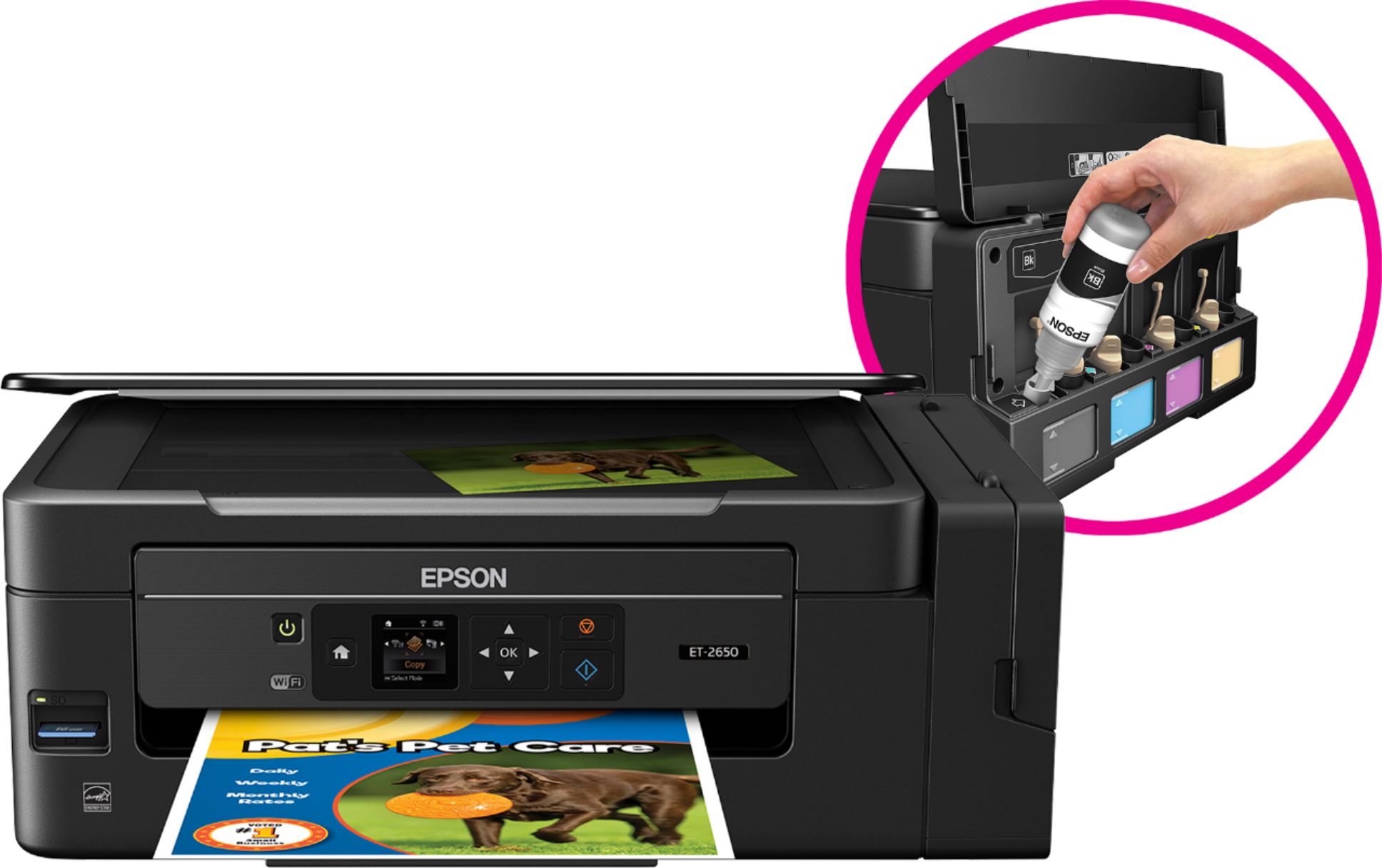
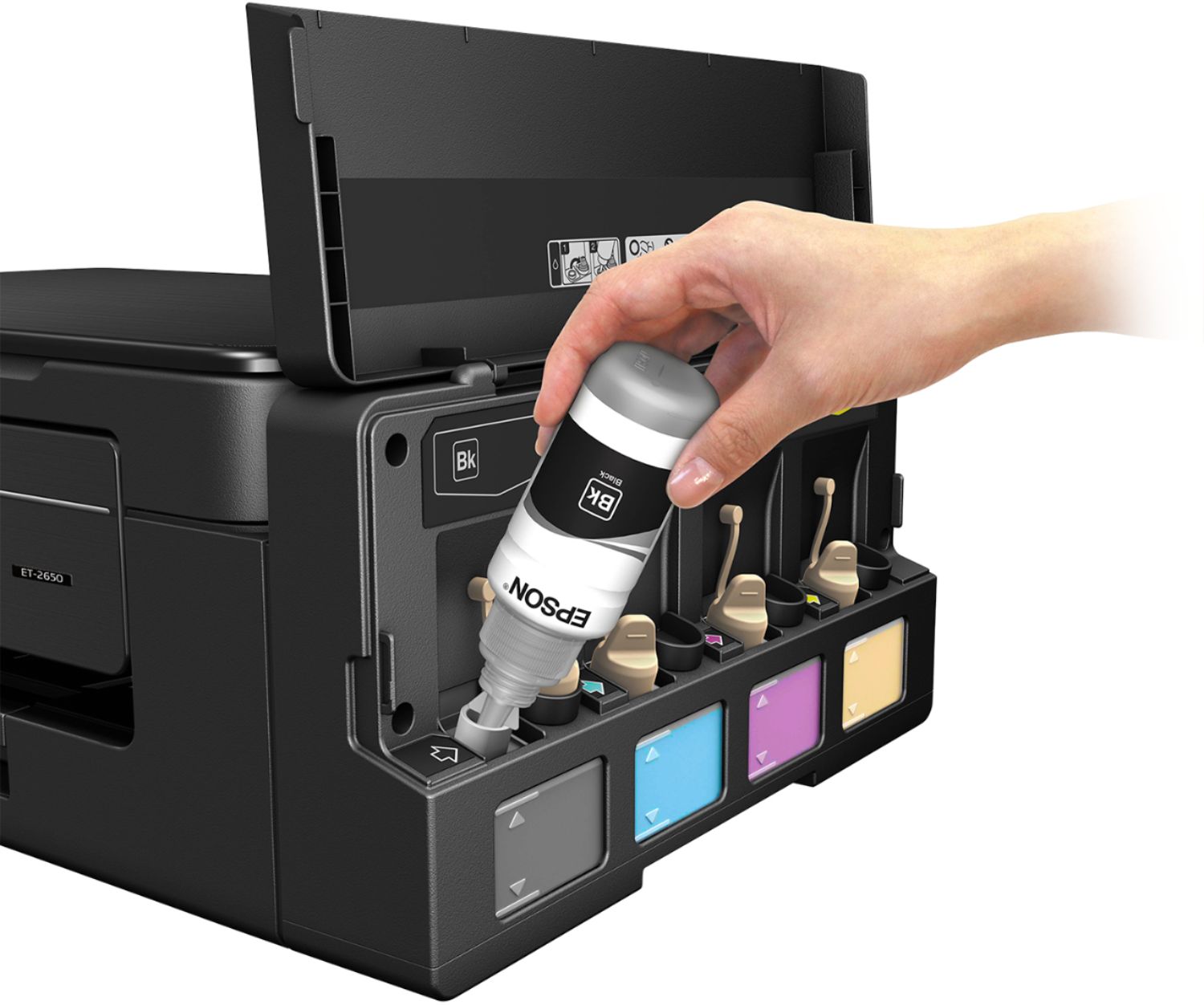
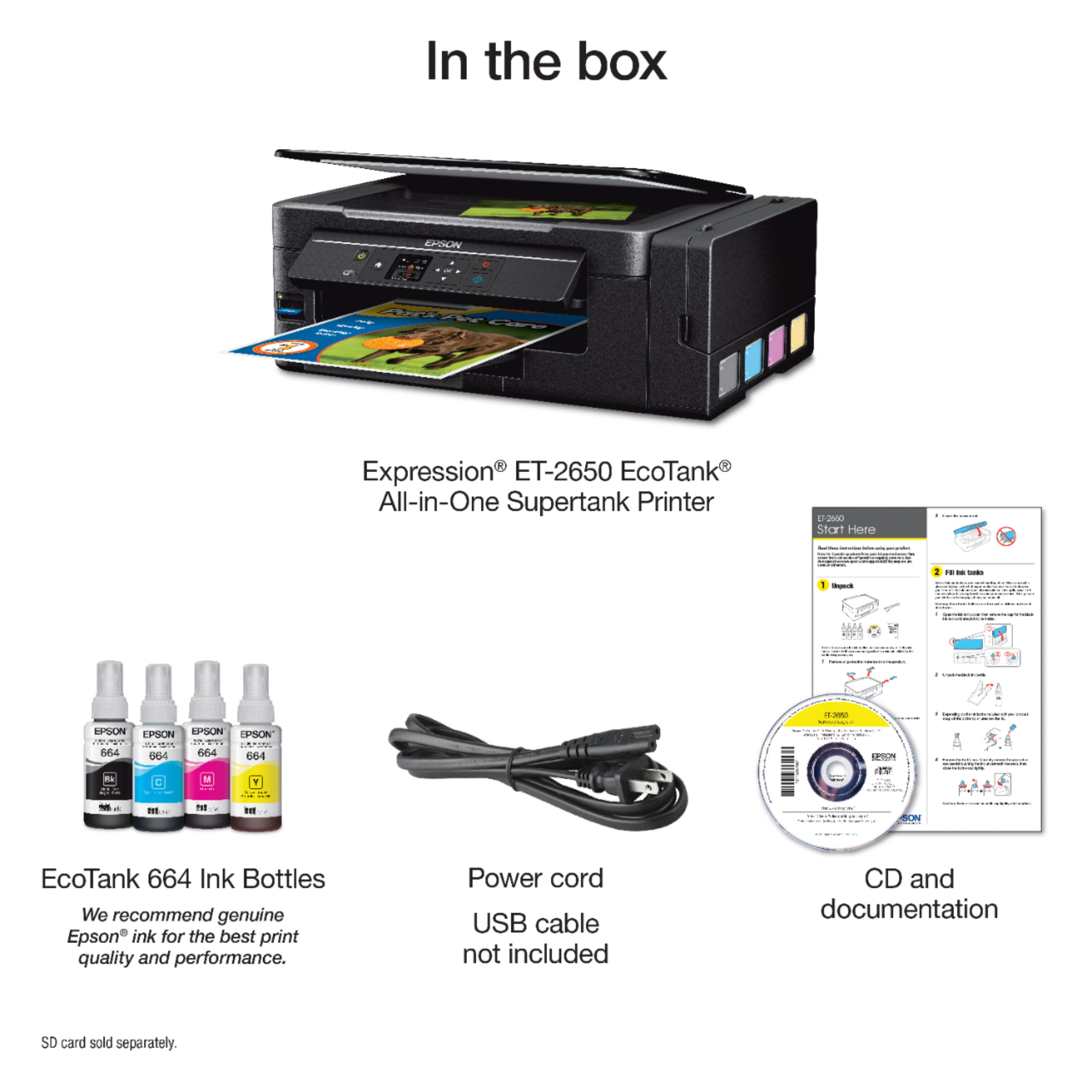
Posted .This reviewer received promo considerations or sweepstakes entry for writing a review.The Epson Expression ET -2650 was so easy to set up. I was a little worried that I would get ink all over the place as you need to pour the ink into the separate compartments. It couldn't have been designed better as it was so easy to transfer the ink. Once the ink was in the containers than it is just like setting up any other Epson printer. This particular model comes with a disc that walks you through exactly what to do. I set my printer up the wireless way and it connected right away. The performance of the printer is also better than most inkjets. The thing that really makes this printer a great value is that the ink should last at least two years with an average household's printing needs. I have bought other inkjets and once the ink runs out it usually doesn't make sense to go and buy the ink as it is almost as much as a cheap inkjet. The ink for this printer is very affordable and should last much longer. So far I am very impressed with this printer. This is a review for the Epson Expression ET-2650 EcoTank All-in-One Printer that I received free of charge to do a beta test and review.”
I would recommend this to a friend - Pros mentioned:Ease of use, Print quality
Rated 5 out of 5 stars
Great All-in-One Printer
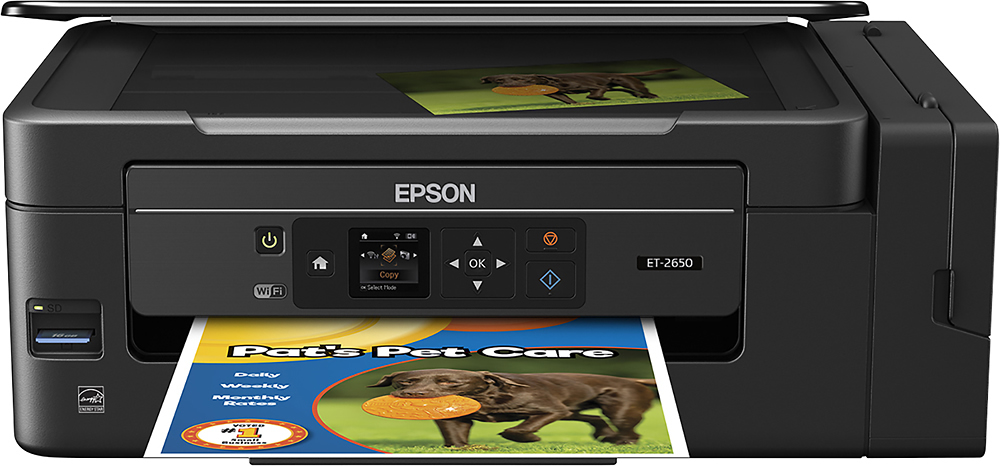
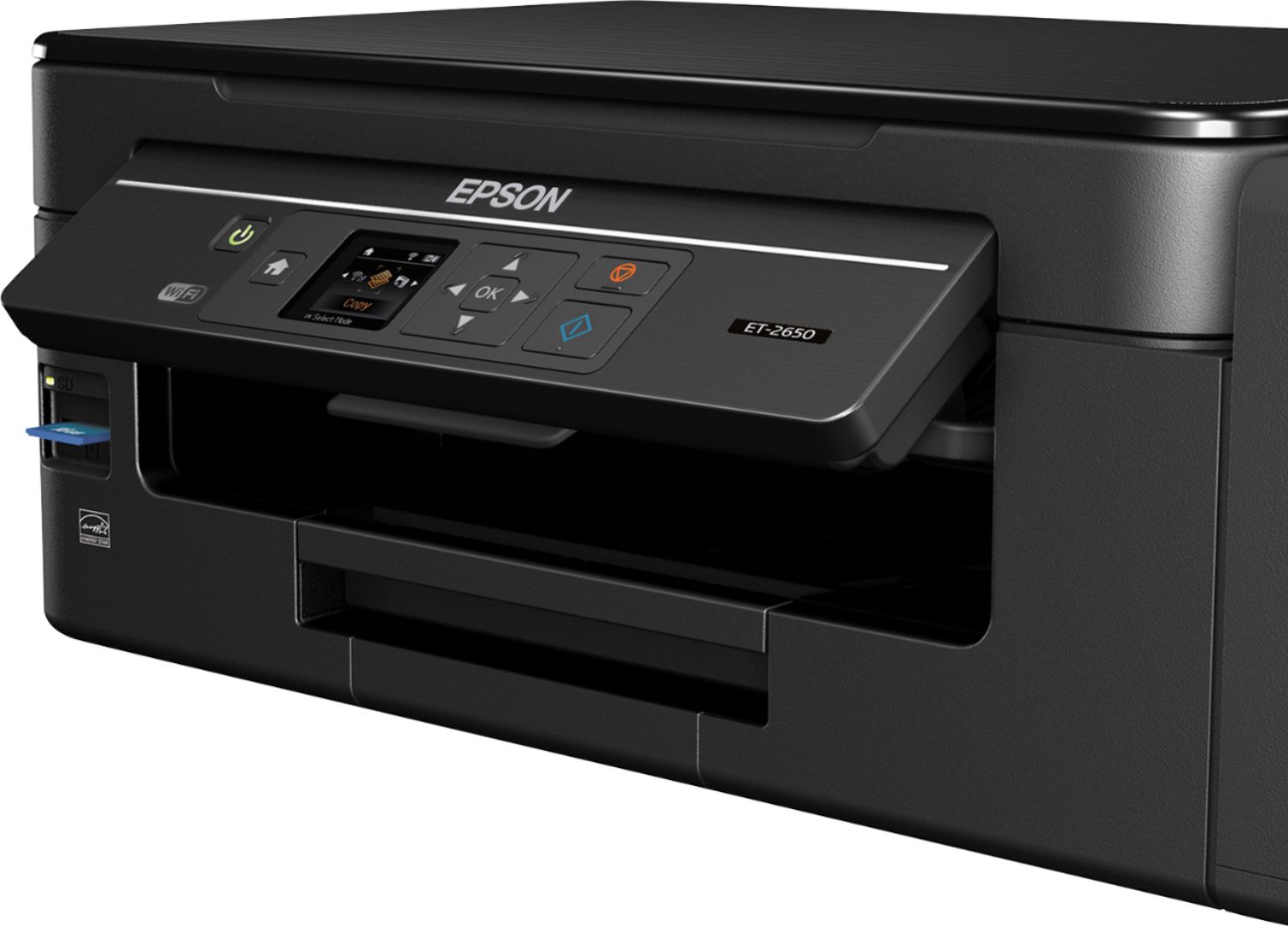
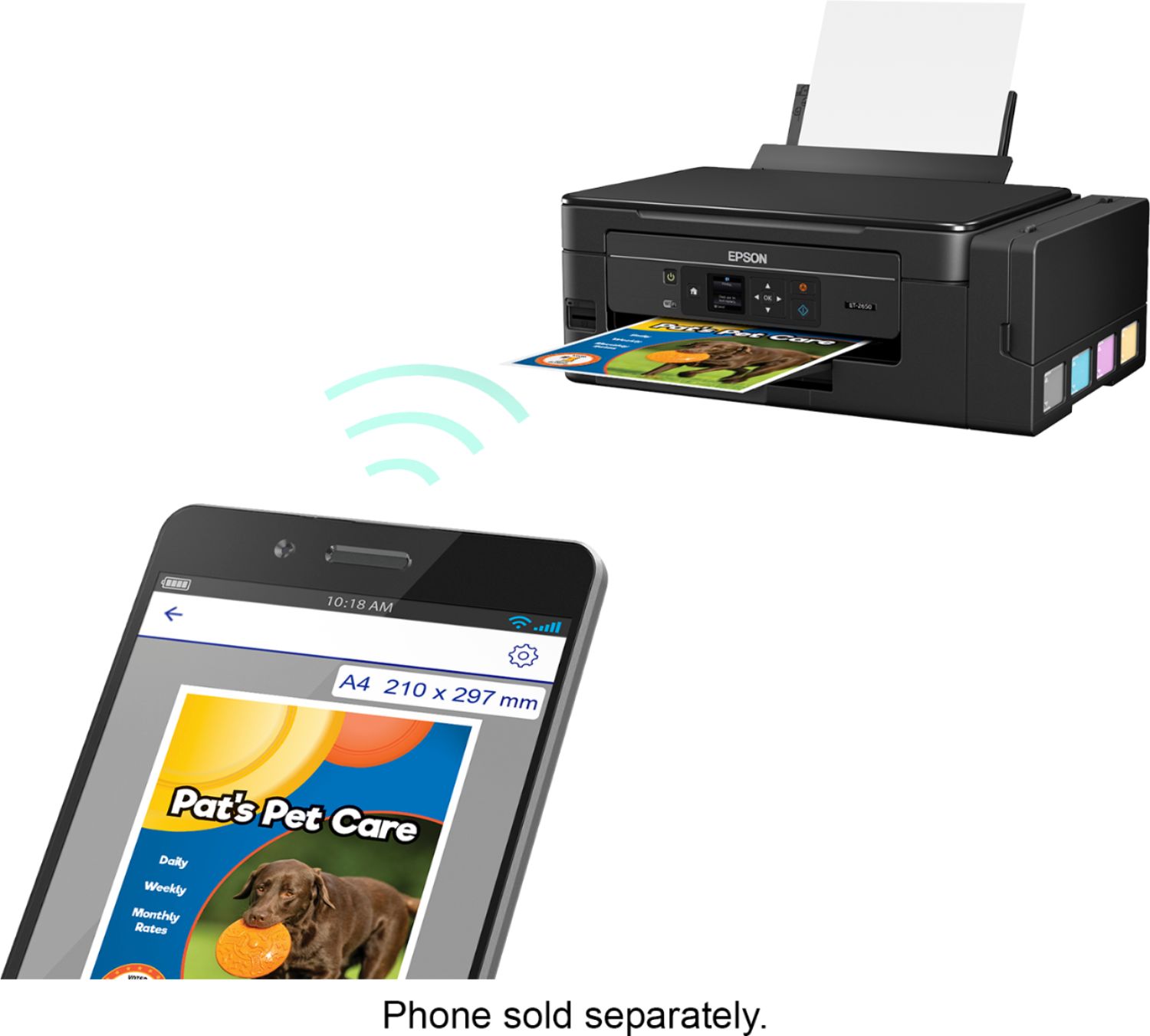
Posted .This reviewer received promo considerations or sweepstakes entry for writing a review.Setup was a breeze. This is the first EcoTank printer I have owned so I followed the instructions when filling the ink. Other than that the options on the display were very easy to navigate to setup the printer. Copying documents is very quick and easy. Switching from paper to envelopes or photo paper is very quick using the display screen. Connecting to WiFi is very easy and painless. As soon as I connected to my home WiFi I downloaded the Android apps (Epson iPrint and Epson Print Enabler). After turning on the Epson Print Enabler in the settings on my phone, printing from the iPrint app was very simple. Printing photos remotely and locally from my phone is one of the best features and the ease of it is definitely nice. Picture quality if very nice. All in all the printer is the best I have owned. I feel they have made a printer that is easy enough for a beginner to setup and use but also has plenty of features to keep a pro happy. This is a review for the Epson Expression ET-2650 EcoTank All-in-One Printer that I received free of charge to do a beta test and review
I would recommend this to a friend - Pros mentioned:Ease of use, Print quality
Rated 5 out of 5 stars
Great Printer
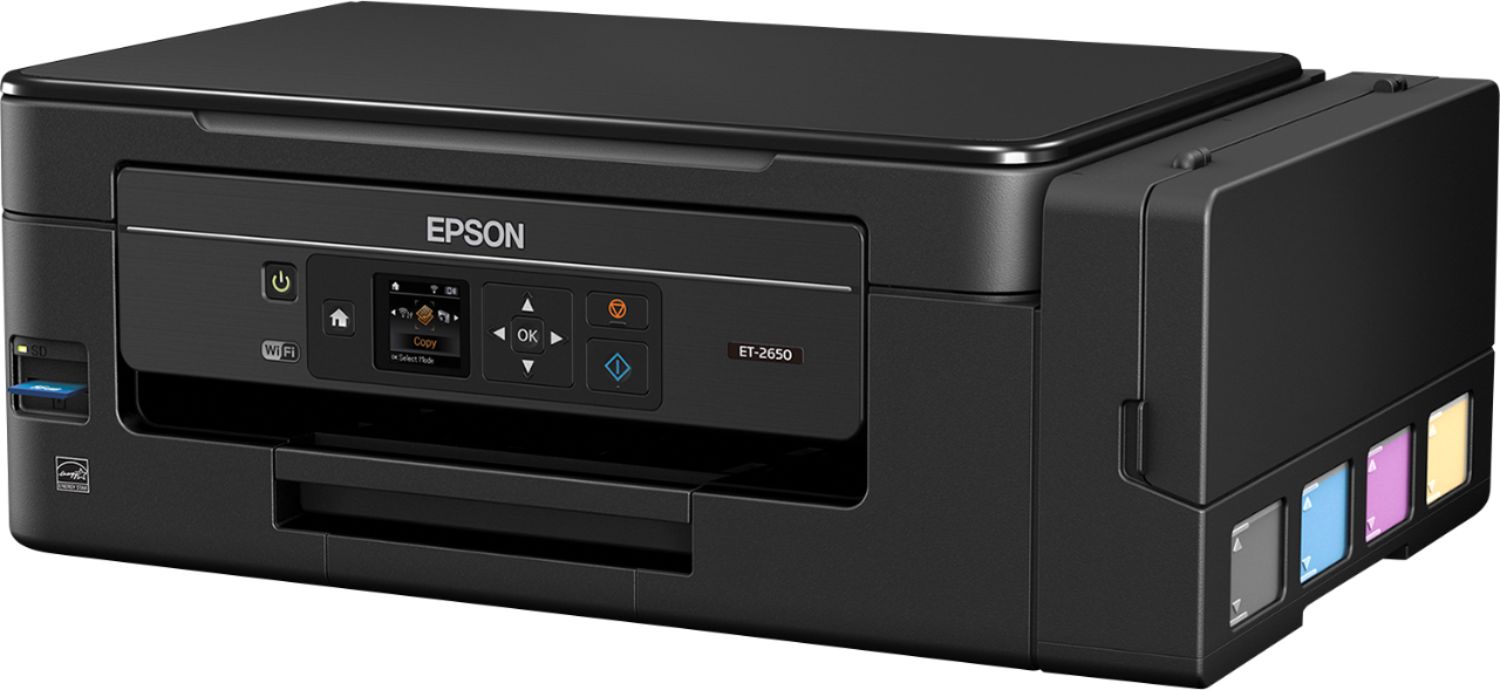
Posted .This reviewer received promo considerations or sweepstakes entry for writing a review.One of the best home all in ones I’ve ever used. Set up was fast and simple. Fill up the high-capacity ink tank, plug in, initialize, and install drivers on device. It’s even simple to connect to a home Wi-Fi network, simply select the Wi-Fi wizard and follow the easily understandable prompts on the printer screen. This printer features refillable ink tanks, so you never have to worry about changing cartridges again. The printer comes with 2 years’ worth of ink bottles, and filling the tanks is easy. Thanks to the easily viewable tanks on the side of the printer you can always see when it’s time to fill the tanks. Printing any document is fast and quiet, and the print quality is exceptional. It also contains different templates for personal stationary right on the printer itself, which I found to be a pretty handy utility. I would suggest this printer to anyone looking for a good home all in one. “This is a review for the Epson Expression ET-2650 EcoTank All-in-One Printer that I received free of charge to do a beta test and review.”
I would recommend this to a friend - Pros mentioned:Print quality, Setup
Rated 4 out of 5 stars
Easy set up/ Fast printing
Posted .This reviewer received promo considerations or sweepstakes entry for writing a review.This printer was a nice printer to invest in. The set up was super minimal and simplified. The steps from the manual were short and sweet and had great visuals. I thought it was very neat that you can put the ink directly in to the canisters instead of using ink cartridges. One thing that I did not like was how it did not come with a USB cord to hook up to my laptop. Sometimes I do not have WIFI at my University so I had to go purchase one on top that. Overall, I would recommend this printer to a friend because it is simple to set up and it prints and loads fairly fast. This is a review for the Epson Expression ET-2650 EcoTank All-in-One Printer that I received free of charge to do a beta test and review.
I would recommend this to a friend - Pros mentioned:Print quality, Setup
Rated 5 out of 5 stars
Great printer for the price and features!
Posted .This reviewer received promo considerations or sweepstakes entry for writing a review.This is a review for the Epson Expression ET-2650 EcoTank All-in-One Printer that I received free of charge to do a beta test and review. Finally a printer you don't have to spend all your money on for INK. Great idea and even tho Epson may lose some sales from the ink division, making your customers happy with their purchases for years to come is a better bet. Setup was pretty easy. I used network settings for my printer rather than the WiDi method. I didn't feel like downloading the app on my phone or tablet to use it nor use the SSID from the printer. Works great!! The print is crisp and clear on the paper, and pictures have a lot of color pop to them. To me, this is a great purchase even at the price it is being advertised for.
I would recommend this to a friend - Pros mentioned:Print quality
Rated 5 out of 5 stars
Very high quality with low ink costs!
Posted .This reviewer received promo considerations or sweepstakes entry for writing a review.Although I was no longer using my Canon Pro 100 for art prints, I continued to use it for every day printing. Needless to say, the 10-ink cartridge costs were (ouch!) exorbitant. After reading a gazillion reviews for a 4-ink all-in-one printer to replace the Pro 100, I decided to go with the Epson ET2750. The Concept of paying a little more for the hardware to save big on ink costs sounded like a good idea. Set up was a breeze (don't let the ink bottle to reservoir task concern you. I found it very easy and didn't spill a drop.) After set up, I was ready for my first print, expecting a much lower print quality than from my photo-printer. But Wow! The print quality rocks! I couldn't believe the vibrant, very accurate color from a 4 ink printer....and the ink supply lasts for 2 years! (average use). Scans and copies a laser-like sharp. You can't beat this printer for all around best value and function. Buy it. You won't be sorry. I GarOWNtee it!
I would recommend this to a friend - Pros mentioned:Ease of use, Print quality
Rated 4 out of 5 stars
EPSON ECOTANK ET2650 PRINTER
Posted .This reviewer received promo considerations or sweepstakes entry for writing a review.I have gotten this printer since January 2019 and it is the best printer I have ever had. I have printed so many things and still have a lot of ink, it is a fast printer and the printing is very clear. I used it for home use. When I first got it, the set up was very easy and what I like most is the ink jar, I no longer have to use ink cartridges. Easy refill of ink jars. Thank you and I will recommend this printer to anyone needing something good. This is a very good printer.
I would recommend this to a friend Rated 4 out of 5 stars
Very Good Printer for the Price
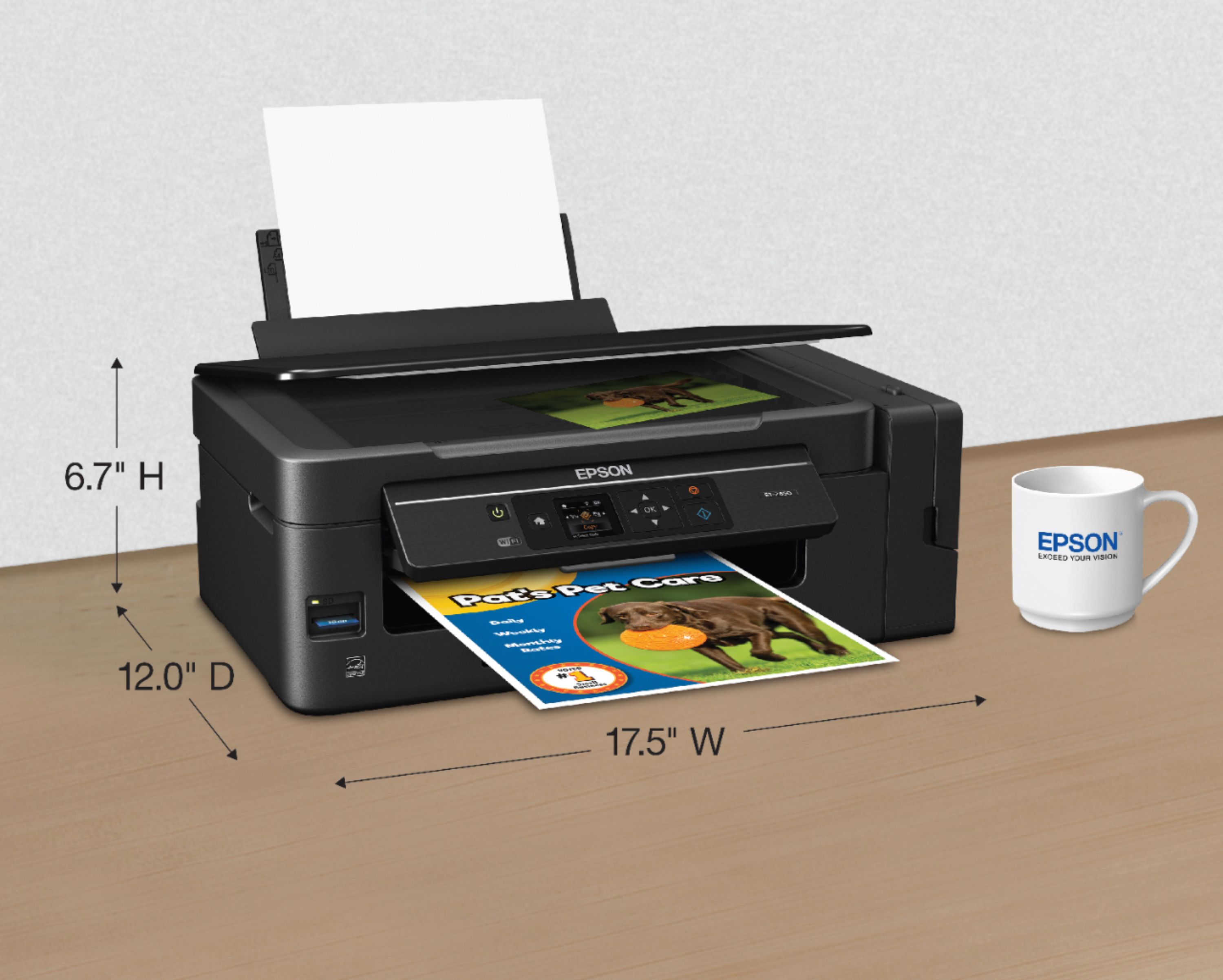
Posted .This reviewer received promo considerations or sweepstakes entry for writing a review.This is a review for the Epson Expression ET-2650 EcoTank All-in-One Printer that I received free of charge to do a beta test and review. I was interested in beta-testing a new printer with the ability to run it through it paces. I have beta-tested other products in the past with mixed results and had high hope for this model. For what I consider an entry level All-in-one printer the Epson ET 2650 would be a very good purchase. After a week of testing I am impressed with the Epson ET-2650. The software was easy to load and updated to the latest Firmware. The Printer was very easy to setup as was connecting to my WiFi network. I also downloaded the Epson Print Enabler app from the Google Playstore for my Samsung Galaxy S7 Edge to test printing from the phone. Now on to my first impressions of the printer. The ability to allow for bulk ink in the printer where you can potentially print 5000+ pages before the ink runs out is an option long overdue. While I can't say at the moment how many pages I will be able to print, I already know it will be significantly more than I currently get out of my HP 8610 cartridges. I printed about 50 pages so far in B&W and color and the ink reservoirs are still full! The printed pages are sharp on the "normal" setting. I compared printed pages to my HP Inkjet Pro 8610 All-in-One Printer and they are comparable. However, The 8610 prints pages faster. But the difference is not that significant. Also, the HP8610 is not a fair comparison as it has many more advanced features and cost more. Printing wirelessly from my laptop worked like a charm on the first attempt. I can;t say that for other wireless printers I have purchased in the past. The Printer doesn't hold much paper and it's a top loader like older models. I think Epson should consider a paper tray on future versions. The receiving tray is also small so you'll need to remove your copies often if you are printing more than 15 to 20 pages at a time. If you are using the printer for home use or a small business, the Epson ET-2650 should more than meet your printing requirements. The Scanning feature worked well and the copies were very good. The software loaded on my computer was easy to use to set up the scan. The Copy feature is disappointing as you can only load 1 page at a time. But as I mentioned above, this is an entry level printer so it shouldn't be a surprise. Overall I would rate the Epson ET2650 All-in-One as above average/very good for a low cost printer. It comes with a lot of features not found in similar models and best of all it holds more ink than any other small home printer on the market. You won't purchasing ink very often. PROS: Large ink capacity All-in-One capability Prints B&W and Color pages quickly Printed pages are comparable to more expensive printers Easy to install software Easy to use Epson software applications loaded on your computer Wireless printing Capability to print from tablets, Android, Iphone with Espon app CONS: The printer has a cheap feel to it The printer menu options are very basic and do not have many available features When using the Copy feature, you can only load 1 page at a time Does not have a 1 side to 2 side or 2 side to 2 side feature Small paper storage and top loaded (no paper tray) Small receiving tray.
I would recommend this to a friend- Pros mentioned:Print quality
Rated 4 out of 5 stars
Great new printer!
Posted .This reviewer received promo considerations or sweepstakes entry for writing a review.I received the Epson ET-2650 promptly. The printer was packaged very securely and nothing was broken. Setting up the printer was very easy. Basically, all I had to do was to fill up the tank with the included ink and plug it in and press the power button. Make sure you leave yourself about 1/2 an hour to get it up and running since it takes 20 minutes to "charge" the ink. After the ink is charged you can continue to set up wirelessly or connect a USB cable, not provided, to your computer. The automatic wireles setup did not work on the first try but the manual setup worked without a hitch. I suspect this is beacuse of my Verizon Fios router and not the printers fault. One issue I did have was getting it to scan to my computer. I uninstalled the scan program and re-installed it as per the FAQ on their web site. It still did not work so I emailed tech support. Their response was to follow the FAQ. I ended up figuring it out myself. The first time you run the scan setup program you HAVE to run it in administrator mode for it to see the scanner. After that I had no more issues. I'm running Win10 64bit. All in all I really like this printer. I have another "all in one" and this one is much better. It prints quickly with very good results. There are a few cool things like an app so you can print from your phone and another option to be able to send email to the printer to automaticall print. I don't know if I'll get 2 years of ink or not but after about 100 pages printed the levels haven't dropped noticably. I would absolutely recommend this printer to anyone looking for a wireless color "all-in-one". This is a review for the Epson Expression ET-2650 EcoTank All-in-One Printer that I received free of charge to do a beta test and review.
I would recommend this to a friend - Pros mentioned:Print quality
Rated 5 out of 5 stars
Great product, fantastic concept of eco tank
Posted .This reviewer received promo considerations or sweepstakes entry for writing a review.Out of box experience was really good, all items were logically placed and gave a feeling of really owning a very solid product. After taking the printer out i started to take the packing tape out since it did seem like trivial effort but i got stuck at one point to remove the tape that was going from the ink container to "inside" of the printer. I had to pause & go back to reading the instructions to get this out of the way. The next step was to open the ink tanks & fill them with inks. This to me was the most time consuming part & took a while to empty out each bottle - also wanted to be doubly sure that i empty the correct color bottle to the respective tank. Once this step was out of the way it was time to plug in the adapter & start the printer. Following the prompts & instructions in quick guide came the most time consuming part of the setup which is "initializing" the cartridge - took about 20min. Instead of waiting 20 min i used this time to download the driver software on my mac from the website & started the steps to setup the wireless settings for printer until the very last step where it had to communicate to printer. I waited for the printer initialization before i synced the wifi settings with the printer. And voila, it was now time to test print & it was fast & beautiful. I then went ahead to take photo copies - color & black by placing the source paper in the scanner bed. Both copies came out beautiful although the B/W resolution was slightly superior compared to the color copy. I really hope this review would help you to make good choice. I'm excited that the economics of the eco-tank will trump any initial hurdles of setup & would become a long time economical & irreplaceable companion in my office for the next 3-4 years. Note: This is a review for the Epson Expression ET-2650 EcoTank All-in-One Printer that I received free of charge to do a beta test and review.
I would recommend this to a friend - Pros mentioned:Print quality
Rated 4 out of 5 stars
Great printer, priced slightly too high...
Posted .This reviewer received promo considerations or sweepstakes entry for writing a review.The out of the box experience was nice and easy, including filling the ink wells. I must admit, I like the mandatory 20 minute break from the install while the ink primes was actually nice. I installed the software on both my computer and Android phone. Upon returning to the install, which consisted of connecting the printer to the wireless network and test printing, I was disappointed that there is not an option to use WPS connect to avoid having to type in my very long but secure password. Once connected, the printer printed flawless. I did however feel a little frustrated that a printer at this price point did not have duplex (automatic printing on both sides) printing. This should be a standard feature at this price point, being that I have it on printer that have cost me a third of the price of this one. I also would have liked to see a bigger screen, preferably with touch controls. The prints a very good, whether black and white, greyscale, color, and even photos. Overall very pleased the prints! I’m excited to for the next two years not to have to change printer ink cartridges. It will be nice not to have to worry about ink at all! Overall, very happy with this printer! Now I did not pay for the printer as this is a review for the Epson Expression ET-2650 EcoTank All-in-One Printer that I received free of charge to do a beta test and review, but if I had not, yes, I would have bought this printer!
I would recommend this to a friend - Pros mentioned:Print quality
Rated 4 out of 5 stars
Great printer. Lots of ink included!
Posted .This reviewer received promo considerations or sweepstakes entry for writing a review.This is a review for the Epson Expression ET-2650 EcoTank All-in-One Printer that I received free of charge to do a beta test and review. ‘ Initial setup: The unboxing and setup was very easy. I love the amount of ink that is included in the product. If it truly lasts as long as advertised, that alone is great! Be careful when filling up the ink reservoirs, as the large bottles included with the product can spill. Joining the printer to wireless was easy and the instructions were clear and well-written. Make sure you leave yourself about 1/2 an hour to get it up and running since it takes 20 minutes to "charge" the ink. This was new to me, as I have never had a printer that required this step. Printing: I have been printing exclusively on this printer and have been impressed with the results. Text is crisp and easy to read and images are vibrant and sharp. My only complaint is the printer is louder than other printers I have owned. The option to print from a mobile device is a great addition as well Conclusion: While I received this printer as a beta test, I would have gladly paid for it, given the amount of ink and the quality of the results. I would like to see a wired option in addition to wireless, as wired Ethernet is always more reliable.
I would recommend this to a friend - Pros mentioned:Print quality
Rated 5 out of 5 stars
Awesome Printer
Posted .This reviewer received promo considerations or sweepstakes entry for writing a review.This is by far the quickest and easiest printer I have ever setup. I love the fact that this uses NO ink cartridges and I can see the level of ink at any time. unlike ink cartridges where you get them never even half full. I was also amazed by the quality of the photo prints this printer can make and the amount of ink I still have left after 75 prints. I wouldn't have this much left still with a cartridge. Can't wait to use this print in the coming months after a new vacations and photos I will want to print.I got this printer as a beta test to review and I like it a lot already. I would definitely buy this if I knew it existed already and I needed a new photo printer.
I would recommend this to a friend - Pros mentioned:Print quality
Rated 4 out of 5 stars
Great Printer with long life.
Posted .This reviewer received promo considerations or sweepstakes entry for writing a review.I received the printer through a beta test. I have had epson printers on and off for many years. My last one is still still working and it is 7 years old. I like the idea of the tanks vs the cartridges and I like that epson always includes the full size ink for free. The reservoirs were easy to fill. The printer is easy to connect to wifi, and you will need to download the iPrint app for your android or ipad. This is much faster and simpler than trying to use the plugins to print. It also lets you wirelessly scan and email. I never attached it to USB cable and my iMac and windows 10 laptops were able to find it and run it over the wifi. The print quality is good and the speed is also good. If you are looking for an office model you will probably want to upgrade to one with the paper feeder. The pictures turn out well, but I think the 6 color prints from my older printer are better. This would be a great printer for a family or college student. I am planning on taking this one to my office to have my own printer. This is a review for the Epson Expression ET-2650 EcoTank All-in-One Printer that I received free of charge to do a beta test and review.
I would recommend this to a friend Rated 3 out of 5 stars
Mediocre Photo Printer
Posted .This reviewer received promo considerations or sweepstakes entry for writing a review.Epson ET-2650 Printer Review – Rated a generous 3 stars. I DID NOT RECEIVE THIS FREE FOR A BETA TEST. If you factor out those reviews, the overall rating plummets. (If you do not use a range extender in your wireless network, skip to next paragraph.) TIP: If your wireless network uses a main router as well as a Wi-Fi range extender, read this. The printer will see 2 networks with the same name (SSID). Disconnect your range extender BEFORE establishing the connection between the printer and the network. Once you are connected, you can put the range extender back on line. PROS: Black and white COPY function is fine. Big INK tanks make you confident. Wireless SCANNING works very well (*see below). Handles and prints multiple photo PAPER SIZES with no hassle. WAKES UP immediately in a good mood when you leave it powered on and it has been idle. You will love this, if you think smart phones take great photos and you want to print directly from the phone. You will love this, if you want to “print from anywhere”. Whaaa??? I guess the printouts will be waiting for you when you return home from Europe. CONS: If you need a photo printer, BUY A PHOTO PRINTER, not this thing. This produces and reproduces dull lifeless photos from your new 24 megapixel camera. I will be spending many hours in Adobe Photoshop 15 trying to get better results. The 5 cartridge HP photo printer I just retired was much better, vivid. This one does not use an additional photo black ink. *If you do not set up Epson SCAN 2 software on your PC to see this printer wirelessly, you need to connect a USB cable to a PC to scan. Don’t get frustrated by this on the control panel. TIP: Click on the SCAN 2 software icon on your desktop. Click, click, click, click until you find the new printer and you’ll be fine with wireless scanning. Epson Technical Support WILL LEARN FROM YOU how to make this printer behave after you school them. Trust me, figure it out by yourself. “COPIES” OF GOOD PRINTED PHOTOGRAPHS are dull and faded, like second generation analog audio recordings. Even on the finest photo paper. You will develop arthritis from button pressing and you will grow to hate the “CONTROL PANEL”, the little screen on the printer. TIP: Set the notification for paper mismatches or you’ll waste a load of good photo paper. Good luck finding and fixing the input and output paper sizes in your PC. TIP: All printer maintenance functions USE INK, but you already know this. I’ll bet that the tanks will be empty in a few months. The “REFILLING the tanks” instructions may force you to train Epson technical support some more. I advise you to get the story straight before you do this. I can see myself having 2 full tanks and 2 half tanks. You need to tell the printer which tanks you just filled too. I pray that I figure out how to get better results with photo printing and get to rate this thing higher in the future.
No, I would not recommend this to a friend- Pros mentioned:Print quality
Rated 4 out of 5 stars
nice printer
Posted .This reviewer received promo considerations or sweepstakes entry for writing a review.This is a review for the Epson Expression ET-2650 EcoTank All-in-One Printer that I received free of charge to do a beta test and review. Text prints sharp and clear. Photos look like they were professionally printed (I did use the “High” quality setting). So as far as what you want a printer for, it works quite well. Set-up is kind of a pain, though. You fill the ink tanks yourself, and you have to use disposable gloves (not included) to avoid getting ink on your fingers. They recommend putting paper under the tanks while you are filling them in case any ink spills. If the ink lasts two years, as the box says, that could be a minor inconvenience I guess. I also had to change paper settings on the printer itself when I went from plain to photo to envelope. I haven’t had it long enough to see if there’s an easier way to do that. All in all, it’s a nice printer. But it’s missing two things I want in my next printer: duplex printing and the ability to fax. These may not be deal-breakers for a lot of folks, though.
I would recommend this to a friend - Pros mentioned:Print quality
Rated 5 out of 5 stars
Crisp and convenient printer
Posted .This reviewer received promo considerations or sweepstakes entry for writing a review.This is a review for the Epson Expression ET-2650 EcoTank All-in-One Printer that I received free of charge to do a beta test and review. The main thing I liked, is that each ink well is filled with a bottle of color, rather than your traditional ink cartridge. That being said, there are a few things that come along with this... A, not all ink bottles are filled to the same level, on purchasing refills (annoying, but I get it)... And it takes about 15-20 minutes for the printer to prime and get ready. The sync function to my mobile devices (phone, tablet, laptop) was easy as pie. I was able to print within 5 minutes of installing the app and reading all instructions. The pictures come out nice and crisp... And the scan feature also is very clean. All in all, this is a wonderful all included printer scanner, and am very pleased with this item.
I would recommend this to a friend - Pros mentioned:Ease of use
Rated 4 out of 5 stars
Nice MFP with high price tag
Posted .This reviewer received promo considerations or sweepstakes entry for writing a review.This is a review for the Epson Expression ET-2650 EcoTank All-in-One Printer that I received free of charge to do a beta test and review. The printer was super easy to setup on the computer. I was easily able to add it on both windows and Mac without having to download any additional software. The ink tank filling part however was precarious and the shape of the bottles coupled with how far out the ink tank came out of the main body made it feel like I would spill some ink. Print quality was at par with what I would expect from a printer this expensive. I would have liked to see a starter pack of high quality large format photo paper in line with some of the other printers I have bought in this price range.
I would recommend this to a friend - Pros mentioned:Ease of use, Print quality
Rated 2 out of 5 stars
Not a great Value
Posted .This reviewer received promo considerations or sweepstakes entry for writing a review.“This is a review for the Epson Expression ET-2650 EcoTank All-in-One Printer that I received free of charge to do a beta test and review.” Took only a few minutes to get it out and put it in place. Minimal packaging or waste. The instructions are clear to get started. Ink tanks are somewhat tentative to work with, With care it was easy to fill the ink tanks, but it would not be hard to make a HUGE mess, maybe some changes in the filling, or replaceable tanks? The Driver installer worked well, even setup the wireless network for me, very nice! However, when it printed the test page, it was sent to the wrong printer. The print quality is very good, and the scanner works well in both photo and copier modes. The menus are a bit small and prompts like “Invalid” could be more descriptive. I have an Epson WF-3620 printer which is available for $84.99. That printer has Fax, a large display/menu among other features. It has 2 paper cartridges and a tray feeder for the scanner. I think the ET-2650 ($299.99) would be a better value with at least those two options. I feel this printer is a premium price for the 2 year ink supply, I have had the WF-3620 for more than 2 years and have not spent the $215 price difference in ink.
No, I would not recommend this to a friend - Pros mentioned:Print quality
Rated 5 out of 5 stars
One of the best printers ive owned!!
Posted .This reviewer received promo considerations or sweepstakes entry for writing a review.This is a review for the Epson Expression ET-2650 EcoTank All-in-One Printer that I received free of charge to do a beta test and review. All i gotta say is that im very happy with this printer. After it goes into sleep mode it, when im ready to print it starts right back up and ready to go, unlike some other higher end printers ive owned. The ink reservoir is super easy to use and it saves alot of money on printing unlike other cartridge based printers. Also the prints come out very quick. Wifi was very easy to set up with my other devices such as iphone. Overall, couldnt be happier with it, no issues whatsoever, highly recommended to anyone whos looking for good quality, low price use, and affordable printer!!!
I would recommend this to a friend
People also viewed
- $189.99Your price for this item is $189.99
- $199.99Your price for this item is $199.99$239.99The comparable value for this item is $239.99
- Winter Sale Deal$79.89Your price for this item is $79.89
- $84.99Your price for this item is $84.99$99.99The comparable value for this item is $99.99
- $129.89Your price for this item is $129.89$179.89The comparable value for this item is $179.89
- Winter Sale Deal$69.00Your price for this item is $69.00
- $59.99Your price for this item is $59.99$89.89The comparable value for this item is $89.89
- $49.89Your price for this item is $49.89$89.89The comparable value for this item is $89.89
- Winter Sale Deal$189.89Your price for this item is $189.89
- Winter Sale Deal$79.00Your price for this item is $79.00
- $249.99Your price for this item is $249.99
- Winter Sale Deal$209.89Your price for this item is $209.89
- $728.00Your price for this item is $728.00$749.99The comparable value for this item is $749.99
- Winter Sale Deal$349.89Your price for this item is $349.89
- $189.99Your price for this item is $189.99$199.99The comparable value for this item is $199.99
- $449.99Your price for this item is $449.99$699.99The comparable value for this item is $699.99
- $248.00Your price for this item is $248.00
- Winter Sale Deal$119.89Your price for this item is $119.89















