Customer Ratings & Reviews

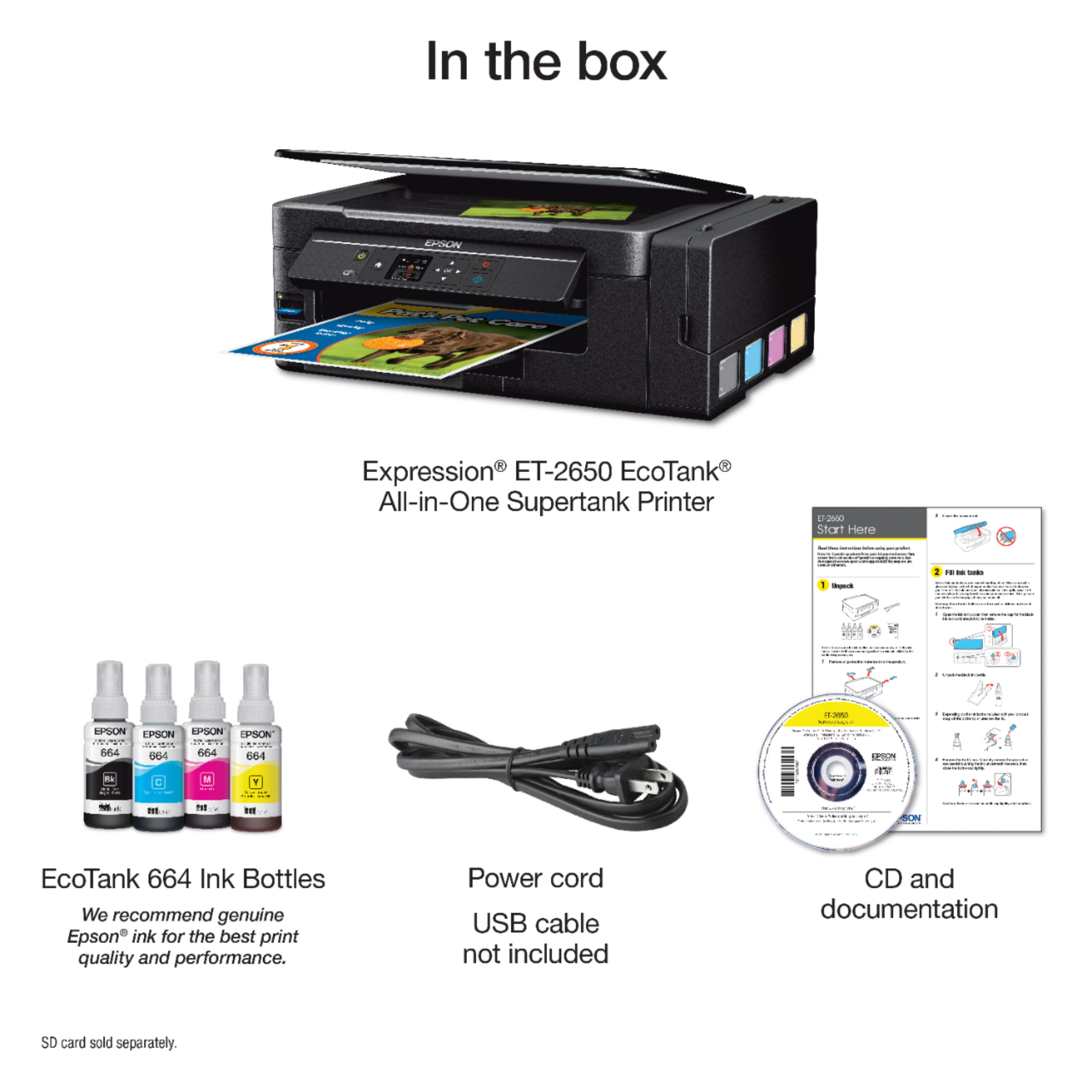

- Model:
- C11CF47201
- |
- SKU:
- 5711424
Customer reviews
Rating 4.4 out of 5 stars with 716 reviews
(716 customer reviews)Rating by feature
- Value4.1
Rating 4.1 out of 5 stars
- Quality4.0
Rating 4.0 out of 5 stars
- Ease of Use4.1
Rating 4.1 out of 5 stars
Customers are saying
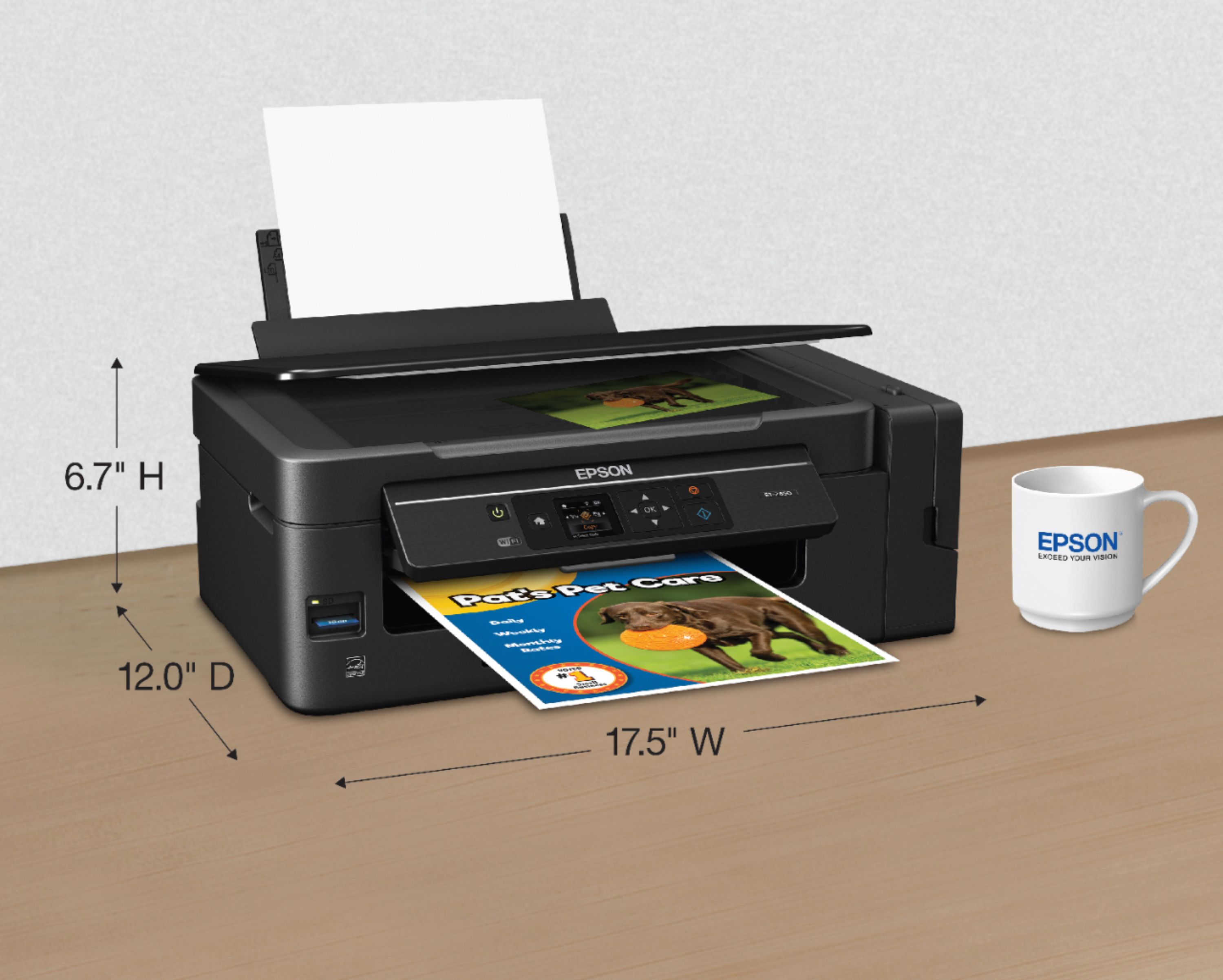
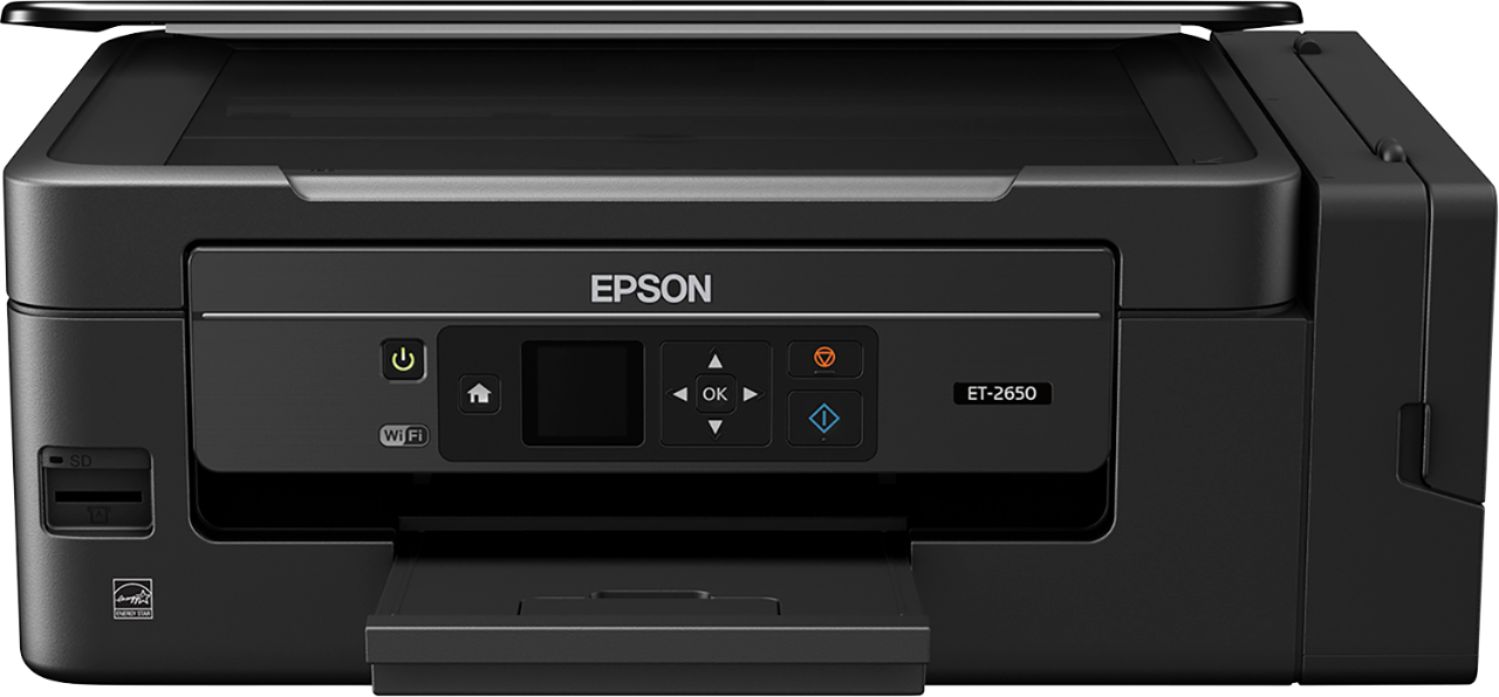
Customers express satisfaction with the Expression EcoTank ET-2650's print quality and ease of use, frequently praising its straightforward setup and compact size. Many appreciate its wireless capabilities, enabling convenient printing from various locations. However, some users reported concerns about the printer's reliability and price point.
This summary was generated by AI based on customer reviews.
Rated 5 out of 5 stars
Excellent home printer with copious amounts of ink
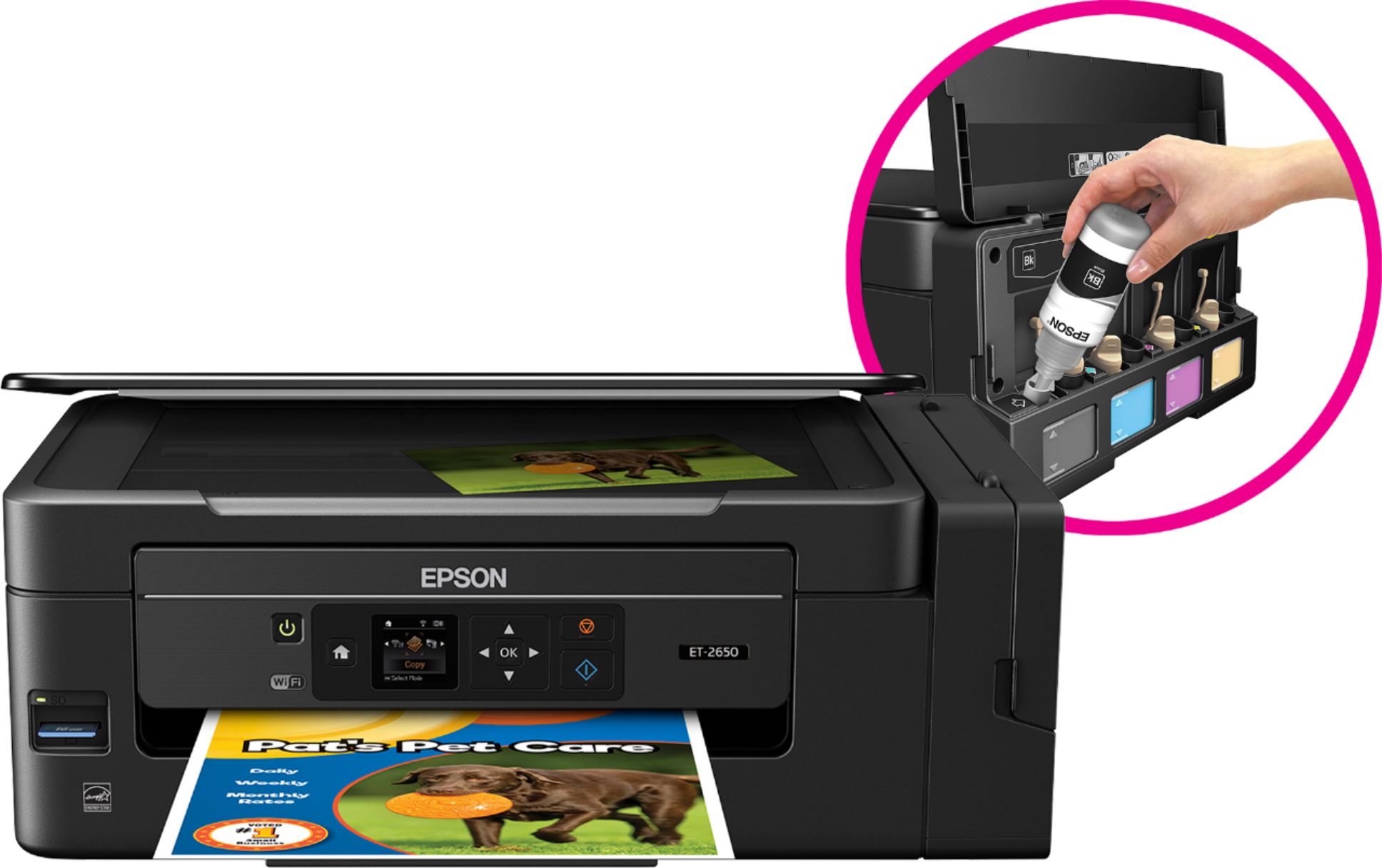
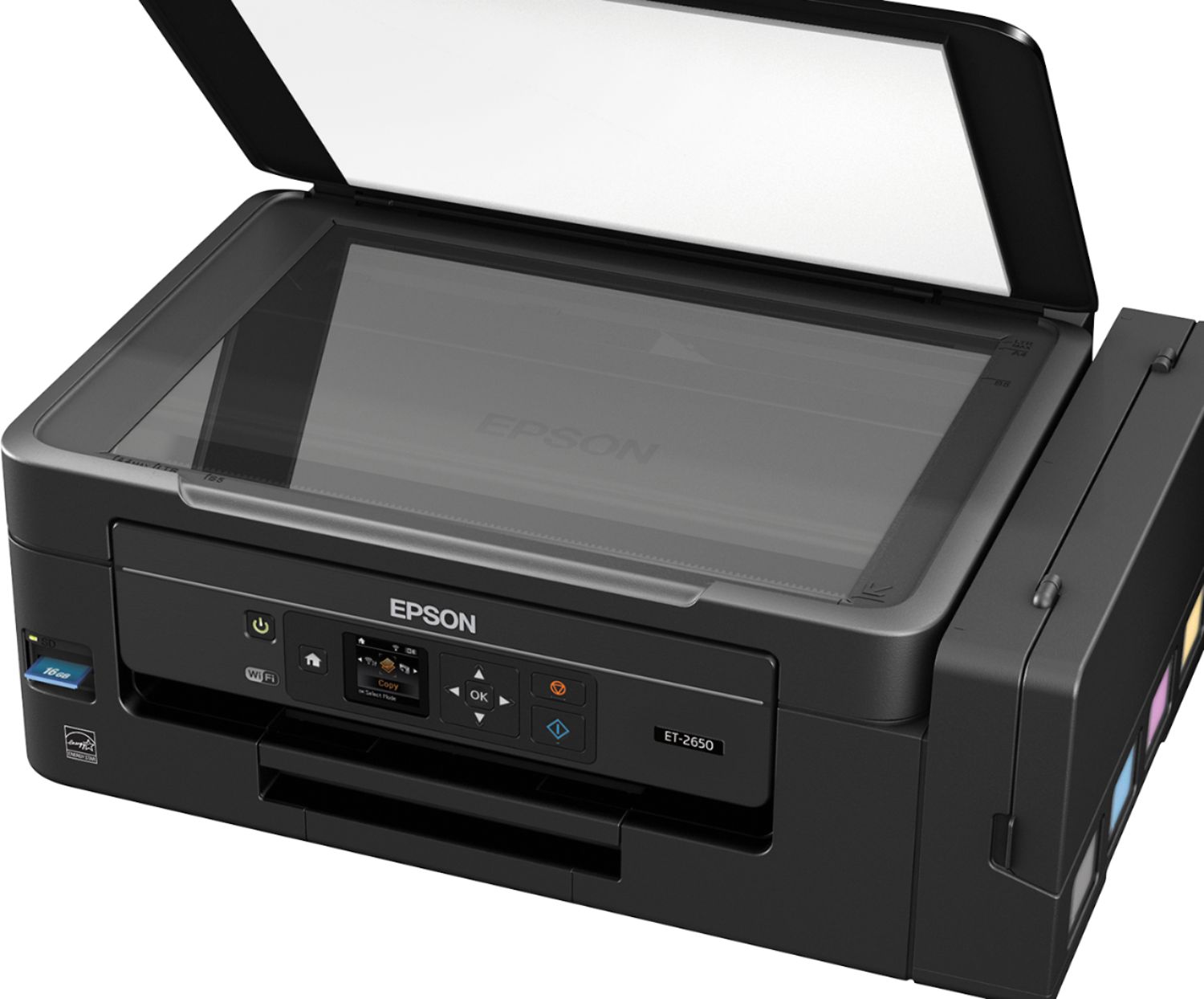
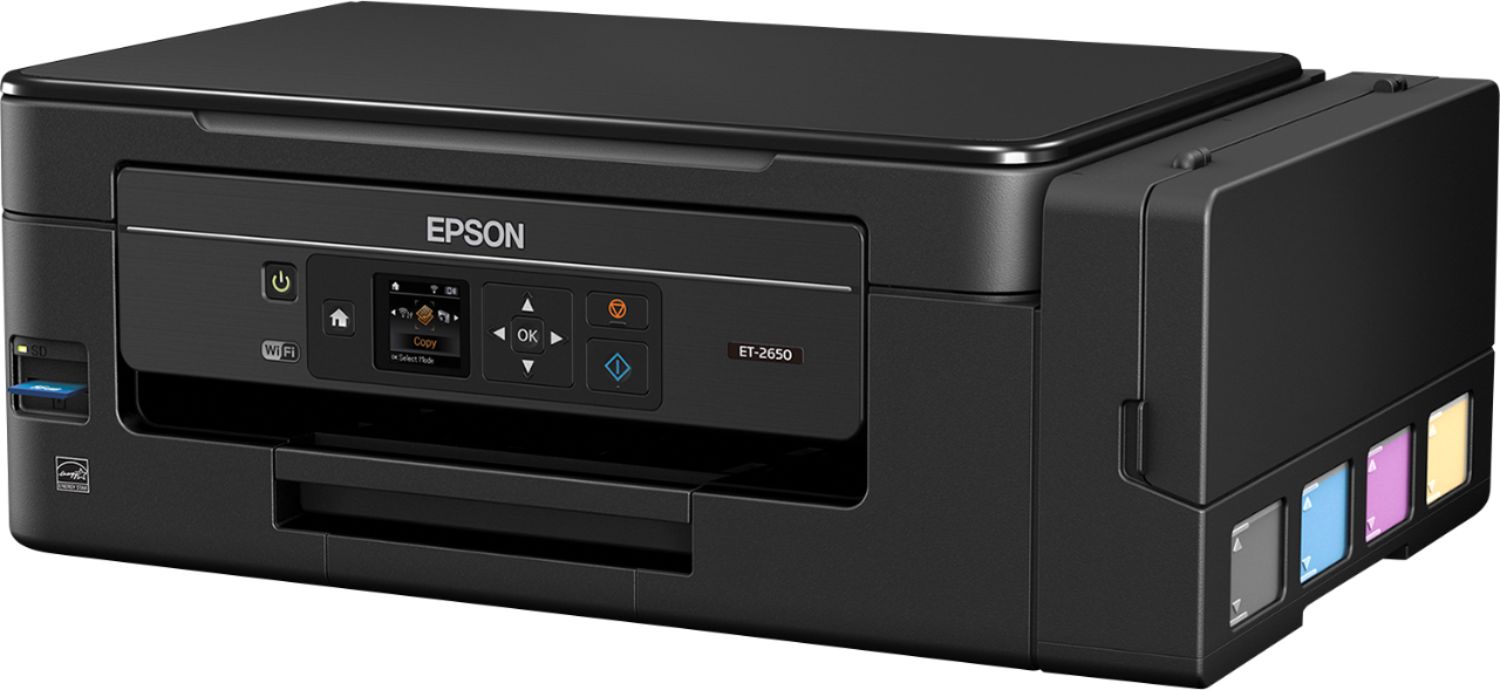
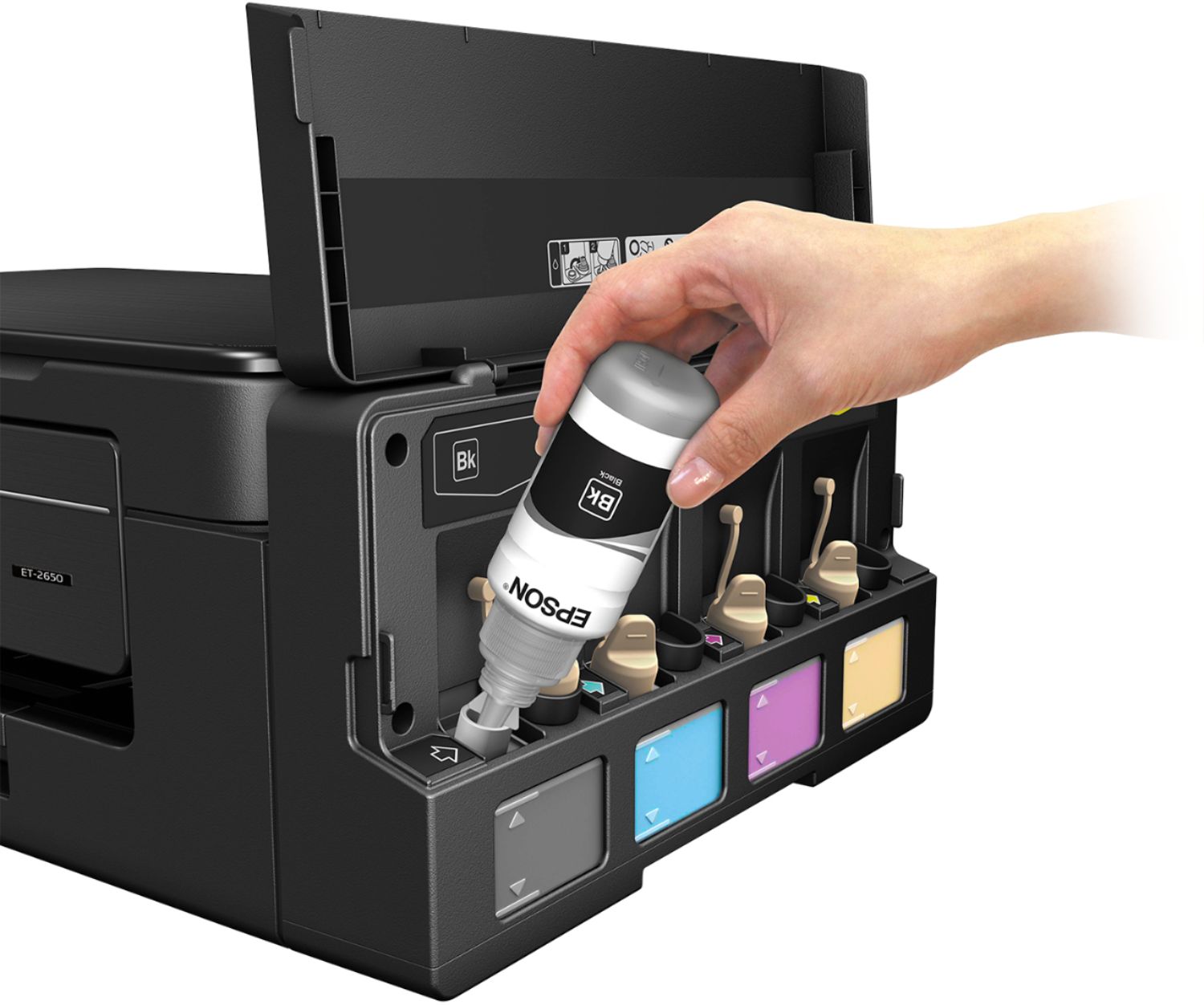
Posted .This reviewer received promo considerations or sweepstakes entry for writing a review.The ET-2650 is a pretty fantastic home printer. The best aspect of which is the ink tanks, which are extremely practical and it’s about time a manufacturer did something like this instead of relying tiny ink cartridges. The ink tanks are fairly easily set up by squeezing out the ink from ink bottles. The process is fairly easy, the only downside is, there’s the chance of dripping, so I do recommend wearing gloves when you do this as I had a black ink stained finger for about a day. The other Pro’s about this printer are as follows: Super easy installation with clear instructions, Fairly quick printing, with good colors and resolution, Easy to set up wifi using WPS (if your router allows it), Replacement ink bottles are fairly inexpensive and contain a significant amount of ink, the scanner does a good job creating high resolution copies (albeit, not terribly quickly). As for the Cons, these are mostly trivial. There isn’t a drawer for paper, it just loads into the back of the printer, so the printer has to away from a wall when set up. I don’t know why Epson is choosing to use smaller LCD screens these days, but I do miss the larger touch screen interface on some of their slightly older models. Scanning works well, but I couldn’t get the scanner to send images from the printer to my desktop via wifi (only usb). I had to use the Epson software on my desktop to tell the scanner to scan and send me the copy. The paper tray is fairly limited in how many pages it can hold. In conclusion, this is a solid basic home printer with some frills. The best frill though is the ink tanks which will save folks quite a lot of money in printer costs and a lot of frustration in not having to deal with getting ink cartridges refilled or replaced (especially on older models). Lastly, this is a review for the Epson Expression ET-2650 EcoTank All-in-One Printer that I received free of charge to do a beta test and review
I would recommend this to a friendRated 4 out of 5 stars
Finally a real "Eco" printer
Posted .This reviewer received promo considerations or sweepstakes entry for writing a review."Eco" in a term of money, this printer I believe will save myself a ton of money over the time in ink cost. My previous printer was a CISS (Continue Ink Supply System) printer before, but it was put together by me. That system was giving me a lot of headaches in term of maintaining (ink clogged in a supply tube, streak mark on the printout, photo print not great, etc...). With this new Epson printer, I do not have to deal with those issues. Setting up was a breeze, the instruction is clear and easy to follow, fill up ink phew... a piece of cake, the printout was great, photo print is on point with correct color and streak mark. Here is my rant about this printer, it does not come with the USB printer cable (WTH...), you supposed to bring it home, hook it up and play with this baby, but then realize it does not have a cable or have one laying around, you have to come back out to get it or wait for next shipment. The print cable might be too expensive for the manufacturer to include, but this is not a cheap printer $299 though (i received it for free, I know hehe). The second rant is hence for a one star less, not duplex, either scanning, printing or copying, well might be they are saving that feature for a different model (means higher price tag). Good photo printer BTW "This is a review for the Epson Expression ET-2650 EcoTank All-in-One that I received free of charge to do a beta test and review"
I would recommend this to a friendRated 5 out of 5 stars
Excellent All-in-One Printer!
Posted .This reviewer received promo considerations or sweepstakes entry for writing a review.The Epson Expression ET-2650 EcoTank All-in-One Printer is the answer to expensive replacement ink cartridges. I have used many inkjet printers in the past and all of them require small expensive ink cartridges that do not last. Before getting this printer I was trying out all kinds of solutions to try and keep the cost of printing down. I went as far as to using refill bottles with the syringe to manually refill my old cartridges just to try and keep the cost down, but doing this ended up messing up the inkjets on my old printer (not to mention the mess this creates). But with the Epson EcoTank ET-2650 printer all you have to do is fill up the ink wells once, which is a very simple process and you will have the equivalent of 20 ink cartridges from the start. Since I have had this Epson EcoTank All-in-One printer I have been able to print out all types of documents and photos. This printer does excellent color prints even on plain letter paper, but once you print on glossy photo paper this printer really shines and can print with professional detail. This printer truly allows you to print all types of documents and photographs without worrying about the cost of printing. I highly recommend this printer for any personal and home office use, especially if you print a lot of color photos at home. “This is a review for the Epson Expression ET-2650 EcoTank All-in-One Printer that I received free of charge to do a beta test and review.”
I would recommend this to a friendRated 5 out of 5 stars
Great all in one printer
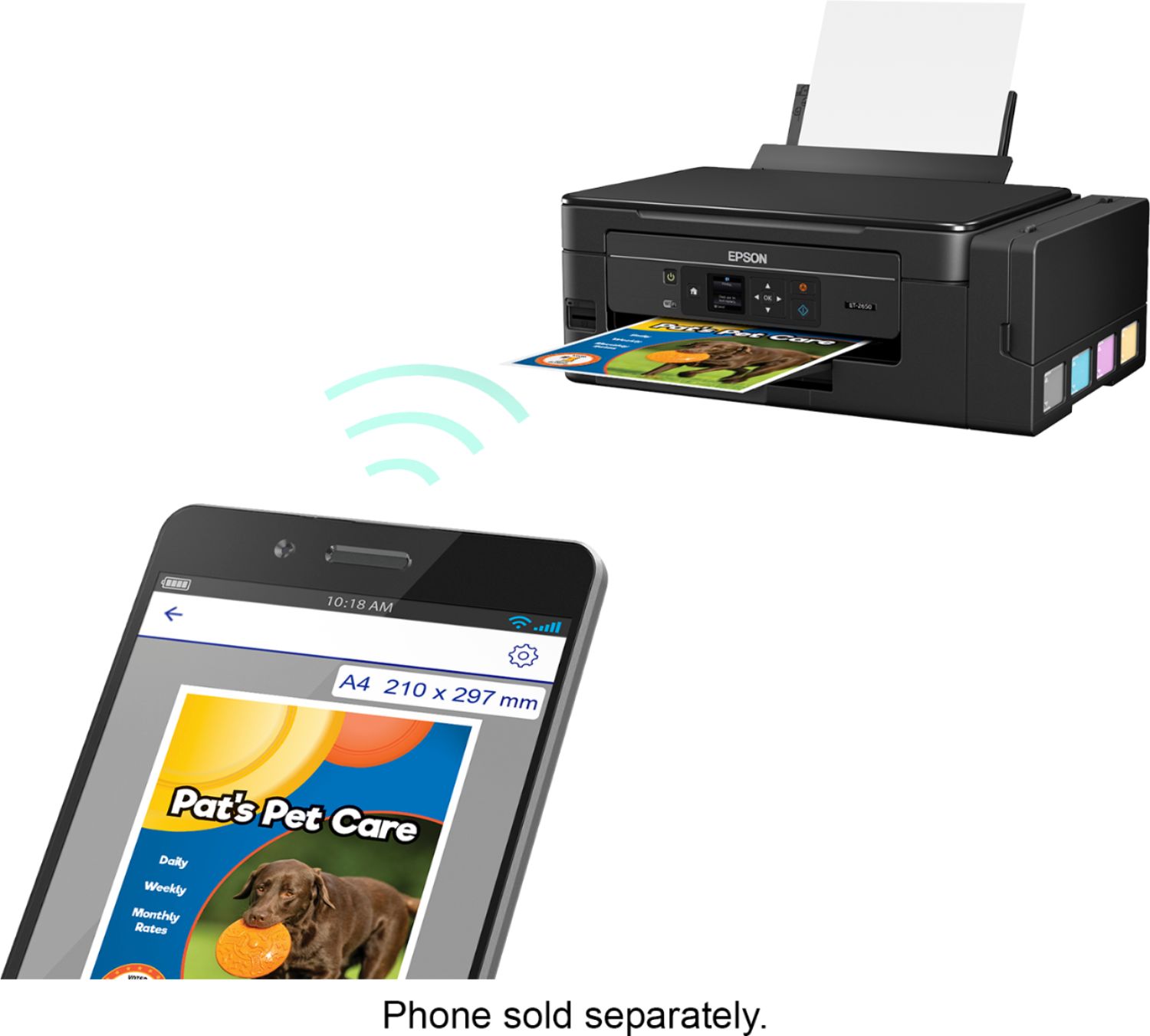
Posted .This reviewer received promo considerations or sweepstakes entry for writing a review.Set up for this printer is minimal. The one thing that kind of scared me was the bottles of ink, I thought they would squirt all over but they didn’t. I opened them with no problem. Each well is clearly labeled and I like the fact that they are on the side of the printer instead of having to open the lid, all you do is lift up the lid on the side. Once you fill it the ink well a rubber stopper plugs it up. Once the wells are all filled the printer needs to charge them up, this takes 15-20 minutes. Not long at all. While it was doing this I installed the software. Once that was done I hooked it up to my wireless internet. I did this from the actual printer, then from the software from the laptop. Printing is quick and the printing is crisp with no smudges. I printed off a lot of papers and the level of the ink never changed. Overall I would highly recommend this printer. It’s affordable and what consider a green friendly printer. Instead of buying another cartridge you just buy bottle of ink that is recyclable. With the ink lasting as long as it does its economical as well. “This is a review for the Epson Expression ET-2650 EcoTank All-in-One Printer that I received free of charge to do a beta test and review.”
I would recommend this to a friendRated 5 out of 5 stars
Great printer for professional business flyers!
Posted .This reviewer received promo considerations or sweepstakes entry for writing a review.I have been on the search for a high-quality printer for my business needs. I typically print 15-20 flyers at a time and have been going to Fedex/Kinkos where I usually spend $20-30 each time. While the up-front cost of the actual printer is a bit more than some of the "standard" printers, I think it's well worth the money. The amount of pages that I'm able to print before the ink runs low is AMAZING, and don't get me started on the print quality. My business flyers actually print in higher quality than the ones I was getting done at Kinkos... Crazy! (PRO TIP: Make sure that you change your printer settings to print "Quality or High Quality" to get the best print quality. When I first printed, it was set to "Normal" and my flyers looked awful (lots of small, noticeable dots). I'll admit, I almost brought the printer back because of it.) I highly recommend this for the professional who prints flyers, graphics, or just regular text documents on a regular basis.
I would recommend this to a friend- Pros mentioned:Ease of use
Rated 3 out of 5 stars
Great printer if you don’t need to print photos
Posted .This reviewer received promo considerations or sweepstakes entry for writing a review.Everything started out so nice. Set up was a breeze and my computer easily communicated with it through the USB. It printed in all colors. I thought great I finally have a good printer. Wrong again. It won’t print photos. I tried printing a photos and not only would it not do a borderless 4 x 6 which most printers will it left lines so I cleaned the print head on a brand new hardly used printer and nope that didn’t do it. I bought this printer in a Best Buy store and back to that store it will go. I am so mad.
No, I would not recommend this to a friend - Cons mentioned:Price
Rated 1 out of 5 stars
Don't Buy this Printer
Posted .This reviewer received promo considerations or sweepstakes entry for writing a review.Don't buy. I have to unplug it often to reset it as it freezes and does not communicate with the wireless network. Currently, it's full of black ink and prints like the black ink is empty. This printer is Junk! I wish I had kept my old cheap printer that was not wireless as it would actually print. This one is junk and I paid to much $ for it and now I guess I'll have to throw it away and buy a new one. It is not that old!
No, I would not recommend this to a friend Rated 5 out of 5 stars
Great All in 1 printer!
Posted .This reviewer received promo considerations or sweepstakes entry for writing a review.I love that this printer prints, copies and scans with out the need to constantly replace my ink cartridges. I really like the ease of set up (we're talking 3 minutes at the MOST) and I love that it easily integrates with my iPhone. I thought the quality of photo printing was better than previous models I've tried and appreciated the fact that the printer came with minimal packaging. I'd recommend this for someone looking to save money on printer ink in the long run. This is a review for the Epson Expression ET-2650 EcoTank All-in-One Printer that I received free of charge to do a beta test and review.
I would recommend this to a friendRated 4 out of 5 stars
Nice for home use
Posted .This reviewer received promo considerations or sweepstakes entry for writing a review.After some research I decided this was the right printer for my family. I got it on sale. In the future we will save money because the ink price is not bad. (Please read the directions on putting the ink in properly!) I've printed letters and a photo too. So far I'm satisfied. Works with the Epson iprint android app on my chromebook. A word of advice... Pick up in store is the easiest way to shop. The box is big but this ol lady can lift it.
I would recommend this to a friendRated 1 out of 5 stars
Ghastly printer - never again
Posted .This reviewer received promo considerations or sweepstakes entry for writing a review.I'd give zero stars if I could. I bought this printer for occasional use. If I've printed 10 pages before the issues started, that's as many. Spent all day correctly cleaning and doing every troubleshooting task known to man - nothing. No ink getting through, nothing. So disappointed and so out of pocket. Will never purchase or recommend Epson again. What a waste of time, effort and money.
No, I would not recommend this to a friendRated 2 out of 5 stars
What awful dark colored pic prints!
Posted .This reviewer received promo considerations or sweepstakes entry for writing a review.Easy to set up! Lightweight, yay for ink and no cartridges.. all that jazz.. but you know that "creative print" app they mention in the manual specific to this printer? Yeah, we can't use it! The printer "doesn't support it", so forget about all those cool things they mention you could create with it! And hey, want to calibrate the colors because the pics it prints are so off it's not even comparable to the original, well; only can be done while using a windows computer.. can't be changed while printing from any devices. Returning what I bought yesterday today! Seriously that's the worst photo I've ever printed from a photo printer ever in my 12 years of using photo printers.
No, I would not recommend this to a friendRated 2 out of 5 stars
Avoid
Posted .This reviewer received promo considerations or sweepstakes entry for writing a review.Great low cost per page. But the ink pads wear out (or at least, they're "sensor" -- or maybe counter -- says so) long before you can recover the added cost of the printer. In the meantime, there is no way to repair the inkpads without spending half the price of the printer, and they have made it impossible to use the printer. They also made it impossible to reset the counter.
No, I would not recommend this to a friendRated 1 out of 5 stars
waste of good money
Posted .This reviewer received promo considerations or sweepstakes entry for writing a review.I purchased this printer/copier a year ago and it is the worst I've ever owned. I am still on the original ink and the pages it is printing are so smeary you cannot even read them. I thought the concept of the refillable ink chambers was great but I sure lost quality. I'm having my son restore factory settings and it is being brought to the transfer station. Last Epson for me. this was the ET- 2650 model.
No, I would not recommend this to a friendRated 2 out of 5 stars
DISAPPOINTED in the PHOTO printing
Posted .This reviewer received promo considerations or sweepstakes entry for writing a review.I am DISAPPOINTED in the PHOTO printing; It looks FADED and not so vivid. My Epson XP-520 has MORE VIVID colorful photo printing. I will be calling Epson customer service. AND probably be returning the printer
No, I would not recommend this to a friendRated 1 out of 5 stars
Poor image quality
Posted .This reviewer received promo considerations or sweepstakes entry for writing a review.We bought this printer strictly for photo prints for our photography business. We printed 2 test pics and decided we could not present such pics to any customer. The black and white pic was greenish looking, and the color pic had heavy blue overtones.
No, I would not recommend this to a friendRated 1 out of 5 stars
epson 2650
Posted .This reviewer received promo considerations or sweepstakes entry for writing a review.buy two just as bad as one. on there way back to store, worked one day only,three days trying to get it fixes. save ink on the new 2650 yes because you can:t use it.went back the old one.
No, I would not recommend this to a friend
People also viewed
- $189.99Your price for this item is $189.99
- $199.99Your price for this item is $199.99$239.99The comparable value for this item is $239.99
- Winter Sale Deal$79.89Your price for this item is $79.89
- $84.99Your price for this item is $84.99$99.99The comparable value for this item is $99.99
- $129.89Your price for this item is $129.89$179.89The comparable value for this item is $179.89
- Winter Sale Deal$69.00Your price for this item is $69.00
- $59.99Your price for this item is $59.99$89.89The comparable value for this item is $89.89
- $49.89Your price for this item is $49.89$89.89The comparable value for this item is $89.89
- Winter Sale Deal$189.89Your price for this item is $189.89
- Winter Sale Deal$79.00Your price for this item is $79.00
- $249.99Your price for this item is $249.99
- Winter Sale Deal$209.89Your price for this item is $209.89
- $728.00Your price for this item is $728.00$749.99The comparable value for this item is $749.99
- Winter Sale Deal$349.89Your price for this item is $349.89
- $189.99Your price for this item is $189.99$199.99The comparable value for this item is $199.99
- $449.99Your price for this item is $449.99$699.99The comparable value for this item is $699.99
- $248.00Your price for this item is $248.00
- Winter Sale Deal$119.89Your price for this item is $119.89















