Customer Ratings & Reviews



- Model:
- GA02083-US
- SKU:
- 12017884
Rating by feature
- Value
Rating 4.5 out of 5 stars
- Quality
Rating 4.5 out of 5 stars
- Ease of Use
Rating 4.3 out of 5 stars
Energy Saver
||Posted . Owned for 1 month when reviewed.This reviewer received promo considerations or sweepstakes entry for writing a review.Love that i can set it up to chnage temperature at multiple different schedules per day without needing to be home. Integration with alexa and google is flawless as well.
I would recommend this to a friendBest one to get at this price
||Posted . Owned for less than 1 week when reviewed.This reviewer received promo considerations or sweepstakes entry for writing a review.I would prefer this one which is much cheaper than the Learning thermostat. All I wanted is a schedule that the thermostat can follow and adjust the temperature likewise and this one does exactly like that.
I would recommend this to a friendUser friendly, high tech, nice look
||Posted . Owned for 3 weeks when reviewed.This reviewer received promo considerations or sweepstakes entry for writing a review.I love it! I went to Best Buy looking for something in particular and when I saw this Nest thermostat it was impressive. The look of it and how it works and I love that I can control it from my phone anywhere and anytime.
I would recommend this to a friendNest thermostat
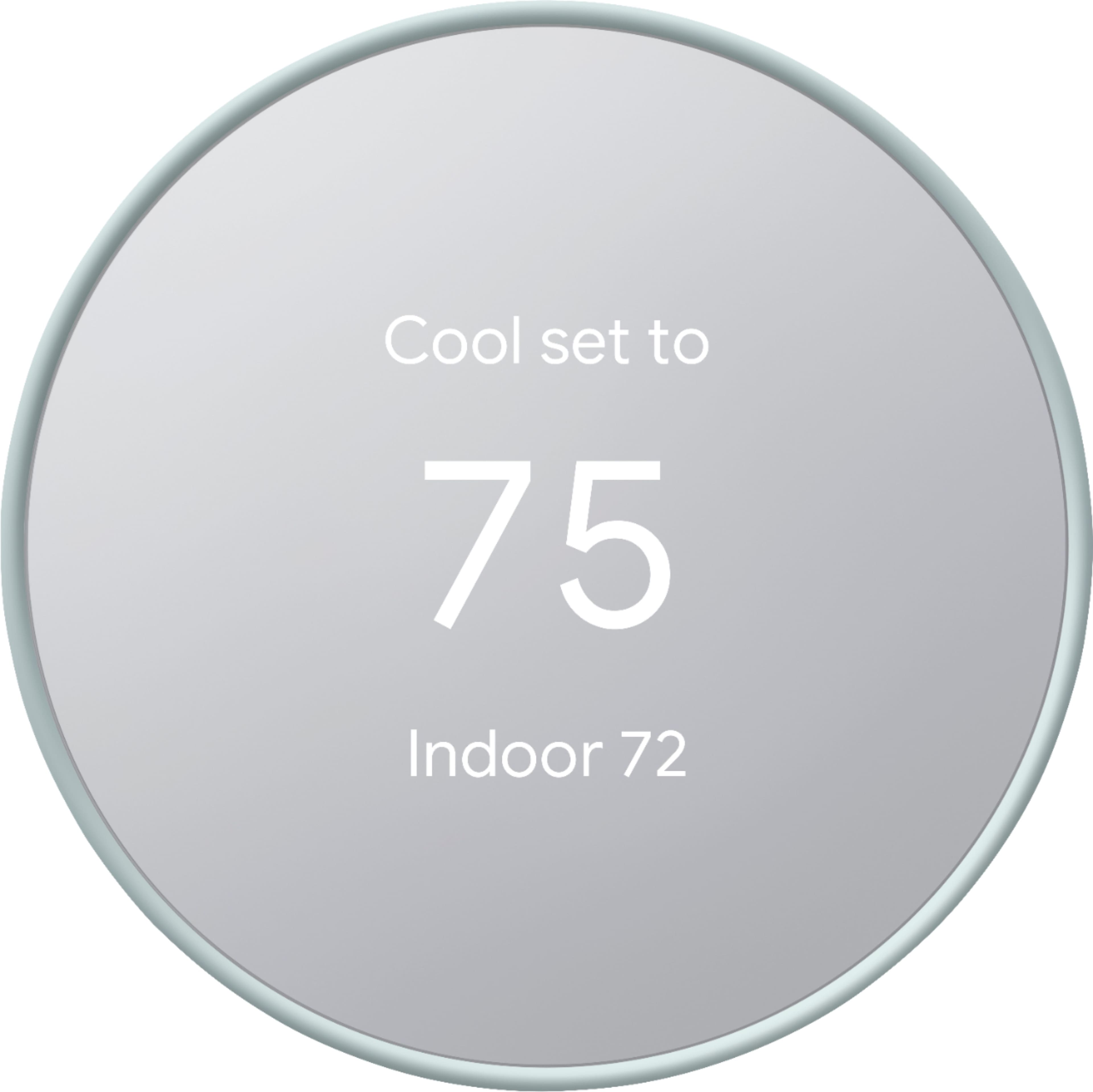
||Posted . Owned for 1 month when reviewed.This reviewer received promo considerations or sweepstakes entry for writing a review.I like how I can control the thermostat from my phone very convenient and easy to install if you know what you doing. You definitely will need to purchase the face plate if you had a wider thermostat.
I would recommend this to a friendRoadtrip relief.
||Posted . Owned for 1 year when reviewed.This reviewer received promo considerations or sweepstakes entry for writing a review.Works well. Especially like being able to use the app to cool the house before i get home from my road trips.
I would recommend this to a friendLove this Google Thermostat!!
||Posted . Owned for 3 weeks when reviewed.This reviewer received promo considerations or sweepstakes entry for writing a review.Absolutely Love this thermostat!! Looks awesome, and responds fast when changing temps. Easy to install. Watch a few You Tube videos on it, which made it simple. We had a Zen and this just blows it away. Had to buy the back plate from Amazon, and looks good with thermostat.
I would recommend this to a friendWorth it.
||Posted . Owned for 3 weeks when reviewed.This reviewer received promo considerations or sweepstakes entry for writing a review.Compatible with my Alexa. Haven’t really done much or expected much from it. Easy to install, no issues so far.
I would recommend this to a friendWorth the upgrade
||Posted . Owned for 2 months when reviewed.This reviewer received promo considerations or sweepstakes entry for writing a review.Bought this one to replace an older Honeywell. Definitely this thermostat is a good option. No issues after using it for about 3 months. If 200$ is. It an issue for it this one is worth the $. I hope this review helped you. Definitely this is top of the line
I would recommend this to a friendSleek, clean look. Links to smartphone.
||Posted . Owned for 1 year when reviewed.This reviewer received promo considerations or sweepstakes entry for writing a review.Works great! Has very good automated and interactive setup instructions. It is linked to my phone now, and I can monitor and control it from anywhere in the world. Has builtin freeze-protection for the home, even if shut off (will come on below 45F and start the furnace to hold temp at 45.)
I would recommend this to a friendGreat Smart Thermostat
||Posted . Owned for 3 months when reviewed.This reviewer received promo considerations or sweepstakes entry for writing a review.It works great, easy to install and set up if its compatible, i love we can change the temperature with our phones and Alexa as well
I would recommend this to a friendSmart and Sleek
||Posted . Owned for 3 weeks when reviewed.This reviewer received promo considerations or sweepstakes entry for writing a review.Love the thermostat so far. Looks much better than the bulky one that came with the house. The Nest was easy to install and once you get it setup to your schedule you rarely have to touch it. PS check with your local power company for rebates. Mine sent me a $50 credit on my next power bill!
I would recommend this to a friendGoogle Nest Thermostat
||Posted . Owned for 1 month when reviewed.This reviewer received promo considerations or sweepstakes entry for writing a review.Incredibly easy to install and set up! We are very happy with our purchase. I can control these through my google home app and it’s been a breeze! Opted to not get the learning model as we are a work from home family and this one is so easy to program.
I would recommend this to a friendGoogle nest smart thermostat
||Posted . Owned for 3 months when reviewed.This reviewer received promo considerations or sweepstakes entry for writing a review.Google Nest, is a great smart home device that can help you control your home's temperature, lighting, and other features. It's also compatible with other smart home devices, making it a convenient option for those who want to automate their home.
I would recommend this to a friendGoogle Nest
||Posted . Owned for 1 month when reviewed.This reviewer received promo considerations or sweepstakes entry for writing a review.Great Thermostat. Love that I can control it from my phone. Just takes a bit if you aren’t tech savvy to figure out how to keep it off of comfort zone if you are home and not walking by the thermostat often.
I would recommend this to a friendBrand response from Nest Support
Posted .Hi Tasha, thanks for the feedback and we’re glad you find the Nest Thermostat great, and that you love you can control it remotely from your phone. We’re sorry to learn of your difficulty on how to keep it off of comfort zone if you are home and not walking by the thermostat often. When you manually adjust the temperature, the temperature will stick until the next scheduled temperature change. With a temperature preset, you can easily set a specific temperature that you repeatedly use a bit faster than manually adjusting the temperature dial. Besides using ready-made presets like Comfort, Eco, and Sleep, you can create custom presets. This is helpful for other times you might like a specific temperature that’s not included in your thermostat’s existing presets. Check this link to learn more: https://support.google.com/googlenest/answer/10178773
You may also get in touch with us anytime so we can provide you with real time services and guidance, here: https://support.google.com/googlenest/gethelp
Perfect Basic Modern Thermostat
||Posted . Owned for 1 month when reviewed.This reviewer received promo considerations or sweepstakes entry for writing a review.Quick to setup, simple and easy to use, easy to use. Huge step up from my 1980's thermostat. I can stay on top of my AC at home remotely, save money when needed and setup schedules. Got it on Black Friday for a steal. Didn't even think twice about it.
I would recommend this to a friendEasy to install
||Posted . Owned for 1 week when reviewed.This reviewer received promo considerations or sweepstakes entry for writing a review.I love the look sucha sheek look. It was so easy to switch from the old thermostat to this new one. Check online for a rebate in your state. This qualifies for a $75 instant rebate.
I would recommend this to a friendGreat Buy
||Posted . Owned for 2 weeks when reviewed.This reviewer received promo considerations or sweepstakes entry for writing a review.I purchase this thermostat to replace a ten year old thermostat. It was able to install this thermostat in less than 10 minutes. It's working perfectly!
I would recommend this to a friendCan't go wrong
||Posted . Owned for 1.5 years when reviewed.This reviewer received promo considerations or sweepstakes entry for writing a review.Best cheap smart thermostat, installed on a old system works great. Make sure u know what wires to go where. Installed with a common wire as it needs constant power but my old system doesn't have a common wire
I would recommend this to a friendWorth it
||Posted . Owned for 4 months when reviewed.This reviewer received promo considerations or sweepstakes entry for writing a review.I love that i can turn my furnace on/off, heat/ac up or down a degree from my phone. Even if i am out of the state. Plus it will loght up when i walk by so i can see what it is set too.
I would recommend this to a friendNice lite version of nest
||Posted . Owned for 1 month when reviewed.This reviewer received promo considerations or sweepstakes entry for writing a review.Simpler version of the much more expensive version but still does everything i need for a smart thermostat via the Google Home app
I would recommend this to a friend