Customer Ratings & Reviews
- Model:
- AMS-STREAM-100
- SKU:
- 6588602
to a friend
Customers are saying
Customers are enthusiastic about the Stream 100's exceptional audio quality, ease of use, and the helpful LCD screen. The customizable features and intuitive software are also frequently praised, making setup and operation straightforward. Many users find the device attractive and well-built. The Stream 100 simplifies audio control for streaming and gaming, improving the overall user experience.
This summary was generated by AI based on customer reviews.
- Pros mentioned:Audio quality, Customization, Ease of use

Mixing couldn't be more simpler
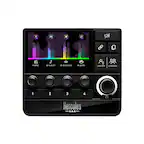
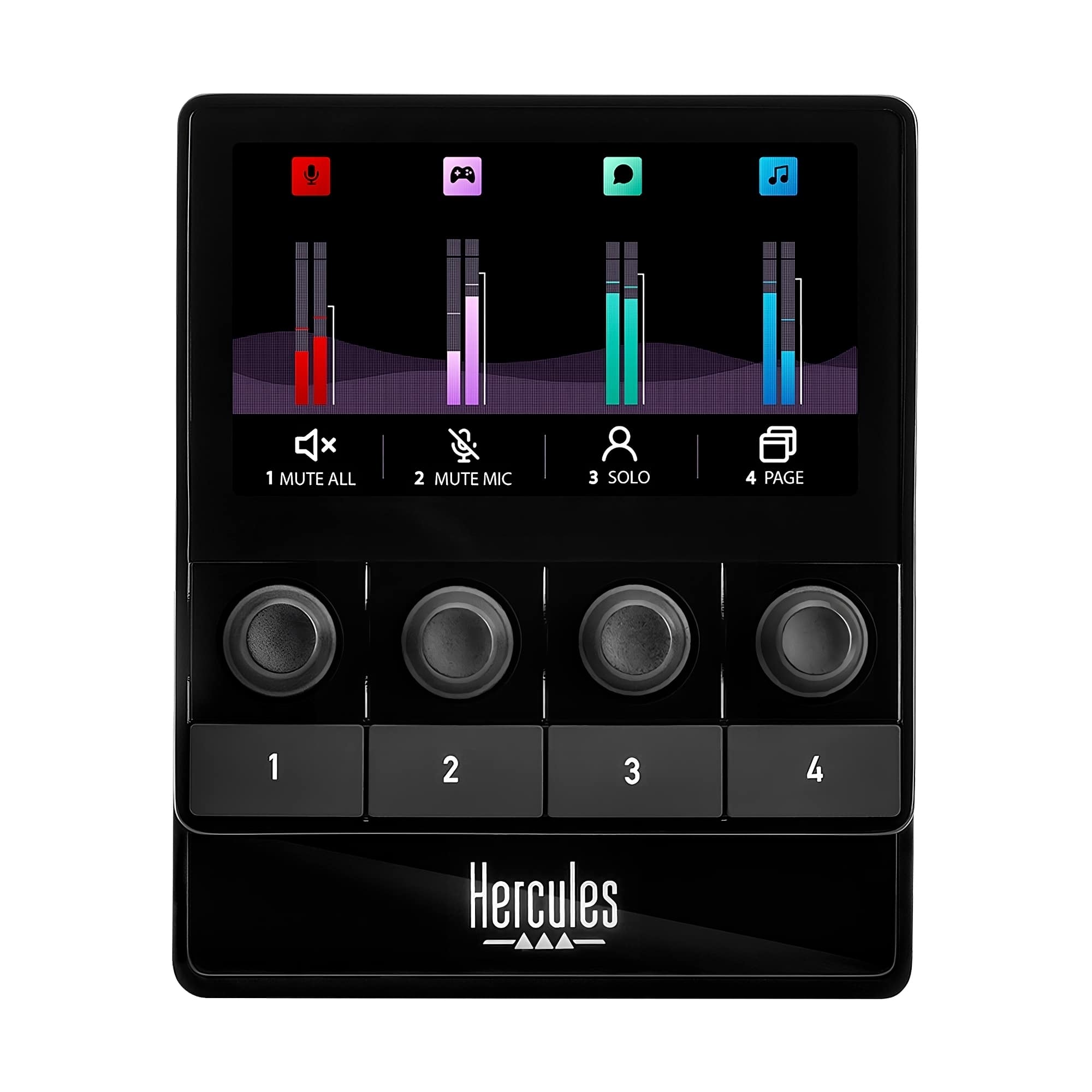
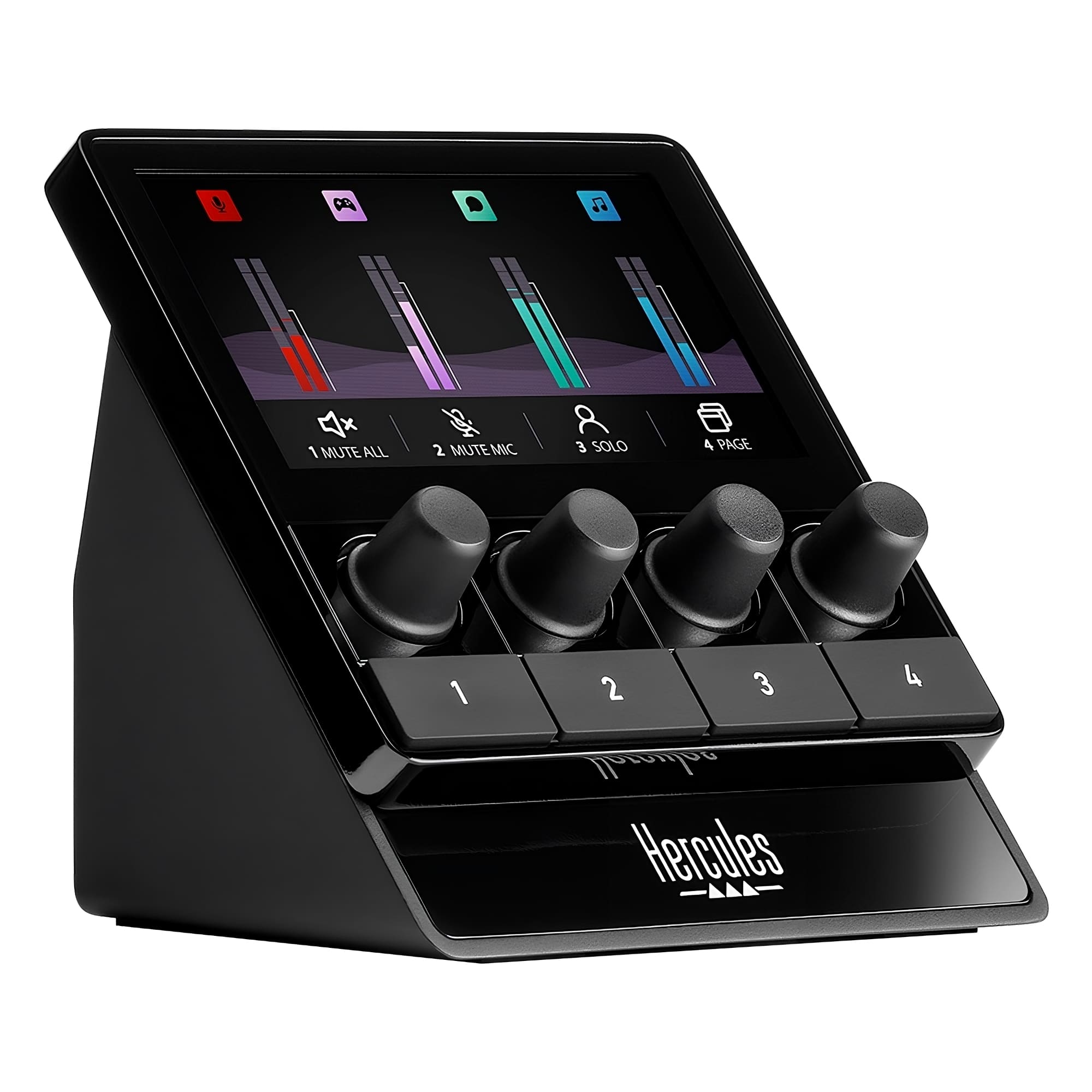
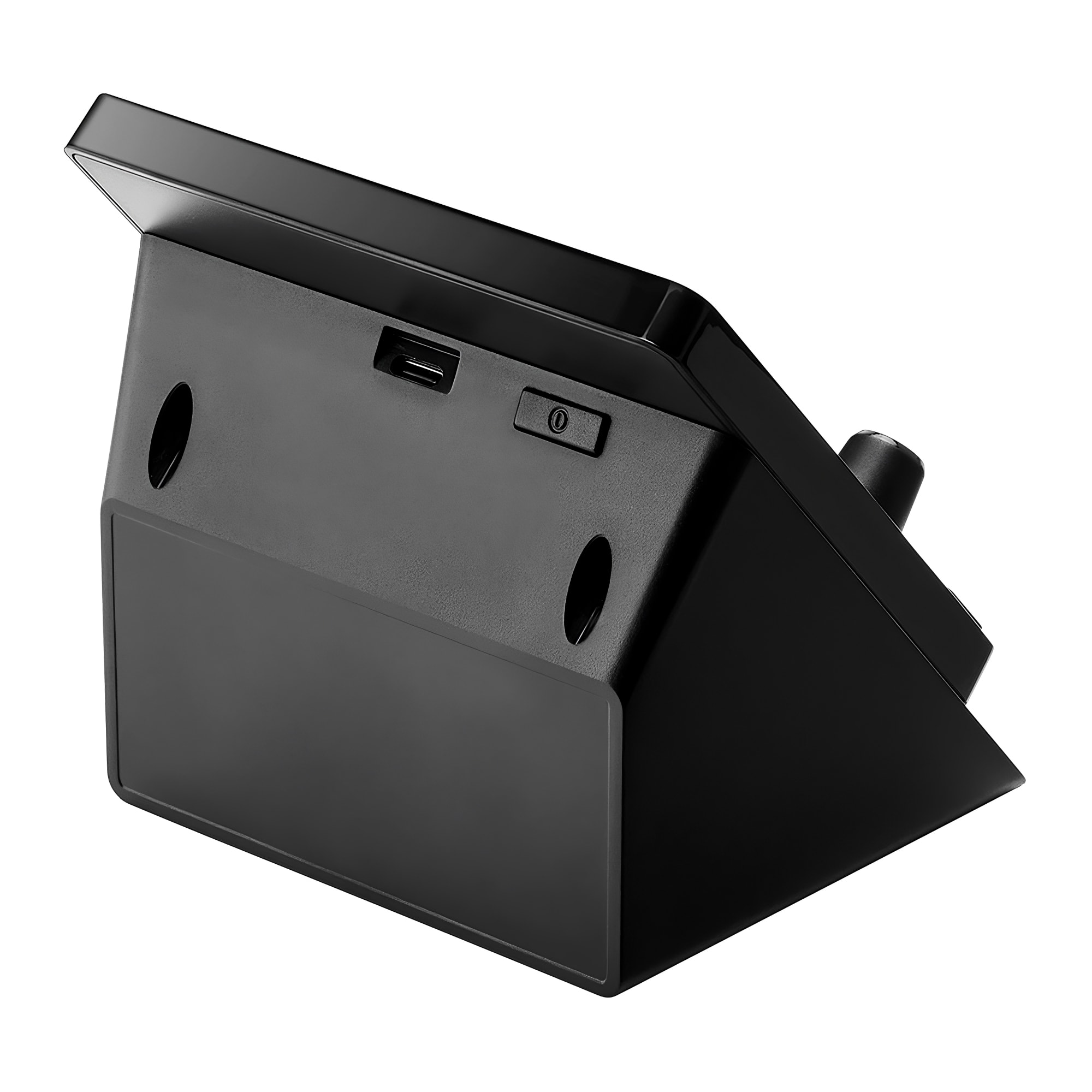
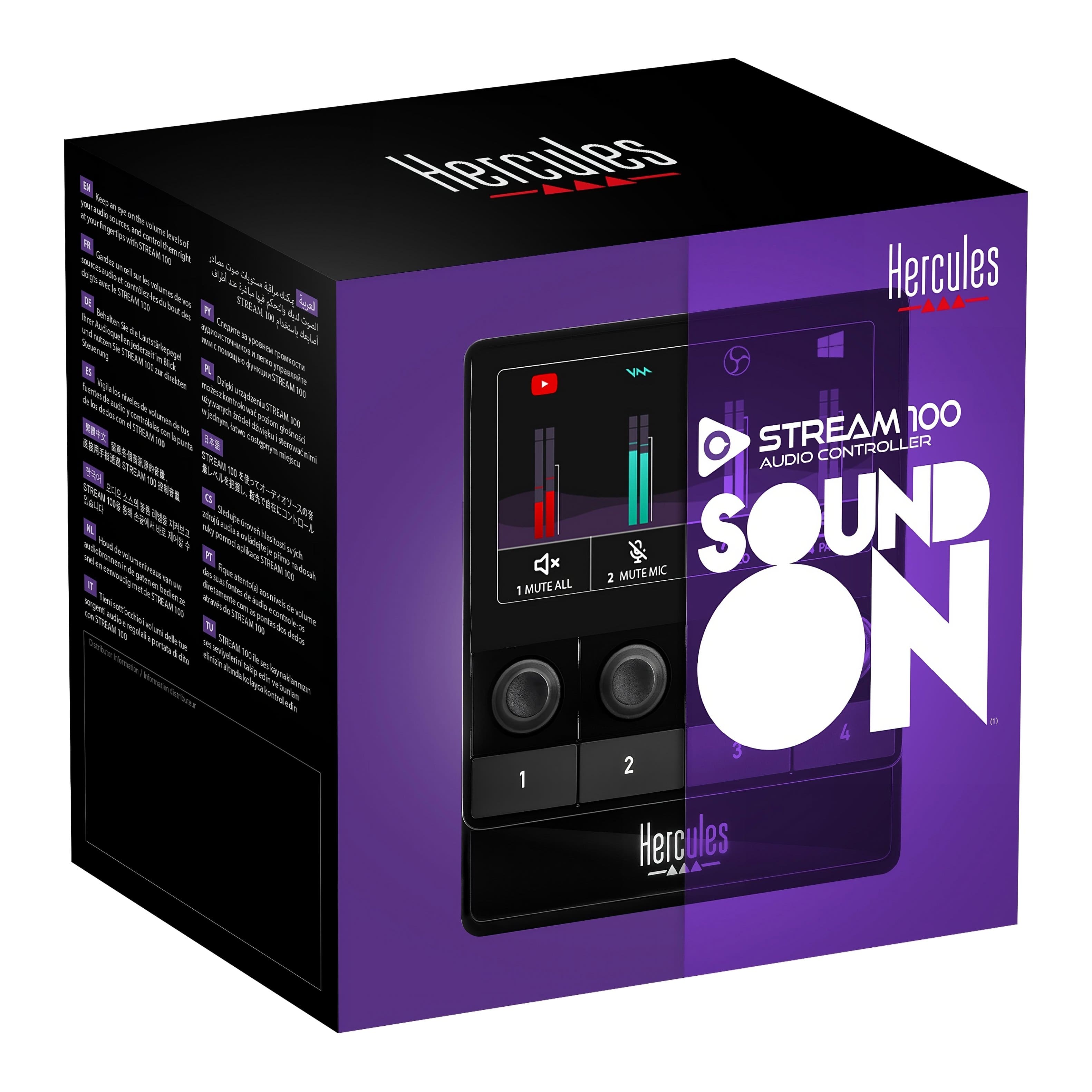
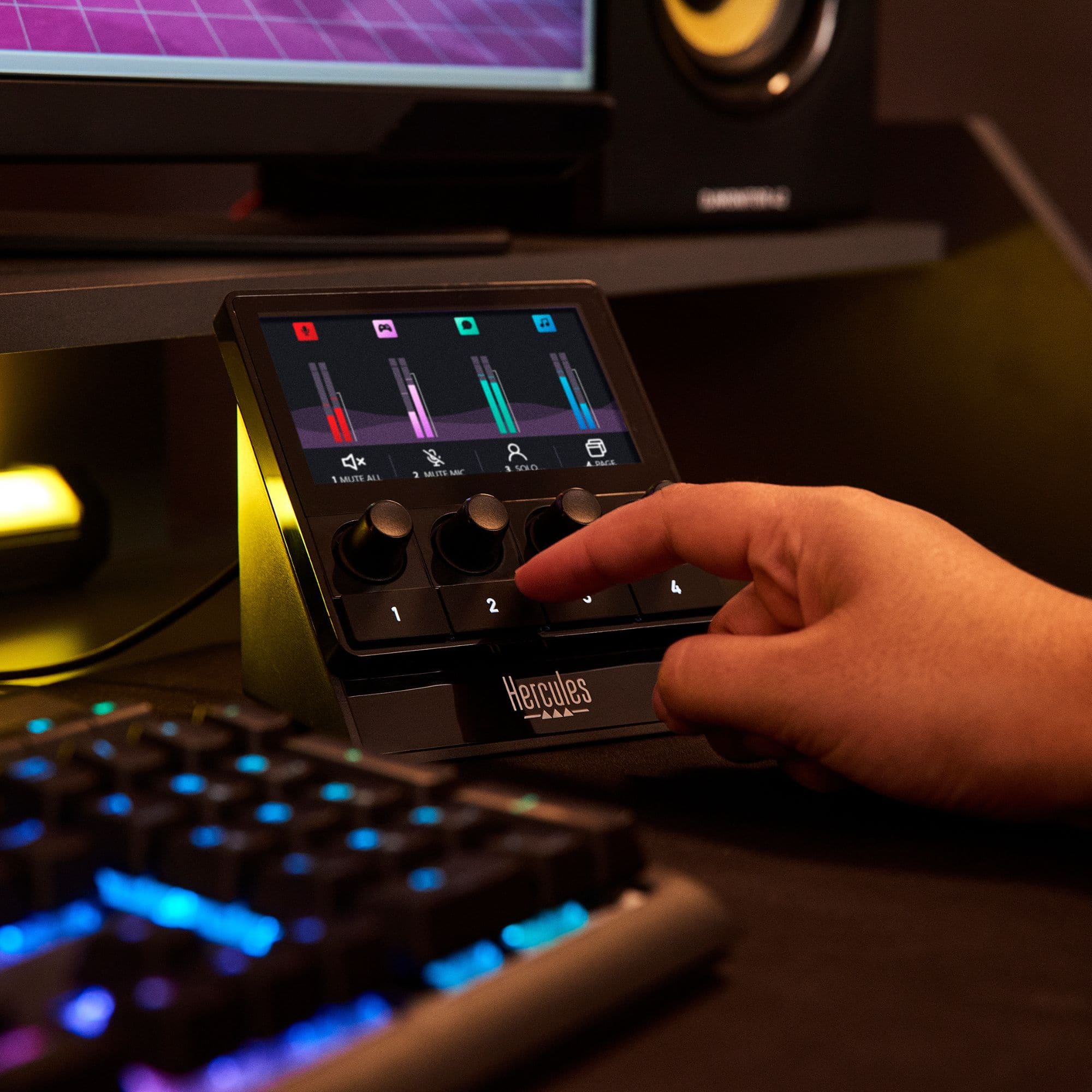
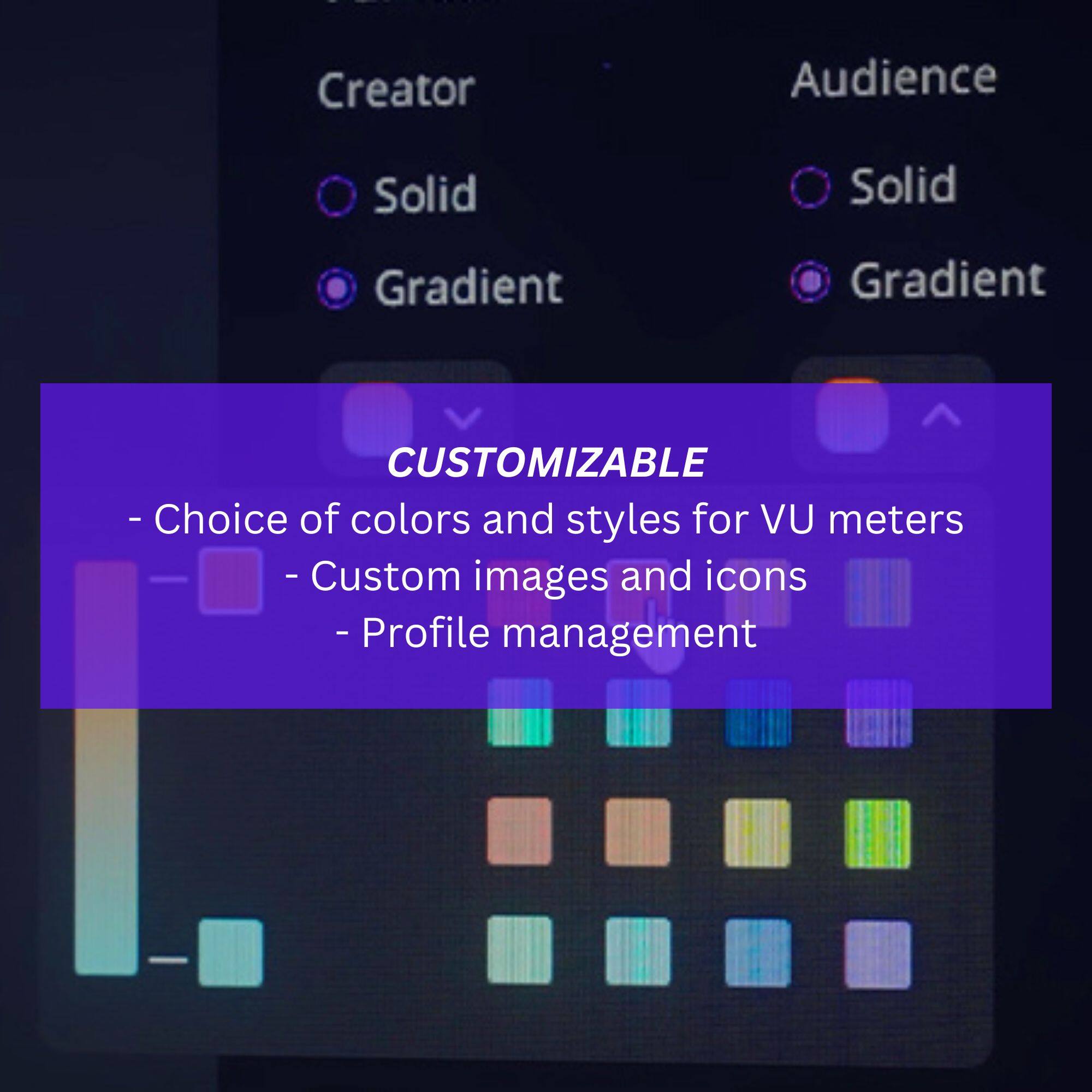
|Posted .This reviewer received promo considerations or sweepstakes entry for writing a review.The Hercules Stream Audio Mixer reminds me of when I used to DJ, but now much easier and less cable clutter. This little device is very well made to begin with and it looks extremely good. The 4 inch non-touch color screen is very bright and it displays the colors beautifully. Setting it up does not require much, just plug it into your PC using the included USBA to USBC cable and download the Hercules Stream Control software. This Hercules hardware can control audio peripherals, gaming, streaming or audio software that are installed in your PC. A total of 4 channels can be controlled with this mixer and they can be mixed. In the back there’s a power button that also acts as dimmer for the screen. The device itself and the software are very simple to use. Once the control software is installed you can then add whatever audio peripherals, gaming or streaming software into any of the 4 channels by simply drag and drop. There are four volume knobs with double functions, volume and mute when pressed. In addition to the volume knobs there are also 4 numbered buttons that can be customized as well. The Stream Control software will let you customize the display VU meter, icons, background and custom labels. You can also upload your own background and icons as well. Some of the audio software like Steam and Discord will display their respective icons which is pretty cool. If you want to have a little fun you can even change your voice with the VoiceMod option. If you are into gaming, streaming or not even, but you’re trying to make things easier when dealing with multiple audio devices and not interacting within the computer settings, this audio mixer will do the trick. I was able to take full advantage of this without reading the instructions. Overall the simplicity of use, customization and what this mixer is capable of, is a keeper. Its small form factor will not take a lot of space in your computer desk. With its bright and vivid color screen it will make a great addition to display your favorite background in your work space. In the box you get the audio mixer, USB cable, quick guide and a sticker.
I would recommend this to a friend - Pros mentioned:Audio quality, Ease of use
Better value than big-name competitors!
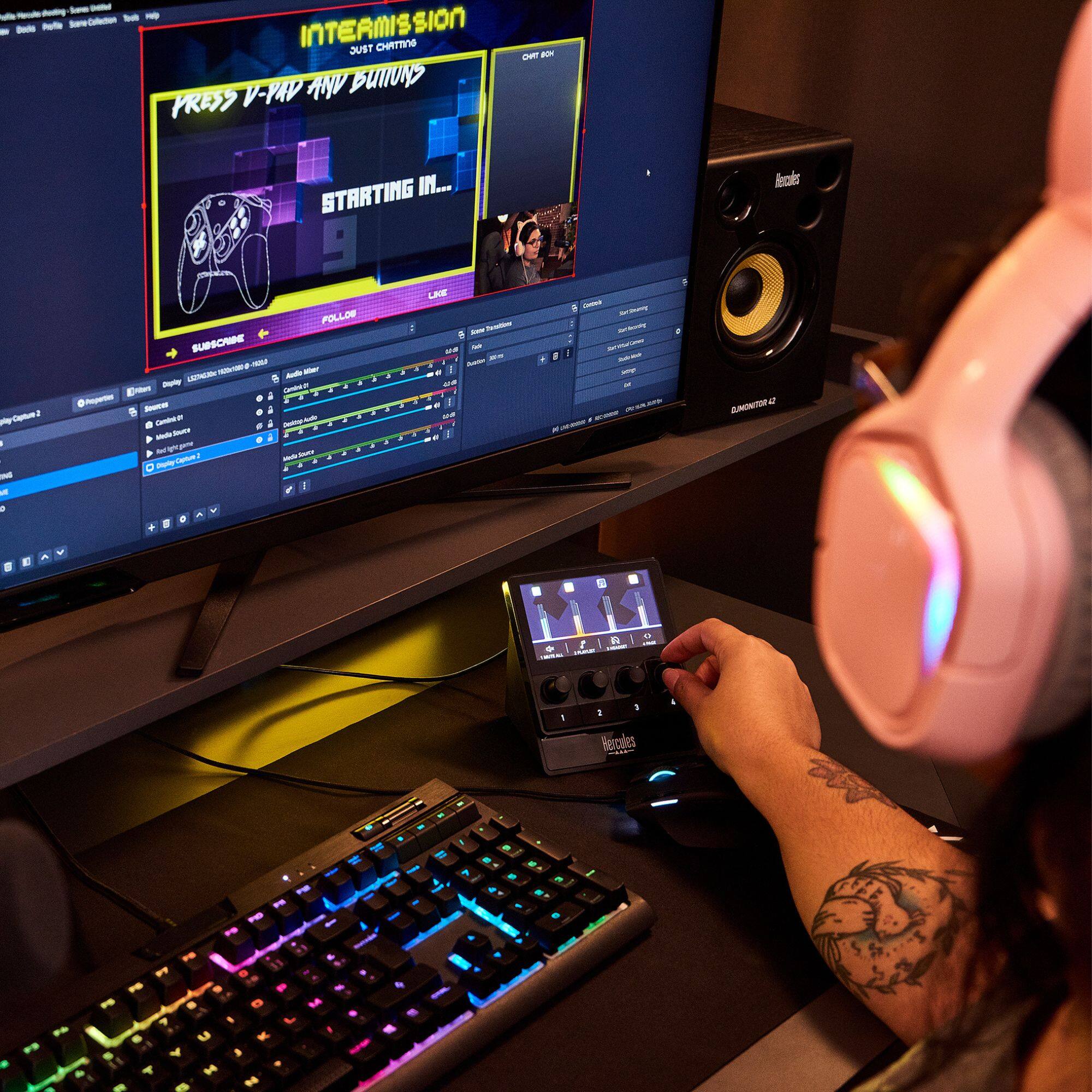
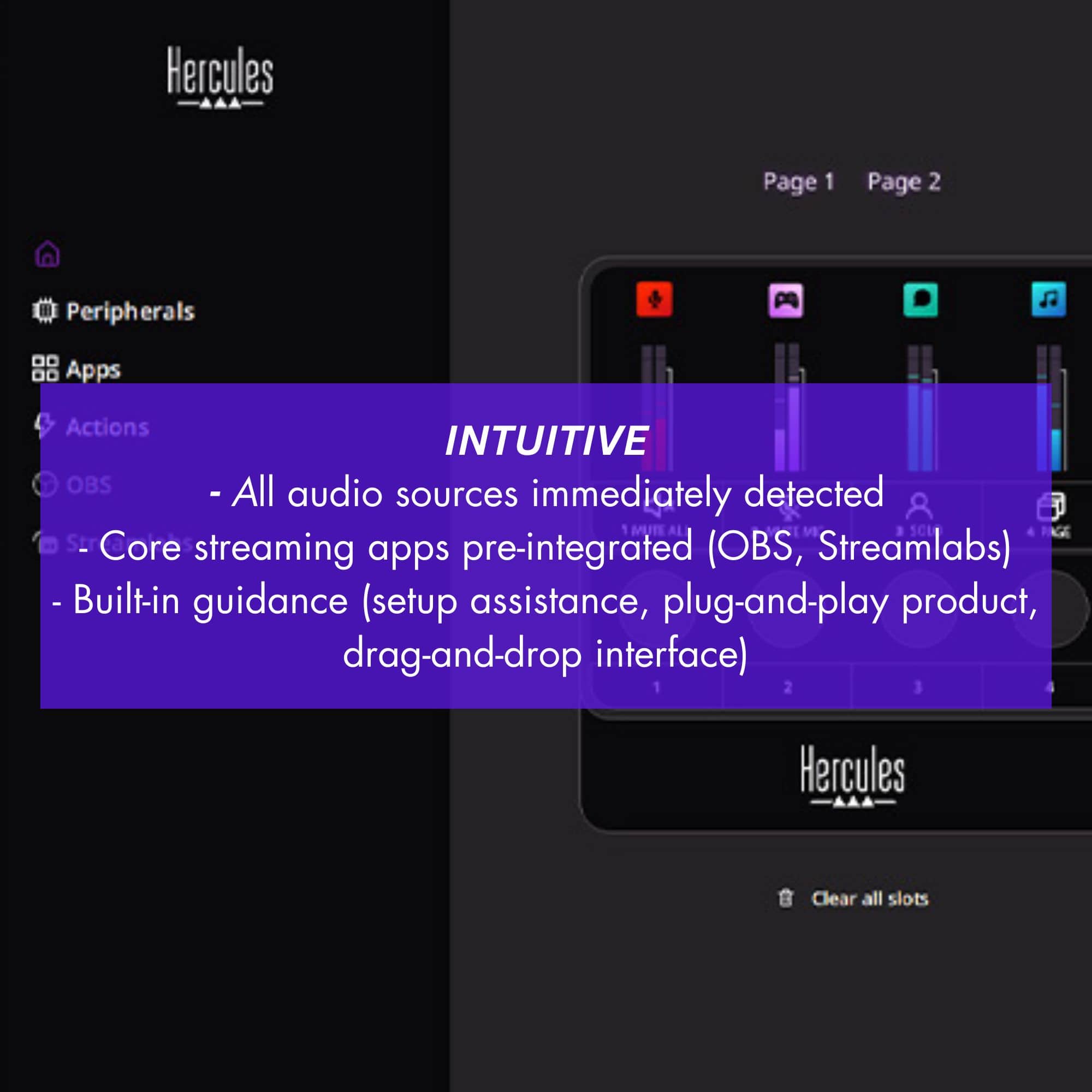
|Posted .This reviewer received promo considerations or sweepstakes entry for writing a review.This stream deck and audio mixer is honestly one of the better accessories I have added to my streaming gear arsenal. It is highly versatile, customizable for my purposes, and comes in at an excellent price that is perfect for an aspiring streamer who doesn’t want to spend too much money out the gate on something they aren’t sure they need. It is due for some optimization in the firmware, but I am confident that will come with time. This Hercules Stream 100 is perfect for non-XLR, USB mic users like me who need a simple, physical interface for controlling the mix of audio in their computer and the ability to have some handy quick launch buttons for things like specific websites or actions like “push to mute” for their microphone. This audio mixer is really simple to set up with just one single USB-C to USB-A cable included to plug into your computer. From there, you download the software from the Hercules website. I will fully admit that I am not a fully optimized streamer with my audio. I use a simple Wireless Headset/Mic combo, and I usually only have a few things running in my streams like my game, Spotify, and Discord for communication. Thus, when I saw how intuitive the Hercules Stream Control software was to drag and drop my different programs into custom control slots, I was absolutely thrilled! Being able to have control over my most important audio sources in a stream without having to individually control them via their separate software interfaces or other digital means is amazing. I can turn them up and down with ease on this mixer. Furthermore, I have my three most commonly used websites set for quick launch: My Twitch page, Twitch Stream Manager, and Nightbot. Each can now launch with just the press of a button on my second page of controls on this mixer. There is a small area for improvement. I believe it is related to the current firmware iteration 1.40 at the time of this review. I am having issues with the device going to sleep with my Windows 11 equipped computer but not waking up and being able to be interacted with from time to time. I have to physically unplug the back of the device and then plug it back in for it to work. It's not a huge deal to me, but it’s definitely rather irritating. Overall, I will give this mixer a 5 out of 5 stars. Any trouble I am having is purely software/firmware related and has nothing to do that I can tell with this excellently built and eminently handy audio mixer/streaming device. Thanks for reading and I hope this review has helped you out!
I would recommend this to a friend - Pros mentioned:Audio quality, Ease of use, Lcd screen
Perfect Device to mix audio for streaming/video
|Posted .This reviewer received promo considerations or sweepstakes entry for writing a review.I've been using the Hercules Stream 100 for a few weeks and it's really improved my streaming setup. I’ve always struggled with audio balancing during my videos and streams, but this little device (about the size of a controller) has improved everything a lot. I’ve attached pictures of the different options that I selected that allow me to control the volume of my voice, a music streaming service, and the ability to fast-forward to the next song (this saves me from going into that software and selecting a different song). The setup gave me these options in a drag/drop interface which made it incredibly easy to set up, and it's even easier use. The LCD screen gives you a clear overview of the action/app and my audio levels. The knobs make it easy to adjust settings on the fly. I love the fact that I can easily mute my mic, adjust my game volume, or switch between audio sources in real-time. I would always cringe editing my videos after streaming because the sound was all over the place. I’m too loud, song drowns me out -- people would complain and then I would ask if it sounded better. Those days are now over. Plus, the ability to customize the background display is a fun touch. I don’t know how often I’ll use it, but it’s pretty cool. I'd highly recommend the Hercules Stream 100 to any streamer looking to improve their audio quality. It's made my streaming experience much more enjoyable.
I would recommend this to a friend - Pros mentioned:Ease of use
An Easy-To-Use Audio Mixer I Wish I Had Sooner
|Posted .This reviewer received promo considerations or sweepstakes entry for writing a review.– OVERVIEW – The Hercules Stream 100 is an audio controller that is rather easy to use in both real-time sound settings as well as set up using the Hercules App on Windows. It’s essentially a way to control various sound settings without having to mess around in the OS to change specific volume levels or mute a particular app. It allows for multiple settings with respect to how many peripherals and/or apps that are supported by the Stream 100. – LOOK/FEEL – The Stream 100 has a fairly large 4.3” LCD TFT display that is very bright, 4 encoders and 4 action buttons. On the rear, there is an on/off button to toggle the screen on and off when not in use. The encoders and action buttons are physical buttons, and the encoder rotation offers some resistance but does not give a clicky feel as you turn it. Construction is all plastic on the outside. The LCD screen is not a touchscreen. – SETUP – Firstly, the Hercules Steam 100 requires an available USB-A port; it comes with a USB-A to USB-C cable and the “C” side connects to the back of the controller. Setup is done using the Hercules Stream Control App, where you can set up all your peripherals as well as any specific shortcuts you’re interested in. Hercules uses the drag-and-drop approach to setup, where you’ll see a picture representation of your Stream 100; you simply drag over a specific area on the picture and it will highlight where you are making a change to the behavior of the audio controller. Pretty simple. If you have more than 4 things to control…where there is a solution called pages. This will allow you to page through different settings. Now here’s the kicker: you cannot page through your settings unless you dedicate an action button to page next or previous. So that means you’ll lose a button just for that reason. Now you don’t have to do this, but you’ll have to use the Stream Control App to manually switch pages. Who knows, maybe you have a setup for play…and a setup for work, mutually exclusive. Other things that you can do is change the look-and-feel of the audio controller display. This does not affect the performance, but only helps to make things more visible or to your liking. – PERFORMANCE – I found myself using the Stream 100 immediately after I completed my setup. I am a weekend warrior when it comes to gaming, and playing with friends is not complicated as I now have control over various volumes such as my mic, Steam and volume overall. But where I found this surprisingly useful is during work use. I do find myself in meetings quite a bit and getting volumes dialed in for work is amazing, and even more amazing is muting with the touch of a button. It’s so convenient to have and has found a permanent home on my PC setup. – GOTCHAS — In the Stream Control App, I did find that certain apps like the Edge browser (I know, who uses Edge nowadays?) was not a selectable item; but my point is, this is not the Stream 100’s fault as it is only keying off what is controllable within Windows. So don’t get upset with Hercules if you can’t get fine control on certain apps. It’s probably a Windows setup thing. – CONCLUSION – It’s my first audio controller for a PC and I'm surprised I've gone this long without one. I can see the appeal for streamers and the like, but don’t count out us weekend warriors as we can definitely use a device like this as part of our system. Pricewise, the Hercules Stream 100 doesn’t really break the bank, in my opinion for the convenience of a dedicated audio controller. It comes with a 2-Year warranty.
I would recommend this to a friend - Pros mentioned:Audio quality, Ease of use
Managing audio has never been so easy
|Posted .This reviewer received promo considerations or sweepstakes entry for writing a review.Even though I've been a video content creator for a few years now, I'm still figuring things out. For example, up until recently I've been focusing on the video aspect and completely ignoring the audio side of things. Turns out, having quality audio is just as important as having good video quality. So I went out and got a quality mic, but soon discovered there's more to it that I wasn't aware of. That's where this Hercules Audio Controller comes in. I'll be honest, when the opportunity came to get it, I hesitated because I didn't really know what it was about or if I even needed it. I'll tell you now that I did in fact need it. I'm constantly trying to improve on my content and expand on it at the same time. One of the ways I've been wanting to expand is by getting into more gaming content as well as hosting live streams. One of my first attempts at gaming content didn't come out very well. The premise of what I'm trying to do involves being able to listen to game audio as well as adding my own commentary, but I found that it became an unlistenable mess with my voice competing with game audio. Then I plugged in and setup this audio controller and wow, I truly didn't know what I was missing. The audio controller gave me the ability to quickly and easily manage the different audio streams. I was able to turn down or mute the game audio instantly when I needed to interject, and vice versa. This has opened up my mind to new possibilities and I can see now how this will help with live streams as well. It's managed to get me even more excited about putting out more variety of content now. Another concern of mine when I first got this audio controller, was how complicated it would be, especially for someone like me who isn't exactly an expert. Not to mention up until now, I didn't even know this was something I needed. I can assure anyone that finds themselves in a position like mine, don't hesitate in getting this audio controller, it's easier to get setup and going than you would think. All it took was plugging it into my computer and then downloading the software and it was up and running. For setting up the controls, I just watched a quick instructional vid from Hercules, and I do mean quick, as in I probably less than a minute, and was ready to dive in. Hercules did a great job in simplifying this process. Just select the audio source from the menu and drag it where you want it assigned. For actions like 'mute', it was the same thing, select it for whichever source the mute is for, and drag it to one of the buttons. I found this really helpful too, as it allowed my to quickly mute a stream and then un-mute it while keeping the dial in the same position so that when the audio came back in, it remained at the same level I had it previously. To sum up, if you're into content creation, streaming, gaming, or honestly even just a multi-tasker who works at a computer, this audio controller can be a game changer. Another use I discovered was in fact work-related, where I could easily manage video conferencing meetings and skip the whole fumbling around searching for the mic mute button in the meeting software. Basically, anyone could benefit from having an audio controller. So don't be like me and hesitate if you're on the fence, getting this audio controller was one of the better decisions I made, both for myself and my careers.
I would recommend this to a friend - Pros mentioned:Audio quality, Ease of use
Making Audio Convenient
|Posted .This reviewer received promo considerations or sweepstakes entry for writing a review.The Hercules 100 is a game changer! If you’re like me and hate messing with audio settings mid-game, this device is going to be your new buddy. The whole point of the Hercules 100 is to make controlling your PC audio a lot easier by giving you a separate screen that constantly shows you all your audio settings. You can adjust everything with a physical dial or button right on the device. The Hercules takes all your audio settings like speaker volume, mic levels, system sounds and puts them on a separate display so you can see them all at once. No more clicking through menus on your PC to check what’s going on. Instead, everything is right in front of you. The four dials let you tweak things like your speaker or mic volume with a quick turn. The dials feel nice and smooth too and adjustments are super easy. The huge difference is when I’m gaming. Before I had this, I’d be deep into a game, and if something went wrong with the audio maybe my mic was too low, or the game was too loud and I’d have to pause or miss our on a live online game. With the Hercules 100, I just reach over, twist the dial, and I’m good to go. No more pausing, no more distractions, just quick adjustments while I keep playing. Another thing I really like is the four action buttons under each volume dial. These buttons are customizable, which means you can set them to do what you need. I’ve set mine up to mute my mic, switch between speakers and headphones, but you can configure them however you want. It’s a nice extra feature that just adds more flexibility. For instance, if you’re in the middle of a game and need to quickly mute your mic (maybe because something’s going on in the background), you can do that with the press of a button. Great for on-the-fly adjustments! Setting up the Hercules 100 was a breeze. You just plug it into your PC (plug and play), and for me it automatically recognized everything. Hercules comes standard with integrated software which you can use to customize your settings further. It’s easy and straightforward. If you spend a lot of time on your PC, whether it’s gaming, streaming, or just general use, the Hercules 100 is a great accessory. I didn’t realize how much time I was wasting jumping in and out of menus to adjust my audio settings Overall, the Hercules 100 is perfect for anyone who wants quick, easy access to their PC’s audio settings without having to pause or stop what they’re doing. Whether you’re a gamer, streamer, or just someone who likes to have control over their setup, this device is worth it.
I would recommend this to a friend Works great but a bit of a learning curve.
|Posted .This reviewer received promo considerations or sweepstakes entry for writing a review.Hercules Stream 100: A Solid Mixer with Great Potential but a Steep Learning Curve The Hercules Stream 100 is designed for content creators, streamers, and gamers looking to enhance their audio experience. In my case, I used it alongside RetroArch, Streamlab, and my Chrome browser for various streaming channels, and the mixer’s multi-channel capability was particularly appealing. With the ability to handle up to eight channels, it provides plenty of room to manage different audio sources—whether you’re juggling game audio, background music, or voiceovers. Setting it up on my Dell Inspiron desktop was relatively straightforward, but as someone new to streaming, I quickly found myself facing a steep learning curve. Navigating the finer technical aspects, like balancing the audio levels for multiple inputs or adjusting the EQ settings, took some time. The mixer has a lot of customizable features, and while these can be great for experienced users, they felt a bit overwhelming at times for someone just starting out. Technically, the Hercules Stream 100 is packed with features. It offers various input options, smooth transitions between different audio sources, and even the ability to tweak gain, equalizer settings, and compression. However, with these advanced features comes a responsibility to understand how to use them effectively. I found myself frequently referring to online tutorials to make sure I wasn’t missing any key functions, especially when integrating it with platforms like Streamlab. One thing I have to note is that the included manual could have done a better job of explaining how to use these more technical aspects. For beginners like me, a more accessible guide would go a long way in making the product less intimidating. As for sound quality, once I managed to fine-tune it, the results were impressive. The mixer offers a clean, professional sound with minimal background noise, which is crucial when streaming multiple sources simultaneously. Overall, the Hercules Stream 100 has a lot of potential, especially for more seasoned streamers or those willing to spend time learning the ropes. Personally, I feel like I still have a lot to learn before fully mastering it, and because of that, it’s hard for me to give it a definitive review. For now, I’m giving it a rating of 3.75 out of 5. With more experience, I believe I’ll unlock more of its potential.
No, I would not recommend this to a friend- Pros mentioned:Customization, Ease of use
This controller does a lot
|Posted .This reviewer received promo considerations or sweepstakes entry for writing a review.If you do not use XLR microphones, the Hercules Stream 100 is a great audio controller. You can configure up to four devices per page. That is correct, per page. Even though there are four physical controllers, you can create pages with four devices each. I do not have many devices but was curious and created two pages up to eight devices/configurations. It is easy to setup; you just click and drag. Objects that can be added are peripherals. It detected my Cam Link Pro (all four HDMI ports). I have a Yeti Microphone plugged into a USB port. I can control the volume of those devices and set them on each position. Under Apps, you can connect to Steam, OBS Studio, and Microsoft Edge WebView2. Those are what is detected on my computer. Yours may differ. The Actions you can have it do are to mute, keyboard shortcuts, play/pause media, previous/next media... just to share a few. There are more. You can also connect to an OBS Server and Streamlabs. You can customize the Icon that shows up on the screen. You can even upload your own icons. The colors can also be changed. There are so many customization options. You can assign names for each button. My only issue is it limits you to 10 characters. That is because it needs to fit on the screen. The more characters it supports, the smaller the font will be. I guess it is not an issue but a limitation. I had to be a little creative when naming the buttons. Overall, a great controller. I also have a basic stream deck but prefer to use this one now because it can do more.
I would recommend this to a friend - Pros mentioned:Audio quality, Customization, Software
Great for streamers and gamers who stream!
|Posted .This reviewer received promo considerations or sweepstakes entry for writing a review.Getting this out of the box, I noticed this is a very nice stream deck that lets you control and mix different audio sources, which gives you control to quickly adjust, switch or mute channels. For anyone that streams, I'd say this is an essential tool and even if you game as I do and stream your game and you want more control over the audio sources without interrupting to switch things as you go it's great for that. Setup is pretty easy and figuring out the controls is very easy. The hardware knobs feel high quality and give you a tactile feel as you are adjusting that channel. The displays for each channel are vibrant and crisp and responsive. You can customize icons and backgrounds on the control to make it your own. Also, through the software you not only can customize but add pages that are easy/quick to access with the control. If you don't have a stream mixer or are looking to get started, this is a great one to start out with, it's simple and offers effective control/customization of your audio so you can put on the best stream with no glitches or audio issues that you sometimes see people struggle with who are just getting started.
I would recommend this to a friend - Pros mentioned:Audio quality, Lcd screen
Feature rich audio controller/great customization
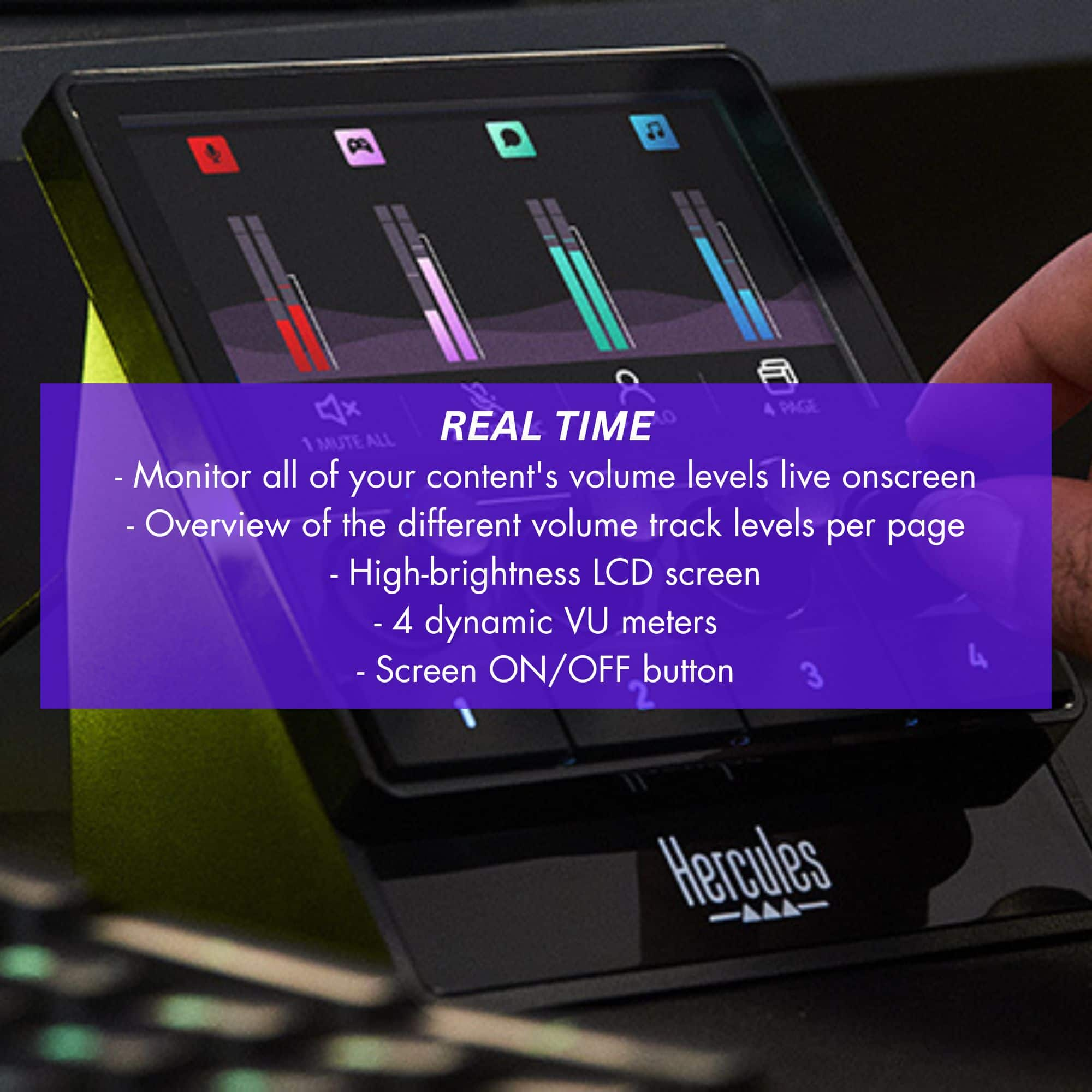
|Posted .This reviewer received promo considerations or sweepstakes entry for writing a review.First impression: My first impression of the Hercules Stream 100 PC audio controller is that it is a nice, sturdy audio controller/mixer that is a nice edition for someone who is a beginner with audio control, or someone with basic needs that do not need the advanced features, complication, and cost of full audio control systems. The plastic feels strong and has an attractive look. The knobs rotate freely but not too freely as to be difficult to dial in. The buttons are rubber that has a nice feel to it. And the screen is bright and easy to see. What’s in The Box: • Hercules Stream 100 • Type C USB power cable • Link to download Hercules Stream Control app • Warranty card Features: • Intuitive Audio Controller to Manage Livestreams in Real Time • Up to 8 Tracks • LCD Screen • High-Resolution Encoders • 4 Action Buttons • Customizable Interface System Requirements: • Windows®10 or more recent (64-bit) • 4 GB of RAM • USB 2.0 port Technical Specifications: • Dimensions: 4.4 x 4.3 x 3.5 inches • Weight: 252 g • Screen Size: 4.3 inches • LCD type: TFT • Controls: 4 encoders, 4 action buttons, on/off screen button • Connection: Windows computer via USB • Power: Directly from USB • Control: 4 encoders, 4 action buttons, Screen button • Microphone: USB Setup: Setup for the Hercules Stream 100 is done through the free app Hercules Stream Control. Upon the first launch, it found both firmware and software updates. Clicking the update button updated both firmware and software. In the app is where you configure your peripherals such as microphone and speakers, the apps you are going to control, your profiles, and online streaming services. Following their video tutorials, I found it easy to configure the Stream 100 deck. I then customized some logos and got them added to the channels. I am surprised at how much you can customize a device that is considered entry-level or for beginners. Performance: The Stream 100 performs beautifully. The knobs turn easily and allow for precise adjustments. Pushing a knob will mute that channel. Pushing it again will unmute it. The rubber buttons have a nice feel to them and are easy to push, yet firm enough to not accidently engage or double tap them. And the LCD screen is bright and easy to see and has multi-level brightness that can be adjusted by pressing the power button. The brightness can also be adjusted in the Stream Control app. The unit ls small and light weight, which is nice to help keep your desk uncluttered. It has 4 sticky pads on the bottom that prevent the unit from moving at all when using it. And being powered and controlled by a single USB cable makes it clean on the desk. The audio controller displays 4 channels with all icons and labels fully customizable, so no more trying to remember what audio 3 is for. It has 2 pages, so adding a “change page” action on each page allows you to switch quickly between Page 1 and Page 2. And speaking of action items, not only can you control all aspects of the audio stream, but you can also add action items that will launch a URL for you. I’m using 2 actions to launch Streaming services that I use regularly. You can also connect in the VoiceMod app, changing your voice while streaming, and allowing you to quickly change voices. Conclusion: The Hercules Stream 100 is a small, easy to use, yet powerful audio control deck for those who are just starting out in content creation and streaming, or those who have smaller streaming setups, or those who don’t need the complications of a bigger audio controller. The setup is easy using their Hercules Stream Control app, and the customization is beyond anything I’ve seen in an entry-level device like this. If you are a smaller content creator, someone new to streaming, or someone who needs a very versatile yet customizable audio controller, then I highly recommend this product.
I would recommend this to a friend Punches Above its Weight Class
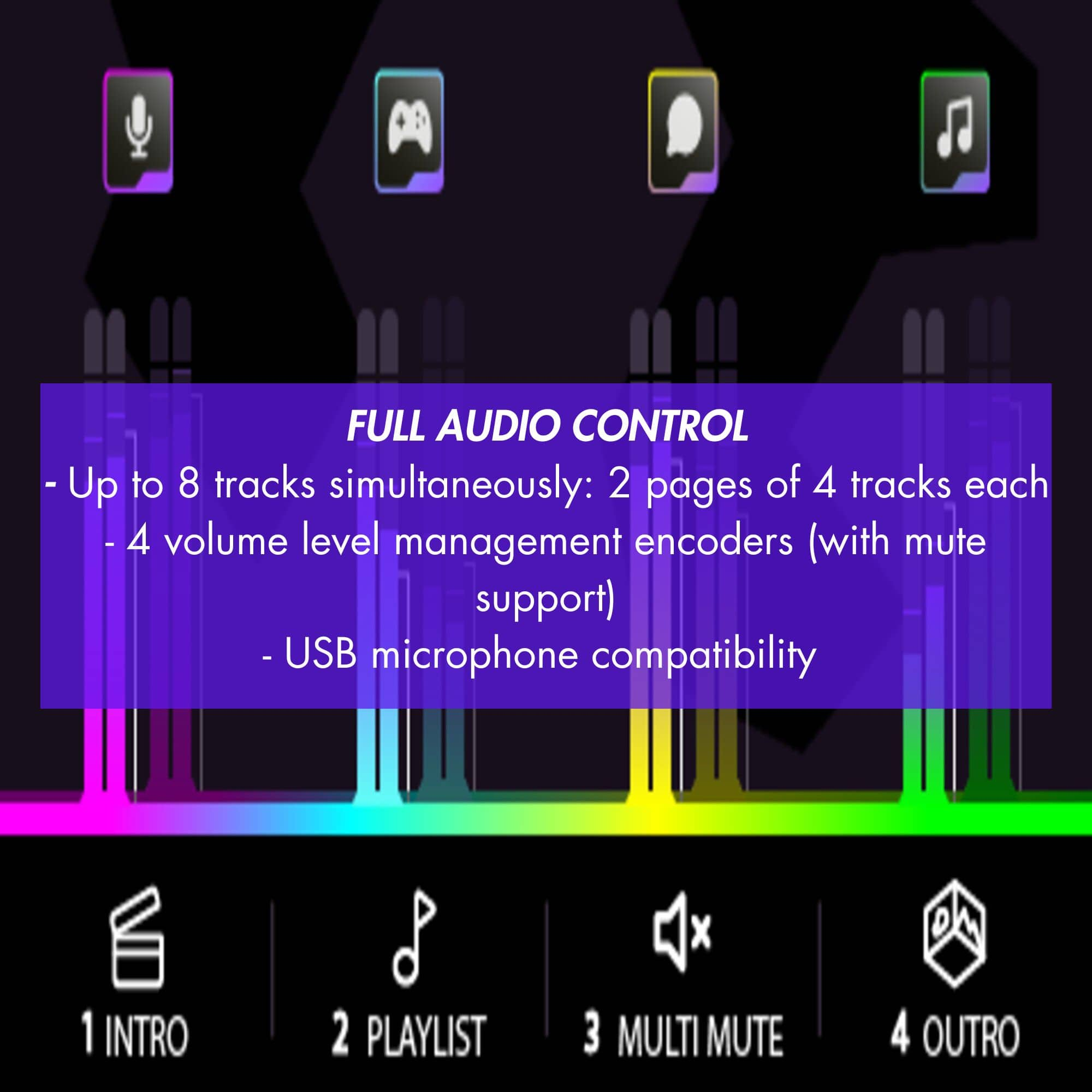
|Posted .This reviewer received promo considerations or sweepstakes entry for writing a review.The Hercules Stream 100 is a versatile audio mixer that is perfect for content creators looking for something that does consume a lot of desk space and is easily portable. The Stream 100 also has a simple and intuitive interface, which makes it easy to use, even for those who are new to audio mixing. New users will find the software easy to setup. Plug the included USB cable into the Stream 100 and then then find a USB-C port on your PC to connect it to your PC. Plug N Play will install the Stream 100 on your PC automatically. The software will scan your PC and install your supported peripherals and software automatically. Users will be guided through the process to get up and go quickly. One can get setup and going in several minutes. Note that this model does not support XLR connections, you need to use USB microphones. But Hercules has other models that do support XLR connections if you need it. This is not to imply it is for new users only. The software features a drag and drop interface but is also highly customizable as your needs grow and you become accustomed to using an audio mixer. This compact device allows you to connect to 8 tracks at once, 2 pages with up to 4 tracks each. There are 4 volume level management encoders (with mute support). If you plan to use more than 5 or 6 tracks on a regular basis, you can get by with the Stream 100, but you may want to look at a bigger mixer for more control. The Stream 100 also has a gain control for each input, which allows you to adjust the level of each audio source individually providing control over each audio track. I found the 4 programmable buttons and 4 volume dials to be very responsive for instant changes when in use. There is a built-in LED meter, which allows you to easily see the levels of your audio sources, so you can quickly and easily respond and adjust the audio levels as needed. The Hercules Stream 100 features high-quality preamps and 24-bit/48kHz audio resolution, which ensures that your streams and recordings will sound clear and professional. The Stream 100 has low latency, you can hear your audio in real-time, making it easy to monitor your performance and adjust on the fly. This is crucial for a live streams to ensure that the audio is in sync with your video. I found the Hercules Stream 100 to be a versatile audio mixer that provides what I need in a simple, easy to manage interface that does not overpower. Its ability to connect and mix multiple audio sources, high-quality sound, and additional features make it a great choice for anyone looking to create high-quality professional-sounding audio.
I would recommend this to a friend- Pros mentioned:Lcd screen
A pretty good basic controller; tiny!
|Posted .This reviewer received promo considerations or sweepstakes entry for writing a review.I tested the Hercules Stream 100 and I think it’s a decent controller for smaller setups. -- Design and Build Quality It's compact, which is great for smaller workstations and studios, and its LCD screen is bright and clear. I kept trying to touch the screen but it’s NOT at touchscreen! That feels like such a miss with a device like this. People are used to using touchscreens. It feels surprisingly light, which would be no good if it didn’t have sticky feet that work really well to keep it attached to a surface. If you are using a plastic or coated wood desk, it’ll work great, but if you have any kind of texture on your desk, I bet it will move around while you’re using it. That can be annoying when you’re in the middle of broadcasting a livestream. I think there should be more texture on the dials but they’re serviceable and easy to use. I don’t mind them at all, but maybe some lighter marks on them so you have positive indication that the dials are turning because it’s such a smooth and light knob. It’s not a great thing to be that light for a controller. -- Functionality The Stream 100 gets the job done. You can control 8 audio tracks simultaneously with 4 on each of 2 pages, which is good for really simple setups. I didn’t get much use out of the extra function buttons because I was really focusing the use of this for audio controlling only. If I was using the extra buttons, I’d be sad that the labels are on the display and not directly on the button like a bunch of competing devices. I think the controls for audio are straight forward and simple to a fault. I think someone could outgrow this controller pretty quickly, fortunately it plays well with other devices. -- Software and Integration I think the Hercules Stream app is pretty good and is intended for the simple projects the Stream 100 would handle. It was pretty much plug and play and integrated pretty well with my Streamlabs setup. The latency between changing the levels on the Stream 100 and the on screen sound mixer was good enough to be considered instant so that means a pretty fleshed out integration. I did want to customize the display to match other displays that I have but I couldn’t figure out how to do it in app. It doesn’t seem to be possible. And of course, no touchscreen! -- Performance It works as it says and I think I could trust it to do my basic levels. Beyond 4 channels, it may be better to get something bigger. I’m not a fan of changing pages on something as critical as audio levels. I can see using this for something slower paced like longform interviews, and I think it would excel with projects like that. -- Value for Money Well... one thing I always felt I wanted from this while I was using it is to have sound input built in. The bigger brother of this device has XLR built in and that makes that device infinitely more useful. I think even a pair of instrument or 3.5mm jacks would have really changed the value proposition for this unit, but I guess that’s not the goal of this device. -- Conclusion This is a great controller for 1-4 audio sources, a good controller for 5-8 sources. I think it will work really well for smaller projects or for a single broadcaster casting games. Beyond 5 sources, you’ll probably want a bigger board and something with inputs if you intend to be adjusting levels fairly often, however since it does work fairly well, if you have a dedicated sound person, it’s acceptable. Running lots of channels and working this device solo was less easy for me,. But I think for the vast majority of smaller broadcasters, it’ll serve well and will integrate well as they grow their setup. It’s recommend gear if you fit within the group that makes sense for this device!
I would recommend this to a friend - Pros mentioned:Audio quality, Ease of use, Lcd screen
takes the stress out of audio management
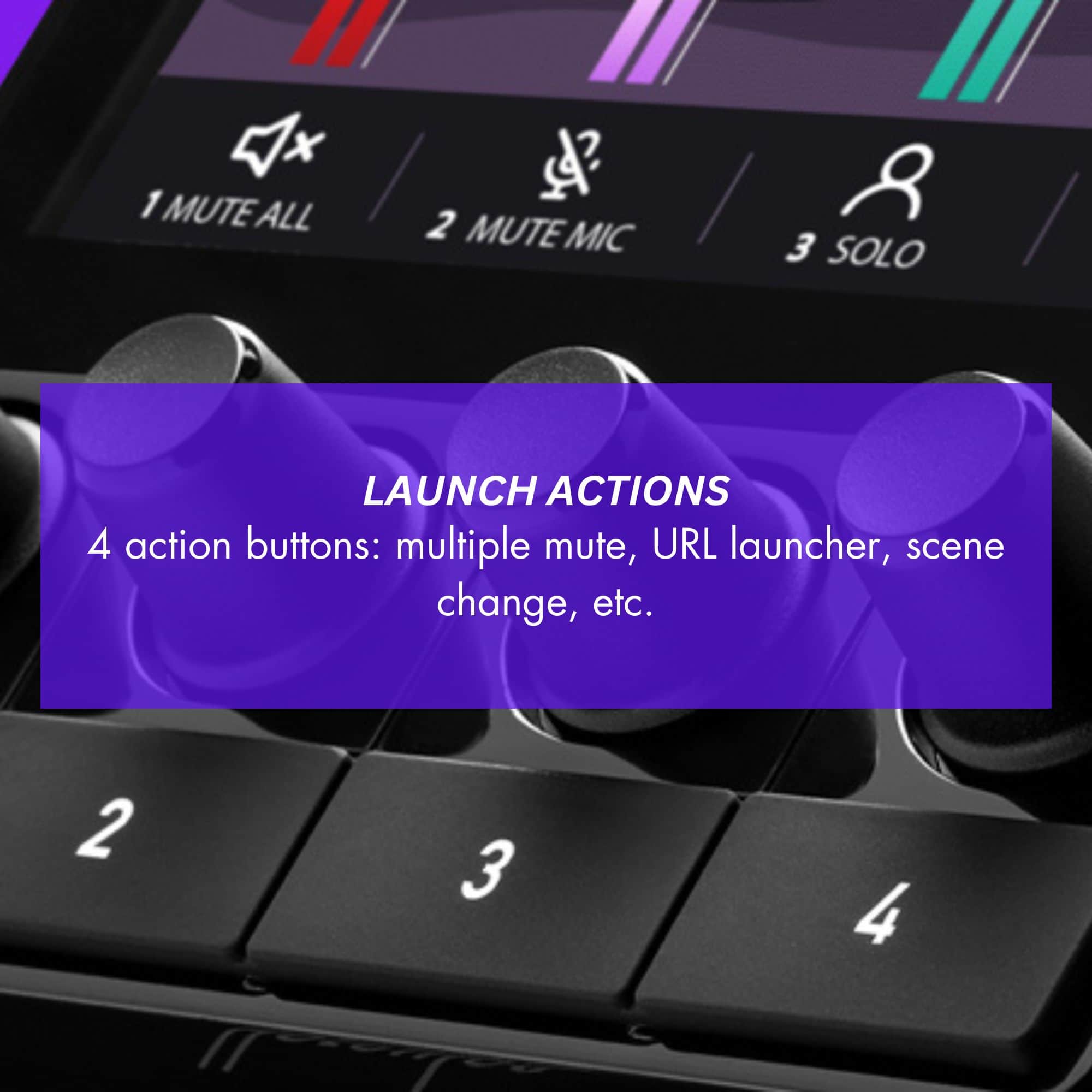
|Posted .This reviewer received promo considerations or sweepstakes entry for writing a review.The Hercules Stream 100 Audio Mixer has completely transformed my streaming setup. From the moment I started using it, I noticed how user-friendly and intuitive it is. The LCD screen is a game-changer, allowing me to manage all my audio sources—whether it’s games, chat, or music—in real time. I can easily monitor up to eight tracks, and the control over each individual sound level is just flawless. The built-in VU meters make it so easy to see what's happening with each audio track, so I never have to worry about unexpected volume spikes. The four customizable action buttons are a nice touch. I’ve assigned them to key functions like muting multiple tracks at once and launching URLs mid-stream, which has improved my workflow significantly. Setup was also a breeze, thanks to the Hercules Stream Control app. It integrates perfectly with OBS and Streamlabs, so I was ready to go in just minutes. This mixer truly takes the stress out of audio management, letting me focus more on my content and audience. Whether I’m gaming or live streaming, the sound is always crisp, and the customizable options add a personal touch to my setup. The Hercules Stream 100 is a must-have for any serious content creator or streamer!
I would recommend this to a friend - Pros mentioned:Customization
Great way to control sound
|Posted .This reviewer received promo considerations or sweepstakes entry for writing a review.The perfect tool to give you more control over your mic and sounds. I feel like multiple media sources are the bane of my existence, not just with recordings/streaming games, but also lessons, It’s always figuring out which one is actually making it into the recording software. This has simplified it greatly, and the best part it there isn’t trying to mess with it on another screen that sometimes, it’s on it’s own self contained customizable device that you can put in custom images or use the ones that it loads for you. I can have four different sources I can control, mic or audio. For entry level streaming/recording this is pretty perfect. Honestly, it also comes in handy for meeting as well, I can share my screen as well as feed in different audio I need people to hear while taking away system audio completely (all the IM dings in the background) I am setting up my kid to do fortnite streaming and this is perfect to give him control over his game audio and mic volume. I love the screen that changes per source, I love the volume knobs that mute on press and I love the customizable buttons, there is a mute all, mute channel, push to mute, keyboard shortcut, url launcher, change page, isolate source, set level, play/pause, and next/previous media. I think the url, mute all, keyboard shortcut, and set level where I can set every source back to 25% (or whatever you want) . Overall, I really like this tool for getting more control over audio on my computer.
I would recommend this to a friend OK but not great
|Posted .This reviewer received promo considerations or sweepstakes entry for writing a review.The basic thoughts are it’s good but not great. Are there better options available in the same price range? Well, the short answer is maybe. This is primarily focused on audio and you can find something that does both audio and video for not a lot more – so maybe. Setup – the setup instructions were pretty much straightforward forward however It did take something adjusted on my system to get it to function properly - Nothing major but it also was not just plug and play. Functionality – this is a basic audio mixer and covers that functionality very well but that’s where it stops. Anything beyond the basic functionality just isn’t there. If you have limited real estate to deal with this would be a good system as it’s small and compact however it does feel a bit cheap from touch and feel standpoint. I will say the programable background for the screen is a nice touch. I ran this several times streaming and had no issues with any glitches or performance, I did wish the knobs had some grip as it became difficult to turn on the fly while gaming Overall I would give this a 3-star rating however the pain of getting it set up left me a bit tainted, if you just need basic sound mixing it s OK but I would shop around if that’s all you need.
- Pros mentioned:Audio quality, Ease of use
Perfect for beginning streamers
|Posted .This reviewer received promo considerations or sweepstakes entry for writing a review.After spending time growing an audience with pre-recorded video, I've recently started making live streaming content for more interaction. Trying to get a good audio blend has been the bane of my existence. Ive bounced between streaming on a phone with the lavioler mic and streamin on a PC with an external mic. I play music and sometimes watch video content with my audience and getting a good sound mix so my voice isn't competing with the content was way harder than i anticipated. I tried a software mixer, but adding one more thing to my screen (in addition to.the video im watching, my chat window, and my own screen) was not ideal. The Hercules audio controller was a great solution to my issues. It was easy to set up- just download the software and plug in the audio controller. Being able to quickly mute my mic or the music or video stream without fumbling with multiple controls improved the quality of my live streaming. I'm still a beginner, but I feel.like this makes me appear much more polished and knowledable than I am. For beginners or for a simple set up, this is thw perfect solution. Not too many bells and whistles, but enough to get the job done.
I would recommend this to a friend - Pros mentioned:Lcd screen
Stream easy
|Posted .This reviewer received promo considerations or sweepstakes entry for writing a review.Hercules has been a go to when it comes to the DJ market. They have been making DJ equipment to help teach DJ'ing the right way. Hercules is now moving into the streaming space with products such as the Hercules Stream 100 Audio mixer. The Hercules stream is an impressive piece of equipment for the price-point it is available for. The Hercules Stream 100 can be used for streaming or gaming. Even though you see 4 tracks on the device and screen it features 8 track control by using pages which can be customized for whatever you cannot see beyond the first page. The 4.3 inch LCD screen is fully customizable via the Hercules software. The controller features rotary knobs which are very nice in allowing for precise controls. The initial set up was quite easy as the mixer gets plugged into your PC via the USB cable. Once the mixer is recognized by the computer you may download the Hercules software and customizer what you control. The quick launch buttons can be customized to open any of the apps. The customization is also very easily done by dragging and dropping on the screen. The mixer is mad only for USB mics but they do make a larger model that feature a XLR input. For most novice streamers and gamers the USB mic should be more than enough for all of your streaming needs.
- Pros mentioned:Software
Solid little mixer
|Posted .This reviewer received promo considerations or sweepstakes entry for writing a review.The Hercules Stream 100 is a basic mixer for those looking to gain better control over the volume input and output levels across various devices and applications. It is not a full audio interface however, it has no inputs other than the USB cable that goes to your computer. So this is not the right choice for those looking to upgrade to XLR style microphones. Using the software this mixer was extremely easy to setup, you simply drag and drop your desired interfaces into the location you prefer and you now have volume/mute control of that specific channel. This allows you to get your discord voice chat, your background music, your game audio, and whatever else you might need like notification sounds or mic input volume dialed in more quickly. The display has space for 4 separate inputs/outputs but via the software you can configure a second page as well giving control for up to 8 total. The numbered buttons bellow the volume adjustment knobs can be configured to basic tasks like a fast mute all button, or more complex things like scene transitions or other graphics via a program like OBS. So for streamers or content creators just getting started out with a basic setup this can help you start taking your streams to the next level with the extra trigger buttons and superior audio control but overall is only offering basic functionality and is not a full audio interface.
I would recommend this to a friend Lots of control from a small mixer
|Posted .This reviewer received promo considerations or sweepstakes entry for writing a review.My son has been into content creation lately, and likes to post his videos on YouTube. He already has a microphone, but wanted more audio adjustment and control. The opportunity came up to give the Hercules - Stream 100, Audio Mixer a try, so I went for it. The Hercules - Stream 100, Audio Mixer is a small unit, but you really get lots of control out of it. The setup requires downloading the appropriate software and needed updates. This didn't take that long. Once all that is said and done, you can customize buttons so that you are able to have full control of your gaming/streaimng audio. Selecting an audio channel is done via the Hercules software, but do make sure that you also make the appropriate Window audio settings on your end. I found that my son was connected to the incorrect microphone and that delayed the initial setup for us. Having the ability to mix have control of streaimng audio has been extremely helpful for my son when creating videos. He is also able to mute the mic right away, which is important when you have people walking in on you all the time. Overall, this is a great mixer that packs great features. I would definitely recommend it.
I would recommend this to a friendNice unit held back by early software
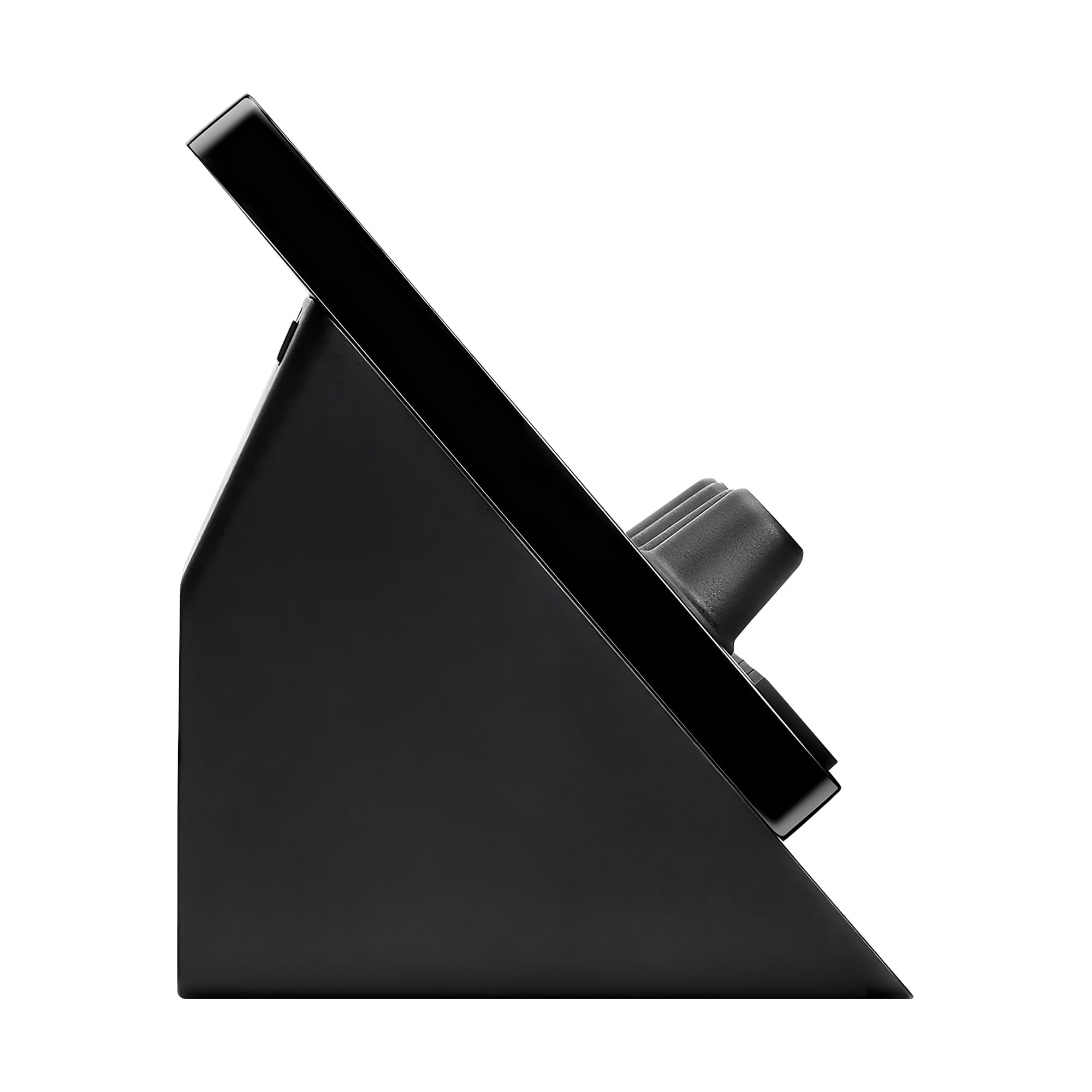
|Posted .This reviewer received promo considerations or sweepstakes entry for writing a review.The Audio Mixer with a Ton of Potential Device Rating 4/5 Software Rating 3/5 This relatively new Stream 100 Audio Controller, made by Hercules, is a great device worth adding to any streamer's setup given time. I am personally unfamiliar with Hercules's products, but there is a handful of audio controllers meant for DJ's, and, for the Stream 100 Audio Controller, it definitely feels like there's inspiration from their specialty. Though this inspiration may be holding the device back some. The device itself is awesome for what it does, and that is simply to control the audio for your PC and either OBS or Streamlabs. Each dial is smooth and extremely precise, and each button is extremely quick to respond. During stream, I was able to precisely control the 3 main audio channels and monitor my microphone's volume with ease. I have used other products, such as the Razer Stream Controller and the Elgato Stream Deck +, but the Stream 100's dial precision is so much more precise. In addition, in comparison to the other mentioned devices, the display screen is much clearer and with the extended space so much easier to read a moment's glance. Finally, the base of the Stream 100 is extremely sturdy once placed on the desk and will not slip when pushing the buttons. So where does this device go wrong? First, the device itself is bulky without any ability to adjust the angle it sits. While this may not seem like a big downside, it means the base is not detachable and the device cannot be (easily) mounted on desk/chair mounts. Second, why is this not a touch screen? The large display is just a display; there's no touch control, and if this was a touch screen, with added interactivity, would add so much more control and potential. Third, which is mainly a software issue, there are two indicators if an action is "running": the icon lights up and the button flashes endlessly. While it is not an overly fast blink, it is quite distracting and should either simply change to a different color or give the option in the Software to either blink the number or enable/disable the associated icon. As for the software controlling the device, I was disappointed, but there is a ton of potential. The paired software - which at the time of this review is version 1.4.1 [01.44] - is lacking in many ways. Navigating the software to the desired option for either the dial or the button is clunky at best. To edit any previously placed button, I had to first right-click then left-click or sometimes get lucky with a double left click. On top of that, each option is extremely "what you see is what you get" in that there are almost zero customization options. The only customization options is naming the button/dial, the color/icon of the dial/button, and, in the case of OBS or the buttons, selecting the target of the button. Speaking of OBS, the integration with OBS is lacking with the myriad of options having only 5 (6 if you include "general volume", which I could not get working) device actions. Additionally, the integration with Voicemod is 2 options: "add Voicebox FX" which does not change the voice selected, and "add sounds" which while untested, I am assuming does nothing as well. Then "save and exit" instead of simply "save" when saving any changes is very misleading. Also, I have made multiple edits, did not press the save, and fully closed the software to re-open to only find the changes that were made are saved anyways. Despite these issue there is a ton of potential for this product. If the software is upgraded to include more options for OBS (and by extension, Streamlabs) and Voicemod, with no other integrations, would vastly improve the device's interactive. Though, over time, with integrations to other apps such as streamer.bot, Voicemeeter, or other streaming-related apps, this device will be much improved. Do I recommend this product? Yes, but in it's current state, you need to setup hotkeys for OBS or have another macro device such as a stream deck for more control. But what if you don't stream? Then, the device in its current state can be useful to control audio levels of multiple sources.
I would recommend this to a friend