Customer Ratings & Reviews





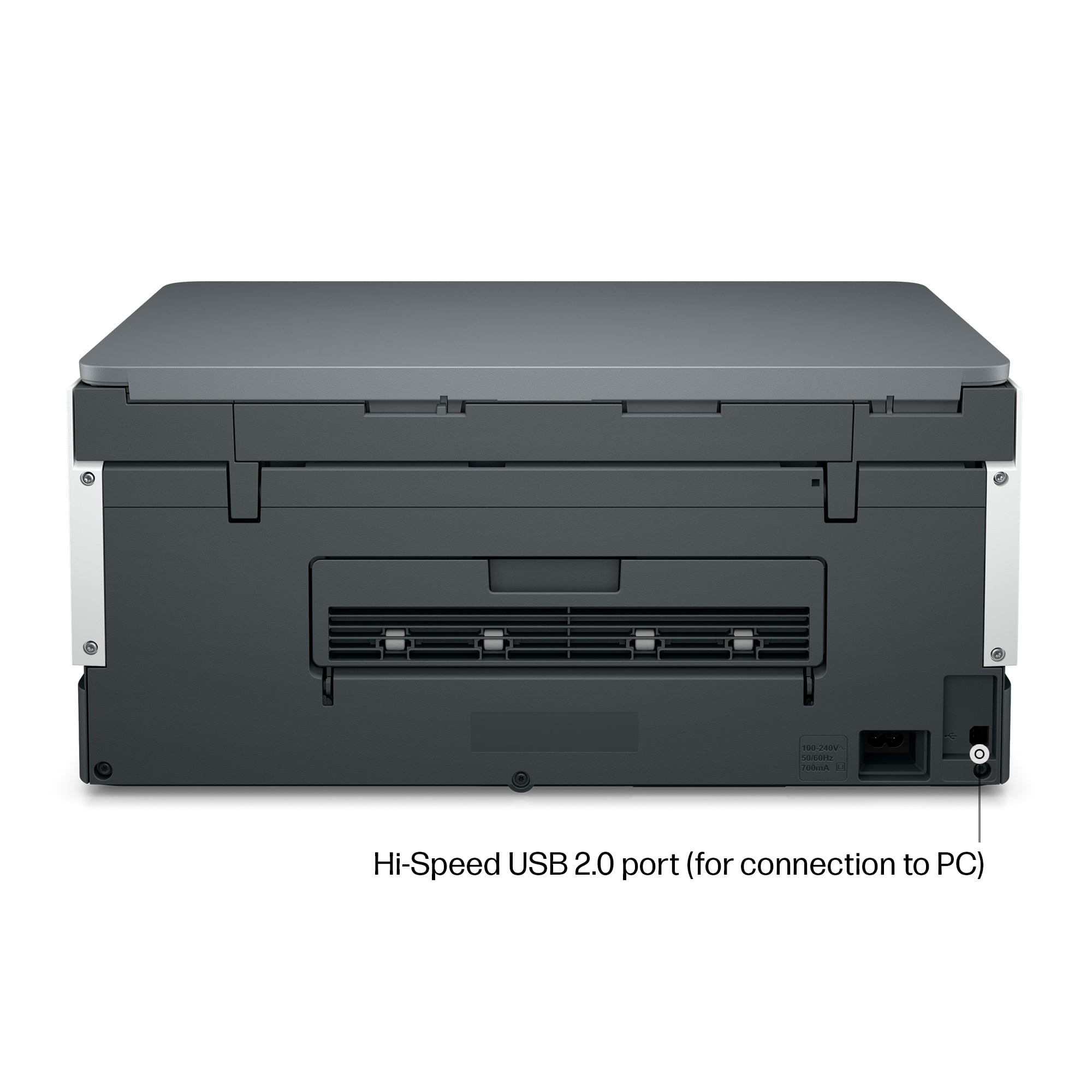




- Model:
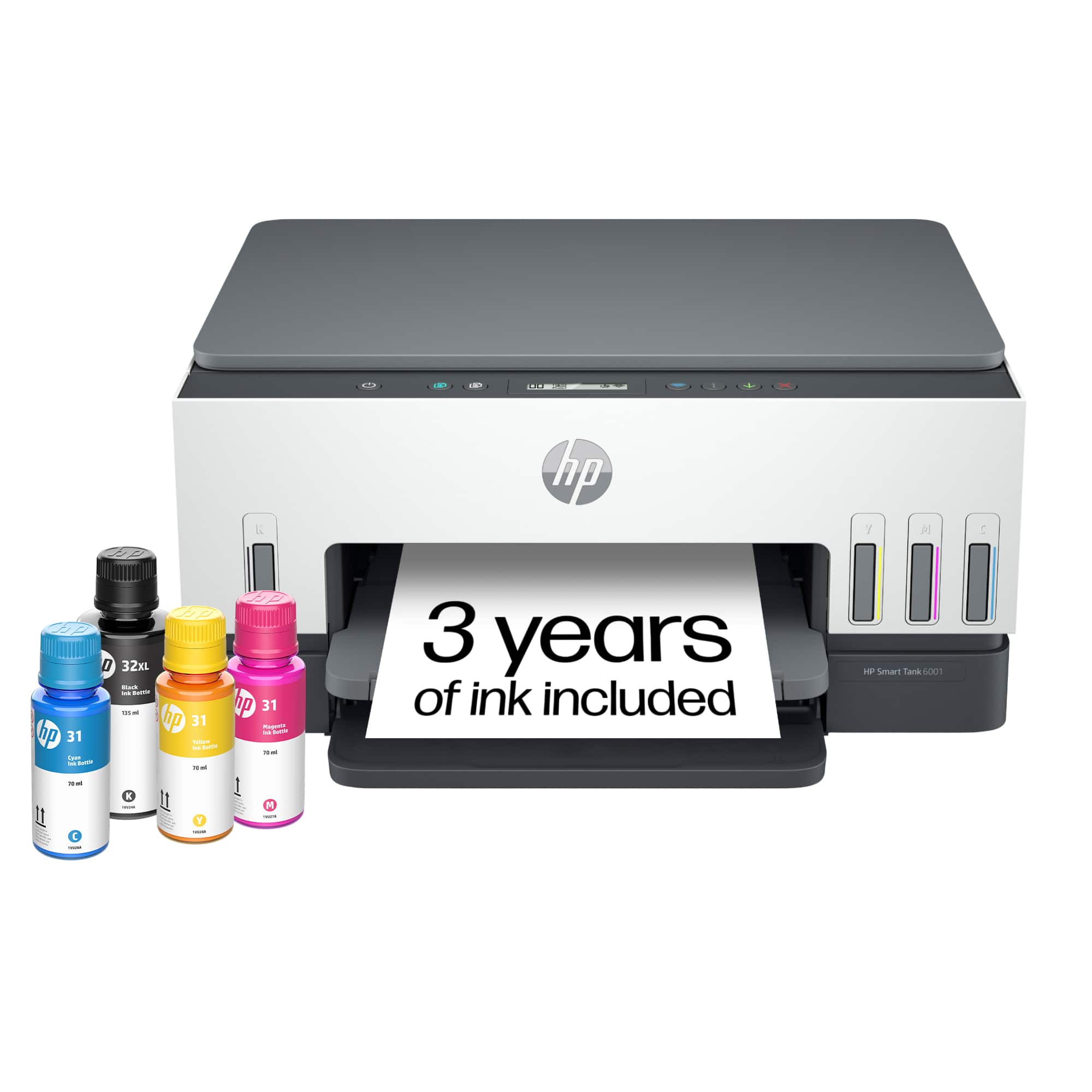
- HP SMART TANK 6001/2H0B9A#B1H
- |
- SKU:
- 11006080
Customer reviews
Rating 4.4 out of 5 stars with 1730 reviews
(1,730 customer reviews)Rating by feature
- Value4.4
Rating 4.4 out of 5 stars
- Quality4.5
Rating 4.5 out of 5 stars
- Ease of Use4.4
Rating 4.4 out of 5 stars
Rated 4 out of 5 stars
Good printer
||Posted . Owned for 2 weeks when reviewed.This reviewer received promo considerations or sweepstakes entry for writing a review.I found it relatively easy to set up using the HP Smart App on my phone. I had some difficulty with it connecting to the wifi using my desktop but got it done. While the HP Smart App allows you to do more things with the printer, I am disappointed that I can only scan using the app. I used to be able to push a button to scan. That being said, the instructions say you can scan multiple sized items at once and break them into different items, but I haven't tried it. So far the printer works fine.
This review is from HP - Smart Tank 6001 Wireless AI-Enabled All-in-One Cartridge-Free Supertank Inkjet Printer with 3 Years of Ink Included¹ - Basalt
I would recommend this to a friend- Pros mentioned:Setup
Rated 5 out of 5 stars
Great printer
||Posted .This reviewer received promo considerations or sweepstakes entry for writing a review.Great printer. Easy set-up, and I love the liquid and no!
This review is from HP - Smart Tank 6001 Wireless AI-Enabled All-in-One Cartridge-Free Supertank Inkjet Printer with 3 Years of Ink Included¹ - Basalt
I would recommend this to a friend - Pros mentioned:Setup
Rated 5 out of 5 stars
Great Printer for Home Use
||Posted . Owned for 1 month when reviewed.This reviewer received promo considerations or sweepstakes entry for writing a review.I recently replaced my old Canon Ink Jet with HP Smart Tank 6001 Wireless Ai Enabled Printer. I use this new printer for personal use at home. It is fast, easy to setup and use. The AI supported features are very helpful. The large ink tanks significantly reduce how soon I need to add new ink. It’s a great buy.
This review is from HP - Smart Tank 6001 Wireless AI-Enabled All-in-One Cartridge-Free Supertank Inkjet Printer with 3 Years of Ink Included¹ - Basalt
I would recommend this to a friend - Pros mentioned:Print quality, Setup
Rated 5 out of 5 stars
Great Printer ☺️
||Posted . Owned for 1 month when reviewed.This reviewer received promo considerations or sweepstakes entry for writing a review.I’ve been using the HP Smart Tank 6001 for my home office printing and I’m very happy with it. The print quality is excellent — both documents and photos come out crisp and clear. The setup was straightforward, and I love that the large ink tanks mean I don’t constantly buy replacement cartridges. It comes with enough ink included to last a long time, which has made printing everyday pages much more affordable. The wireless printing works well most of the time, and the HP Smart app makes printing from my phone really simple. Overall, it’s a great value for the price for anyone who prints a lot.
This review is from HP - Smart Tank 6001 Wireless AI-Enabled All-in-One Cartridge-Free Supertank Inkjet Printer with 3 Years of Ink Included¹ - Basalt
I would recommend this to a friend - Pros mentioned:Print quality
Rated 4 out of 5 stars
Smart tank works.
||Posted . Owned for 1 month when reviewed.This reviewer received promo considerations or sweepstakes entry for writing a review.The smarttank was easy to set up. Prints well and documents look good. I’ve had difficulty setting up the blue tooth. Supposedly because the printer is connected to the computer by WiFi instead of hardwired. The reason we bought it was because our prior printers were drying out or jamming. It’s still early to determine if we’ve solved that issue.
This review is from HP - Smart Tank 6001 Wireless AI-Enabled All-in-One Cartridge-Free Supertank Inkjet Printer with 3 Years of Ink Included¹ - Basalt
I would recommend this to a friend - Pros mentioned:Print quality
Rated 5 out of 5 stars
It's a really great printer with big tanks
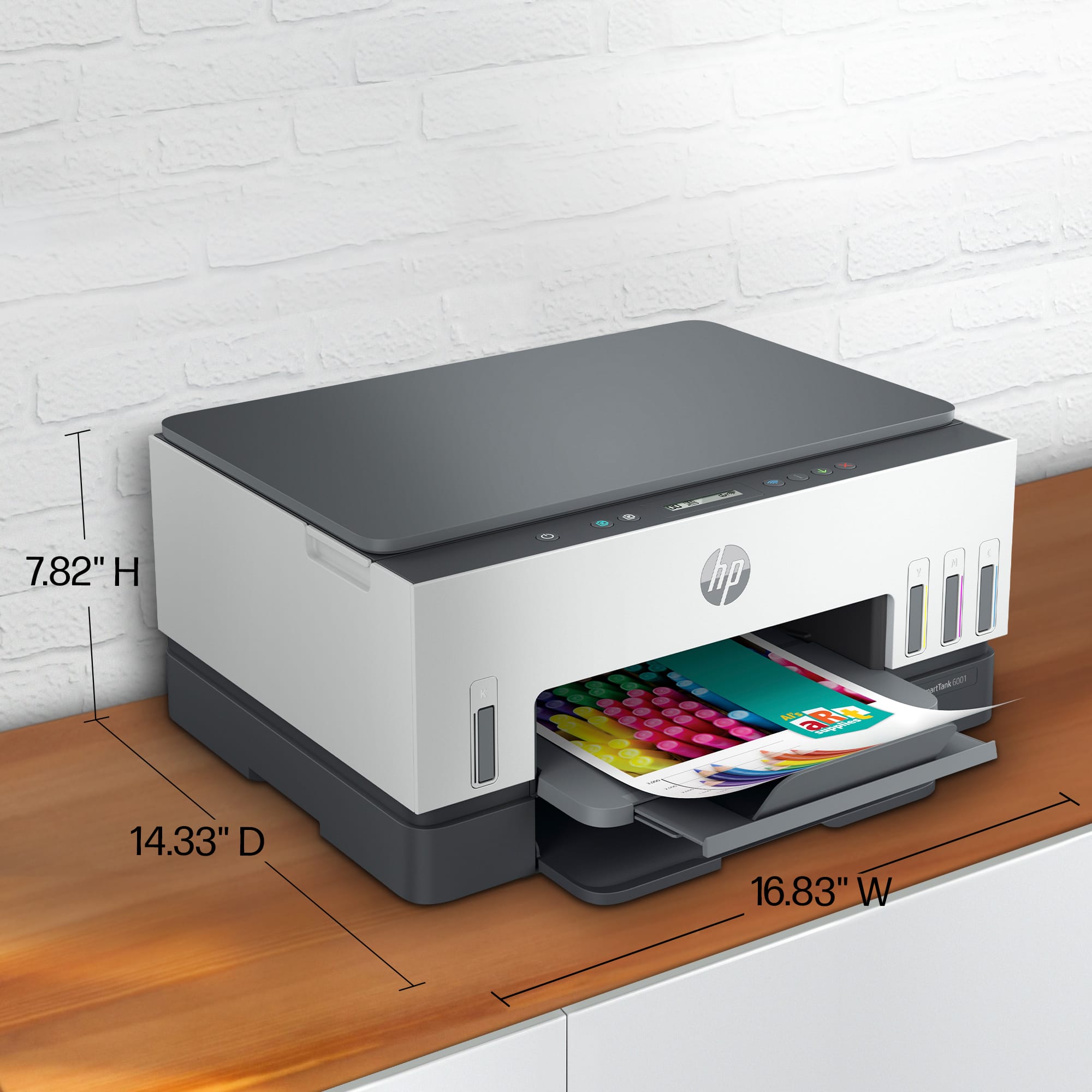
||Posted . Owned for 5 months when reviewed.This reviewer received promo considerations or sweepstakes entry for writing a review.I’ve been using the HP 6001, and it’s been a great experience. Fast, quiet, and reliable, it handles everyday printing with no issues. The print quality is sharp, whether it’s documents or images, and the ink lasts a long time, which is a big plus. Setting it up was super easy, and the wireless connection works flawlessly. I can print from my laptop and phone without any hassle. It’s also compact and looks great on my desk. If you need a solid, hassle-free printer for your home or office, the HP 6001 is a great choice. Definitely recommend!
This review is from HP - Smart Tank 6001 Wireless AI-Enabled All-in-One Cartridge-Free Supertank Inkjet Printer with 3 Years of Ink Included¹ - Basalt
I would recommend this to a friend - Pros mentioned:Print quality, Setup
Rated 5 out of 5 stars
Best Buy and HP go together
||Posted . Owned for 3 weeks when reviewed.This reviewer received promo considerations or sweepstakes entry for writing a review.Very pleased with my service from the Best Buy staff. I was hesitant to purchase the HP printer but discovering the tank versions now available I purchased a HP6001. Very easy to set up and print quality is fabulous. A good choice.
This review is from HP - Smart Tank 6001 Wireless AI-Enabled All-in-One Cartridge-Free Supertank Inkjet Printer with 3 Years of Ink Included¹ - Basalt
I would recommend this to a friend - Pros mentioned:Setup
Rated 5 out of 5 stars
Review of ink tank printer
||Posted . Owned for 1 month when reviewed.This reviewer received promo considerations or sweepstakes entry for writing a review.So far, this is the best printer I have owned! Very easy to setup and use wirelessly from my phone and laptop.
This review is from HP - Smart Tank 6001 Wireless AI-Enabled All-in-One Cartridge-Free Supertank Inkjet Printer with 3 Years of Ink Included¹ - Basalt
I would recommend this to a friend - Pros mentioned:Print quality, Setup
Rated 5 out of 5 stars
Great quality
||Posted . Owned for 1 month when reviewed.This reviewer received promo considerations or sweepstakes entry for writing a review.Set up was very easy. Has great print quality. Ink filling was easy.
This review is from HP - Smart Tank 6001 Wireless AI-Enabled All-in-One Cartridge-Free Supertank Inkjet Printer with 3 Years of Ink Included¹ - Basalt
I would recommend this to a friend - Pros mentioned:Print quality, Setup
Rated 5 out of 5 stars
Best printer ever
||Posted . Owned for 1.5 years when reviewed.This reviewer received promo considerations or sweepstakes entry for writing a review.Best printer I have ever had. It has great print quality. Very easy to set up with my laptop. Wireless is great!
This review is from HP - Smart Tank 6001 Wireless AI-Enabled All-in-One Cartridge-Free Supertank Inkjet Printer with 3 Years of Ink Included¹ - Basalt
I would recommend this to a friend - Pros mentioned:Print quality
Rated 4 out of 5 stars
Impressive performance and cost-saving convenience
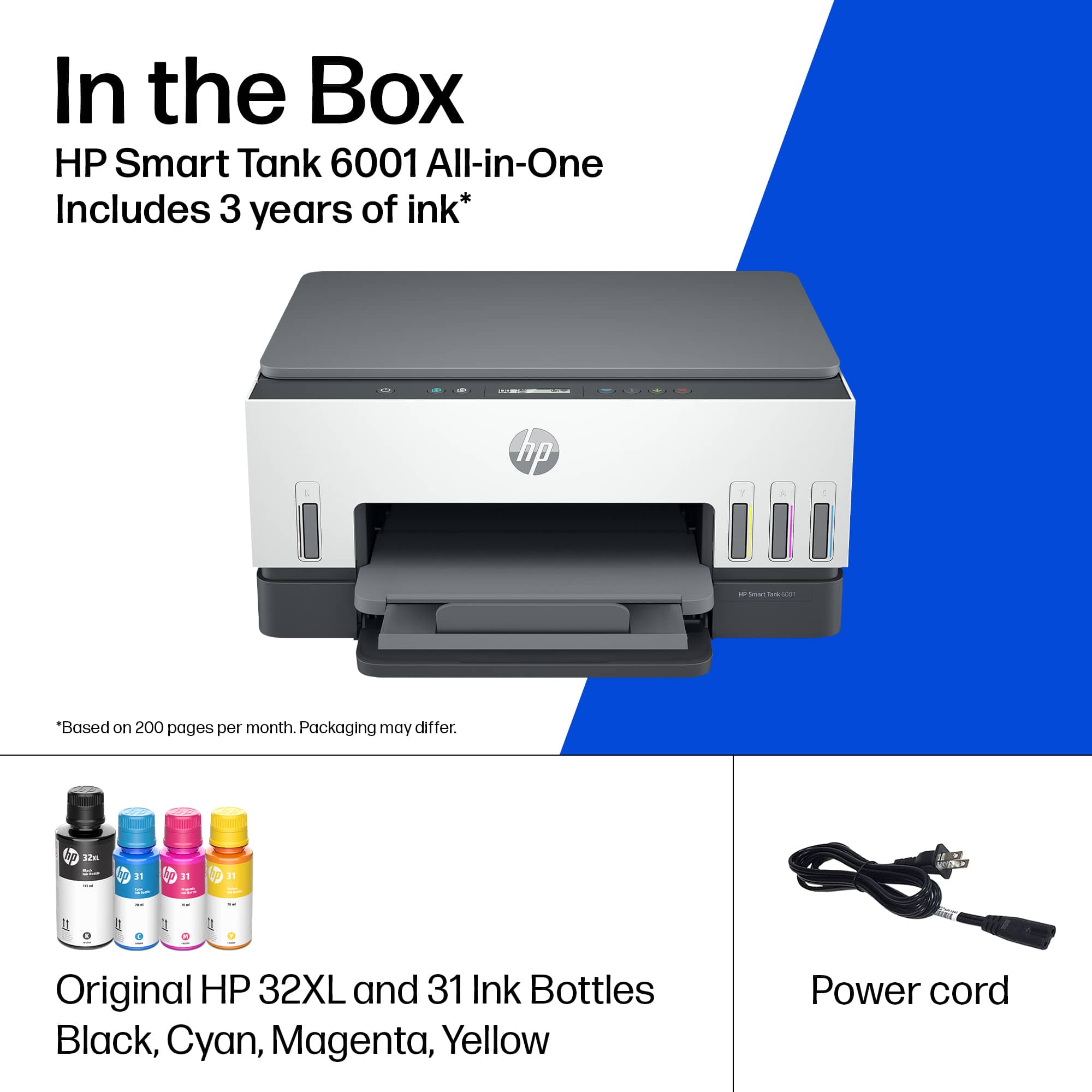
||Posted . Owned for 1 year when reviewed.This reviewer received promo considerations or sweepstakes entry for writing a review.I recently had the opportunity to try out the HP Smart Tank 6001 Wireless All-In-One Supertank Inkjet Printer, and I must say, it left quite an impression. This printer offers a combination of excellent print quality, wireless convenience, and long-lasting ink supply that is hard to beat. First and foremost, the print quality of the HP Smart Tank 6001 is impressive. Whether it's text documents, colorful graphics, or high-resolution photos, this printer consistently delivers sharp and vibrant results. The colors are accurate, and the details are well-defined, making it suitable for both personal and professional use. One of the standout features of this printer is its supertank ink system. With this system, you can say goodbye to constantly buying and replacing ink cartridges. The Smart Tank 6001 comes with up to 2 years of ink included, which is an incredible amount of ink that can save you a significant amount of money in the long run. The ink tanks are transparent, allowing you to easily monitor the ink levels and refill them when needed. Refilling is a breeze, thanks to the spill-free bottles that ensure a mess-free experience. Setting up the HP Smart Tank 6001 is straightforward, and the wireless connectivity adds to its convenience. You can easily connect your devices, such as laptops, smartphones, and tablets, to the printer using Wi-Fi, enabling seamless printing from anywhere within your home or office. Additionally, the printer supports mobile printing, which means you can print directly from your mobile devices using the HP Smart app. The printer's all-in-one functionality is another bonus. It includes a scanner and a copier, allowing you to consolidate your office equipment into one device. The scanning performance is reliable, producing clear and accurate digital copies. The copier function works well, providing quick and crisp duplicates of your documents when needed. However, there are a few areas where the HP Smart Tank 6001 could be improved. Firstly, the printer can be a bit noisy during operation, which might be a concern in quiet environments. Secondly, the printing speed, while decent for most home and small office needs, could be faster for large print jobs. In conclusion, the HP Smart Tank 6001 Wireless All-In-One Supertank Inkjet Printer offers an impressive combination of excellent print quality, long-lasting ink supply, and wireless convenience. Its supertank ink system saves you money and eliminates the hassle of frequently replacing cartridges. The wireless connectivity and mobile printing capabilities add to its user-friendly nature. Despite a few minor drawbacks, the HP Smart Tank 6001 is a reliable and cost-effective printer that delivers on its promises.
This review is from HP - Smart Tank 6001 Wireless AI-Enabled All-in-One Cartridge-Free Supertank Inkjet Printer with 3 Years of Ink Included¹ - Basalt
I would recommend this to a friend Rated 4 out of 5 stars
great versatile printer some features are lacking
||Posted .This reviewer received promo considerations or sweepstakes entry for writing a review.great printer. super easy to refill. i purchased for my home business as I go t hrough cyan 3 or 4x as fast as anything else since my business colors are blue and i got tired of replacing cym ink cartridges just for the blue. only reason it lost a star is it cannot handle thick paper at all. i print my labels on this and it works fine but if i use cardstock and try to line up front and back, it ends up a little off because it has trouble pulling it through. i think it does say somewhere in the description the paper types it works it - i just didnt think that meant it DIDN'T work with the others and I dont use cardstock that often. oh also the scanner is a bit difficult to use. if you line your paper up to the corner, it cuts it off. sometimes i have to move and scan a few times to get the paper squared up right.
This review is from HP - Smart Tank 6001 Wireless AI-Enabled All-in-One Cartridge-Free Supertank Inkjet Printer with 3 Years of Ink Included¹ - Basalt
I would recommend this to a friend- Pros mentioned:Setup
Rated 5 out of 5 stars
Best Printer!!
Posted .This reviewer received promo considerations or sweepstakes entry for writing a review.This was given to me as a gift. After having used the Smart Tank 5101 in an in-store demo, I was impressed with the quality of a photo printed on standard copy paper. Currently, the smart tanks carried in-store use the same print head so the quality will be the same on 5101, 6001, and 7602. A good friend purchased this one for me, as he knows I print a ton, as I make signs for work and paper dioramas. I have used other brands and have gone back to HP every time based on quality. I have used instant ink on my previous printer with no issues, however, my printing increased and my old printer was no longer supported in Windows 10 so It printed in black and white. The setup was easy, I do not know why people have so many problems. If you follow the directions printed and use the HP Smart app (make sure you download the official HP one and not one that "works with HP printers", so scan the QR code) remove the tape and cardboard was inside, and then follow the directions on the app to fill the tanks and install the print head. it's not difficult, it goes in just like putting in a new cartridge. The first printout was bad, but give it a second try and it will be fine. This printer is great and I even recycled my old Deskjet towards the cost of this (at the time was $30 rebate). It was a great early birthday present.
This review is from HP - Smart Tank 6001 Wireless AI-Enabled All-in-One Cartridge-Free Supertank Inkjet Printer with 3 Years of Ink Included¹ - Basalt
I would recommend this to a friend - Pros mentioned:Print quality
Rated 5 out of 5 stars
HP Smart Tank 6001
Posted .This reviewer received promo considerations or sweepstakes entry for writing a review.The Smart Tank 6001 replaced my nearly 7 year old HP Envy 7000 series printer to handle my work from home and school printing needs. Getting the printer out of the box and set up as a wireless printer was quick and easy. The new Smart Tank prints at a much higher quality than the older HP Envy, and it also has a smaller footprint in my home office. I purchased a stand-alone document scanner a few years ago because the built in scanner on my HP Envy was so bad. The new Smart Tank scanner actually works and I can get rid of an additional piece of equipment. My only complaint is that I do a fair amount of document scanning and having a one touch scan to PC button would be very convenient.
This review is from HP - Smart Tank 6001 Wireless AI-Enabled All-in-One Cartridge-Free Supertank Inkjet Printer with 3 Years of Ink Included¹ - Basalt
I would recommend this to a friend - Pros mentioned:Print quality, Setup
Rated 5 out of 5 stars
Happy first time HP user
||Posted .This reviewer received promo considerations or sweepstakes entry for writing a review.The setup was extremely easy. Color is near photo quality with downloads from our camera working very well.
This review is from HP - Smart Tank 6001 Wireless AI-Enabled All-in-One Cartridge-Free Supertank Inkjet Printer with 3 Years of Ink Included¹ - Basalt
I would recommend this to a friend - Pros mentioned:Print quality, Setup
Rated 5 out of 5 stars
hp printer
||Posted . Owned for 3 weeks when reviewed.This reviewer received promo considerations or sweepstakes entry for writing a review.Fairly easy to set up. Has been a little quirky staying connected to the wi fi, but a simple reboot resolves the problem. Copies and print outs are clear
This review is from HP - Smart Tank 6001 Wireless AI-Enabled All-in-One Cartridge-Free Supertank Inkjet Printer with 3 Years of Ink Included¹ - Basalt
I would recommend this to a friend Rated 5 out of 5 stars
It's an HP, but its a good printer
||Posted . Owned for 2 months when reviewed.This reviewer received promo considerations or sweepstakes entry for writing a review.First off, I am not a huge fan of HP. I was actually looking at an Epson Eco Tank printer, but there were none in stock. But I looked at this HP, and it honestly was a good product. I like the size of this printer, how I can tuck it into the corner of my desk with a smaller footprint. I like the built in flatbed scanner, I like how it sits flat. I like the option to connect via Wi-Fi and print photos. I did some test photos and prints, and this is excellent. The images are sharp and vibrant. The printer itself is quiet and looks good in my office. What I am very impressed by is the ink tanks on this printer. It make sense, to have different tanks for different colors. The ink installed easy by pouring in the bottles. It was a full amount, not some small trial ink. I don't anticipate there being an issue with adding new ink at a reasonable price. I don't think HP can lock me out of putting whatever brand of ink I want into it, and I don't see any kind of subscription or proprietary blocks in place, and I appreciate that. I can just use it as a printer. So for me, just looking for a decent printer that prints my occasional photo or document, that I can leave in my office and doesn't need a lot of attention, this will work. I think HP should continue to focus on making practical printers like this at a solid price. This is what people want.
This review is from HP - Smart Tank 6001 Wireless AI-Enabled All-in-One Cartridge-Free Supertank Inkjet Printer with 3 Years of Ink Included¹ - Basalt
I would recommend this to a friend- Pros mentioned:Print quality
Rated 5 out of 5 stars
No more bad ink
||Posted . Owned for 2 weeks when reviewed.This reviewer received promo considerations or sweepstakes entry for writing a review.Makes great copies and easy to use. My neighbor was so frustrated with cartridges when I showed her the tanks she drove out and bought one that day. We set it up in 10 minutes.
This review is from HP - Smart Tank 6001 Wireless AI-Enabled All-in-One Cartridge-Free Supertank Inkjet Printer with 3 Years of Ink Included¹ - Basalt
I would recommend this to a friend - Pros mentioned:Print quality, Setup
Rated 5 out of 5 stars
nice printer
||Posted . Owned for 1 month when reviewed.This reviewer received promo considerations or sweepstakes entry for writing a review.Had my son set it up, he said it wasn't hard, color is very nice and prints very good
This review is from HP - Smart Tank 6001 Wireless AI-Enabled All-in-One Cartridge-Free Supertank Inkjet Printer with 3 Years of Ink Included¹ - Basalt
I would recommend this to a friend - Pros mentioned:Print quality
Rated 5 out of 5 stars
HP-Smart Tank 6001 Inkjet Printer
||Posted . Owned for 3 weeks when reviewed.This reviewer received promo considerations or sweepstakes entry for writing a review.I have had good experiences with HP printers in the past, but steered away from them a few years ago because of the ink program. When the need for a printer arose, I decided to buy a ink tank type printer. Since I have had good luck with HP in the past, and there is no ink program with the tank printers, I purchased the HP 6001 Supertank Printer. Setup was easy, and contrary to many of the other reviews, there were no problems connecting the printer to our home wi-fi network. The print quality is good for a printer in this price range. The only real objection I have is this model does not have a feed tray for scanning or copying multiple pages, but it wasn't a deal breaker. I have had this copier for about a month and have used it daily. Since I purchased it, I have copied or printed nearly 500 pages without any issues! This one is a keeper
This review is from HP - Smart Tank 6001 Wireless AI-Enabled All-in-One Cartridge-Free Supertank Inkjet Printer with 3 Years of Ink Included¹ - Basalt
I would recommend this to a friend















