Skip to contentGo to Product SearchGo to Footer
Main Content

Customer Ratings & Reviews
Your price for this item is $249.99
The comparable value price is $329.89

Customer reviews

Rating 4.2 out of 5 stars with 878 reviews

Rating Filter

Rating by feature

  • Value

    Rating 4.2 out of 5 stars

  • Quality

    Rating 4.3 out of 5 stars

  • Ease of Use

    Rating 4.2 out of 5 stars

82%
would recommend
to a friend
The vast majority of our reviews come from verified purchases. Reviews from customers may include My Best Buy members, employees, and Tech Insider Network members (as tagged). Select reviewers may receive discounted products, promotional considerations or entries into drawings for honest, helpful reviews.
Page 43 Showing 841-860 of 878 reviews
  • Tech Insider Network Member

    Rated 5 out of 5 stars

    Outstanding Printer with many features!

    |
    Tech Insider Network Member
    Posted .
    This reviewer received promo considerations or sweepstakes entry for writing a review.

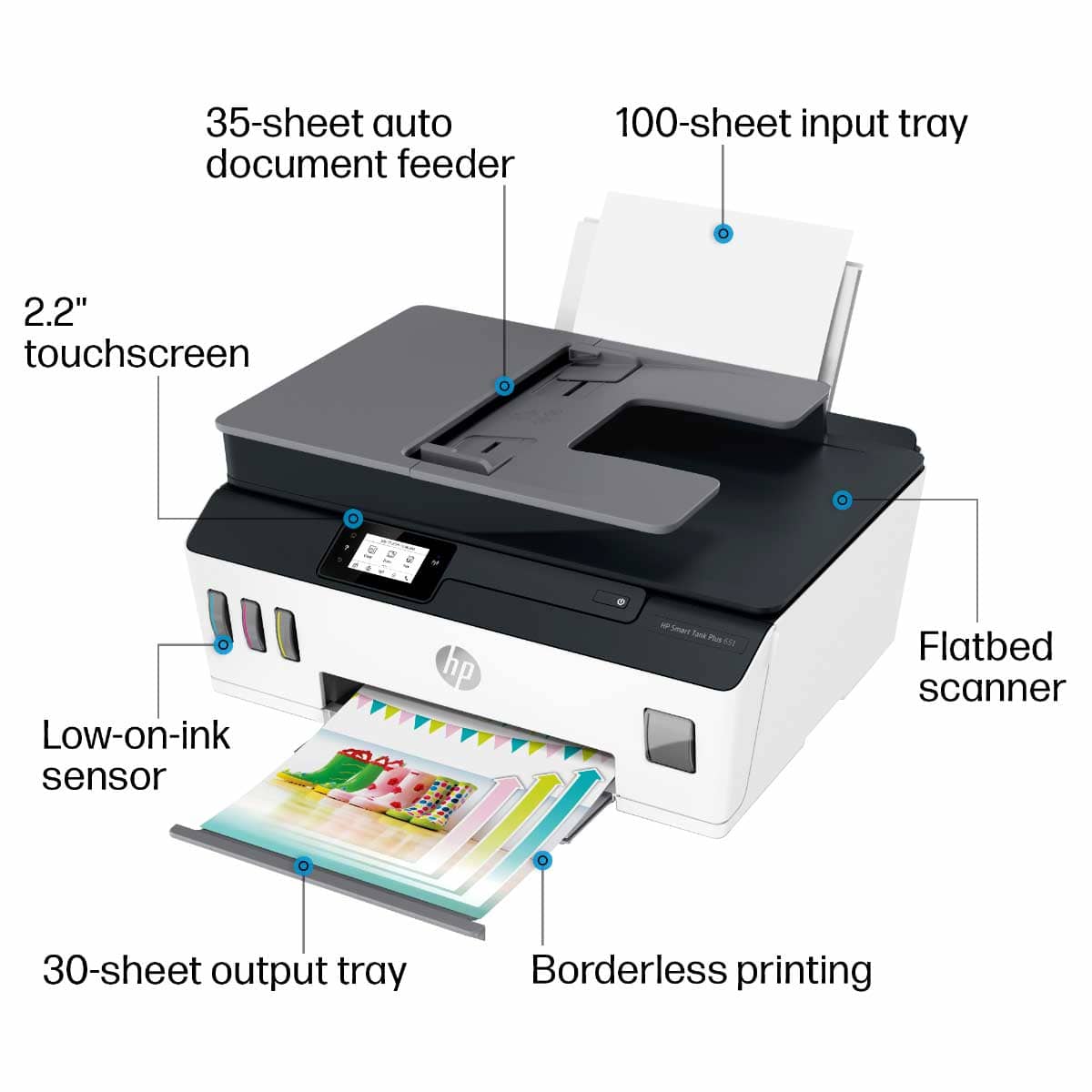
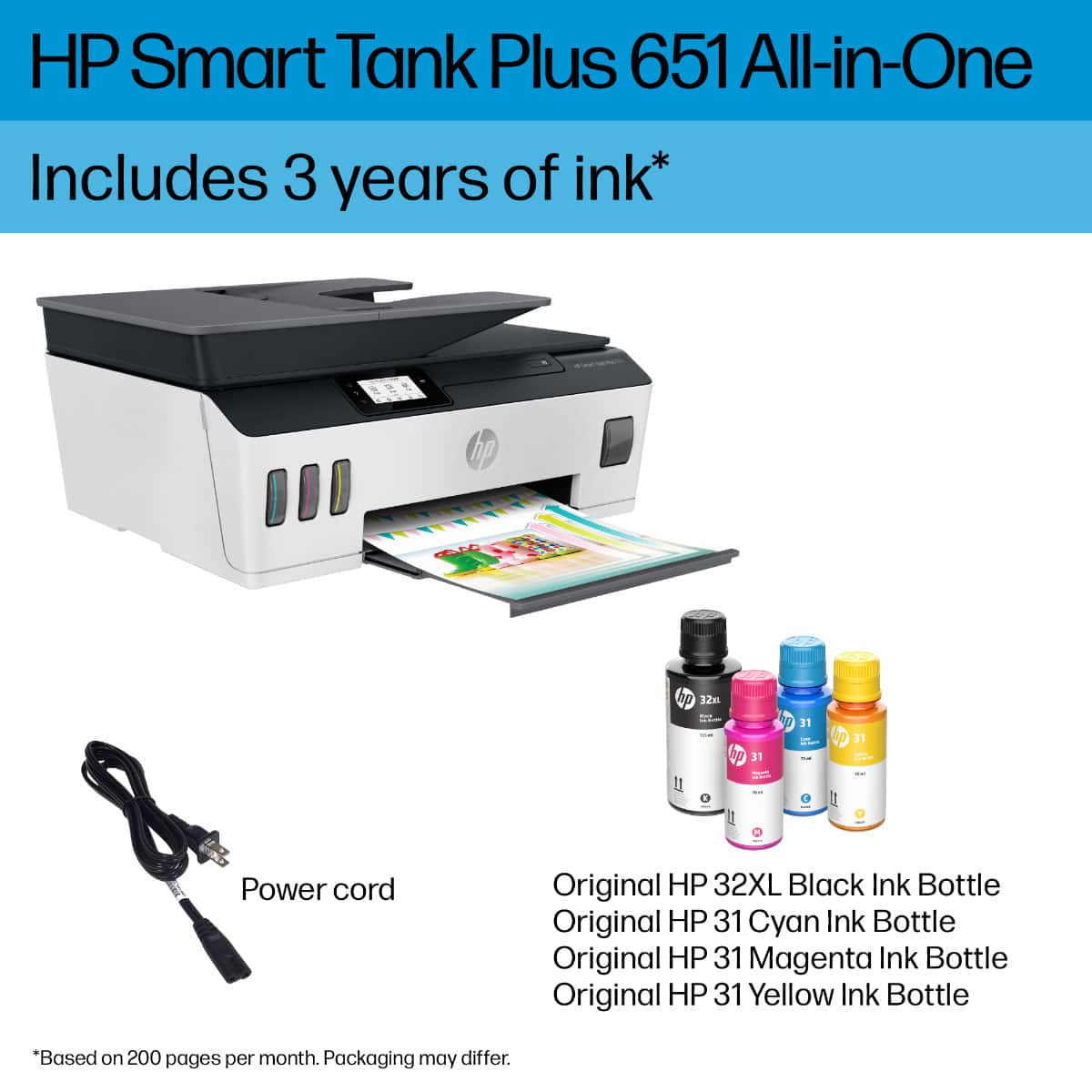
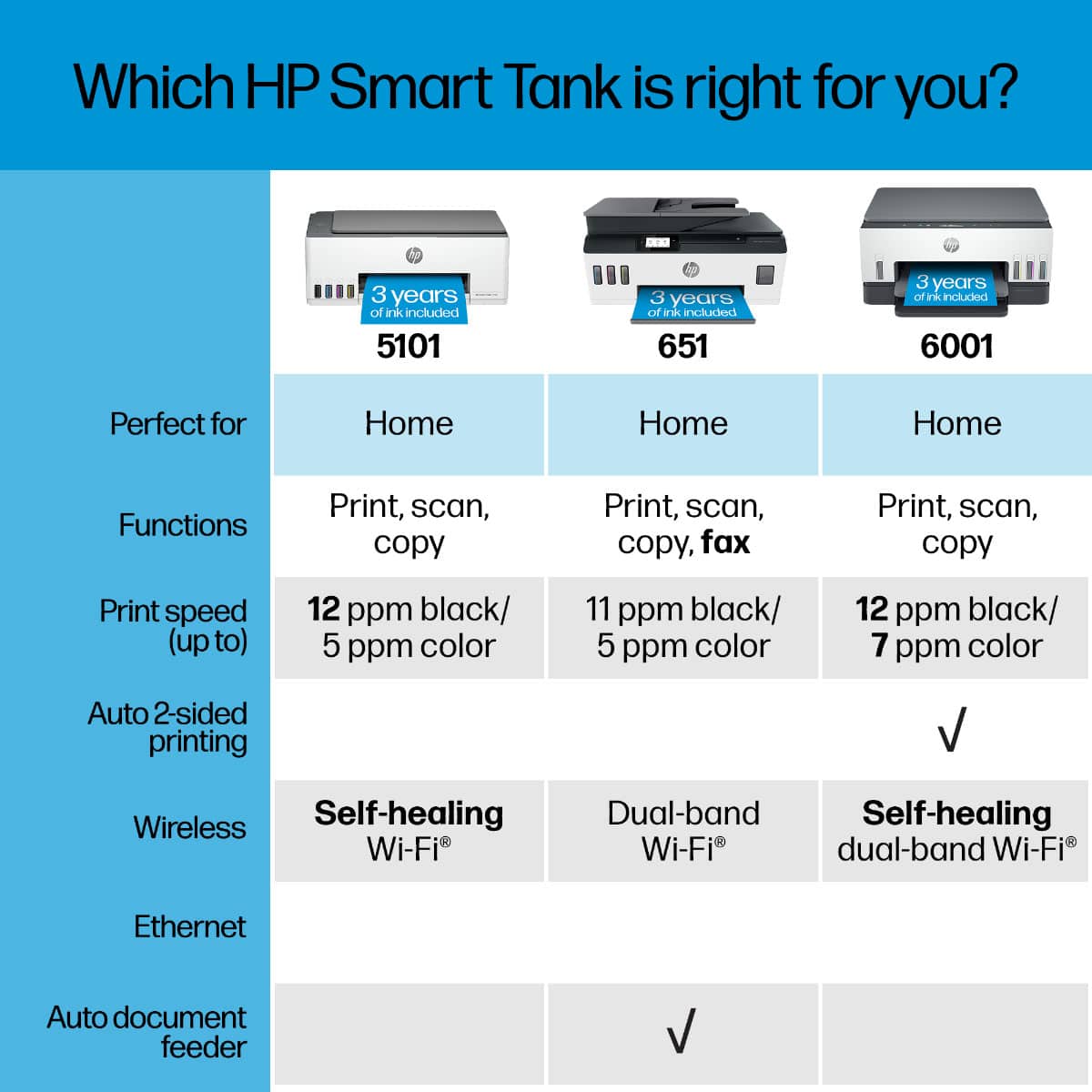
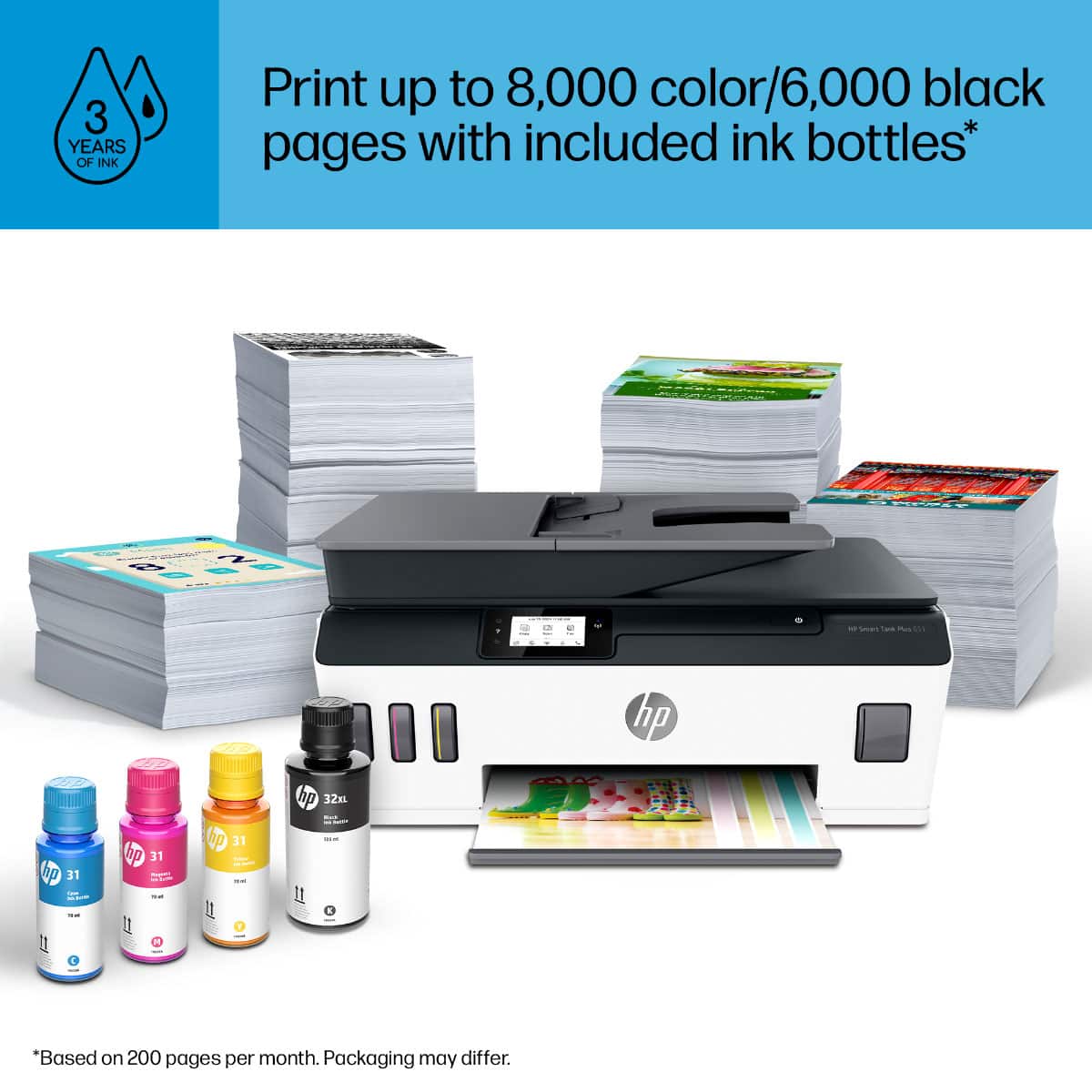
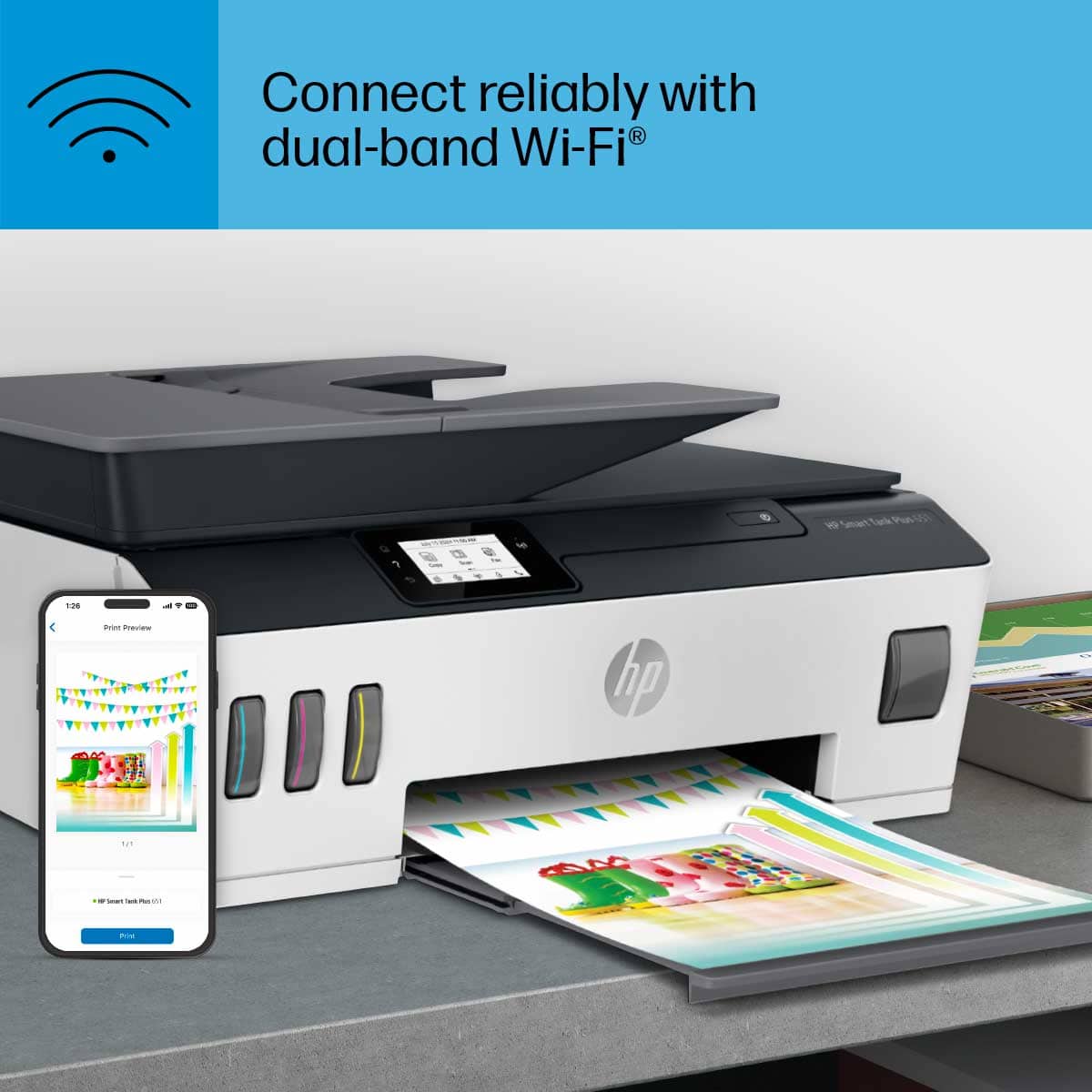
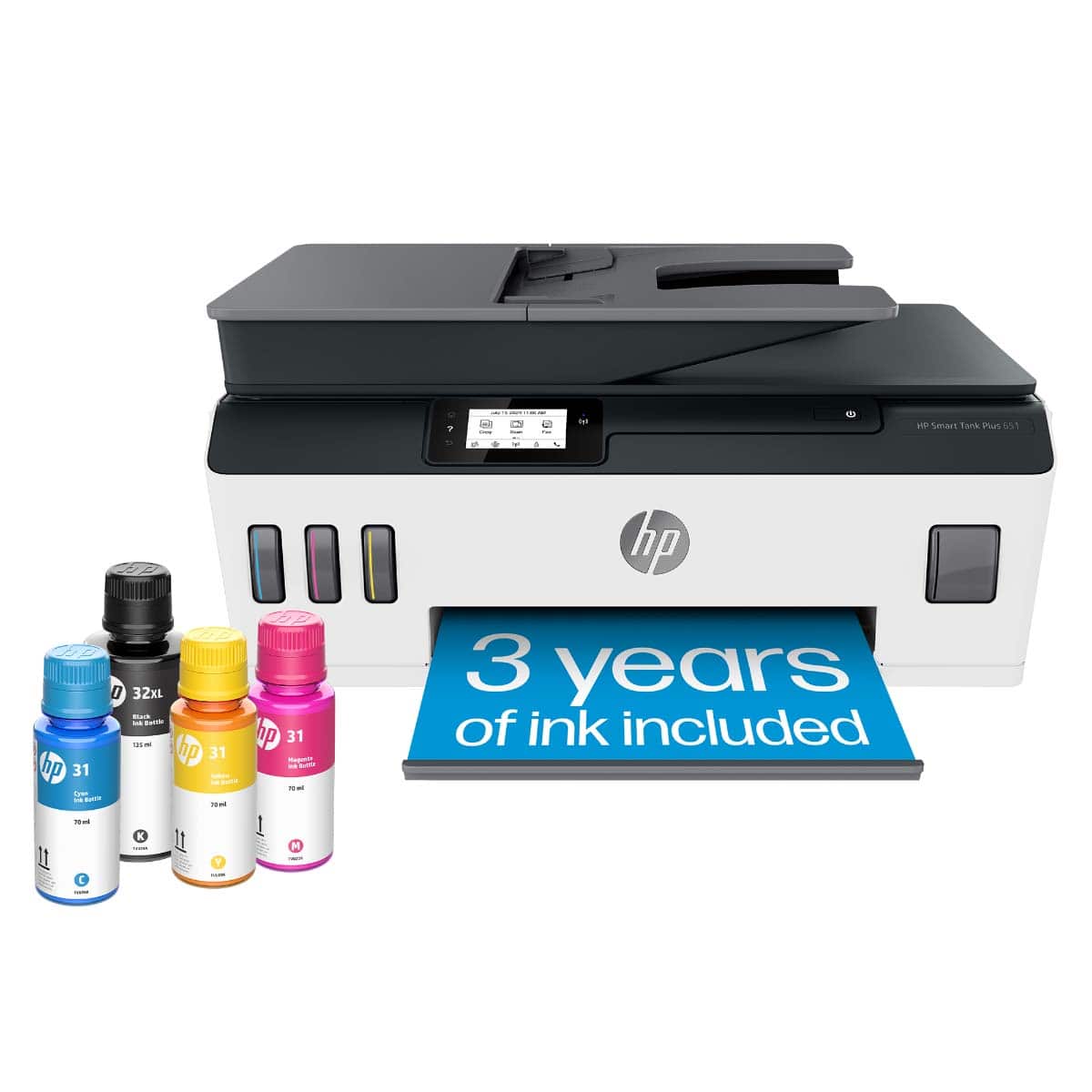
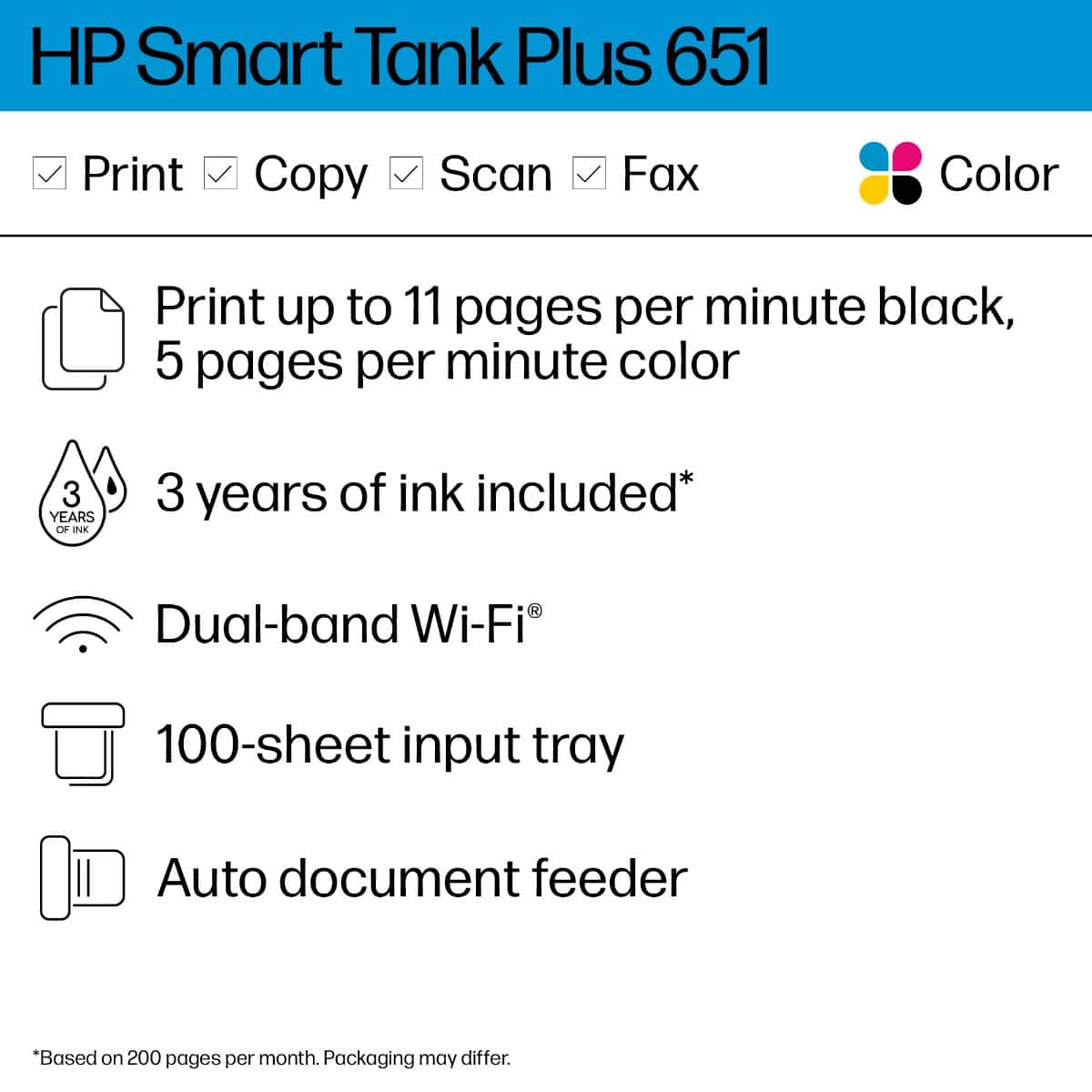
    The HP Smart Tank 651 Wireless Color All-In-One Printer is very compact and packed with powerful features for print, scan, and copy. It came with HP Smart Tank Plus 651 Wireless All-in-One; HP 32XL 135-ml Black Original Ink Bottle; HP 31 70-ml Cyan Original Ink Bottle; HP 31 70-ml Magenta Original Ink Bottle; HP 31 70-ml Yellow Original Ink Bottle; Ink caution flyer; Repacking flyer; Setup guide; Reference guide; Regulatory flyer; PT flyer; RoH-EAC Regulatory flyer and Power cord. This high-quality ink tank printer includes up to 2 years of ink in bottles in the box. Setup is very easy. I have connected with my desktop using the USB cable provided for the initial setup and downloaded the latest software from the HP site. I have followed the instructions to configure the printer to print over the wireless. After the software installation and configuring the printer, I was able to see this printer on a home network to print from any device. It is very convenient to print from other devices and my son is using this printer every day for his school project work and printing from his laptop as well as from his phone. This printer has built-in dual-band WiFi. This printer can print up to 11 ppm in black and 5 ppm in color. It can handle large volumes quickly at a low cost per page. It has featured with Apple Airprint enabled to print from iPad and iPhone or with free HP Smart app, HP ePrint. The copy function can support up to 99 pages and copy speed supports up to 22 cpm with resolution up to 600 dpi. Fax option features with Color Fax; Auto Reduction; Auto Redial; Speed Dial; Group Speed Dial; Junk Barrier; Forwarding (Black Only); Scan and Fax; PC Fax Send and Fax to PC with resolution up to 300x300 dpi. Scan resolution supports up to 1200x1200 dpi. The resolution of printing is superior quality and it can print up to 4800 x 1200 dpi (dots per inch) color resolution. The paper tray can hold up to 100 sheets of input capacity and 30 sheets output bin. It is easy to refill the ink tank system with spill-free, resealable bottles. The design is very good with stylus looking. I have been using Inkjet printers and cheap laser printers before and HP Smart Tank 651 Wireless Color All-In-One Printer is a huge upgrade. I am using this every day for copy, print, and scan for my personal and office work. It is one of the best printers in the market with excellent configuration. I highly recommend this printer for home and office use and now I am a big fan of HP products.

    I would recommend this to a friend
  • Tech Insider Network Member

    Rated 4 out of 5 stars

    Money Saver In the Long Run and Great Setup

    |
    Tech Insider Network Member
    Posted .
    This reviewer received promo considerations or sweepstakes entry for writing a review.

    Setup was not complicated but it took some time to remove cardboards and plastics, then to load the ink tank. The network setup was the easiest I had ever seen for a printer but I must admit that I had not tried an HP Printer in a while. I own three other brands and none was this easy. All I had to do was to download the HP Smart app and enter the password for my WiFi on the app. I was happy to see that it supports 5 Ghz in addition to 2.4 Ghz. Most wireless printers can only support the latter, which is very interference prone. Another very interesting feature that I had not seen in any other printer was that after printing the alignment page, it asked me to scan that same page to determine whether it aligned correctly. That is a huge and welcome feature. How many times have I printed alignment pages and was not sure if it was correct until I saw the result on pages I really cared about. This eliminates the guesswork. It is becoming more and more common for printers to come with ink tanks, instead of cartridges. In my opinion, tanks are better for the environment and often to your wallet as well. At least in the long run. HP Smart Tank 651 is one of those types of printers. They promise two years of ink in those bottles and I am convinced that it is true, unless you print too many pages on a daily basis. Although I own a faster printer used mostly for business, I was satisfied with its speed for home prints. The color pages came out very well and the blacks and grays were close to laser quality. No smudges. The scanner also performed well in both speed and image clarity and color accuracy. It is perfect for most home and small business work. Printing from an iPhone and iPad Pro was very straightforward. Actually, easier than printing from a computer although I still prefer to print from a PC. My only complaint is that the input tray cannot hold a lot of paper. I believe that it is because they intended to keep the printer slim and small. They accomplished that but I like to load a full ream of paper and not worry about reloading frequently.

    I would recommend this to a friend

  • Tech Insider Network Member

    Rated 5 out of 5 stars

    HP Smart Tank 651 Wireless All In One Printer

    |
    Tech Insider Network Member
    Posted .
    This reviewer received promo considerations or sweepstakes entry for writing a review.

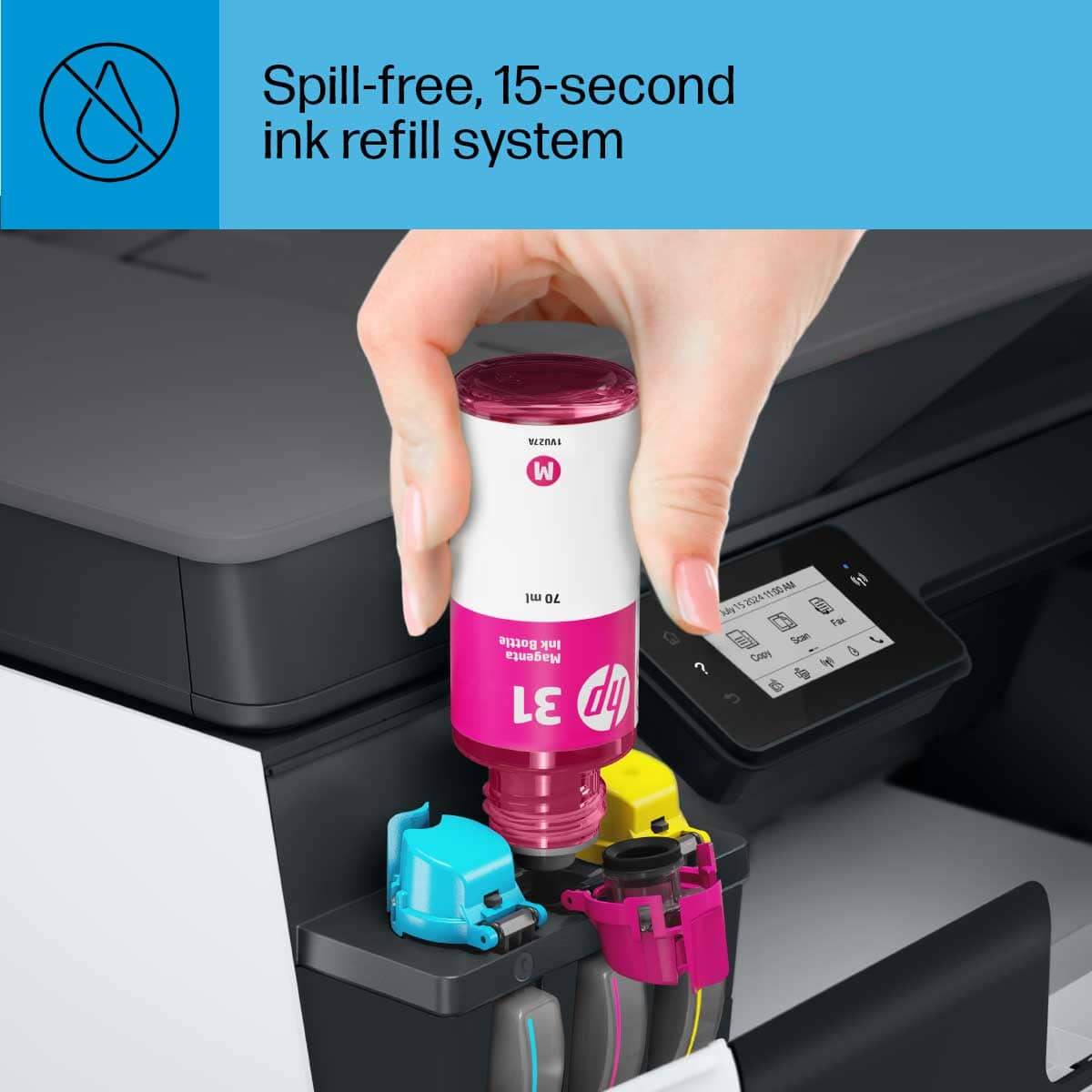
    Sorry for my later review, we were in the process of moving last week and had to wait for internet and everything to get connected. Finally I got everything switcher over and connected and now I can do my review. Although I'[ve only been able to use it for a couple days, the HP Smart Tank 651 Wireless All In One Printer has worked flawlessly, and fits nicely into my new home office.Inside the box comes along with the printer comes 4 bottles of ink (cyan, magenta, yellow, and black), the power cord, color and black cartridges, and the power cord along with the usual setup documentation. Using the easy setup guide, it took no longer than 3 minutes to get the printer up and running. As I've tested other printers recently, I'm loving the fact that more and more companies have moved to a new way of filling and refilling these newer printers and the HP Smart Tank 651 was no exception. Simply open the front panel, flip up the tank caps for each color, peel off the seal from the bottle and simply turn it upside down so that the rubber nozzle sits on top and slides into the bottle and it practically fills it self up. Repeat that process for the rest of the color tanks, pop in the color and black cartridges, and that's it. HP claims that the ink will last up to 2 years which that basically depends on how much you printer and what how much ink you use at one time. Another feature that I love is that this printer has AirPrint which means I can print from my iPhone to the printer wirelessly as long as its on the same network. Aside from printing, Smart Tank 651 also scans and copies as well. Every page came out full of color with smooth lines and no color bleeding. Something I've noticed in other printers. This printer works a lot better than I expected being as though I had sworn off using HP products ever again, but I was very impressed by it. It fits nicely into my new home office and has printed and scanned the few things nicely since setting it up. I recommend this printer to anyone looking for a nice all in one style printer for their home office or work location.

    I would recommend this to a friend

  • Tech Insider Network Member

    Rated 4 out of 5 stars

    Good All-In-One Printer

    |
    Tech Insider Network Member
    Posted .
    This reviewer received promo considerations or sweepstakes entry for writing a review.

    This is a good all-in-one printer. Good, but not great. Setup was very easy and straightforward. The instructions were easy to understand. They also provide a QR Code that will direct you to their website for instructional videos. Wifi setup was easy as well, and filling up the ink reservoirs were easy and no spill. The paper tray feeder is in the back of the unit, which takes up extra space on your desk. I wish the paper tray feeder was at the bottom, like another printer I own. The printer does a decent job of making copies or scanning documents, but it is very slow. You can only scan single side documents. It will not scan both sides. The front cover on my unit does not close all the way. The right side will stay closed, but the left side will not stay closed and just dangles. That's something I feel should have been caught by quality control. The HP Smart app works on my MacBook Pro and iPad. Sometimes it takes a while for the printer to appear in the app. It works with the HP Smart app only on my MacBook. It will scan using the HP Easy Scan app I have installed from previous HP Printers and Scanners, but it will hang up after scanning is complete. I would suggest to use only the HP Smart app. Overall it's a good all-in-one, but it could be better.

    I would recommend this to a friend
  • Tech Insider Network Member

    Rated 2 out of 5 stars

    Too little bang for the buck

    |
    Tech Insider Network Member
    Posted .
    This reviewer received promo considerations or sweepstakes entry for writing a review.

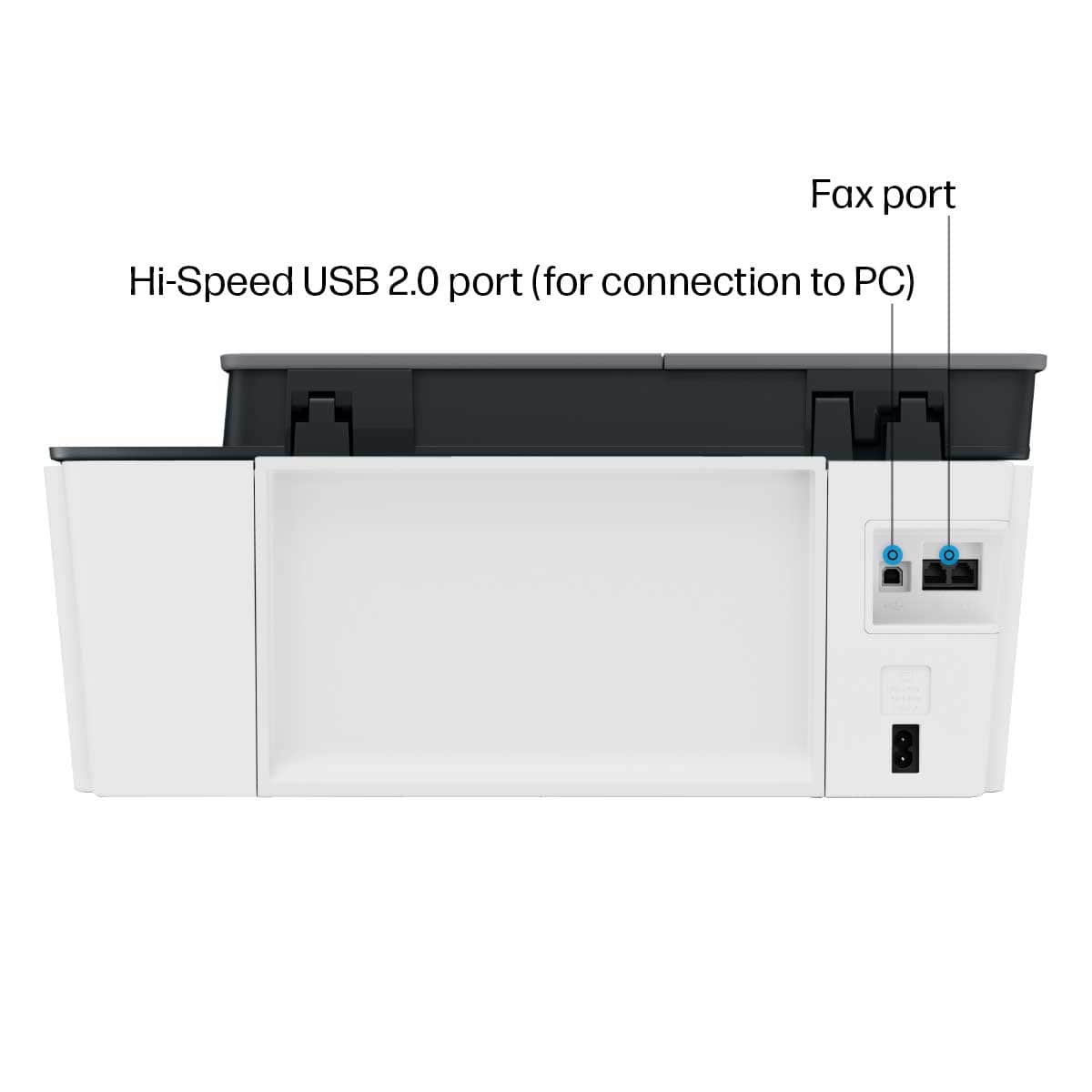
    Manufacturers of printers have run into some serious issues over the past few years. First and foremost, people are just not printing as much. Second, people got fed up with the high cost of proprietary grossly overpriced ink cartridges for poorly made low cost printers. As such, companies started looking for new ways to attract customers. One of the things they came up with is higher and higher capacity printers with reduced ink costs. All the big manufacturers came up with their own variants. Unfortunately , the manufacturers upped their price to cover their reduced fink sales. Many of the printers were still bad - slow, poor interfaces, relying too much on mobile controls, etc. . Sadly, HP is no different with the HP Smart Tank 651 Wireless All in One Printer . Let’s take a look at the pros and cons : Pros : Plenty of connectivity options : USB, dual band wi-fi, Bluetooth, HP Smart app; Apple AirPrint; HP ePrint. High-volume, low-cost printing Filling of tanks is easy and clean ( I found it better than Epson.) HP print quality is always excellent. Cons : USB is limited to 2.0. “High speed USB 2.0” is not high speed. When are manufacturers going to learn just because you have a ton of wireless options, don’t forget there are plenty of consumers that just want to plug a printer in and go. Prints a slow 11 PPM in black and 5 in color Photos crawl at nearly 90 seconds Crushingly overpriced. Set up out of the box takes about an hour. In full disclosure, I received the HP Smart Tank 651 Wireless All in One Printer at no cost to review. I did not use the wireless connection, I plugged it directly into my computer. I have other HP’s that I connect wirelessly and they are all the same (and easy to connect.) The printer does all the things it is supposed - it scans, prints , faxes. Prints are clear and photos are top notch. It has a plethora of connectivity options and the fit and finish appear to be good. So what is not to like? At $450 list price, just about everything. It does not print fast – you can buy an inkjet for $100 that is faster. In fact, right now you can buy HP - LaserJet Pro MFP M180nw color and a dedicated photo printer for the same price as the list price as the HP 651. You will get faster printers with higher quality and never worry about ink drying out. There are just so many other options out there at better prices, better quality and better features. Now, a list price of $450 for the HP 651 does not mean it will always sell at that price. Even at a 30% off sale, there are better options. Think about, how often do you print at home? Do you printer enough that you need 2 years’ worth of ink at a high up front case. You could literally buy a mid-line traditional all in one inkjet , the HP - OfficeJet Pro 8210, for it’s list price of $150. Throw it away when the ink runs and buy a new one every year for 3 years before you equal the list price of this printer. And that printer prints at 22 pages per minute ! I’m sorry HP, there are just for too little for your money. You have missed your mark on the target audience by making a printer at a prosumer/business price but the features of a budget consumer printer. With that said, I cannot recommend this printer and suggest looking at other options

    No, I would not recommend this to a friend
  • Tech Insider Network Member

    Rated 5 out of 5 stars

    This is a really nice printer!!!!

    |
    Tech Insider Network Member
    Posted .
    This reviewer received promo considerations or sweepstakes entry for writing a review.

    Printer was super-easy to set up and connect to internet and I was able to add both a desktop (wired) and laptop (wireless) without any problems. Filling the ink looked like it might be messy but the bottles fit snugly into their correct spots and filled without spilling a drop. The I-phone app downloaded smoothly but I wish it had the ability to turn on the printer from the app as my laptop and printer are in different rooms. By the time I go turn on the printer, I might as well use the desktop! (I guess this could probably be said about any wireless printer but I hoped the app would give me that ability) The print quality appears to be good and I hope the ink lasts as long as they say!

    I would recommend this to a friend
  • Tech Insider Network Member

    Rated 3 out of 5 stars

    Great Concept, but lacks some important features

    |
    Tech Insider Network Member
    Posted .
    This reviewer received promo considerations or sweepstakes entry for writing a review.

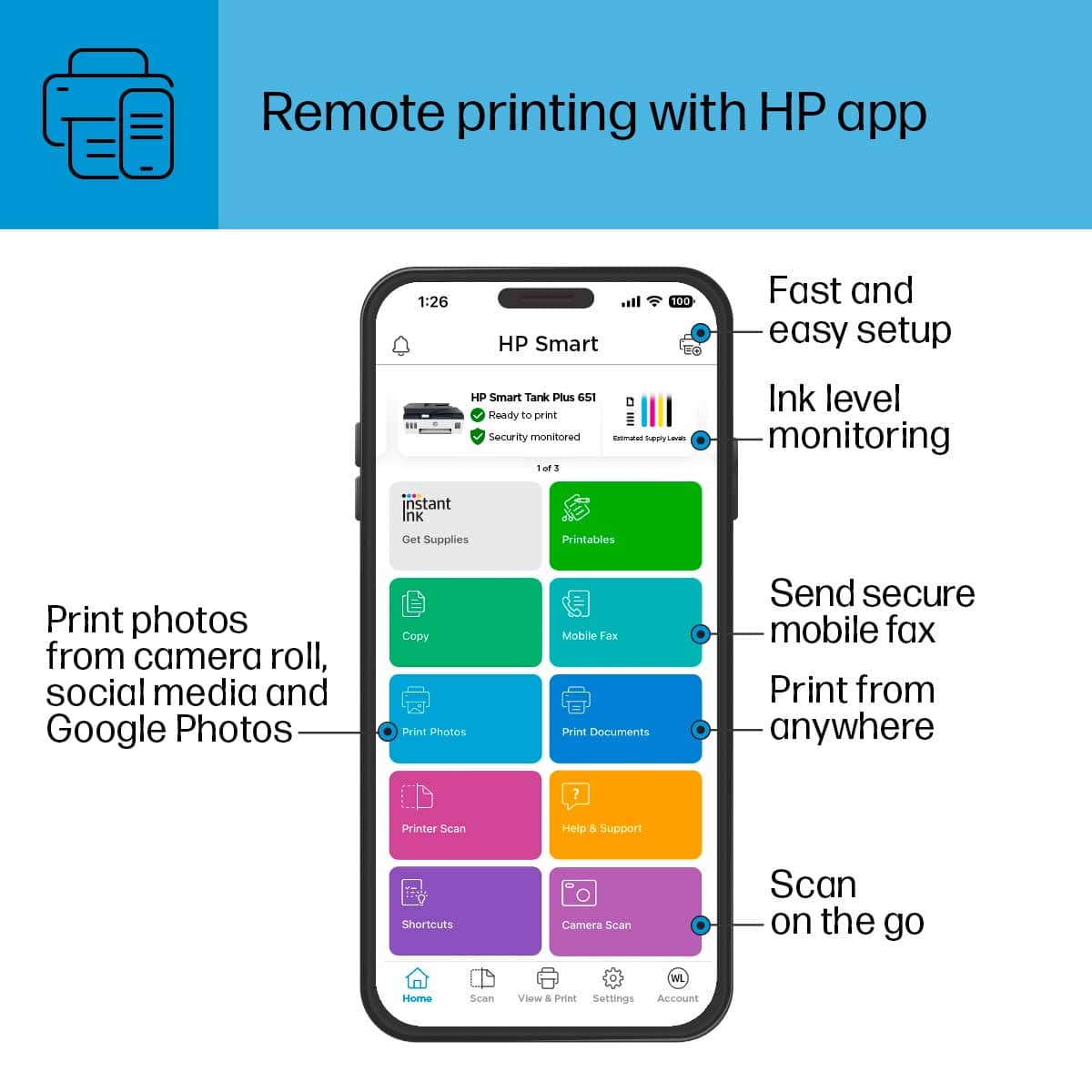
    The basic printing and scanning functions are very good. Setup was straight forward and the printer included a lot of ink. Filling the ink containers was simple and clean. The wireless setup was straight forward and the entry method for entering a password was simple and easy. It found my high speed network and connected immediately. The print quality is very nice and it's fairly quick. I really like the idea of refillable ink and HP provided a large quantity that should last most users for quite some time. The calibration process was straight forward and the calibration sheet is also used to calibrate the scanner. The scanner did a great job and the sheet feeder works very well. It was fairly fast and it gives the common options for saving the scanned document. Note that this is a single sided scanner, but most of these all in one devices are single sided. The software is very good and makes setup simple. The remote printing options are nice and provides some great features for printing while away from the office. The paper holder is not covered. The sheets fit in the back of the printer and are exposed. I prefer a paper tray to this open slot design. This leads me to my main complaint. While the printer offers dual sided printing, it is manual. It will print one side and then you need to manually place the page back into the feeder to print the second side. This is archaic and I was extremely disappointed with this design.

    No, I would not recommend this to a friend
  • Rated 3 out of 5 stars

    Double Sided Lacking

    Posted .
    This reviewer received promo considerations or sweepstakes entry for writing a review.

    Great print quality, easy setup; however, if I’d known the printer doesn’t do double-sided prints (unless you manually re-insert the paper) I would not have purchased it.

    No, I would not recommend this to a friend
  • Tech Insider Network Member

    Rated 3 out of 5 stars

    Good printer with questionable design choices

    |
    Tech Insider Network Member
    Posted .
    This reviewer received promo considerations or sweepstakes entry for writing a review.

    The Smart Tank 651 is the flagship of HPs Smart Tank series. As such it prints quickly and nicely, doing a great job with color reproduction, as well as image quality - Business prints and full-color photos look great. As with other non-pro inkjets, black and white photos come out with color casting, as there's no "gray/photo black" ink available for better linear grayscale. I didn't expect any different from a basic 4-color CMYK ink system. HP seems to have done a good job implementing the ink system, but even this has its flaws in simplicity - While EPSON uses keyed ink filler bottles that can only be used with the appropriate reservoir, HPs bottle design is universal - Once the first "new to refilling" customer puts Magenta ink in the Yellow or Cyan reservoir, this will be an issue for HP... Maybe some radical visual artists will appreciate the ability to experiment with this capability - But most of us just find this a risky move compared to competitor systems. On to the biggest flaw of this system - Even for the flagship device - The 651 still has a REAR FEED PAPER TRAY!! It's infuriating and works as well as the value printers of the late 1990s did - I experienced paper jams and multi-feeds through the printer that I hadn't experienced in all sorts of printers in the last 20 years. While I appreciate the nostalgia, these aren't memories I want to re-live... This and the general cheapness of the white/gray body styling make this a "so-so" pick - Its a shame that to get the value out of HP's continuous ink system, you have to step down to "value-grade" hardware, even at the top of the current line.

    No, I would not recommend this to a friend
  • Tech Insider Network Member

    Rated 4 out of 5 stars

    Very Good printer

    |
    Tech Insider Network Member
    Posted .
    This reviewer received promo considerations or sweepstakes entry for writing a review.

    Overall this printer is very good. The print quality is great, the fact that the heads are replaceable is great. However, the only downfall was the amount of paper that it could hold. The setup was very easy, I've printed several pictures that came out looking great.

    I would recommend this to a friend
  • Rated 4 out of 5 stars

    Printmania

    Posted .
    This reviewer received promo considerations or sweepstakes entry for writing a review.

    Works good don’t have to buy as much but the whole back is it’s a little slow and it doesn’t print on two sides. You have to re-insert the paper to print on the other side.

    I would recommend this to a friend
  • Tech Insider Network Member

    Rated 5 out of 5 stars

    Easy setup, quality printing

    |
    Tech Insider Network Member
    Posted .
    This reviewer received promo considerations or sweepstakes entry for writing a review.

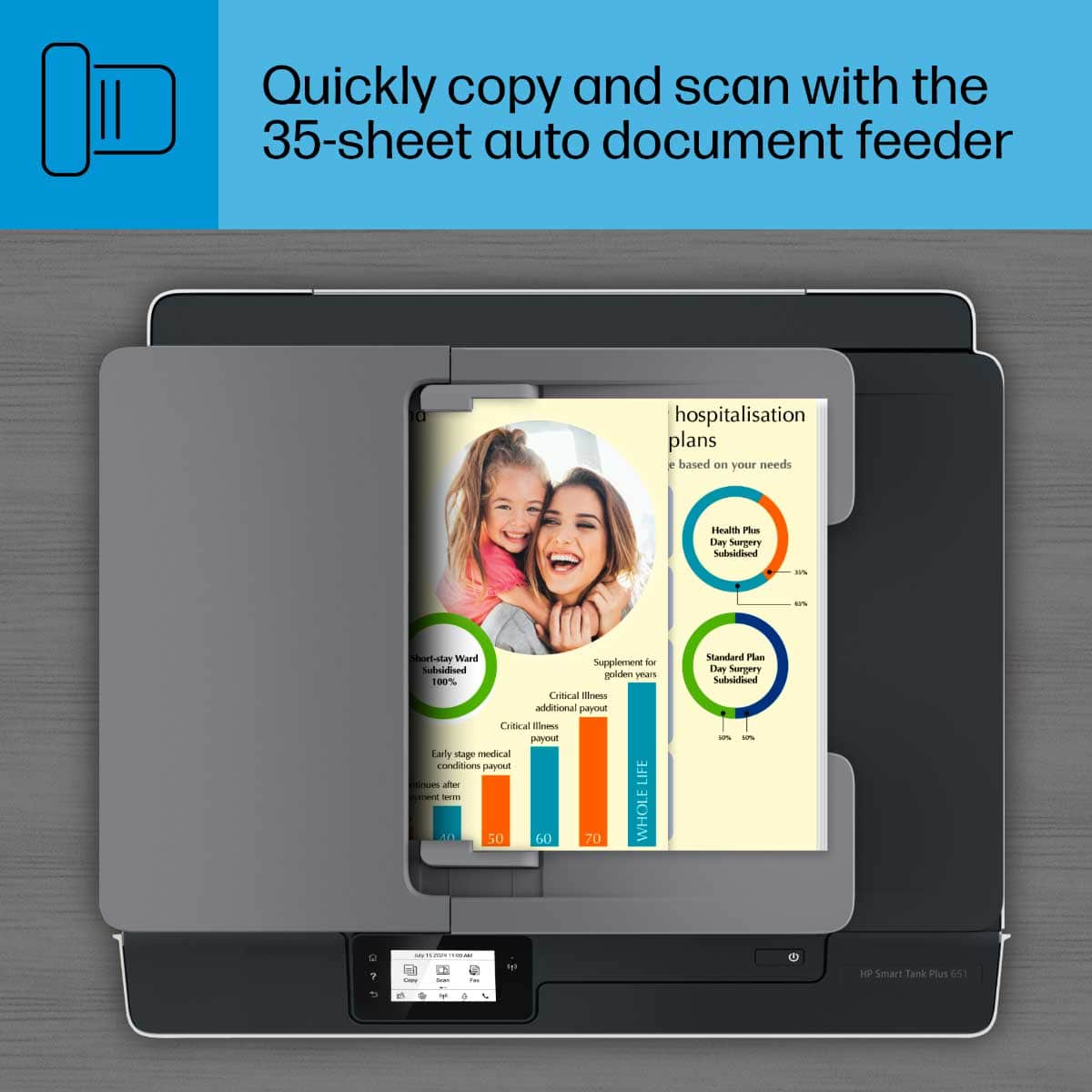
    Setup of the HP Smart Tank 651 All-in-One printer was easy, but I do recommend viewing the online video, particularly the parts showing installation of the ink into the tanks followed by installation of the print head cartridges. Once these are installed, the printer prints an alignment page which you then have it scan for final alignment of the print heads. After this, if you are going to connect to the printer wirelessly, you go through the quick process of logging it into your wireless network. Then you turn to your computer, download the appropriate software from the HP website, and install it. This took a few minutes, and I was ready to print. Printing is fast, and the quality is excellent. I tested the scanning and copying capabilities by scanning a color-laden flyer from the local newspaper, and the process was fast and easy. Copying is just as fast. There is also a sheet feeder to scan multiple pages at once. I went through the install process a second time, but this time connecting via USB cable instead of wirelessly. The process was very quick as the computer recognized the printer immediately. Overall, this is a fine all-in-one. This trend away from disposable cartridges and toward refillable ink tanks is spreading, at least at the higher end of the market. I think it’s welcome, especially given the expected one- to two-year time frame between refills as the printer makers advertise. Only time will tell how well that claim holds up.

    I would recommend this to a friend
  • Rated 5 out of 5 stars

    HP SMART TANK PLUS 651

    Posted .
    This reviewer received promo considerations or sweepstakes entry for writing a review.

    Easy installation and set-up. Does what it says it does. Good value!

    I would recommend this to a friend
  • Tech Insider Network Member

    Rated 5 out of 5 stars

    HP makes great printers and this is no different

    |
    Tech Insider Network Member
    Posted .
    This reviewer received promo considerations or sweepstakes entry for writing a review.

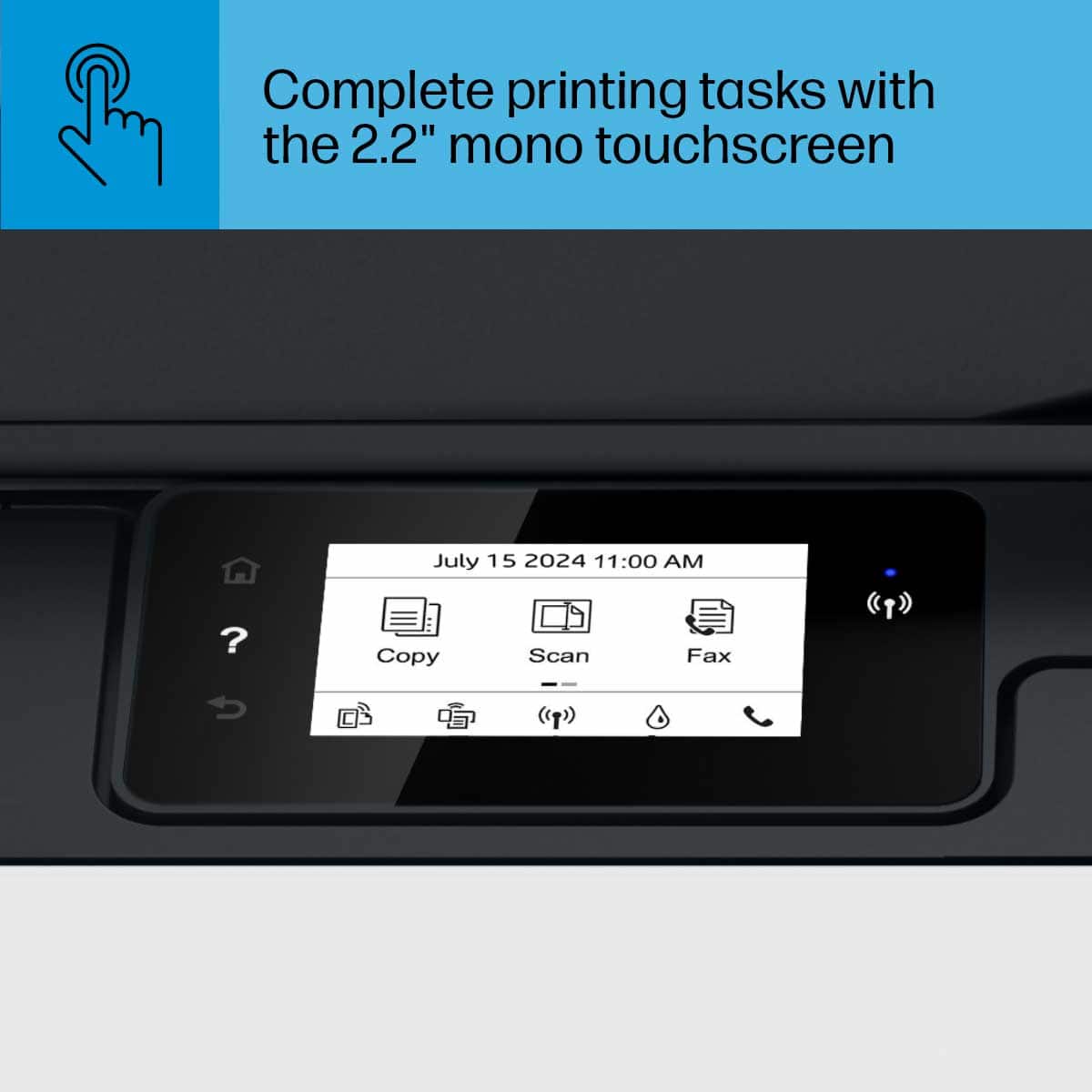
    I have been an HP printer user for many years and I was very excited to get my hands on this one. Right out of the box, it is pretty much ready to go. I have to admit to being very nervous filling the ink reservoirs as I was scared to get ink everywhere, but it was so easy. They really make it idiot proof. Connecting the printer to wifi was a breeze with the touchscreen as well as downloading and installing the HP app on my phone. I printed and scanned the test page and was ready to go! From unboxing to setup and print took all of 15 minutes. The real story about this printer is the ink. Being able to go up to 2 years without worrying about replacing ink is wonderful. No more recycling ink cartridges!! The printer performs as you expect an HP printer to perform. It prints quickly and with good quality. The ability to print directly from my phone is a HUGE bonus. I love this machine.

    I would recommend this to a friend
  • Rated 3 out of 5 stars

    average but complex

    Posted .
    This reviewer received promo considerations or sweepstakes entry for writing a review.

    too complex for anyone other than a geek to set up all the features.

    No, I would not recommend this to a friend
  • Tech Insider Network Member

    Rated 4 out of 5 stars

    Good general home use all in one

    |
    Tech Insider Network Member
    Posted .
    This reviewer received promo considerations or sweepstakes entry for writing a review.

    This is a stylish home use, all in one that comes with 2 years of ink. It performs well but makes a bunch of noise. Set up was simple. Remove all the tape, add the included 2 years worth of ink, install print heads, calibrate and add to the network. Once it was set up my computer found it with ease and immediately recognized that there was also an app for it. Printing was acceptable. It gets around 11 pages per minute which isn't the fastest I have seen but is an acceptable amount for a home printer. The pages were smudge free, text was very crisp and image reproduction was good. Scanning worked as expected. I tested the scanner bed which worked great then tested the document feeder with a 10 page document. Again, it worked great and there were no feed issues. The completed scans were clear and perfectly aligned within the PDF file. WIFI Network connection was strong. Whenever I needed the printer it was consistently online and documents printed almost immediately. Noise level was poor. I don't expect a printer to be silent or noise free but this one makes a ton of weird sounds. Sometimes it beeps like an EKG, crunches like its eating paper or sounds like its constantly aligning itself.

    I would recommend this to a friend

  • Tech Insider Network Member

    Rated 5 out of 5 stars

    Amazing Printer

    |
    Tech Insider Network Member
    Posted .
    This reviewer received promo considerations or sweepstakes entry for writing a review.

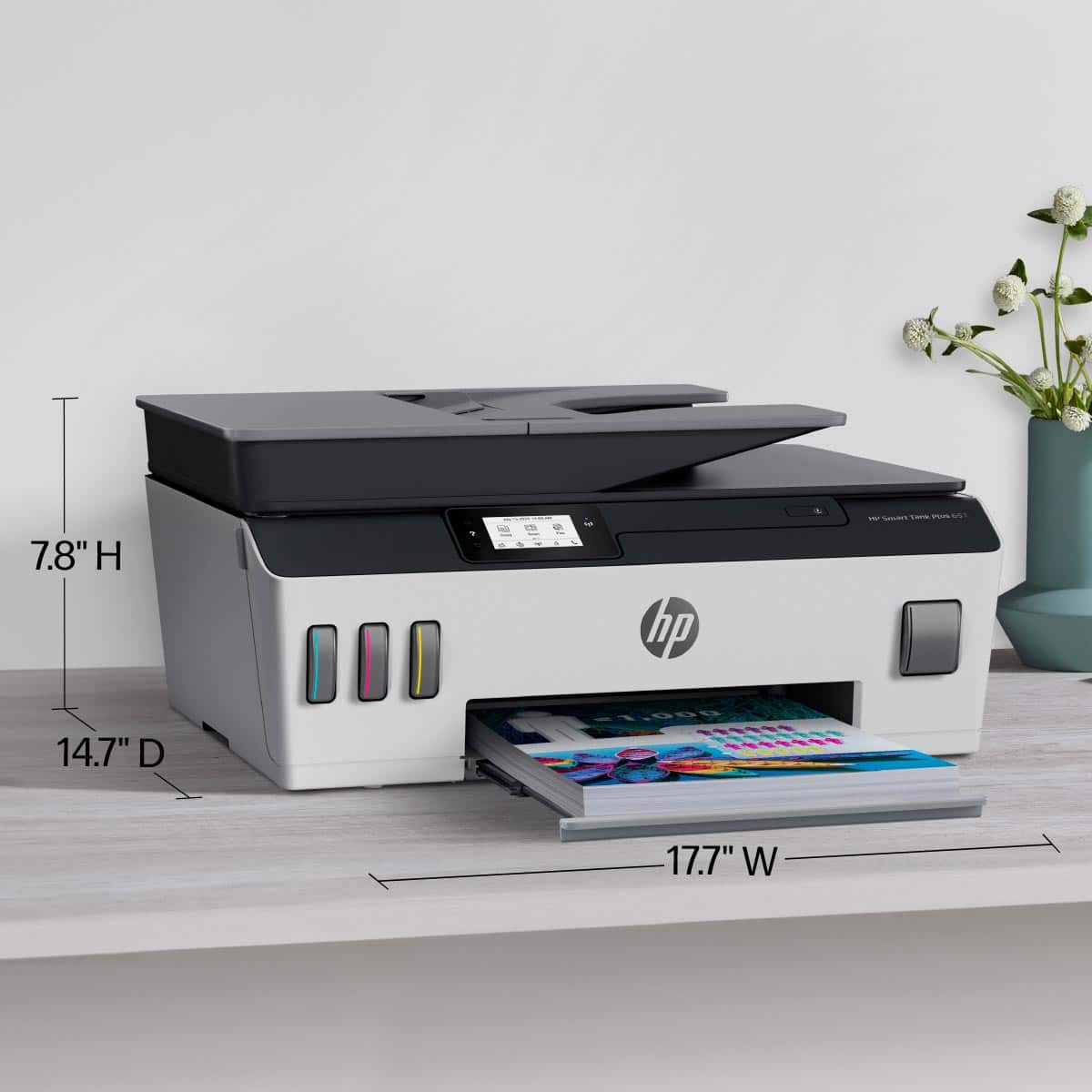
    This printer has tanks! Its pretty neat idea that allows up to two years of ink to fulfill your printing needs! It was pretty simple to setup and get going, once it was setup it was seamless to get connected to. The print quality was really good! Felt like high end copies were being done in my own home. Its rather heavy and bulky so you will need some space to place it, it can get load if you are doing lots of printing. If you are looking for a high quality printer that will fit all your printing needs, this is the one for you.

    I would recommend this to a friend

  • Tech Insider Network Member

    Rated 5 out of 5 stars

    5 star with 1 concern

    |
    Tech Insider Network Member
    Posted .
    This reviewer received promo considerations or sweepstakes entry for writing a review.

    I love this printer but 1 thing bothers me and that is the ability to automatically print double sided. I should not have to go manually resend the documents through. That’s my only problem with this printer. Set up was simple. Print quality is great, and the ink should last me a looong time. I am hoping there is a setting I am just missing with the double sided printing but I have not had that problem with my previous hp printers. Nonetheless I can live with it with how long the ink tanks are supposed to last and the quality of print.

    I would recommend this to a friend
  • Rated 5 out of 5 stars

    Out with the Old and In with a New HP Smart Tank P

    Posted .
    This reviewer received promo considerations or sweepstakes entry for writing a review.

    Just replaced my old HP Office 5740 with this new HP Smart Tank Plus Wireless all in One Printer. Love all the features love the speed!

    I would recommend this to a friend

  • Rated 5 out of 5 stars

    HP Smart Tank Plus 651

    Posted .
    This reviewer received promo considerations or sweepstakes entry for writing a review.

    Love the ink tank system. It will save us big money will do alot of printing for our job.

    I would recommend this to a friend