Customer Ratings & Reviews

- Model:
- JVCU360
- SKU:
- 6434106
Rating by feature
- Value
Rating 4.3 out of 5 stars
- Quality
Rating 4.2 out of 5 stars
- Ease of Use
Rating 4.4 out of 5 stars
Customers are saying
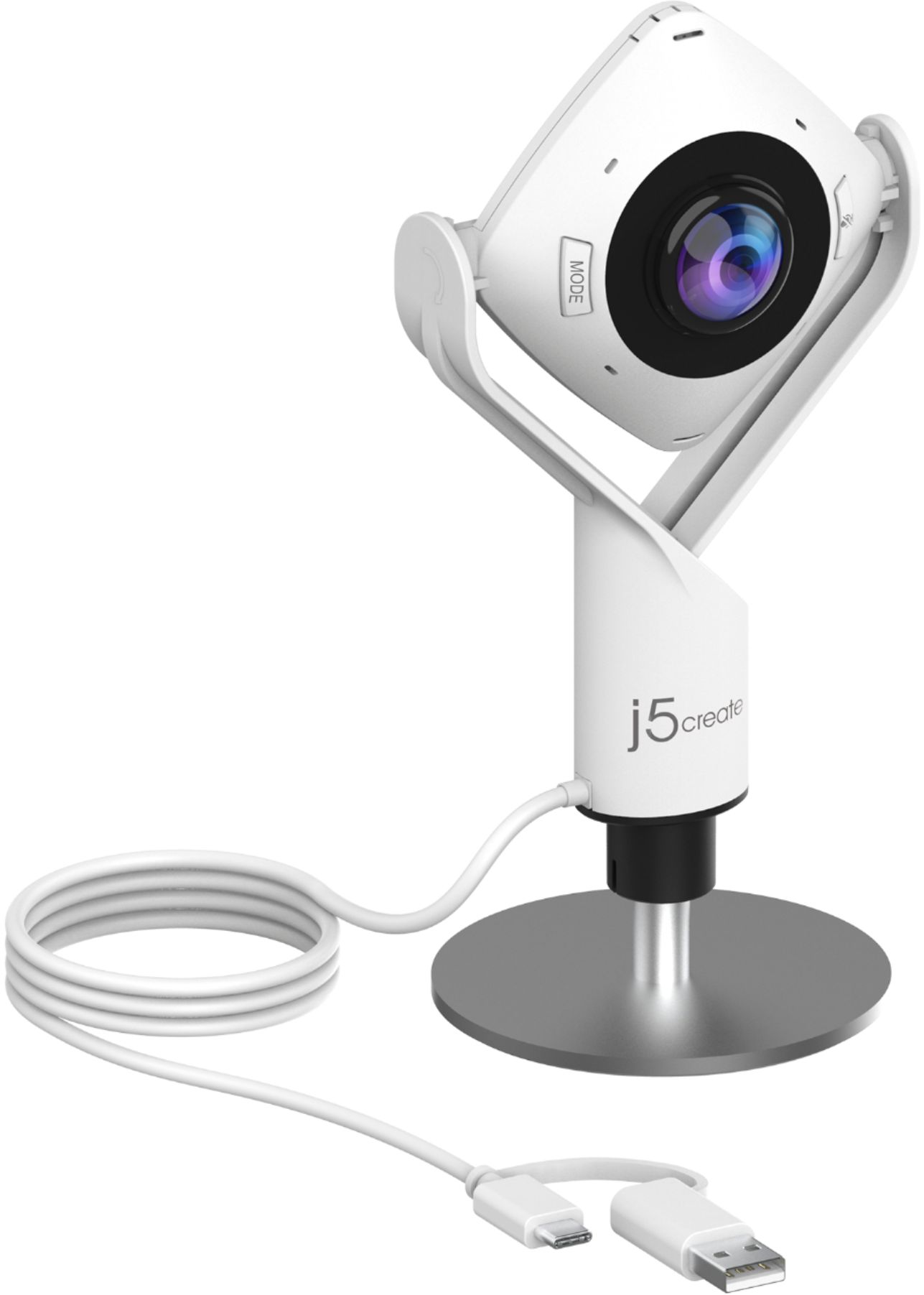
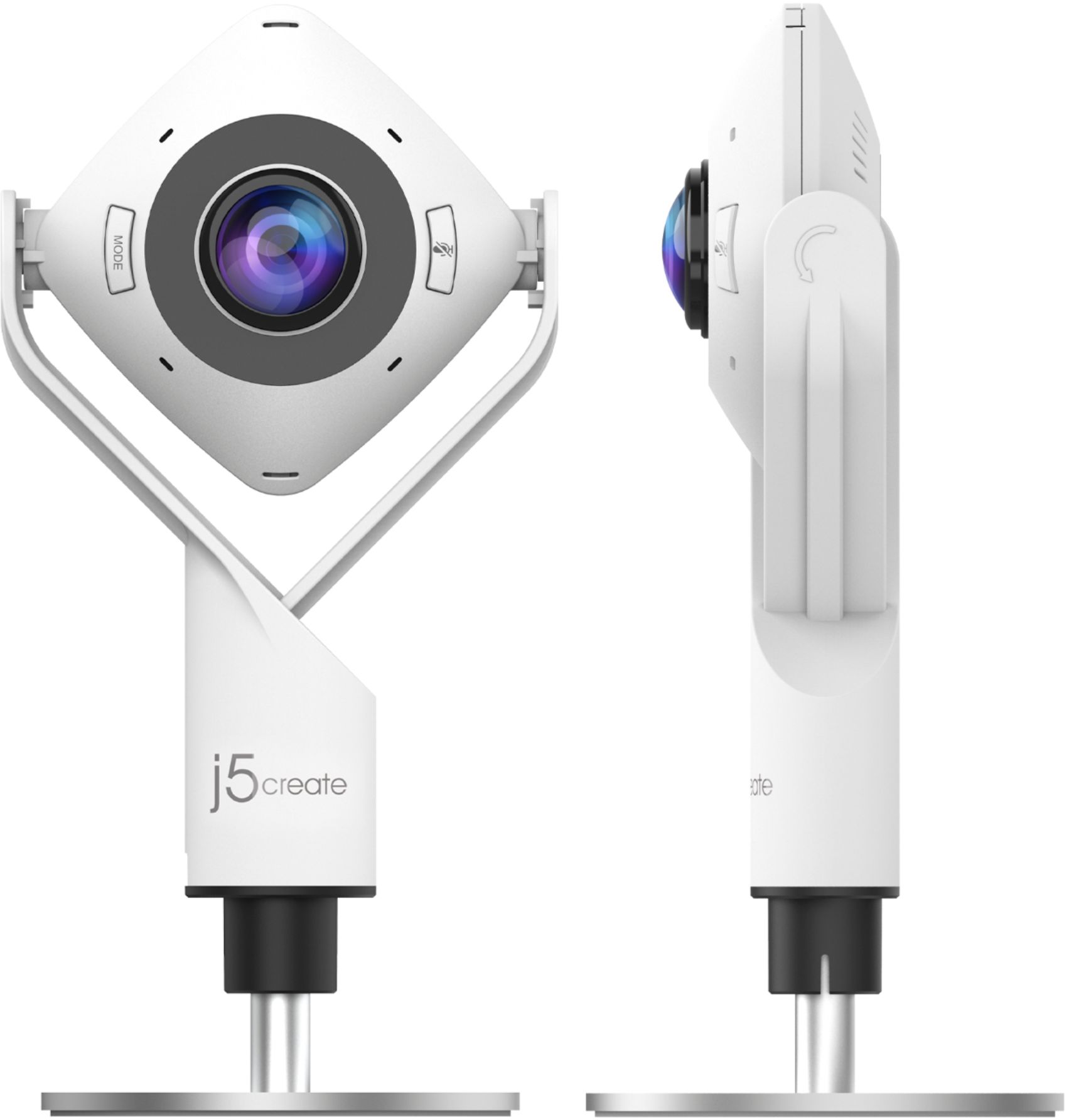
Customers are pleased with the 360° All Around Webcam's wide field of view, finding it ideal for group video calls and appreciating the ability to easily adjust the viewing angle. However, some customers noted that the image quality could be improved, citing concerns about sharpness and graininess in the video. The larger size of the webcam was also mentioned as a drawback by some users.
This summary was generated by AI based on customer reviews.
Mike215
||Posted . Owned for less than 1 week when reviewed.This reviewer received promo considerations or sweepstakes entry for writing a review.Just bought this camera. During installation I had to turn off some computer security functions to get it to work. Then restarted computer to bring everything back up. I really like the six camera angle functions. Even my three old daughter figured out how to maneuver and change camera functions to facetime mommy. I got on sale and will say it was worth it.
I would recommend this to a friendBrand response from J5create Team
Posted .Hello Mike,
You were the first person to review the JVCU360; thank you. It is great to hear that your daughter was able to adjust the functions on the camera and that it was easy to set up. We appreciate your review.
Have a great day,
j5create
- Pros mentioned:Ease of use
Camera
||Posted . Owned for 1 month when reviewed.This reviewer received promo considerations or sweepstakes entry for writing a review.Make the perfect camera for a conference call during tough times
I would recommend this to a friendBrand response from J5create Team
Posted .The JVCU360 is a really versatile webcam. It is a perfect solution for everyone in a conference room to be seen and heard during a meeting. It is also great for family video calls so you do not have to swap the seat in front of the webcam.
Have a good day,
j5create
- Pros mentioned:Connectivity, Ease of use, Microphone quality

Get the Whole Room on Zoom
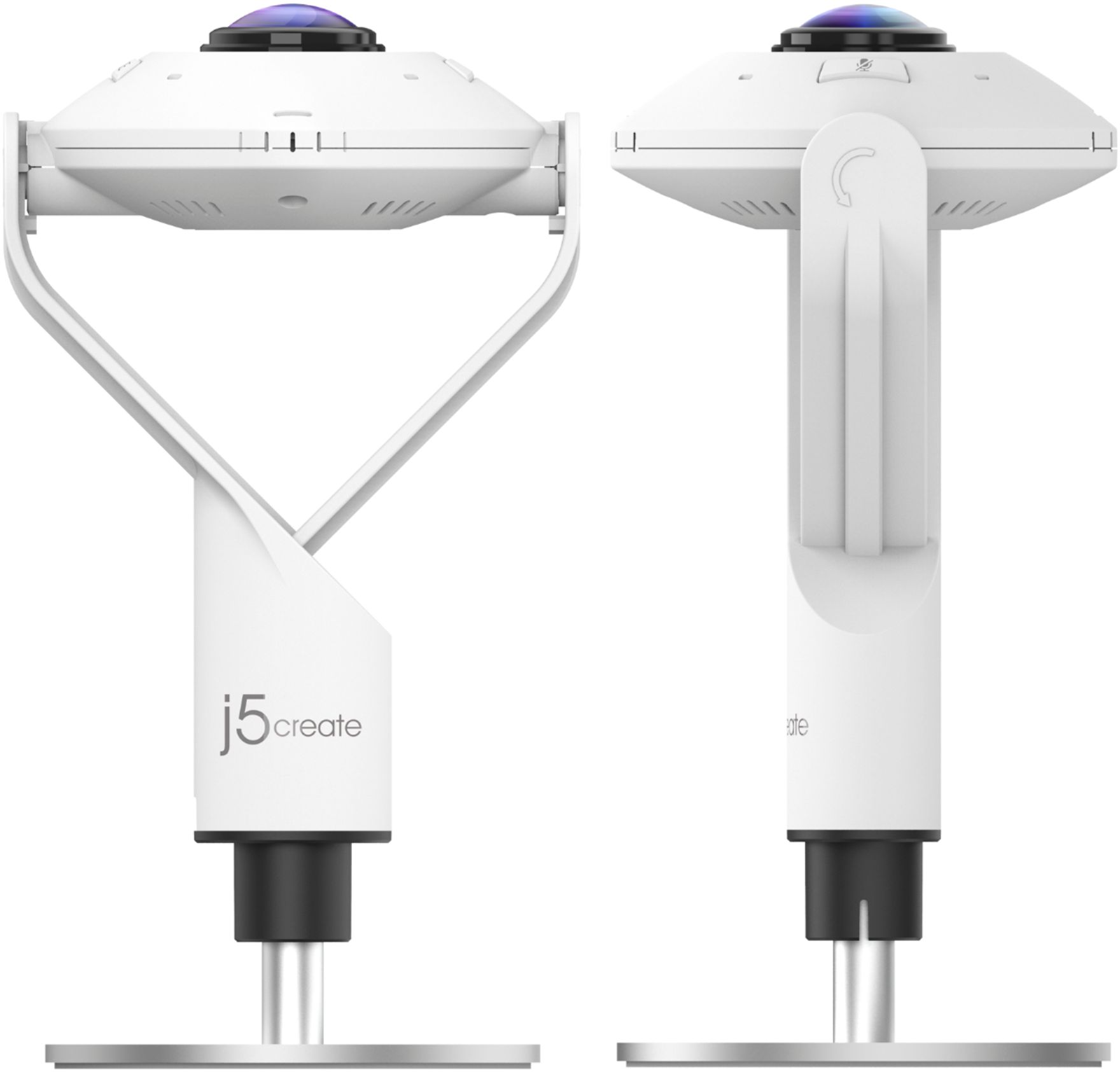
|Posted .This reviewer received promo considerations or sweepstakes entry for writing a review.TL;DR: if you are doing interviews in a fun space, or have a team of 4+, this is a great way to accomplish a unique shot to get everybody on film all at the same time. I love niche gadgets like this that solve a particular problem and do it really, really well. The camera itself is ready to go out of the box with minimal setup and has a built-in USB-C attachment as well as a standard USB-A attachment. There's no fancy software to install - when they say "plug and play", they mean it. It just works and the camera does all the heavy lifting for you. The 360* mode and 180* modes are useful in their own right (I can imagine this becoming a mainstay for a cooking blogger) as well as the "host select" mode, where you can highlight two hosts and have the rest of the room visible in a tertiary display. Again - this is all managed from the camera itself using the black touch bar and mode buttons... I can't emphasize enough how simple j5create has made previously complex video conference tasks. The audio is decent and assuming you're in a room that has at least a little sound isolation, you should be OK - and this precludes the problem of everybody having their own laptop/headphone setup. The video quality is good for a webcam in 360* and 180* with noticeable distortion toward the edges as you'd expect... and in low-light conditions, the video will become noticeably grainy even at 90* aspect. The audio is decent enough for a conference-call-style setup. The built-in mute button and indicator lights are a nice touch. Ultimately, if your audio needs to be better than a conference call, you may want to utilize an additional microphone. You CAN point the camera downward about 45*, if you're showing your work, for instance, or upward, and the position of the camera does not change its mode or preclude other modes - it stays on whatever you set it to, although the 360* and 180* views work best when rotated as indicated. The in-the-box stand is well-weighted and the tripod mount in combination with a squid tripod would be a really interesting thing. The one thing this camera does not do is flip segments or give you the ability to flip segments, so if you are attempting to take video along a vertical plane (up and down) as opposed to horizontal, you cannot change the orientation of a particular focus section of video (which is a minor annoyance at best). If you can fix it in post-production or don't care that you're sideways, it's no big deal. There's also no apparent way to capture "the ceiling" in 360* as a "host" and an edge as a second host. So while there are some limitations to j5Create's camera, the number of problems solved by this device (allowing you to essentially avoid a multi-camera/multi-laptop setup) outnumber the problems created. The number of truly unique streaming opportunities it enables are numerous (think live D&D or tabletop games, a band jam session, vendor hall timelapse in 360*, art lab around the camera...) If you're a solo-blogger, interviewer, or otherwise don't have a producer of some kind and need a plug-and-play solution to get a wider view during live video, this is a great device and will solve a number of problems for you. If you aren't live streaming or video conferencing and have the software to do your post-production, there are handheld HD 360* video cameras that will give you a better video quality... and if you JUST need an HD webcam, there are other cameras that do it better. But in terms of 360* streaming and simplicity, j5create made a really, really cool and functional 360* webcam.
I would recommend this to a friendBrand response from J5create Team
Posted .Hello Nick,
Thank you for your detailed review of the JVCU360 webcam. This is one of our newest products and we are happy that it is receiving many positive reviews.
Thank you,
j5create
Spread the View
||Posted .This reviewer received promo considerations or sweepstakes entry for writing a review.Works adequately but doesn't have the quality I really expected for groups who are reaching to a number of separate individuals...microphone function seems less than adequate really...
No, I would not recommend this to a friendBrand response from J5create Team
Posted .With an audio pickup radius of 10 feet, every participant can be heard.
A look at the essentials.
||Posted . Owned for 1 month when reviewed.This reviewer received promo considerations or sweepstakes entry for writing a review.I really loved it and more than looking at the price, I give it its true value for its very usefulness, for the professional service it offers me and because it is simply an essential tool at this time. It is part of my team and it is part of my professional essence.
I would recommend this to a friendBrand response from J5create Team
Posted .Thank you for your feedback. We are glad the webcam fits your needs. Thanks again.
- Pros mentioned:Cable length, Field of view, Microphone quality
Great features, some performance issues
|Posted .This reviewer received promo considerations or sweepstakes entry for writing a review.Review of J5create JVCU360S I got this camera because I have been lacking a webcam for my desktop computer ever since I upgraded to Windows 10. I really only needed a standard webcam but when I saw the conferencing features of the JVCU360S I though it would be nice to have such features available. In testing the camera during my first conference call, I found that the various "modes" or views worked perfectly. For example, with the camera facing directly at you, you can switch easily from a 90-degree field to a 120-degree, wide-angle field with by repeatedly pressing a button on the camera. Or, with the camera facing straight up, you can switch from a full-screen, 360-degree view that shows both sides of the room equally to a "host mode" that focuses on you as host on the bottom of the screen and other participants along a strip at the upper part of the screen. The microphone was fine, picking up my voice clearly. One nice feature of the camera is that it can plug into either a USB A or C port. The cable (very long, by the way, allowing you to set up the camera far from your computer) terminates in a type C connection. But there is also an adapter you can slip over this to convert to a USB A plug. It is attached by a flexible two-inch strip to the terminus, so you will not misplace it. However, the camera did seem to have some performance issues. The picture would occasionally freeze or stutter for some reason. It shouldn't do this, as far as I am concerned, because i7 processor and good graphics processor. The built-in camera in my laptop never behaves like this. This could be a function of my set-up rather than a hardware limitation; I will have to investigate further. You should also know that even though this is a full high-definition 2 MP camera with 1920x1080 resolution, your web browser may downscale its resolution. When I went to a webcam testing site, I found that my Microsoft Edge Browser automatically downscaled the image to VGA 640x480 (.307 MP). Google Chrome, on the other hand, did not downscale and produced the full high-definition image. So, what the camera natively supports may or may not be reflected in the images others see, depending on their software. Finally, one disappointment with the camera is that it does not seem to be Windows Hello compatible. I realize that this is not the main purpose of the camera but it is a feature I have been wanting to implement.
I would recommend this to a friendBrand response from J5create Team
Posted .Hello,
We appreciate your detailed review on the JVCU360; it is one of our newest products and we are eager to hear what everyone thinks of it. Windows Hello requires a high resolution camera, the JVCU360 is designed more for covering a wide area. I hope that you have a good day.
Thank you,
j5create
for office use
||Posted . Owned for 2 weeks when reviewed.This reviewer received promo considerations or sweepstakes entry for writing a review.the way it captures everyone in the room is amazing.just wish it had better quality and zoom feature.
I would recommend this to a friendBrand response from J5create Team
Posted .Hello,
We appreciate your feedback on the JVCU360 webcam. It is an ideal solution for a group of people around a table video conferencing.
Have a good day,
j5create
Fun Covid Game Night addition
||Posted . Owned for 1 month when reviewed.This reviewer received promo considerations or sweepstakes entry for writing a review.Great quality camera. Very good voice pick-up from all directions. The cameras wide angle viewing field and ability to rotate to capture different views is a great feature. It works great for people sitting side by side, or for a 360 view around a table.
I would recommend this to a friendBrand response from J5create Team
Posted .I'm glad your enjoying the webcam for your game night addition. Thank you for your review.
Beware if you have another J5Create camera
||Posted . Owned for 1 month when reviewed.This reviewer received promo considerations or sweepstakes entry for writing a review.I've been a fan of J5Create products, and for the price this camera works well with one exception: I have two J5Create cameras in my system and their Webcam Companion app won't detect this 360 camera if the other one is attached. Unfortunately, you need that app to control the 360 unless it is within arm's reach. J5Create support tells me that's just the way it is.
I would recommend this to a friendBrand response from J5create Team
Posted .Unfortunately, our webcam Companion App will only recognize (1) webcam at a time but other apps may be able to detect more than (1) webcam when switching from one to the other. We apologize for the inconvenience.
Group Cam
||Posted . Owned for 4 months when reviewed.This reviewer received promo considerations or sweepstakes entry for writing a review.Great for displaying group view. However, the image may appear small with the group view
I would recommend this to a friendVery good social distancing tool - 360 view!
||Posted . Owned for 3 weeks when reviewed.This reviewer received promo considerations or sweepstakes entry for writing a review.This is the best device for a meeting room. We are heading back to Teams and I can show everyone in the room at one time. it has so many ways to project. It is simple, plug and play! I bought 6 so far for our company!
I would recommend this to a friendBrand response from J5create Team
Posted .Enhance your conference calls with the 360° All Around Webcam. Simple PnP device, no driver installation required. Have a great day, Sinbad976.
Great Little Device - Good Value
||Posted . Owned for 1 month when reviewed.This reviewer received promo considerations or sweepstakes entry for writing a review.This is a great item. The zoom viewers in our meeting could see everyone around the table and microphone seemed to work well. Only used it once but good product so far.
I would recommend this to a friendEasy and Works Great!
||Posted . Owned for 1 month when reviewed.This reviewer received promo considerations or sweepstakes entry for writing a review.I bought this for my conference room and for the price it’s fantastic! Works great and all you need to do is plug it in to your laptop and your ready to go, couldn’t have been happier with this product.
I would recommend this to a friendBrand response from J5create Team
Posted .Thank you for your feedback. Glad the webcam works great for you. Take care!
Great camera
||Posted . Owned for 1 month when reviewed.This reviewer received promo considerations or sweepstakes entry for writing a review.An absolutely great camera! Very clear picture. The wide angle and conference setting are a definite plus. Would recommend to anyone for home or business use.
I would recommend this to a friendBrand response from J5create Team
Posted .Thank you for your review. I'm happy the webcam works great fir you. Thanks again.
Camera
||Posted . Owned for 3 weeks when reviewed.This reviewer received promo considerations or sweepstakes entry for writing a review.works awesome great pictures , good quality just not for me.
I would recommend this to a friendBrand response from J5create Team
Posted .Thank you leaving a review on the webcam. I'm sorry it wasn't the device you needed. Kindly, j5create.
External Video Camera
||Posted . Owned for 3 weeks when reviewed.This reviewer received promo considerations or sweepstakes entry for writing a review.Been a little frustrating trying to get it set up properly.
I would recommend this to a friendBrand response from J5create Team
Posted .Thank you for your review. If you have any questions regarding the webcam, our contact information can be located on the packaging or j5create website. Have a nice day!
- Pros mentioned:Connectivity, Ease of use, Microphone quality
Extremely Versatile; Best I've Used
|Posted .This reviewer received promo considerations or sweepstakes entry for writing a review.I tested the j5create 360 All Around Webcam (I refer to it in the remainder of the review as the 'j5create 360') for the following scenarios: ---Late 2015 Mac, using FaceTime, Zoom, and Skype ---Chromebook, using Skype and Zoom ---Lenovo laptop, Windows 10, using Zoom and Teams OVERALL, instead of having complicated controls and menus to change the camera view to suit the meeting, it has 6 modes to choose from, to cover the type of meeting you need. There is 1 button to cycle through them. That feature alone, added to the great video and sound quality, make this webcam a 'game changer'. I don't really like that term, but working from home with different meeting formats, and keeping in contact with friends and family, it makes *something* these days, just 'easy'. Before I finished unpacking the webcam, I noticed the cord length; it's really long, which is good when you need to snake a wire through my computer desk so no cord is visible. The cord has a captive velcro band, for when you roll up the cord. Truly useful that the plug end has a USB Type C as well as a USB Type A adapter permanently attached, so no worries about finding an adapter when you need one. It was literally Plug and Play for the Mac, Chromebook, and Windows laptop. I tend to keep my devices updated, so the webcam just worked, without having to download any drivers. I had to go to the preferences to set it as the default camera, that's all. There are a total of 6 display modes. [1] Full Screen 360 which shows all individuals in the meeting, in several rows; [2] 360 All-Around View, which displays all meeting attendees as a side-by-side line of attendees; [3 & 4] Host Mode / Dual Host Mode, that shows the meeting host(s) large and prominent, with meeting attendees above; [5] Single View, the way you'd use it if you alone were attending the meeting; [6] Wide Angle View Mode, similar to #5 above, but allows more people to be in the field of view. I successfully tried each of the 6 modes. It covers all situations I've been involved with, both for business and personal use. Out of need, I used the Full Screen 360, Host, Single View, and Wide Angle View Modes the most frequently. The camera angle and height were great, since you could adjust the camera angle, as well as the height by way of a screw on the base. There is a ring around the camera lens (the Touch Bar) that is used as needed in the single and dual Host Modes, for picture adjustment. There is no type of video distortion that I noticed. Audio was really good, with a minimum of 'reverberation', 'echo', or 'robotic' sound. There was no time lag or buffering that I experienced. This was a really useful thing to have these days.
I would recommend this to a friendBrand response from J5create Team
Posted .Hello,
We appreciate your detailed review on the JVCU360 webcam. You seem really pleased with the easy set up and use of the webcam. The JVCU360 supports 1080p video playback @ 30 Hz so you will be clearly seen in all modes.
Have a good day,
j5create
Great Camera for online meetings!
||Posted . Owned for 2 weeks when reviewed.This reviewer received promo considerations or sweepstakes entry for writing a review.Love this camera for Zoom meetings, have purchased 4 of them for different nonprofits. Easy to set-up and use.
I would recommend this to a friendGreat webcam for a group setting!
||Posted . Owned for 2 weeks when reviewed.This reviewer received promo considerations or sweepstakes entry for writing a review.I love the all around view mode on this webcam, it allows me to record an entire podcast session and all the participants in just one click of the mouse.
I would recommend this to a friendBrand response from J5create Team
Posted .Capture a 360° panoramic view of the room or focus on specific presenters with the various display modes. Thank you for your review.
Works as expected
||Posted . Owned for 3 weeks when reviewed.This reviewer received promo considerations or sweepstakes entry for writing a review.Great camera, provided for a great experience for business zoom calls, all parties viewable
I would recommend this to a friend