Customer Ratings & Reviews

- Model:
- JVCU360
- SKU:
- 6434106
Rating by feature
- Value
Rating 4.3 out of 5 stars
- Quality
Rating 4.2 out of 5 stars
- Ease of Use
Rating 4.4 out of 5 stars
Customers are saying
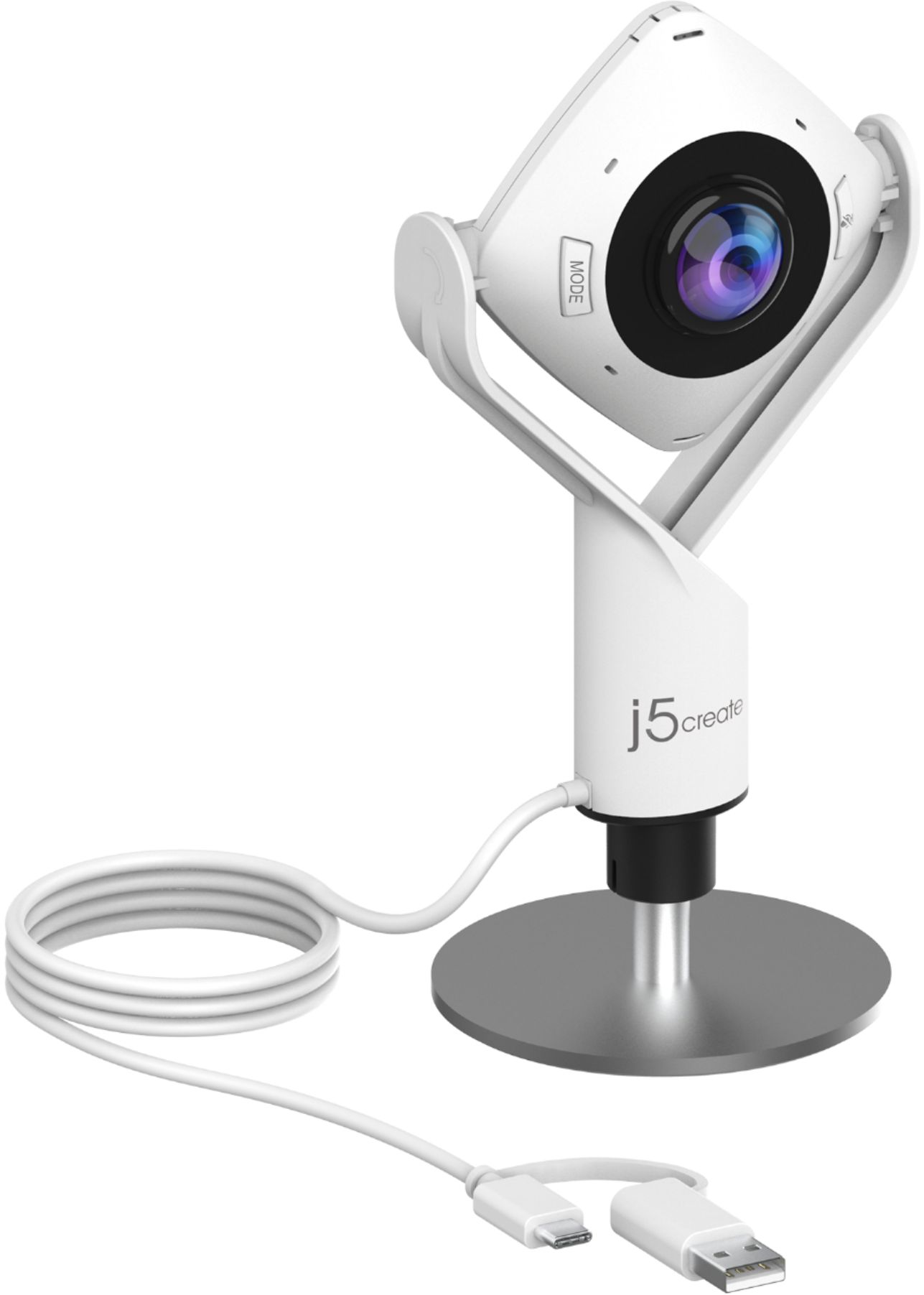
Customers are pleased with the 360° All Around Webcam's wide field of view, finding it ideal for group video calls and appreciating the ability to easily adjust the viewing angle. However, some customers noted that the image quality could be improved, citing concerns about sharpness and graininess in the video. The larger size of the webcam was also mentioned as a drawback by some users.
This summary was generated by AI based on customer reviews.
Great Camera for Hybrid ZOOM Meeting
||Posted . Owned for 3 weeks when reviewed.This reviewer received promo considerations or sweepstakes entry for writing a review.This camera really hits the mark. We needed something for a hybrid meeting setup and this was the ticket
I would recommend this to a friendBrand response from J5create Team
Posted .Webcam works well with Google Meet, Microsoft Teams, Skype, Zoom, and more. Thank you and take care.

Great Quality Camera
||Posted . Owned for 1 month when reviewed.This reviewer received promo considerations or sweepstakes entry for writing a review.Works Great, Good Quality. Color Is Great, Follows You Around. Sharpness Of Picture Is Great. Highly Recommend.
I would recommend this to a friendBrand response from J5create Team
Posted .Hi Laurie,
We really appreciate that you would recommend the JVCU360 webcam. It is a great solution for a conference room or for the family video calling remote relatives. Glad to hear that you like the quality and features.
Have a great day,
The j5create Team
360 degree web cam with microphone
||Posted . Owned for 1 month when reviewed.This reviewer received promo considerations or sweepstakes entry for writing a review.Works great for Zoom meeting. We can only see if it holds up. It’s not a night owl but it does for my needs
I would recommend this to a friendBrand response from J5create Team
Posted .Capture a 360 degree panoramic view of the room or focus on specific presenters with the various display modes. Thank you for your review.
Get everybody in the picture!
||Posted . Owned for 1 month when reviewed.This reviewer received promo considerations or sweepstakes entry for writing a review.Wow this camera is so cool! Works great with zoom! Gives camera coverage to the whole room and it’s plug n play!
I would recommend this to a friendBrand response from J5create Team
Posted .Hi Brian,
Glad to hear that you like the features of the JVCU360 webcam. This camera is great for meetings or getting the family together for video calls. I hope that you have a great day.
Thank you,
j5create
Office webcam
||Posted . Owned for less than 1 week when reviewed.This reviewer received promo considerations or sweepstakes entry for writing a review.For the price point, great device. Like the viewing options.
I would recommend this to a friendExcellent Product
||Posted . Owned for 3 weeks when reviewed.This reviewer received promo considerations or sweepstakes entry for writing a review.Excellent product for those who want to be able to position the camera at different angles.
I would recommend this to a friendBrand response from J5create Team
Posted .Thank you for posting your thoughts about the webcam. Have a nice day!
Love the features
||Posted .This reviewer received promo considerations or sweepstakes entry for writing a review.I love this camera. It's versatile for various Webcam applications.
I would recommend this to a friend- Pros mentioned:Microphone quality
Dead on arrival
||Posted .This reviewer received promo considerations or sweepstakes entry for writing a review.Video wasn’t an improvement over the Microsoft LifeCam webcam I was using and the microphone did not work at all. The only “nice” feature I cared about was the stand and the sturdy build, but the electronics just don’t cut it. Plus, the instructions did not address any additional drivers or helper applications - this uses the default Windows drivers and you would go to their website to download the companion app. Not worth the money.
No, I would not recommend this to a friendBrand response from J5create Team
Posted .Hello,
We appreciate your feedback on the JVCU360. The JVCU360 has similar recording quality to the life cam. Where the JVCU360 excels is the multiple camera modes that it offers. If you are still having issues with the sound our customer support team would be happy to assist. You can find our contact information at the link below:
https://en.j5create.com/pages/support
Thank you,
j5create
Nice camera
||Posted . Owned for 3 months when reviewed.This reviewer received promo considerations or sweepstakes entry for writing a review.Bought this to use at work for web meetings and it has been great. Very easy set up.
I would recommend this to a friendBrand response from J5create Team
Posted .Hello mrsb, it's good to hear that our JVCU360 was an easy set up and working great for you. Thank you for your review, it means a lot to us. Take care! j5create.
Love it
||Posted . Owned for 1 month when reviewed.This reviewer received promo considerations or sweepstakes entry for writing a review.Very easy to use and I love the 360 view, it’s very clear. I got it for my class
I would recommend this to a friendBrand response from J5create Team
Posted .Hi Chris, it's good to hear that the JVCU360 works perfectly during class. Thanks so much! j5create.
Easy to install
||Posted . Owned for 3 weeks when reviewed.This reviewer received promo considerations or sweepstakes entry for writing a review.Value for money. The camera works in different modes. Easy to install
I would recommend this to a friendBrand response from J5create Team
Posted .Thank you for your feedback! Have a nice day!
- Pros mentioned:Ease of use, Microphone quality

360 Degrees of Excellence
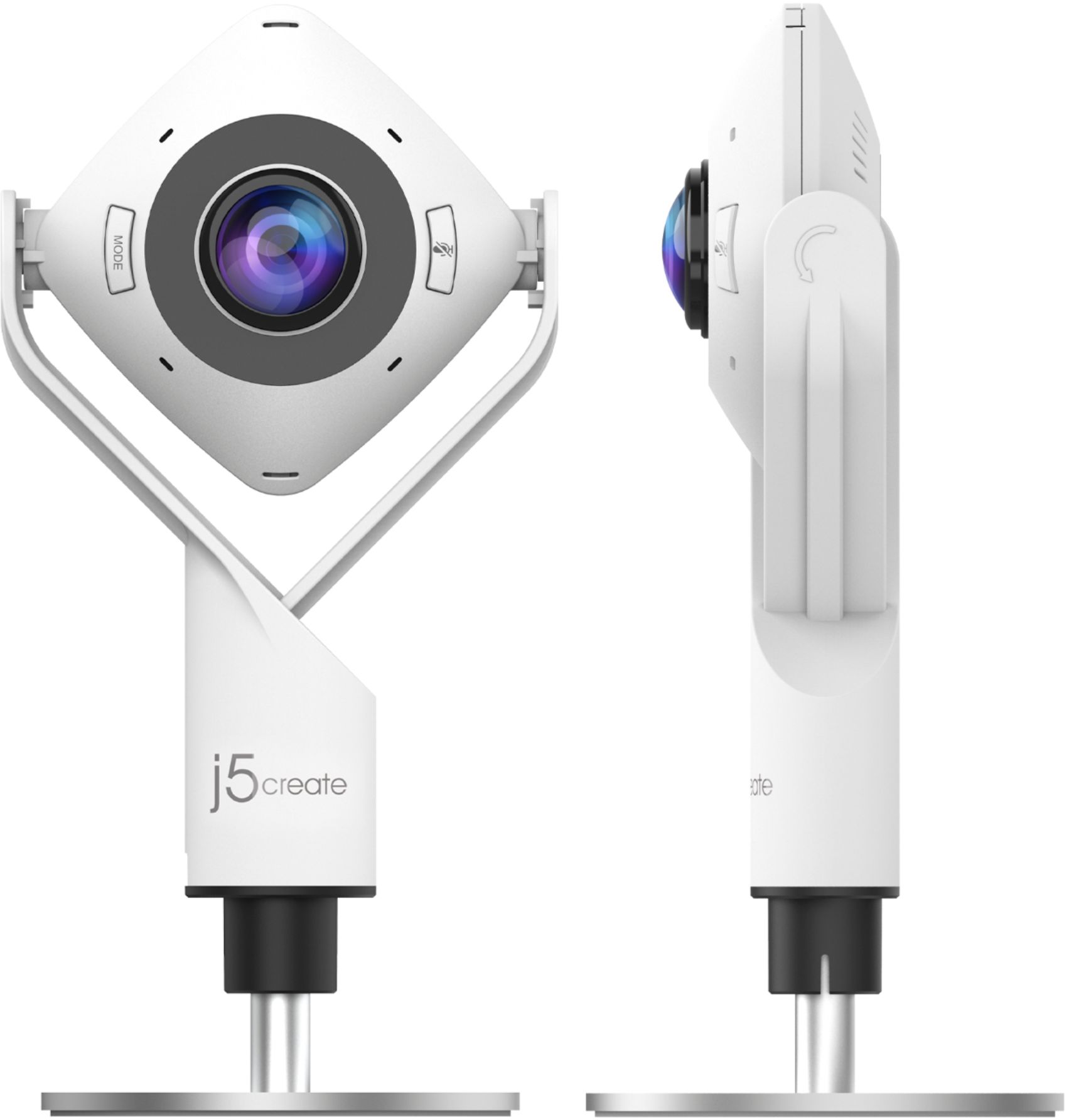
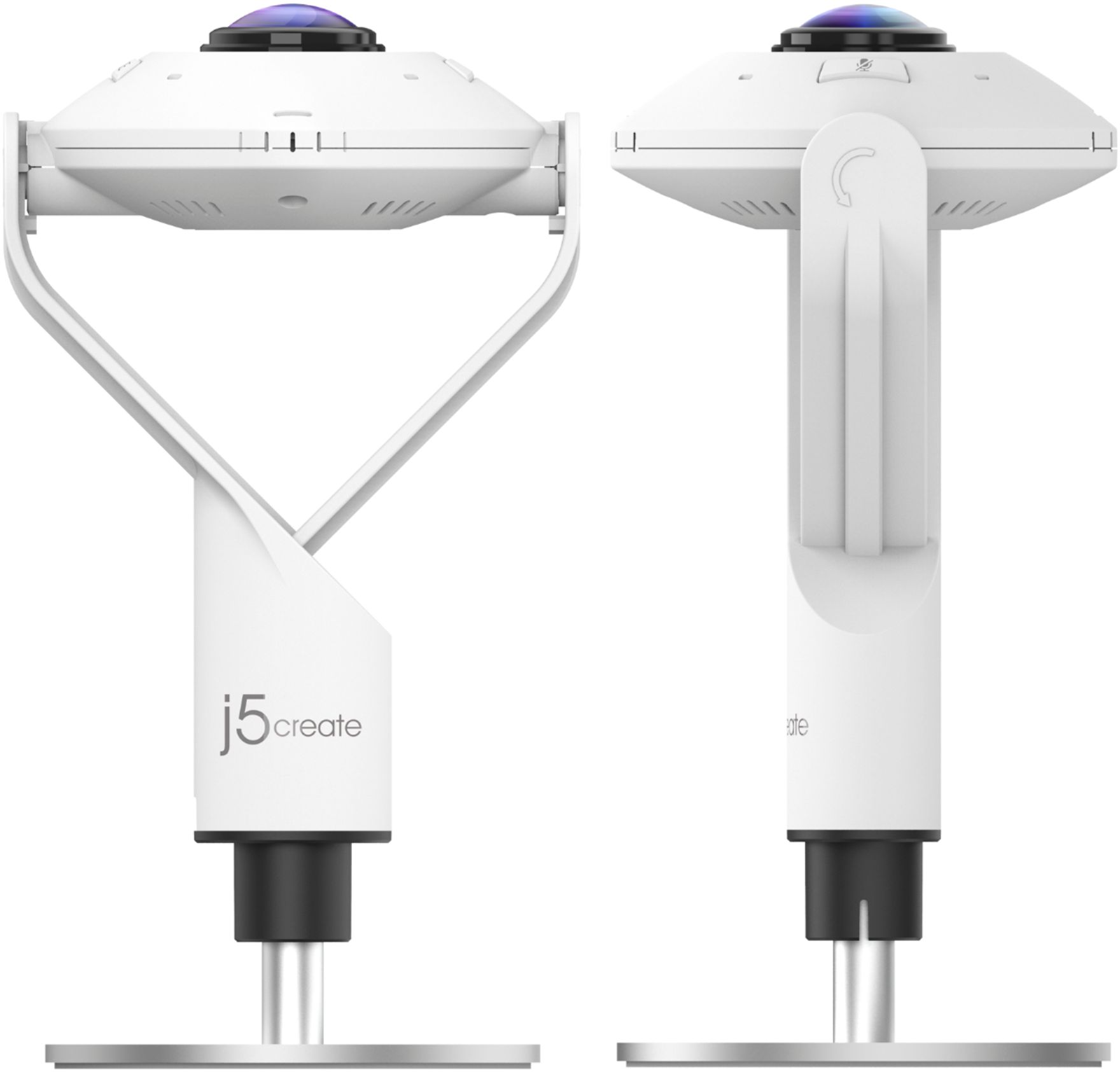
|Posted .This reviewer received promo considerations or sweepstakes entry for writing a review.With so many webcams on the market, how is a brand supposed to standout these days? Well, you take a look all around you (see what I did there) and innovate. Deciding between webcams often comes down to video and sound quality versus price. Of course portability, ease of use, price, brand, and other personal factors come into play. What about fears? At their core, aren't webcams simply a way of capturing and transmitting video and voice? Yes. However, j5create has found a way to innovate, enhance, and reset the bar for what webcams are capable of with its 360 degree "all around" feature. Out of the box the j5 is plug and play, ready to use within seconds. In fact, the only setup is installing the base to the webcam and plugging in the webcam to either a USB-A or USB-C port. This brings up a couple of points - if you are looking to mount this webcam to the top of your laptop, that is not possible as this webcam sits on a self-contained swivel stand. To be fair, this j5 webcam is not really designed or intended to be secured to a laptop or traditional computer. At least it does not appear to be designed as such. No points off, this is a preference and choice to the end user. The second point to mention, props to j5create on incorporating both USB types into their design and doing so with the built in USB-C to USB-A adapter which sits as an all-in-one component. As I mentioned, the j5create 360 is truly plug and play. No software, no drivers, no downloads. This webcam automatically powers on once connected, assuming you have power to your connected device. The build of this webcam feels solid and quality. There is a good weight and balance, and the base feels sturdy. Buttons press firmly with a nice feel. There is a slight futuristic feel to the overall design. The LED lights surrounding the camera add a nice aesthetic. My use of this webcam was performed on a MacBook Air utilizing Zoom for video conferencing, and Loom for video recording. There are six modes - full screen, 360, host, dual host, single view, and wide angle. Modes are selected using the "mode" button on the webcam itself. I found moving between modes to be easy and intuitive. With host and dual host modes you are given the option of selecting where each host is located in relation to the webcam. Single view provides a 90 degree view while wide angle offers a 120 degree view. What really sets this j5create webcam apart is the 360 mode. Tilting the webcam from vertical to horizontal provides the ability to truly experience a 360 view of the environment. Honestly, if you can't find an angle that works to include everyone in the room - you're doing something wrong. All of these modes performed exceptionally well. You are able to see a single presenter, dual presenters, an entire room, split views, I mean you name it this j5create webcam can do it. Picture quality is exactly what you would expect from a full 1080p HD webcam. Clear images, great video recording, quality pictures. Regardless of which mode being utilized, this webcam did a great job of picking up and balancing light. There is a built-in microphone and here is where I have my one point of critique. Overall, the microphone was great. Sounds were clear and crisp, however I did find when recording video using Loom there was an issue. For those who are familiar with Loom, when screen sharing during a video anytime you change tabs on a browser the webcam will fade out and then reappear on your new tab. This is totally normal and I have no issue with the j5 video during these times. However, the recorded audio captured during these times produced pops and crackles for a couple of seconds, rendering any spoken words incomprehensible during that brief time. The obvious workaround is to wait a couple of seconds when changing table before speaking. However, this is something I believe can be fixed by j5create, as I did not have this issue when using my Blue Yeti for the audio. Other than this one issue, the overall audio quality is excellent. No issues picking up my voice and doing so clearly. There is an audio mute button built in to the webcam which works as intended, and an associated LED light to indicate when the mic is muted. I would like to see a built in video pause to blacken out the webcam, such as on a Zoom break. There is a physical cover provided to achieve this however. Overall, this a really great webcam. Solid features, quality build, excellent performance. I would have no issues recommending this webcam to friends, family, or colleagues.
I would recommend this to a friendBrand response from J5create Team
Posted .Hello,
We appreciate you recommending the new JVCU360 webcam. Thank you for posting your detailed review. I hope that you continue to enjoy the webcam.
I hope that you have a great day,
j5create
Super product
||Posted . Owned for 10 months when reviewed.This reviewer received promo considerations or sweepstakes entry for writing a review.Super product does a great job. I love it and use it.
I would recommend this to a friendBrand response from J5create Team
Posted .360° camera gives you the ability to capture every person in the room with clarity.
Great camera!
||Posted . Owned for 9 months when reviewed.This reviewer received promo considerations or sweepstakes entry for writing a review.This camera works great, the quality is just amazing.
I would recommend this to a friendBrand response from J5create Team
Posted .Full HD 1080p video playback @ 30 Hz.
Great camera
||Posted . Owned for 1 month when reviewed.This reviewer received promo considerations or sweepstakes entry for writing a review.This is a great camera. Able to use as soon as I plugged it in.
I would recommend this to a friendBrand response from J5create Team
Posted .Hello, thanks for the review on the webcam. Cheers!
Cool Camera
||Posted . Owned for 3 weeks when reviewed.This reviewer received promo considerations or sweepstakes entry for writing a review.This is a really good product will definitely recommend
I would recommend this to a friendBrand response from J5create Team
Posted .Greetings JESSANDKIDS, thank you for rating our JVCU360 webcam, we appreciate your feedback. Best regards, j5create.
Never actually shipped
||Posted . Owned for 1 month when reviewed.This reviewer received promo considerations or sweepstakes entry for writing a review.Item ended up never shipping and ultimately being cancelled.
I would recommend this to a friendToo tall
||Posted . Owned for 1 month when reviewed.This reviewer received promo considerations or sweepstakes entry for writing a review.Didnt work for what i needed it for, item was very tall.
No, I would not recommend this to a friendBrand response from J5create Team
Posted .The 360° All Around Webcam gives you the ability to capture every person in the room with clarity. Six display modes deliver exceptional viewing angles with flexibility and versatility.
- Pros mentioned:Field of view, Microphone quality
Great camera for conference calls
|Posted .This reviewer received promo considerations or sweepstakes entry for writing a review.This USB C/A webcam comes with ample cord length to plug in aand setup a distance away from the host computer and has excellent video and audio quality. I used it in Microsoft Teams as well as Facetime with very good results. My audience could hear and see me clearly. The 360* mode allows for a panaramic view of a room which would be excellent in a conference room set at a traditional oblong table. The multiple modes which include host mode, dual host mode, wide angle view mode, full screen, and single view mode give a great deal of flexibility of how this camera can be used and who/what the specified "subject" of the video will be. The wide angle view gives sort of a fish bowl perspective which is good for a small gathering 2-3 people on video; the 360* All around view gives a narrow panoramic view of a room and its occupants; the full screen 360* lets you see everyone in a room like the all around, but is optimized to show everyone on the full screen versus a narrow panoramic strip; host mode focuses on the host while giving a view of the room across the top of the screen. The host modes viewing angle controlled by using the Touch Bar found around the camera lens which lets you change the exact focus of the camera. It is plug and play with both Windows and Mac, but does require a direct USB connection on your system rather than via a hub or extension cord. Using a USB extension resulted in very garbled video which was quickly rectified by a direct computer connection. Mode changes are displayed on your computer screen and there is no obvious indicator for selected mode on the camera itself. Microsoft Teams and Zoom allowed for a straightforward visual of which camera mode you are in where FaceTime had an abbreviated viewing area that made it more difficult to see on the computer screen which mode you were engaged in. The driverless approach is very nice. For someone who is accustomed to a standard point and go camera, this will likely take some getting used to especially in the 360* all around view mode if you have not familiarized yourself with the feature first.
I would recommend this to a friendBrand response from J5create Team
Posted .Hello,
We appreciate your detailed review on the JVCU360 Webcam. We recommend using a direct connection to your computer with any of our devices for better performance. We hope that you have a good day.
Thanks,
j5create
Interesting table product
||Posted . Owned for 1 month when reviewed.This reviewer received promo considerations or sweepstakes entry for writing a review.Didn't work for me as it distorted my appearance on groups.
No, I would not recommend this to a friend