Customer Ratings & Reviews
- Model:
- 27GS75Q-B
- SKU:
- 6575404
Rating by feature
- Display Quality
Rating 4.8 out of 5 stars
- Ease of Use
Rating 4.8 out of 5 stars
- Features
Rating 4.7 out of 5 stars
Customers are saying
Customers commend the UltraGear 27" monitor for its amazing picture quality, adjustable refresh rate, and overall performance. The HDR10 support delivers brilliant colors, and the monitor's design is eye-catching. However, some customers have noted that the monitor's brightness could be improved, and it lacks internal speakers. Additionally, a few customers have expressed a desire for a more versatile stand.
This summary was generated by AI based on customer reviews.
- Pros mentioned:Hdr, Refresh rate

A Super Middleweight in Frame Rates
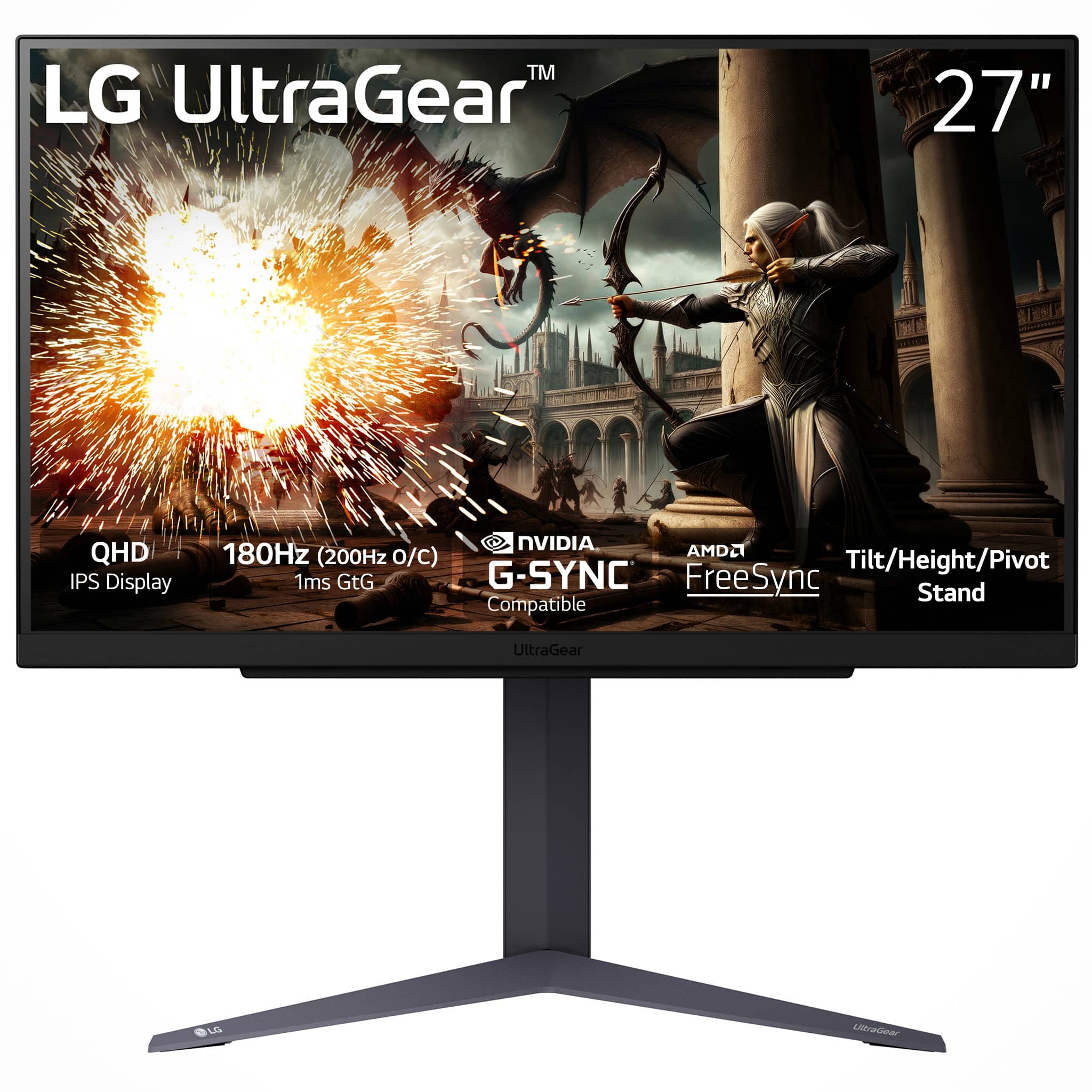
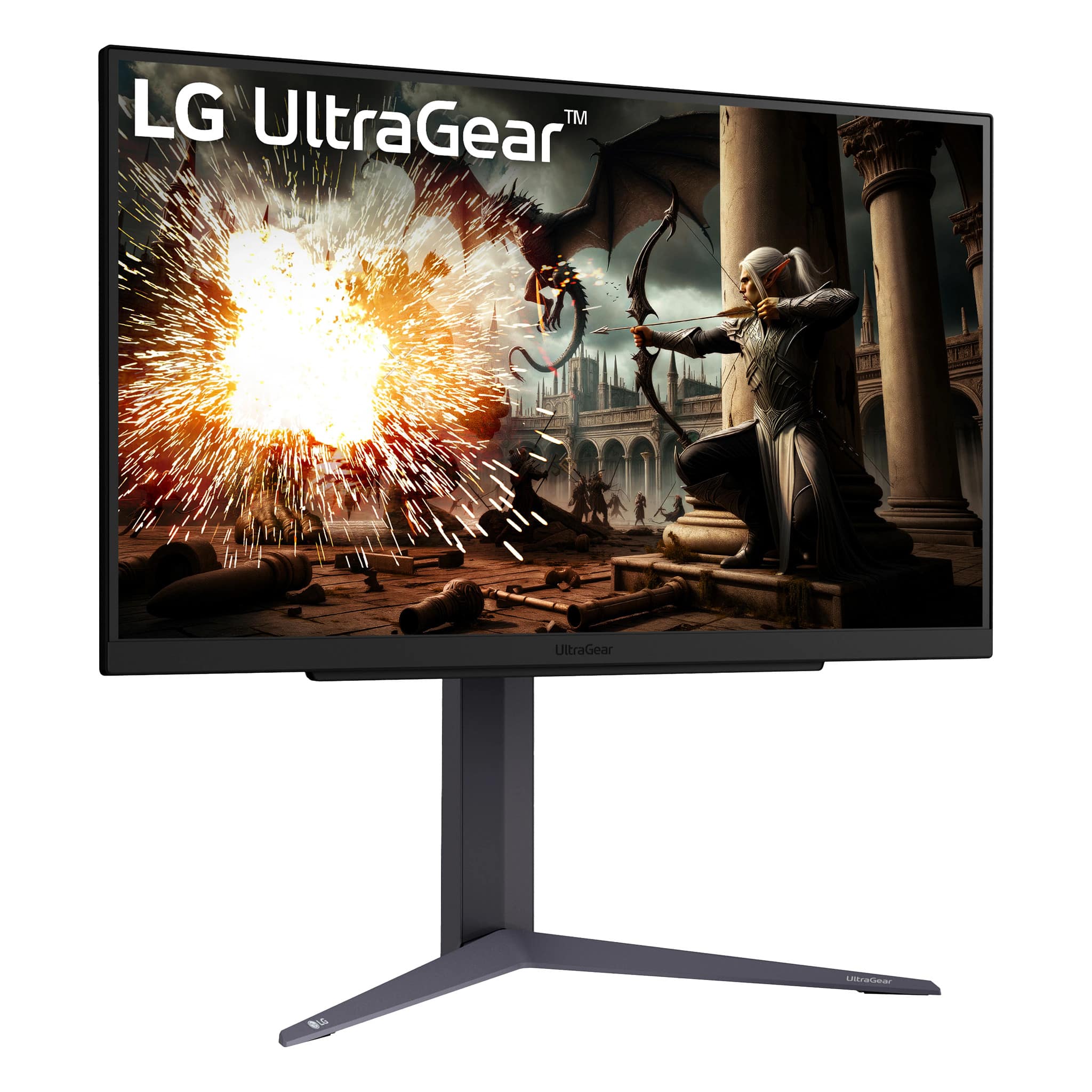
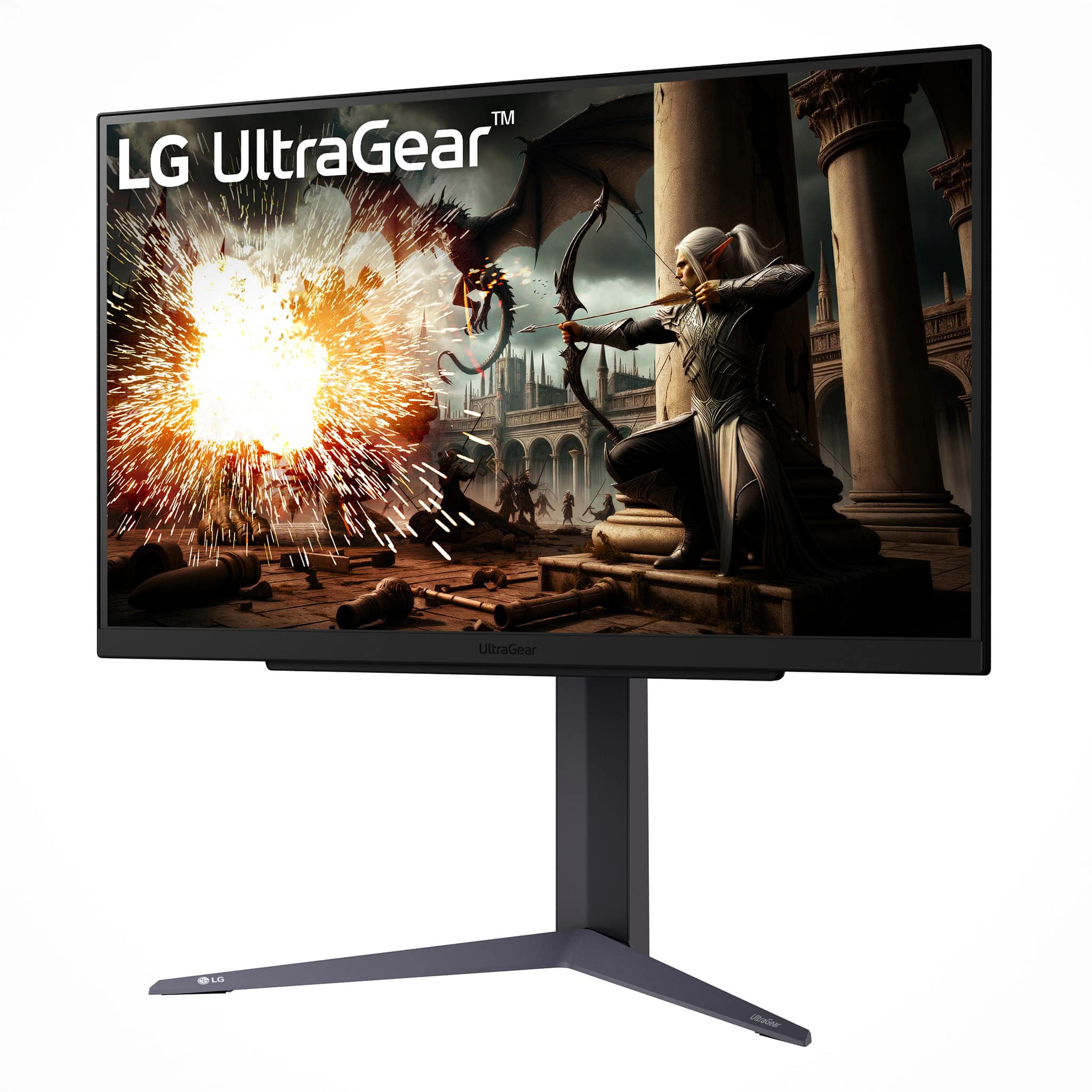
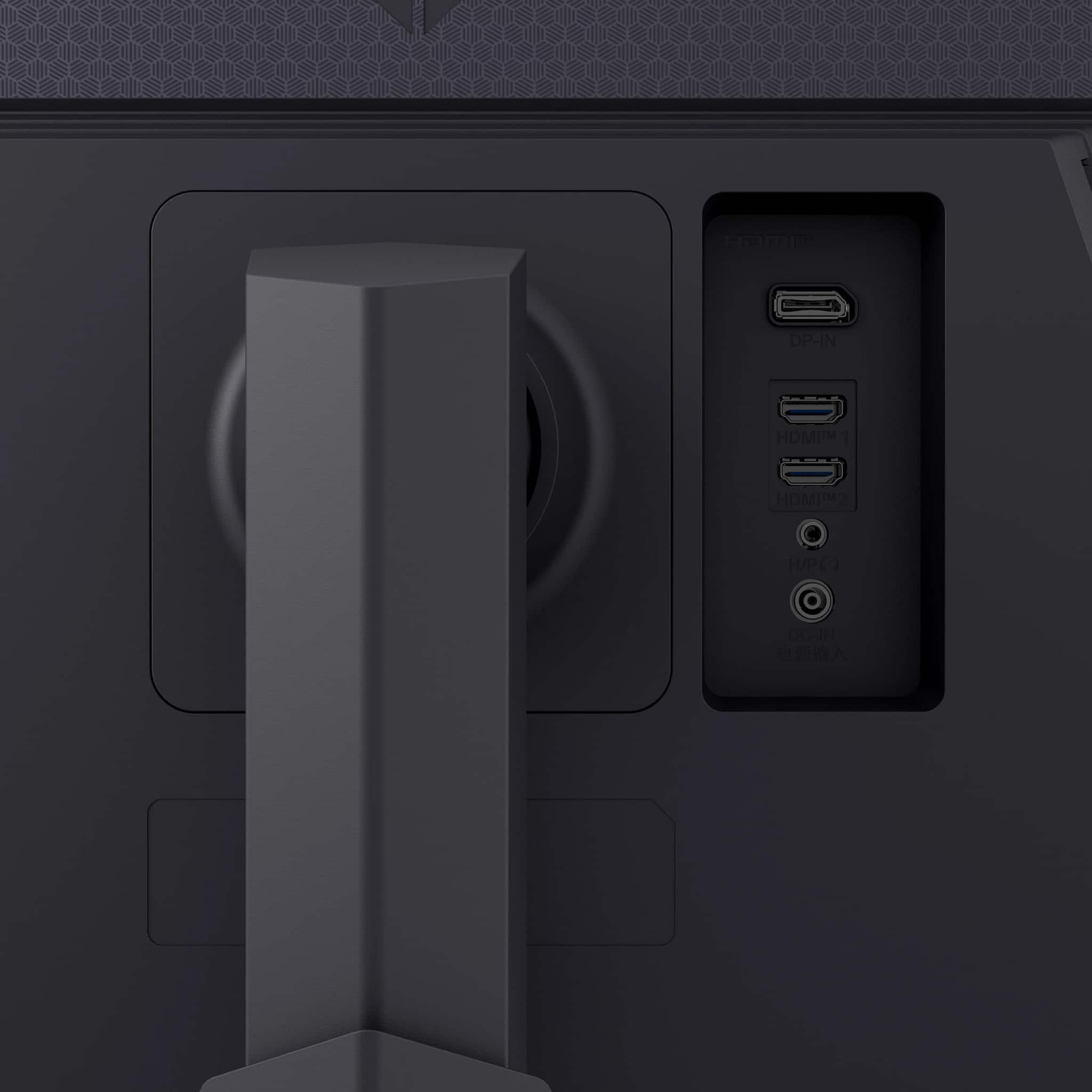
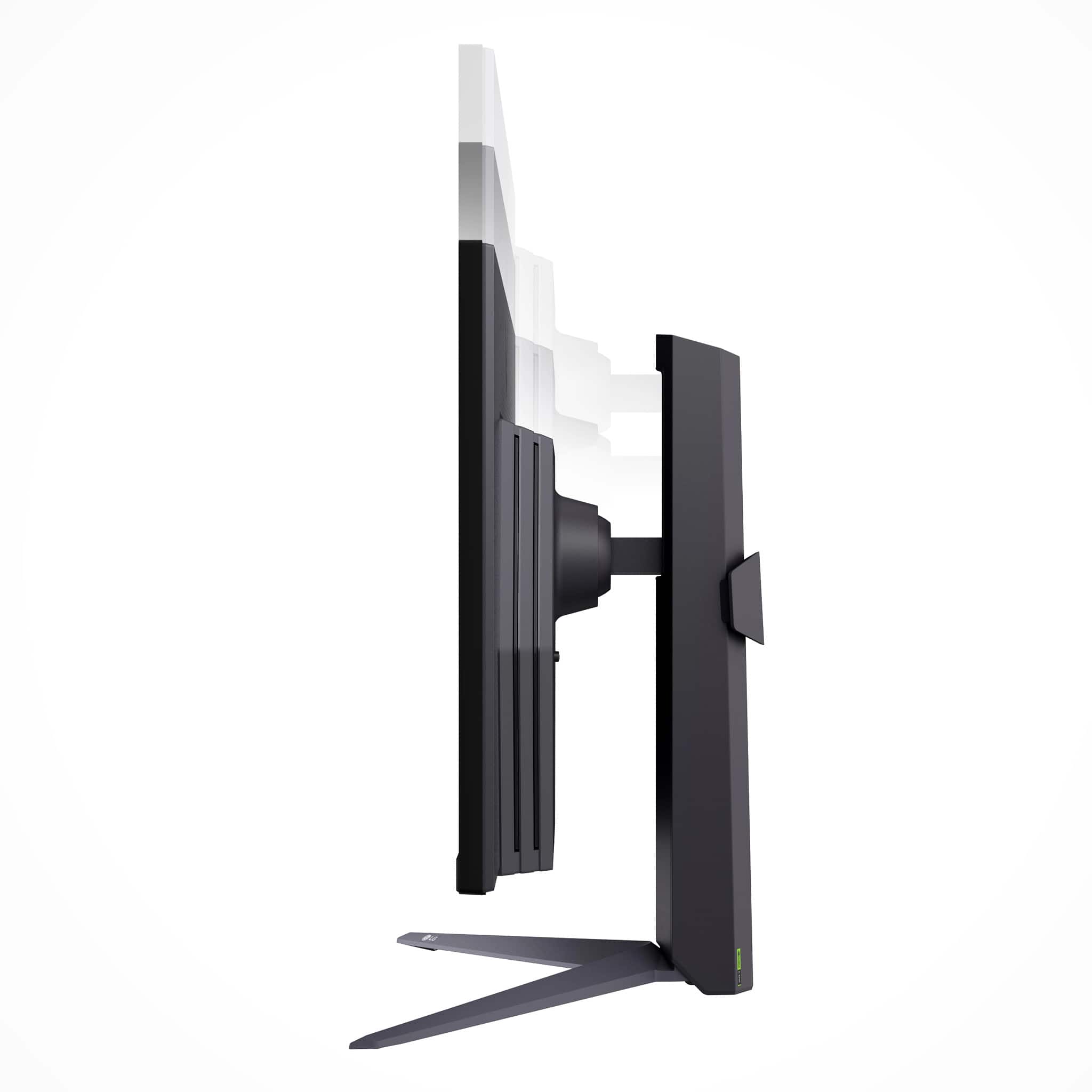
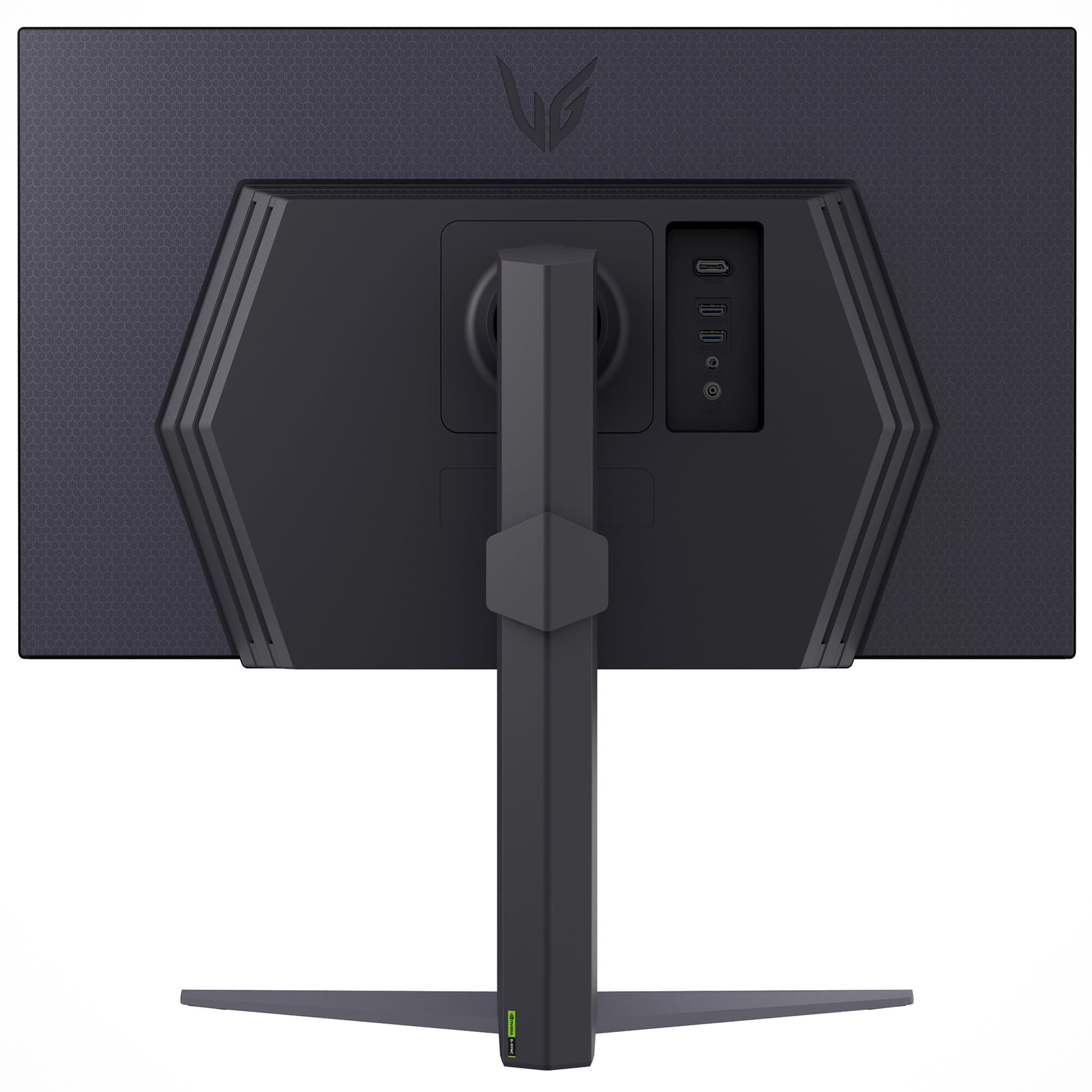
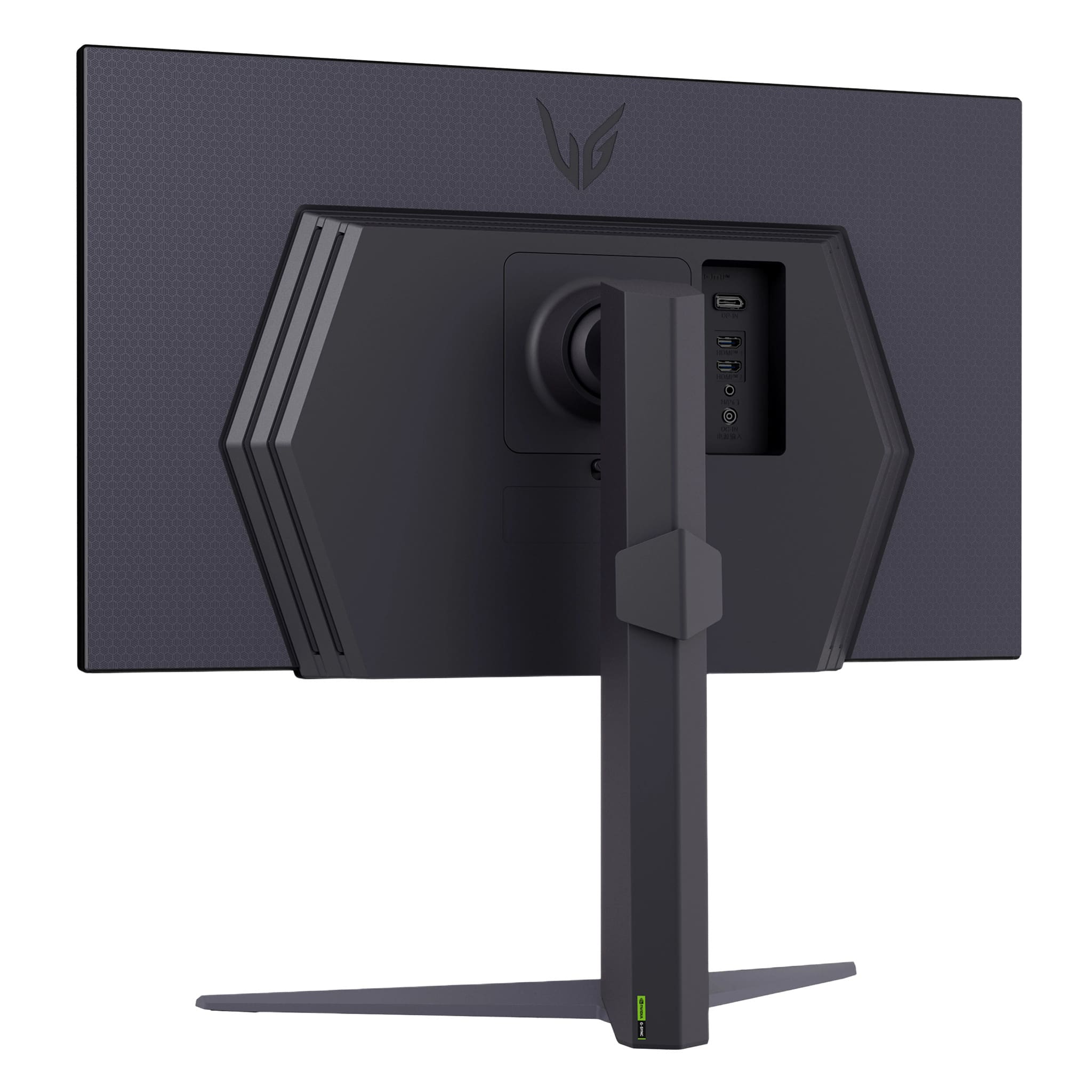
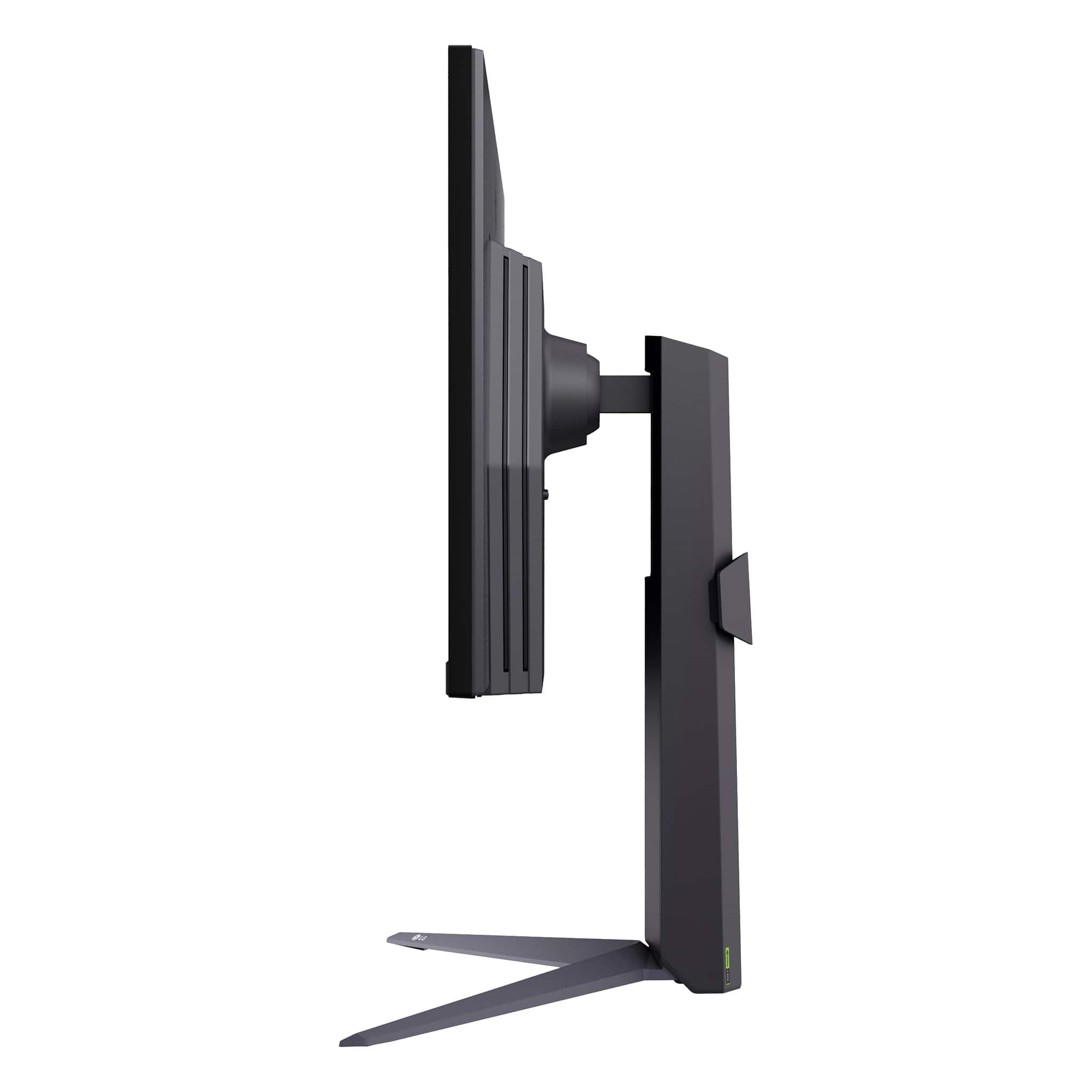
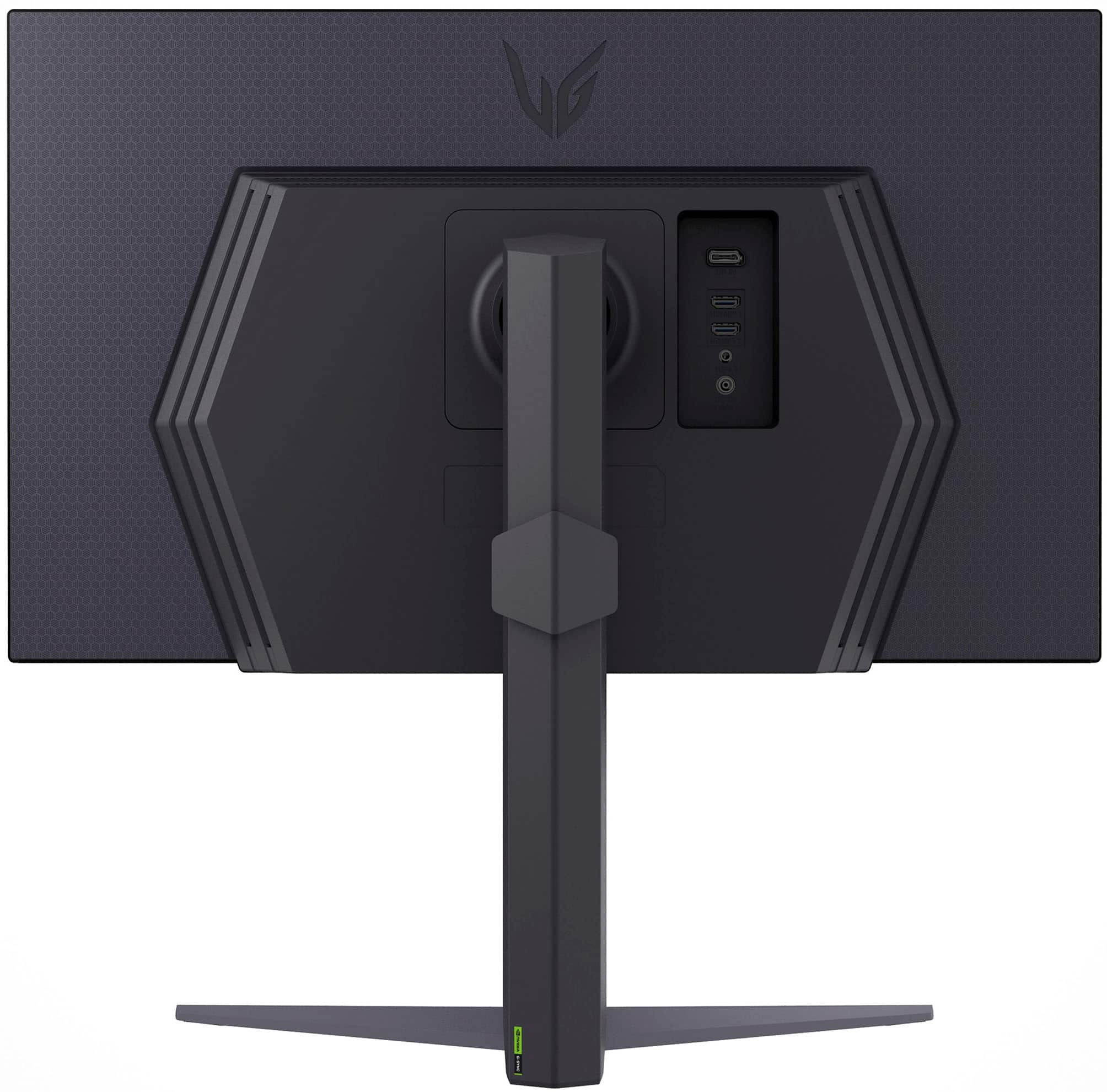
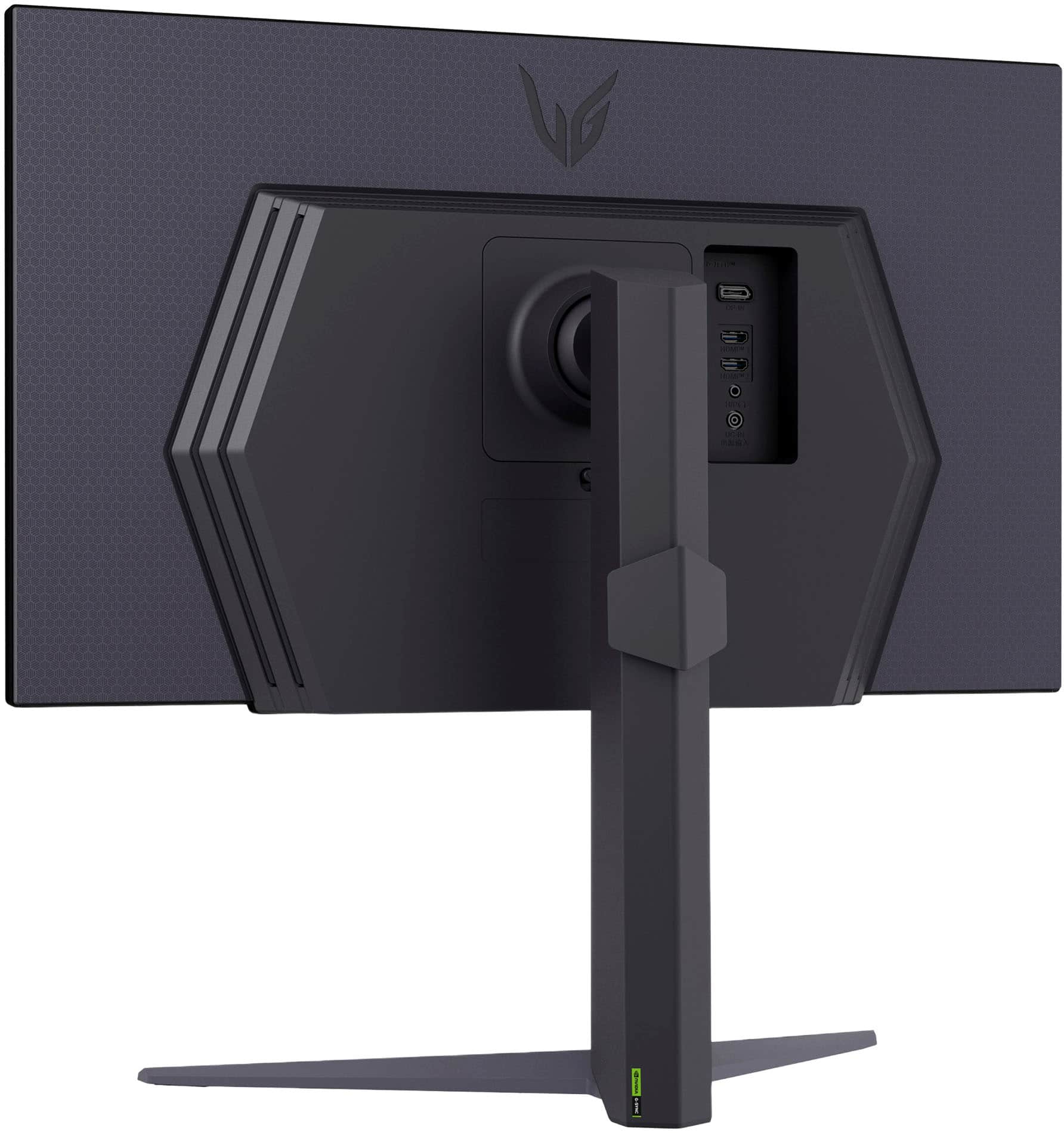
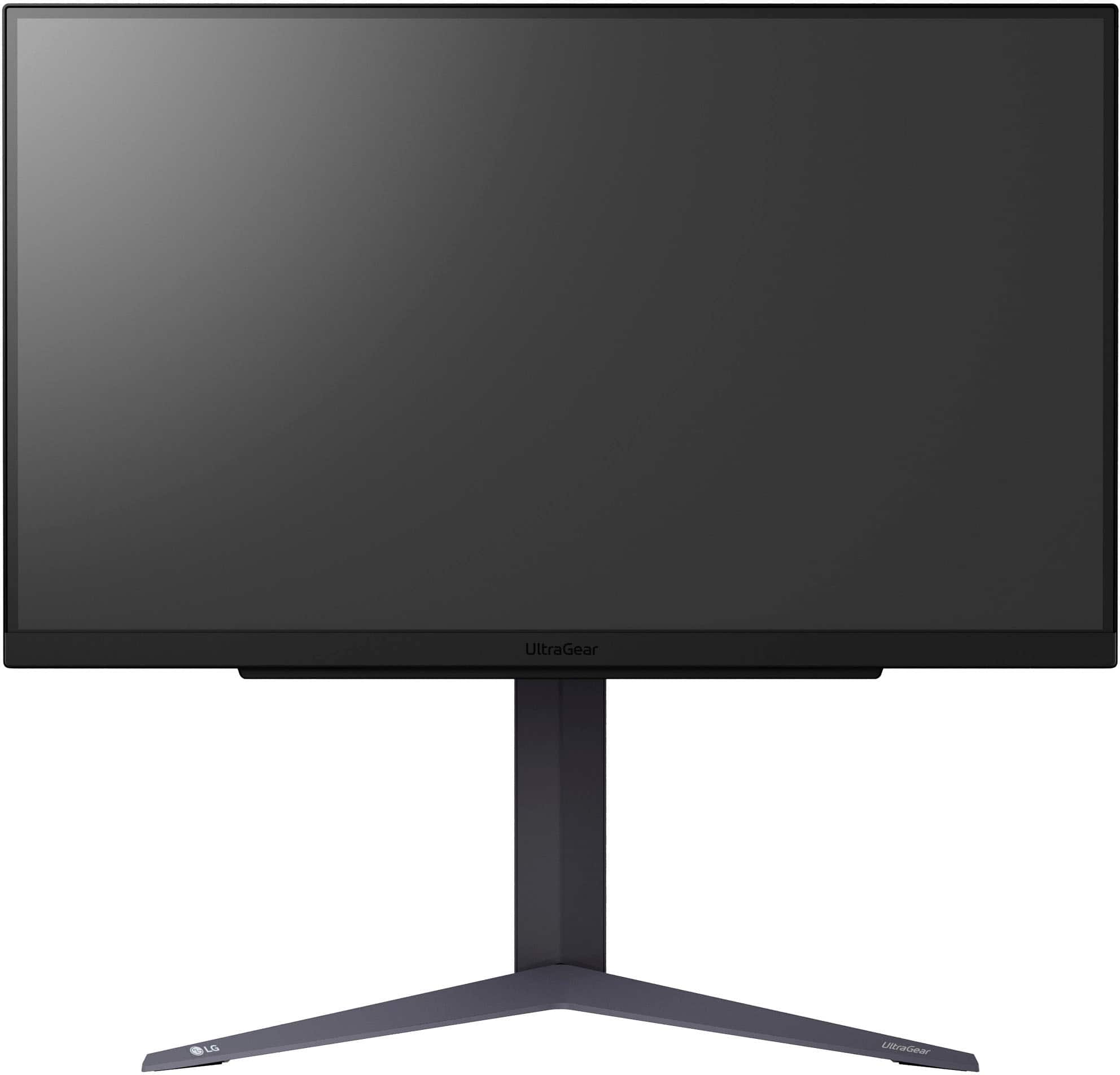
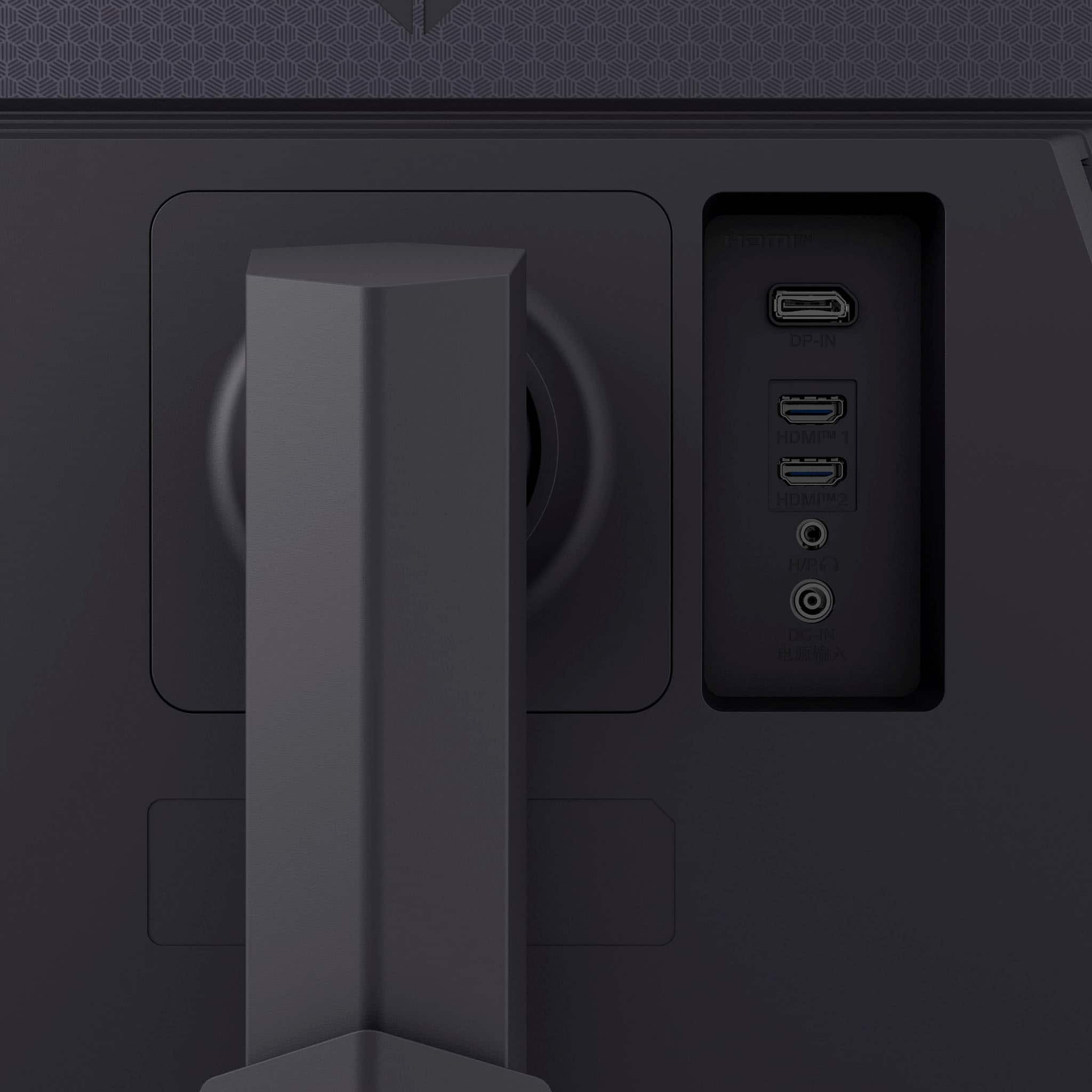
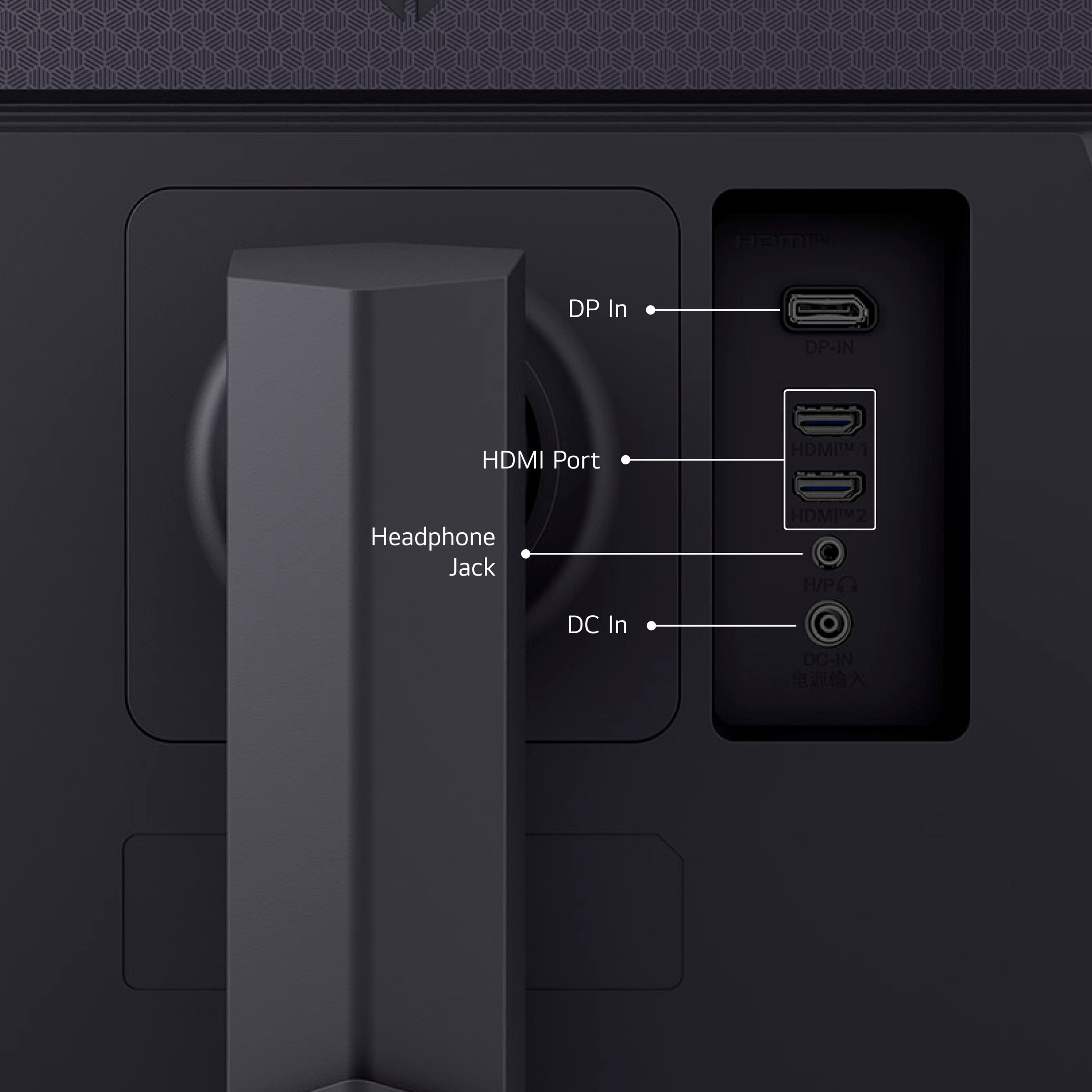
|Posted .This reviewer received promo considerations or sweepstakes entry for writing a review.– OVERVIEW– The LG UtraGear 27” (Model #27GS75Q-B) is an QHD IPS gaming monitor capable of up to 180 Hz refresh rate. It is both NVIDIA G-Sync and AMD Freesync compatible, has a response time of 1ms GtG, and supports HDR10. Its color gamut is sRGB 99% (CIE1931). It has a contrast ratio of 1000:1. It supports 1x DP, 2x HDMI and a 3.5mm headphone jack. – LOOK/FEEL – The 27GS75Q-B has a 3-sided borderless design, with the exception of its chin that probably houses some of the brains as well as down firing speakers. The monitor is fairly thin for an LCD panel and has gloss outer bezels; the backing has a design embossing on a matte surface. The “UltraGear” logo can be seen on the top center backing of the monitor and it is aesthetically pleasing to look at if the back of your system is visible (think open/centered desk design). – SETUP– Setup on LG monitors have been very simple and straightforward. There are no tools required and each section of the monitor (panel, stand) can be easily assembled and disassembled in a few minutes. This monitor is no different as it shares the design philosophy of its siblings. Cable management is very good; I love that the ports are directly behind the monitor as opposed to other monitors that have them located facing down toward the bottom of the monitor. Bringing up the OSD is also very simple; LG employs the joystick method of changing settings. It’s a single button with directional buttons as well as the standard push from dead center. Pressing the center button brings up the main menus where you can find the main settings, input change, game center changes, on/off and exit OSD. A press to the left or right brings up volume levels, and press forward and aft brings up accessibility and beep settings. Going into the main settings, you will find the status of the monitor (Hz, Adaptive Sync, HDR, Response Time, DAS). These settings will change with respect to how your GPU is configured. Other settings like picture adjustments, game adjustments and general settings can be changed here. Everyone has their own preferences, so I won’t comment too much here other than LG does a wonderful job at navigating through the OSD with a single button joystick. – PERFORMANCE – Front and center is the monitor’s refresh rate @ 180Hz, which is fairly noticeable with respect to 120Hz and 144Hz. Albeit not 240Hz, most of us weekend warriors will appreciate this frame rate provided your GPU can drive these frame rates during gaming. I was able to drive this monitor to peak using my 4090 and it looked pretty amazing in terms of frame rates, in my opinion. Brightness looked very good, and contrast ratio for an IPS was also very good. Setting the display settings to HDR and watching LG’s “The Black” on YouTube allowed me to enjoy the rich colors and details at 1440p HDR, with the small exception of black levels that can only be achieved from an OLED panel. But overall, it’s pretty darn good. – GOTCHAS – Documentation didn’t tell me the DP version; I found it looking at the OSD settings that allowed me to choose either 1.4 or 1.2, for compatibility concerns. As far as HDMI, researching the LG website yielded that these are HDMI 2.1 ports. As far as frame rates, if you're coming up from a 144Hz, you may want to stick it out at that refresh rate or jump to 240Hz as you may not see a lot of improvement coming up to 180. – CONCLUSION – The LG UltraGear 27” (Model #27GS75Q-B) is a very capable monitor, provided you have hardware to drive it to its max. At 180Hz, you will notice reduced motion blur and screen tearing for a smoother gaming experience, improved responsiveness and reduced input lag, and enhanced visual clarity and detail, especially in games with fast-moving objects or scenes. There is a lot of value in this monitor with respect to other monitors that may be similarly priced but are at lower refresh rates, so take the time to find out what’s more important to you if frame rates aren’t #1 on your list.
I would recommend this to a friend - Pros mentioned:Overall performance, Price, Refresh rate
Excellent, noticeable upgrade from Dell S2721DGF
||Posted . Owned for 2 weeks when reviewed.This reviewer received promo considerations or sweepstakes entry for writing a review.I had purchased the Dell - S2721DGF back in 2022 which uses the same panel as the LG Ultragear 27" model from that timeframe. At the time, the LG model was 144hz and the Dell had been overclocked to 165hz. Both monitors were also 2560x1440. The dell was $50 cheaper so I went with that. I really liked the Dell and am still using it as my second monitor now that I bought this one. Sorry for the back story, but this probably won't make sense otherwise. I didn't need to upgrade from 1440 165hz IPS to 1440 200hz IPS as that seems rather trivial, the main reason for my purchase was that I was having problems with my old secondary monitor because it only had DVI and DP and it wasn't playing nice with my KVM when I reconfigured my desk so that I could swap between my gaming PC and work laptop. I figured I may as well get a marginal upgrade for my primary display, the price was right, and I've always been partial to LG's color processing. With that context in mind, this monitor turned out to be a bigger upgrade than I was expecting. Not only are the colors more suited to my personal preferences after a bit of tinkering (I'll admit I'm a sucker for saturation), but the picture seems sharper, appears to have more contrast, and motion on it is perceptibly smoother. On paper, none of this should really be the case aside from maybe the smoothness as the monitors have basically identical specs (contrast ratio, GTG response time, color gamut), and again the Dell uses an LG panel. 200hz is also only marginally faster than 165hz, so I wouldn't expect much impact there. Regardless, something about it just feels significantly better, I'm not sure why. What makes this even stranger is that the reviews for the Dell S2721DGF on RTINGS beat the reviews for the LG 27GR75Q-B, but this is a different model. I can't find any specs or information that give full technical specs on the 27GS75Q-B, even the LG site is lacking. I don't know if maybe it's a settings difference and I didn't have the Dell set up as well or what the deal is. Long story short, I don't know how to explain why, but I would definitely recommend this monitor if you are in the market for something with the listed specs. That said, I definitely wouldn't spend the money just to go from 144hz to 200hz for example unless you have a good unrelated reason to do so.
I would recommend this to a friend - Pros mentioned:Overall performance, Refresh rate
Everyday gamer fun
|Posted .This reviewer received promo considerations or sweepstakes entry for writing a review.LG really makes some great displays. As a gamer and photographer, a display of this caliber and cost is appreciated. You really get a great deal for a quality IPS LED, 27", QHD (2560x1440), fast 180hz refresh rate. With these specs alone, I am happy to report that this makes editing photos and playing the newest games a blast. If you are in the market for a great display and are trying to get a good bang for your buck, look no further. Using this display so far has been great from day to day work tasks and then jumping on Steam to play well into the night. Pros: -Fast 180hz refresh rates -QHD resolution -1ms response time -27" IPS is a quality screen for great color reproduction -NVIDIA G-SYNC and AMD Freesync compatible. -1x Display port and 2x HDMI inputs allow for flexibility in connecting your PC and Playstation/Xbox/Switch Cons: -Plastic look and feel (just mount it) -No built in speakers (let's be honest, gamers are rocking a good headset already) -Steam tells me I can push this display to 200hz refresh rate but I have issues with flickering. (not LG's fault though)
I would recommend this to a friend - Pros mentioned:Overall performance, Refresh rate
LG UltraGear 27" 1440p 180Hz
||Posted .This reviewer received promo considerations or sweepstakes entry for writing a review.I was going to give this item 4 stars, but I got it for $165 or something similar. If you can get it for that price too, I highly recommend it. It does exactly what it says in the item description. Having Freesync and G-sync is a good feature. Reasonably high refresh rate. Pretty good latency. Having HDR10 is great. Let's just compare this to an OLED monitor. Refresh rate is up in the air, so I am not sure how to compare the two. It is comparable to some OLEDs, not sure what to say. The response time is what, 80% of the performance of an OLED? At 30% of the price. Utilizing HDR10 makes colors better. Probably at least 60% of the performance of an OLED, again at 30% of the price. Overall a good pick. I would not pay more than $200 for this product though.
I would recommend this to a friend - Pros mentioned:Refresh rate
PERFECT / AFFORDABLE / IMPRESSIVE 27" QHD IPS
|Posted .This reviewer received promo considerations or sweepstakes entry for writing a review.Straight up this monitor is the pinnacle of exactly what you should get in a QHD 27” led backlit IPS display. LG is always at the cutting edge of display tech and even sells panels to other manufacturers to use so it’s no surprise that this is exactly what youd expect, perfection at an affordable price. There is 3 inputs on this 2 HDMI 2.1 and DisplayPort which is perfect with auto input switching. There is also an audio jack if you use that. If your new to monitors there is always a sweet spot where pixel density is too low versus size and thankfully this is the “ideal” at 27” size and QHD resolution it allows you to run your resolution at 100% so no scaling issues for Mac users or lag for windows users. It has special overclocking modes for Nvidia GPUs above 30 series you can go up to 200hz and extend the adaptive refresh to meet your system which is great. Speaking of lag this has genuine 1ms response time and barely any ghosting even when overclocked which is really great to see it doesnt become a blurry mess. The stand is the classic LG style where it leaves plenty of room on the desk for anything and includes excellent cable management options to hide everything. The user menu interface on this is easily the best out there. If you come from other brands you may know the struggles of those and the pain that it becomes navigating them. This one just has everything exactly where youd think it should be and is extremely intuitive with the joystick on the center bottom right where youd expect it. Perfect! Honestly it just doesn’t get any better value for an IPS panel monitor today this is the top dog in the QHD 27” IPS bracket and I fully recommend this over any others out there.
I would recommend this to a friend - Pros mentioned:Refresh rate, ResolutionCons mentioned:Brightness
Great “budget” monitor for consoles
||Posted . Owned for 1 week when reviewed.This reviewer received promo considerations or sweepstakes entry for writing a review.Now I wouldn’t necessarily call this a cheap monitor, however relative to other monitors, especially on sale, this is a great monitor that doesn’t break the bank. I have a 50 inch 4k tv that I like to casually game on, but I wanted something that I could also hook my consoles up to that can handle 120hz at 1440p, and this fits those needs perfectly. If you plan on playing without a headset, you will need speakers, and if you want 120hz then you’ll need a 2.1 ultra high speed HDMI cable as well, 2.0 doesn’t support that. It also had some really strange flickering out of the box, but I changed some settings and it went away. I’m not entirely sure which one was causing it, but there was some sort of dynamic brightness setting that I imagine was the culprit. I’ve been using it quite a lot for the week I’ve had it, and I really have no complaints. Is it the best monitor in the world? No, but for $250 (what I bought it for) I’d recommend it to anyone. If you have the means to get a 4k 240hz monitor for your juiced up PC, absolutely go do that. If you’re just looking for a monitor that allows you to do 120hz on your PS5 and Xbox without spending more on the screen than you did on the console, this is the monitor for you.
I would recommend this to a friend - Pros mentioned:Overall performance, Resolution
1440p gaming!
||Posted .This reviewer received promo considerations or sweepstakes entry for writing a review.This monitor was not only super nice and adjustable, but it is extremely nice to use! I love 1440p gaming and the difference was wild. Never going back to 1080p gaming honestly.
I would recommend this to a friend - Pros mentioned:Hdr, Refresh rateCons mentioned:Brightness
Best Value. Use HDMI 2.1 to DP 1.4 for PS5 VRR!
||Posted . Owned for 1 week when reviewed.This reviewer received promo considerations or sweepstakes entry for writing a review.Probably the best monitor you can buy right now where you get the most bang for your buck. IPS, 180hz, HDR, 1m response, with free/G sync is pretty standard in this range these days, but where this monitor stands out is the OSD, stand, and display port 1.4. When I was comparing options, I was surprised to find out how many new monitors don't have DP 1.4 or HDMI 2.1. The OSD has high end features including a built in FPS display which is awesome for console gaming. Just be sure to use a HDMI 2.1 to DP 1.4 if you want the full benefits of VRR and for the FPS counter to work. Minus one star for brightness. It would be great if it were over 300 NIT.
I would recommend this to a friend - Pros mentioned:Overall performance, Refresh rate, Resolution
Great monitor for the value.
||Posted . Owned for 1 week when reviewed.This reviewer received promo considerations or sweepstakes entry for writing a review.I ended up settling on this monitor amid the myriad of options and sales while I walked around Best Buy for an hour. One because it was on display and I enjoyed the picture, and 2 because it checked my boxes of wants/needs. Newer versions DisplayPort and HDMI, 1440 resolution and 180mhz that can be overclocked to 200 in the menu. So far I have been nothing but satisfied and if you get it on sale…it’s an LG so you know it’s good.
I would recommend this to a friend - Pros mentioned:Refresh rate, Resolution
LG UltraGear IPS QHD 180hz 27 inch monitor review
||Posted . Owned for 1 week when reviewed.This reviewer received promo considerations or sweepstakes entry for writing a review.LG UltraGear IPS QHD 180Hz 27-Inch Monitor Review The LG UltraGear 27-inch QHD IPS monitor delivers a strong performance for the price boasting impressive specs like a 2560x1440 resolution, a fast 180Hz refresh rate, and a 1ms response time. Here’s a breakdown of its strengths and a few drawbacks: Design and Build Quality The monitor features a sleek and modern design with a matte finish that minimizes glare, making it ideal for brightly lit environments. The ergonomic stand offers tilt, height, and pivot adjustments, ensuring comfortable positioning for extended use. The build quality feels solid, with a premium aesthetic that aligns with its price point. Display Performance The IPS panel shines with vibrant colors, wide viewing angles, and excellent clarity. Its QHD resolution strikes a great balance between sharpness and performance, and the 180Hz refresh rate provides buttery-smooth visuals, especially in fast-paced games. Whether you’re gaming or multitasking, the performance is snappy and immersive. HDR support is present but limited, with highlights lacking the punch seen in higher-end HDR displays. Backlight Bleed One notable drawback is the backlight bleed, which is especially visible in dark scenes or in low-light environments. While not a dealbreaker for most users, it can be distracting if you often play darker games or work with content that involves deep blacks. This is a common issue with IPS panels, and the severity may vary from unit to unit. Additional Features • Adaptive Sync: With both NVIDIA G-SYNC and AMD FreeSync support, screen tearing is virtually eliminated. • Connectivity: Includes multiple ports, such as DisplayPort, HDMI, and USB, making it versatile for various setups. Conclusion The LG UltraGear 27-inch QHD 180Hz IPS monitor offers excellent performance, vibrant visuals, and a well-thought-out design. While the backlight bleed is a minor downside, the overall quality and features make it a worthwhile investment for gamers looking for a responsive and color-accurate display. If you’re seeking a balance of speed, resolution, and style, this monitor is a solid contender. Rating: 4/5 Pros: • Smooth 180Hz refresh rate • Vibrant and accurate colors • Matte finish minimizes glare • Adjustable ergonomic stand Cons: • Backlight bleed in dark scenes • Limited HDR performance
I would recommend this to a friend - Pros mentioned:Hdr, Resolution
Straight up solid 1440p monitor
||Posted . Owned for 3 weeks when reviewed.This reviewer received promo considerations or sweepstakes entry for writing a review.With all the bells and whistles, given the price I had thought it was a 1080p resolution. To my surprise when i had gotten home it was at 1440p. Solid monitor all around with the ability to adjust refresh rate, hdr and for some unholy reason the option to Overclock this bad boy.
I would recommend this to a friend - Pros mentioned:Overall performance, Refresh rate
Great monitor on Sale
||Posted .This reviewer received promo considerations or sweepstakes entry for writing a review.I bought this as a secondary monitor for my setup on sale, and at $229 it is truly hard to beat, it is amazing. 1440p, IPS LED and 180Hz refresh rate, no complaints. Actually looking to buy a second matching one when funds allow.
I would recommend this to a friend - Pros mentioned:Overall performance
Great monitor for the price!
||Posted . Owned for 3 weeks when reviewed.This reviewer received promo considerations or sweepstakes entry for writing a review.This monitor is absolutely stunning. Upgrading from 1080p to 1440p feels like a massive leap — the difference is instantly noticeable. QHD resolution has completely changed my expectations; there’s no way I could go back to 1080p now. Everything appears sharper and more detailed, even in games I’ve played for years. I’m spotting visual elements I never noticed before. The colors are vibrant, and the higher refresh rate brings an incredible level of smoothness, especially during fast-paced scenes. With a 180Hz refresh rate and 1ms response time, gameplay stays fluid and responsive. Plus, the support for both G-SYNC and FreeSync means no more screen tearing or stuttering — it just works. If you’re considering a move to 1440p, this monitor is a solid choice. It nails both performance and image quality, and I’ve had zero regrets making the switch. You’ll notice the upgrade immediately.
I would recommend this to a friend - Pros mentioned:Overall performance, Refresh rate
Great clarity, 144Hz refresh, sturdy tilt function
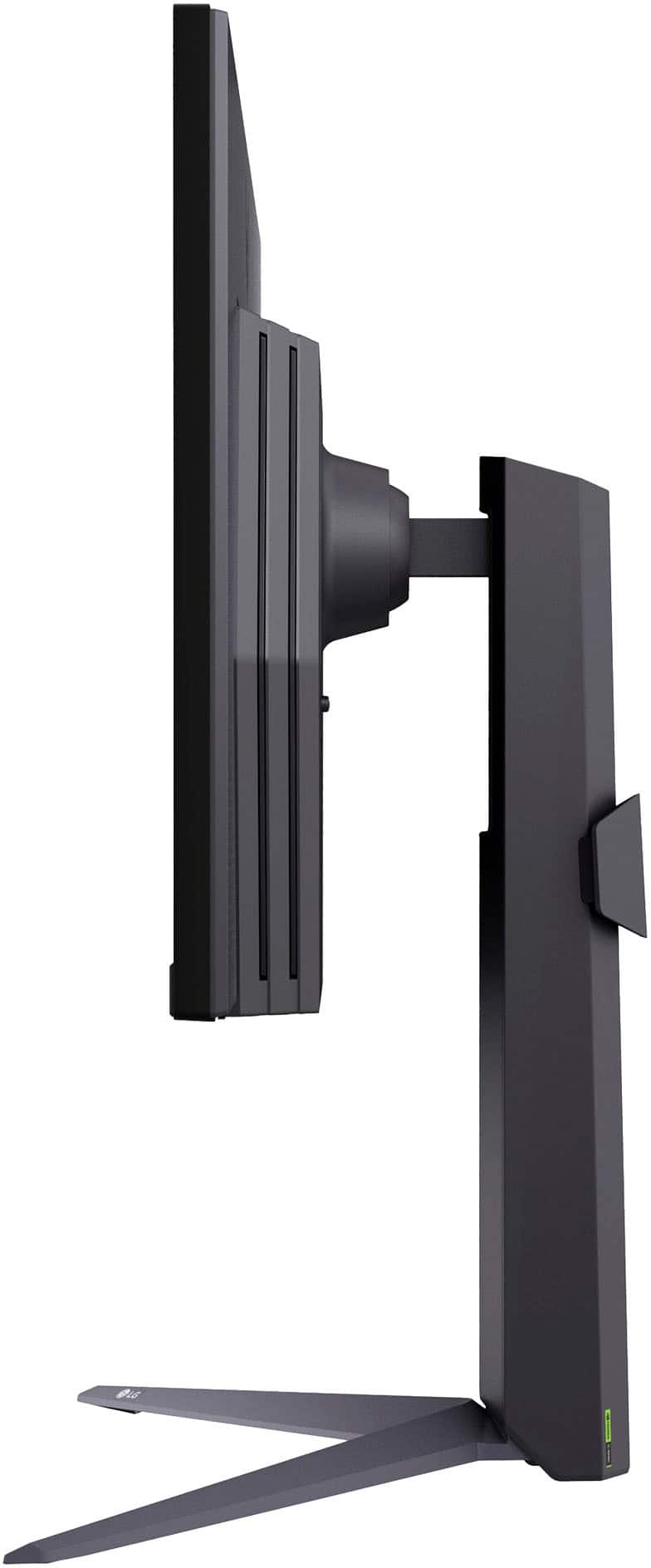
||Posted .This reviewer received promo considerations or sweepstakes entry for writing a review.The monitor works great. Amazing clarity, and a 144Hz refresh rate. The stand is not bulky, and can be worked to fit on even small desks comfortably. The tilt function is very sturdy. The monitor will not fall out of a tilted position like some cheaper monitors can do.
I would recommend this to a friend Good gaming and daily driver monitor
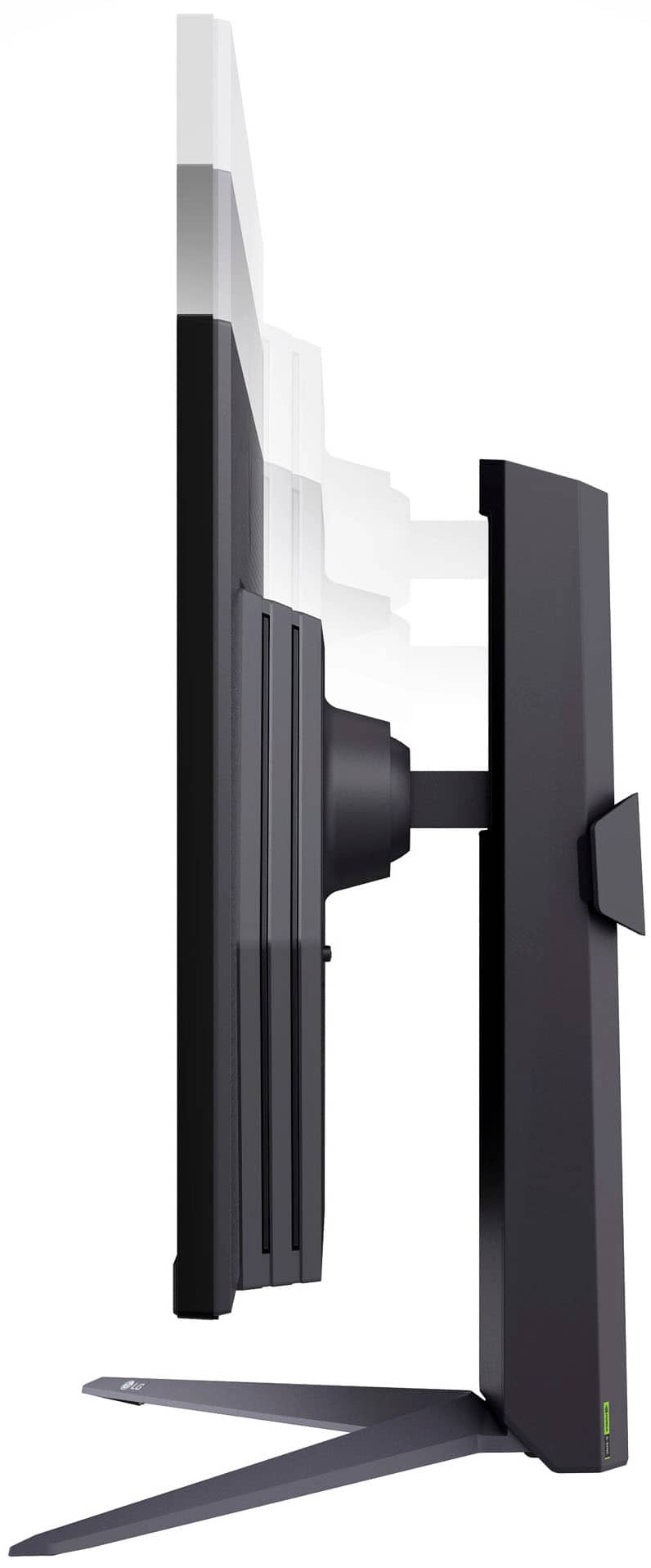
||Posted .This reviewer received promo considerations or sweepstakes entry for writing a review.Overall I am very satisfied with the monitor. The color and contrast looks good and it offers a lot of customization. I think the single button under the display is intuitive to use and the software that comes with the monitor is easy to navigate with the button. It would be better if the max brightness is slightly higher because during the day the glare from the sun ever so slight obscures the display. However at the price point I think the display is really good. Also, the stand is very nice in that it offers customization in tilting angle as well as height adjustment. If you are looking into 1440p gaming monitor and you are looking for a $200 level monitor you should consider this.
I would recommend this to a friendReview
||Posted . Owned for 3 weeks when reviewed.This reviewer received promo considerations or sweepstakes entry for writing a review.The LG UltraGear 27″ QHD 180 Hz monitor offers excellent performance and value for gamers. The IPS display delivers sharp 1440p visuals with vibrant colors and wide viewing angles, while the 180 Hz refresh rate and 1 ms response time provide smooth, responsive gameplay. G-SYNC Compatible and AMD FreeSync help eliminate screen tearing and stutter. Build quality is solid with a fully adjustable stand and slim bezels, making it suitable for long gaming or work sessions. HDR10 support is basic and adds only a modest visual boost, and there are no built-in speakers, but these are expected trade-offs at this price. Overall: A strong mid-range gaming monitor that excels in smooth performance and image quality at 1440p.
I would recommend this to a friend- Pros mentioned:Hdr, Overall performance
Great monitor for the price.
||Posted . Owned for 1 week when reviewed.This reviewer received promo considerations or sweepstakes entry for writing a review.Excellent monitor. Great specs for the price compared to overly costly monitors. The quality and color depth is great. HDR options and refresh rate really look great with the right video card setup. Cable management could be a little better but thats a small gripe. Highly recommend.
I would recommend this to a friend - Pros mentioned:Overall performanceCons mentioned:Brightness
Decent monitor for gaming
||Posted . Owned for 3 weeks when reviewed.This reviewer received promo considerations or sweepstakes entry for writing a review.The monitor is pretty decent. Controls are easy to use and build quality is good. Platform instead of v shape base might have been better but it isn’t a deal breaker. I’d say the only downside is brightness level is a bit lacking. In a room with a lot of natural light, it was noticeable that it could have been brighter. In a dark room is perfectly fine. Display quality is great though.
I would recommend this to a friend - Pros mentioned:Overall performance, Refresh rate
Bang for the buck monitor!
||Posted . Owned for 2 weeks when reviewed.This reviewer received promo considerations or sweepstakes entry for writing a review.It's a great bang for your buck monitor. Even though the peak brightness is 300nits, (I believe in HDR Mode) the picture quality is great. It's clean and the pixels don't stand out like a sore thumb. 200hz is definitely a bonus if you want smooth gameplay. The only thing that the monitor needs is a local dimming feature. There is no backlight bleed but the ips glow could have been mitigated.
I would recommend this to a friend - Pros mentioned:Overall performanceCons mentioned:Speakers
Amazing monitor
||Posted . Owned for 3 months when reviewed.This reviewer received promo considerations or sweepstakes entry for writing a review.The monitor has been great, ever since purchase I have been able to play all the games I wanted to play. I do wish that it came with speakers tho
I would recommend this to a friend