Customer Ratings & Reviews
![ESC F1 F2 F3 F4 F5 F6 F7 F8 F9 F10 F11 F12 PRTSC SCRLK PAUSE - - 1 ! 2 3 # 4 $ 5 % 6 A 7 & 8 * 9 ) 0 ) - - INS HOME PGUP NUM / I TAB Q W E R T Y U I O P t { ] I I DEL END PG DN 7 HOME 8 9 PG UP CAPS A S D F G H J K L : : A ENTER 4 5 6 SHIFT Z X C V B N M K > / ? SHIFT T 1 END 2 3 PO DN ENTER CTRL ALT ALT FN CTRL 0 INS DEL](https://pisces.bbystatic.com/image2/BestBuy_US/images/products/6246/6246903_sd.jpg)

- Model:
- 920-008924
- SKU:
- 6246903
Rating by feature
- Value
Rating 4.4 out of 5 stars
- Quality
Rating 4.8 out of 5 stars
- Ease of Use
Rating 4.7 out of 5 stars
Customers are saying
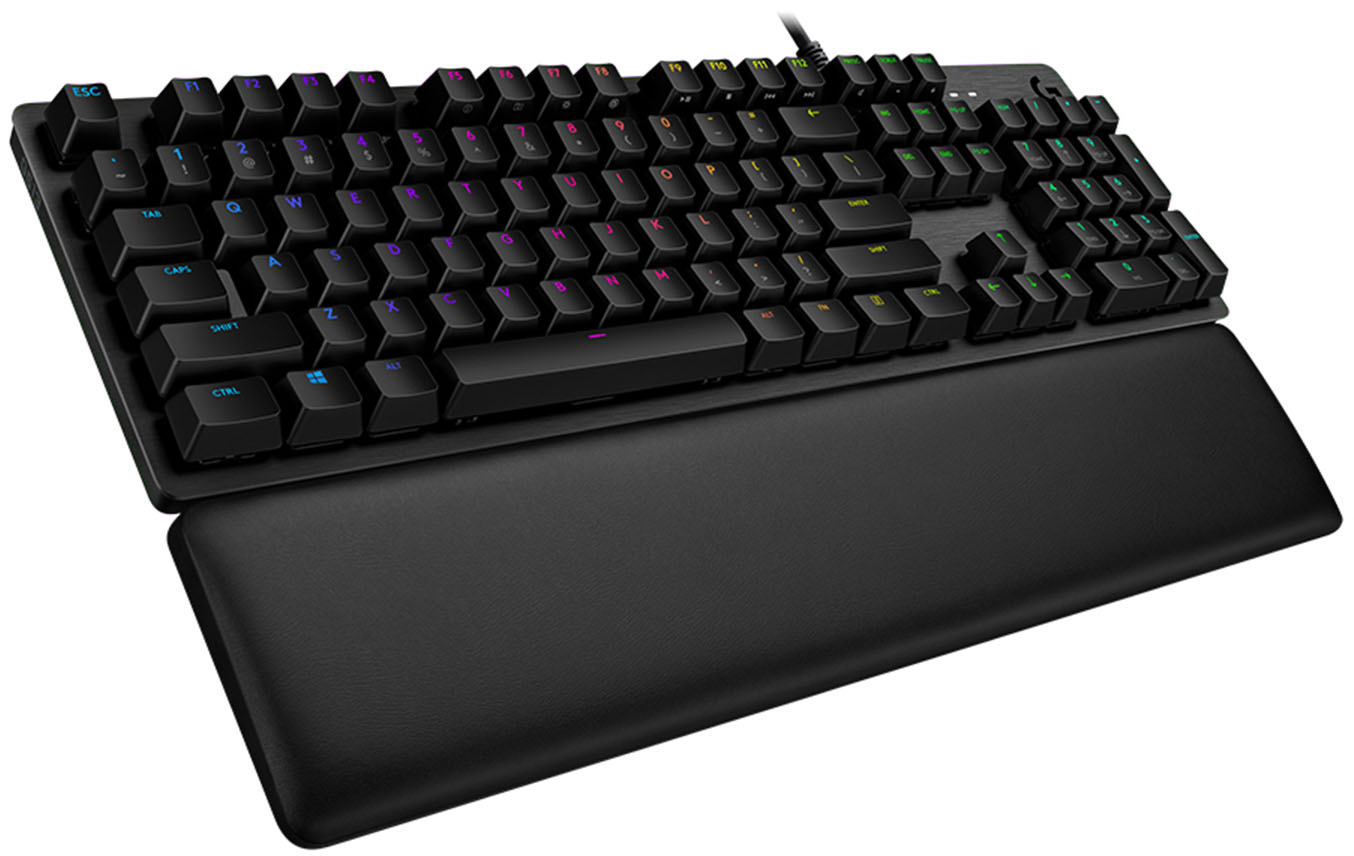
Customers are delighted by the high-quality build, responsive keys, and customizable RGB backlighting of the G513 Carbon keyboard. Many appreciate the comfortable wrist rest and the ease of use, finding the typing experience satisfying. While some users experienced minor issues with the software and the lack of dedicated media controls, the positive feedback on the keyboard's core features outweighs these concerns. The clicky switches are frequently praised for their satisfying feel.
This summary was generated by AI based on customer reviews.
- Pros mentioned:Keyboard quality, Rgb backlighting
perfect for all except gaming. I need space cod
||Posted . Owned for 1.5 years when reviewed.This reviewer received promo considerations or sweepstakes entry for writing a review.excellent keyboard too long for fps call of duty I think is too big for fps gaming but overall is quality right here. solid. love it for my everyday use. I play tilted so it’s too long. it’s clicky. most gamers prefer tactile or libear but this keyboard is fun. it is solid. it’s beautiful and rgb lights are strong. you’ll have fun with it. maybe ill try to go back to it but I am happy with my red dragon 60% keyboard
I would recommend this to a friend - Pros mentioned:Key feel, Rgb backlighting
Great mechanical keyboard
||Posted . Owned for 1 year when reviewed.This reviewer received promo considerations or sweepstakes entry for writing a review.Love the keyboard. It’s a mechanical keyboard so it’s very loud but it feels great to type on. It has a few preset lighting options, however downloading the software let’s you customize the backlight. The only reason I didn’t give it a 5 star is because it could use more button’s especially at this price point.
I would recommend this to a friend - Pros mentioned:Keyboard qualityCons mentioned:Software
Missing Something…
||Posted . Owned for 2 months when reviewed.This reviewer received promo considerations or sweepstakes entry for writing a review.Great keyboard. Love the blue switches. But the software from Logitech is kinda trash and it feels a little TOO big. Otherwise, great keyboard.
I would recommend this to a friend - Pros mentioned:Keyboard quality
Great Keyboard
||Posted . Owned for 1.5 years when reviewed.This reviewer received promo considerations or sweepstakes entry for writing a review.It's sturdy, and the mechanical clicking is very satisfying. It is loud enough that someone upstairs will hear the typing late at night though.
I would recommend this to a friend - Pros mentioned:Wrist rest
Not for first time typist&lost design opportunity
||Posted . Owned for less than 1 week when reviewed.This reviewer received promo considerations or sweepstakes entry for writing a review.I purchased this keyboard since PC Magazine online 2020 reviews indicate that this keyboard is "Best for Heavy Typists Who Are Also Gamers". My previous Dell keyboard after a decade finally bit the dust, and it was time to find a good mechanical keyboard that can handle heavy typing + use it for gaming. After using this keyboard for a couple of days, I am giving this keyboard 2 stars due to: * Upper shift characters lack illumination and they are swapped, compared to "normal" keyboards. If you are not a seasoned typists and had not memorized the QWERTY configuration, you're going to be be confused when you type on this keyboard then you go to work using a traditional keyboard. the number keys on the top row (below the function keys) are swapped. See photo for difference. Now, if the "upper" characters illuminated when you press the Shift key (or with caps lock on), this would not be an issue. However, Logitech did not put this design on this keyboard, and for $130, that is a major oversight. * No Num lock indicator. If you use the numeric keypad on the right, there is no way for you to tell if the Num lock is on or off. You just have to test it beforehand. * No USB 3.0 support. The keyboard uses 2 USB ports, and it has a USB passthrough port on the right back. This only support USB 2.0, not USB 3.0. Even if you have a USB 3.0 ports or hub, it will downgrade your USB passthrough to USB 2.0. Again, for $130, this is a stupid oversight. Luckily, I have a large USB 3.0 hub with 10 ports, so I can live with this design limitation. The feel of the keyboard is fine for typing. It does come with a nice sturdy wrist rest, so from a general use standpoint, the keyboard is fine. Just be aware of the above differences and you decide if you can live with them (or not). Ensure you also get the online manual from Logitech support web page. There is no manual with the keyboard, just the link info to get the manual. You will need it to learn how to turn off or change the flashing psychedelic colors illuminating from all the keys, which was the default setting. At least you do not need to install the Logitech gaming software to change the keyboard light settings.
No, I would not recommend this to a friendBrand response from Logitech
Posted .Hello, I am sorry to hear you are not satisfied with the product. Thank you for taking the time to write this review, we appreciate the feedback.
- Pros mentioned:Keyboard quality
Sold keyboard
||Posted . Owned for 1 month when reviewed.This reviewer received promo considerations or sweepstakes entry for writing a review.Great keyboard ⌨️ for typing and gaming I’m glad I chose this as my very first gaming keyboard
I would recommend this to a friend - Pros mentioned:Key feel
Excellent keyboard
||Posted . Owned for 6 months when reviewed.This reviewer received promo considerations or sweepstakes entry for writing a review.The keys are fantastic! Been using it for a couple of months- I can type way faster on this than on my old membrane keyboard.
I would recommend this to a friend Logitech - G513 Carbon Full-size Wired Mechanical
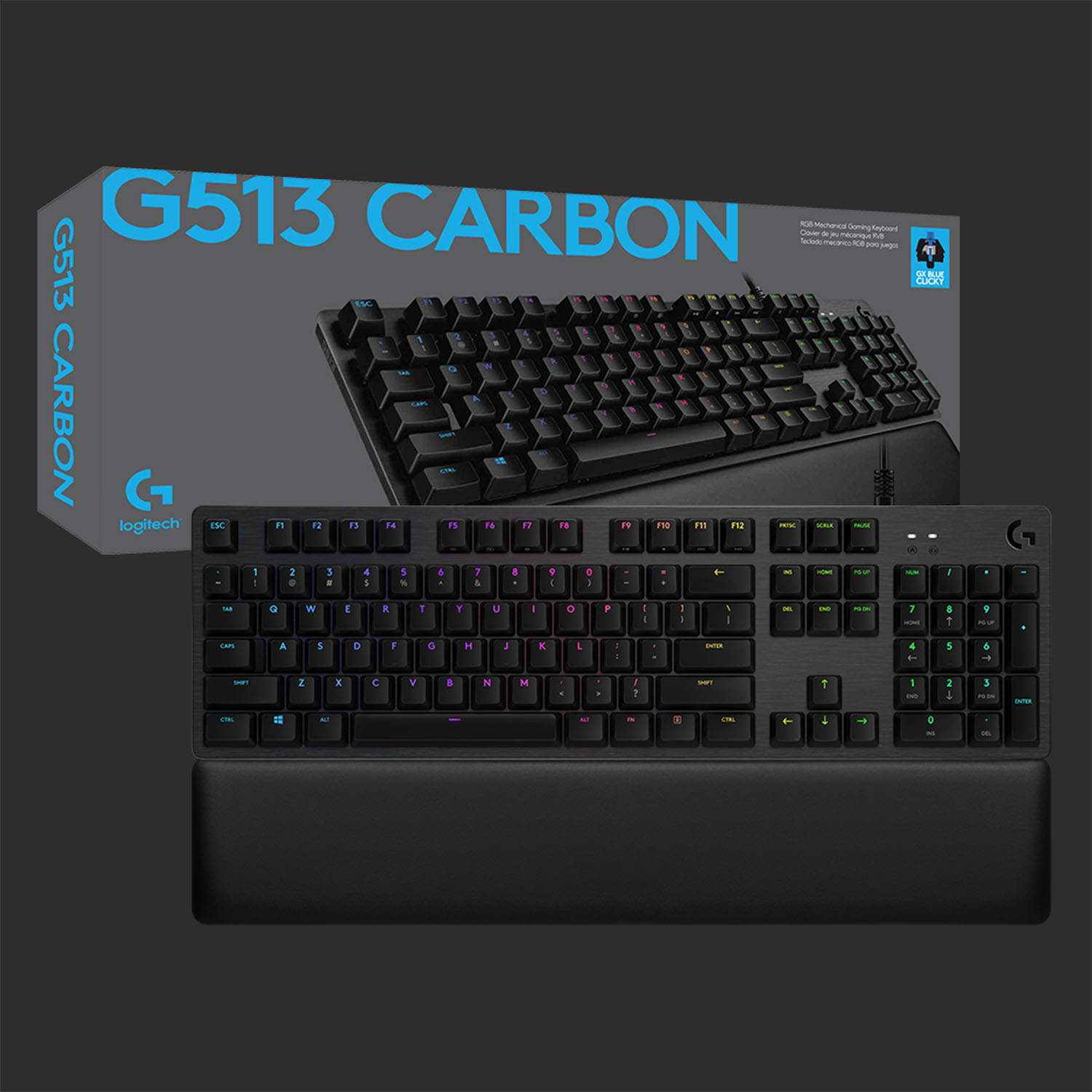
||Posted . Owned for 1 week when reviewed.This reviewer received promo considerations or sweepstakes entry for writing a review.We recently purchased the Logitech - G513 Carbon Full-size Wired Mechanical GX Blue Clicky Switch Gaming Keyboard with RGB Backlighting - Carbon! Received in excellent condition and it works perfectly.
I would recommend this to a friendHorrible keys, letters wear out fast.
||Posted . Owned for 10 months when reviewed.This reviewer received promo considerations or sweepstakes entry for writing a review.I bought this Gaming Keyboard for my daughter and within less than a year the keys are worn out. My son has had his Corsair keyboard for over five years and the keys still look great.
No, I would not recommend this to a friend- Pros mentioned:Keyboard quality, Rgb backlighting, Wrist restCons mentioned:Media controls
Great build quality and clicky, two minor issues
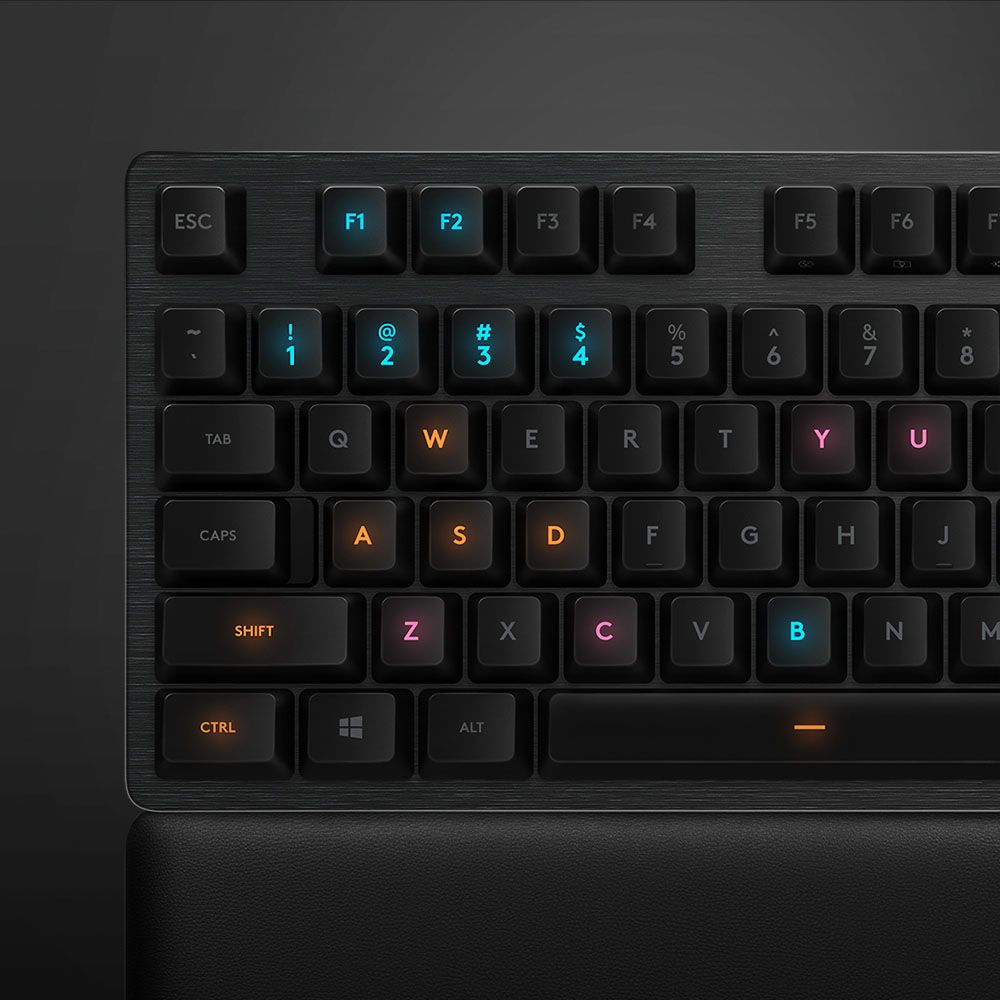
Posted .This reviewer received promo considerations or sweepstakes entry for writing a review.Got this after I tried the Corsair K68. The Corsair was too steep and the included wrist rest did not help alleviate any pain after light gaming. The G513 is honestly the most comfortable non-ergonomic keyboard I've ever used. I've got relatively small hands and chubby fingers and this keyboard is perfectly sized for me. The included wrist rest is especially nice. I really only have two issues with this keyboard, one of which I realized ahead of time, and the other I didn't realize until I plugged it in. First, the G513 doesn't come with dedicated media controls. Ultimately, it's not that big of a deal as you can invert the function keys (how often do you really use F9-F12, anyway?). The second issue is the one I didn't realize until I got home--the secondary characters on keys that include them (all the numbers and punctuation marks) don't light up. This isn't a huge deal as I normally type in relatively well lit environments, but is kind of a pain in the dark. I typically game in darker environments, and generally don't need the $ when I'm pwning newbs. Ultimately, I have no idea why they didn't make the secondary characters translucent, as well. They were on the G413. Despite the issues, it's still the nicest keyboard I've ever typed on. The build quality is excellent--there's no flex, at all. The GX Blues have an extremely satisfying loud click and tactile feedback. The Logitech G Hub software is great (way better than Corsair's iCue) and the RGB is vibrant (though not on the secondary characters as mentioned before).
I would recommend this to a friend - Pros mentioned:Keyboard quality, Rgb backlighting

Possibly the best keyboard I've ever used
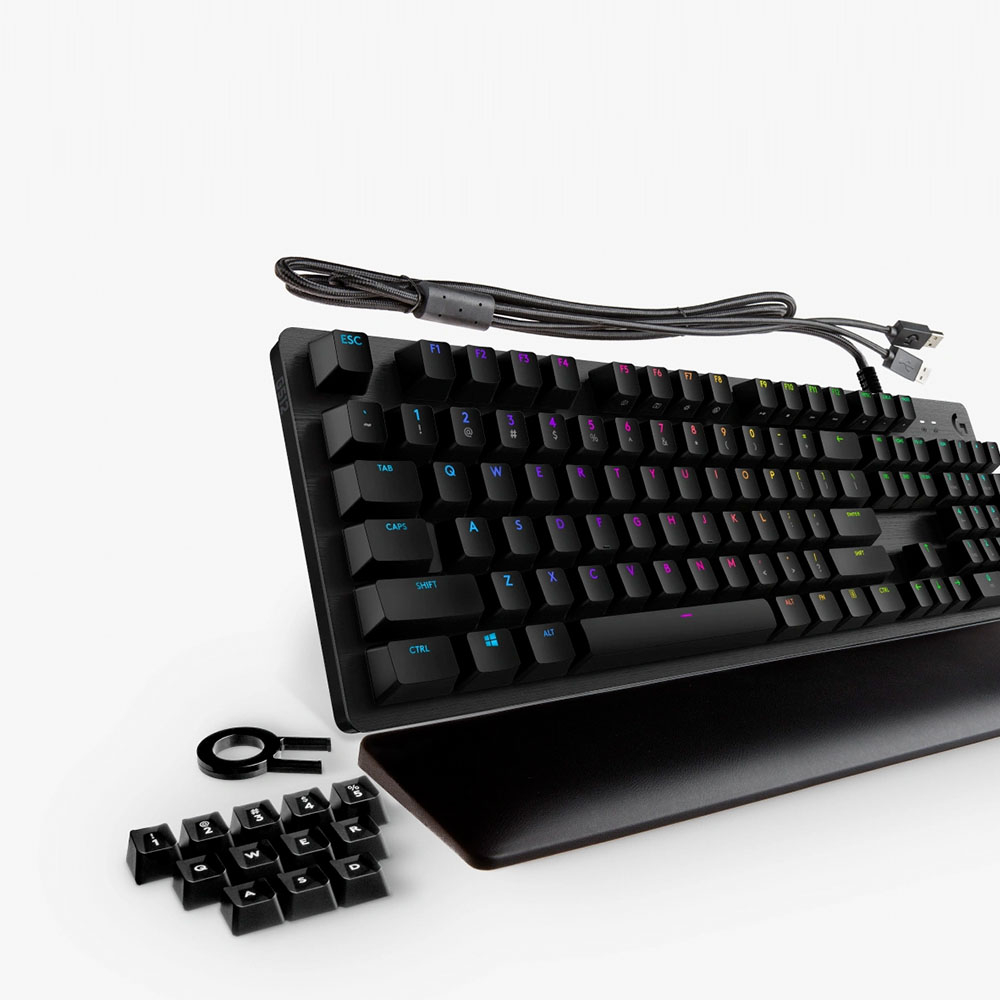
|Posted .This reviewer received promo considerations or sweepstakes entry for writing a review.** The Good ** This is one solid keyboard, thanks to having an aluminum case, which also gives the G513 a very distinctive look compared to keyboards from other manufacturers. The build also give the keyboard some serious heft, so there’s no worry about the keyboard sliding on your desk, even during intense gaming moments. The key switches, while they are not Cherry MX Blue, are extremely responsive and have a very satisfying (and loud) audible feedback. Logitech created their own switches to compete with Cherry MX, and they did an excellent job. Included in the box are extra keycaps and a keycap puller, allowing you get the most out of the G513 for as long as possible. Included in the box is also a very comfortable palmrest. It doesn’t attach to the keyboard, so you’re free to adjust and move it to whatever position feels the most comfortable to you. It has rubber feet on the bottom, so it shouldn’t slide around on your desk while in use. Logitech included a USB type A port on the back of the keyboard to allow you to charge your phone or any other device, since the G513 keyboard does require two USB type A ports on your PC to function. I don’t have a shortage of USB ports on my tower, but it’s still a nice feature that Logitech included. After downloading the Logitech Gaming Software, you can create your own custom macros and select what RGB light pattern you want, or you can just choose to be boring and have a solid, permanent color. ** The Bad ** Honestly, the only thing that I could possibly nitpick about the G513 is the lack of dedicated physical macro keys. However, you can create your own special macros using Logitech’s Gaming Software (see screenshot). ** Bottom Line ** The Logitech G513 is an excellent choice if you’re looking to buy a new mechanical keyboard. It has a very solid and premium build. The key switches, while not Cherry MX, are still extremely tactile, responsive, and sound great. When paired with the Logitech Gaming Software, you can customize the keyboard’s RGB patterns/effects and create your own custom gaming macros.
I would recommend this to a friend - Pros mentioned:Key feel, Keyboard quality
Not your grandma's keyboard
|Posted .This reviewer received promo considerations or sweepstakes entry for writing a review.This may look like just your average keyboard at first glance, but don't be deceived; the Logitech Gaming G513 Wired Mechanical keyboard is anything but average. It has so many options for customization that it actually is somewhat overwhelming. It is very simple to plug-and-play however the real fun comes when you download the software and get to tinker around with all the options. However, that is also one of the drawbacks. For a noob, it may be somewhat diffucult to navigate through all the options and fortunately the software comes preloaded with a few set ups to play with including one for gaming. I love the illuminated keys for gaming because sometimes my hands get out of place and it's very easy to get back on the right spot with a quick glance. The keyboard itself feels very sturdy and does not take up any more space on your desk than it needs. It also comes with a comfortable wrist cushion and extra buttons for replacement. The feel of the buttons is very smooth however, like all mechanical keyboards, is also loud and sounds like you're typing on an old typewriter. It is also very responsive and works great for gaming. I would recommend this to anyone in the market for a gaming keyboard as it definitely holds its ground against the higher end gaming keyboard competitors and is from a very reputable company.
I would recommend this to a friend Click, Clack, Top of the Pack
|Posted .This reviewer received promo considerations or sweepstakes entry for writing a review.Logitech’s G513 Carbon with GX Blue Switches is a new entry into Logitech’s mechanical keyboard range, updating the G512 by swapping the Romer-G switches for the new GX Blues. These switches are modeled after the popular MX blue style switches which are now made by many manufacturers, and Logitech saw it fit to include them in a svelte offering that blends in with the dark keyboard crowd but packs some excellent gear that’s sure to please typists and gamers alike. A disclaimer: mechanical keyboards are very subjective. My preference for blue switches will undoubtedly lead me to favor this model over other offerings, and I have done my best to present the merits and shortcomings of the keyboard neutrally. Please sample this keyboard at a Best Buy store prior to purchase to determine if the switches are right for you. - Packaging and Design Continuing Logitech’s trend to transition to minimalist packaging, the G513 comes as barebones as it gets, with the only in-box documentation being a notecard for warranty information and a quickstart guide with the Logitech support web address. Given that this is a keyboard, however, with the setup consisting of pretty much just “plug it in,” this makes sense. The G513 Carbon is an impressive slate keyboard with a brushed aluminum/magnesium alloy comprising the base plate. It has some weight to it, but most of the anti-skid comes from the rubber feet; the back two of which flip-down to give the keyboard an angle for those who prefer it. Floating (frameless?) keycaps mean cleaning the keyboard is an air-duster breeze. Keycaps appear to be doubleshot PBT, resulting in clean, uniform RGB lighting across the board. As this is a standard 104-key US keyboard with a slim base, there are no dedicated G keys as there are on some other offerings by Logitech, but these can still be assigned to the function row. Along the backside of the keyboard, a passthrough USB 2.0 port (not 3.0, sadly) means a wireless mouse receiver or other device can be directly connected, and in the event that device is a headset, a channel running underneath the keyboard (and palmrest) can keep the cord and keyboard flat along the table during gaming. Unfortunately there is no headphone or microphone passthrough. Curiously, Logitech included a 1/4” tripod mount at the rear of the keyboard, but this is not mentioned in any documentation or online features. It is possible this is for a future accessory, or was intended to be used as a microphone mount for streamers or a cell phone mount for use with future Logitech HUD software. - Performance & Use Logitech’s GX Blue switches are nothing short of excellent. They have a slightly higher actuation force than typical MX blue switches, but the post-actuation resistance seems higher than MX blues, resulting in what I perceive as a smoother “click” than competing blue switches. The switches are perfectly consistent across the board with no noticeable variation in force or smoothness, which is crucial for any keyboard. Key actuation is similarly consistent throughout, and across the keyboard the point at which a stroke is registered is below the breakover. There were no instances where I accidentally hit a key with my fingers resting on it. In day-to-day use I found my typing speed was equal to my prior keyboard, which was also a blue-switch style keyboard that was getting long in the tooth. Gaming performance was similar as well, and while I was originally bummed that I lost dedicated hotkeys from my old board, I found I did not miss them after several weeks of use. The G513 includes a keycap puller tool and a set of concave keycaps for the Q/W/E/R, A/S/D/F, and 1-5 keys, and though they are not my preferred keycaps, they felt every bit as solid as the standard caps. One thing for which I was grateful the keyboard has is a standard assortment of media keys from F9 through the Pause key, which I use routinely to control movies and music. Another set of four alternate-function keys from F5 through F8 control the keyboard’s lighting and gaming modes, all customizable through Logitech’s provided software. - Customization: Software There are currently two Windows companion apps available for the keyboard: Logitech’s Gaming Software and the Logitech G Hub. The latter is currently in an open beta and is not yet feature-complete. Using either the Logitech Gaming Software or Logitech G Hub, the lighting on the keyboard is fully adjustable on a per-key basis, including brightness (by reducing the RGB color values). Fully programmable animations are possible on both softwares, but the Gaming Software currently has a selection of applets available that can animate the keyboard when events happen in other apps or games. For example, during police chases in an open-world crime game, the keyboard can flash alternating red and blue lights like a police cruiser, and notifications from messaging apps can cause the top row (or any set of keys) to flash to draw attention to them. I found the notifications useful for when I had the sound muted or my headset off. Both the Gaming Software and G Hub apps allow the function row to have up to 12 macros programmed and ready to go with one touch. These can be toggled always-on or off until Fn is pressed. Like with prior Logitech gear, macros are intuitive and easy to set up, and can perform mouse button functions in addition to keyboard commands. Additionally, as the keyboard does not have dedicated Num Lock or Scroll Lock indicator lights, the Gaming Software can overlay their statuses when they are toggled, along with Game Mode and G-Shift (function row macro/keyswap). - Customization: Hardware Those who like to install dampeners under the keys will find their options a bit more limited. The design of the stock keycaps is such that they have cross-members in the plastic that remove landing pads from consideration. Fortunately, standard o-rings work just fine despite an odd-shaped support. With 0.4mm (blue) rings installed, they provide sufficient sound reduction to not overpower a headset microphone and reduce the post-actuation throw comfortably. The switches themselves use a standard MX-style mounting platform and should accept any compatible keycap set...provided you find a set that matches the stock keycaps’ unusual dimensions. With a 108mm wide base, the spacebar is thinner than the common 6u bars while still being larger than 5.5 units, and the bottom row’s dimensions of 1.5u / 2x 1.25u / [spacebar] / 3x 1.25u / 1.5u do not seem to match any common layouts. It may be some time before aftermarket options appear, if the demand materializes at all. I did not take the keyboard apart so I can’t speak to PCB quality nor the possibility/difficulty of swapping switches. - Bottom Line It was surprising to find Logitech as competitive in the mid-to-high end mechanical keyboard space as they are with the G513 Carbon. The longer I used the keyboard (two weeks as of this writing), the more I liked it, and it didn’t take long at all for me to pack away my old mechanical keyboard and switch to this full-time. A couple minor disappointments quickly faded and left behind a fantastic full-size keyboard that I enjoy using for all purposes. It may not appeal to the mechanical keyboard die-hards, but that was not the point. This premium keyboard earned its premium price tag, and so long as you enjoy its GX Blue switches, you’ll enjoy this keyboard day-in and day-out. Highly recommended!
I would recommend this to a friendFor Gamers and TYPISTS!
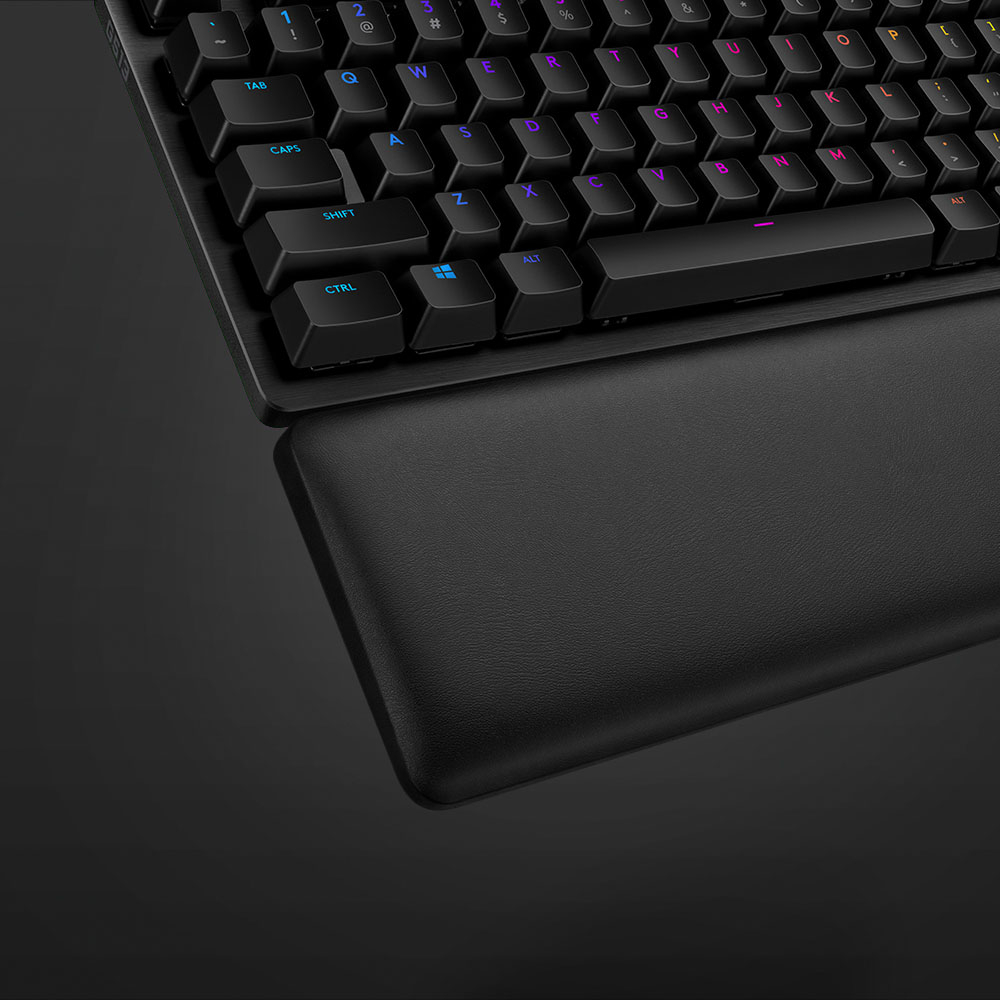
|Posted .This reviewer received promo considerations or sweepstakes entry for writing a review.If you’re a typist or a fan of the loud 80’s IBM clicky sounding keyboards and their tactile feel, there’s allot to like here. No 80’s mullet required. The keyboard feels solid and heavy. This will not slide or move unless you want it to. The keys are tall and mounted on top, so it’s a bit higher than the thin business keyboards that come with PC’s. The supplied palm rest helps with the height and is easy to clean. Unlike the noisy keyboards that went away as shared office space came in, there’s no empty void under the keys with on top of the base. As a result, no crumbs, hair, or other gunk will build up. A cleaner keyboard should work better, remain consistent, and last longer. The palm rest is well padded except at the edges, where my wrists seem to lay. The rest has a hard edge around the padding. Think of a pan filled with foam. An improvement would be to cut the edge down and have the padding extend to the edge or wrap over the edges. It’s not terrible, but could be better. They keyboard cable has two USB 2.0 plugs. You can use just one USB port for the keyboard and leave the second disconnected. The second cable is strictly for the USB 2.0 port on the keyboard. If you plug them into USB 3.x ports, you are still limited to USB 2.0 speed and power. The USB 2.0 port is located the back edge the keyboard by the ‘G’ logo. It’s useful for plugging in and/or charging a mouse. Because its limited to USB 2.0, backing up to a USB drive will be much slower than to a USB 3.x port. The software that manages the LED lighting is powerful. There are several effects, even one that lets the lights respond to music. Per Logitech’s web site, lighting profiles are available for 623 games as of late August, 2018. Only keys groups that are used in the game light up, and in different colors to help you quickly find them. Software updates will add new games as they come out. You can create your own keyboard layout picking defined colors from the presets or a pick a custom color from a wheel, then adjust the brightness to your exact liking. Then store it in your keyboards RAM so you can use it on a PC without the Logitech software. The lighted keys are nice for general work in a dim room as well. A warm red glow with 50% brightness worked well in the dark without being intrusive. There is minimal light bleed under the caps, barely noticeable, nothing that detracts. The keyboard also comes with a tool to remove the key caps. There are replacement keys for the Q, W, E, R, A, S, D, 1, 2, 3, 4, and 5 keys that have a different feel. These are the keys used by most popular games and help you find keys by feel. I bought this with the intention of using this for games and my wireless keyboard for work. It’s been a week and the wireless keyboard never made it back, its future looks bleak. This keyboard proved more versatile than I ever expected. It’s a solid hit. Logitech missed a market when they labeled it a ‘Gaming keyboard’ as its appeal is much broader than gaming, where it does excel.
I would recommend this to a friend- Pros mentioned:Wrist rest
Fantastic Keyboard - LOVE LOVE LOVE IT!
|Posted .This reviewer received promo considerations or sweepstakes entry for writing a review.I really love light-up keyboards. I've had one ever since the Logitech G15 (Original blue-LED model) came out, but I've also always loved mechanical-switch clicky keyboards dating back to the IBM Model F keyboard as my words-per-minute goes up about 20 words on them (not sure why!) This keyboard rates right up there with the best of them for me - best of both worlds with extremely bright light-up keys that can be individually colored and those wonderful mechanical switches. Seriously, I pouted when I went back to work the next day after getting this as the keyboard on my work computer felt like typing on wet cotton balls after using the G513! The wrist rest is also quite nice - it feels good and it doesn't slide around. I've seen some folks call it memory foam. I don't think it is, but it does have a nice firm feel about it. If you're looking for a keyboard, run out and try this one - you'll love it (if you don't mind the noise - which I don't!).
I would recommend this to a friend Garbage
||Posted . Owned for 10 months when reviewed.This reviewer received promo considerations or sweepstakes entry for writing a review.Garbage. The secondary keys are not lit and impossible to see at night. Do NOT BUY!!
No, I would not recommend this to a friendBrand response from Logitech
Posted .Hello KCom, we are so sorry to hear that the G513 keyboard did not meet your expectations. The G513 keyboard was built and designed with Gaming in mind. We wanted to optimize the gaming feel with a wide variety of switches and a comfortable wrist pad for long gaming sessions. We apologize for the inconvenience of the secondary characters not lighting up. Have a great day. -Ricky|Logitech
Responsive but Clicky
|Posted .This reviewer received promo considerations or sweepstakes entry for writing a review.---SETUP--- The setup for the Logitech’s G513 gaming keyboard is simple. After plugging it is, the computer recognizes it. Go to the website in the provided documentation to download the associated software to unlock it’s full potential. ---FEATURES--- The key feature of this keyboard is its customization options and access to existing gaming profiles. Customization-wise, this keyboard has it’s keys flash like a rainbow. This is optional if you find it distracting, but it looks very nice every time to press a key. The software detected games I already had install on my PC and asked if I wanted to download profiles for those games. I did so and it didn’t take long. It includes a very comfortable and oversize wrist rest, perfect for log sessions (though the wrist rest doesn’t attach to the keyboard itself, like my previous gaming keyboard). Additionally, it also has a USB 2.0 on the back, perfect for a wireless mouse receiver. I did notice it lacks a volume control on the keyboard itself. ---PERFORMANCE--- The performance of this keyboard is great. It is very responsive and accurate when gaming. When customizing it with the downloadable software, you can edit your gaming keys and program multiple settings as well as save well over 10 profiles for different games you play. ---EXPECTATIONS--- The product meets my expectations. In the video games I tested, I didn’t notice anything that would cause me to not recommend this keyboard. However, when you press on the keys, you will notice that the keys have a clicking noise that you may not be used to. Since I game with a headset on, I don’t hear it during gameplay. However, if using this to work and type documents, you may find it noticeable. Keep this in mind when purchasing. ---VALUE--- The price for the keyboard in terms of value is on par with its competitors. The lack of an on-keyboard volume control was a noticeable lacking feature but the oversized wrist rest compensates for that, as it is very comfortable. ---APPROVAL--- I highly recommend this product for gamers who seek to customize their keyboard and have some added flair. It is a very well constructed keyboard and the wrist rest pad is one of the most comfortable ones I’ve ever used.
I would recommend this to a friend- Pros mentioned:Rgb backlighting, Wrist rest
Tough Decision Between the G513 and the G815
||Posted . Owned for 4 months when reviewed.This reviewer received promo considerations or sweepstakes entry for writing a review.I absolutely love this keyboard. The G513 has a super comfortable wrist rest and has the type of switches I was looking for in a mechanical keyboard. I have this keyboard and then I was given a Logitech G815. The 815 has no wrist rest, which is a definite negative, except I use a full sized desk mouse pad - one of those gigantic 3' x 15" ones, so that's my wrist rest. The G513 has standard key caps, excellent fully addressable RGB lighting with the wonderful GHub software to back it up. GHub let's you create custom profiles or download custom profiles that other users have created. There are a bunch of games on Steam, GOG, and the other stores that give you extra contextual lighting on the games. Factorio, as an example, displays your health regen bar at the top, and blinks the T key when there is an open thing to train on the skill tree. The G513 is very comfortable to type on and game with. If you're looking for a thinner profile keyboard, go with the G815. That has laptop-style keys that still click. Logitech has an excellent 2-year warranty. If they ever discontinue your product while you're still within the warranty, they will upgrade your keyboard with the replacement. However, I purchased the extended warranty through here since it covers accidental damage and I can swap it out same day.
I would recommend this to a friend - Pros mentioned:Key feel, Keyboard quality, Rgb backlighting
Great choice.
||Posted . Owned for 1 week when reviewed.This reviewer received promo considerations or sweepstakes entry for writing a review.Great choice in a keyboard. Comes with more aggressive replacement keys for gaming that I appreciate more than I had expected. Colors light up nicely and the software is easy to set. I now have different lighting profiles specific to each game. I had originally intended to buy a different switch but they only had the mx blue switches in store. I have been surprisingly happy with them and would recommend them.
I would recommend this to a friend - Pros mentioned:Rgb backlighting, Wrist rest
I love this keyboard
||Posted . Owned for 9 months when reviewed.This reviewer received promo considerations or sweepstakes entry for writing a review.I have been using this keyboard for about 9 months and it’s still great. The wrist rest feels good, and since it’s detachable you can place it anywhere you want or just not use it at all. The color options are great, and I still think the Logitech app is the best one I’ve used.
I would recommend this to a friend