Customer Ratings & Reviews



- Model:
- 910-007024
- SKU:
- 6554347
Rating by feature
- Value
Rating 4.8 out of 5 stars
- Quality
Rating 4.8 out of 5 stars
- Ease of Use
Rating 4.8 out of 5 stars
Customers are saying
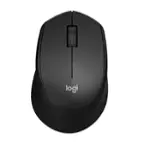
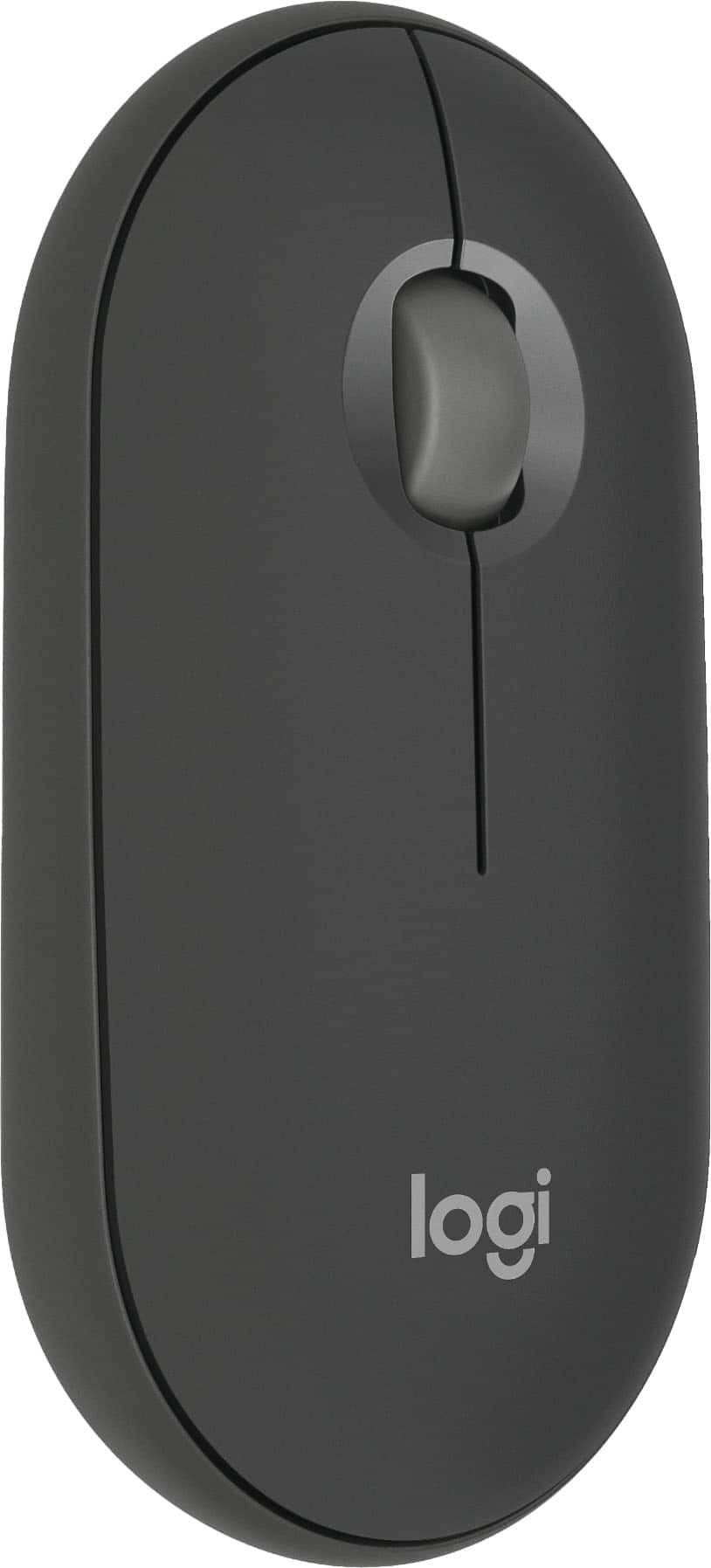
Customers have good things to say about the Pebble Mouse 2 M350s. The mouse is praised for its ease of use, slim size, and sleek design. Users appreciate its overall performance, lightweight feel, reliable connectivity, long battery life, attractive color options, broad compatibility, and quiet operation.
This summary was generated by AI based on customer reviews.
- Pros mentioned:Connectivity, Portability
Prefect little travel mouse!!!
||Posted . Owned for 3 weeks when reviewed.This reviewer received promo considerations or sweepstakes entry for writing a review.Great little mouse! I love the fact that it fits inside one of the pockets inside my bookbag nicely. I have had no isssues with the connectivity so far. However I will say it did take a little bit of fine tuning on my part between Windows mouse settings and the logitech software to get the pointer to feel right. Right out of the box it felt a little sluggish and that it was lagging. However after I found the right setting this thing feels great!!!
I would recommend this to a friendBrand response from Logitech
Posted .Thank you for the fantastic review of the Logitech Pebble Mouse 2 M350s! We’re delighted to hear it’s a perfect travel companion and appreciate your thoughtful notes on setup and performance. Your experience helps others get the most out of their device—truly appreciated!

- Pros mentioned:Size, Weight
What you need and nothing you don't want
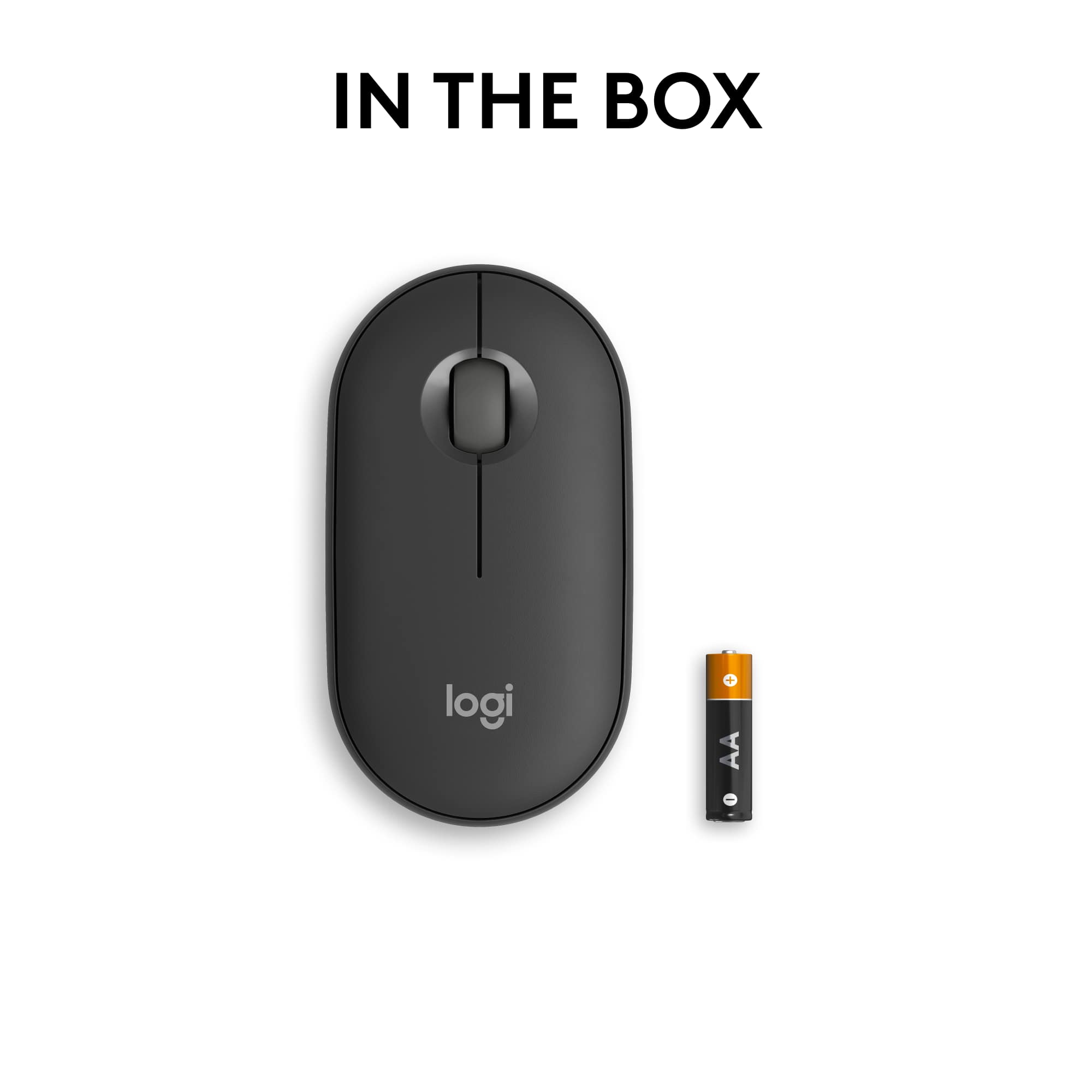
||Posted .This reviewer received promo considerations or sweepstakes entry for writing a review.Small, compact and lightweight. Simple mouse without any distractions. Good on/off switch but with Bluetooth Low Energy it only requires 1 AA battery (included) and sleeps to save power when unused. Logi Options+ software download adds features if you need them. I bought 2, one for my MacBook and one for Windows 11 on my HP, same great experience on both platforms.
I would recommend this to a friendBrand response from Logitech
Posted .We're absolutely thrilled to hear how much you're enjoying your Pebble Mouse 2 M350s! It's fantastic to know that its slim, lightweight, and compact design is exactly what you were looking for, offering a simple and distraction-free experience.
Impossibly slim, believably brilliant!
||Posted . Owned for 1 month when reviewed.This reviewer received promo considerations or sweepstakes entry for writing a review.I thoroughly enjoy this mouse! When originally searching for the companion for all of my future laptops and devices, I debated many options across several high-profile brands. However, nothing was matching my standards for a slim mouse that didn’t take up too much space in my laptop pouch while also not needing a USB plug-in. I wanted a bold look and robust Bluetooth power in a pouch sized form, which seemed impossible until I came across this Pebble. My goodness, it was everything I needed. Seamless switching across three devices. Slips into my laptop bag unnoticed. Long-lasting battery to power all of my projects. Consider this incredibly happy customer hooked! Cheers!
I would recommend this to a friendBrand response from Logitech
Posted .That's absolutely fantastic to hear! We are thrilled that the Pebble Mouse 2 M350s delivered exactly what you needed, meeting your high standards for a slim, space-saving design and robust Bluetooth power. Enjoy the seamless switching and quiet efficiency it brings to all your projects!
Nice thin mouse for travel
||Posted .This reviewer received promo considerations or sweepstakes entry for writing a review.This is an excellent mouse for travel, as its thinness allow it to be put into a sleeve or bag with little bulging. It is well constructed and has all the controls needed for day-to-day operations. It connects easily to my desktops and my laptops. It also looks very professional.
I would recommend this to a friendBrand response from Logitech
Posted .Thanks for taking the time to share your experience. We’re delighted the product is working well for you. Your feedback means a lot.
Silent and travels well
||Posted .This reviewer received promo considerations or sweepstakes entry for writing a review.Perfect low-profile mouse with silent clicking mechanism. Can pair up to 3 devices, making it perfect for those who have multiple devices or would like to use it at their home and work offices.
I would recommend this to a friendBrand response from Logitech
Posted .Thanks for your kind words! We’re proud to know our Logitech Pebble 2 M350s Slim Mouse is meeting your needs. Your support keeps us motivated.
Good value overall
||Posted . Owned for 6 months when reviewed.This reviewer received promo considerations or sweepstakes entry for writing a review.Does what it needs to and I like the ability to switch between different Bluetooth-enable laptops without needing to re-pair to each one every time. I do wish it had a non Bluetooth wireless USB receiver though since my PC doesn’t work well with Bluetooth enabled devices.
I would recommend this to a friendBrand response from Logitech
Posted .Thank you for sharing your feedback! We appreciate you highlighting both the positive aspects and areas for improvement with the Pebble Mouse 2. Your comments are very helpful.
- Pros mentioned:Portability
Perfect
||Posted . Owned for 1 month when reviewed.This reviewer received promo considerations or sweepstakes entry for writing a review.Looks and works pretty good. Meets expectations. Because of the shape, I knew that it was not going to be a very comfortable mouse, so the decision was made based on the ease of using it on two different systems, MacOS and Windows. It works perfectly. The battery has exceptional performance.
I would recommend this to a friendBrand response from Logitech
Posted .Hello, We're glad to hear you find the Pebble Mouse 2 M350s to be perfect! It's great that it works seamlessly across both macOS and Windows and that the battery life is impressive.
- Pros mentioned:Portability
Small size but easy to use and is very responsive
||Posted . Owned for 1 month when reviewed.This reviewer received promo considerations or sweepstakes entry for writing a review.I have 3 computers each with a dedicated mouse. I have used many others at work. This mouse is by far my favorite. Even though it looks small in my hand, it is very easy to use and is responsive to my needs. I am glad I purchased this mouse although I had initial doubts because I mistakenly thought it looked too small to use.
I would recommend this to a friendBrand response from Logitech
Posted .That's great to hear! The Logitech Pebble Mouse 2 sounds like a fantastic choice for a compact and comfortable mouse. It's always nice to find a product that exceeds expectations, especially when it comes to size and functionality.
- Pros mentioned:Portability
An incredible product.
||Posted . Owned for 3 weeks when reviewed.This reviewer received promo considerations or sweepstakes entry for writing a review.Finally I no longer need to have multiple mice for my computers, with the Logitech - Pebble Mouse 2 I can manage my laptop, tablet and even the TV. An incredible product.
I would recommend this to a friendBrand response from Logitech
Posted .We're thrilled to hear that you're loving the Logitech Pebble Mouse 2 M350s! Your positive feedback about its multi-device connectivity and protability is truly appreciated. We're glad it's enhancing your computing experience. Thank you for chooding Logitech!
WIRELESS MOUSE
||Posted . Owned for 1 month when reviewed.This reviewer received promo considerations or sweepstakes entry for writing a review.Excellent product. Very ergonomic design. I am changing my desktop mouse too.
I would recommend this to a friendBrand response from Logitech
Posted .We’re thrilled to know you’re satisfied with your Logitech Logitech Pebble Mouse 2 M350s Slim Mouse. Your input helps us shape better experiences for everyone. Thanks for your continued support!
- Pros mentioned:Design
Slim & Ergonomic
||Posted . Owned for 3 months when reviewed.This reviewer received promo considerations or sweepstakes entry for writing a review.I love this mouse! It allows you to pair and store up to three separate devices. It’s slim, ergonomic and economically priced.
I would recommend this to a friendBrand response from Logitech
Posted .Thank you for your kind words! We're glad you're enjoying the Pebble Mouse 2 M350s, especially its multi-device pairing, slim design, and ergonomic comfort.
Great little mouse
||Posted .This reviewer received promo considerations or sweepstakes entry for writing a review.Great little portable mouse. Easy to set up & comfortable to use. Only downside feels a little light weight, but overall good value for money.
I would recommend this to a friendBrand response from Logitech
Posted .Thank you for sharing your feedback! We appreciate you taking the time to let us know about your experience with the mouse.
Excelente Perk !!!
||Posted . Owned for 1 week when reviewed.This reviewer received promo considerations or sweepstakes entry for writing a review.This mouse works perfectly with my MacAir M3, it costs only a quarter part compared with the original brand.
I would recommend this to a friendBrand response from Logitech
Posted .We're thrilled to hear that the Logitech Pebble Mouse 2 M350s has been a great value-for-money option for your MacBook Air! Its compatibility and performance make it a fantastic choice. Thank you for sharing your positive experience.
Works with MacBook Air M1
||Posted . Owned for 3 months when reviewed.This reviewer received promo considerations or sweepstakes entry for writing a review.Great little basic mouse that does everything I need on my MacBook Air M1.
I would recommend this to a friendBrand response from Logitech
Posted .We're so glad to hear you're enjoying your Pebble Mouse 2 M350s with your MacBook Air M1! Thanks for the great review and for choosing Logitech. We appreciate you highlighting its slim, lightweight design and how it meets your needs.
Hands mouse cellphone.
||Posted . Owned for 1 month when reviewed.This reviewer received promo considerations or sweepstakes entry for writing a review.Awesome and great with any bluetooth product, except Apple products.
I would recommend this to a friendBrand response from Logitech
Posted .Appreciate your insights on the Logitech Pebble Mouse 2 M350s! It's excellent to know you find it so effective and widely compatible with Bluetooth devices. Your feedback regarding Apple product compatibility is certainly valuable.
- Pros mentioned:Connectivity, Design, Portability

Pocket-sized Powerhouse for Seamless Connectivity
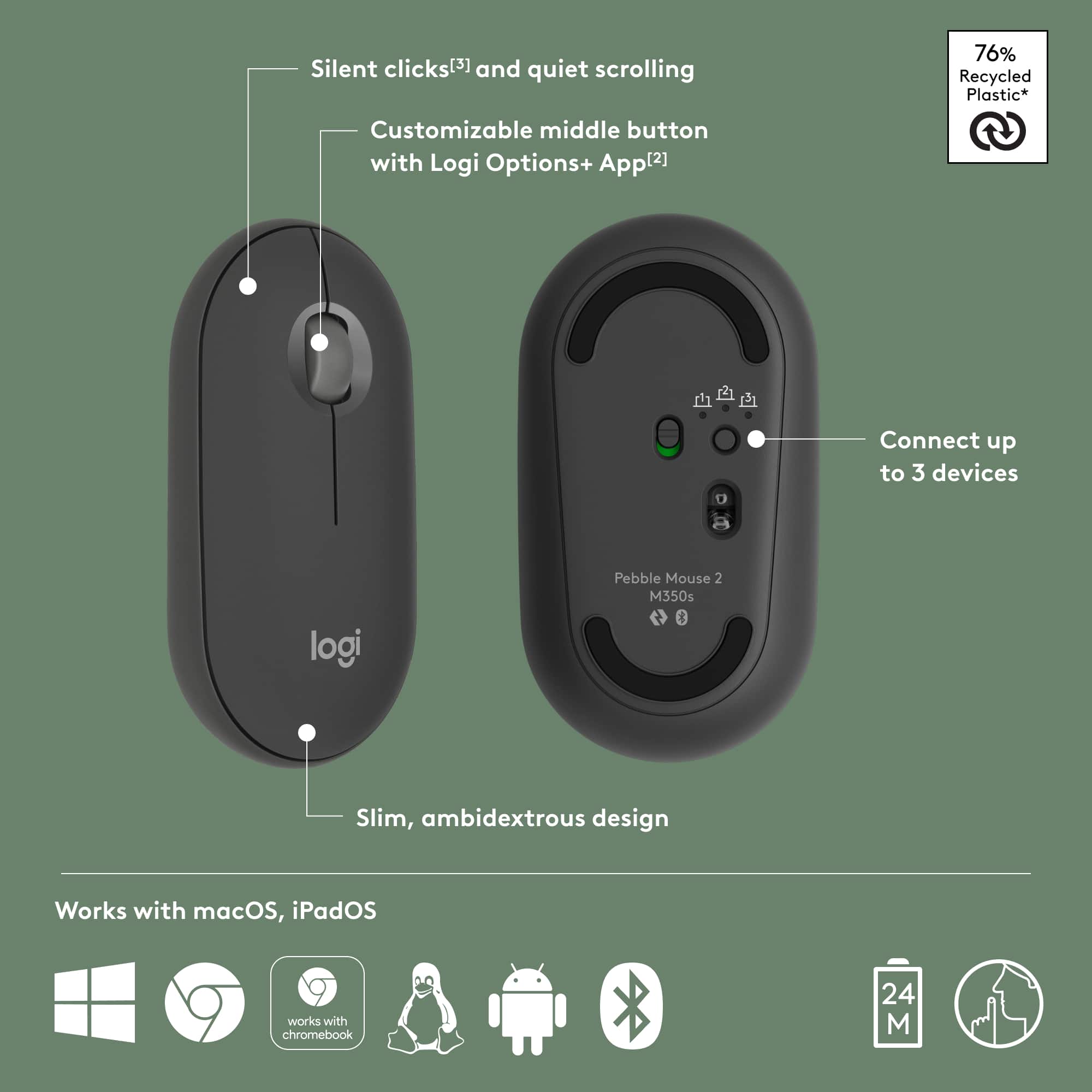
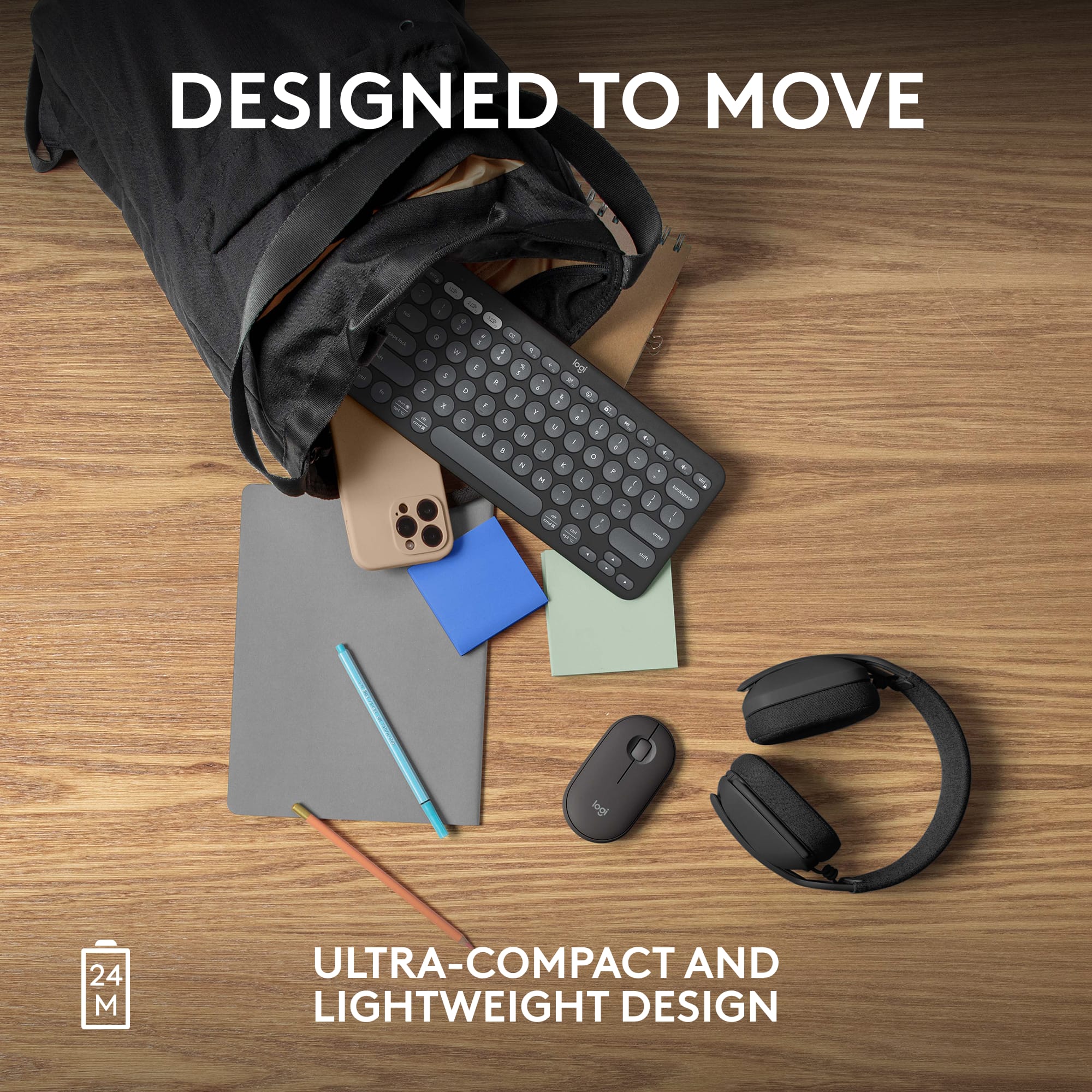
|Posted .This reviewer received promo considerations or sweepstakes entry for writing a review.Logitech's Pebble Mouse 2 M350s raises the bar for portable, wireless functioning, making it an essential accessory for tech-driven individuals. It boasts a beautifully minimalist design that houses surprisingly advanced and adaptable features. The first thing one notices about the Pebble Mouse 2 M350s is its exceptionally lightweight construction and its small footprint. Its ambidextrous, compact design makes it a loyal companion to your day-to-day tech activities – whether I was at work or home, I could easily slip the Pebble 2 into laptop bags, work bags, or even jeans pockets. The flat shape promises ease of handling, an attribute that not many travel mice can claim with confidence. The surface of the Pebble 2 mouse feels more secure in-hand with its slightly coarse finish. It also has an easy to remove top, held together by magnets, for battery replacement or a quick cleaning. The middle scroll button on the Pebble 2 is a particularly well-designed feature, providing a smooth and solid scroll response on a myriad of surfaces. Engineered for seamless experience, this device promises an extraordinary battery life of 24 months on a single AA battery—a nice addition for those on the move. One of the game-changing attributes of the Pebble Mouse 2 M350s is its ability to adapt and connect effortlessly with multiple devices. Switching between my iMac desktop, MacBook Pro, and Chromebook became a breeze thanks to the easy-switch button conveniently located at the bottom of the mouse. There is a limit of 3 devices that can be configured but that was all I needed personally. I was surprised at the ease of installation considering I had Chromebook OS, a 6 year old Imac, and a fairly new Macbook Pro. Installation on all three took less than a minute each. The downloadable Logi Options software is the mouse's secret weapon in customizing functionality, but also offers your basic settings such as scroll wheel and pointer speed adjustment. Speed settings were default at 50% and that felt just right for me. Although the customization extends only to the middle button for this specific device, the range of programmable smart actions and features it brings to the table—like emoji menus, screen capture, app open, etc.—is immense. The Logi Flow feature also stands out, allowing me to control several computers simultaneously and transfer files and text effortlessly among these devices, much like handling a double monitor setup, you can simply move off the edge of the screen, or copy and paste files from screen to screen. In your Logi Options settings menu you can also switch buttons for a left-handed setup if necessary. Despite all the positives, the Pebble 2 is not without its limitations. While it is perfect for portable use, I found it less than ideal for gaming or prolonged use, primarily due to its lack of ergonomic comfort. Also, despite being compatible with Chromebook, which marks a significant positive, software customization features are unfortunately missing. The Logitech Pebble Mouse 2 M350s, with its multitude of beneficial features like portability, extended battery life, and multi-device control, offers great value for its affordable price. Its uncomplicated functionality and adaptation across devices are remarkable, making this device a worthy contender in the tech sphere. Pros: Compact, lightweight design ideal for portability. Unmatched battery life of up to 24 months on a single AA battery. Seamless connectivity across multiple devices with easy switching. Robust customization features available with Logi Options. Perfectly suited for multi-device users and those requiring easy portability. Cons: Not ergonomically designed for prolonged use. Limited to middle button customization. (although it offers an almost infinite number of customizable features) Not ideal for users with larger hands or gamers. Chromebook compatibility does not include software customization features. In conclusion, I would highly recommend the Pebble Mouse 2 M350s to individuals who work across different devices and require a reliable, handy tool for easy portability and switching. I enjoyed the simplicity and convenience it offers in an increasingly multi-device tech environment.
I would recommend this to a friend - Pros mentioned:WeightCons mentioned:Scroll wheel
Outstandingly flexible, quiet, & travel-friendly!
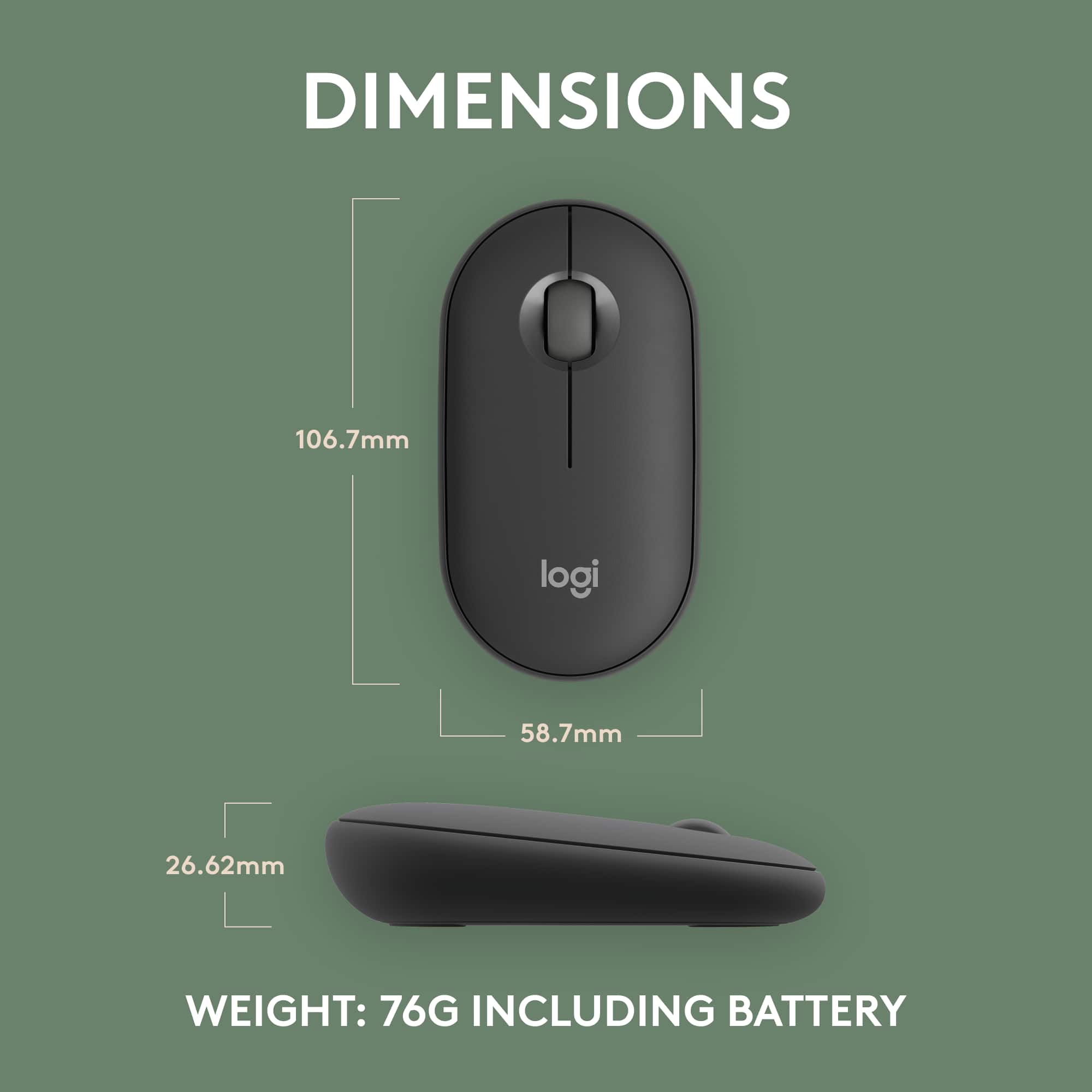
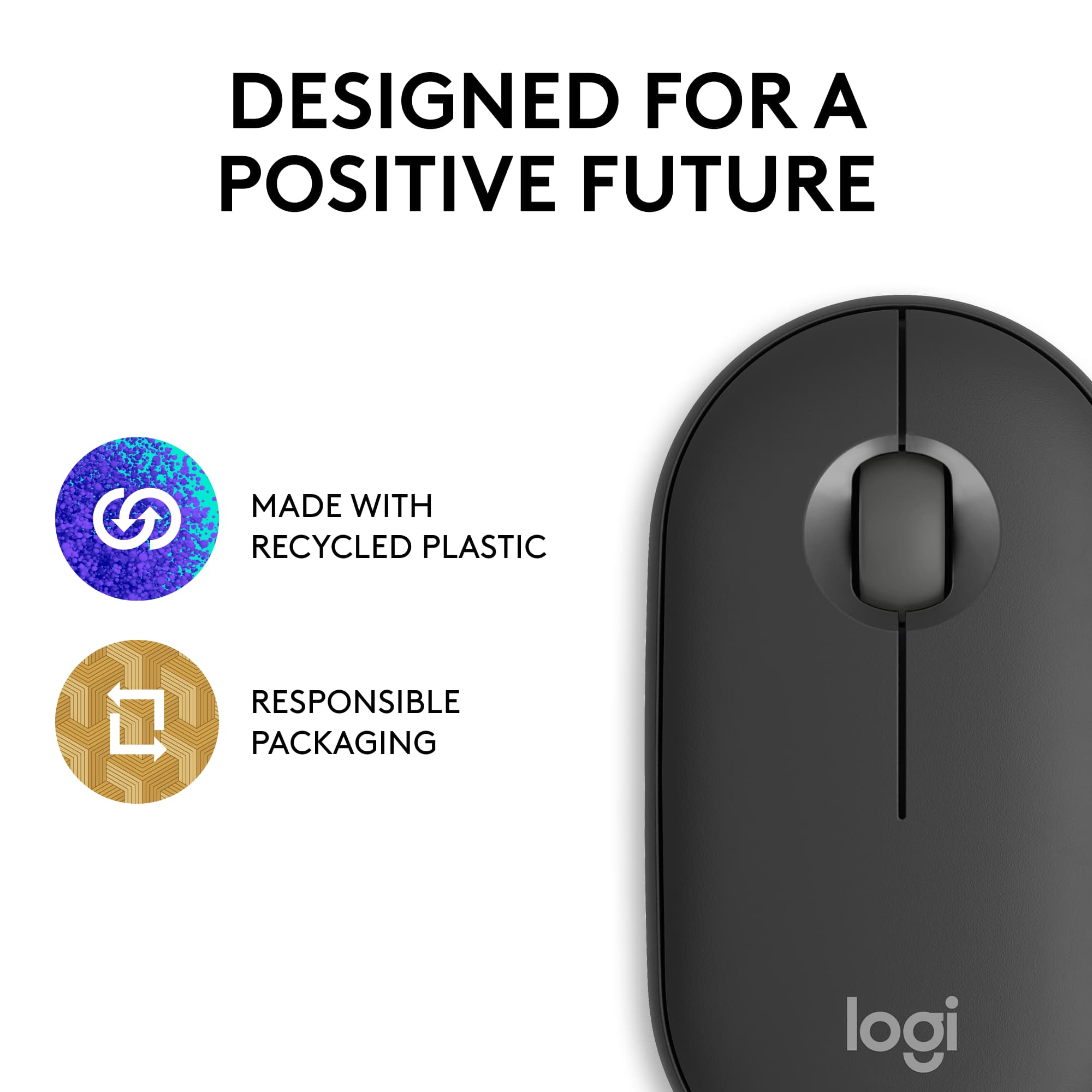
|Posted .This reviewer received promo considerations or sweepstakes entry for writing a review.The new Pebble Mouse 2 M350s ups the ante from Logitech’s previous Pebble Mouse efforts by offering quick-switch capabilities between 3 different devices, greater battery life, and higher DPI range while still retaining the same pleasant-to-hold/pleasant-to-use travel-friendly experience we appreciated so much with Logitech’s Made-for-iPad i345 Pebble Mouse. The budget pricing, Logitech’s typical bullet-proof performance and build quality, and the added customization available via the Logi Options+ companion app makes the M350s a solid option for mousing on the go. PROs: - Low-profile travel-mouse is easily pocketable/stowable and the identical form factor to all the other Logitech Pebble mice, and very similar profile to the Logitech Pop series mice, means plenty of carrying and protective cases are available as well. - Mouse clicks and scroll wheel action (including scroll wheel clicks) really are essentially silent--just as Logitech claims—I can’t imagine any situation you could find yourself in where mousing and clicking action would bother anyone - Ultra-fast BT pairing and the Pebble Mouse’s Quick-Switch button on the bottom lets you quickly and effortlessly toggle between up to three devices. The M350s is also compatible with the Logi Bolt USB receiver (though there is not one included in the package) and there’s even a storage slot for the receiver under the lid to keep it stowed away. - 400-4000 dpi range is adjustable in 100 dpi increments; the mouse seems to track very well on variety of surfaces and materials including those with little in the way of embedded patterns or surface tracking features like smooth table tops, fabric chair cushions or sheets, etc. - Powered by a single AA battery purported to last 2 years (!!!). And if you ever DO need to change it out, the upper lid is magnetically held in place so all you need to do is lift the top off, swap out a new battery, and place the lid back on…no fuss, no muss, no snapping of latches or hard-to-open battery doors. - The matte, satin-like finish isn’t overly smooth or glassy, so it remains reassuringly under hand; the gently rounded corners and sloped profile also help make the M350s very pleasant to both hold and use. The perfectly symmetrical design also makes the mouse ambidextrous for you or anyone you might loan out your mouse to. - You can use the mouse straight out of the box with limited to no customization beyond any that might provided by the host OS, but if you install the Logi Options+ software client, you get an amazing amount of customization options for a simple 3-button mouse including middle button function assignments or even “Smart Action” macros for various apps and programs; scrolling and mouse speed adjustments; left/right mouse button swap for you lefties out there; and Logitech Flow which acts as a virtual connection between two PCs so you can mouse from one PC’s screen onto another and even copy and paste files and data back and forth between them! - If you want to do even the smallest part for the environment with your consumer spending and consumption habits, Logitech claims that the Pebble Mouse’s graphite plastic construction contains 76% post-consumer recycled materials. CONs: - It is a small mouse that seems best suited to mobility (travel, student use, etc.) rather than heavy-duty daily use or for those with bigger hands. I have relatively large hands and while I can use the mouse with my tablet or my handheld gaming system, I wouldn’t want to use it at work or with my dedicated gaming PC because it does start to feel a bit…cramped…after a while. If you have smaller hands, or intend to use it solely on the go, this may not be an issue for you at all. - The design and feel of the scroll wheel may be an issue for some; it provides a slight tactile detent for each line of scrolling action, but the surface of the scroll wheel itself is rubberized yet totally smooth--there are no textures or ridges to provide for a more reassuring grip at your fingertip. - Although this mouse clocks in at just 76 grams, which makes it just about as light my full-sized ultra-light Logitech gaming mouse, the Pebble Mouse 2 doesn’t slide around on our smooth tabletop quite as deftly or effortlessly as I might have hoped. Granted, it’s certainly too much to hope for something like PTFE mouse feet/glides at this price-point, but the movement just isn’t quite as glassy smooth as I was expecting given its size and how light the mouse feels in the hand. Still, this isn’t a competitive gaming mouse so this is more wistful thinking than a legitimate knock on the M350s.
I would recommend this to a friend - Pros mentioned:Portability, Size, Weight
Barebones, but is as comfortable as it looks
|Posted .This reviewer received promo considerations or sweepstakes entry for writing a review.Most of us don't expect much from our mouse. We want a consistent connection, smooth scrolling, and a clicky button. Everything else is reserved for power users or at-home workers who need zoom and other features. You'll pay a lot more for those features, and that's the main difference between this logi pebble mouse and logi MX Master (see picture). The pebble is $30. The MX is $100. That's a huge difference. The pebble is exceptionally lightweight. At first, coming from the MX to the pebble was jarring because of the weight of it. The pebble seemed like it would break if I squeezed it too hard, but rest assured, it won't break easily. It's made very minimally but is sturdy, one of its features. It's light, made from two pieces, and works well. Dropping the pebble from your desk will not cause it to break into a million pieces. This thing is compact and strong. For those of us who like to work away from home, at a coffee shop or library (a thing we Northwesterners love to do), you'll want to bring your laptop and a mouse. That's where the pebble comes in. This is the perfect traveling mouse. It's so lightweight that you can place it in your pocket without being bothered. It can fit in the palm of my hand! That's why you want this mouse. I wish it had a way to stick to my laptop for even easier traveling, but I'll settle for my pocket. Logi is a reputable computer accessory company. They've got it figured out across the board. And anytime a company has one of the top-tier accessories (The MX), you can trust them when they make a barebones version of the same accessory. That's what they've done here. The pebble works just as well as the MX, with minimal features. If you don't need all the extra capabilities of the MX, do yourself a favor and get the pebble 2. You won't find a lighter, more minimal mouse by a reputable company for only $30!
I would recommend this to a friend - Pros mentioned:Size
Straight Up WINNER! It's Now My "Go To" Mouse!
|Posted .This reviewer received promo considerations or sweepstakes entry for writing a review.LOGITECH PEBBLE MOUSE 2 BLUETOOTH MOUSE 09/11/2023 I'm going to get most of my "gushing" out of the way right now and tell you that I LOVE LOVE LOVE THIS MOUSE!!! I cannot nitpick anything wrong with it and knowing what I know now, I would buy another one of these in a heartbeat if I need another one. Now that I have used it I cannot go back to using my old one. This mouse changed the feel of my laptop, literally. The first few hours with this mouse and I felt like I was on a new laptop. It made the interactions smooth and effortless. I swear even the tracking of the cursor just "felt better" and looked better, if that makes any sense. I'll tell you about one ISSUE that you need to be aware of if you are considering this mouse...and, honestly, you should be....it's a FANTASTIC mouse! Read to the end for a ***Hot Tip***. The Highlights are: The mouse is the Perfect Size AND Shape, in my opinion. It is super comfy to work with for hours on end while I edit videos and create content. It is made from recycled plastic which should be applauded by the majority. It runs with Bluetooth LE so a SINGLE BATTERY last up to 2 years!!! That's the bee's knees, in my book! It features a customizable “middle button click” action with the Logi Options+ App, which by the way is also SUPER FANTASTIC and customizations are supported on third party programs, webpages/services and apps! You can seamlessly apply custom middle click actions to all sorts of different things! Like Youtube, Spotify, Chrome, Edge, MS Powerpoint, Word, Excel and just about every other application you have on your machine/devices. The software is super easy to set up, the walk through does everything for you and you can customize the mouse the way you want to through it. When they say "High-precision optical tracking" they are NOT kidding! It's really THAT good and worth the mention. Also, the DPI range is 400-4000 dpi that is fully adjustable with 100 DPI increments. The only default I didn't like was "smooth scrolling" because the page kept moving softly and slowly after I was off the wheel and I couldn't come to terms with getting used to it. I was able to turn that off and go back to the scrolling method that is native to Windows. It's nice that they do not force you to use a feature they "think" is better and they let you pick and choose what you want the mouse to do when you do stuff on the mouse. Bottom Line: This mouse is SWEET! Now that I have it and know what it is all about, I think Logitech is about to sell one more Pebble Keyboard now, because I am now super curious about it if the mouse is THIS GOOD. They got me y'all! They got me.... THAT should tell you something right there! I am willing to buy more products from this line just because this mouse has been such an awesome experience. I've had no issue maintaining a connection, even when controlling my tablet, mirror casted to the bedroom tv while I am in the living room with the Pebble Mouse, with the kitchen, laundry room, cabinets, furniture and walls in between the mouse and the tablet. So, it is a given that, 6 inches away from my laptop works perfectly. Overall I feel this is a VERY WELL Thought Out Design that was implemented very nicely into the real world, including the customizability of the mouse through the very nicely integrated software. It is also a HUGE WIN that this mouse can be used perfectly fine WITHOUT the Software App and there are not limitations that force the software download in order for the mouse to function correctly. Without the software the mouse paired and then functioned identical to the previous mouse with the added upgrades of better tracking, accuracy and overall feel being just plain better. This mouse is QUIET! I need to hold my ear very close to the mouse when I click one of the buttons and the center wheel click is also very quiet but can be heard if you pay attention and listen for it.....nothing that will disturb anyone if you are in the same room playing a game or doing work. You get used to not hearing the "clicking" very quickly and I started to realize how annoying that clicking really is when you know you can function better without having to listen to it. Typing noise is way louder than this mouse...it's virtually silent! The button presses are super smooth with a short travel to actuate. I have been able to speed up tasking with this mouse...especially when editing videos. The tracking is super accurate and the scroll wheel, also SILENT, feels nice and smooth with great control and response. There is zero lag between when you do something on the mouse to when it applies that action on your device. I say "device" because I've tested this mouse with my Windows HP Laptop, a Samsung NOTE and a Samsung Tab S7+ and it works flawlessly with all of them. It worked out perfect for me because the mouse lets you pair up to 3 devices and you can switch between them with a button on the bottom. So now that I have a mouse that I love, I can use it with any of my hardware, whenever I want and seamlessly switch between them. I DO WISH that button was a small button on the side of the mouse that you could hit with your thumb though. Rather than having to flip it over every time you want to change to a different device. LOGITECH, maybe something to think about with the next Pebble “new release”...or a Pebble Mouse 2 "PRO" …maybe??? ***HOT TIP*** Originally when I got the mouse it would wipe out my WIFI Connection Completely to my laptop within seconds of turning it on. It worked perfectly on my Phone and Tablet so I was initially confused. I did some quick research and found out this is the fault of my laptop....NOT THE MOUSE! So, if you have a laptop that has a network card only capable of a 2/2.4GHz connection for WIFI then you may want to consider picking up the "Logi Bolt USB Receiver" that is sold separately or upgrading your network connection with a USB Dual Band network card. I've always had slight issues with my WIFI connection when a Bluetooth speaker was connected on the laptop but I never really thought much about it, until I paired this mouse with my laptop. After pairing, my WIFI speeds slowed for about 15 seconds, reacting like a lag, and then bandwidth and information just stopped flowing completely. Laptop still says it is connected to WIFI Network, it's just not getting any throughput from the connection. This happened every time I powered on the mouse. WIFI would look connected but I couldn't load pages or media until I switched off the mouse and after one second being disconnected, the internet would work again. THIS is COMMON ISSUE with Bluetooth and IS NOT THE FAULT OF THE MOUSE! It is fully the fault of the hardware design of the machines that are set up like this because Bluetooth runs off the same 2/5GHz band and causes interference with 2.4GHz WIFI connections across the board. I went out and got a USB Dual Band Network Adapter connected to the 5GHz Network instead of the 2.4GHz and BOOM everything works perfectly, as it should. Just something to keep in mind if you have an issue. It is not the mouse's or Logitech's fault, it's just the way things are in the world. So again, Yes, I LOVE this mouse and I would fully suggest it to anyone looking for a mouse upgrade or replacement. This one offers a TON of bang for the buck and I 1,000,000% enjoy using the Pebble Mouse 2 over any of my other mouses! ...meese? ...meeses? ....MICE! I Sincerely and Genuinely LOVE This Pebble Mouse 2. Go And Get One Now! Stop reading and just get it. You'll be happy you did!
I would recommend this to a friend - Pros mentioned:Design, Portability
My mouse of choice for productivity on the go
|Posted .This reviewer received promo considerations or sweepstakes entry for writing a review.Before delving into the myriad options for a new mouse, my primary consideration revolves around its intended purpose—whether it's for gaming or non-gaming use. As a dedicated PC gamer, I've often found myself investing in high-end gaming mice only to relegate them to basic tasks like web browsing, while I stick to a controller for gaming. In this context, the Logitech Pebble Mouse 2 M350 has proven to be the perfect all-around mouse that seamlessly adapts to my needs, whether at home or on the go. When it comes to design, the Pebble Mouse 2 keeps it simple yet elegant. It exudes a sense of understated sophistication without going overboard. While it may not scream luxury in terms of build quality, it more than suffices for everyday use. Setting up the Pebble Mouse 2 couldn't have been easier. Once I inserted the battery, my laptop immediately recognized it without requiring any manual configuration. Connecting it to my tablet was nearly as effortless—simply press a button on the mouse to make it discoverable, then proceed with Bluetooth device setup on the tablet. The mouse's user-friendliness and portability make it an ideal companion for travel. Typically, I bring both my laptop and tablet on trips. Although my tablet has a keyboard case, I'm not particularly fond of its trackpad, nor do I favor my laptop's trackpad. The Pebble Mouse 2, however, seamlessly connects and effortlessly switches between devices, making it a breeze to use while on the move. Plus, it's compact enough to stow away conveniently during transit. Powered by a single AA battery, it eliminates the need for a charging cord, and while I haven't conducted exhaustive battery life testing, the efficient power consumption suggests that its functionality won't overly tax the battery. In sum, the Logitech Pebble Mouse 2 M350 is a reliable choice for individuals on the move who don't require a high-end gaming companion. I wholeheartedly recommend it for both home and on-the-go use, effectively replacing the less ergonomic trackpads found on laptops and tablets.
I would recommend this to a friend