Customer Ratings & Reviews
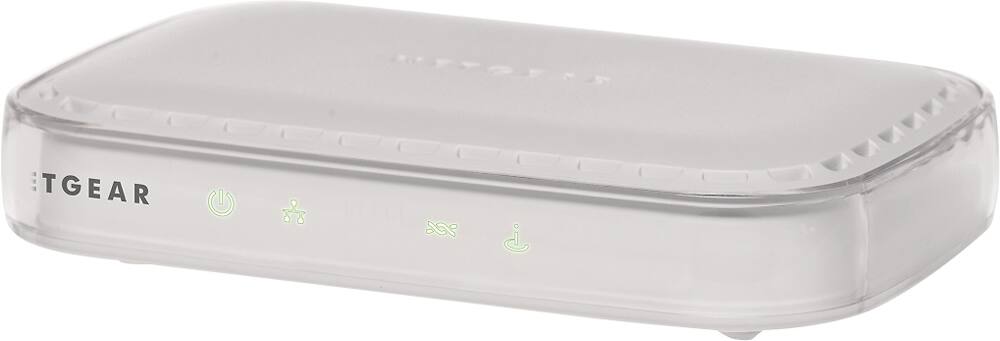
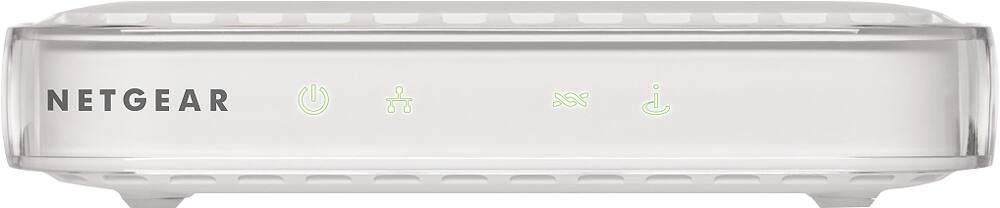
- Model:
- DM111PSP-100NAS
- |
- SKU:
- 3219089
Customer reviews
Rating 4.3 out of 5 stars with 967 reviews
(967 customer reviews)Rating by feature
- Performance4.2
Rating 4.2 out of 5 stars
- Ease of Use4.3
Rating 4.3 out of 5 stars
Customers are saying
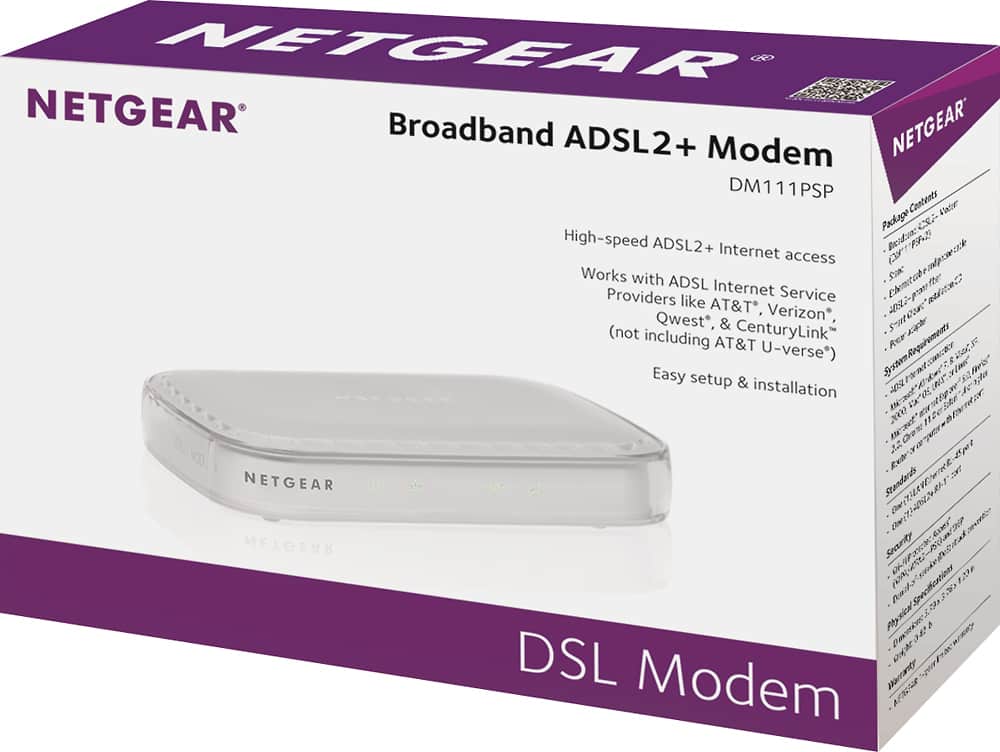
Customers highly value the ease of use and performance of the ADSL2+ Broadband DSL Modem, with many praising its straightforward setup and reliable operation. Positive feedback also highlights the modem's affordability and compact size. However, some users experienced compatibility issues and reported concerns about signal strength in certain situations. A few customers mentioned needing to reboot the device more frequently than desired.
This summary was generated by AI based on customer reviews.
Rated 1 out of 5 stars
got a BAD ONE
||Posted .This reviewer received promo considerations or sweepstakes entry for writing a review.Best Buy salesperson was very helpful as always however, could not get unit to work with the Genie installation, called tech support and they tried to sell additional technical help $139. Also hard to understand broken English.
No, I would not recommend this to a friend- Pros mentioned:Performance, Setup, Speed
Rated 5 out of 5 stars
Fast and easy installation (DIY)
Posted .This reviewer received promo considerations or sweepstakes entry for writing a review.Bought this Netgear DM111PSP ADSL2 modem from Best Buy a couple of days ago to replace an old, tired ADSL modem we'd had for eleven years. Installation was unbelievably simple. As instructed, I needed our username and password to access our ISP's site, but the provided installation software (on CD) did the rest of the job. At one point the screen said it would take about 21 minutes for the process, but that turned out to be ten minutes at the most. When finished I had the sensation, "Do you mean that's all there is to it? Isn't there something difficult and cerebral I'm supposed to do?" -Nope! Since that computer was closest to the shelf containing the modem, our router, and one LAN switch, I used an old XP computer for the job. When finished setting up the modem, I re-connected the router into the system and connected the XP computer to a router port. The XP computer worked wonderfully on the internet, as did one other ethernet-connected laptop, but other devices depending on our Wi-Fi system would not connect. It turns out I needed to get into the router's settings and tell it to assign IP addresses. From then on, everything worked as advertised and much better than our internet service had been for the previous two months. This modem is fast and reliable (so far.) I recommend the Do-It-Yourself approach of installation to anyone who is reasonably tech-savvy. -No need for any level of guru status to successfully install the modem.
I would recommend this to a friend Rated 1 out of 5 stars
Kind of insulting as a Product.
||Posted .This reviewer received promo considerations or sweepstakes entry for writing a review.The modem does what a modem should do. But it likes to stop working right roughly once a day. So If works fine....Up until everyone using the internet can no longer connect and the whole thing has to be unplugged and restarted....
No, I would not recommend this to a friendRated 1 out of 5 stars
Would not work
||Posted .This reviewer received promo considerations or sweepstakes entry for writing a review.Can not get this NETGEAR DSL Modem to work. Have tryed for a few weeks now with No luck. Have No way to get it back for a refund. WHAT DO I DO ????
No, I would not recommend this to a friend- Pros mentioned:Setup, Speed
Rated 4 out of 5 stars
So far, so good.
Posted .This reviewer received promo considerations or sweepstakes entry for writing a review.Needed to replace ADSL modem used with AT&T DSL in legacy Bell South area of Georgia. I can no longer afford to pay $75 for the approved with support AT&T Motorola. I had to call AT&T for user ID and password to DSL account. After that, the installation went well. It took about 30 minutes from start of opening the box to finishing with getting news websites to load. I hope this device lasts much longer than the Motorola modems and 2Wire gateways.
I would recommend this to a friend Rated 1 out of 5 stars
There are better options for AT&T DSL users
||Posted .This reviewer received promo considerations or sweepstakes entry for writing a review.This was bought to replace my parents' dead AT&T modem. The setup required to make this thing work was just ridiculous and not worth my time, so this one was returned and another purchased that was designed for AT&T users.
No, I would not recommend this to a friendRated 1 out of 5 stars
Stinks
||Posted .This reviewer received promo considerations or sweepstakes entry for writing a review.It says compatible with ATT didn't work. While waiting for ATT to tell me this, return time ran out. So stuck with $55.00 modem that I can't use!
No, I would not recommend this to a friendRated 1 out of 5 stars
Not Centurylink compatible
||Posted .This reviewer received promo considerations or sweepstakes entry for writing a review.Purchased so I can use centurylink instead of Comcast and was told this modem would work. Centurylink uses vdsl and this is adsl. Had to purchase a modem though centurylink which was not what I wanted to do.
No, I would not recommend this to a friendRated 1 out of 5 stars
Blocks sites two hours with customer support
||Posted .This reviewer received promo considerations or sweepstakes entry for writing a review.Blocks sites won't work with router three and half hours with customer support then they wouldn't help more they said would call back and didnt
No, I would not recommend this to a friend- Pros mentioned:Price, Setup
Rated 5 out of 5 stars
Love it
Posted .This reviewer received promo considerations or sweepstakes entry for writing a review.My Speedstream from AT&T died (seems like heat from normal usage was too much for it to handle). Bought the Netgear and installed installed it right away. The CD setup wizard? Skip it. Go right for the embedded web page setup wizard. Auto detected everything. Put in the ISP userid?password and presto----back on the Internet. Already had a Netgear wireless router that worked flawlessly before. Integrates nicely with the modem. And, it's cheaper than other modems!
I would recommend this to a friend Rated 1 out of 5 stars
Could not get to work
||Posted .This reviewer received promo considerations or sweepstakes entry for writing a review.Could not get to work wirelessly. Took back for refund. I am not computer nerd, probably mostly my fault.
No, I would not recommend this to a friend- Pros mentioned:Ease of use
Rated 4 out of 5 stars
Nice non-Wifi enabled modem
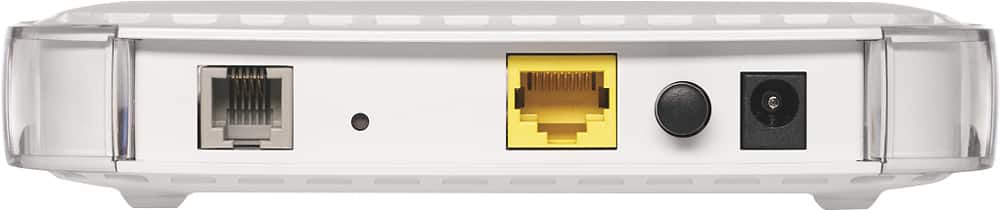
Posted .This reviewer received promo considerations or sweepstakes entry for writing a review.I have Qwest/CenturyLink 12MB (ADSL2+) service in my home and replaced my original modem that was beginning to have issues (daily resets necessary) with this NetGear model DM111PSPv2. Being that I use an AirPort Extreme to serve the WiFi 5GHz network within my home, I didn't need (nor want to pay for) the WiFi option built in to a modem. It was easy to install (be sure to have your DSL login credentials beforehand) and easily connected to my AirPort Extreme. It's been installed for several weeks now and I haven't experienced any issues with it whatsoever. The package came with wall mounts but the unit is small and sits nicely atop the AirPort. The only thing I would have liked it to include is a port that would allow you to connect a telephone to it.
I would recommend this to a friend Rated 1 out of 5 stars
not good
||Posted .This reviewer received promo considerations or sweepstakes entry for writing a review.hate that it doesn't work with centurylink. hate this,
No, I would not recommend this to a friendRated 1 out of 5 stars
Worked fine initially
||Posted .This reviewer received promo considerations or sweepstakes entry for writing a review.Worked fine initially, but began dropping internet.
No, I would not recommend this to a friend- Pros mentioned:Ease of use, Speed
Rated 5 out of 5 stars
AMAZING MODEM!!
Posted .This reviewer received promo considerations or sweepstakes entry for writing a review.I got this modem today and actually using it to write this review. It was easy to install once i realized i have to let the dsl sync first. Its fast and small. The modem is extremely simple but i wanted one like that. Love it and would by it over and over!
I would recommend this to a friend - Pros mentioned:Performance
Rated 3 out of 5 stars
Many caveats
Posted .This reviewer received promo considerations or sweepstakes entry for writing a review.I assumed that this modem was just that, a modem. Alas, it's a modem/router, so unless it replaces such a device, it won't work out of the box, though the start up instructions failed to mention the different possible scenarios. I actually think that this is the reason why so many reviews here were about a frustrating experience which support was clueless about. So, be warned. My setup was a plain Speedstream modem, which did last some 8 years, but started to drop the connection from once a week to twice a day, and downstream from it I have a WiFi router.. AT&T stated that the circuit was alright and suggested that the old modem might be the culprit for slowdowns every now and then and dropped connection. I can't say that I totally bought it, but I gave them the benefit of the doubt and started looking for a modem. Having found out that a store near me had one, I decided to give it a try, though $55 is not exactly cheap change. The start up instructions leaflet has a diagram that reproduces my setup. So I figured that this modem was like the old Speedstream, just a modem. However, it didn't work immediately. Reading further the start up instructions, I noticed the instructions about logging in and set up, so I tried connecting the Netgear modem directly to a computer using the supplied Ethernet cable and tried to log in. To my surprise, that's when I discovered that it's actually a modem/router and it was the device that wanted to authenticate the DSL connection, though no hint was given in the instructions. Digging through its configuration menus, I found one that allowed me to configure the Netgear modem as merely as modem and to turn off all of its router features. Then, after connecting it directly to my WiFi router, which was already configured to authenticate the DSL connection, everything worked as usual. I noticed another configuration option that might have allowed the Netgear modem to take the PPPoE authentication from another router to go through, but I didn't try it and can't tell whether it would have worked with my set up. And if it would, Netgear should make it the default, because it isn't. So far, after merely a day using it, it's been fine. I also grew used to getting 75% the nominal DSL speed, but, after replacing the Speedstream modem with this Netggear modem, it's now up to 85%, both up and down links. The slightly better speed from before has been consistent. I'll keep monitoring if it drops the connection, which it hasn't since it was installed. Netgear could have done a better job explaining what this modem can do and what to do in different setups and improve the experience out of the box.
I would recommend this to a friend - Pros mentioned:Ease of use, Performance
Rated 5 out of 5 stars
Don't believe all the negatives!
Posted .This reviewer received promo considerations or sweepstakes entry for writing a review.I was somewhat hesitant to buy this product due to the comments about difficult installs. Certainly was NOT my experience. There is a one page manual install paper in the packet. If you follow the directions on this paper you could not have an easier install. I did NOT use the supplied CD for install. Don't know why anyone would want to. Just remember when setting up connect you computer directly to the modem. Do not connect through a router until setup is complete on the modem. It literally took longer to un-box and hook up cables than it did for the modem to set itself up. Five stars in my book. Local phone company wants $5 month for modem rental. This $49 alternative is tops in my book. Getting better performance than I am paying for.
I would recommend this to a friend - Pros mentioned:Ease of use
Rated 5 out of 5 stars
Excellent ADSL modem
Posted .This reviewer received promo considerations or sweepstakes entry for writing a review.Works great! Only had to do basic setup programming through my laptop and ready to go! Included instructions made it easy to set up modem. Put it in automatic mode and internet starting working right away. Replaces a very old ADSL modem I had that suddenly stopped working. I have Centurylink as ISP.
I would recommend this to a friend - Pros mentioned:Speed
Rated 5 out of 5 stars
Great Modem
Posted .This reviewer received promo considerations or sweepstakes entry for writing a review.My ISP supplied Modem/Wireless Router seemed to be acting up and was real slow, so I decided now was the time to replace modem and lower my monthly bill with local ISP in one fell swoop.. I now use this modem with my Time Capsule router and all is well. This thing can handle Multiple TV streams (5) as well as 2 computers, 3 tablets and occasional cell phone with very little speed issues.... Wish I had done this 5 years ago! would have saved over $500.00 in that time from rental fees.
I would recommend this to a friend - Pros mentioned:Setup
Rated 5 out of 5 stars
Works great!
Posted .This reviewer received promo considerations or sweepstakes entry for writing a review.Works with AT&T DSL network in CT. I bought it to replace a Siemens Speed Stream 4100 that crashed 4 to 5 times a day. the setup was quick and easy. I've had no problems with it. Using a Mac pro and a Cradle Point MBR-900 Router 1) Connect modem to computer via ether net. 2) On computer goto 192.168.0.1 in browser and login with username: admin and password: password. 3) Modem will ask if you want to run set up wizard, chose yes the enter your DSL username and password when asked by the wizard. 4)That's it!, it worked for me. Once you setup the modem with the DSL network you can connect it to a router. most routers will auto connect and distribute IP addresses. Make sure your router is set up for DHCP. Note: Use the feet included with the modem and set the modem up in the vertical position. This will help keep the modem cool while operating.
I would recommend this to a friend
People also viewed
- $147.99Your price for this item is $147.99$169.00The comparable value for this item is $169.00
- $188.99Your price for this item is $188.99$199.99The comparable value for this item is $199.99
- $299.99Your price for this item is $299.99
- $199.00Your price for this item is $199.00
- $199.99Your price for this item is $199.99
- $79.00Your price for this item is $79.00
- $349.99Your price for this item is $349.99
- $249.99Your price for this item is $249.99
- $329.00Your price for this item is $329.00
- $249.00Your price for this item is $249.00
- $69.00Your price for this item is $69.00
- $149.00Your price for this item is $149.00$199.99The comparable value for this item is $199.99
- $519.99Your price for this item is $519.99