Customer Ratings & Reviews
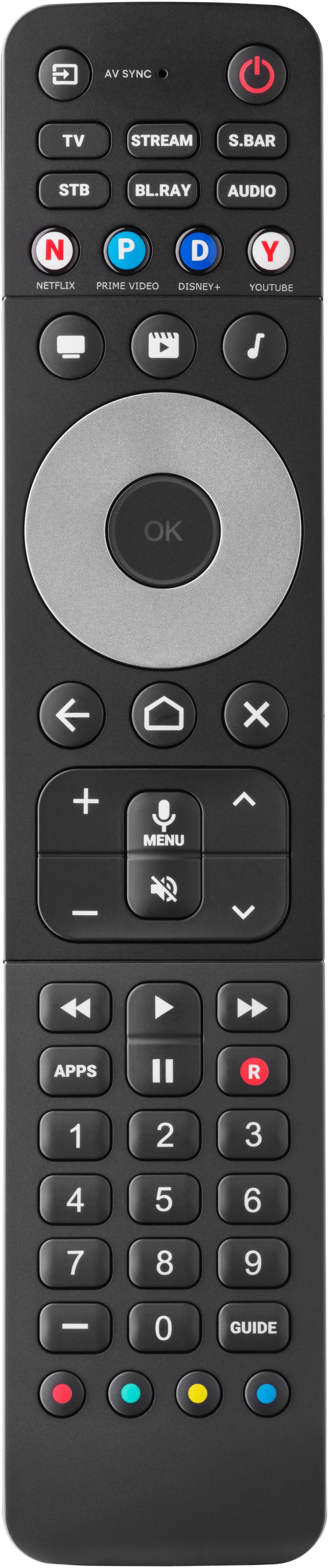
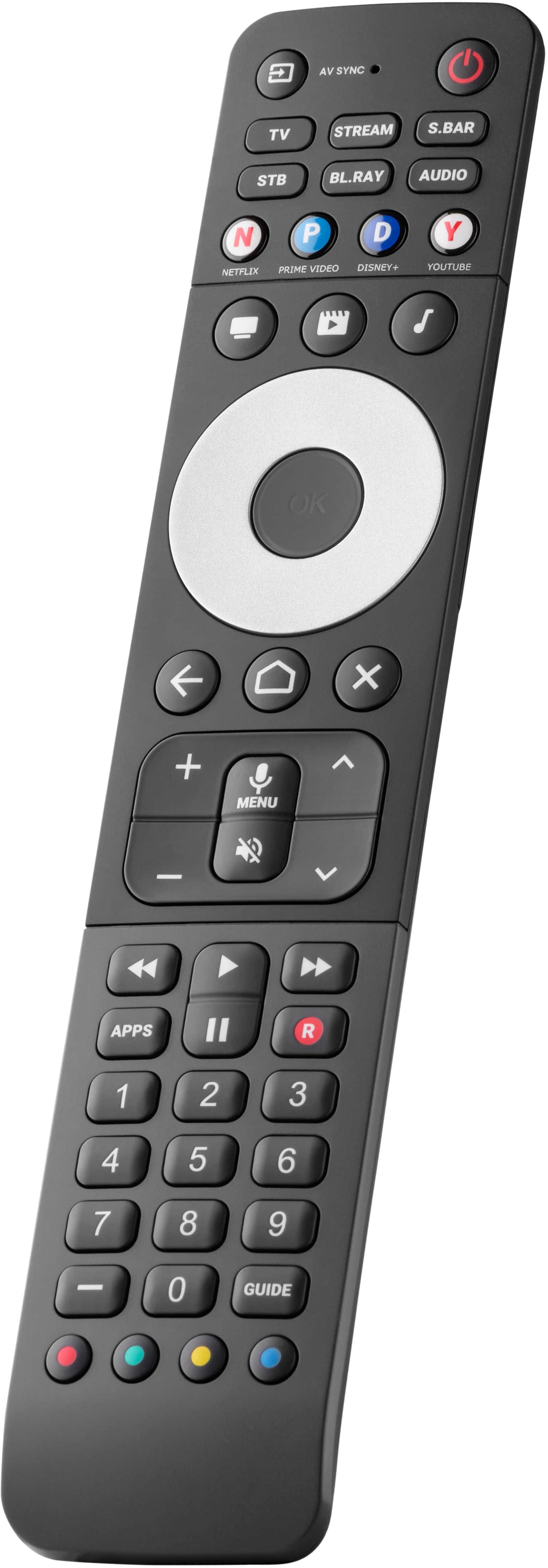

- Model:
- URC7966
- |
- SKU:
- 6551538
Customer reviews
Rating 3 out of 5 stars with 167 reviews
(167 customer reviews)Rating by feature
- Value3.3
Rating 3.3 out of 5 stars
- Quality3.5
Rating 3.5 out of 5 stars
- Ease of Use2.9
Rating 2.9 out of 5 stars
Customers are saying
Customers value the Smart Control PRO 6 for its ease of use, with many praising the simple app setup, as well as the helpful backlight and overall performance. However, some customers have expressed concerns regarding connectivity issues and compatibility with certain devices. Additionally, a few users have noted issues with button responsiveness and battery life.
This summary was generated by AI based on customer reviews.
- Pros mentioned:Backlight, Ease of use
Rated 5 out of 5 stars
Excellent Remote!
||Posted . Owned for less than 1 week when reviewed.This reviewer received promo considerations or sweepstakes entry for writing a review.I bought the other smaller model, howeve it did not work with Amazon, however this one does, plus is has great backlighting. The setup from the phone app is super easy and it works great and lights when you pick it up. Best one i have found out of several i have tried. Especially for the price!
I would recommend this to a friend - Pros mentioned:Backlight
Rated 1 out of 5 stars
POWERED BY AI
||Posted . Owned for less than 1 week when reviewed.This reviewer received promo considerations or sweepstakes entry for writing a review.Hardware: - Sturdier than stock LG remote, feels solid - Backlight comes on when you pick it up, nice - Button layout is alright, round button and channels should be swapped but whatever. Software: - Absolute trash doesn't do it justice. - Data harvesting, you agree for whatever identifiable and non-identifiable data of yours to be sold to 3rd parties. - Can't program app keys. You wait 10 secs for the "AI" chatbot to see you selected "App Keys" not "Activities" keys; The "AI" chatbot then ignores you and attempts to set up "Activities" keys. Will go back to broken in half LG remote since all the buttons work there and only the TV sells my data, not the remote too.
No, I would not recommend this to a friendBrand response from One For All
Posted .Dear BestBuy customer, thank you for taking your time to write this review on our URC 7966. We are very sorry to hear that you had such a negative experience with the app. We appreciate your feedback and would love to answer any open question. Please, feel free to contact our support via this link https://www.oneforall.com/en-us/webform or via Facebook messenger. Best regards, Your One For All Team
- Cons mentioned:Connectivity
Rated 1 out of 5 stars
Literal Garbage
||Posted . Owned for 1 week when reviewed.This reviewer received promo considerations or sweepstakes entry for writing a review.Hate doesnt begin to describe my overall experience. It refuses to connect to the app that presents itself as a chatbox. However, if you have seen iRobot, I can't help but feel I'm not asking the right questions or it just doesn't work at all. Every time I try to reconnect it via the app, it tells me to make sure I have fresh batteries.
No, I would not recommend this to a friendBrand response from One For All
Posted .Dear Bryan, Thanks for your review on our URC 7966. We are sorry to hear that you cannot connect the remote to the app yet. We would love to assist with the setup and answer all open questions. Please, contact us directly by using this link https://www.oneforall.com/en-us/webform or via Facebook messenger. Best regards, Your One For All Team
Rated 4 out of 5 stars
Bought it for backlit, and bluetooth features
||Posted . Owned for 3 weeks when reviewed.This reviewer received promo considerations or sweepstakes entry for writing a review.This is a good teachable remote, while at the top of the 'budget remotes', it's still far less expensive than the $1,000 models. Bought it for backlit, and bluetooth (Roku, fire tv) compatibility. Can teach IR but not bluetooth, limited to what is supported via the companion app. Feels most like a Tivo remote, so natural to hold and know where the buttons are.
I would recommend this to a friendRated 5 out of 5 stars
Universal Remote
||Posted . Owned for 2 weeks when reviewed.This reviewer received promo considerations or sweepstakes entry for writing a review.This remote is phenomenal. It can control up to 6 components. Once you setup your remote for any component, you can program the universal remote to act like your original remote.
I would recommend this to a friendRated 4 out of 5 stars
Simple to program
||Posted .This reviewer received promo considerations or sweepstakes entry for writing a review.Simple programming. Cannot change volume on my Sonos sound bar when the stream button is active. Have to go back and forth between the stream button and the sbar button.
I would recommend this to a friendRated 5 out of 5 stars
Remote. Control
||Posted .This reviewer received promo considerations or sweepstakes entry for writing a review.Wonderful. Service. And. Love. All. Remote. Zit. little. Hard. Learn. use. But. Gente. Store. Help. How. to. Use. it. gave. in. instructions. And.I. Could. fix.Remue. Control. And. He Gente. Help. Programming. it. Thanks. to. man. Help. me.
I would recommend this to a friendRated 3 out of 5 stars
Not Bad for Simple Setup
||Posted . Owned for less than 1 week when reviewed.This reviewer received promo considerations or sweepstakes entry for writing a review.The remote uses a smart phone app for setup. If you follow the instructions in the app, it works ss intended. I managed to get my Smart TV and Soundbar set up and then connected the remote via bluetooth to use voice control. It works, but you must do everything in the order the app wants because activities are set based on the order you add devices. If you add something other than a TV first or try to learn special keys first it gets really buggy and the manual doesn’t explain how to factory reset. If I had a blue ray player or a set top box I’m not sure if this would work as well for me. Learned buttons get added to devices so I had to add my apps key to my tv and streaming device separately to get them to work consistently. When I press the “movie” activity key my soundbar comes on and my TV comes on but then the TV turns off again. It isn’t ro annoying since the TV will come on again if I press any button. If I press power off in the remote. The soundbar goes off, and the TV turns off then on again. If I press the power button again, the TV turns off. It’s a minor annoyance. If you have more devices than a TV and a soundbar though, I’d get a remote with more grandular control of how devices are added to activities.
I would recommend this to a friendBrand response from One For All
Posted .Dear Kristopher, Thank you for your extensive feedback on our URC 7966. We are sorry to hear that you are missing some of the functions and we would be more than happy to help you set everything up to the best possible extent. If you like, you can always reach out to our support via our webform: https://www.oneforall.com/en-us/webform or via Facebook messenger. Best regards, Your One For All Team
- Pros mentioned:Ease of use
Rated 2 out of 5 stars
I really wanted this to work, but it didn't
||Posted .This reviewer received promo considerations or sweepstakes entry for writing a review.I really wanted this remote to work - it had most of the features on my dead and discontinued Logitech Harmony and the price was very reasonable. I'm good with tech and discounted the poor reviews as people who were technolocially challenged - I was wrong about that. I unboxed the remote and downloaded the recommended "My Nevo" app. The first problem occurred pairing my phone (i.e. the app) with the remote. After serveral tries, turning Bluetooth on and off, etc, it finally paired. The Nevo app said there was a firmware update for the remote and I hit the update button. It failed and put me into an infinite loop of telling me to update and telling me it failed. I called One for All support and the phone was answered promptly, After deleting and reinstalling the app, changing the batteires in the remote and pairing the phone with the remote again the update finally downloaded and installed. I set up my Sharp TV and that appeared to work. I tried to set up my Roku streaming stick - I went through each of the 5 code sets twice and nothing worked. I tried to set up my Spectrum cable box. I went through each of the 5 code sets offered and nothing worked. I tried to call One for All support again - oops - it was past 3 pm ET and they were closed. I boxed up the remote and returned it. The remote is nicely designd and the functionality it supposedly offers would be great, if it worked. It didn't.
No, I would not recommend this to a friendBrand response from One For All
Posted .Dear BestBuy customer, thanks for taking your time to share this review on our URC 7966. We are very sorry to hear that you were not able to control your Roku stick and Spectrum device. We understand that you have returned the remote. Should you ever consider to give it another try or if you would like to get a recommendation for another remote model, we would be more than happy to offer our help. To contact our support you can either call us at 855-716-2573 (TOLL FREE) or email us at urcsupport@oneforall.com. Our opening hours are from Monday to Friday, 9 AM to 4 PM ET. Best regards, Your One For All Team.
- Cons mentioned:Connectivity
Rated 3 out of 5 stars
No connection to phone
||Posted . Owned for 1 month when reviewed.This reviewer received promo considerations or sweepstakes entry for writing a review.I don't really want to submit a review or put stars on one because I haven't been able to use the remote. After several days of trying to get it to connect to my phone with no luck I have just given up.
No, I would not recommend this to a friendBrand response from One For All
Posted .Dear BestBuy customer, thank you for your review on the URC 7966. We are very sorry to hear that you are not able to connect the remote to the app, yet. We would be very happy to help you with the setup and answer all questions. Please, contact us by using this link https://www.oneforall.com/en-us/webform or via Facebook Messenger. Kind regards, Your One For All Team
- Pros mentioned:Ease of use, Overall performance, Setup
Rated 5 out of 5 stars
Replacement Remote
||Posted . Owned for 2 weeks when reviewed.This reviewer received promo considerations or sweepstakes entry for writing a review.Easy to setup, works good, operates several items.
I would recommend this to a friend - Cons mentioned:Button layout
Rated 3 out of 5 stars
Remote
||Posted . Owned for 2 weeks when reviewed.This reviewer received promo considerations or sweepstakes entry for writing a review.Two of the buttons on the remote didn't work right out of the box, and I could not find the receipt or box to return it. Otherwise, it does what is is supposed to, and the buttons light up so that is a plus.
No, I would not recommend this to a friendBrand response from One For All
Posted .Dear Juan, Thank you for your review on our URC 7966. We are very sorry to hear that some buttons on your remote were not working as expected. If you need any support during the setup or have any questions regarding the remote you can always contact us directly, by using this link https://www.oneforall.com/en-us/webform or via Facebook Messenger. Kind regards, Your One For All Team
Rated 4 out of 5 stars
Good, but quirky
||Posted . Owned for 3 weeks when reviewed.This reviewer received promo considerations or sweepstakes entry for writing a review.I’m using this with my Marantz a/v receiver, 65” LG OLED, and Roku Ultra. Note that each ships with a multi device remote; but none would control all 3. I also have a Harmony Elite/Hub and Sofabaton X1/hub. Harmony doesn’t recognize the latest LG TVs, and the roller on the Sofabaton is just too annoying. The layout is nice, and like the Harmony and Sofabaton, it’s activity-oriented - a dedicated button to turn on all the devices. After that, the buttons are mapped appropriately for volume and selections. There are no numeric buttons, but those aren’t useful when streaming. Now the quirky parts. Note that we’re typically sitting about 8 feet from the equipment. 1. It’s easy to inadvertently touch a device button which takes it out of activity-mode; at that point the buttons for other devices wont’ work, and power-off won’t turn everything off. 2. Power-own and power-off requires a steady hand while pointing at the equipment until all are on (or off). Very easy to move your hand a few inches and have something not turn on (or off). You also can’t have anyone walk in front of you, or get a finger in front of the transmitter. 3. It’s also fairly slow to respond. That means the holding steady has to last 5+ seconds with no movement and nothing interrupting the IR beam. To me the quirks are acceptable. My wife is a different story altogether. I’d recommend it, but know what it is you’re getting and ignore the “it’s great” and “will never buy again” reviews that don’t provide details. For the price it’s a very good remote.
I would recommend this to a friendRated 3 out of 5 stars
Just okay
||Posted . Owned for 2 weeks when reviewed.This reviewer received promo considerations or sweepstakes entry for writing a review.Kind of expensive. I have had two of these and both seem to have the same issue. Not fully pairing all of the functions with the TV. Also, it freezes pretty often requiring the need to take the batteries out of the remote and put them back in. It is easy to set-up though and works well enough for the most part.
No, I would not recommend this to a friendBrand response from One For All
Posted .Dear Scott, thank you for your feedback on our URC 7966. We are sorry to hear that you are experiencing this issue. That should not be the case. We would be happy to double check this with you. Please, feel free to contact our support directly by using this link https://www.oneforall.com/en-us/webform or via Facebook Messenger. Kind regards, Your One For All Team
Rated 3 out of 5 stars
Some nice things though
||Posted . Owned for 1 month when reviewed.This reviewer received promo considerations or sweepstakes entry for writing a review.To me, this remote is touted as being revolutionary and making it easy to simplify products for using the TV. I somewhat disagree with the marketing of this remote. Due to random wifi issues, I have a variety of streaming boxes, so my main hope with this remote was to connect them to the remote. I thought that I could that and with the cost of the remote, I was so excited for that. Unfortunately, you cannot connect multiple streaming boxes to this remote. Additionally, it can be hard to turn on my TV with the remote, so I have to try it a few times. Some nice things though, when syncing products to the remote, the remote easily found what devices I wanted to sync, and quickly, it happened. Overall, I’d give the remote a B.
I would recommend this to a friendBrand response from One For All
Posted .Dear BestBuy customer, thank you for your review of our Smart Control Pro remote. The Smart Control Pro is capable of controlling two streaming boxes simultaneously under the 'STB' and 'Stream' device modes. However, if you have more than 2 streaming boxes then we do have other remotes that can be programmed to control up to 6-8 of the same devices if necessary, such as our URC-7880. We would be more than happy to double-check the compatibility and help you set up a remote to control your setup. Please, feel free to contact us directly via https://www.oneforall.com/en-us/webform or via Facebook messenger. Best regards, Your One For All Team
Rated 1 out of 5 stars
Unimpressive and too expensive
||Posted . Owned for less than 1 week when reviewed.This reviewer received promo considerations or sweepstakes entry for writing a review.Unimpressive and too expensive for what you get. Setup is done with a painful to use AI. To say it is slow is an understatement. The activity modes are setup through the painful to use AI/app. They are good for shutting everything off versus switching between inputs. There are NO programmable macros and you cannot customize any buttons or commands. This remote is the same as cheaper alternatives that use codes to program. Save yourself some money and look elsewhere.
No, I would not recommend this to a friendBrand response from One For All
Posted .Dear Rich, thank you for your feedback on our URC 7966. We regret to hear that you had such a negative experience. We would love to help you with the setup and answer all questions and find a solution for you. Please, feel free to reach out to our support by using this link https://www.oneforall.com/en-us/webform or via Facebook messenger. Best regards, Your One For All Team
- Pros mentioned:Ease of use
Rated 4 out of 5 stars
Good but not perfect
||Posted . Owned for 3 weeks when reviewed.This reviewer received promo considerations or sweepstakes entry for writing a review.Good remote but it had to be reprogrammed twice (so far) to work correctly. Buttons are larger than our last remote, which works better for my visually impaired spouse.
I would recommend this to a friend Rated 4 out of 5 stars
Good Not Great
||Posted . Owned for 3 weeks when reviewed.This reviewer received promo considerations or sweepstakes entry for writing a review.It’s an improvement on the controller that came with my LG TV. It does control my Bose sound bar, which is a big plus. I wanted one with a working microphone but it only works with Google. I tried to contact the company for help but they don’t answer their phone nor requests through their website, so their customer service is terrible. Finally the buttons are better on this controller so it’s worth keeping but I’m not entirely sure worth the money.
I would recommend this to a friend- Cons mentioned:Connectivity
Rated 4 out of 5 stars
Awesome remote with proper setup
||Posted . Owned for 2 weeks when reviewed.This reviewer received promo considerations or sweepstakes entry for writing a review.So at first the remote was a hassle to setup. The app experience is not very good. I think it’s due to the remote not connecting half the time. I got this remote setup with my Shield tv pro (2019) via bluetooth.
No, I would not recommend this to a friend Rated 3 out of 5 stars
Better options are Available
||Posted . Owned for 1 month when reviewed.This reviewer received promo considerations or sweepstakes entry for writing a review.The remote was easy to program. However there is a significant lag between pushing the buttons and the device response. I would not purchase this remote again.
No, I would not recommend this to a friendBrand response from One For All
Posted .Dear Brendt, thank you for your review on our URC 7966. We are sorry to hear to hear about this. This should not be the case. We would be more than happy to find a solution for you. Please, feel free to contact us directly via https://www.oneforall.com/en-us/webform or via Facebook Messenger. Kind regards, Your One For All Team