Customer Ratings & Reviews



- Model:
- RV2001WD
- SKU:
- 6421826
Rating by feature
- Value
Rating 3.5 out of 5 stars
- Quality
Rating 3.7 out of 5 stars
- Ease of Use
Rating 3.7 out of 5 stars
Customers are saying
Customers find value in the AI Robot Vacuum & Mop's cleaning ability and ease of use, with many praising its simple setup. However, some users experienced issues with the robot's mapping accuracy, battery life, and noise level, while others reported navigation problems and occasional malfunctions. The vacuum's performance was also a point of contention for some customers. Improvements in mapping, battery life, and noise reduction would enhance the overall user experience.
This summary was generated by AI based on customer reviews.
- Cons mentioned:Noise level

Fast cleanings, best suited for hard floors
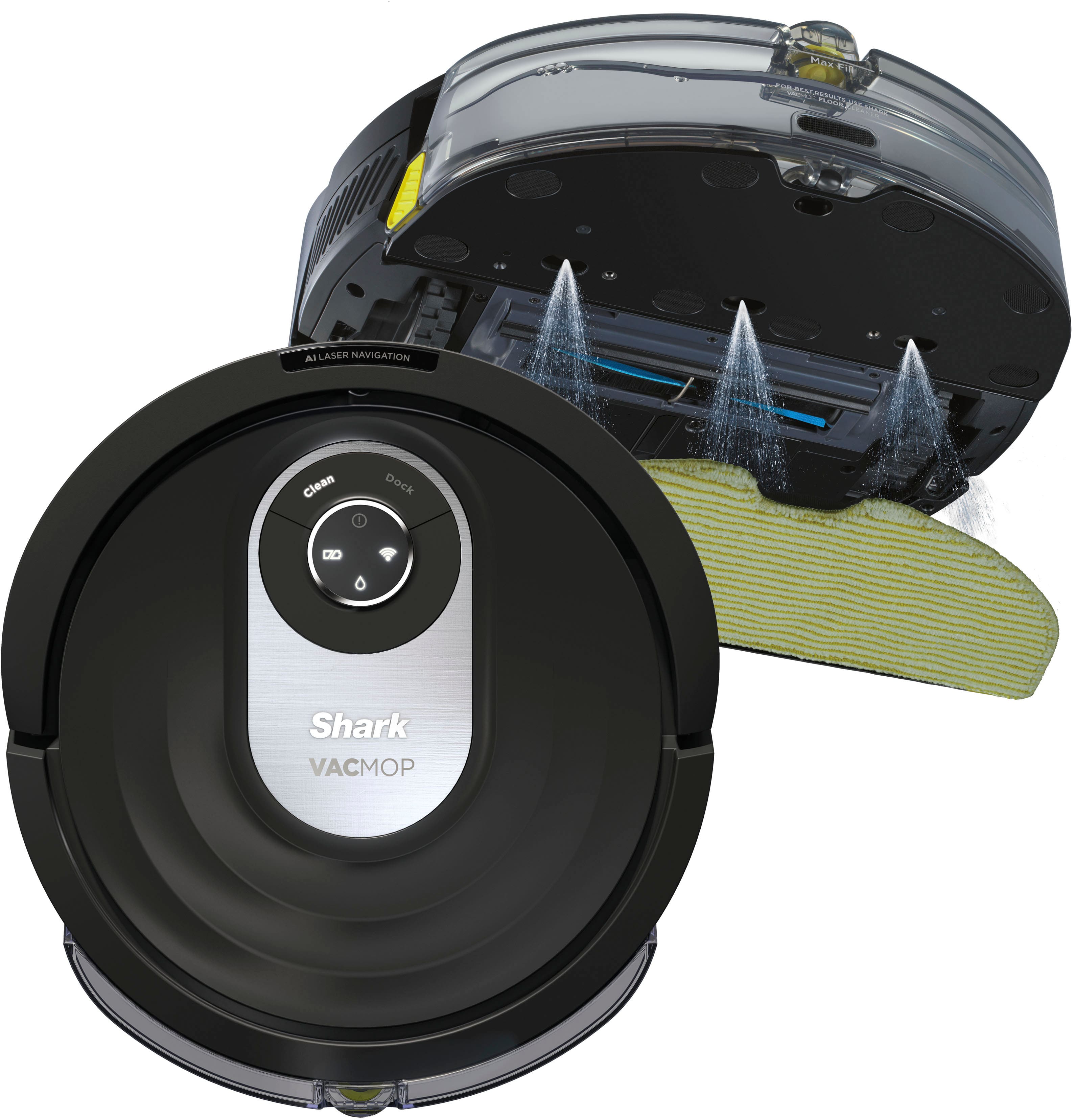
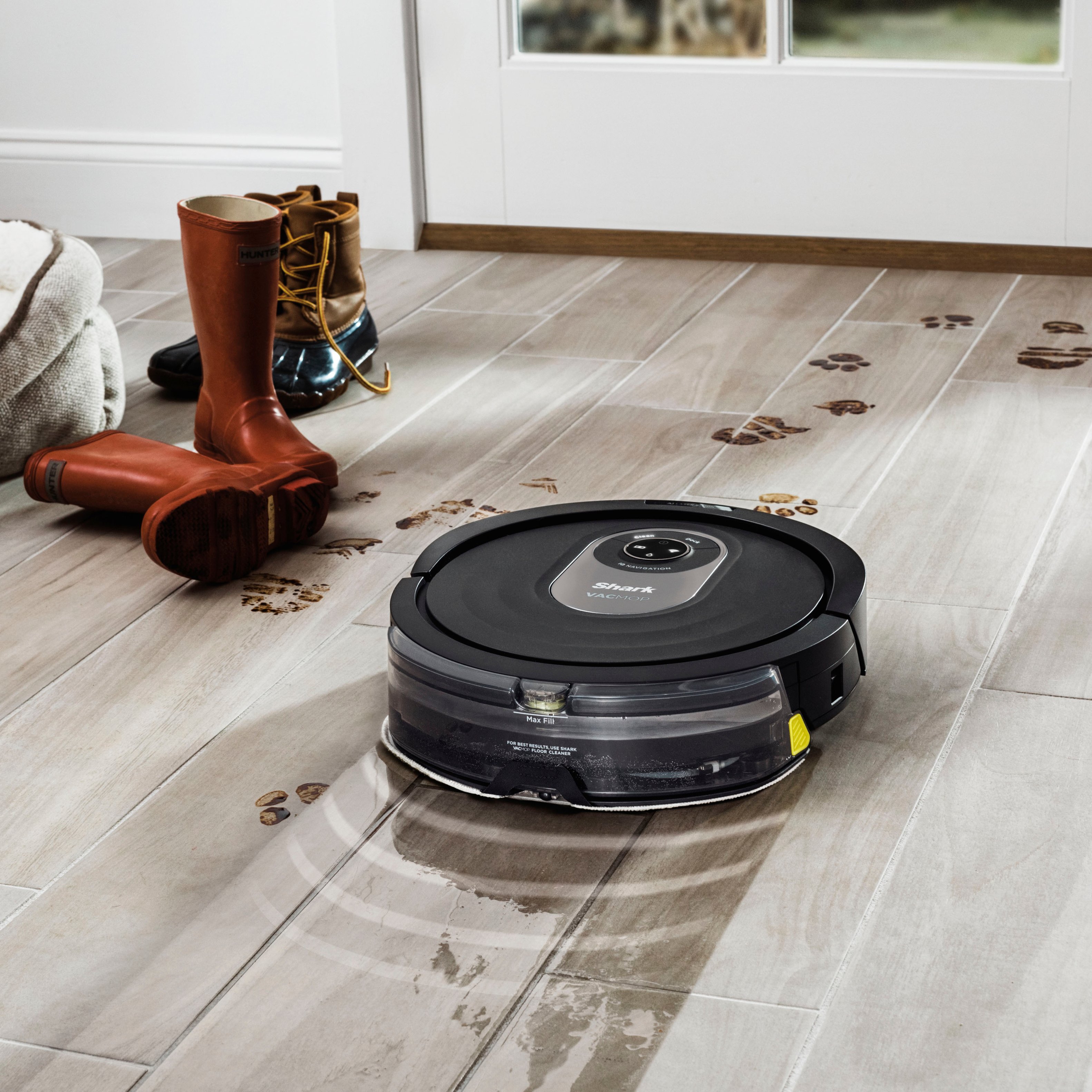
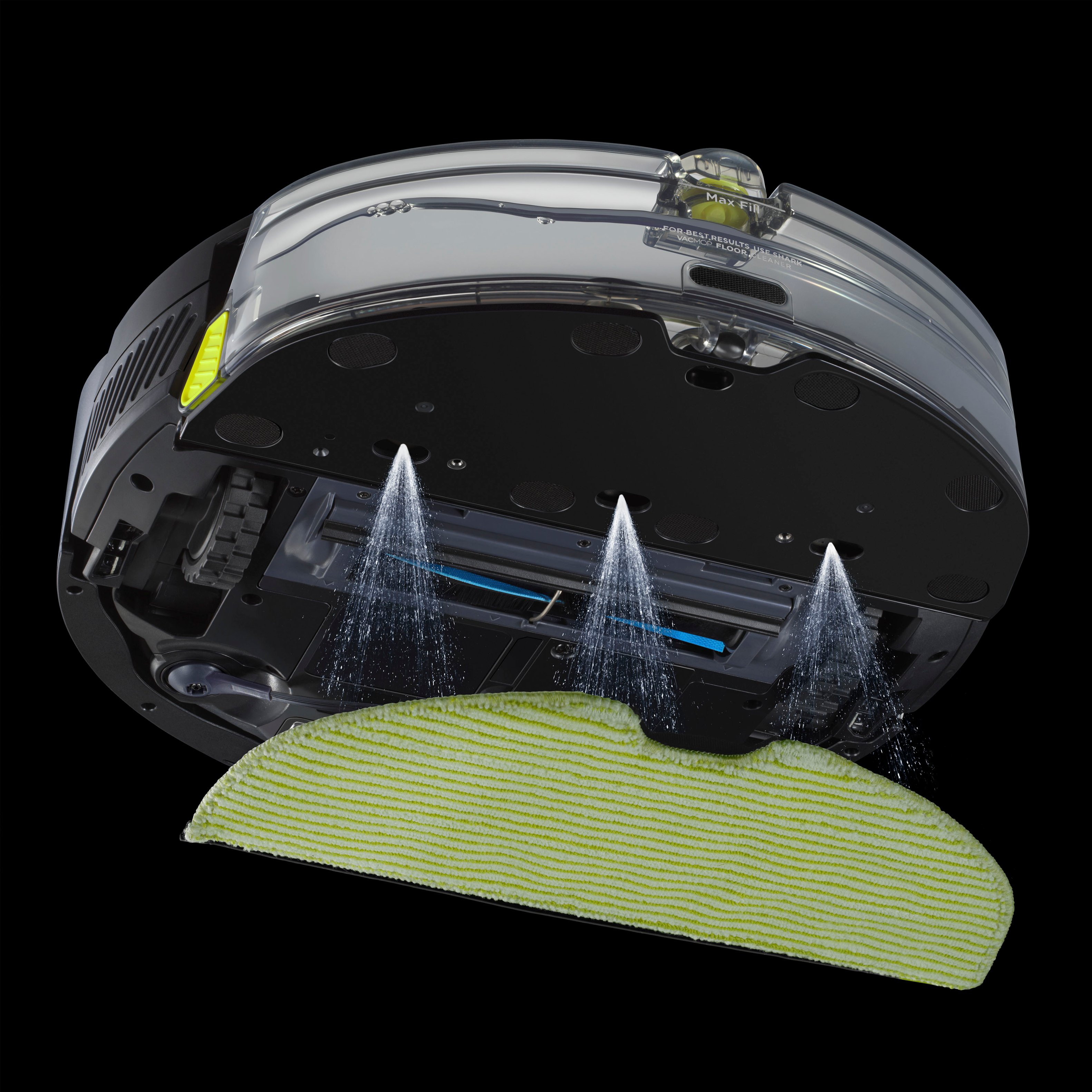
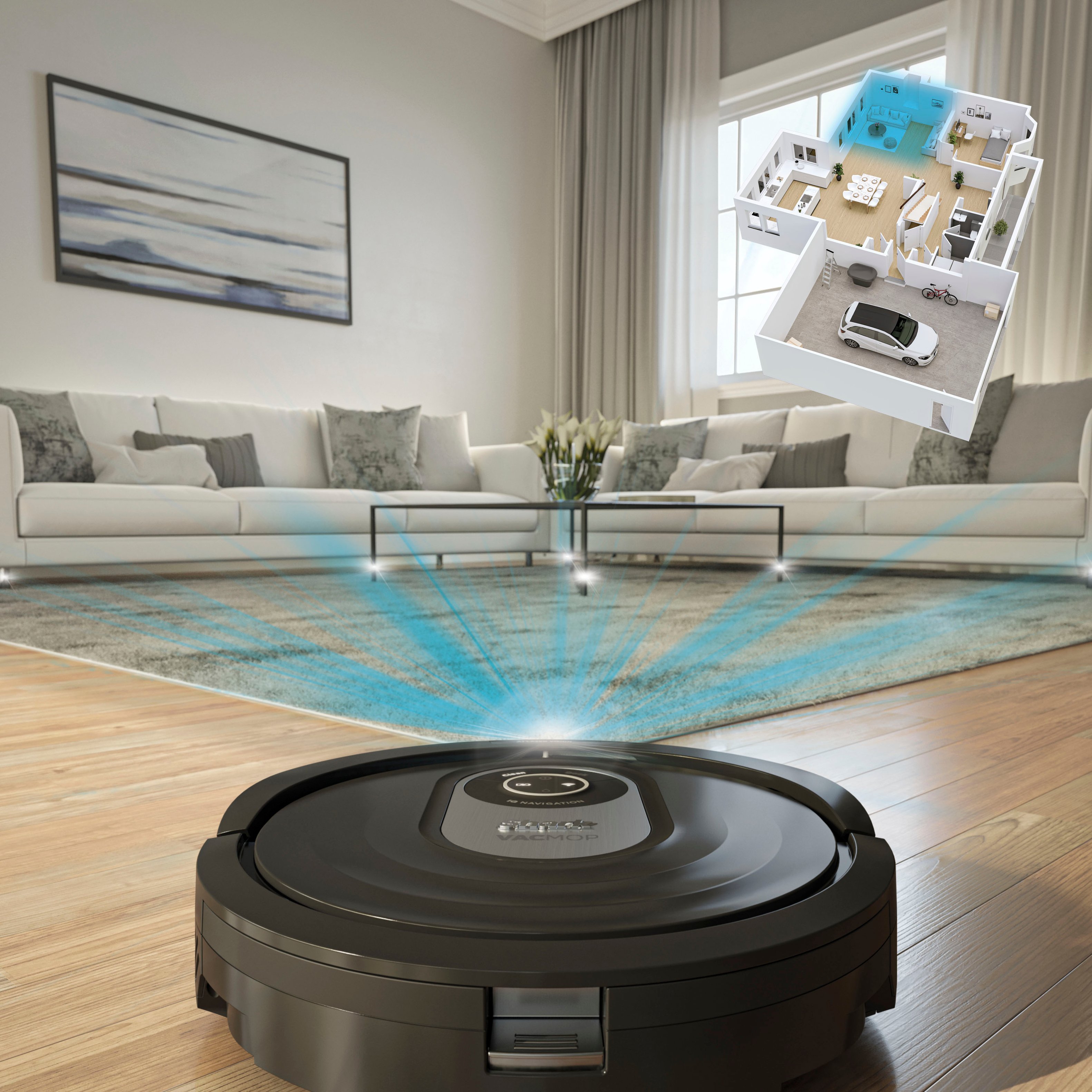
|Posted .This reviewer received promo considerations or sweepstakes entry for writing a review.The Shark AI Robot VacMop isn’t our first robot vacuum nor robot mop, but is the first device we’ve owned that does both these operations simultaneously. I like that it is a little bit smarter than the robot vacuum we’ve been using because it supports room mapping and has laser-guided vision in addition to drop sensors and physical bumper sensors. I’ve noticed that these in combination makes it less likely to ‘bump and redirect’ than our other robots, protecting our walls and furniture from nicks and scratches and things from being knocked over. The initial setup was a mixed-bag experience. If you want to unlock all the features of the robot, you must use the accompanying smart phone app, SharkClean. This allows you to access features like scheduled cleanings, view and edit the rooms mapping, and adjusting the settings on the vacuum like eco/max suction modes. Without the app, you can still use the robot and initiate a simple cleaning cycle by pressing the 'clean' button on the unit. The main complaint I have about the app is that it requires an internet connection, and won't work if the robot and smartphone are connected to the same WiFi router without Internet access. That makes this robot impossible to use with the app if your Internet service goes down, in areas of the house without a WiFi signal, or if you don’t want the device to be online. After creating an online account and adding the robot to it, it needs to go through a couple of exploration cycles. The first maps the room and the second detects carpets and rugs for creating ‘no-go’ areas when mopping. Depending on the size and complexity of your room layout this mapping may or may not be very accurate. For example, in my home we have a fairly high transition between the dining room and the kitchen which the robot was unable to traverse. Indeed, it got stuck on the transition and was spinning its wheels for several minutes before it dislodged itself. This resulted in a map with a distorted the layout of the rooms since it continued to ‘map’ its path despite remaining in one spot. It fared much better when we physically blocked its path to areas where it could not, or we did not want it to, go. You can optionally use adhesive magnetic BotBoundary strips (sold separately) placed on your floors to create a ‘virtual wall’ that it will not cross. The robot was not able to travel our high-nap carpeted hallway, getting stuck within the first few feet and simply turning around, therefore I do not recommend it for carpeted floors. It performed best in square, enclosed rooms with few obstacles and hard flooring; the instructions are clear that you should remove objects and wires that may block its path or get stuck on prior to mapping. The map editing feature in the app was disappointingly frustrating to use to modify incorrect mappings and add missing areas, often resulting in the error ‘one of rooms will not be added to your map.’ We found it easier to simply delete the map and start the exploration cycle over; note that syncing updates to the map with the robot, including deleting the map, is surprisingly slow. Also, the robot can only store one map at a time, making it impossible to pick up and move the robot/base to another floor of the house, or even a room that’s separate from the existing map, without remapping the new area from scratch each time. Software user-friendliness aside, the actual vacuuming and mopping performance is very good, though a bit loud when running. The robot picks up a lot of dust, hair, and debris. However, the dust bin is a bit messy to empty out, oftentimes dropping a bit of its contents when detached from the main body of the robot, and fine dust clings to it readily. Though, it is completely washable in the sink under running water, including the removable dust filter tray. When mopping, coverage was about 95% efficient. Areas where we found the mop pad didn’t touch were along the perimeter of the rooms, 1 to 3 inches out from the walls and all around the dock base plate. I liked that the mop tank attaches to the back of the vacuum tray, rather than being an exchangeable component. This allows the unit to both vacuum and mop at the same time and convert from one mode to the other quickly. The water tank held enough water for us to cover our 300 sq ft space in one pass before requiring a fill up. You can also adjust the flow level to dispense more or less water depending on the level of soil of your floors, and you set the unit to ‘recharge and resume’ if your space is large and it cannot finish the cycle on a single charge; we did not require this in our small home. Heavy and dried on messes like spilled sticky substances and mud were not picked up by the mop, even over multiple passes, so these areas are best cleaned before they dry, or using a more robust method. For regular cleaning, however, I do think the Shark VacMop robot does a nice job in keeping a consistent, baseline level of cleanliness through scheduled cleanings. I also liked that I can do one-off additional cleanings using voice commands using Alexa. Mopping always requires a bit of advance planning as you do need to fill the water tank AND remove and empty it after each mopping run to prevent mold and mildew growth on the pads and water tank. The four included microfiber mopping pads attach easily to the tank bottom via Velcro and are machine washable. The robot works well in our small home, but the app could use some improvement.
I would recommend this to a friend Helpful
||Posted . Owned for 3 weeks when reviewed.This reviewer received promo considerations or sweepstakes entry for writing a review.It works well. It’s worth the price. This is my first time to have a robot vacuum and mop.
I would recommend this to a friendDo not buy!!
||Posted . Owned for 2 months when reviewed.This reviewer received promo considerations or sweepstakes entry for writing a review.Does not work.. Bought on May 8 and no longer works. As usual Best Buy does nothing for me as has been my history with them for the past 2 1/2 years.
No, I would not recommend this to a friendGood Hardware - Poor App
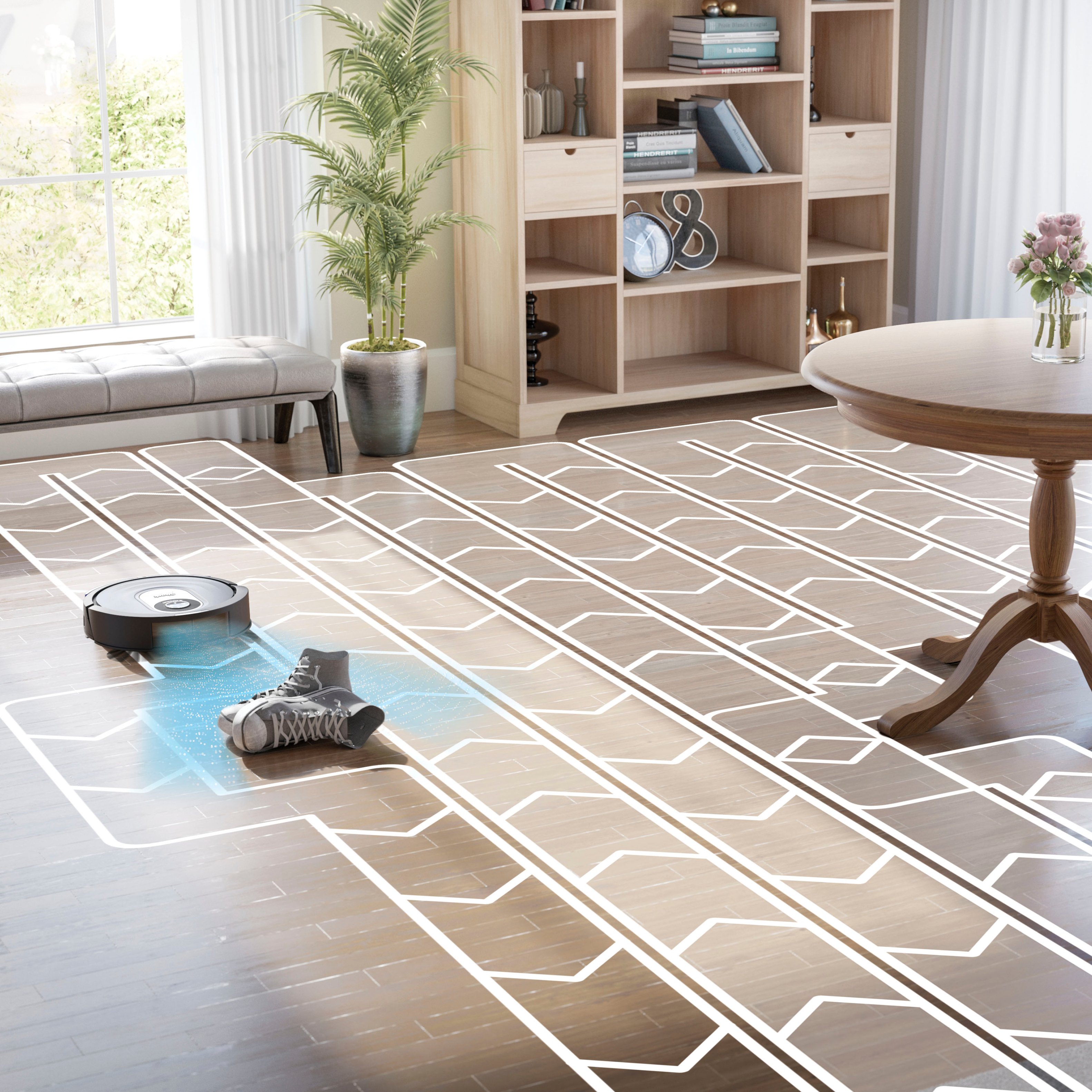
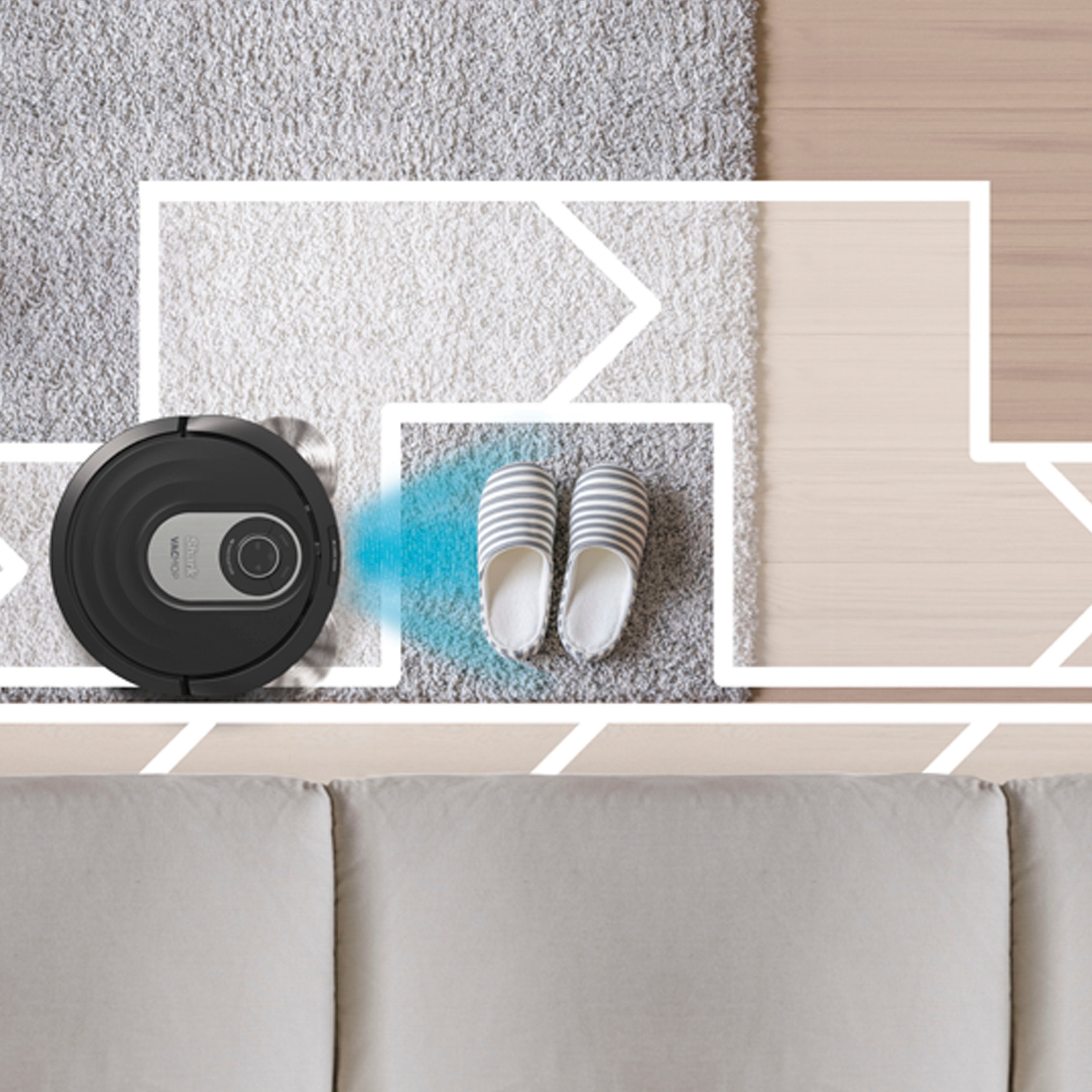
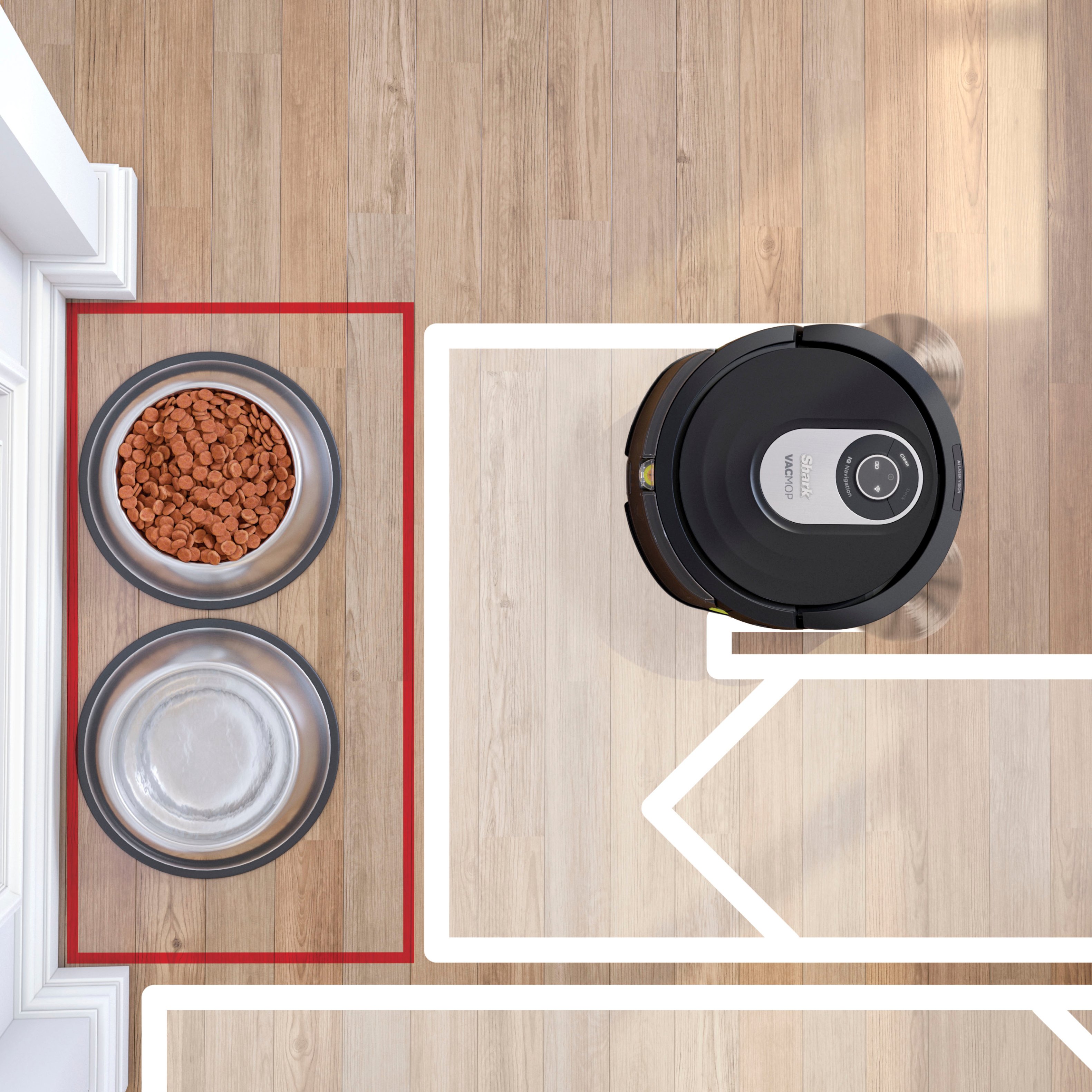
|Posted .This reviewer received promo considerations or sweepstakes entry for writing a review.The Shark AI Robot Vacmop (RV2001WD) is Shark’s latest floor cleaning robot that combines a vacuum and mopping solution in one platform. Like all the latest robovac platform’s the Shark Vacmop comes with a companion app (Android and IOS) to connect and control the robot. The shark looks similar to a lot of other robovac platforms currently on the market, but has few competitors that have also combined a vac and mop. Design and Features The Vacmop follows the design trend of Shark’s other robovacs (as well as most of the industry) – its round shape. It clocks in measuring at 12.5” x 3.5”. The cleaning path (roller head width) is 5.5” while its side brushes collect debris from nearly the full width. In mop mode the cleaning path is nearly 11.5”, so nearly the full width of the vac. On top of the robot is a small LED display showing the battery indicator as well as the Wi-Fi status, mopping indicator, and error indicator. There are also 2 buttons at the top – clean and dock. These allow for manual interaction, and are useful if you don’t have your phone available to start/stop the vac. The front of the vac has the sensor array (object and cliff detectors) which faces with dock while charging. The rear has the removable dustbin, and is also where the mopping attachment connects to the vac. The dustbin pops off with a button push and the pulls open to reveal a clamshell design. There’s also a removable filter to capture any fine particle dust that gets sucked up. This filter can also be rinsed out to prolong its life which is nice feature. The dustbin also carries the anti-tangle comb feature which helps keep the brushroll clean. This feature works quite well and is a staple among Shark products (I have 2 other traditional vacs from them with his feature). A notable feature is the object detection which allows the robot to navigate around objects that are roughly 3” tall. So completely picking up the floor isn’t always necessary. I’ve tested this with toys, shoes, and game controllers and the vacmop navigated right around them. Items like socks, masks, and small toys were not detected since they were too short. Controlling your vacmop is done with the app and its in here that you can configure its features. The app shows you the cleaning map. It lets you divide up the map into rooms, give them names, etc. You also specify carpeted areas that may not have been detected by the automatic carpet detection utilized by the mopping program. You also have the ability to specify no-go zones and high traffic areas. The no-go zones eliminate the need for using magnetic strips to block an area off, and the high traffic zones signify areas that might need a few extra passes. The app lets you schedule your cleanings, and see cleaning reports after the vac has ran. You can also configure the Recharge and Resume setting if you have a large home to clean. The app also lets you control the robot from anywhere inside or outside the home. Setup The setup process is pretty straightforward to start out on. You setup the dock in a suitable place that has the proper clearance around it. Then plug the dock in and its ready to go. You need to flip the power button on the side of the robot before charging. There’s a little green indicator on top of the charger dock that changes to blue once charging has started. From there you connect the bot to your app and to your home’s Wi-Fi. You have to connect to a 2.4GHz network band in order to set things up. If you have a mixed Wi-Fi band (2.4 and 5 use the same SSID and password) then you have to disable the 5GHz band before connecting to the 2.4. Once connected you can re-enable the 5GHz band on your router. I did run into an issue here that I have seen pop up in other connected devices. The app has trouble connecting to the device’s Wi-Fi automatically. It forced me to go into my Wi-Fi settings and manually connect to the vac’s network. Then the app could connect to the robot. Then I had to switch back to my network to let the app point to that network. In other words I had to do all the work and it would have been easier if I was just hit with a prompt to enter my network details. This is not exclusive to the Vacmop, but to IOT items in general. Before you can start cleaning you have to do 2 runs – one to map your house and another to do the carpet detection. In my house this took about 2 hours – 600 sqft cleaning area. After the mapping the app/vac suggests cleaning zones/rooms. It did a pretty good job of breaking down the floor plan on its own. I divided one room up and designated a hallway. Other than that the zones were pretty accurate. I ran the carpet detection next – my upper level only has carpet in one room, and it is fully carpeted with a medium pile. Another room has a little area rug (low pile), and then that’s it. The vac didn’t detect any of the carpet, which was disappointing, Maybe it needs to be a high pile to detect? I manually designated these zones in the app so that it wouldn’t try to mop those areas. Cleaning As far as cleaning goes you have 2 options – vacuum only or vacuum and mop. The vacuum only setting works just like any other robovac. You can select where you want to clean (a single room, a group of rooms, or the whole house), the power mode (Eco, Normal, and Max), and start it off. Depending on the size of your home cleaning can take a couple of hours especially if it has to recharge mid-session. I ran into an issue with the room selection that I will discuss below. Overall the vacuum cycle does a good job. It handled the copious amounts on long hair that several girls produce as well as the fluff from my husky that drifts around. I ran it in Eco and in Max mode to see how my run times varied. With Max I’m down to 15% and with ECO I have about 35% battery left. For me it makes sense to run in Max since I can clean the upper level in one charge. The vac doesn’t do a random pattern but rather works a grid to get the floor clean. This is absolutely preferable and takes a lot less time than the random bouncing around. The vacuum+mop option requires the fitting of the solution reservoir. I used the included cleaning solution and it took half the bottle to fill the reservoir. A reusable cleaning pad comes already attached to the reservoir bottom. Once the reservoir is fitted to the app switches to say “Mop” instead of vacuum. With my carpet map manually set I set out on a mopping run. In this mode you can control the flow of the solution (low, med, high). I chose to leave it on the default and let it go. The mopping run does a good job cleaning up footprints from wet shoes and paws that have dried. Moderate marks are also taken care of. However, it couldn’t lift a dried ice cream drip spot or some other food related drips. These needed to be scrubbed prior to running the vacmop. Stuck on messes are a bit too much for the vacmop to handle, but final cleaning/polishing are in its wheelhouse. For me the wet foot and paw prints are the ideal target of the vacmop. Issues and Other Thoughts Overall I had a number of issues crop up with the vacmop. Most of them centered around the app interface. These are issues that can be fixed in future firmware updates, so they may just be issues for now. The app is, to me, poorly laid out. You can’t adjust your power mode/fluid rate until the vacuum is started, some settings are buried under different sub menus, and the app notifications are not really all that useful. It will notify of errors or low battery, but it won’t tell you it finished cleaning, or where it cleaned unless you dig into the app. Other robovacs I’ve used had this in their push notifications and it was useful info. Before I turned on Recharge and Resume I wasn’t sure if the vac had cleaned the whole house. The map would be unavailable for whatever reason and the app suggested it may not provide a map if the rooms aren’t bright enough. Why should that matter? My other robovac can provide a map even if it vacuumed in a pitch black house. Other features just flat out don’t work at the time of this review. Selecting a room to send the robot to results in the app spinning and thinking before not doing anything. I can only run it on full house. Sometimes the Resume and Recharge goofs and it only goes back and cleans the room it was just in before returning to the dock. It still had part of another room to finish and the only way for me to get that cleaned was to let the vac recharge and then run the whole house again. The other feature that didn’t work was the carpet detection. It didn’t detect that one entire room was carpet, which is a pretty poor showing for a marquee feature. Overall the AI Vacmop cleans and vacuums well. It has a good enough runtime for most homes and decent enough suction to get your carpets clean. The device is letdown by the companion app which is really unfortunate because the app is so integral to the operation. I think a lot of issues can and will be cleared up through updates, but I don’t have a crystal ball.
I would recommend this to a friendBrand response from SharkNinja Product Expert
Posted .We appreciate the time you have taken to provide us with your review on the Shark AI Robot VACMOP. We are happy to hear that you found set-up was straight forward. We are sorry to hear of your disappointment with the app features and that there were some minor issues with the room select. We would like to learn more about these issue to be able to assist you with them. We would like to invite you to send us your contact information and a brief description of the issue via email at helpfulshark@sharkninja.com so we can reach out to you directly, or if you prefer you can reach out to our AI Robot Specialists at 1-855-460-5425 Monday to Friday, 9:00 am - 9:00 pm EST, as well as Saturday from 9:00 am to 6:00 pm EST.
- Cons mentioned:Battery life, Noise level
Not Recommended
|Posted .This reviewer received promo considerations or sweepstakes entry for writing a review.I use and test multiple robot cleaners for my home and can say that this one is the least of my favorite out of the different brands. The charge takes forever, the bot is extremely noisy and the app map is very basic. Also for some reason it only charges to 95% and the battery drains way to fast, 2 cleans at its below 40% Carpet - The amount of surface area it is able to clean at a time is small compared to others. Also it seems to be unable to keep from bouncing when running across the carpet to provide a level clean. This results in spotty vacuuming along the carpet. Even with the max vacuum power mode it left spots all over. Also the whiskers to sweep are so slow and 1 prong instead of 3 like other bots. It does not sweep anything into the bot. The logic is also very poor, going over the same area or sits at one spot in circles for a long time. The clean was so horrible I ended up having to use my regular vacuum afterwards. Non-Carpet / Mop Area- It was ok, it is suppose to not go over carpet areas in mop mode and it does that to a point. Sometimes it gets the corners of carpets so gets them wet. The area was dry after it runs over it so that's a plus. However the surfaces do not appear clean after it mops over it. I am not sure if its the soap solution that they provide with it or the bot itself. The App - The app has a lot of great information when it comes to the robot, settings and configuration. However one of the most important areas "The Map" it lacks tremendously. You are not able to customize the cleaning areas, you instead get rooms that you can then shrink or enlarge. You are unable to draw on the map or line out areas and unable to re-arrange the rooms that the app numbered. Overall the robot is not made very well, the wheels are small, the chassis is light which causes it to bounce when cleaning and the whiskers do nothing for sweeping. The cleaning reservoir is large which is a huge plus, however not needed since it does a horrible job cleaning anything. I would not recommend this product at all and go to another product. This feels very cheap and not worth the price
No, I would not recommend this to a friendBrand response from SharkNinja Product Expert
Posted .We would like to thank you for providing your review on the Shark AI Robot VACMOP. We are sorry to hear of your disappointment with the Robot and the experience you had. We greatly appreciate the feedback you have provided as it helps us to improve our products.
- Cons mentioned:Mapping
don't waste your money
||Posted . Owned for more than 2 years when reviewed.This reviewer received promo considerations or sweepstakes entry for writing a review.I really wanted to like this machine. But I hate it. It never maps your house properly. It goes in areas I don't want it to and then gets stuck. Even though the wifi signal is strong, it never seems to find it's way back to the charging station. I have literally place it in front of the station and pressed the button for it to dock and it completely leaves the area. It was my biggest waste of money to date. My original irobot was way better. The plus side is that it sweeps well when it does cover the area you want but it may go dock itself before it's completed the job... when it can locate the docking station.
No, I would not recommend this to a friend An affordable robot vacmop that works!
|Posted .This reviewer received promo considerations or sweepstakes entry for writing a review.Having owned several “robot” vacs, I was still in search of one that didn’t need to be monitored during use and could navigate the home with ease. Though some do this well, they aren’t without their downsides. From the initial mapping being an arduous process to having to clean hair from the brush roll constantly, the bot vacs can quickly loose their appeal. Shark has surprisingly addressed my complaints and released not only a great performing bot but also an affordable one! The RV2001WD features Shark’s latest IQ Navigation which performs flawless navigation and object detection thanks to the "AI laser vision". I have found it to not only superior in navigation to the older IR navigation but also to another brand bot I own which uses LiDAR. The Shark navigates and cleans with ease, rarely bumping into a wall or object. Initially, I was put off by the rattling noise of the self cleaning mechanism but the noise lessened over time and the vac isn’t any noisier than other robot vacs I have owned. The self cleaning brush roll is worth the added noise, as previously cleaning the brush is always a tedious process. I am happy to report that after using the Shark AI Robot Vac daily or the past 3 weeks I have not had to clean the brush roll once. In fact the vac performs so well on its own, my only daily ritual is changing the mop pad, adding fluid, and emptying the bin periodically. This brings me to my only real complaint and that is the mopping fluid reservoir is a bit small. The vac can only mop what I would estimate to be 300 sqft before it runs out of solution on the default setting. The vac performance however is good, and I don’t have any complaints with how well it cleans. You can adjust the mopping and vacuum levels in the app to tweak the performance to better accommodate your needs. The app paired with the vac easily and I found the initial setup simple thanks to the intuitive app. I found the scheduling simple, yet effective. During it’s initial discovery pass it maps and detects rugs/carpets in your home, but the app makes it easy to edit the map and mark no go zones, carpeted areas, or high traffic zones. Since the bot automatically detects when the mopping reservoir is connected to determine the cleaning mode, it then dictates if it will traverse rugs or carpet which is a great feature. Though this model is lacking the auto emptying bin of more expensive models, I found the performance and price point to be perfect for most people interested in buying a robot vac. If you like the idea of a robot vac or have owned them in the past but disliked how much you had to baby sit them you may want to give this one a try.
I would recommend this to a friend- Cons mentioned:Battery life
Disappointing but better than nothing
||Posted . Owned for 1 year when reviewed.This reviewer received promo considerations or sweepstakes entry for writing a review.Purchased this vacmop a year ago and have found it to be disappointing but better than nothing. I have found that I need to be home when the vacmop is running because it tends to get stuck or run out of battery and end up in random places. The vacmop does not get corners or along edges very well so I still have to manually vacuum more regularly than I thought I would have to. The mopping function no longer works. When it did, it would use half the reservoir to "prime" itself to mop and then would have to be refilled multiple times in the process which again means that I had to be home while it was running to ensure it could complete the whole room. The vacmop claims to have a self-cleaning brushroll for vacuuming hair but I have to cut hair off the vacuum after every run or it will error out the vacuum. Speaking of errors, the application on the phone does not track where the vacuum cleaned during the run if an error occurs during the run. Thus, if you are not home to witness where the vacuum is when the error occurs, you will just have to run the vacuum over the whole area again. I will say the spot clean function is nice when you want to get leaves and dirt by a door cleaned up quickly just set it on your phone after you walk in, and the dirt is gone without you having to take time to do it. Overall, the value of the product is not great. It is pretty expensive and lacks abilities that it claims to have. I do appreciate not having to vacuum by hand more than once a week though, so I appreciate the value it has brought in that aspect.
No, I would not recommend this to a friend Terrible app/software made robot unusable
|Posted .This reviewer received promo considerations or sweepstakes entry for writing a review.Very dis-appointing experience with this product. I have several Shark/Ninja products and all have worked great and would highly recommend. This product does not remotely fall into that category – I would give it 0 stars if I could. I was able to get the house map completed. But I spent 7 days trying to create map for rugs and it never completed. Each morning I would start the robot, it would run for about 50 minutes (doing same 2 rooms) and then dock. Charge for 2.5 hours then re-start running for about 2.5 hours cleaning most, but not all, of the house. Return to charge at which point I would receive a generic error notification on the app with no rug map created. App/software doesn’t allow it to clean/vacuum without the house or rug maps. If I tried to clean, without the rug map, the app “crashed” and shutdown. My house is around 3200 sq. ft so maybe that is an issue? But I would add that I have tested 3 other brands of robots (Samsung, Ecovacs and Neato) and all cleaned the entire house (Neato docks twice during cleaning and tales about 4 hours to complete entire house)and could be used whether there was a map or not. I understand that to not mop rungs or carpet there needs to be a map. But I feel it might be better to have rug map as a separate option and not a requirement. That aside there are some positive impressions; Easily unpacked. Docking has a large plastic “platter” that robot sits on which is nice if base is on carpet. Don’t have to worry about wheels getting stuck/settling into carpet while charging. App was easy to install and walks you thru setup. I already had an account so just signed into it. Small 5 ½ inch brush and small dust bin. Dust bin has a hinged closing top that you have to open to empty. Be careful as 1st time I opened it dust went everywhere. Also, inside bin is a large “fin” which collects dust under which is hard to get out without touching dust. Filter is a tad small too but easily accessed within the bin. Exterior of unit is nicely designed but is a tad larger than other robots I have used. It got stuck in an area that the others had not. Easy to install/replace side brushes and comes with extra set. They seem to be held in place by magnets. This is a nice touch as some other competitors side brushes are very difficult to access/change if not impossible. App does walk you thru setup steps before creating maps. Doors open, cords moved, etc. House map is extensive. You can edit house map deleting, adding, naming or merging rooms. It’s important to at least name the rooms (there are preset names or you can manually name) – as you can clean whole house or just certain rooms. Nice feature that I wish I had gotten to try. What little I could tell from watching robot it does very precise/structured pattern when running. No wasted motion. Was quiet but only ran in eco mode as that is suggested when creating maps and ran for 2.5 hours, which is the longest run-time I have seen. 1-year warranty. Not so positive; Seems very slow to charge. Took 5 hours to go from 20% to 95%. Also charge never shows more than 95% in the app. Even when left for 20 hours. Also, every time you open the app you waste 10 15 seconds waiting for it to complete animation and somewhat useless info message before it actually opens. Could find no way to bypass it. Overall, very dis-appointing as it never cleaned the entire house and I could never try the mopping function. But I think most issues could be solved by app upgrades/changes (retired IT guy). But as it stands now - I definitely do NOT recommend.
No, I would not recommend this to a friendBrand response from SharkNinja Product Expert
Posted .We appreciate the time you have taken to provide us with your review on the Shark AI Robot VACMOP. We are sorry to hear that you have had a less than exceptional experience with the Robot as you did not get the results you hoped for. We would like to learn more about these issues you have described. We would like to invite you to send us your contact information and a brief description of the issue via email at helpfulshark@sharkninja.com so we can reach out to you directly, or if you prefer you can reach out to our AI Robot Specialists at 1-855-460-5425 Monday to Friday, 9:00 am - 9:00 pm EST, as well as Saturday from 9:00 am to 6:00 pm EST.
Over all ok, does not do well with shedding dogs
||Posted . Owned for 1.5 years when reviewed.This reviewer received promo considerations or sweepstakes entry for writing a review.Overall ok. I have a German shepherd/ husky mix who sheds non stop. Dog hair gets clumped and we have to pull out dust bin and remove dog hair- it doesn’t not go into the dust bin. Would not recommend for household with shedding fur babies. Floor mop system is great. App stopped working to map the rooms after downloading updated versions. I still have not been able to connect app.
I would recommend this to a friend- Cons mentioned:Navigation
Review after a year
||Posted . Owned for 1 year when reviewed.This reviewer received promo considerations or sweepstakes entry for writing a review.I've had this product for around a year now. Let me tell you, when it works, it's a nice little bit of machinery. However, this thing constantly gets lost, high-centered, or fills way too quickly. On top of that, it is already starting to fall apart. I'm not rough on my appliances by any means, and my apartment is small, so believe me when i say that this product probably isn't worth the price.
No, I would not recommend this to a friend - Pros mentioned:CleaningCons mentioned:Battery life, Mapping
Eh. It's ok for vacuuming
||Posted . Owned for 2 months when reviewed.This reviewer received promo considerations or sweepstakes entry for writing a review.It takes a few days to map the house. We have 3k sqft. The battery dies before it can complete. The mopping is not great. It does vacuum pretty well if it can remember where it's going lol. Then it lost the mapping, so we had to redo it. I missed the return window by 2 weeks. I'm still going to try to return it. It's not worth the money.
No, I would not recommend this to a friend - Cons mentioned:Battery life
good mop for light work on floors
||Posted . Owned for 4 months when reviewed.This reviewer received promo considerations or sweepstakes entry for writing a review.wroks good cleans good battery life could be better and charging could be faster. have had to reset map once since it would get lost and not find it way back to dock. bit seems fine now
I would recommend this to a friend - Cons mentioned:Mapping
Ok, but definitely needs some updates.
||Posted . Owned for 1 year when reviewed.This reviewer received promo considerations or sweepstakes entry for writing a review.Needs some fixes to software and it’ll be great. Loses it way often and I have to pick up and take to home base and redo the map. Also falsely errors for an empty tank when it’s full. Goes in carpet zones when clearly marked.
No, I would not recommend this to a friend A Stellar Addition to Home Cleaning!
||Posted . Owned for 1 year when reviewed.This reviewer received promo considerations or sweepstakes entry for writing a review.The Shark - AI Robot Vacuum & Mop with Home Mapping has been an absolute revelation to my household cleaning routine. This highly advanced gadget combines superior performance, smart features, and user-friendly operation, making it an exceptional cleaning assistant. The first thing I'd like to highlight is the vacuum and mop combination. This dual-functionality is a fantastic time-saver, leaving my floors spotless with minimum effort. The vacuum suction is powerful, effectively picking up dirt, dust, pet hair, and other debris. The mop function, on the other hand, takes care of any spills or stains, giving my floors a fresh and clean appearance. The Home Mapping feature is impressive. The device quickly learned the layout of my home, navigating around furniture and other obstacles with ease. It efficiently covers all areas, leaving no corner untouched. The inclusion of virtual 'no-go zones' ensures the robot avoids delicate areas, which is a thoughtful addition. The WiFi connectivity and accompanying app are other standout features. I can easily control the robot, schedule cleanings, and even monitor its progress from my smartphone. The convenience this offers is unparalleled. Additionally, the compatibility with Amazon Alexa and Google Assistant is a bonus for hands-free operation. Despite its powerful performance, the device operates quietly, which is greatly appreciated, especially during late-night cleaning sessions. Moreover, the sleek design and compact size allow the robot to seamlessly fit under most furniture, ensuring a thorough clean. Finally, I'd like to commend the self-cleaning brushroll and the easy-to-empty dustbin, which add to the ease of maintenance. The long battery life and self-docking feature for recharging are also notable, providing a truly autonomous cleaning experience. All in all, the Shark - AI Robot Vacuum & Mop with Home Mapping is an outstanding device that has revolutionized my home cleaning routine. It offers a combination of power, efficiency, and smart features that make cleaning hassle-free and effective. If you're seeking to enhance your home cleaning with technology, I can wholeheartedly recommend this product!
I would recommend this to a friend- Cons mentioned:Mapping, Noise level
Pretty good, not great.
||Posted . Owned for 1 week when reviewed.This reviewer received promo considerations or sweepstakes entry for writing a review.Picks up so much dirt and dust, but a bit of a hassle to set up the mapping. Once the mapping is set up it works like a charm. The little guy is a bit noisy though.. Not terrible though. Decent sized wheels to go over a couple high room lips. The no go zone thing was 90 percent accurate. Possible that my measurements didn't match the scaling on the app. Mopping meh. Like, get a good hand mop in before you let this guy take over your mopping duty. Overall good buy. Just wish it could map multiple floor. It does fine on the second floor without the base station, but sometimes it will go over the same spot 3 and 4 times.
I would recommend this to a friend - Cons mentioned:Battery life, Mapping
Decent vacmop
||Posted . Owned for 9 months when reviewed.This reviewer received promo considerations or sweepstakes entry for writing a review.This is a great concept. Unfortunately there are quite a few issues. It takes time to properly map things out and even then it decides to go off and get itself stuck in a no go zone. The vacuum does have to be cleaned and refilled with every use. It does get clogged on the regular very easily with even a small amount of dog hair. Forget it if you have anyone in the house with long hair When it works as its suppose to, it does do a good job keeping the place clean.
No, I would not recommend this to a friend - Cons mentioned:Mapping
Lozano...
||Posted . Owned for 1 year when reviewed.This reviewer received promo considerations or sweepstakes entry for writing a review.On 05/20/23, I wanted to use it after months of not using it and I discovered the worst thing: the app lost the map and wouldn't let me remap the house. I tried everything: deleting the robot, reinstalling the robot, factory reset, deleting the account, redownloading the app, but nothing worked. The app couldn't control the robot. I called Shark and waited an hour for a customer representative and they told me it was a software issue that they had no solution for at the moment. They opened a ticket for me but that doesn't help much. They also said it was out of warranty, so I had to use my accidental warranty with BESTBUY for something that wasn't even my fault. I basically paid $110.00 for this robot to sit in my house for over a year and clean only a few times. By the way, do your research because there are a lot of people on Reddit and Google Play Store under the Shark app reviews who have the same problems with these products and Shark knows about it.
No, I would not recommend this to a friend - Pros mentioned:CleaningCons mentioned:Mapping
Shark vac and mop.
||Posted . Owned for 3 weeks when reviewed.This reviewer received promo considerations or sweepstakes entry for writing a review.It works very good. Highly recommended it. It vacuums the floors and leaves them clean. Mops the floors pretty good. Only problem that it runs into is when it’s exploring your home. Sometimes it’ll leave 1 or 2 rooms out and you either have to add it or keep letting it explore your home. But as far as cleaning, it does clean very good.
I would recommend this to a friend - Pros mentioned:Cleaning
Great for hardwood floors
||Posted . Owned for 9 months when reviewed.This reviewer received promo considerations or sweepstakes entry for writing a review.I would give 5 stars if the reservoir was a bit bigger. Otherwise cleans and vacuums very well.
I would recommend this to a friend