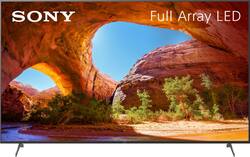
Sony - 85" Class X91J LED 4K UHD Smart Google TV
- Key Specs
- Display Type: LED
- Resolution: 4K (2160p) (Refers to the number of pixels, both horizontally and vertically, used to capture video/images. The higher the resolution the finer the detail that can be seen.)
- Screen Size Class: 85 inches (The group size measurement of a screen. This differs from a screen size measured diagonally from corner to corner.)
- High Dynamic Range (HDR): true (An HDR-compatible 4K TV or other HDR-compatible product displays HDR video content when it's available from sources like 4K Ultra HD Blu-ray Discs and 4K streaming services.)
- High Dynamic Range Format: HDR 10, Hybrid Log-Gamma (HLG), Dolby Vision (There are a few HDR formats that tell the TV or other HDR-compatible product how to best utilize its capabilities to display HDR content. HDR technology can support one or multiple formats, each with various benefits to picture quality.)
- LED Panel Type: Standard LED
- Backlight Type: Full Array Local Dimming (Edge-lit: lights are on the edges of the display with ~10 zones of vertical LEDs. Direct-lit: lights are on the edges and behind the screen for more light uniformity than Edge-lit. Full array: direct-lit with local dimming for greater contrast with up to 100 zones of LEDs.)
- Refresh Rate: 120Hz (The number of frames per second the device can produce natively without enhancement. Higher rates help produce smooth, seamless pictures.)
- Motion Enhancement Technology: X-Motion Clarity (Proprietary technologies produced in addition to the Refresh Rate that smooth out faster moving pictures to reduce blur and pixelation.)
- Smart Platform: Google TV (Just like a computer, a smart TV needs an operating system (also called a smart platform) in order to access the Internet, connect with entertainment apps, and play streaming content. Some common TV smart platforms are; Roku TV, Android TV, and Chromecast.)
- Featured Streaming Services: Paramount+, Disney+, HBO Max, Hulu, Netflix, Prime Video, SHOWTIME, STARZ, Sling TV, YouTube, Peacock (Streaming services and other programs are available on this device. Keep in mind, there may be more services supported than just those shown here.)
- Number of HDMI Inputs (Total): 4
- Works With: Amazon Alexa, Google Assistant (Compatible with or able to be connected to other smart devices or applications.)
- Voice Assistant Built-in: Amazon Alexa, Google Assistant (A digital assistant built into the device that uses voice commands to answer questions and control smart devices.)
- General
- Brand: Sony
- Model Number: KD85X91J
- Product Name: 85" Class X91J LED 4K UHD Smart Google TV
- Color: Black
- Series: X91J Series (Part of a group of the same product type with similar features.)
- Model Year: 2021
- Dimensions
- Product Height With Stand: 45.75 inches
- Product Width: 74.87 inches (The out of box width of the item. Width is measured as the horizontal distance from one side of the item to the other as it would be primarily used or placed.)
- Product Depth With Stand: 17.37 inches
- Product Height Without Stand: 42.87 inches
- Product Depth Without Stand: 2.87 inches
- Product Weight With Stand: 105.1 pounds
- Product Weight Without Stand: 100.9 pounds
- Stand Width: 60.12 inches (The horizontal measurement of the stand/base, or the distance from the outside of one leg to the outside of the opposite leg, as it is attached to the product.)
- Adjustable Stand Width: false (Whether the stand can adjust to have more than one measurement either between the legs or the base itself.)
- Display
- Display Type: LED
- Resolution: 4K (2160p) (Refers to the number of pixels, both horizontally and vertically, used to capture video/images. The higher the resolution the finer the detail that can be seen.)
- Screen Size: 84.6 inches (Size of the screen, measured diagonally from corner to corner.)
- Screen Size Class: 85 inches (The group size measurement of a screen. This differs from a screen size measured diagonally from corner to corner.)
- High Dynamic Range (HDR): true (An HDR-compatible 4K TV or other HDR-compatible product displays HDR video content when it's available from sources like 4K Ultra HD Blu-ray Discs and 4K streaming services.)
- High Dynamic Range Format: HDR 10, Hybrid Log-Gamma (HLG), Dolby Vision (There are a few HDR formats that tell the TV or other HDR-compatible product how to best utilize its capabilities to display HDR content. HDR technology can support one or multiple formats, each with various benefits to picture quality.)
- Picture Quality Enhancement Technology: 4K HDR Processor X1
- LED Panel Type: Standard LED
- Backlight Type: Full Array Local Dimming (Edge-lit: lights are on the edges of the display with ~10 zones of vertical LEDs. Direct-lit: lights are on the edges and behind the screen for more light uniformity than Edge-lit. Full array: direct-lit with local dimming for greater contrast with up to 100 zones of LEDs.)
- Curved Screen: false
- Refresh Rate: 120Hz (The number of frames per second the device can produce natively without enhancement. Higher rates help produce smooth, seamless pictures.)
- Motion Enhancement Technology: X-Motion Clarity (Proprietary technologies produced in addition to the Refresh Rate that smooth out faster moving pictures to reduce blur and pixelation.)
- Closed Captioning: true (The text version of spoken audio displayed on the screen. Devices that can display closed captioning typically have the option to toggle the feature on or off.)
- Language(s) Displayed: English, French, Spanish (The available language options for displayed text or captions.)
- Features
- Remote Control Type: Voice control
- Smart Capable: true (Smart, or smart-capable devices are able to connect directly to your home network in order to stream content from the Internet, run Internet-based apps, or connect to other smart devices.)
- Smart Platform: Google TV (Just like a computer, a smart TV needs an operating system (also called a smart platform) in order to access the Internet, connect with entertainment apps, and play streaming content. Some common TV smart platforms are; Roku TV, Android TV, and Chromecast.)
- Featured Streaming Services: Paramount+, Disney+, HBO Max, Hulu, Netflix, Prime Video, SHOWTIME, STARZ, Sling TV, YouTube, Peacock (Streaming services and other programs are available on this device. Keep in mind, there may be more services supported than just those shown here.)
- Screen Mirroring: true (Casts the screen of one device onto another wirelessly, using a common protocol (typically Bluetooth).)
- Screen Mirroring Technology: Miracast, Apple AirPlay 2
- Indoor Or Outdoor Use: Indoor (Indicates the appropriate environment product was designed to be used in.)
- TV Tuner: Digital (The ATSC TV Tuner is a component built into conventional TV sets or other devices for receiving over-the-air broadcast TV without a cable/satellite box. Digital tuners may be purchased separately and connected to a device if it does not have one built in.)
- Connectivity
- Number of HDMI Inputs (Total): 4
- HDMI Audio Return Channel (ARC): true
- RF Antenna Input: true (This input is used to connect devices such as antennas or cable boxes to a TV via a coaxial cable.)
- Number Of USB Port(s) (Total): 2 (The total number of USB ports including all generations and versions.)
- Bluetooth Version: 4.2 (The Bluetooth specification formalized by the Bluetooth Special Interest Group. All versions of the Bluetooth standard are backwards compatible with previous versions.)
- Compatibility
- VESA Wall Mount Standard: 400mm x 400mm (VESA wall mount standards refer to the spacing of screw holes built into a TV in order to fit with standard TV wall mounts. These standards are implemented into most TVs and monitors.)
- Works With: Amazon Alexa, Google Assistant (Compatible with or able to be connected to other smart devices or applications.)
- Voice Assistant Built-in: Amazon Alexa, Google Assistant (A digital assistant built into the device that uses voice commands to answer questions and control smart devices.)
- Audio
- Built-In Speakers: true
- Built-in Speaker Type: Downward firing (Backward, downward, and front-firing speakers direct sound into the room from those respective directions. A soundbar is typically long and rectangular, and designed to act as an all-in-one speaker with greater sound production than that of a TV alone. An acoustic surface is the result of small sound actuators embedded directly behind the screen, turning the entire screen's surface into a speaker.)
- Surround Sound Supported: DTS Digital Surround (Surround sound systems use multiple audio channels and speakers to create an immersive sound experience for the listener. There are also various proprietary technologies that imitate this kind of sound via a device's built-in speakers or soundbar.)
- Power
- ENERGY STAR Certified: false (Devices carrying the ENERGY STAR service mark, such as computer products and peripherals, kitchen appliances, and other products, generally use 20% to 30% less energy than required by federal standards.)
- EPEAT Qualified: false (The Electronic Product Environmental Assessment Tool (EPEAT) was designed to provide an environmental assessment tool for purchasers. In order to qualify for EPEAT, a product must meet all 23 required criteria.)
- Estimated Annual Operating Cost: 30 United States dollars (Predicted cost of operating the product under average conditions for one year.)
- Estimated Annual Electricity Use: 248 kilowatt hours (Predicted amount of electricity needed to operate the product under average conditions for one year.)
- Rechargeable Battery (Remote Control): false
- Battery Size (Remote Control): AAA (The battery size required for operation.)
- Number Of Batteries Required (Remote Control): 2
- Number of Batteries Included (Remote Control): 2
- Wattage: 318 watts (Measurement of electrical power.)
- Included
- Wall Mount Included: false
- Stand Included: true
- Box Dimension
- Height: 48.56 inches
- Width: 80.18 inches
- Depth: 10.18 inches
- CubicDimension: 39636 inches
- Other
- UPC: 027242921788
Smart, powerful, and beautiful, the X91J is designed for all your favorite content. Powered by the X1 4K HDR Processor, super-bright 4K HDR pictures come to life with vivid color and realistic contrast. With enhanced Motionflow technology, Google TV, and HDMI 2.1 for next-gen gaming, all available in a wide range of sizes, your favorite content just found a new home.
- 4K HDR Processor X1: Powerful TV processing that delivers a picture that is smooth and clear, full of rich colors and detailed contrast.
- Enhanced contrast with Full Array LED: Full Array LED provides more realistic contrast by making light areas lighter and dark areas darker. Contrast is further enhanced by X-tended Dynamic Range, which adjusts brightness for higher peaks in highlights and detailed blacks in shadow.
- TRILUMINOS Color: Reproduces more colors than a conventional TV resulting in picture quality that is natural and precise, and closer than ever to real life.
- GOOGLE TV: Seamlessly browse 700,000+ movies and TV episodes from across your favorite streaming services, all in one place. Watch content from Netflix, Amazon Prime Video, Disney+, Paramount+, YouTube, Apple TV app, Peacock, HBO Max and many more. Searching is easy- just ask Google.
- 4K X-REALITY PRO: Our unique 4K database upscales all the HD content you love to near-4K resolution bringing back real-world detail and texture
- X-MOTION CLARITY: Advanced motion control for smooth pictures that are brighter and clearer, significantly benefiting fast moving action in movies and sports
- Smart TV that plays well with others: With Google Assistant built-in, use your voice to control TV and smart devices. Works with Amazon Alexa enabled devices to control your TV. Stream content from your Apple devices using Airplay, to configure, customize and control your smart home using HomeKit.
- Immersive entertainment just as the creators intended: With support for HDR, Dolby Vision, Netflix Calibrated Mode, Sony TVs create an immersive and engaging cinematic experience, just as the creators intended.
- ACOUSTIC MULTI-AUDIO: Two sound positioning tweeters on the sides of the TV elevates the soundstage enabling sound to follow the action for a truly immersive experience.
- 4K HDR Processor X1: Powerful TV processing that delivers a picture that is smooth and clear, full of rich colors and detailed contrast.
- Enhanced contrast with Full Array LED: Full Array LED provides more realistic contrast by making light areas lighter and dark areas darker. Contrast is further enhanced by X-tended Dynamic Range, which adjusts brightness for higher peaks in highlights and detailed blacks in shadow.
- TRILUMINOS Color: Reproduces more colors than a conventional TV resulting in picture quality that is natural and precise, and closer than ever to real life.
- GOOGLE TV: Seamlessly browse 700,000+ movies and TV episodes from across your favorite streaming services, all in one place. Watch content from Netflix, Amazon Prime Video, Disney+, Paramount+, YouTube, Apple TV app, Peacock, HBO Max and many more. Searching is easy- just ask Google.
- 4K X-REALITY PRO: Our unique 4K database upscales all the HD content you love to near-4K resolution bringing back real-world detail and texture
- X-MOTION CLARITY: Advanced motion control for smooth pictures that are brighter and clearer, significantly benefiting fast moving action in movies and sports
- Smart TV that plays well with others: With Google Assistant built-in, use your voice to control TV and smart devices. Works with Amazon Alexa enabled devices to control your TV. Stream content from your Apple devices using Airplay, to configure, customize and control your smart home using HomeKit.
- Immersive entertainment just as the creators intended: With support for HDR, Dolby Vision, Netflix Calibrated Mode, Sony TVs create an immersive and engaging cinematic experience, just as the creators intended.
- ACOUSTIC MULTI-AUDIO: Two sound positioning tweeters on the sides of the TV elevates the soundstage enabling sound to follow the action for a truly immersive experience.
Whats Included
- TV
- Batteries
- Voice Remote
- AC Power Cord
- Stand
- Quick Setup Guide
- Operating instructions
- Warranty
- TV
- Batteries
- Voice Remote
- AC Power Cord
- Stand
- Quick Setup Guide
- Operating instructions
- Warranty
Documents
- Energy_Guide_PDF
- Energy_Guide_PDF
A: The X85J also uses the 4K HDR X1. Viewed in store I would say quality for the X91J would be between the X85J(slightly lower model) and X90Js that use the new Cognitive Processor. I would guess Sony did not put the Ultimate, Extreme, or New Cognitive Processor because then there would be no reason to move up to X95J series coming out within next couple of months. X91J only size in the lineup that did not get the Cog. Processor. IMO, the Cognitive view would take some getting used to especially for a person that watches movies over and over again to look for Easter Eggs, etc. The CP decides what's important to look at and kind of slightly blurs the rest so you focus on what it thinks you want to focus on. That's one opinion from one store visit but with months of research. Hope that helps.
A: Hi ding, thank you so much for your question! The main difference between the two models is the operating system. The X91J comes with Google TV operating system, while the X900H features our Android TV operating system. The Google TV platform on our 2021 TVs features a more content-focused experience, while the Android TV platform on our previous TVs is more app-focused. To know more about their features/product highlights, please check out the following links: KD-85X91J - https://electronics.sony.com/tv-video/televisions/all-tvs/p/kd85x91j XBR-85X900H - https://electronics.sony.com/tv-video/televisions/full-array-led/p/xbr85x900h I hope you find this information to be helpful! - Romeo
Q: Whats the difference between this Bravia 85 inch and kd85x91cj that is sold at Costco?
A: Hi BraviaLover , Our X91J and X91CJ have the same specifications. They only differ in the warranty and other promotions such as Bravia Core. This is a special promotion that is only available with our club partners at this time. I hope this helps! -Vincent
A: Hi MD2002, Thank you for your inquiry and for raising your concern. We have no known issue about blooming or any picture-related issue with our premium Bravia TVs especially for X91J. The picture quality of the TV will depend on many things such as the quality of the source, settings of the TV and depending on the room environment. We highly suggest playing and watching high-quality content with this TV and adjusting the picture settings according to the user's preference. In case you will get this unit and encounter any issue, you can email us at [email protected] so we can assist you further. I hope this helps. Vincent
A: Hello AGB19, Unfortunately, there is only one set of legs for this TV. The measurement of the TV stand from front to back is approximately 17 3/8 inches (441.33 mm). If you prefer our KD-85X91J / X95J, you will need to have a new TV cabinet with a deep bigger than the TV stand. This is highly recommended to secure the TV and prevent it from toppling. To know more, you can visit this link for more details: https://www.sony.com/electronics/support/res/manuals/5027/ca8f93dda42bbb7d06e8d56aac9675b8/50270491M.pdf (p3). Thank you for your inquiry! Vincent
A: Hello, We regret to hear you are having an issue with your Sony TV. If your concern is about changing the type of signal to Antenna, please follow the steps below: 1. On the supplied remote, press the HOME button. 2. Select Settings or the Gear icon. 3. Under TV, select Channels. 4. Select Channel setup. 5. Select Cable/Antenna. 6. Select Signal type. 7. Select Antenna. Should you need further assistance, you can email us at [email protected] with the following details so we can further assist you: Name: Best Buy Username: Model Number: Issue: Telephone Number: Sincerely, Vincent
Q: Can this TV output both earphone and speakers at the same time?
A: Hi Rocky, thank you for your inquiry. Unfortunately, If you connect your headphones to the TV headphone jack or through Bluetooth, the TV can't output sound from both the TV speakers and the audio device at the same time. Hope this helps! -Sam
Q: Will the TV remote operate the AT-A7000 soundbar?
A: Yes it will, but you will need to adjust the rear speakers and the subwoofer on the sound bar remote.