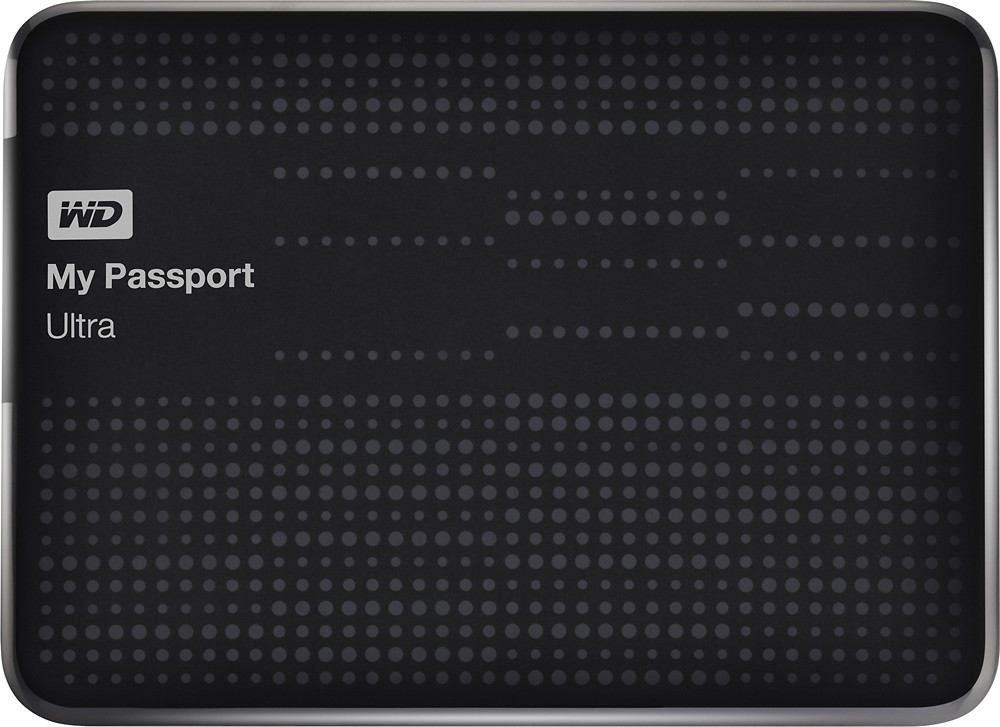
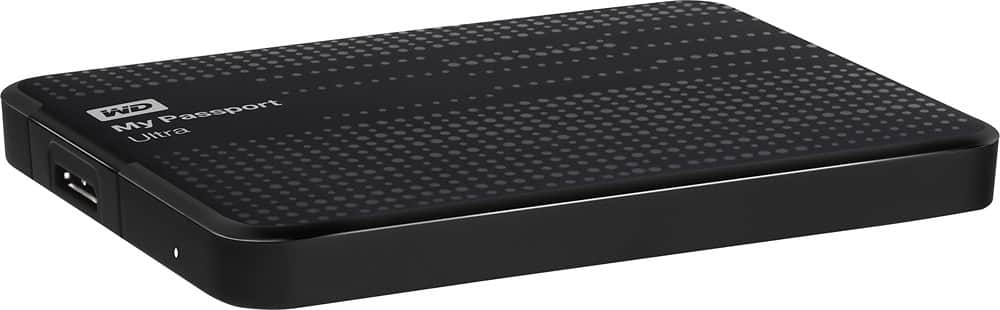

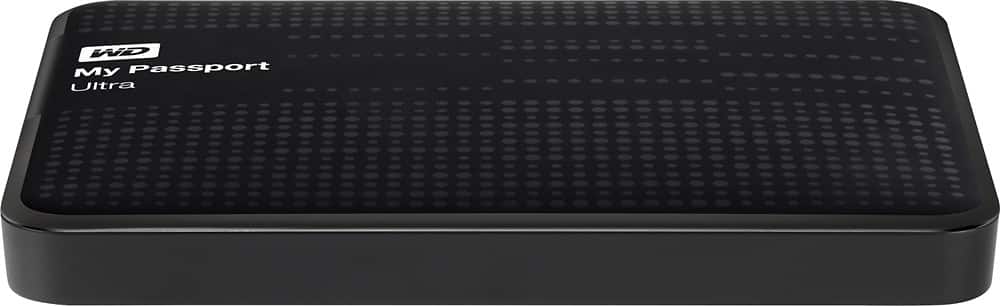
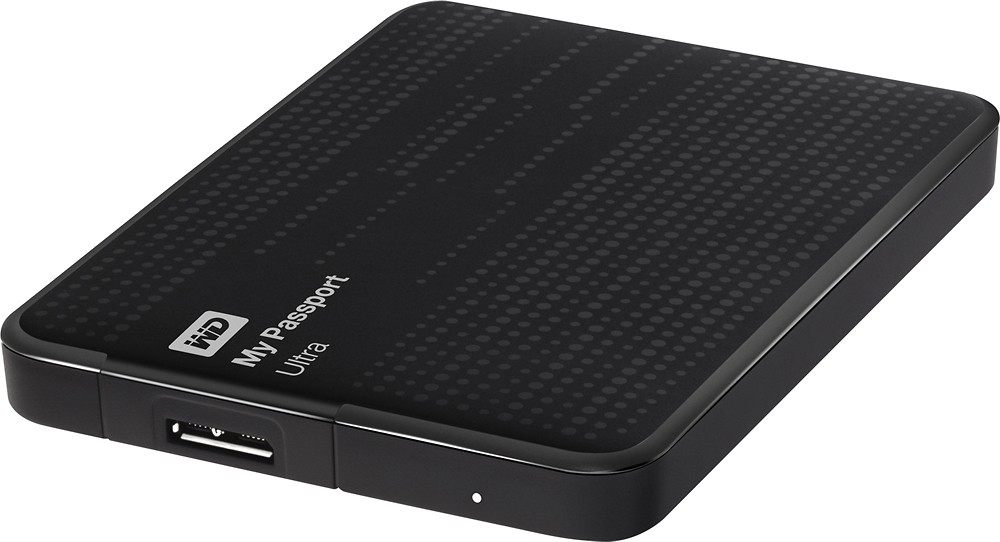
WD - My Passport Ultra 1.5TB External USB 3.0/2.0 Portable Hard Drive - Black
This item is no longer available in new condition.
See similar items below.
Description
Features
Data transfer rates up to 5 Gbps via USB 3.0, up to 480 Mbps via USB 2.0
Ensures a rapid response when updating files.
Portable design
So you can take your data on the go.
USB 3.0/2.0 interface
For simple connection to your computer.
Automatic and Cloud backup
Offer flexible data management options.
1.5TB storage capacity
Provides plenty of space for your music, movies, photos, documents and other data.
Compatible with Mac and PC
For flexible use. Note: Requires reformatting for use with Mac OS X.
Password protection and hardware encryption
Prevent unauthorized access to private data.
Included Free
 Discord- 1-Month of Discord Nitro free (New and Returning Subscribers Only)Get 1-month of Discord Nitro on us. Unlock a world of premium perks on Discord with Nitro. Get perks such as personalized profiles, animated emoji, larger file uploads, HD streaming and more! Subscription auto renews for $9.99 per month after promotion ends until cancelled.
What's Included
WD My Passport Ultra 1.5TB External USB 3.0/2.0 Portable Hard Drive
USB cable, WD SmartWare Pro software
Owner's manual
Other
- Assembly RequiredNo
- Internal or ExternalExternal
- Drive Capacity1.5TB
- Drive ConnectivityUSB 2.0
- Data Transfer Rate to/from InterfaceUp to 5 Gbps USB 3.0; up to 480 Mbps USB 2.0
- SecurityPassword protection and encryption
- Software IncludedWD SmartWare Pro
- System RequirementsPC: Windows XP, Vista, 7 or 8; Mac: OS X
- Bare DrivesNo
- Color CategoryBlack
- Portable or DesktopPortable
- UPC718037806549
Customer reviews
Rating 4.8 out of 5 stars with 105 reviews
(105 customer reviews)to a friend
Customers are saying
Customers appreciate the ample storage, ease of use, and convenient size of this product. Positive feedback also highlights the fast transfer speeds enabled by the USB connection. Many find the device to be reasonably priced. The product's performance is also frequently praised.
This summary was generated by AI based on customer reviews.
- Pros mentioned:Ease of use, Size, Speed
Rated 5 out of 5 stars
Very fast and easy to install.
||Posted .This reviewer received promo considerations or sweepstakes entry for writing a review.This hard drive is very fast when I save files on it even big files. It was easy to install it on my computer. The size is perfect for me. I can easily carry it and put it on my purse.
I would recommend this to a friend - Pros mentioned:Size, Speed, Usb
Rated 5 out of 5 stars
COMPACT LARGE!
||Posted .This reviewer received promo considerations or sweepstakes entry for writing a review.1.5 TB, small as a pack of cards. Plugged in, worked right away, used a 3.0 USB port, so it's all fast. A couple of these for under 80 dollars, and who needs to pay for cloud storage?
I would recommend this to a friend - Pros mentioned:Size, Speed, Storage
Rated 5 out of 5 stars
great product - fast and efficient
||Posted .This reviewer received promo considerations or sweepstakes entry for writing a review.Always had great success with any Western Digital product and this is no exception. It's compact, fast, and holds enough for my use.
I would recommend this to a friend - Pros mentioned:Ease of use, Speed, Storage
Rated 5 out of 5 stars
simple to use
||Posted .This reviewer received promo considerations or sweepstakes entry for writing a review.great extra storage for my computer. very easy to use, just plug in and go. decent transfer speed. i would recommend it to anyone.
I would recommend this to a friend - Pros mentioned:Ease of use, Speed
Rated 5 out of 5 stars
Easy fix for full hard drive
||Posted .This reviewer received promo considerations or sweepstakes entry for writing a review.So easy! I just connected it to my computer with the included cable and it set itself up quickly. I transferred 350GB from my pc & now the computer runs great. I also use my MacBook to access the files on this external hard drive. It's a great product at a really good price.
I would recommend this to a friend - Pros mentioned:Storage
Rated 5 out of 5 stars
Tech that gave me Peace of Mind!
||Posted .This reviewer received promo considerations or sweepstakes entry for writing a review.My Laptop has been doing some funny things lately, so I wanted to do some serious backups before I try and reload the OS. This little guy gives me solid performance, loads of space and the price was great. It can do continuous backup (how I am using it) or scheduled backups.
I would recommend this to a friend - Pros mentioned:Size, Speed
Rated 5 out of 5 stars
Works great! Super fast,
||Posted .This reviewer received promo considerations or sweepstakes entry for writing a review.There is preloaded software. Nothing that your PC OS can't do, so its not necessarily essential. I recommend reformatting any memory bought because you never know if there are viruses on them. Other than that, this unit is very fast, compact, and reliable.
I would recommend this to a friend - Pros mentioned:Storage
Rated 5 out of 5 stars
Great External drive
||Posted .This reviewer received promo considerations or sweepstakes entry for writing a review.This is my third WD external drive. I bought this one because it has a lot more GB's than my other 2 which are close to being full. I use it to backup my laptops and I am very happy with the performance. I have never had a problem with a WD drive,
I would recommend this to a friend
Q: QuestionPower supplyMy question is: does this unit require a separate power supply to run or will it have sufficient power when connected to my computer by the USB cable?
Asked by Tim.
- A:Answer No, this product does not require a separate power supply. It is powered entirely via the USB cable connected to your computer.
Answered by CommunityAnswer
Q: QuestionIs it difficult to reformat for use with a Mac OS X?I will be buying this for my macbook, but I do not know how to reformat it for the Mac OS X. Will it be difficult?
Asked by Anonymous.
- A:Answer No. If you want to reformat it for OSX, you can do so with the Disk Tool. if you want it to be able to read and write to it with a Windows computer also, format it to FAT32, an old Windows format. You can also buy 3rd party software so you can use the modern Windows NTFS format and read and write to it with a Mac or Windows. If you are just using it on Mac, format it for OSX.
Answered by BuckBuck
Q: QuestionfullOnce this is full, does it automatically overwrite or do you have to erase it and start over
Asked by Mingman.
- A:Answer Some of the backup software may do this but if you just use it for file storage no.
Answered by KSouthern
Q: Questioncompatibility with mac book proWhat is required for compatibility with mac book pro with retina display, RFB MBP 13.3/2.6GHZ/8GB/256GB
Asked by Anonymous.
- A:Answer You simply need to format it for Mac. Instructions: 1. Plug the drive into your Mac. Cancel or continue through any warning messages that you get. 2. Go to Applications > Utilities and open Disk Utility 3. On the left, choose the WD Password drive. 4. Click the "Erase" tab on the top. 5. From the Format dropdown menu, choose either Mac OS Extended "journaled" (which is what I chose) or "journaled encrypted" (if you want the data encrypted). You can choose one of the other options if you know what you're doing and have different needs. 6. Give the drive a Name 7. Click the "Erase..." button. It doesn't take long. Once finished, your drive will be formatted for Mac. It will likely pop up a message asking if you want to use the drive for Time Machine automatic backups. That is your choice (research it if you don't know what it is). I chose No because I do my own backups.
Answered by hendridm
Q: QuestionWill this drive work as a DVR with my TV?I had a Seagate DVR Expander that needs to be replaced.
Asked by Joy.
- A:Answer No,it will not. it's not intended to work as DVR.
Answered by alex
Q: QuestionWill this be compatible with the new Windows 10?
Asked by Anonymous.
- A:Answer Yes, it will work fine with future versions of Windows.
Answered by KSouthern
Most viewed
- $799.00Your price for this item is $799.00$999.00The comparable value for this item is $999.00
- $299.00Your price for this item is $299.00$349.00The comparable value for this item is $349.00
- $129.99Your price for this item is $129.99$149.99The comparable value for this item is $149.99
- $219.99Your price for this item is $219.99$449.99The comparable value for this item is $449.99
- $399.99Your price for this item is $399.99$499.99The comparable value for this item is $499.99
- $799.00Your price for this item is $799.00
- $549.99Your price for this item is $549.99
- $44.99Your price for this item is $44.99
- $499.99Your price for this item is $499.99
- $59.99Your price for this item is $59.99$149.99The comparable value for this item is $149.99
- $160.99Your price for this item is $160.99
- $649.99Your price for this item is $649.99$1,049.99The comparable value for this item is $1,049.99
- $1,299.99Your price for this item is $1,299.99$1,869.99The comparable value for this item is $1,869.99
- $129.00Your price for this item is $129.00$319.00The comparable value for this item is $319.00
- $219.99Your price for this item is $219.99$729.99The comparable value for this item is $729.99
- $1,799.99Your price for this item is $1,799.99
- $1,099.00Your price for this item is $1,099.00
- $199.99Your price for this item is $199.99$349.99The comparable value for this item is $349.99
- $329.00Your price for this item is $329.00$429.00The comparable value for this item is $429.00