ASUS - ProArt 27" 4K IPS Professional Monitor with HDR (DisplayPort, HDMI, USB-C) - Black
Customers are saying
Customers praise the monitor for its exceptional color accuracy and sharp 4K resolution, which are frequently highlighted as standout features. Users also appreciate the convenience of the USB-C connectivity and the overall sturdy build quality of the device. While the display is highly regarded, some users noted that the integrated speakers are underwhelming and the refresh rate is limited to 60Hz.
Highlights
Features
4K Resolution
4 times the resolution of full HD 1080p with HDR for stunning details and image quality
5ms Response Time
Delivers ultra-fast performance, minimizing lag and time-to-screen
Frameless Design
Frameless panel design for an ideal multi display setup
27" LED IPS Monitor
Efficient screen type uses leds to provide precise backlighting to pixels
USB Type-C Monitor
USB-C connection for displayport, USB data transmission and supports 65W power delivery
178° Horizontal and 178° Vertical Viewing Angles
Allow you to view the screen from a wide range of angles
2-Watt Built-In Speakers
Let you enjoy your favorite entertainment in stereo sound
350cd/㎡Brightness
Produces bright images that can clearly be seen even in well-lit rooms
Specifications
- Refresh Rate60HzMaximum Resolution3840 x 2160Response Time5 millisecondsPanel TypeIPSSynchronization TechnologyNot Applicable
Reviews
Rating 4.6 out of 5 stars with 179 reviews
- Color Accuracy (107)
- USB-C (25)
- Resolution (17)
- Connectivity (14)
- Build Quality (12)
- Speakers (8)
- Refresh Rate (3)
Customer Images
The vast majority of our reviews come from verified purchases. Reviews from customers may include My Best Buy members, employees, and Tech Insider Network members (as tagged). Select reviewers may receive discounted products, promotional considerations or entries into drawings for honest, helpful reviews.

- LG - UltraGear evo 45" 5K2K OLED 165Hz 0.03ms G-SYNC FreeSync Premium Pro Gaming Monitor with DisplayHDR400 TRUE - Black$1,699.99The price was $1,999.99
- LG - UltraGear evo GX9 39" 5K2K OLED 165Hz 0.03ms G-SYNC FreeSync Premium Pro Gaming Monitor with DisplayHDR TRUE 500 - Black$1,599.99The price was $1,799.99




Compare similar products

4 times the resolution of full HD 1080p with HDR for stunning details and image quality. IPS technology is optimized for the finest image quality with 178° wide-viewing-angle.

Asus ProArt PA279CRV 27" Class 4K UHD LED Monitor - 16:9 - 27" Viewable - In-plane Switching (IPS) Technology - LED Backlight - 3840 x 2160 - 1.073 Billion Colors - Adaptive Sync - 400 Nit - 5 ms - 60 Hz Refresh Rate - Speakers - USB Type-C - HDMI - DisplayPort - VESA Mount Compatible - USB Hub

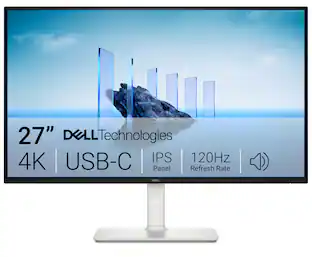
Dell 27 Plus 4K USB-C Monitor - S2725QC. Whether you're watching movies or playing games, enjoy an immersive viewing experience with improved eye comfort on a 4-star certified monitor*.

ProArt Display PA27JCV is a 27-inch 5K HDR monitor designed for professional content creators. This Calman Verified display boasts a wide gamut with 99% DCI-P3, 100% sRGB and 95% Adobe RGB coverage, and it’s factory calibrated to Delta E<2 for exceptional color accuracy. Built-in Auto KVM allows for convenient, effortless switching between two connected laptops or PCs using a single keyboard and mouse. To ensure brightness and color temperature accuracy, ambient light and backlight sensors automatically adjust visual settings. Plus, a USB-C port offers DisplayPort support and enables superfast data transfers and 96-watt power delivery via a single cable.
| Pros for ASUS - ProArt 27" 4K IPS Professional Monitor with HDR (DisplayPort, HDMI, USB-C) - Black | |||
|---|---|---|---|
| Color Accuracy, Resolution, Connectivity, USB-C, Build Quality | There were no pros for this product— | Connectivity, Port Count, Adjustability, Image Quality, Refresh Rate | Color Accuracy, Connectivity, Port Count, Resolution, Adjustability |
| Cons for ASUS - ProArt 27" 4K IPS Professional Monitor with HDR (DisplayPort, HDMI, USB-C) - Black | |||
| Refresh Rate, Speakers | There were no cons for this product— | There were no cons for this product— | Refresh Rate, Speaker Quality |
Specs
Customers often buy these together
Computer Keyboards

Logitech - MX Keys S Universal Full-size Wireless Scissor Keyboard for PC and Mac with Backlit keys - Black
$119.99The price was $129.99
Logitech - MK850 Performance Full-size Wireless Membrane Keyboard and Mouse Combo for PC and Mac - Black
Holiday Deal$89.99The price was $99.99






Monitor and Video Cables





More recommended items
 Mice
 Cables and Adapters
More to consider
Dell S2725QC 27" IPS LED 4K UHD 120Hz 8ms FreeSync Premium Monitor with HDR (HDMI, DisplayPort, USB)
$349.99The price was $369.99ASUS ProArt 27" 5K IPS Professional Monitor with HDR (DisplayPort, HDMI)
$719.00The price was $845.70ASUS ProArt PA278QV 27" IPS WQHD Adaptive-Sync Monitor (DisplayPort, HDMI, USB)
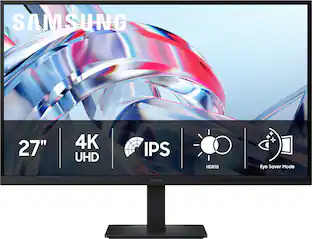
$225.42The price was $283.22Samsung 27" (S70H) IPS LED 4K UHD HDR10 High Resolution Monitor (HDMI, DP)
$249.99The price was $299.99










Explore tech essentials Sponsored
Dell S2725QC 27" IPS LED 4K UHD 120Hz 8ms FreeSync Premium Monitor with HDR (HDMI, DisplayPort, USB)
$349.99The price was $369.99Dell SE2726HS 27" IPS LCD FHD 144Hz FreeSync Height Adjustable Monitor (HDMI, USB)
Holiday Deal$109.99The price was $139.99Samsung 27" Odyssey OLED G5 (G50SF) QHD 180Hz 0.03ms G-Sync & FreeSync Compatible Glare Free Gaming Monitor
Black Friday Deal$319.99The price was $499.99Samsung 27" Odyssey G4 (G40H) Fast IPS FHD 300Hz 1ms AMD FreeSync Prem Gaming Monitor with HDR 10 (DisplayPort, HDMI)
Holiday Deal$189.99The price was $299.99




Discover related products
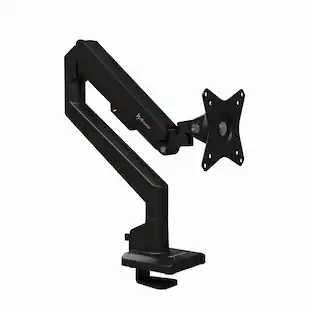
Arozzi Alzare Neo Gas Spring Single Monitor Arm – Adjustable Height & Full Motion –
$59.99The price was $69.99Apple MacBook Pro - 13" Display with Touch Bar - Intel Core i5 - 8GB Memory - 256GB SSD
$569.99The price was $1,249.99Apple MacBook Air 15-inch Laptop - M3 chip - 16GB Memory - 512GB SSD
$1,199.99The price was $1,299.00Apple Mac mini Desktop - M4 chip - Built for Apple Intelligence - 24GB Memory - 512GB SSD
$1,099.99The price was $1,199.00Apple MacBook Pro 14" Laptop - M3 chip - 8GB Memory - 10-core GPU - 512GB SSD
$1,259.99The price was $1,399.00










Keep exploring
Ingnok 15.6" Portable Monitor for Laptop - FHD 1080p USB-C with Adjustable Stand, Mini HDMI and VESA
$89.99The price was $95.99ASUS ROG Strix 34" QHD 2K 1440p 280Hz G-Sync HDR500 0.03ms USB-C OLED Curved Gaming Monitor XG34WCDMS
$787.49The price was $971.99ASUS ROG Strix 32" 4K OLED Gaming Monitor - 4K@165Hz, 0.03ms, G-SYNC, USB-C, HDMI 2.1
$862.99The price was $979.32ASUS ROG 32" 4K 240Hz OLED Gaming Monitor (PG32UCDM) - 480Hz Dual Mode, 0.03ms, G-SYNC, DP2.1
$1,511.99The price was $1,669.34Deco Gear 27" QHD OLED Gaming Monitor 280Hz 0.03ms HDR400 Adaptive Sync HDMI 2.1/DP 1.4
$329.99The price was $599.99Acer Nitro 29.5" 1080P 200Hz AMD FreeSync 1ms 1800R Curved Gaming Monitor
$143.04The price was $172.99Acer PM161Q 15.6" Portable Monitor Full HD 1920x1080 IPS USB-C HDMI Refurbished
$47.33The price was $48.99Samsung 57-Inch Odyssey Neo G9 G95NC Dual UHD Quantum Matrix Gaming Monitor
$1,599.99The price was $2,097.99