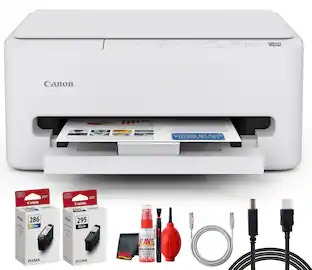
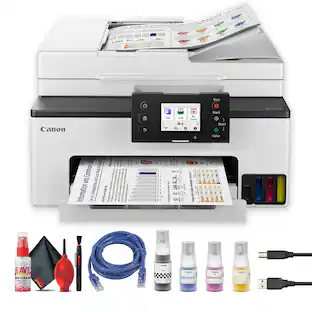
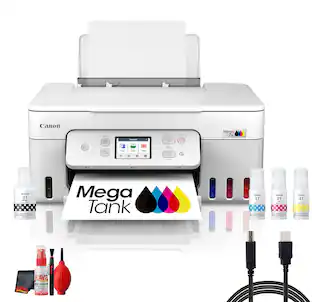
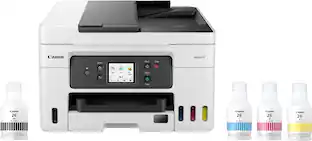
Canon - MAXIFY MegaTank GX3020 Wireless All-In-One Inkjet Printer - White
About this product
Designed for home offices and small businesses, the Canon MAXIFY GX3020 delivers high-quality, low-cost printing, and outstanding wireless connectivity in a compact size. Get serious print productivity with a high page yield of up to 6,000 Black / 14,000 Color pages per full ink bottle set and a low cost per print of less than 2 cents per page1. The MAXIFY GX3020 comes with a full set of ink and a 3-year or 80,000 pages2 limited warranty so you can print with confidence. The MAXIFY GX3020 is easy to set up and maintain and offers great media versatility to print on a variety of media types and sizes, including business cards, envelopes, banners and more. Produce crisp, colorful documents quickly and cost-effectively with fast print speeds and a high quality 4-color pigment-based ink system. Keep printing with a large combined plain paper capacity of up to 350 sheets. Easily connect and print through high-speed USB, Ethernet, or wirelessly3 from computers or mobile devices. This model is backed by Canon's Service and Support network.
1.35" MONO LCD Screen
Get the job done with an intuitive and easy to use 1.35” Monochrome LCD Screen.
High page yield
Print up to 6,000 black pages / 14000 color pages with just a single set of inks.6
Up to 600 X 1200 DPI9
Medium resolution for producing sharp text, even at 6 points or smaller, and graphics with thin lines and curves.
Wireless connect
Easy Wi-Fi setup in minutes. Connect to Wi-Fi without the need for a computer.
Mobile device printing
Print from your favorite mobile devices using the free Canon PRINT app, Apple AirPrint and Mopria Print Service.
Built-in duplex printing
Print on both sides of the page without turning it over manually, to minimize your printing costs and help the environment.
More print, copy and scan solutions
Automatically print 2-sided documents, scan documents to your computer or directly to e-mail,
Inkjet printers are best for home or small business use
They offer excellent print quality for photos and documents and accept a variety of paper types and sizes.
Easy to refill
The ink bottles have a "keyed nozzle" design to only fit and fill the correct colo ink tank.
Easy setup
Get running in just a few minutes thanks to a streamlined and easy setup process out of the box.
Compact size
Not only are the MAXIFY GX series printers packed with features, they're also designed small to fit your workspace.
Disclaimers
Page yield is the estimated value based on Canon individual testing method using ISO/IEC 24712 test chart and continuous printing simulation with full set of replacement ink bottles after initial setup.
Warranty is effective for three (3) years from date of original purchase or the printing of 80,000 pages, whichever comes first. Warranty program is subject to certain conditions and restrictions. See www.usa.canon.com/maxify-gx-series-warranty for details.
Wireless printing and scanning requires a working network with wireless 802.11b/g/n capability, operating at 2.4GHz or 5.0GHz. Wireless performance may vary based on terrain and distance between the printer and wireless network clients.
Requires an Internet connection and the Canon PRINT Inkjet/SELPHY app, available for free on the App Store and at Google Play. Your device must be connected to the same working network with wireless 802.11 b/g/n capability as your printer
AirPrint functionality requires a compatible iPad, iPhone, or iPod Touch device running iOS 7.0 or later, and an AirPrint-enabled printer connected to the same network as your iOS device. A printer connected to the USB port of your Mac, PC, AirPort Base station, or Time Capsule is not supported.
Requires Android mobile device with Android 4.4 operating system or later with the Mopria Print Service pre-loaded with that device and the compatible PIXMA printer on the same wireless network.
- NetworkingWirelessENERGY STAR CertifiedYesPrinter TypePrinter, Copier, Scanner, All In OneISO Color Print Speed13 pages per minuteISO Mono Print Speed18 pages per minuteTouch ScreenYes
Reviews
Rating 4.4 out of 5 stars with 44 reviews
Customer Images
The vast majority of our reviews come from verified purchases. Reviews from customers may include My Best Buy members, employees, and Tech Insider Network members (as tagged). Select reviewers may receive discounted products, promotional considerations or entries into drawings for honest, helpful reviews.

- HP - Envy 6165 Wireless AI-Enabled All-in-One Inkjet Printer with 6 months of Instant Ink - White$79.99The price was $159.99
- HP - Envy Photo 7975 Wireless AI-Enabled All-in-One Inkjet Printer w/ 3 Months of Instant Ink - White$159.89The price was $239.89
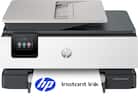
Compare similar products
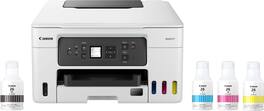
Designed for home offices and small businesses, the Canon MAXIFY GX3020 delivers high-quality, low-cost printing, and outstanding wireless connectivity in a compact size. Get serious print productivity with a high page yield of up to 6,000 Black / 14,000 Color pages per full ink bottle set and a low cost per print of less than 2 cents per page1. The MAXIFY GX3020 comes with a full set of ink and a 3-year or 80,000 pages2 limited warranty so you can print with confidence. The MAXIFY GX3020 is easy to set up and maintain and offers great media versatility to print on a variety of media types and sizes, including business cards, envelopes, banners and more. Produce crisp, colorful documents quickly and cost-effectively with fast print speeds and a high quality 4-color pigment-based ink system. Keep printing with a large combined plain paper capacity of up to 350 sheets. Easily connect and print through high-speed USB, Ethernet, or wirelessly3 from computers or mobile devices. This model is backed by Canon's Service and Support network.
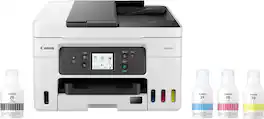
Designed for home offices and small businesses, the Canon MAXIFY GX4020 delivers high-quality, low-cost printing, and outstanding wireless connectivity in a compact size. Get serious print productivity with a high page yield of up to 6,000 Black / 14,000 Color pages per full ink bottle set and a low cost per print of less than 2 cents per page1. The MAXIFY GX4020 comes with a full set of ink and a 3-year or 80,000 pages2 limited warranty so you can print with confidence. The MAXIFY GX4020 is easy to set up and maintain and offers great media versatility to print on a variety of media types and sizes, including business cards, envelopes, banners and more. Produce crisp, colorful documents quickly and cost-effectively with fast print speeds and a high quality 4-color pigment-based ink system. Keep printing with a large combined plain paper capacity of up to 350 sheets. Easily connect and print through high-speed USB, Ethernet, or wirelessly3 from computers or mobile devices. This model is backed by Canon's Service and Support network.

Business quality printing from the comfort of home: Canon MegaTank printers are a great choice for high quality printing, value, and performance to help you get the job done. Great for hybrid working environments, the GX2020 has plenty of features to keep you productive from home or office, with office-like print quality. The GX2020 MegaTank All-in-One inkjet printer delivers high-quality, low-cost printing, and outstanding wireless connectivity in a compact size. Get serious print productivity with a high page yield of up to 3,000 Black / 3,000 Color pages with just a single set of inks. Plus, the GX2020 comes with a 3-year limited warranty or 60,000 pages (whichever comes first)* and is backed by Canon’s friendly and knowledgeable Service and Support network, so you can have peace of mind and focus on the business at hand. You’ll get a stable, reliable connection with dual band WiFi,¹ fast print speeds and generous paper capacity of up to 250 sheets. The GX2020 also has a built in 35-sheet automatic document feeder, so you can copy multi-page documents with ease. The adjustable 2.7-inch touchscreen makes it easy to view and navigate through functions. The GX2020 is easy to set up and maintain and offers great media versatility to print on a variety of media types and sizes, including photo paper, envelopes, banners and more. Create beautiful and professional posters, banners and signage with Poster Artist Online.⁶ Print both documents and photos on a variety of paper types using a 4-color pigment-based ink system for sharp black text and dye-based colors for vivid photos up to 8.5” x 14”. Setting up the GX2020 is easy. You can connect through high-speed USB or wirelessly¹ from computers or mobile devices. The GX2020 is also Chromebook compatible.
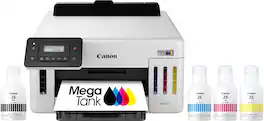
Designed for home offices and small businesses, the Canon MegaTank GX5120 delivers high-quality, low-cost printing, and outstanding wireless connectivity in a compact size. Get serious print productivity with a high page yield of up to 6,000 Black / 14,000 Color pages per full ink bottle set ⁶ Each printer comes with a full set of ink and a 3-year or 80,000 pages* limited warranty so you can print with confidence. The MegaTank GX5120 is easy to set up and maintain and offers great media versatility to print on a variety of media types and sizes, including labels, envelopes, and banners up to 8.5” x 47”. Produce crisp, colorful documents quickly and cost-effectively thanks to fast print speeds and a high quality 4-color pigment-based ink system. Keep printing with a large combined plain paper capacity of 350 sheets. Easily connect and print through high-speed USB, Ethernet, or wirelessly from computers or mobile devices.
| Pros for Canon - MAXIFY MegaTank GX3020 Wireless All-In-One Inkjet Printer - White | |||
|---|---|---|---|
| There were no pros for this product— | Print Quality, Setup, Ease of use, Overall Performance, Size | Print Quality, Setup | There were no pros for this product— |
| Cons for Canon - MAXIFY MegaTank GX3020 Wireless All-In-One Inkjet Printer - White | |||
| There were no cons for this product— | Connectivity, Noise Level | There were no cons for this product— | There were no cons for this product— |
Specs
Customers often buy these together
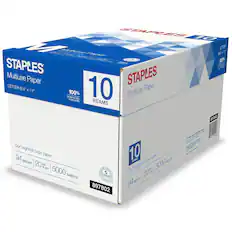
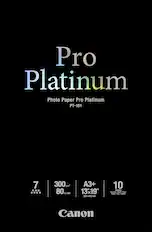
Copy and Multipurpose Paper







Customers ultimately bought
 $487.99The price was $539.99
 $749.99The price was $849.99
 $269.99The price was $329.99
 $263.28The price was $322.79

Explore tech essentials Sponsored
 Top Deal$269.99The price was $329.99
 Top Deal$199.99The price was $239.99
 Top Deal$169.99The price was $189.99


Discover related products
 $12.99The price was $13.99
 $143.99The price was $144.99
 $239.00The price was $275.00
 $30.99The price was $32.99











Keep exploring
 $3,378.90The price was $3,678.90