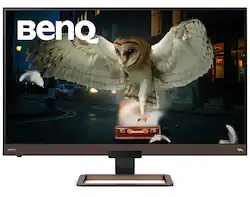
BenQ - EW3280U 32" IPS LED 4K 60Hz Monitor Freesync Remote Control (HDMI/DP/USB-C 60W) - Black/Metallic Brown
- Key Specs
- Refresh Rate: 60Hz (The number of frames per second the device can produce natively without enhancement. Higher rates help produce smooth, seamless pictures.)
- Maximum Resolution: 3840 x 2160 (Maximum resolution refers to the highest number of pixels that a screen can process and display. Higher resolution signals produce more detailed images.)
- Response Time: 5 milliseconds (The speed at which pixels can change colors is called response time. It is measured in milliseconds (ms).)
- Panel Type: IPS (Technology that affects response time and image quality.)
- Synchronization Technology: FreeSync (AMD Adaptive Sync) (Generally, these technologies allow syncing between a computer/console game's frame rate and the device's refresh rate for a smoother display without tearing.)
- Screen Size: 32 inches (Size of the screen, measured diagonally from corner to corner.)
- Display Connector(s): 1 x DisplayPort 1.2 (The number and type of connectors used to connect to an external display.)
- General
- Product Name: EW3280U 32" IPS LED 4K 60Hz Monitor Freesync Remote Control (HDMI/DP/USB-C 60W)
- Brand: BenQ
- Operating System Compatibility: Windows, Apple iOS
- Model Number: EW3280U
- Color: Black/Metallic Brown
- Display
- Refresh Rate: 60Hz (The number of frames per second the device can produce natively without enhancement. Higher rates help produce smooth, seamless pictures.)
- Maximum Resolution: 3840 x 2160 (Maximum resolution refers to the highest number of pixels that a screen can process and display. Higher resolution signals produce more detailed images.)
- Native Resolution: 3840 x 2160 (Native resolution of a screen refers to its single, fixed resolution. Sometimes screens must scale an image up or down in order to fit the native resolution. This can cause a loss of resolution or detail.)
- Contrast Ratio: 1,000,000:1 (Measured difference between a displayed image's brightest whites and darkest blacks. The larger the first number, the more detail and color that can be displayed.)
- Response Time: 5 milliseconds (The speed at which pixels can change colors is called response time. It is measured in milliseconds (ms).)
- Display Type: LED
- Panel Type: IPS (Technology that affects response time and image quality.)
- Synchronization Technology: FreeSync (AMD Adaptive Sync) (Generally, these technologies allow syncing between a computer/console game's frame rate and the device's refresh rate for a smoother display without tearing.)
- Aspect Ratio: 16:9 (The measurement of the width of a screen compared to the height of a screen, expressed as a ratio.)
- Curved Screen: false
- Pixel Density: 138 pixels per inch (The number of pixels present per inch on the device's display. Higher pixel density improves the clarity and sharpness of the displayed image.)
- Brightness: 400 candela per square meter (A measure of the total light output.)
- Screen Size: 32 inches (Size of the screen, measured diagonally from corner to corner.)
- High Dynamic Range (HDR): true (An HDR-compatible 4K TV or other HDR-compatible product displays HDR video content when it's available from sources like 4K Ultra HD Blu-ray Discs and 4K streaming services.)
- Horizontal Frequency: 135 kilohertz (Also known as "horizontal scan rate," this measurement describes the number of horizontal lines displayed per second and is used to calculate a screen's refresh rate.)
- Horizontal Viewing Angle: 178 degrees (The maximum angle at which the display can be viewed with acceptable visual performance from either side.)
- Vertical Viewing Angle: 178 degrees (The maximum angle at which the display can be viewed with acceptable visual performance from above or below.)
- On-Screen Display Languages: Hungarian, Czech, Chinese (simplified), English, German, French, Italian, Portuguese, Polish, Swedish, Russian, Spanish (The available language options for displayed text.)
- Connectivity
- Number of DisplayPort Inputs (Total): 1
- Number of HDMI Inputs (Total): 2
- Display Connector(s): 1 x DisplayPort 1.2 (The number and type of connectors used to connect to an external display.)
- Number of USB Ports (Total): 1
- Headphone Jack: true (The device features an interface that allows for the connection of headphones.)
- Compatibility
- Wall Mountable: true (The product is able to be secured to a wall. Some products are designed ready to mount, while others may require additional hardware/accessories for installation.)
- VESA Wall Mount Standard: 100mm x 100mm (VESA wall mount standards refer to the spacing of screw holes built into a TV in order to fit with standard TV wall mounts. These standards are implemented into most TVs and monitors.)
- Features
- Tiltable: true
- Adjustable Stand Height: false
- Eye Relief Features: Low blue light, Flicker free, Environment brightness sensor, Periodic break reminders
- Built-In Webcam: false
- Integrated Speaker(s): true
- Dimensions
- Product Height With Stand: 20.6 inches
- Product Height Without Stand: 20.6 inches
- Product Width: 8.04 inches (The out of box width of the item. Width is measured as the horizontal distance from one side of the item to the other as it would be primarily used or placed.)
- Product Depth Without Stand: 8 inches
- Product Weight: 24.03 pounds (The out of box weight of the item.)
- Stand Included: true
- Power
- Power Consumption: 148 watts
- Certifications Listings & Approvals
- ENERGY STAR Certified: false (Devices carrying the ENERGY STAR service mark, such as computer products and peripherals, kitchen appliances, and other products, generally use 20% to 30% less energy than required by federal standards.)
- EPEAT Qualified: false (The Electronic Product Environmental Assessment Tool (EPEAT) was designed to provide an environmental assessment tool for purchasers. In order to qualify for EPEAT, a product must meet all 23 required criteria.)
- Warranty
- Manufacturer's Warranty - Parts: 3 years
- Manufacturer's Warranty - Labor: 3 years
- Other
- UPC: 840046041557
Enjoy your favourite games with clear visuals and vivid colours on this BenQ 32" Ultra HD gaming monitor. This Ultra HD monitor with 3840 x 2160 native resolution features HDRi technology that adjusts brightness levels based on ambient lighting conditions to give you realistic images. Its 5ms GtG response time and 60Hz refresh rate give you smooth, lag-free motion.
- SEE MORE 4K HDR: Incredible 16: 9 image quality with 4K UHD 3840x2160 resolution and 95% DCI-P3 wide color gamut on an IPS panel makes games and movies look amazing
- EXPERIENCE MORE: Sharp details, every time. Proprietary HDRi enhances HDR content with intelligent control, clarity refinement, and vivid colors for game or movie enjoyment. FreeSync and Super Resolution improve video performance
- HEAR MORE: Hear what you’ve been missing. 2. 1 channel speakers w/a 5W subwoofer and DSP-powered custom audio options reveal new levels of sound quality and intensity
- MORE CONVENIENCE: What you want, how you want it. Access preferred settings with an included remote control, 5-way navigator, and a volume wheel
- CONNECT MORE: Versatile USB-C, HDMI, and DP (DisplayPort) ports let you connect your peripherals to access your content. EW3280U USB-C offers data transfer and 60W power delivery
Whats Included
- BenQ EW3280U
- HDMI cable
- Power cable
Product Manuals
A: Adjusting screen brightness automatically (Bright Intelligence Plus) The built-in light sensor works with Bright Intelligence Plus technology to detect the ambient light, image brightness, contrast, and color temperature, and then balance the screen automatically. It helps keep image details as well as to reduce eye strain. To enable this function, press the B.I.+ key ( ) on the remote control (EW3280U only). Alternatively, go to Eye Care > B.I.+ (Bright Intelligence Plus) > ON. It takes a few seconds to complete the adjustment. If you select Game HDRi or Cinema HDRi from HDR Mode, the Bright Intelligence Plus function is enabled automatically. +'50RGH *DPH+'5L &LQHPD+'5L 'LVSOD\+'5 2)) EW3280U +'50RGH *DPH+'5L &LQHPD+'5L +'5 2)) EW2780U / EW2780Q To enable B.I+ or HDR respectively, see Adjusting screen brightness automatically (Bright Intelligence Plus) on page 38 or Enabling HDR function on page 39. The Bright Intelligence Plus function works with certain color modes only. If it is not available, its menu options will become grayed out. The performance of Bright Intelligence Plus may be impacted by the light sources and the monitor tilt angle. You can increase the light sensor sensitivity from Eye Care > B.I.+ (Bright Intelligence Plus) > Sensor Sensitivity if needed. See page 52 for more information.
Q: When will this mode have in stock?
A: undefined
Q: What kind of speakers does this monitor have ? 2 w , 2.5 ...? Thank You
A: This monitor features twin 2-watt speakers, and one 5-watt subwoofer.