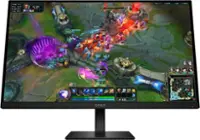
HP OMEN - 31.5" IPS LED QHD 165Hz FreeSync Gaming Monitor with HDR (HDMI, DisplayPort) - Black
FREE shipping to
More Buying Options
Related Item

Highlights
- Key Specs
- Refresh Rate: 165Hz (The number of frames per second the device can produce natively without enhancement. Higher rates help produce smooth, seamless pictures.)
- Maximum Resolution: 2560 x 1440 (Maximum resolution refers to the highest number of pixels that a screen can process and display. Higher resolution signals produce more detailed images.)
- Response Time: 1 milliseconds (The speed at which pixels can change colors is called response time. It is measured in milliseconds (ms).)
- Panel Type: IPS (Technology that affects response time and image quality.)
- Synchronization Technology: FreeSync Premium (AMD Adaptive Sync) (Generally, these technologies allow syncing between a computer/console game's frame rate and the device's refresh rate for a smoother display without tearing.)
- Screen Size: 31.5 inches (Size of the screen, measured diagonally from corner to corner.)
- Display Connector(s): 1 x DisplayPort 1.4, 2 x HDMI 2.0 (The number and type of connectors used to connect to an external display.)
- General
- Brand: HP OMEN
- Model Number: Omen 32q
- Product Name: 31.5" IPS LED QHD 165Hz FreeSync Gaming Monitor with HDR (HDMI, DisplayPort)
- Color: Black
- Operating System Compatibility: Not Applicable
- Display
- Refresh Rate: 165Hz (The number of frames per second the device can produce natively without enhancement. Higher rates help produce smooth, seamless pictures.)
- Maximum Resolution: 2560 x 1440 (Maximum resolution refers to the highest number of pixels that a screen can process and display. Higher resolution signals produce more detailed images.)
- Native Resolution: 2560 x 1440 (Native resolution of a screen refers to its single, fixed resolution. Sometimes screens must scale an image up or down in order to fit the native resolution. This can cause a loss of resolution or detail.)
- Contrast Ratio: 10,000,000:1 (Measured difference between a displayed image's brightest whites and darkest blacks. The larger the first number, the more detail and color that can be displayed.)
- Response Time: 1 milliseconds (The speed at which pixels can change colors is called response time. It is measured in milliseconds (ms).)
- Display Type: LED
- Panel Type: IPS (Technology that affects response time and image quality.)
- Synchronization Technology: FreeSync Premium (AMD Adaptive Sync) (Generally, these technologies allow syncing between a computer/console game's frame rate and the device's refresh rate for a smoother display without tearing.)
- Aspect Ratio: 16:9 (The measurement of the width of a screen compared to the height of a screen, expressed as a ratio.)
- Curved Screen: false
- Pixel Density: 92 pixels per inch (The number of pixels present per inch on the device's display. Higher pixel density improves the clarity and sharpness of the displayed image.)
- Brightness: 400 candela per square meter (A measure of the total light output.)
- Screen Size: 31.5 inches (Size of the screen, measured diagonally from corner to corner.)
- High Dynamic Range (HDR): true (An HDR-compatible 4K TV or other HDR-compatible product displays HDR video content when it's available from sources like 4K Ultra HD Blu-ray Discs and 4K streaming services.)
- Horizontal Frequency: 255 kilohertz (Also known as "horizontal scan rate," this measurement describes the number of horizontal lines displayed per second and is used to calculate a screen's refresh rate.)
- Horizontal Viewing Angle: 178 degrees (The maximum angle at which the display can be viewed with acceptable visual performance from either side.)
- Vertical Viewing Angle: 178 degrees (The maximum angle at which the display can be viewed with acceptable visual performance from above or below.)
- Touch Screen: false (Touch-screen devices make navigating more intuitive. Using a touch-screen display, you can do things such as tap to select, hold and drag to move items, swipe to scroll, and pinch to zoom.)
- On-Screen Display Languages: [11 (English, Spanish, German, French, Italian, Netherlands, Portuguese, Japanese, T-Chinese, S-Chinese and Russian)] (The available language options for displayed text.)
- Display Surface: Anti-glare, 3H hardness
- Color Gamut (Standard RGB): 99 percent
- Connectivity
- Number of DisplayPort Inputs (Total): 1
- Number of HDMI Inputs (Total): 2
- Display Connector(s): 1 x DisplayPort 1.4, 2 x HDMI 2.0 (The number and type of connectors used to connect to an external display.)
- Headphone Jack: true (The device features an interface that allows for the connection of headphones.)
- Compatibility
- Wall Mountable: true (The product is able to be secured to a wall. Some products are designed ready to mount, while others may require additional hardware/accessories for installation.)
- VESA Wall Mount Standard: 100mm x 100mm (VESA wall mount standards refer to the spacing of screw holes built into a TV in order to fit with standard TV wall mounts. These standards are implemented into most TVs and monitors.)
- Features
- Tiltable: true
- Adjustable Stand Height: true
- Anti-Glare: true (Product has features, such as a matte finish, that reduce the likelihood for screen glare.)
- Eye Relief Features: Low blue light, Flicker free, Anti-glare
- Built-In Webcam: false
- Integrated Speaker(s): false
- Dimensions
- Product Height With Stand: 24.36 inches
- Product Height Without Stand: 24.36 inches
- Product Width: 28.09 inches (The out of box width of the item. Width is measured as the horizontal distance from one side of the item to the other as it would be primarily used or placed.)
- Product Depth (With Stand): 9.58 inches
- Product Weight: 19.8 pounds (The out of box weight of the item.)
- Stand Included: true
- Certifications Listings & Approvals
- ENERGY STAR Certified: false (Devices carrying the ENERGY STAR service mark, such as computer products and peripherals, kitchen appliances, and other products, generally use 20% to 30% less energy than required by federal standards.)
- EPEAT Qualified: false (The Electronic Product Environmental Assessment Tool (EPEAT) was designed to provide an environmental assessment tool for purchasers. In order to qualify for EPEAT, a product must meet all 23 required criteria.)
- Warranty
- Warranty - Parts: 1 year
- Warranty - Labor: 1 year
- Other
- UPC: 197029617699
Reach new possibilities with quick performance and vibrant color that lets you get lost in the game. This display has a sleek design and functions to look and feel great on your desk. Take your fun up a notch.
- QHD Resolution: Sharp details and captivating Quad HD definition on this 31.5 inch diagonal monitor.
- 165Hz Refresh Rate: For crisp action and responsive gameplay, this fast refresh rate practically removes all artifacting and motion blurring.
- HDR: Explore new worlds in stunning contrast with HDR. With peak brightness of 400 nits, experience games how the developers intended with brighter whites, deeper blacks, and richer colors.
- More Colors To Play With: Get deeper hues and more accurate colors with 99% srgb and 95% DCI-P3 that precisely recreates colors so lifelike you will get lost in your gameplay.
- 1ms Gtg Response Time With Overdrive: Eliminates motion blur for crisp, fluid gameplay no matter what’s happening on-screen.
- AMD FreeSync Premium Technology: Game confidently with a high refresh rate, low framerate compensation, and low latency.
- VESA Certified AdaptiveSync: Guarantees higher refresh rates and low latency, optimized for gaming, plus a lab-certified max refresh rate so you know your display’s full potential.
- Plenty Of Ports: Easily connect to your gaming and work pcs, console, and headset with two HDMI 2.0 ports, one displayport 1.4, and one 3.5mm headphone jack.
- New Design Unlocked: The new OMEN look blends sophistication and fun to elevate your gaming setup.
- IPS Technology: Image accuracy and consistency across wide 178-degrees viewing angles, no matter where you stand.
- VESA Certified ClearMR 6000: Clear Motion Ratio (CMR), provides a clear numerical value based on the ratio of clear pixels to blurry pixels, which allows you to easily compare the amount of motion blur between VESA Certified clearmr displays.
- Console Compatible: This gaming monitor underwent over 140 test cases to ensure it's compatible with your choice of console. Just connect the HDMI and get right to playing.
- Adjustable Stand: Make your desk just how you like it with the fully adjustable stand. Find comfort while you game with tilt, pivot, and 100mm height adjustments.
- HP Eye Ease With Eyesafe Certification: Keep your screentime comfortable with beautiful colors while reducing blue light.
- OMEN Gaming Hub: From software enhancements to hardware control, and live services, OGH elevates play in an easy and simple way.
- Effortless Joypad OSD Button: Easy on-screen display settings with the joypad OSD button.
- Integrated Cable Management: Cord and wire pass-through located on the display stand reduces cord-clutter and helps keep your workspace clean and organized.
- QHD Resolution: Sharp details and captivating Quad HD definition on this 31.5 inch diagonal monitor.
- 165Hz Refresh Rate: For crisp action and responsive gameplay, this fast refresh rate practically removes all artifacting and motion blurring.
- HDR: Explore new worlds in stunning contrast with HDR. With peak brightness of 400 nits, experience games how the developers intended with brighter whites, deeper blacks, and richer colors.
- More Colors To Play With: Get deeper hues and more accurate colors with 99% srgb and 95% DCI-P3 that precisely recreates colors so lifelike you will get lost in your gameplay.
- 1ms Gtg Response Time With Overdrive: Eliminates motion blur for crisp, fluid gameplay no matter what’s happening on-screen.
- AMD FreeSync Premium Technology: Game confidently with a high refresh rate, low framerate compensation, and low latency.
- VESA Certified AdaptiveSync: Guarantees higher refresh rates and low latency, optimized for gaming, plus a lab-certified max refresh rate so you know your display’s full potential.
- Plenty Of Ports: Easily connect to your gaming and work pcs, console, and headset with two HDMI 2.0 ports, one displayport 1.4, and one 3.5mm headphone jack.
- New Design Unlocked: The new OMEN look blends sophistication and fun to elevate your gaming setup.
- IPS Technology: Image accuracy and consistency across wide 178-degrees viewing angles, no matter where you stand.
- VESA Certified ClearMR 6000: Clear Motion Ratio (CMR), provides a clear numerical value based on the ratio of clear pixels to blurry pixels, which allows you to easily compare the amount of motion blur between VESA Certified clearmr displays.
- Console Compatible: This gaming monitor underwent over 140 test cases to ensure it's compatible with your choice of console. Just connect the HDMI and get right to playing.
- Adjustable Stand: Make your desk just how you like it with the fully adjustable stand. Find comfort while you game with tilt, pivot, and 100mm height adjustments.
- HP Eye Ease With Eyesafe Certification: Keep your screentime comfortable with beautiful colors while reducing blue light.
- OMEN Gaming Hub: From software enhancements to hardware control, and live services, OGH elevates play in an easy and simple way.
- Effortless Joypad OSD Button: Easy on-screen display settings with the joypad OSD button.
- Integrated Cable Management: Cord and wire pass-through located on the display stand reduces cord-clutter and helps keep your workspace clean and organized.
Whats Included
- ["31.5" IPS LED QHD 165Hz FreeSync Gaming Monitor with HDR (HDMI, DisplayPort)"]
- ["31.5" IPS LED QHD 165Hz FreeSync Gaming Monitor with HDR (HDMI, DisplayPort)"]
- ["31.5" IPS LED QHD 165Hz FreeSync Gaming Monitor with HDR (HDMI, DisplayPort)"]
- ["31.5" IPS LED QHD 165Hz FreeSync Gaming Monitor with HDR (HDMI, DisplayPort)"]
- ["31.5" IPS LED QHD 165Hz FreeSync Gaming Monitor with HDR (HDMI, DisplayPort)"]
- ["31.5" IPS LED QHD 165Hz FreeSync Gaming Monitor with HDR (HDMI, DisplayPort)"]
- ["31.5" IPS LED QHD 165Hz FreeSync Gaming Monitor with HDR (HDMI, DisplayPort)"]
- ["31.5" IPS LED QHD 165Hz FreeSync Gaming Monitor with HDR (HDMI, DisplayPort)"]
- ["31.5" IPS LED QHD 165Hz FreeSync Gaming Monitor with HDR (HDMI, DisplayPort)"]
- ["31.5" IPS LED QHD 165Hz FreeSync Gaming Monitor with HDR (HDMI, DisplayPort)"]
- ["31.5" IPS LED QHD 165Hz FreeSync Gaming Monitor with HDR (HDMI, DisplayPort)"]
- ["31.5" IPS LED QHD 165Hz FreeSync Gaming Monitor with HDR (HDMI, DisplayPort)"]
- ["31.5" IPS LED QHD 165Hz FreeSync Gaming Monitor with HDR (HDMI, DisplayPort)"]
- ["31.5" IPS LED QHD 165Hz FreeSync Gaming Monitor with HDR (HDMI, DisplayPort)"]
- ["31.5" IPS LED QHD 165Hz FreeSync Gaming Monitor with HDR (HDMI, DisplayPort)"]
- ["31.5" IPS LED QHD 165Hz FreeSync Gaming Monitor with HDR (HDMI, DisplayPort)"]
- ["31.5" IPS LED QHD 165Hz FreeSync Gaming Monitor with HDR (HDMI, DisplayPort)"]
- ["31.5" IPS LED QHD 165Hz FreeSync Gaming Monitor with HDR (HDMI, DisplayPort)"]
- ["31.5" IPS LED QHD 165Hz FreeSync Gaming Monitor with HDR (HDMI, DisplayPort)"]
- ["31.5" IPS LED QHD 165Hz FreeSync Gaming Monitor with HDR (HDMI, DisplayPort)"]
Product Manuals
Q: How many HDMI ports does this monitor have?
A: This monitor has two HDMI 2.0 ports.
Q: What is the refresh rate of this gaming monitor?
A: This gaming monitor has a refresh rate of 165Hz.
Q: Does this monitor have built-in speakers?
A: No, this monitor does not have built-in speakers.
Q: What type of panel does this monitor use?
A: This monitor uses an IPS panel.
Q: Does this monitor have a height-adjustable stand?
A: Yes, this monitor has a height-adjustable stand that allows for 100mm of adjustment.
Q: What is the response time of this HP monitor?
A: This HP monitor has a response time of 1ms GtG with Overdrive.
Q: What is a differentiator for some of the HP Series 5 monitors?
A: A differentiator for some of the HP Series 5 monitors is the height adjustment feature that helps with ergonomic comfort for long work periods.
A: Thank you for your question! I do apologize the box you received was not in the best condition, however, that monitor does not come with an HDMI cord. It is meant to come with a DisplayPort cable in the box with the PC.
Compare similar products
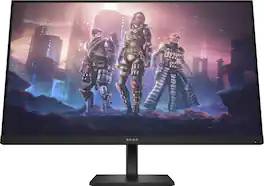
Reach new possibilities with quick performance and vibrant color that lets you get lost in the game. This display has a sleek design and functions to look and feel great on your desk. Take your fun up a notch.
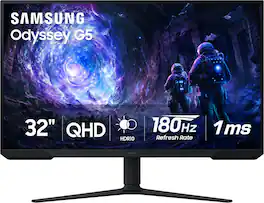
Samsung’s 32” Odyssey G5 G51F Gaming Monitor boasts incredibly detailed, pin-sharp images with QHD resolution (2560x1440). HDR10 provides brighter highlights, improved contrast and color accuracy, making every scene feel more vivid and realistic. 180Hz Refresh Rate and near-instant 1ms Response Time (MPRT) captures all your moves with reduced lag for ultra-smooth gameplay. AMD FreeSync Premium Pro reduces choppiness, screen lag, and image tears. Black Equalizer allows you to adjust dark areas in games, so you can locate opponents hiding in the deepest shadows. Virtual Aim Point allows you to hit your marks with next-level accuracy, giving you the optimal aim with crosshairs on the screen. Auto Source Switch+ instantly switches to a new source signal when connected devices are turned on, without having to use multiple inputs. Ergonomic stand makes it simple to tilt and adjust the monitor for total gaming comfort.
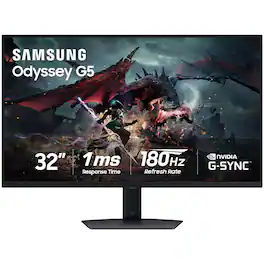
Samsung's Odyssey G50D Gaming Monitor with QHD resolution features incredibly detailed, pin-sharp images. The fast IPS panel delivers clear, vibrant colors and a 178° viewing angle, while the 180Hz refresh rate and 1ms response time (GtG) eliminates lag and enables frames with minimal blur for ultra-smooth gaming action. VESA Display HDR 400 offers more clarity, providing dynamic contrast with deeper blacks and brighter whites. AMD FreeSync keeps the monitor and graphics card refresh rate in sync for a seamless experience. Features an ergonomic stand that makes it easy to swivel, tilt, and adjust the height of the monitor, plus Eye Saver mode, which enables more focused gaming with less eye strain, for total comfort even when playing for extended periods of time.
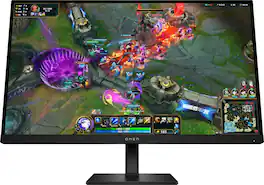
Outclass the competition with the OMEN 27-inch QHD 280 Hz Gaming Monitor. Delivering ultra-smooth frames and crisp details, this NVIDIA G-SYNC compatible display has what it takes to keep up with you. Speed meets looks with a fun, yet refined design unlike any other so you can enjoy it in and out of the game.
| Pros for HP OMEN - 31.5" IPS LED QHD 165Hz FreeSync Gaming Monitor with HDR (HDMI, DisplayPort) - Black | |||
|---|---|---|---|
| There were no pros for this product— | Refresh Rate, Connectivity, Picture Quality, Performance, Size | Refresh Rate, Resolution, Screen Size, Overall Performance, Price | Refresh Rate, Connectivity, Resolution, Color Quality, Adjustability |
| Cons for HP OMEN - 31.5" IPS LED QHD 165Hz FreeSync Gaming Monitor with HDR (HDMI, DisplayPort) - Black | |||
| There were no cons for this product— | Speakers, Brightness | There were no cons for this product— | There were no cons for this product— |
Specs
Reviews
Customer Images
The vast majority of our reviews come from verified purchases. Reviews from customers may include My Best Buy members, employees, and Tech Insider Network members (as tagged). Select reviewers may receive discounted products, promotional considerations or entries into drawings for honest, helpful reviews.
- Rated 5 out of 5 stars
Omen monitor
First omen monitor I’ve ever got worth the money for sure
This review is from HP OMEN - 31.5" IPS LED QHD 165Hz FreeSync Gaming Monitor with HDR (HDMI, DisplayPort) - Black
Posted by JoseR
- Rated 4 out of 5 stars
Superb monitor for the price!
I have to say, this is indeed an exceptional monitor for the price...165hz, large and spacious screen, beautiful colors, more than enough nits for brightly lit rooms and to top it all off it gives you the beauty and luxury of an IPS panel. Personally, I use this monitor for both work and play, and it has more than accomplished what I needed in both areas. If you're coming from a 1080p screen you're going to have a grand ole time when you realize what you've been missing as this 32" 1440p panel has approximately 78% more pixel screen coverage than a 1080p screen at this size so you will fit far more onscreen and for me this is such a huge benefit, and it's very noticeable. The 165hz gives such a smooth experience especially when scrolling pages and moving windows and other objects around that when I sometimes go back to a 60hz screen it seems almost illegal. As far as gaming experience, I do wish the response times were higher, but all in all it's fine and I mostly play COD and some CSGO along with a few other competitive FPS games and it's such an awesome experience, but make sure you have a gpu that can push the monitors refresh rate and keep it as close to the 165hz as possible bc as long as you do this there's little to no ghosting whatsoever--to be honest virtually none at all. I have two builds (AM4 and AM5) but mostly game on my main pc (AM5) which is a Ryzen 7 7800x3d paired with a Radeon RX 7800xt and I get a consistent 165fps at 1440p high settings in many of my games including those listed above and let me tell you it's simply superb. Just make sure you select the right overdrive setting in the gaming tab, I have it on Level 3, it's a balancing act between having too much and too less...keeping in mind if you have it on Level 1 then depending on which game you're playing you will have some noticeable ghosting bc Level 1 is basically the off mode, while Level 5 is the highest/fastest setting, but should be avoided because it will introduce a lot of inverse ghosting/pixel overshooting where you will get faint trails of light vs the darker trails you would have in regular ghosting. BTW I tried this with a test build (ryzen 5600x and a 6650xt) and only achieved around 105-125fps and you can certainly see some ghosting in CODs MW 2019, MW II and MW III, but you can simply adjust settings to achieve better frames at a lower quality, but I always choose high settings, bc otherwise what's the point right? Oh and if you're wondering about input lag--there's none whatsoever, everything is very responsive (mice and xbox controller). One last thing, for those who have this thing for menu control buttons; I love the location and design of the button as it's just to right of the back panel in a diamond shape and quick access inputs are a huge plus. Additionally, the onscreen display is so convenient and easy on the eyes, I wish more monitor manufactures would take the care to make clean UIs without all the hard red or orange colors..this is a simple and clean dark grey background with white letters combination. Ok seriously this is the last "one last thing" I almost forgot about the Eyesafe technology my goodness it's so much better than my previous monitor's take on blue light and flicker..this monitor blocks blue light but not all, by filtering only the high intensity blue light frequencies so you still get your original full colors and not an orange or yellow hue on screen. No flicker at all if you worry and are sensitive to it as I am, bc this panel uses a true 8-bit panel depth and not something like 6-bit + FRC which is just an artificial method of increase colors which will also introduce temporal dithering aka flicker you cannot visually perceive or notice but your eyes will certainly feel it and will lead to eye strain and other discomforts; at least this was the case for me on some of my other displays. But with this panel it's such a joy and comfort to use. And my sincerest apologies if my review seems discursive and confusion...I'm writing this as I'm holding a 2 year old who just loves to move her busy little fingers all over anything on me or close to me (mice, keyboards, my collar, my ears, my nose, my thumbs, etc. haha).
This review is from HP OMEN - 31.5" IPS LED QHD 165Hz FreeSync Gaming Monitor with HDR (HDMI, DisplayPort) - Black
Posted by Steven
- Rated 5 out of 5 stars
Great monitor
As someone who is in their computer a lot and cares how things look on it, I am very pleased with this monitor. I upgraded from a 27" curved monitor with the same resolution and refresh rate, but because it was a VA panel the picture certainly wasn't as good as it could be. This Omen monitor changed the game and made me feel like I was getting way more than a size upgrade. Thanks to the larger size text is easier to read and the HDR performance is brilliant, making anything from YouTube videos to games feel more cinematic. If I have any complaints, it'd be that the brightness is lacking with HDR on, but outside of OLED displays this is kind of a given and is inly a major issue if you have a computer setup in direct sunlight.
This review is from HP OMEN - 31.5" IPS LED QHD 165Hz FreeSync Gaming Monitor with HDR (HDMI, DisplayPort) - Black
Posted by GamingStudent