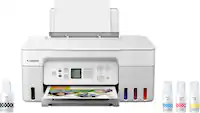
A:Answer I imagine you could, if they all fit within the space on the glass, for instance, if you had a bunch of 4X6 photos, you could conceivably arrange them to do a single scan. As far as "auto-size" ... I do not know; have not had the occasion to try scanning for auto-sizing


.](https://pisces.bbystatic.com/image2/BestBuy_US/images/products/0f303e94-82e9-4920-a0f8-610c645cee57.jpg)

. 1 Most features require an Internet connection to the printer, as well as an Internet- and/or email-enabled device. For a list of Epson Connect enabled printers and compatible devices and apps, visit [www.epson.com/connect](http://www.epson.com/connect).](https://pisces.bbystatic.com/image2/BestBuy_US/images/products/08161d2e-edb0-4574-a401-0ac72389cf92.jpg)