A:AnswerHello TJohn. Yes, depending on the iMac you have, you can either use a USB A to B or a USB B to C cable to connect the printer to your computer. Regards, Kevin - The Epson Team.
A:AnswerHello CaeruleanBlue. The XP-5200 does not have a memory card slot. We recommend looking at the XP-6100 as it is a similar printer with this feature included. Please note it is in stock on BestBuy's website, but inventory can change. Regards, Kevin - The Epson Team.
A:AnswerHello Grace. The thickest paper the XP-5200 can print on is Epson Premium Photo Paper Glossy which weighs 79 lb. For cardstock, we have tested similar Epson paper that weighs around 44 lb. These recommendations are for Epson paper only, you can try a cardstock that falls somewhere in between that range, but your results can vary when using other brands and heavier paper. Regards, Kevin - The Epson Team.
A:AnswerHello Reneeneva. Yes, the XP-5200 is compatible. Please note that functionality will be limited to printing only, as there are currently no scan drivers available for Chromebook. Regards, Kevin - The Epson Team.
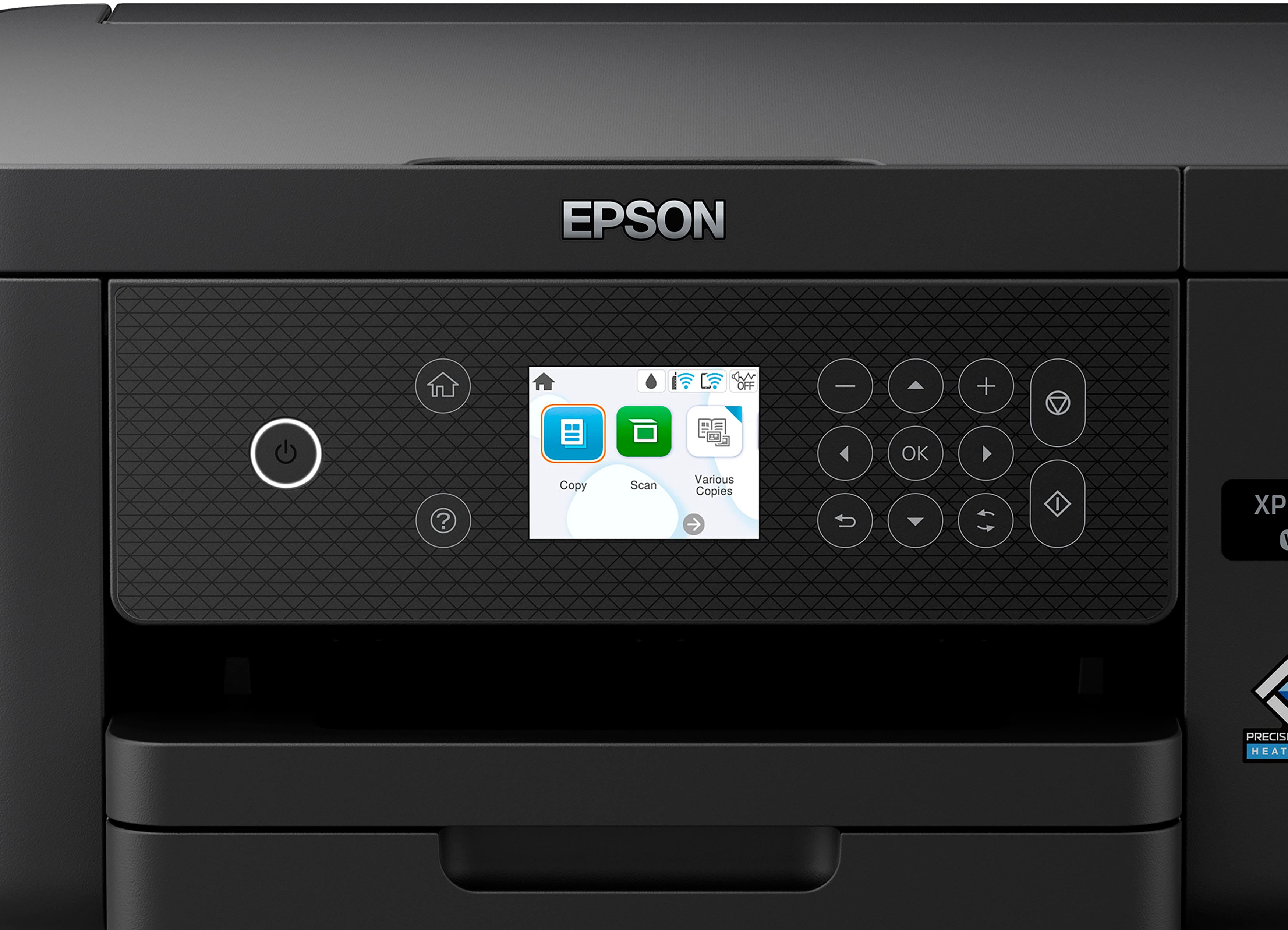
A:AnswerHi Karen, Yes to all your questions. You can use the front panel controls on the Expression Home XP-5200 to reduce or enlarge copies from 25% to 400% and change the copy density. Regards, Dylan - The Epson Team.
A:AnswerHello RJ. Yes, the XP-5200 can scan originals at 300 dpi and has a maximum hardware resolution of 1200 x 2400 dpi. Regards, Kevin - The Epson Team.
A:AnswerHello carol. The XP-52-- can connect to a 5 GHz router, but it can only work on a 2.4GHz band. When using a 5 GHz wireless router, you can set the router to operate in dual-band (2.4 GHz and 5 GHz) mode. If your router uses a single network name (SSID) for both the 2.4 GHz and 5 GHz bands, we recommend giving each band its network name (SSID) instead, such as "Home Network 2.4 GHz" and "Home Network 5 GHz." Regards, Kevin - The Epson Team.
A:AnswerHello. We recommend reaching out to Best Buy's Geek Squad to see if the option is available. We can also offer to walk you through the process over the phone with our Tech Support team if you need assistance. Regards, Kevin - The Epson Team.
A:AnswerHello Les. We recommend reaching out to Best Buy's Geek Squad to see if the option is available. We can also offer to walk you through the process over the phone with our Tech Support team if you need assistance. Regards, Kevin - The Epson Team.
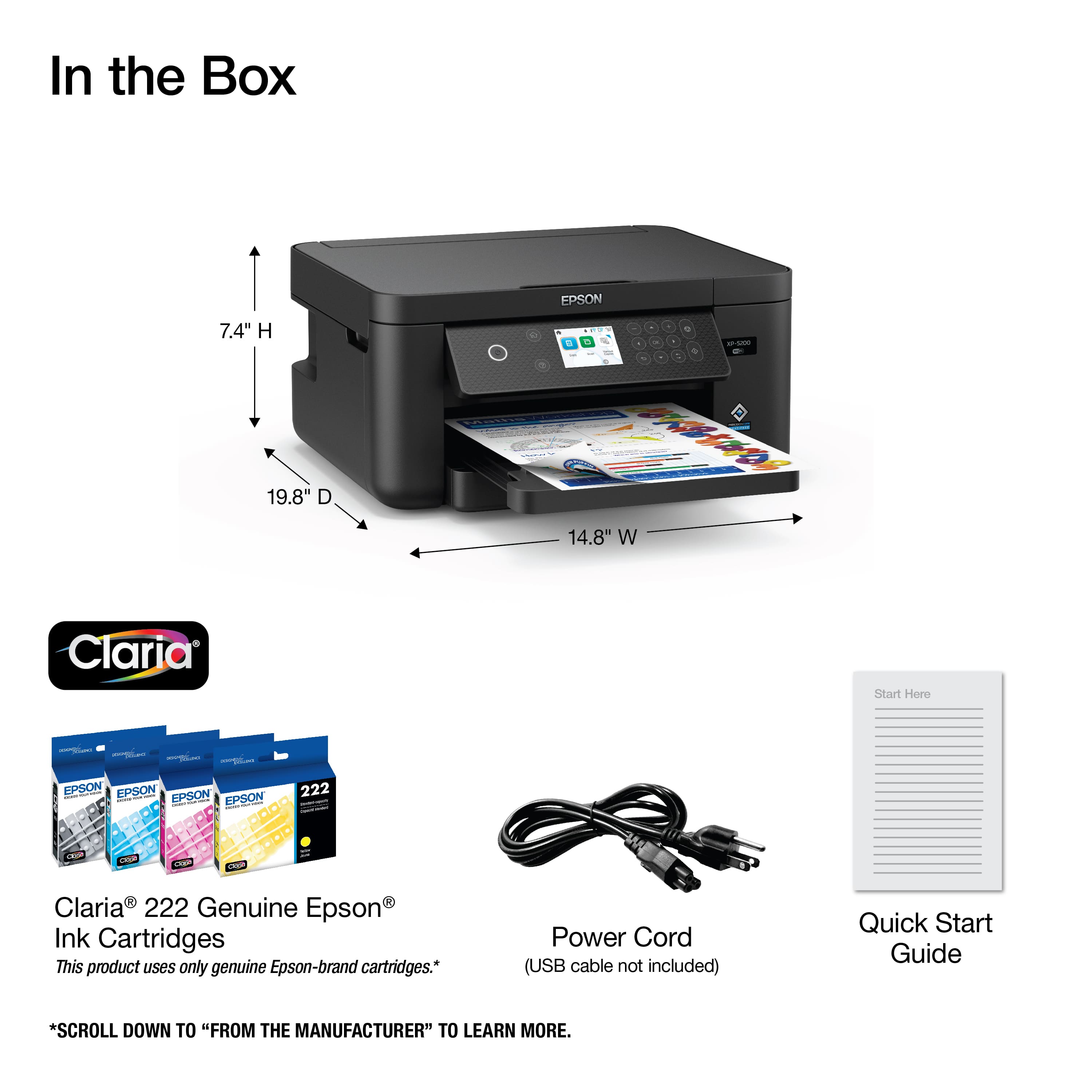
A:AnswerHello. Yes, the XP-5200 includes four ink cartridges (Cyan, Magenta, Yellow, and Black). A portion of the ink will be used to charge the ink delivery system, and the remainder can be used for printing. Regards, Kevin - The Epson Team.
A:AnswerHello. Yes, the Epson XP-5200 includes four ink cartridges (Cyan, Magenta, Yellow, and Black). A portion of the ink will be used to charge the ink delivery system, and the remainder can be used for printing. Regards, Kevin - The Epson Team.
A:AnswerHello. Yes, the XP-5200 will work with macOS 10.6 - 26. You can find the latest driver on our official Epson Support page. Regards, Kevin - The Epson Team.
A:AnswerHello. We recommend looking at the XP-6100 for a model that can print directly onto a disc. Unfortunately, the XP-5200 does not support this feature. Regards, Kevin - The Epson Team.
A:AnswerHello. Unfortunately, the XP-5200 does not print directly onto CDs. We recommend looking at the XP-7100 for a similar printer that can print directly on to inkjet compatible discs. Regards, Kevin - The Epson Team.
A:AnswerHello. Yes, the Epson XP-5200 includes four ink cartridges (Cyan, Magenta, Yellow, and Black). A portion of the ink will be used to charge the ink delivery system, and the remainder can be used for printing. Regards, Kevin - The Epson Team.
A:AnswerHello. Yes, the printer supports a power supply voltage of 100–240 VAC ±10%, 50/60 Hz. You may need an adapter, so be sure to use the correct one for the local outlet. Please note that the use of third-party adapters or converters is at your discretion. Regards, Kevin - The Epson Team.