A:AnswerYes, it will work on Windows 10. Download the drivers from the link within the product manual, or user guide. I am using it with Windows 10 and haven't experienced an issue~
A:AnswerThat headset is Bluetooth 3.0 and Bluetooth 4.0 is backwards compatible, so it should work just fine. There are some profiles that it won't work with, like wireless music control, AVRCP, and Bluetooth hands free profile, HFP. The profiles it does support is wireless stereo listening, A2DP, and Bluetooth headset profile, HSP.
Make sure to check profiles match from the device to the adapter and you should be set to utilize all functionality~
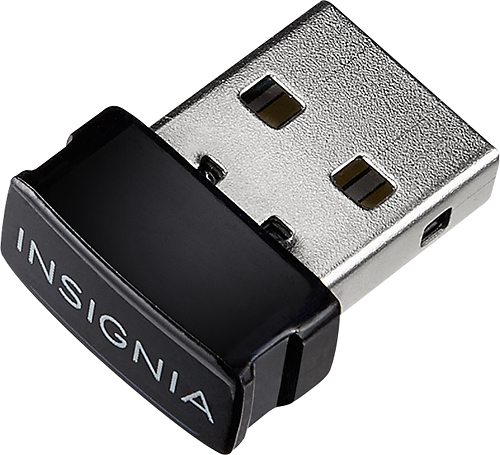
A:AnswerYes. It will load the drivers from the device. If your company has a block on downloads and for some reason it won't load, one suggestion would be to load the driver onto a flash drive and take that to work and load the drivers from there. Just watch for prying eyes. ; )
A:AnswerThis bluetooth adapter can communicate to 7 devices simultaneously. Bluetooth devices, not adapters, can only connect to one master, or adapter, at a time~
A:AnswerBought it. Doesn’t flipping work. I’m running Windows 10, but it won’t automatically install the drivers. In fact, it still thinks it doesn’t have any Bluetooth capability at all. This adapter just does not work.
A:AnswerAssuming that you are referring to a desktop or laptop connecting to the Internet connection on your Personal Hotspot than yes. If you are talking about a tablet or some other device, an adapter will be needed, and you will need to do some research to see if it is capable of connecting through Bluetooth.
A:AnswerAnything that can be bluetoothed this device will accept. It has the most current Bluetooth technology but it also recognizes older bluetooth devices as well
A:AnswerI am working on a PC not a Mac; so if you are using a Mac, I don't know. Maybe, http://www.atpeaz.com/using-unsupported-bluetooth-4-0-usb-dongle-with-os-x/
It came with some steps to get to the download, get it, install it, then use the driver. It was more steps than I am used to (things usually just do all that on their own) but was easier than it looked. http://www.broadcom.com/support/?gid=2