A:AnswerMy Toshiba TV has a setting to select when using the digital audio that remedies your problem. I would consult the manual for your TV to see if that is the case.
A:AnswerBest to look up your model on Google and see. I believe all surround and bars have to have the base directly connected and then from there some have wireless subs and or speakers
A:AnswerI am having the exact same problem. Sound bar works great with my TV. And I have Direct TV. But no sound from my Blu- ray player. Any help yet??
A:AnswerI pull it out for parties. you just have to plug it into the wall. and then I pull my iphone into it. it comes with a plug that you can put in your phone jack. im sure it'll connect with your computer too.. probably bluetooth
A:AnswerThe size of the sound bar is determined by the size of the room. The size of the tv makes no difference in choosing your sound bar. This sound bar should fill the room nicely but may have issues in very tall rooms.
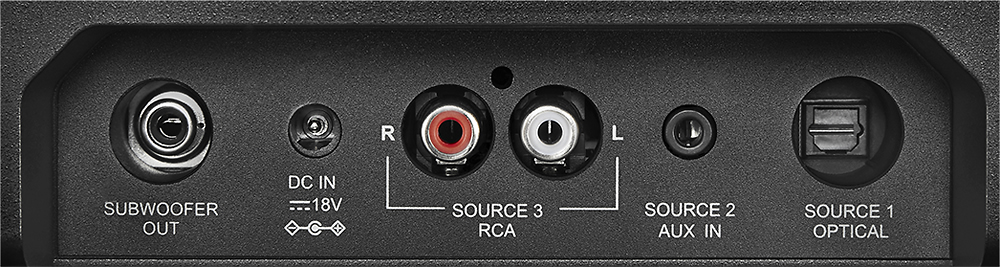
A:AnswerThis might help. I had the same problem. My work around was I had to connect a cable from the speak out port on the TV to the sound bar (head phones port). After that I had sound. Hope this helps!
A:AnswerYes, this NS-SB314 does support A2DP. Verify that when you are on the Bluetooth input, that the Bluetooth indicator is blinking slowly. If it is solid, turn off the device you had previously paired with the soundbar to allow the soundbar to pair with a new device.

A:AnswerNo, wired. I've searched and there is a possible way around it but by the time you get it fixed, you'd be better off just buying a new sound bar with matching sub.
A:AnswerNo. you can pair it with a phone or tablet but not anither speaker system. I was surprized it didn't have a phone jack output. I have a very nice head set and can't use it.