Main Content

Questions & Answers

Your price for this item is $169.99
The comparable value price is $189.99
Page Showing 1-16 of 16 questions
  • QuestionWhat is the response time of this LG monitor?

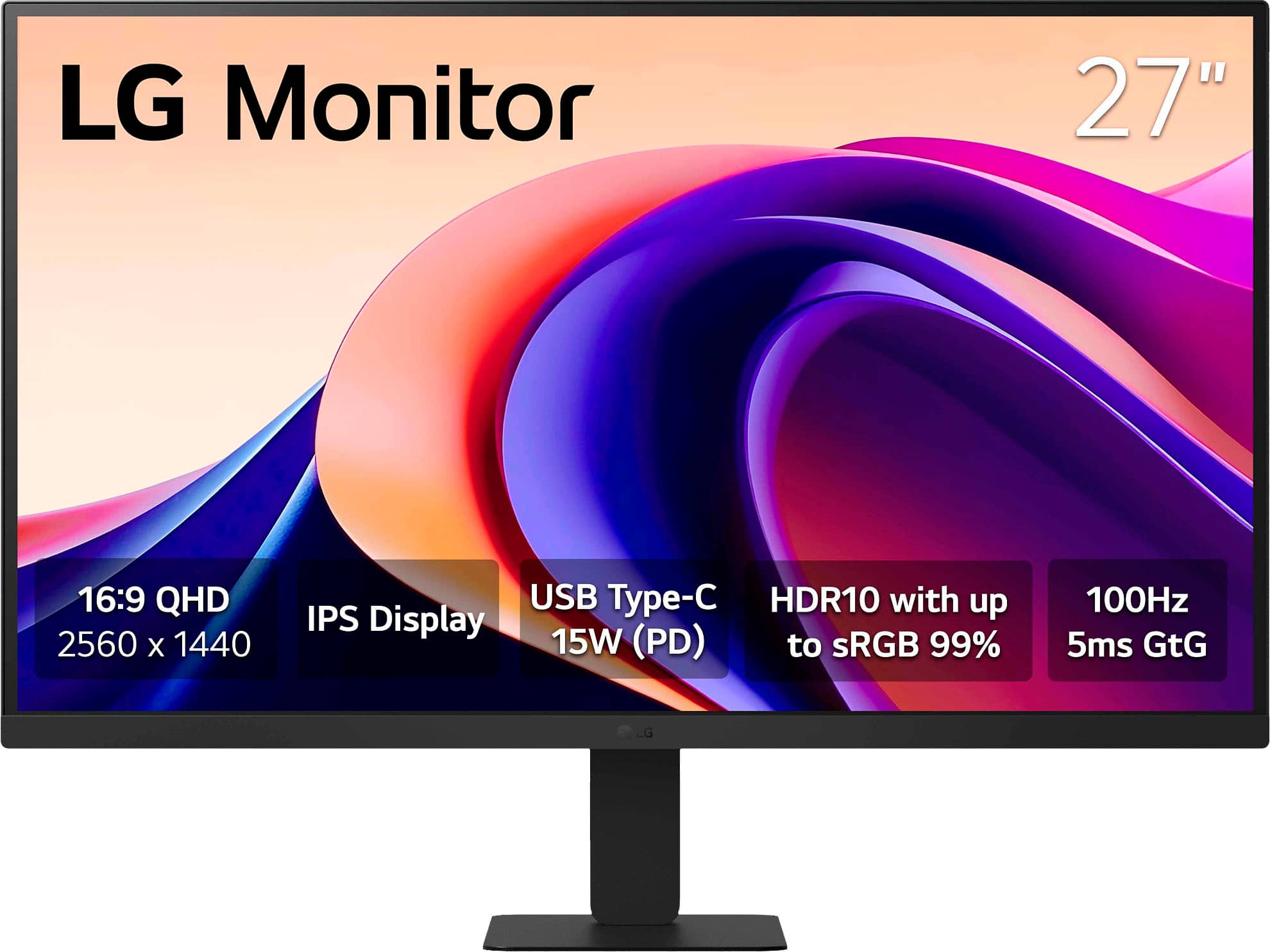
    • Answer The response time is 5ms(GTG).
    This question and answer was generated by AI based on customer and product data.
  • QuestionCan I use this monitor with multiple devices?

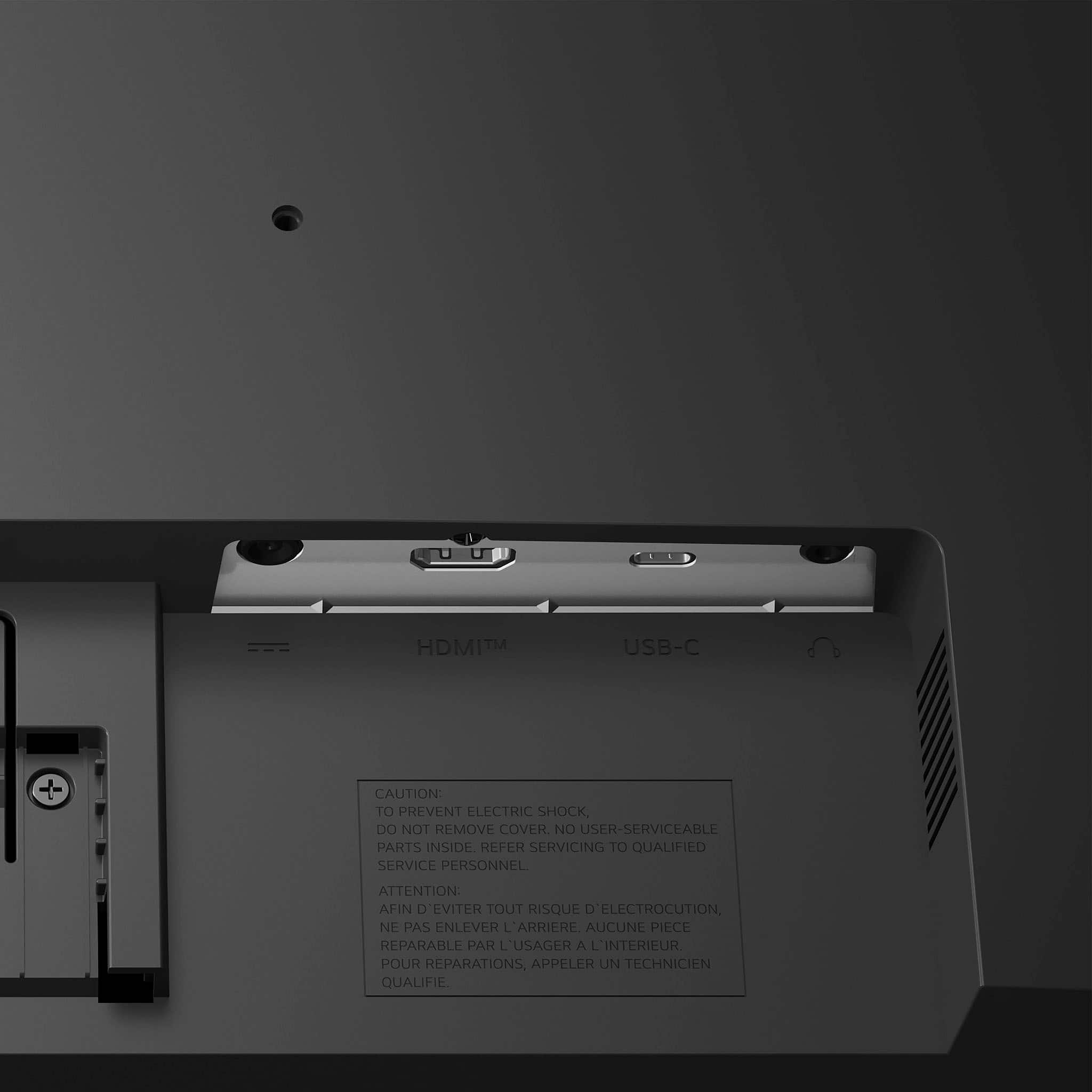
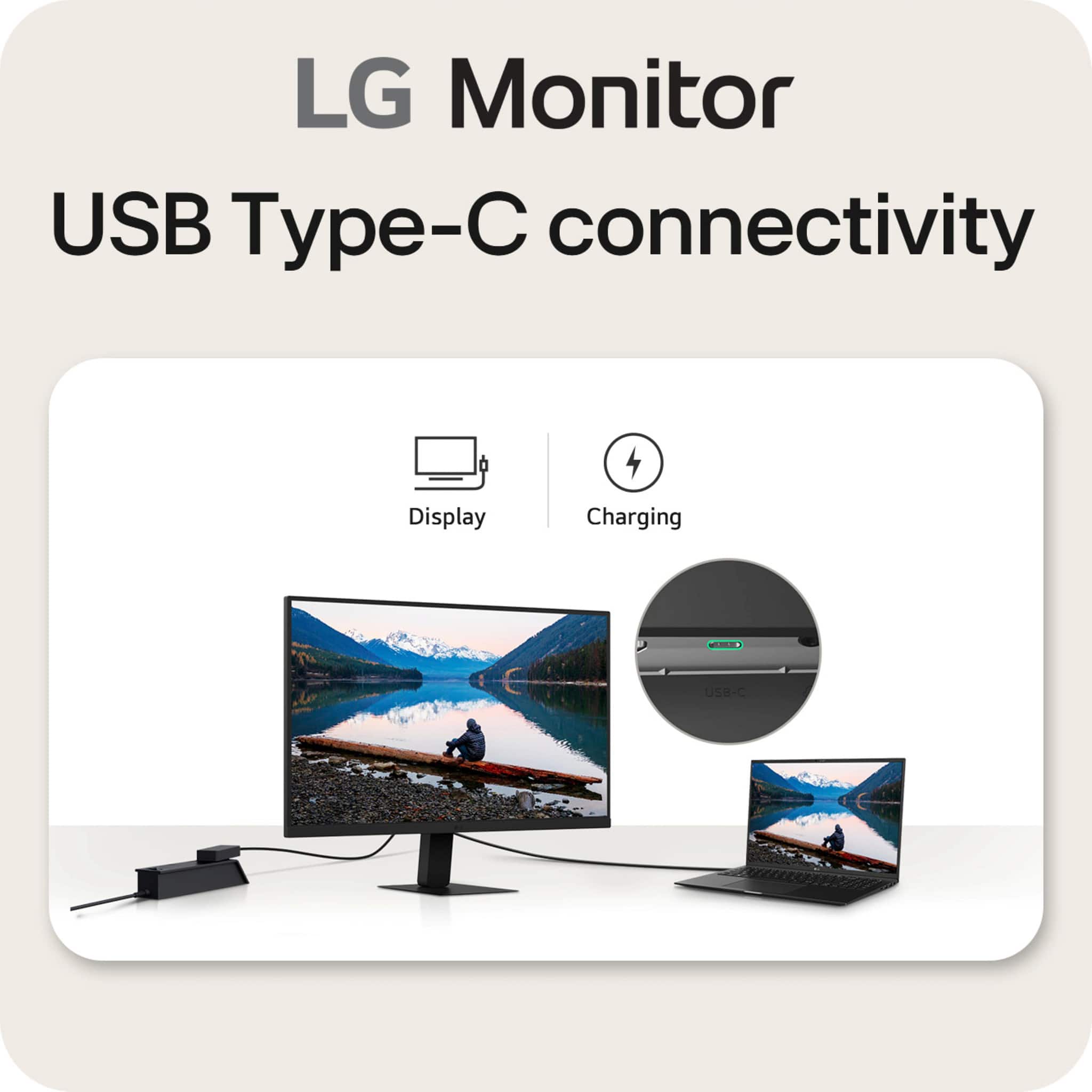
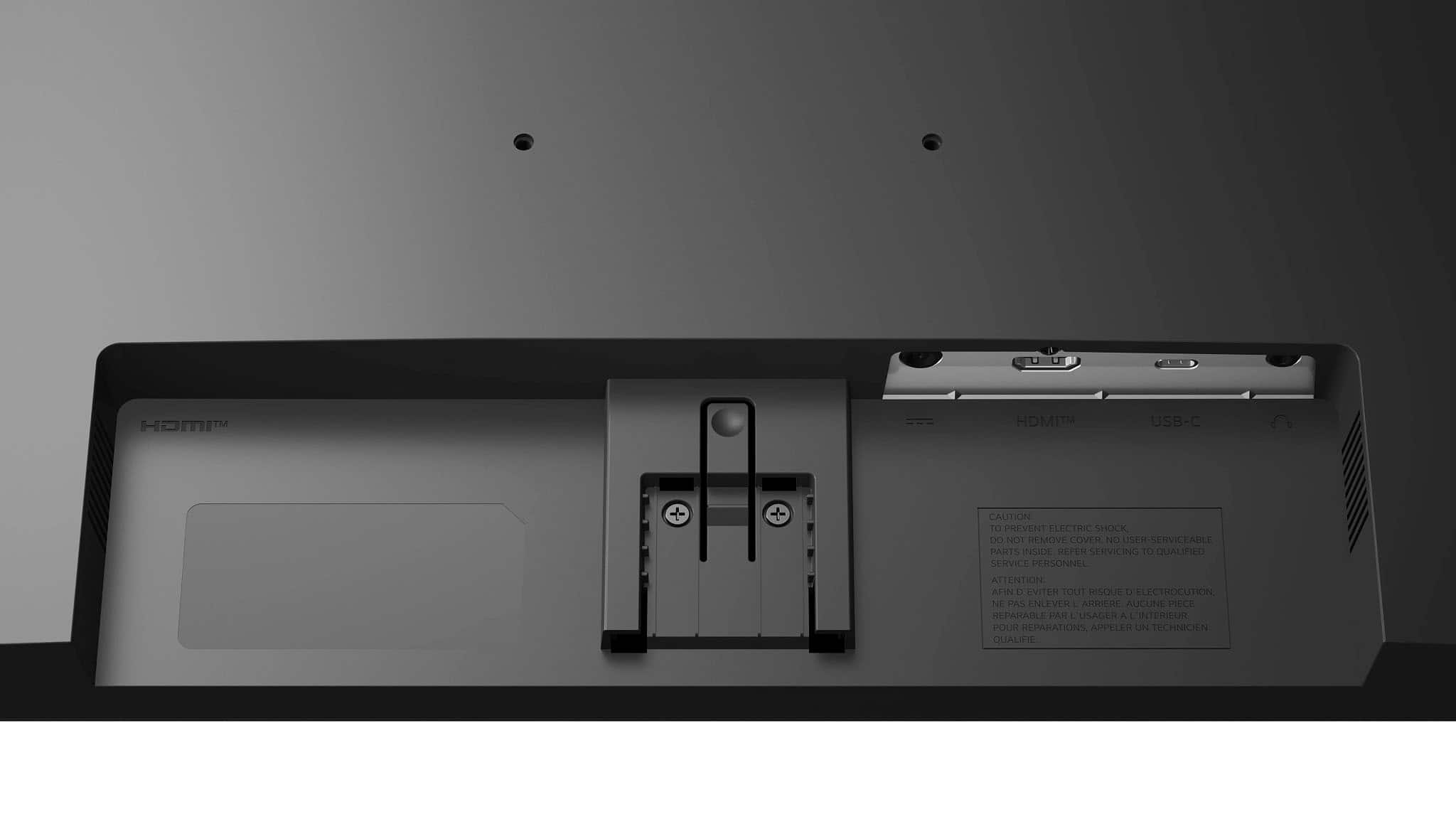
    • Answer Yes, you can connect and charge your laptop or other devices using the USB Type-C port with up to 15W power delivery.
    This question and answer was generated by AI based on customer and product data.
  • QuestionWhat comes in the box with this monitor?

    • Answer The box includes the stand base, screws, power adapter, power cord, HDMI cable, and a setup guide.
    This question and answer was generated by AI based on customer and product data.

  • QuestionWhat is the refresh rate of this monitor?

    • Answer This monitor has a 100Hz refresh rate.
    This question and answer was generated by AI based on customer and product data.

  • QuestionDoes this monitor have built-in speakers?

    • Answer No, this monitor does not have built-in speakers.
    This question and answer was generated by AI based on customer and product data.
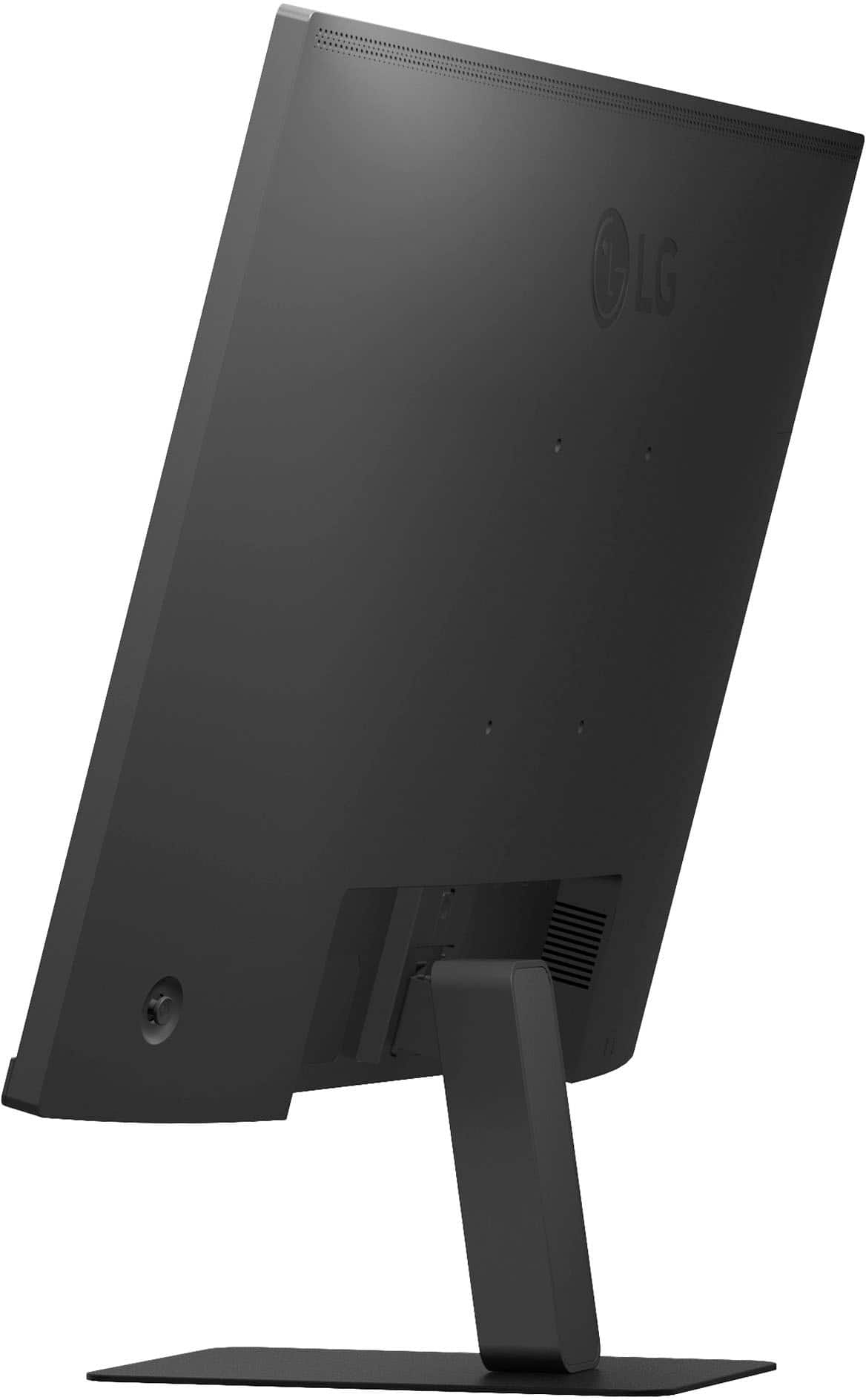
  • QuestionIs this monitor wall mountable?

    • Answer Yes, it is wall mountable and compatible with VESA standard 100mm x 100mm.
    This question and answer was generated by AI based on customer and product data.

  • QuestionHow does the Black Stabilizer feature work?

    • Answer The Black Stabilizer feature brightens dark scenes to give you a competitive advantage, especially when opponents are hiding in shadows.
    This question and answer was generated by AI based on customer and product data.

  • QuestionCan I connect my nintendo switch console to this monitor?

    Asked by Clara.

    • Answer What connectivity does your Nintendo Switch Console have? Connectivity for the 27-inch QHD IPS 100Hz Monitor with HDR10 and USB Type-C™ 15W PD, Model # 27U631A-B, includes an HDMI 2.0 input, and a USB Type-C port. Most gaming consoles, if not all, connect via HDMI, so if your Nintendo Switch connects via HDMI, it can be connected to the monitor. However, what might be more of an issue is whether your Nintendo Switch supports the monitor's native QHD (2560 x 1440) resolution, so you will need to check its specifications to see if it does...^Ivan.

      Answered by LG Digital Customer Care

  • Questioncan this screen be powered only through USB-c

    Asked by usbcpower.

    • Answer The USB Type-C™ port for the LG 27" Monitor QHD IPS 100Hz with HDR10 (HDMI USB-C) - Black, Model # 27U631A-B has a Power Delivery (PD) of 15 W. The monitor cannot be powered through the USB Type-C™ port. You need the supplied AC/DC Adapter to power it...^Ivan.

      Answered by LG Digital Customer Care

  • QuestionDoes this monitor connect (power laptop and display) via the USB-C cable?

    Asked by USBC.

    • Answer The USB Type-C port on the LG 27-inch QHD IPS 100Hz Monitor with HDR10 and USB Type-C™ 15W PD, Model # 27U631A-B, has a Power Delivery of up to 15 W, as indicated in its header...^Ivan.

      Answered by LG Digital Customer Care

  • QuestionCan I connect this monitor to my husbands IPad Pro, 5th generation via the UBC port?

    Asked by SN.

    • Answer Hi there. Thank you for reaching out to us with your question about the 27U631A-B monitor. We understand your inquiry regarding connecting it to an iPad Pro (5th generation) using the USB-C port. The 27U631A-B monitor is equipped with a USB Type-C port which supports video signal input and up to 15W of Power Delivery (PD). The iPad Pro (5th generation) utilizes a USB-C port, making a physical connection between the two devices possible with a compatible cable. Generally, for this type of connection to work for both display and charging, the monitor's USB-C port must support the necessary video protocols, and the iPad Pro must be able to recognize the monitor as a display. While we can confirm the monitor has the required port, an iPad Pro may require more than the 15W Power Delivery to sustain charging or may have specific requirements for the video signal. https://www.bestbuy.com/product/lg-27-monitor-qhd-ips-100hz-with-hdr10-hdmi-usb-c-black/JJ8VPZT5X4 We are happy to assist you further with troubleshooting the connection once you have tried it, and clarify any compatibility details. Please send us a private message on Social Media @LGUSSupport, and our team will be more than happy to assist you. —Renzo

      Answered by LG Digital Customer Care

  • QuestionWhere are the screws? It did not come with any screws. Where can I buy them?

    Asked by RavineetC.

    • Answer It does come with screws ....check again or call Retailer

      Answered by Sonny

  • QuestionIs an HDMI to USB C included

    Asked by Steve.

    • Answer No , only a HDMI cable is included

      Answered by Sonny

  • QuestionCan the HDMI connector be left unused and the USB-C connector be used for the monitor's video input?

    Asked by trevdawg122.

    • Answer Hi, there. Thanks for getting in touch with us. Yes, the LG Monitor (27U631A-B) model can use the USB-C port as the primary video input, even if the HDMI connector is left unused. The USB-C port supports DisplayPort Alternate Mode, allowing video signal transmission from compatible devices. It also provides 15W power delivery, which can help power or charge connected laptops or tablets. You can switch input sources via the monitor’s settings menu to select USB-C as the active input. So, if your device can output video over USB-C, you’re all set and don’t even need to worry about HDMI. If you have any further questions or need assistance, please don't hesitate to send us a private message on social media at @LGUSSupport. Our team will be happy to help you out. ^Juvy

      Answered by LG Digital Customer Care

  • QuestionCan you use a usb-c type cable to extend and use the monitor without using the hdmi cable? So I can plug in the usb-c type cable and the monitor will act as an extended display for my macbook at 1440p?

    Asked by Anonymous.

    • Answer If you have an Apple MacBOOK, there are limits to the number of external monitors. The Apple support page tells the number for each model. In my case, I wanted to external monitors, but mine only supports one external using USB-C/Thunderbolt. I was able to add the LG monitor using the HDMI port on both the computer and monitor.

      Answered by ChanceV

  • QuestionCan this monitor be use with an Apple MacBook Air?

    Asked by Apple.

    • Answer What resolutions does the graphics card in your Apple MacBook Air support and what connectivity does it have? The LG 27" Monitor QHD IPS 100Hz with HDR10 (HDMI USB-C) - Black, Model # 27U631A-B has a native QHD (2560 x 1440) resolution and connectivity for the monitor includes an HDMI input, and a USB Type-C port with a 15W Power Delivery. The monitor supports a maximum resolution of 2560 x 1440 @ 60/100 Hz over HDMI and USB Type C, and it also supports 1920 x 1080 @ 60 Hz, 1280 x 720 @ 60Hz, 1024 x 768 @ 60 Hz, 800 x 600 @ 60 Hz, and 640 x 480 @ 60 Hz over HDMI and USB Type-C. This monitor supports the Plug and Play feature that allows you to add a device to your computer without having to reconfigure anything or install any manual drivers...^Ivan.

      Answered by LG Digital Customer Care