Questions & Answers
- Model:
- 27SR73U-W
- |
- SKU:
- 6587156
Highly rated by customers for: Picture Quality, Color, Display
$75.99Your price for this item is $75.99
Clearance
Comp. Value: $349.99
The comparable value price is $349.99
Page Showing 1-20 of 39 questions
Q: QuestionWhat is the resolution of this LG monitor?
- A:Answer This LG monitor has a resolution of 3840 x 2160.
This question and answer was generated by AI based on customer and product data.Q: QuestionWhat is the response time of the display?
- A:Answer The response time of the display is 5 milliseconds.
This question and answer was generated by AI based on customer and product data.Q: QuestionDoes this monitor have built-in speakers?
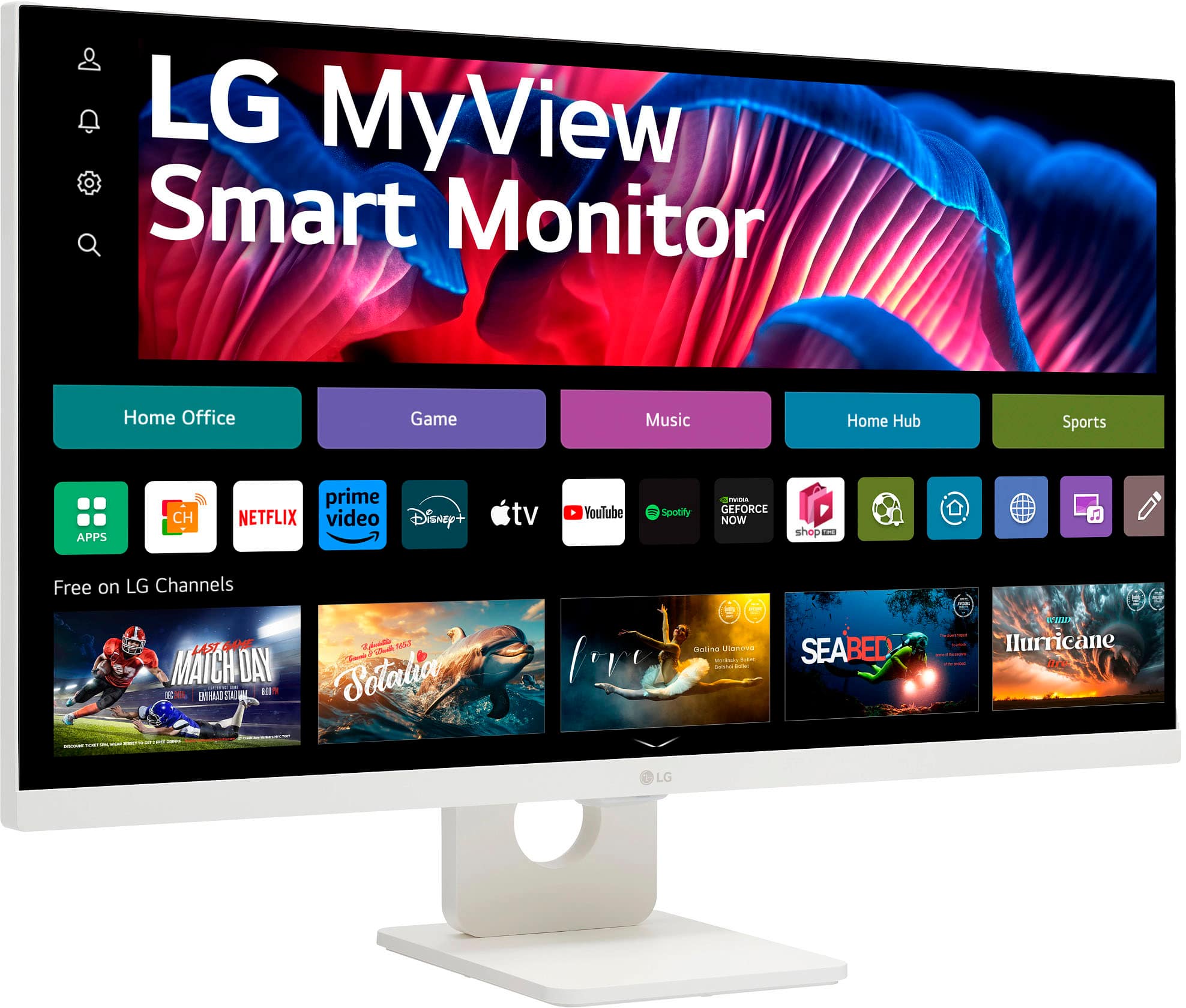
- A:Answer Yes, this monitor has two built-in speakers.
This question and answer was generated by AI based on customer and product data.Q: QuestionCan I connect a gaming console to this monitor?
- A:Answer Yes, you can connect a gaming console to this monitor.
This question and answer was generated by AI based on customer and product data.Q: QuestionHow many HDMI ports does the monitor have?
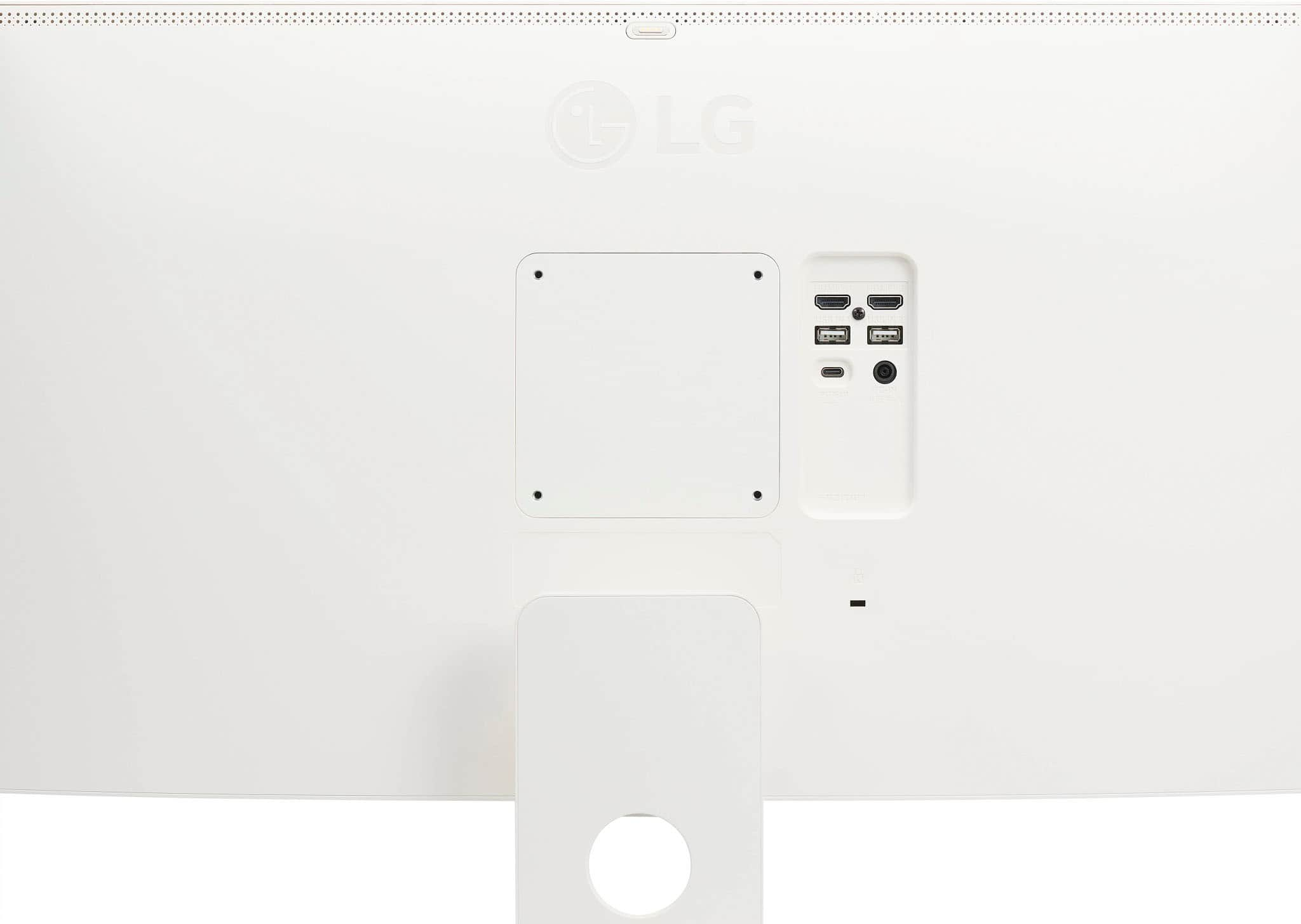
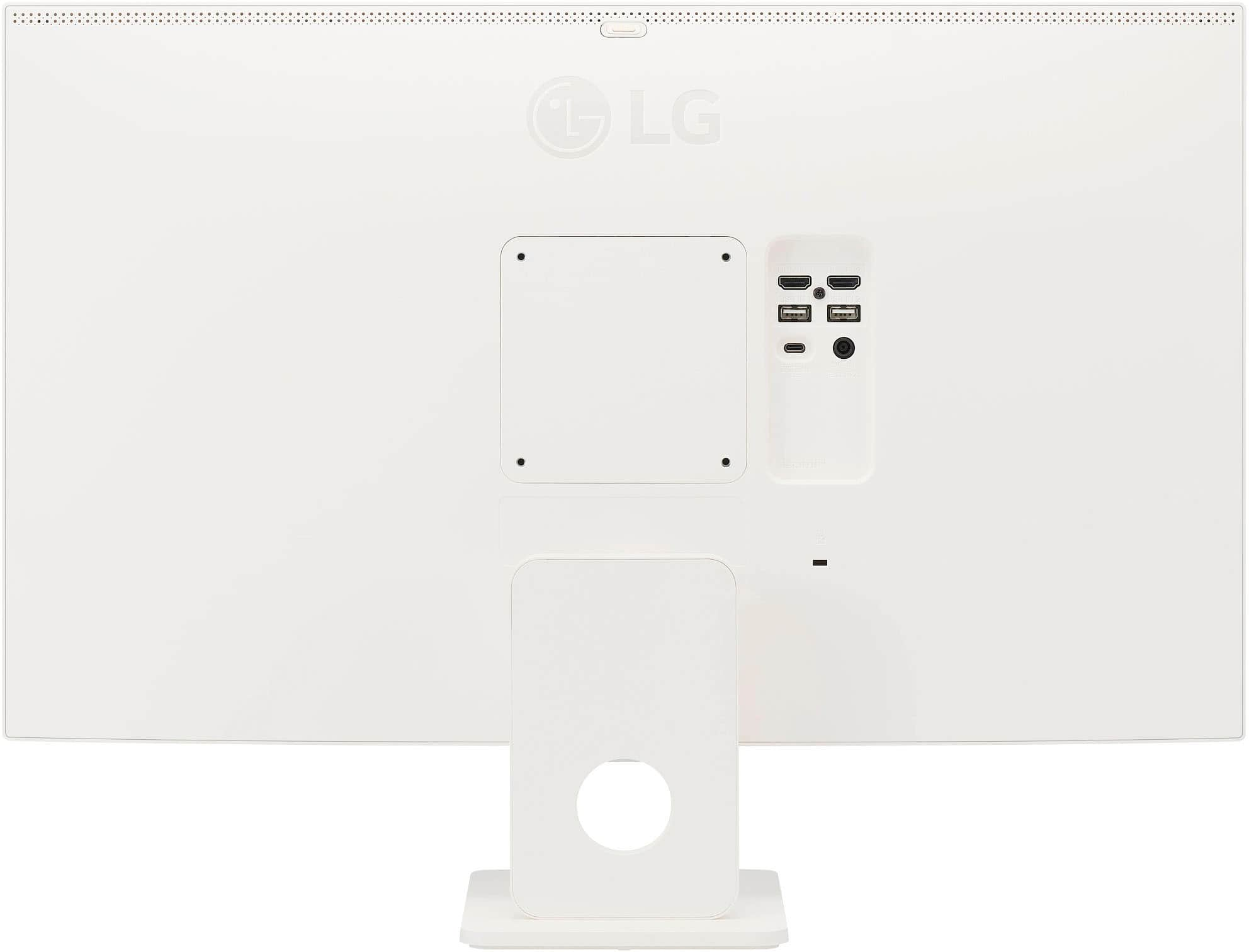
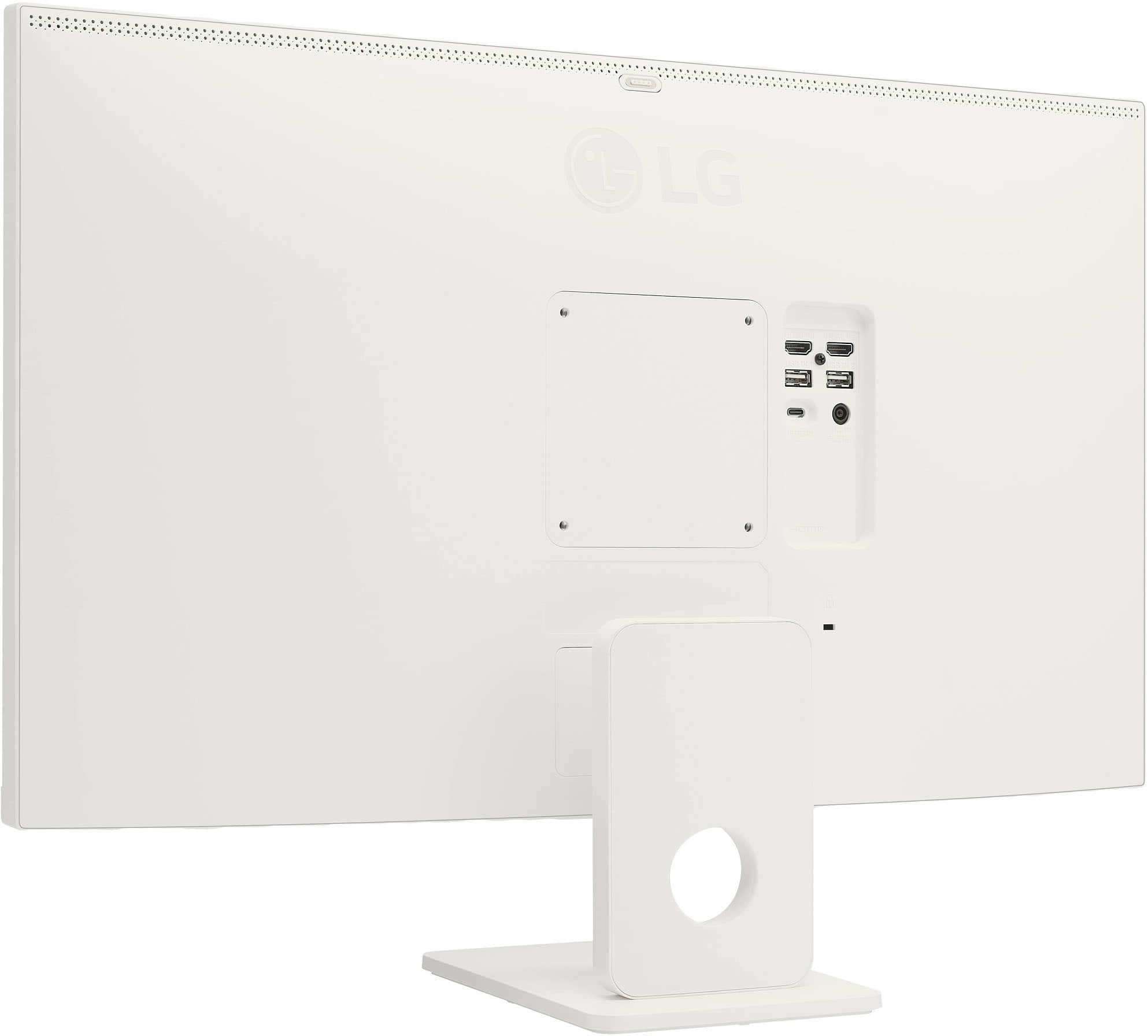
- A:Answer This monitor has two HDMI ports.
This question and answer was generated by AI based on customer and product data.Q: QuestionDoes this have picture by picture?
Asked by Crager5.
- A:Answer Hello there. Thank you for reaching out with your question. We understand that you’re interested in whether the 27SR73U-W.AUS model has Picture-by-Picture (PBP) functionality. The 27SR73U-W.AUS model does indeed support Picture-by-Picture (PBP) mode. This feature allows you to display content from two different sources simultaneously on the screen, providing added versatility for multitasking or comparison. If you have any more questions or need further assistance, please send us a private message on Social Media @LGUSSupport, and our team will be more than happy to help. We appreciate your patience. —Renzo
Answered by LG Digital Customer Care

Q: QuestionDoes this display support M4 Mac mini?
Asked by LeftyLand.
- A:Answer Yes, that's what I have
Answered by RichardB
Q: QuestionHow big is the footprint of the stand? What are the exact dimensions?
Asked by JustCurious.
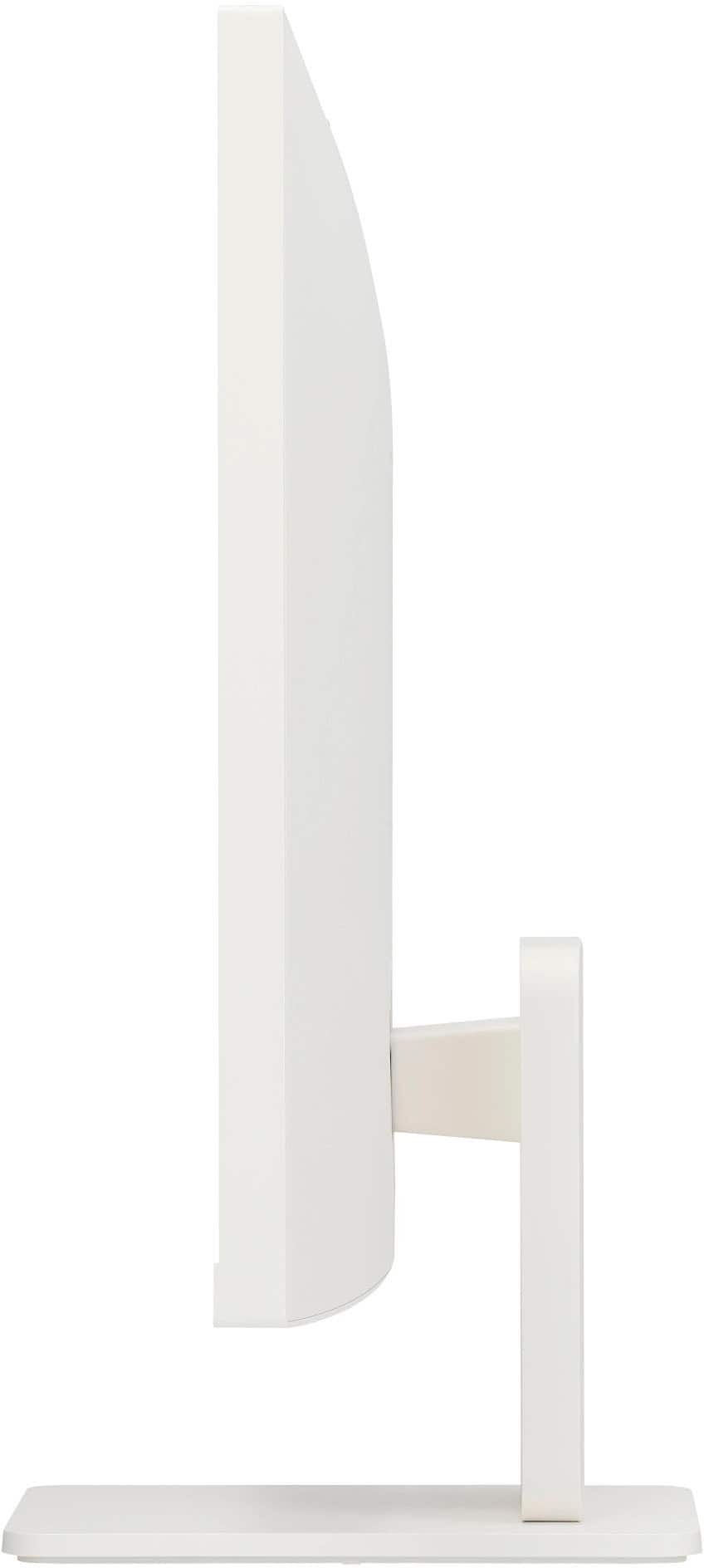
- A:Answer The same size as a iMac
Answered by RichardB
Q: QuestionI see that it has a remote control. Does the monitor also have local controls? The planned use is to have it on a desk within easy reach of the user.
Asked by FreeTruth.
- A:Answer Hi there! Thank you for your question. We understand that you are considering using the LG 27SR73U-W Smart Monitor for a desk setup and want to know if it has local controls in addition to the remote. Yes, this monitor does come with a remote control for easy navigation, but it also has local controls. You can adjust settings directly on the monitor using the buttons located on the bottom of the screen or along the bezel, allowing you to control functions even without the remote. Additionally, with Apple AirPlay 2 and HomeKit compatibility, you can also wirelessly control the monitor and cast content from iOS or MacOS devices, which can be very convenient for desk use. https://www.lg.com/us/monitors/lg-27sr73u-w-smart-monitor#pdp_specs If you have any further questions or need more details, please feel free to send us a private message on Social Media @LGUSSupport. We’re happy to assist you! We appreciate your patience. —Renzo
Answered by LG Digital Customer Care

Q: QuestionIf you have 2 of the monitors can you link them up. If you can link them up can you link a Magic Mouse and Magic Keyboard to both of them.
Asked by Darry.
- A:Answer Hi there, Darry. Thank you for your question about the LG 27SR73U-W Smart Monitor. We understand how helpful it can be to set up multiple monitors for your workspace. You can connect two of these monitors to your device, but they do not have a built-in daisy-chaining feature for directly linking the monitors together. Instead, you would connect each monitor separately via HDMI or USB-C to your device, allowing them to function as extended displays. As for connecting a Magic Mouse and Magic Keyboard, these devices would pair with the computer or device you're using, not directly with the monitors themselves. If you are using macOS or another compatible system, the mouse and keyboard can be used across both monitors, as the system will recognize both screens as part of the same setup. Additionally, if your setup supports Bluetooth, you can use AirPlay 2 or screen sharing features to stream content to the monitors, but Bluetooth connectivity for peripherals is still tied to your computer or device. https://www.lg.com/us/monitors/lg-27sr73u-w-smart-monitor#pdp_specs If you need more assistance or have any other questions, feel free to reach out to us on social media at @LGUSSupport. We're happy to help! —Renzo
Answered by LG Digital Customer Care

Q: QuestionIs this monitor compatible with the Apple Mac Pro Tower (2019 release) also known as the "Cheese Grater" for its case design? Looking for a 27" monitor that is compatible with this older Mac computer.
Asked by Narukami.
- A:Answer Hi there, Narukami. Thank you for reaching out about the LG 27SR73U-W Smart Monitor. We understand you're looking for compatibility with your Apple Mac Pro Tower (2019 release), also known as the "Cheese Grater." This monitor should work well with your Mac Pro, as it features multiple connectivity options including HDMI and USB-C, which are commonly supported by your device. To ensure optimal performance, we recommend using the HDMI port or USB-C connection, depending on your setup preferences. https://www.lg.com/us/monitors/lg-27sr73u-w-smart-monitor#pdp_specs If you have any further questions or need additional assistance, please feel free to send us a private message on Social Media @LGUSSupport. Our team is ready to help you explore the best setup for your needs. We appreciate your interest in our products. —Renzo
Answered by LG Digital Customer Care

Q: QuestionIs this monitor touch screen?
Asked by Andrea.
- A:Answer no but it does have a handy remote, and a more comprehensive remote can be added to your iPhone via the LGbThinQ app
Answered by joebagOdonuts
Q: Questiondoes this monitor work with a MacBook Pro/apple products?
Asked by Anonymous.
- A:Answer Hi there, thank you for your question! We understand you're wondering if the LG 27SR73U-W Smart Monitor is compatible with a MacBook Pro or other Apple products. Yes, this monitor is fully compatible with Apple products, including MacBook Pro, thanks to its USB-C connectivity, which supports data transmission and power delivery (up to 65W). You can connect your MacBook Pro via the USB-C port for seamless integration, and the monitor will automatically adjust for optimal display settings. Additionally, the HDMI port also offers flexibility for connection. https://www.lg.com/us/monitors/lg-27sr73u-w-smart-monitor#pdp_specs We understand your situation and are here to help! Please send us a private message on Social Media @LGUSSupport, and our team will be happy to assist you further if needed. We appreciate your patience! —Renzo
Answered by LG Digital Customer Care

Q: QuestionIf I have two lg monitors will the remotes be able to control each monitor separately?
Asked by Robert.
- A:Answer Hi there, Bob. Thank you for reaching out. We understand your situation regarding controlling two LG monitors with separate remotes. Typically, the remote control for each monitor will only operate the monitor it is paired with. You won't be able to control both monitors separately with the same remote unless they are specifically designed to work together in such a way. As a troubleshooting step, ensure that each monitor's remote control is being used directly with its designated monitor, as they are not interchangeable between multiple units. https://www.lg.com/us/monitors/lg-27sr73u-w-smart-monitor#pdp_specs Please send us a private message on Social Media @LGUSSupport, and we’ll be happy to assist you further! We appreciate your patience. —Renzo
Answered by LG Digital Customer Care

Q: QuestionHi. Can I connect a USB stick and play video files? And is there a feature that allows me to repeat the playback of a video file?
Asked by JDSVG.
- A:Answer Hello there, thank you for your question about the 27SR73U-W monitor! Yes, you can connect a USB stick to the monitor and play video files, as it supports media playback directly from USB drives. Regarding repeating playback of a video file, the monitor does have features that allow you to loop or repeat media playback. You can use the monitor’s built-in media player to select the video, and it will have an option to loop or repeat the video once it finishes. For additional assistance on setting this up or more specific steps, feel free to send us a private message on Social Media @LGUSSupport. We’re happy to guide you through the process! —James
Answered by LG Digital Customer Care

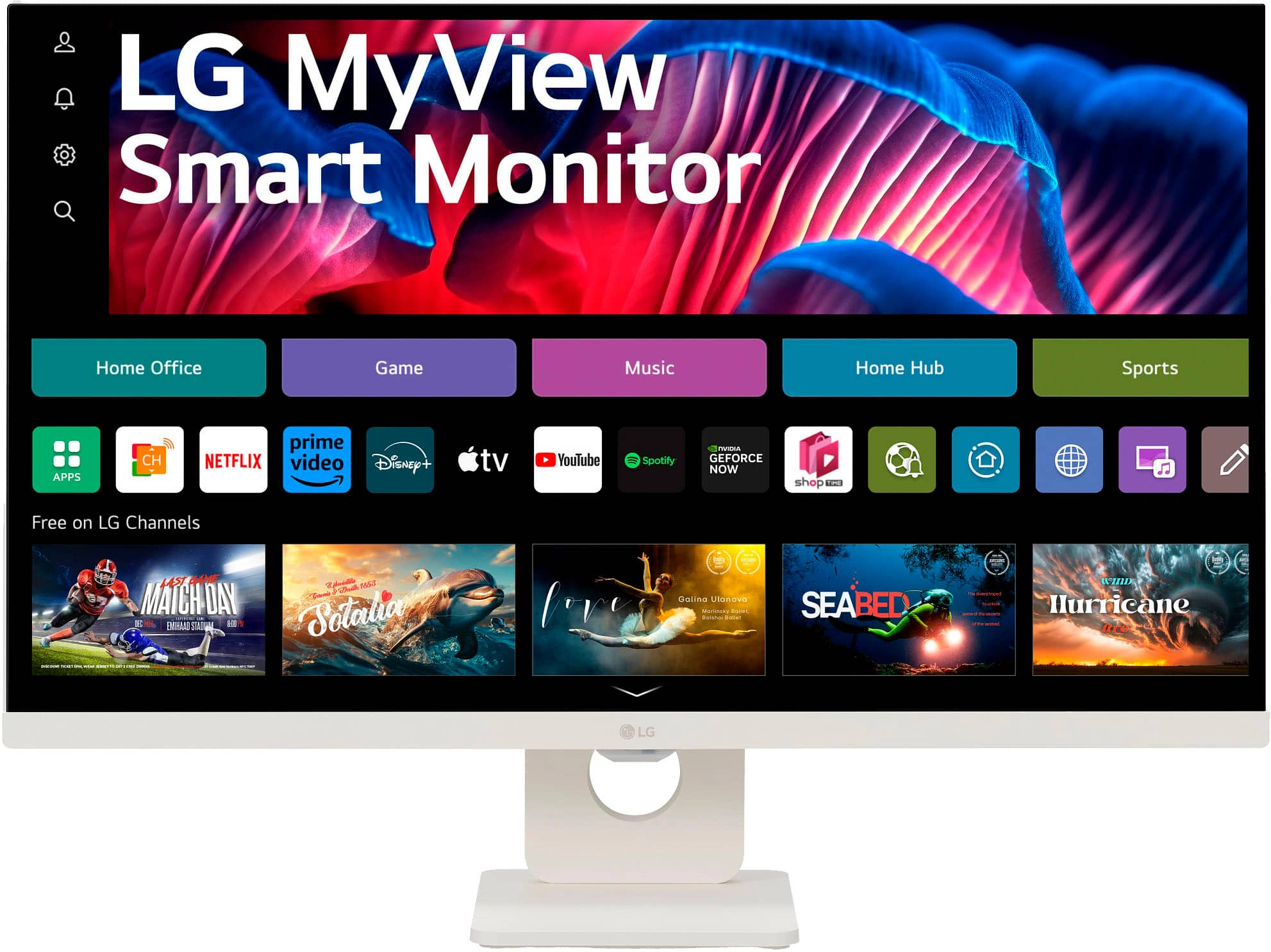
Q: Questioncan I simply use th9is as a 4k monitor or do I have to go through some sort of setup to bypass all of the tv "stuff". I don't want smart anything just a monitor.
Asked by Nikkei.
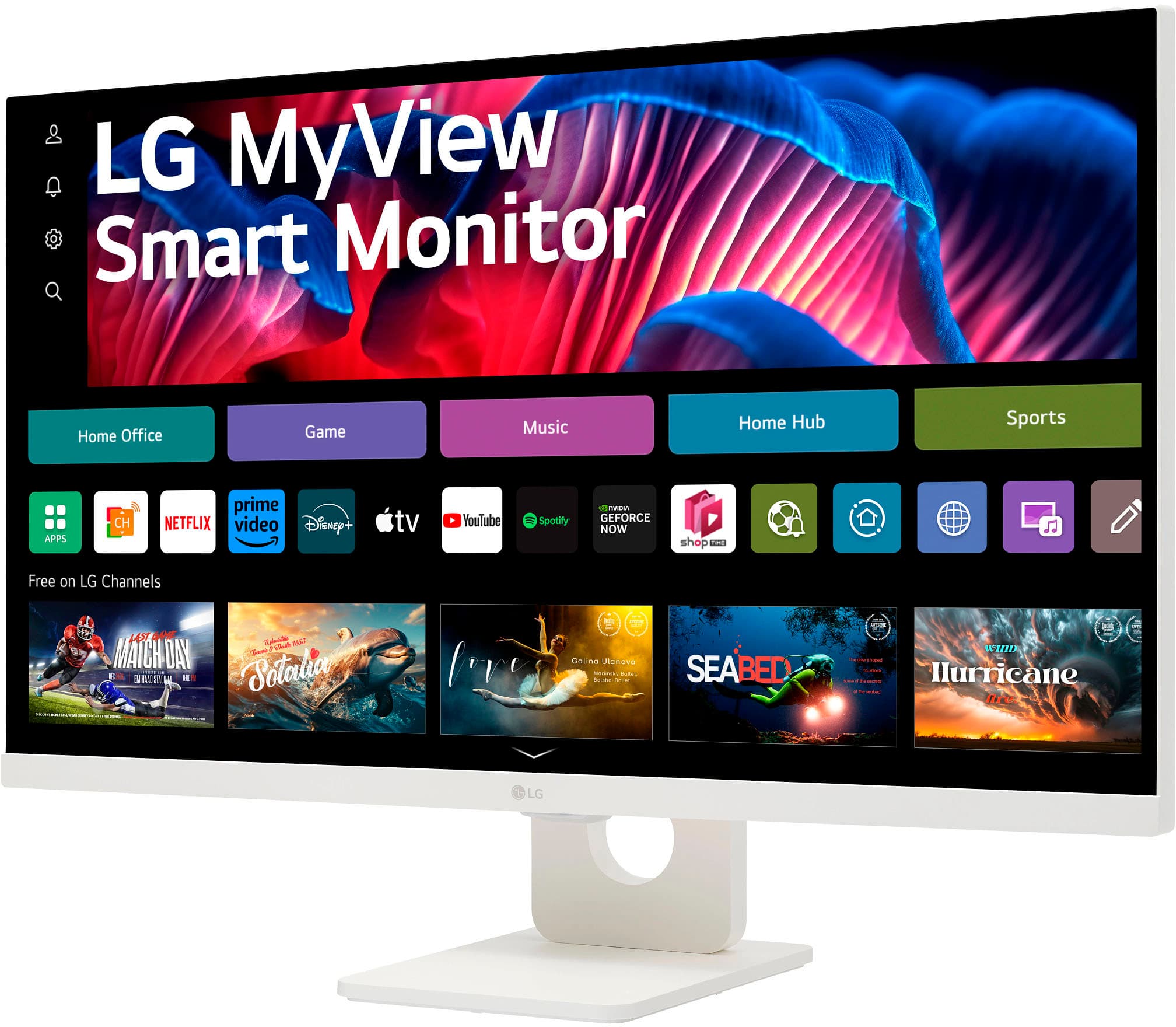
- A:Answer Hi there, Nikkei. Thank you for your question. The LG 27SR73U-W.AUS Smart Monitor can be used as a 4K monitor without needing to go through any special setup to bypass the TV features. While this model does come with smart features like a web browser and built-in apps, you can simply connect it via HDMI or USB-C to use it as a regular monitor. These smart features won’t interfere with its functionality as a 4K display. You may need to ensure that the monitor is set to the correct input source (HDMI or USB-C), and adjust any display settings based on your preferences. https://www.lg.com/us/monitors/lg-27sr73u-w-smart-monitor#pdp_specs We understand your desire for a straightforward monitor setup and are here to assist you further. Please send us a private message on Social Media @LGUSSupport, and our team will be happy to help with any additional questions. —Renzo
Answered by LG Digital Customer Care

Q: Questionis it wall mountable?
Asked by Teri.
- A:Answer I believe so. The stand is removable and there are four mounting holes on the back of the monitor that should accept a standard mounting bracket. The holes are about 4" apart.
Answered by MarcD
Q: QuestionI purchased two of these open box and some screws are missing. What are the correct screw sizes I need ? One screw is needed to put the monitor on the stand and the other two I need are the ones directly under the screen
Asked by Alex.
- A:Answer Hello there! We understand your inquiry about your LG 27SR73U-W monitors. It sounds like a couple of screws didn’t make it in your open-box package. Sometimes the smaller screws are tucked into the accessory box, so please double-check there first. Please send us a private message on social media @LGUSSupport with your monitor’s serial number and purchase details. Our team will verify the correct parts and guide you through next steps. Since this was an open-box purchase from Best Buy, you may also wish to confirm their policy on missing parts. https://www.bestbuy.com/site/lg-my-view-27-ips-uhd-60hz-smart-monitor-hdmi-usb-c-white/6587156.p?skuId=6587156 We appreciate your patience and look forward to getting you back up and running smoothly! —Renzo
Answered by LG Digital Customer Care

Q: Questiondoes it hook up to a Mini Mac or compatible with a mini Mac
Asked by ed.
- A:Answer The LG My View 27" IPS UHD 60Hz Smart Monitor (HDMI, USB-C) - White, Model # 27SR73U-W supports Plug and Play which is a feature that enables a PC to recognize devices attached by the user without device configuration or user intervention when powering up. As indicated in the header, it features HDMI ports (2) and a USB Type-C™ port (1) for connectivity. The monitor has a native 4K UHD (3840x2160) resolution. Check the specifications and connectivity for your Mini Mac...^Ivan.
Answered by LG Digital Customer Care

Page 1, Showing 1-20 of 39 questions
Best-selling monitors
- Black Friday Deal$86.99Your price for this item is $86.99
- Black Friday Deal$104.99Your price for this item is $104.99
- Black Friday Deal$89.99Your price for this item is $89.99
- Black Friday Deal$99.99Your price for this item is $99.99
- Black Friday Deal$79.99Your price for this item is $79.99
- Black Friday Deal$159.99Your price for this item is $159.99
- Black Friday Deal$279.99Your price for this item is $279.99
- Black Friday Deal$129.99Your price for this item is $129.99
- Black Friday Deal$219.99Your price for this item is $219.99
- Black Friday Deal$179.99Your price for this item is $179.99
- Black Friday Deal$259.99Your price for this item is $259.99
- Black Friday Deal$114.99Your price for this item is $114.99
- Black Friday Deal$149.99Your price for this item is $149.99
- Black Friday Deal$99.99Your price for this item is $99.99
- $134.99Your price for this item is $134.99
- $69.99Your price for this item is $69.99$159.99The comparable value for this item is $159.99
- $169.99Your price for this item is $169.99
- Black Friday Deal$129.99Your price for this item is $129.99
- Black Friday Deal$99.99Your price for this item is $99.99
- Black Friday Deal$209.99Your price for this item is $209.99