Questions & Answers
- Model:
- 920-010474
- |
- SKU:
- 10111145
$99.99Your price for this item is $99.99
Page Showing 1-9 of 9 questions
Q: QuestionThere’s no fast forward button on this. But is there a way to fast forward? By like double pressing the play/pause button or something?
Asked by Mrm.
- A:Answer Hello Mrm, Unfortunately the MX Keys Mini doesn't have a fast forward button, but you can use app specific settings for Spotify using the MX Keys Mini via Logitech's Options software. Here's a link to the MX Setup Guide that will walk you through setting that up: https://www.logitech.com/en-us/promo/mxsetup.html.
Answered by Logitech
Q: QuestionHow long does the battery last on the keyboard?
Asked by Alicia.
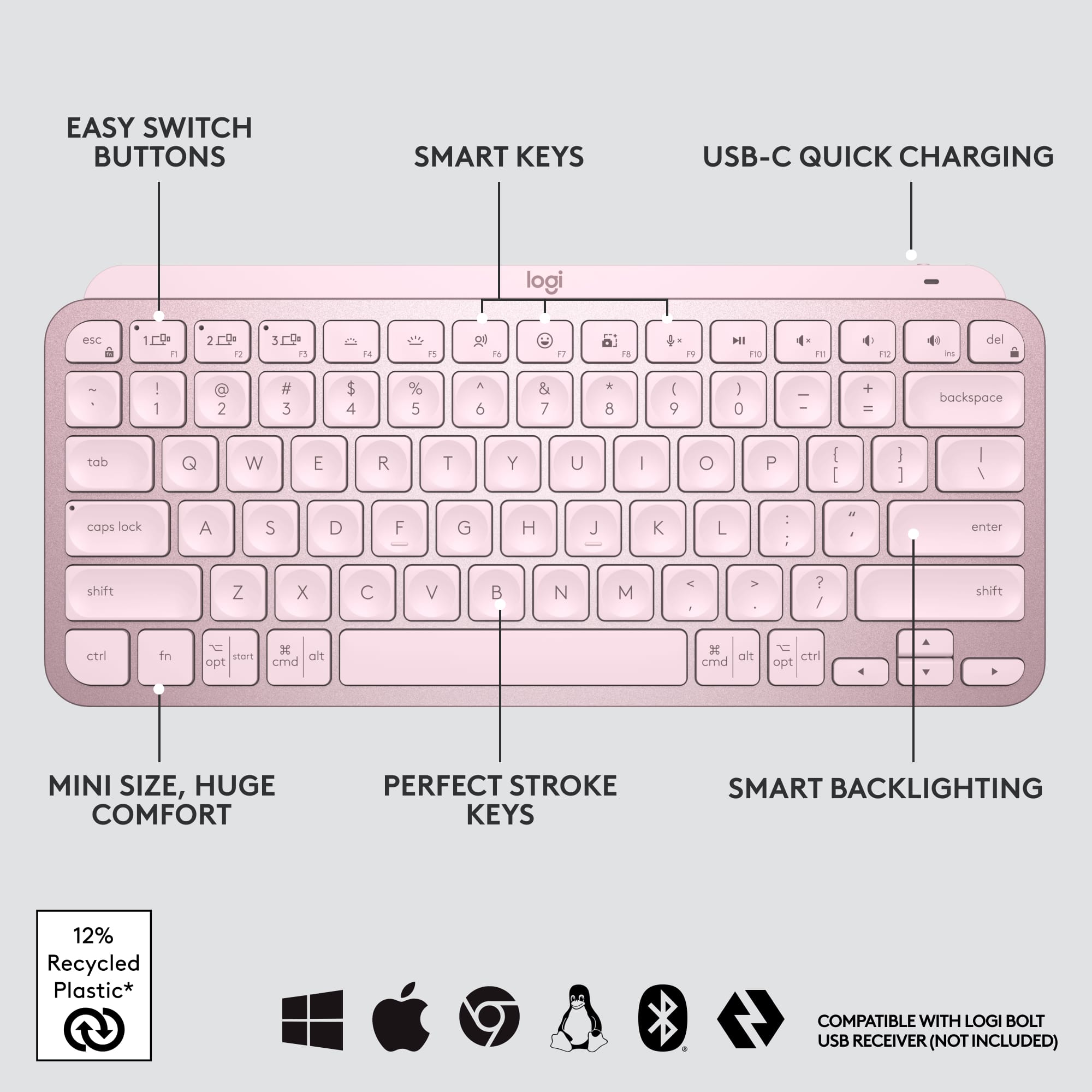
- A:Answer Hey there Alicia. The MX Keys Mini has a 10 day battery life with backlighting on, and you can extend that to up to 5 months if you turn the lighting off. -Weston from Logitech
Answered by Logitech
Q: QuestionIs this compatible with iPhone 14 max pro?
Asked by Julian.
- A:Answer Yes, and any recent iPhone or iPad, or Mac
Answered by Hiko
Q: QuestionI misplaced the USB for my keyboard. Is there a place I can purchase a replacement?
Asked by Nancy.
- A:Answer Any usb-C cable can do it. That's the same charging cable as for android phones and many other small rechargeable devices.
Answered by SamA
Q: QuestionMy computer USB ports are not operating. Will this be an issue? What are the options to charge the keyboard? Is using a USB port a requirement? Thank you!
Asked by Anna.
- A:Answer Keyboard didn't require USB to connect as long as you have Bluetooth capability. You can charge it by plugging it into a USB wall charger such as a phone charger.
Answered by Anonymous
Q: QuestionIs this product compatible with an iPad Air 2, specifically the Model A1567?
Asked by butterbean.
- A:Answer Yes
Answered by Thomas
Q: QuestionDoes this work with the mini 6 iPad?
Asked by Help.
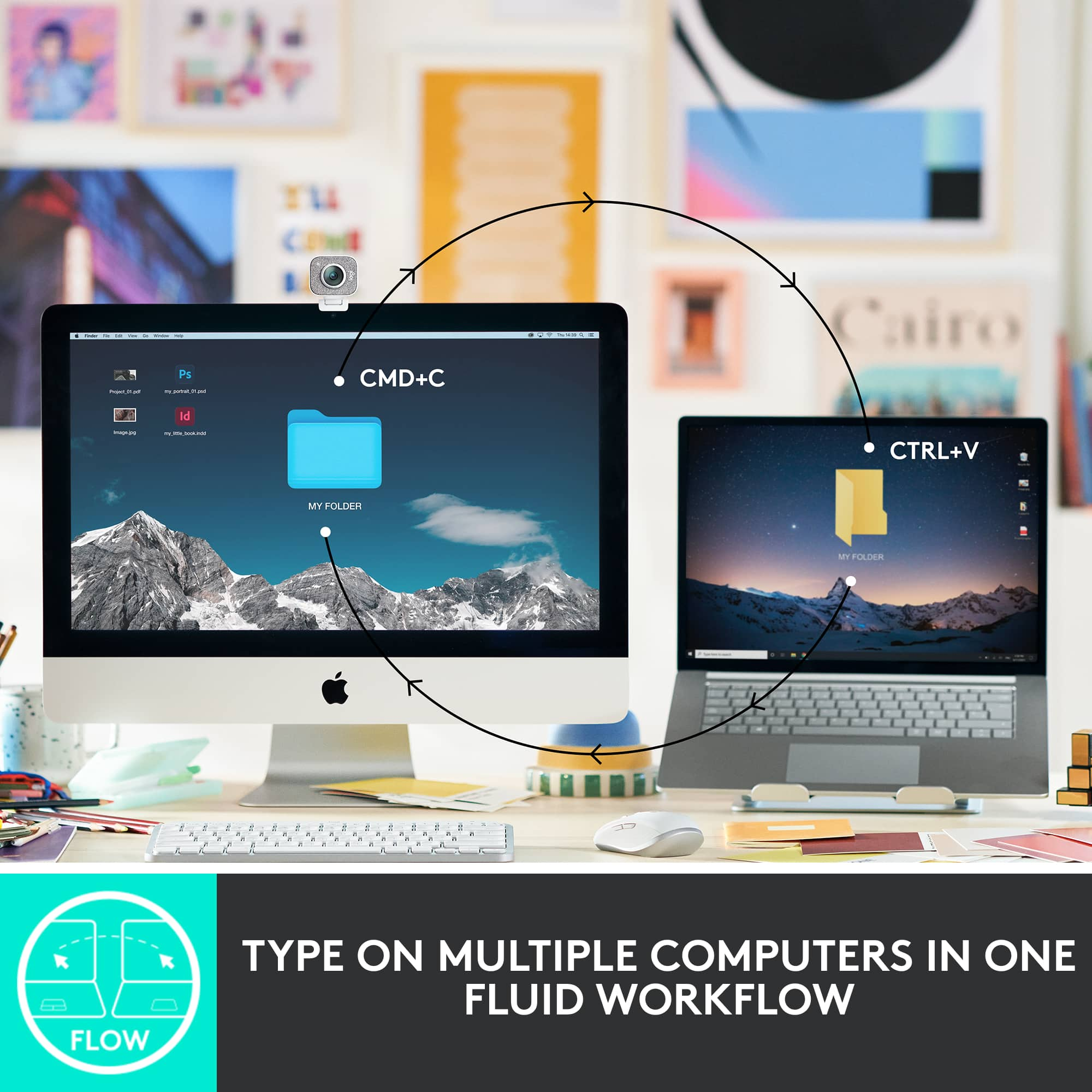
- A:Answer It's a bluetooth keyboard so should work with a variety of devices
Answered by MsP75243
Q: QuestionCan the mini wireless bluetooth scissor keyboard be used with a KINDLE or cell phone? Model: 920-010474
Asked by Peturbed.
- A:Answer It's a bluetooth keyboard so should work with a variety of devices
Answered by MsP75243
Q: QuestionIs Bluetooth the only way to connect this keyboard?
Asked by Anonymous.
- A:Answer No, but… It primarily has Bluetooth. Apparently there is a bolt receiver that is available as extra purchase. It is not backwards compatible with unifying receiver devices.
Answered by KP619
Page 1, Showing 1-9 of 9 questions
Most-viewed items
- $119.99Your price for this item is $119.99$129.99The comparable value for this item is $129.99
- $96.99Your price for this item is $96.99$99.99The comparable value for this item is $99.99
- Black Friday Deal$109.99Your price for this item is $109.99
- Black Friday Deal$29.99Your price for this item is $29.99
- $159.99Your price for this item is $159.99$179.99The comparable value for this item is $179.99
- Black Friday Deal$24.99Your price for this item is $24.99
- $99.99Your price for this item is $99.99$149.99The comparable value for this item is $149.99
- $179.99Your price for this item is $179.99
- $149.99Your price for this item is $149.99
- Black Friday Deal$45.49Your price for this item is $45.49
- Black Friday Deal$109.99Your price for this item is $109.99
- Black Friday Deal$79.99Your price for this item is $79.99
- $149.99Your price for this item is $149.99
- $59.48Your price for this item is $59.48$69.99The comparable value for this item is $69.99
- $135.99Your price for this item is $135.99$159.99The comparable value for this item is $159.99
- Black Friday Deal$64.99Your price for this item is $64.99
- $29.99Your price for this item is $29.99$54.99The comparable value for this item is $54.99
- $57.99Your price for this item is $57.99$69.99The comparable value for this item is $69.99
- Clearance$41.99Your price for this item is $41.99
![The text on the image is a list of keys on a keyboard. Here is the corrected and grouped text:
1. Esc
2. F1
3. F2
4. F3
5. F4
6. F5
7. F6
8. F7
9. F8
10. F9
11. F10
12. F11
13. F12
14. Ins
15. Del
16. ~
17. !
18. 1
19. @
20. 2
21. #
22. 3
23. $
24. %
25. ^
26. &
27. 7
28. *
29. 8
30. (
31. )
32. 0
33. -
34. +
35. =
36. backspace
37. tab
38. Q
39. W
40. E
41. R
42. T
43. Y
44. U
45. I
46. O
47. P
48. {
49. [
50. ]
51. caps lock
52. S
53. D
54. F
55. G
56. H
57. J
58. -
59. K
60. L
61. :
62. ;
63. "
64. J
65. enter
66. shift
67. Z
68. X
69. V
70. B
71. N
72. M
73. ,
74. >
75. ?
76. /
77. shift
78. ctrl
79. fn
80. start
81. opt
82. H
83. alt
84. cmd
85. H
86. alt
87. cmd
88. ctrl
89. opt](https://pisces.bbystatic.com/image2/BestBuy_US/images/products/6478/6478159_sd.jpg;maxHeight=54;maxWidth=54;format=webp)


![1. logi
2. esc 1 2 3 4 5 6 7 8 9 0 - = backspace
3. tab Q W E R T Y U I O P [ ] \
4. caps lock A S D F G H J K L ; ' enter
5. shift Z X C V B N M , . / shift
6. ctrl fn opt alt cmd
7. MULTI-DEVICE, MULTI-OS](https://pisces.bbystatic.com/image2/BestBuy_US/images/products/e563c254-4b09-453f-a596-db8b270b59a9.jpg;maxHeight=54;maxWidth=54;format=webp)
![USB-C QUICK CHARGING
F9 F10 F11 F12 ins del
( 9 ) 0 - + = backspace O P { [ } ] \](https://pisces.bbystatic.com/image2/BestBuy_US/images/products/4ba47143-9573-4c40-9018-df94b6892919.jpg;maxHeight=54;maxWidth=54;format=webp)

![IN THE BOX
logi
esc 1 2 3 4 5 6 7 8 9 0 - = backspace tab Q W E R T Y U I O P [ ] \ caps lock A S D F G H J K L ; ' enter shift Z X C V B N M , . / shift ctrl fn opt alt cmd
Responsible Packaging FSC™ FSC® N003028](https://pisces.bbystatic.com/image2/BestBuy_US/images/products/6177db92-9bf5-4933-9264-5b70b886f806.jpg;maxHeight=54;maxWidth=54;format=webp)