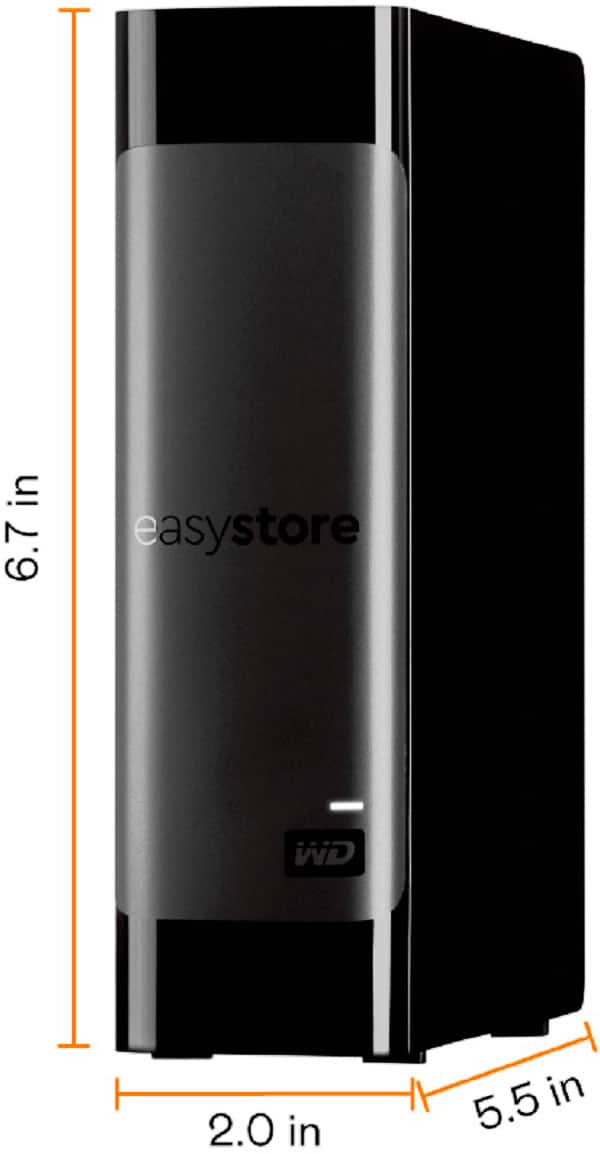
A:AnswerYou could, check with the router though to see if the hard drive needs to be formatted a certain way to work though. NTFS should work, but check first.
A:AnswerNo one is forcing you to buy this, or anything else. Don't buy food, for that matter, if it is too expensive. Meanwhile, you will starve to death and you will have a HDD failure without backup on what maybe inestimable in value, Believe me, I know what I am talking about, having just lost more than 20TB of movies, TV shows, photos, documents, etc., most of which I could either never replace or need the rest of my life to do so. All because I kept postponing buying additional storage and ignored a S.M.A.R.T. warning about a failing drive.
A:AnswerUnfortunately there is no way to know for sure if you will get a Hard drive that's been used to mine Chia or some other Cryptocurrency and then returned to the store BEFORE you buy it, even if it says it's new. There are several things you can do to check AFTER you buy it though. You can use CrystalDiskInfo or a program like it to check how much the drive has been used, it's something like power on hours. It should say 0 or a number very close to 0 if it's actually new and unused. If it's not then you know it was almost certainly used and returned to the store. Another thing you should always do, regardless of whether you suspect it might be used or not, is check your hard drives for bad sectors. You can use a program like Western Digital's own software (I think it's called data lifeguard diagnostic) or a third party one, if the drive has ANY bad sectors you should return/replace it. Hope this helped.
A:AnswerNo im buy this product because i think this work for ps5 but im wrong no working wirh ps5 because this is 14tb and the ps5 accept only 8tb, this working for laptop or pc
A:AnswerAs to storage, it depends on how many steam games you have, and how much storage they need. If you have 14,000,000,000,000 games, you are probably out of luck. As for the actual amount, you get the amount designated, allowing for differing methods of counting space and for a certain amount taken up through formatting.
A:AnswerHas to do with how manufacturers display their size vs format size. These are helium filled drives and the tracks are written closer causing some space to be lost for bad sector reservation.
A:AnswerHi,
We no longer measure the reliability of our hard drives using Mean Time Between Failure (MTBF). Our current drive reliability is measured using Component Design Life (CDL) and Annualized Failure Rate (AFR).
https://support-en.wd.com/app/answers/detail/a_id/16964
Need Help? Please see our "'Contact Us" page for information.
A:AnswerWhen my drive is ready to unplug from the usb port, the led light blinks slowly and indefinitely until i unplug it, as opposed to the constant led light that I get while files are open, so I guess the slow blinking it means you can unplug it. Maybe you're seeing something similar?
A:AnswerTechnically speaking, you can encrypt any form of media. However, out of the box, this is not encrypted. You can use third-party software such as VeraCrypt or Microsoft's Bitlocker, or use an encrypted file system such as LUKS, though you'll need this same software to then decrypt the drive.
A:AnswerWestern Digital team is wrong! People shuck these and take the drives out to place into such a NAS. I am still learning myself- but I hate people spreading ignorance!
I buy this looking to do the same thing with my asus router. If it is not a nas, then what is it? A media server? Please be helpful- because the rouhter states you can plug in a storage device and have it transmit its data. And WD wants to say you can't do this?
I want to know how to power this down, I read I can unplug it if it isn't writing, but there is no power button. Maybe this is a question for the router- I read there is a hard drive hibernation setting.
A:AnswerLol! I know, right? That’s driven me nuts for years as well. Rule of thumb: if they don’t mention 7200, it’s a safe bet it isn’t. They would probably brag if it was!