Razer - Tartarus V2 Wired Gaming Mecha-Membrane Keypad with Chroma Back Lighting for PC - Black
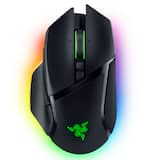 Razer - Basilisk V3 Pro Optical Gaming Mouse with HyperScroll Tilt Wheel - Wireless - Black$99.00$159.99

Related Item

Specifications
- WirelessNoCompatible Platform(s)Mac, Windows
- Key Specs
- Wireless: false
- Compatible Platform(s): Mac, Windows
- General
- Brand: Razer
- Model Number: RZ07-02270100-R3U1
- Product Name: Tartarus V2 Wired Gaming Mecha-Membrane Keypad with Chroma Back Lighting for PC
- Color: Black
- Features
- Product Type: Keypad
- Connectivity
- Wireless: false
- Dimensions
- Product Height: 6 inches (The out of box height of the item. Height is measured as the vertical distance from the bottom of the item to the top as it would be primarily used or placed.)
- Product Width: 8 inches (The out of box width of the item. Width is measured as the horizontal distance from one side of the item to the other as it would be primarily used or placed.)
- Product Length: 2.4 inches (The out of box length of the item. Length is measured as the longest dimension of the item.)
- Product Weight: 0.75 pounds (The out of box weight of the item.)
- Cord Length: 72 inches
- Compatibility
- Compatible Platform(s): Mac, Windows
- Warranty
- Warranty - Parts: 1 year
- Warranty - Labor: 1 year
- Other
- UPC: 814855024810
Cast spells and activate skills at top speed with this Razer Tartarus gaming keypad. The membrane rubber dome and detachable palm rest provide comfort during long gaming sessions, and 32 programmable keys put you in command of the game. Use the eight-way direction thumb pad of this Razer Tartarus gaming keypad to expand on your commands.
- Powered by Razer Chroma: The Razer Tartarus V2 features individually programmable backlit keys with 16.8 million color options, all easily set through Razer Synapse.
- Braided cable connection: Offers stable and convenient USB connection to your PC, makes the keypad perfect when traveling.
- Razer Mecha-Membrane technology: Designed from the ground up, the all-new Razer Mecha-Membrane combines the soft cushioned touch of a membrane rubber dome with the crisp tactile click of a mechanical switch to enable swift actuation for each key stroke.
- Full anti-ghosting: Helps your commands and simultaneous keystrokes register the way you intended.
- 32 fully programmable keys: Provide additional comfort during gaming sessions.
- Programmable 8-way directional thumbpad & scroll wheel: The 8-way directional thumbpad can also be used for easy movement or to expand on commands.
- Ergonomic palm rest: Specially designed for the Razer Tartarus V2, this palm rest features ergonomics that ensure that no matter how intense your gaming marathons are, you're always comfortable.
- Windows and Mac compatible: For use with your existing computer.
- Powered by Razer Chroma: The Razer Tartarus V2 features individually programmable backlit keys with 16.8 million color options, all easily set through Razer Synapse.
- Braided cable connection: Offers stable and convenient USB connection to your PC, makes the keypad perfect when traveling.
- Razer Mecha-Membrane technology: Designed from the ground up, the all-new Razer Mecha-Membrane combines the soft cushioned touch of a membrane rubber dome with the crisp tactile click of a mechanical switch to enable swift actuation for each key stroke.
- Full anti-ghosting: Helps your commands and simultaneous keystrokes register the way you intended.
- 32 fully programmable keys: Provide additional comfort during gaming sessions.
- Programmable 8-way directional thumbpad & scroll wheel: The 8-way directional thumbpad can also be used for easy movement or to expand on commands.
- Ergonomic palm rest: Specially designed for the Razer Tartarus V2, this palm rest features ergonomics that ensure that no matter how intense your gaming marathons are, you're always comfortable.
- Windows and Mac compatible: For use with your existing computer.
Whats Included
- Owner's manual
- Razer Tartarus V2 Wired Gaming Mecha-Membrane Keypad with Chroma Back Lighting
- Owner's manual
- Razer Tartarus V2 Wired Gaming Mecha-Membrane Keypad with Chroma Back Lighting
Product Manuals
Q: What is the connection type of this Razer gaming keypad?
A: This Razer gaming keypad connects via a braided cable for a stable connection.
Q: What kind of switch technology does the Razer Tartarus V2 use?
A: It uses Razer's Mecha-Membrane technology, combining the softness of a membrane with the tactile click of a mechanical switch.
Q: What is the length of the cord on this keypad?
A: The cord length of the keypad is 72 inches.
Q: How many programmable keys does the Razer Tartarus V2 keypad have?
A: The Razer Tartarus V2 has 32 fully programmable keys for enhanced control.
Q: Does the Razer Tartarus V2 keypad have a palm rest?
A: Yes, it has an ergonomic palm rest designed for comfort during long gaming sessions.
Q: Is this gaming keypad compatible with both Windows and Mac computers?
A: Yes, the Razer Tartarus V2 is compatible with both Windows and Mac operating systems.
A: My son says its a one handed keyboard that the keys can be altered for easier use for gaming
Q: Does this function as a mouse?
A: It does not function as a mouse. The directional pad thumbstick on this device is basically just thumb-controlled arrow keys. Theres also no tracking on the device so it can't be pushed around like a typical mouse. This is just a set of keys. Think of it as a keyboard extension for your non dominate hand.
Compare similar products

Cast spells and activate skills at top speed with this Razer Tartarus gaming keypad. The membrane rubber dome and detachable palm rest provide comfort during long gaming sessions, and 32 programmable keys put you in command of the game. Use the eight-way direction thumb pad of this Razer Tartarus gaming keypad to expand on your commands.
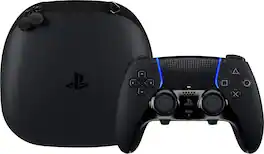
Sharpen your skills in style with the highly customizable DualSense Edge Midnight Black wireless controller. Bring the controller and its components wherever play takes you with the included Midnight Black carrying case.

Embrace a new fighting game meta with the Razer Kitsune—an all-button optical arcade controller that surpasses traditional fight sticks. With an evolved precise quad movement button layout and lightning-fast optical switches, eliminate input errors from your game with the perfect competitive fighting companion for PS5 and PC.

Thrustmaster Viper Panel Backlit Control Panel, For Use with Viper TQS or Standalone,Licensed by the U.S. Air Force - Compatible with PC This realistic replica of the Viper controls for PC provides a premium feel with metal buttons and realistic controls — including landing gear lever, and jettison function (for emergencies). The panel is backlit with adjustable indicator lights on the landing gear controls and TWA (Threat Warning Aux) panel for absolute realism! Viper Panel is made for intense takeoffs, combat and landings with 43 metal action buttons (including 11 virtual buttons), one trim wheel (axis), MODE and PGRM rotary selectors on the CMDS panel, plus laser sighting, jammer and weapon launch switches. Unleash the potential of Viper Panel by expanding its flight and combat capabilities with Viper TQS (Throttle Quadrant System), sold separately. The lower part of Viper TQS can be detached to fit Viper Panel and create the complete Viper experience. Viper Panel is compatible with PC and is Plug and Play in DCS World, with no setup required the device is automatically recognized in the game. Features Realistic replica of the legendary control panel of the Viper, backlit with adjustable indicator lights Viper control panel for PC, officially licensed by the U.S. Air Force, for incredible realism and outstanding ergonomics Premium feel with metal buttons and realistic controls — including landing gear lever, and jettison function Full immersion with iconic functions MODE and PGRM rotary selectors, plus laser sighting, jammer and weapon launch switches 43 action buttons (including 11 virtual buttons) and one trim wheel (axis)
| Pros for Razer - Tartarus V2 Wired Gaming Mecha-Membrane Keypad with Chroma Back Lighting for PC - Black | |||
|---|---|---|---|
| Customization, Ease of use, Quality, RGB Lighting, Gaming | Customization, Overall Performance, Ergonomics, Button Functionality, Feel | Button Responsiveness | There were no pros for this product— |
| Cons for Razer - Tartarus V2 Wired Gaming Mecha-Membrane Keypad with Chroma Back Lighting for PC - Black | |||
| D-Pad, Key Quality, Software | Battery Life, Stick Drift, Connectivity | There were no cons for this product— | There were no cons for this product— |
Specs



Reviews
Customers are saying
Customers are enthusiastic about the Tartarus V2 gaming keypad's ease of use and customization options, highlighting its quality and immersive RGB lighting. Many users find it enhances their gaming experience. However, some customers have expressed concerns about the loudness of the keys and the quality of the D-pad. A few users have also reported issues with the software.
Customer Images
The vast majority of our reviews come from verified purchases. Reviews from customers may include My Best Buy members, employees, and Tech Insider Network members (as tagged). Select reviewers may receive discounted products, promotional considerations or entries into drawings for honest, helpful reviews.
- Rated 4 out of 5 stars
My experience
What I like about this one handed is that every key can be customized and if you have other razer products you can sync them with RGB lights and hyperspeed. I did not like the hand rest position making to uncomfortable for me to interact with the key as my hands are not big enough for it design. If you are learning mouse and keyboard and play MMO this will be perfect for you as long as your hand fits.
Posted by OP123
- Rated 5 out of 5 stars
Razer Tartarus V2
This is a great device, it works really good. It does take some time to get used to, but once you setup the buttons to your liking it works great. The RGB on it is also amazing and the software is not too hard to use. Very useful and feels really good quality. The best part is it allows your hand to rest very naturally which helps when plaging for long hours with cramping and soreness.
Posted by GALAXY
- Rated 5 out of 5 stars
Great for Data entry productivity
I was going to buy a number pad but got this instead. I enter dates and numbers into work systems, so I programmed it with number keys, backspace for error correction, and a dash on the thumb key. The joystick makes scrolling down pages of entries a click down and hold process instead of rowing a mouse wheel. But it has a thumb wheel if needed. The hand rest adjusted back to a good position as I have large hands and is far more comfortable than the alternative. I can now enter the data with the Tartarus and a mouse without a need to move my hand from keyboard number pad to the mouse and back constantly. And I can program it for other programs (Video editing, DAW, Excel etc) Win win. I may get a matching keyboard and retire my bulky logitech G510 for work as I don't really need the mappable keys on the keyboard itself anymore.
Posted by SidneyH