Customer Ratings & Reviews

- Model:
- RE2200T
- SKU:
- 5713031
to a friend
Customers are saying
Customers regard the HELIOS-EX High Power AC2200 Tri-Band Wi-Fi Range Extender with DirectLink™ very favorably, frequently praising its extended Wi-Fi range, strong signal strength, and ease of setup. Many users highlighted the improved coverage throughout their homes and appreciated the convenient features like the USB port. The extender's performance was also lauded for its ability to eliminate dead zones and provide a reliable connection. Overall, customer feedback paints a picture of a highly effective and user-friendly device.
This summary was generated by AI based on customer reviews.
Easy set up
||Posted .This reviewer received promo considerations or sweepstakes entry for writing a review.Good range. Simple instructions. Adapts easily to your present internet service.
I would recommend this to a friendWifi extender
||Posted .This reviewer received promo considerations or sweepstakes entry for writing a review.A little tricky to set up called customer service and they helped in no time!!
I would recommend this to a friend- Pros mentioned:Setup, Wi-fi range

Powerful range extender w/ limited setup options
|Posted .This reviewer received promo considerations or sweepstakes entry for writing a review.I found the Amped wireless range extender a breeze to setup, but that was one of the first windows into how it worked and where i was going to get frustrated later. It seems the market is saturated right now with mesh routers, extenders, mimo, and other products. It's tough to wade through exactly what I should be using to give the areas I want decent coverage. This product excels at one thing, but unfortunately ONLY one thing: picking up an already strong wifi signal and sending it farther. The setup went smoothly and it had me tweak the position of my router watching the gain to get the best signal from my original router. Piggybacking wirelessly off of my already operating router, left me quite close to get a signal decent enough to make the Amped setup happy. I did find my range extended after finishing the setup, but it was more on the order of 20 feet, not the drastic change I expected. I decided to dig into the software and that's when I discovered that the setup was unable to put the extender into Access Point mode and pick up a WIRED signal and repeat it over wireless. This is a feature that is included in most lower priced/lower powered devices, and I expected it to be here too, but it was lacking. This was disappointing to me and part of the reason for rating only 3 stars. Build and features on the extender itself are impressive: included high gain antennas, usb ports, 5 port switch, separate switches for power and front LEDs, all of which are tethered to that wireless only repeater mode. if you are someone who KNOWS that WIRELESS ONLY is the way you need to go, then this router is the choice for you. If you need more flexibility and versatility, you will find the Amped Helios comes up lacking. Possible future software/firmware upgrades could add this feature, but at the time of review it wasn't able to be placed in a wired repater mode.
No, I would not recommend this to a friend - Pros mentioned:Setup, Speed
Great Wifi extender
|Posted .This reviewer received promo considerations or sweepstakes entry for writing a review.Just what I needed for those dead spots in my house. This wifi extender was easy to set up, just attach the antennas and plug it in. I set it up with my iPhone and it was super easy. For a while I needed a wifi extender that will cover all my house since I get a lot of dead spots around like in my porch, some areas in the living room, and now after connecting this extender I'm cover at least for 12 sq ft maybe more since I only have one floor in my house. If you get this extender make sure you connect it to a dual band router, that way you can use the extender with the 5GHZ network, work faster and awesome for that smart tv or mobile devices. The Helios-EX extender also have storage port and 5 ports to connect wired devices which is awesome ; you can move the extender anytime anywhere if you think is not getting the best signal and it will not loose the configuration. What I like most is the speed and the coverage. This product has work much better than my old Netgear extender.
I would recommend this to a friend Works Great!
||Posted .This reviewer received promo considerations or sweepstakes entry for writing a review.Works great to extend signal, more than tripled area covered.
I would recommend this to a friendits good and better then other
||Posted .This reviewer received promo considerations or sweepstakes entry for writing a review.its really good and better the other extender till 300$ range
I would recommend this to a friendSome limitations
||Posted .This reviewer received promo considerations or sweepstakes entry for writing a review.Needed to cover a larger area in my house. This helped, but didn’t quite cover the entire area I needed.
No, I would not recommend this to a friendHelps a lot when working.
||Posted .This reviewer received promo considerations or sweepstakes entry for writing a review.Goes out a lot then must unplug and replug again. It happens at least once a week.
No, I would not recommend this to a friendW
||Posted .This reviewer received promo considerations or sweepstakes entry for writing a review.It didn't really work well.. Didn't extend the wifi connection
No, I would not recommend this to a friend- Pros mentioned:Signal strength, Wi-fi range
Nice Wi-Fi Range Extender Once You Get It Working
|Posted .This reviewer received promo considerations or sweepstakes entry for writing a review.Pretty nice Wi-Fi range extender once you get it working. I tried unsuccessfully twice to configure the device over Wi-Fi but was able to get it configured by directly connecting to the device. The setup steps are easy and the wizard walks you through configuring the device. Physical size of the device isn’t too bad and you can place it just about anywhere in your house to get it out of the way. The location I chose on the first floor and the back of my house was still getting a 75-81% signal strength so placement for me was simple. I connected a few devices once it was configured without any issues. I already have a AC5400 tri-band router so Wi-Fi signal strength and speeds are already excellent in my house. I showed excellent speeds when switching back and forth between the two wireless network. Where I have the device placed I cannot take advantage of the 5-port GB switch but having that feature is nice. I have a couple minor issues with the device. First, the network SSID has to be different from your main wireless network (nature of an extender device though). There is no seamless wireless connectivity between the two wireless networks (also nature of an extender device). The Wi-Fi device will stay connected to the one wireless network instead of jumping to the closer wireless network. You cannot rename the SSID on the range extender to the same SSID as your home wireless network. Doing so will create a network loop and you will end up having to reset the device back to factory defaults and walk through the setup wizard again. It would be nice if you could use the GB switch to uplink the device to your home network and set it up as an access point instead.
I would recommend this to a friend extends my wi-fi as hoped for
||Posted .This reviewer received promo considerations or sweepstakes entry for writing a review.nice compact unit, had some difficulty with set-up but now works fine
I would recommend this to a friendMostly good, but setup was a bit rough
|Posted .This reviewer received promo considerations or sweepstakes entry for writing a review.So I unboxed this unit and was hoping for an easy install. Nope, Windows 10 didn't want to play nice and no matter what I tried, I couldn't get the wireless to connect. I watched the video from the website, but it wasn't any help. So I used my Pixel and was able to setup the unit. Once I did, I had a new wireless network and everything works. I still have both wireless networks from my Linksys EA9500 and both new ones from the Amped Wireless extender. It kept my password from the Linksys and uses it on the extender. I connected through my WDLive TV unit to see if it would ask for a password since setup didn't have me do any security and yup... it asked for my password and then connected. So the unit seems to work great. I'll know tomorrow when I try it out and see how far I can go before I lose connection. I will say the instruction leave something to be desired and the way they unfold are horrible. The thing ends up on the floor every time you try to type and read at the same time. Also nowhere on the box, instructions or website does it say what the led lights on the front of the unit represent. The symbols are so small, I can't make them out. Other than that, it seems this thing is going to be a nice addition to my network. Fingers crossed.
I would recommend this to a friend- Pros mentioned:Signal strength
Setup may or may not be smooth; router works well
|Posted .This reviewer received promo considerations or sweepstakes entry for writing a review.I decided to get this range extender router because, despite using two wireless routers on two different floors in our house, there was still a dead zone in a couple of rooms in one wing of the house. I was fairly sure, based on reviews I read, that the HELIOS-EX AC2200 WI-FI Range Extender would fix the problem. The only question I had was how easy the set-up would be, and decided to make that a focus for my review. I opened the box to find a set-up guide that was nothing short of amazing. The glossy guide folded out into five panels, each of which contained 2 of the 10 steps involved in setting up the range extender. The instructions were crystal-clear and accompanied by pictures illustrating the setup steps. Helpful notes were included in each panel suggesting things to watch for and what to try if a problem is encountered. I was delighted to find that the range extender could be set up with a wireless connection from my Windows 10 laptop instead of the Ethernet cable often needed to set up routers. Saved me the trouble of digging up a cable. The procedure was so simple that within a couple of minutes I had glided through them to step 8. At that point I had connected the range extender to my router that receives my incoming Internet signal, a Linksys WRT 1900AC. This router was top-of-the-line two years ago and has served me very well since that time. The instructions in step 8 told me to wait for the range extender to reboot, and a timer counted down the time for the reboot process, about two minutes. After the countdown, the expected screen for step 9 appeared, which told me to reconnect to the new extended network. So I looked in available wireless connections in Windows 10—and the new extended network never appeared. I waited quite a while and looked for the network with my Android phone, too. It never showed up. So I started looking for help. The other side of the setup guide described features of the range extender and gave troubleshooting tips for three common problems. But my problem was not listed. I looked online for help, only to discover that the name of the router on the box it came in (HELIOS-EX High Power AC2200 Wi-Fi Range Extender) was not the actual model number of the router. To get help on the website, I had to search for the model number of the router and eventually figured out that it is RE2200T. (This number appeared on the setup guide but it was not clear that this was the model number.) The only possible solution I could find other than rebooting the router (which I tried to no avail) was to try the setup again, so I did, this time with an Ethernet connection between my laptop and the range extender. Again, the process went smoothly until step 8. And, again, after the router rebooted, Windows 10 did not see the new network. Oddly, though, this time I could see it with my Android phone. I rebooted my laptop, but Windows 10 still did not detect the new network. And once again, I searched online help for an answer, without results. I was about to phone the company for help, when I decided to see if I could connect the range extender to my other router, a Linksys EA7500. I went through the setup wirelessly, and this time, finally, the new extended network was visible to Windows 10. I clicked the button in step 9 that said, "When reconnected, press OK," and, bam, step 10 said "Congratulations, You're all done!" If new firmware had been available, I could have updated, but the router had the most recent firmware so I was all set. Then, the important test was seeing if the range extender could bring a signal to the dead zone in my house. I plugged the router in a room in that dead zone and, indeed, the useful signal strength LED was red, indicating a poor signal, 59% and below. I moved the range extender on the other side of the wall of the dead zone, and the LED was green, indicating an excellent signal. Finally, I tested the ability of my phone to stream an online video in the formerly dead zone area, where such videos never played properly, and the stream worked perfectly. The range extender had done its job. In terms of other features, the range extender has five wired ports and a USB 3.0 connection, should you need them. There is also a button to turn off the LED displays if you find them annoying. I love that feature. So, in brief, the RE2200T Wi-Fi range extender is a great little device that really does the job, once you get it setup. My sense is that setup normally goes better than it did for me, and that I just had some bad luck. If you have similar difficulties, I recommend that you persevere and that you will be rewarded for your efforts.
I would recommend this to a friend Did not really work when I tried to set it up
||Posted .This reviewer received promo considerations or sweepstakes entry for writing a review.I had to ask 3 Best Buy employees before buying this to improve Internet reception in my home. Even though they were in the tech department, none really seemed to know what they were doing. I had to call the Geek Squad and pay for an upcoming visit to hopefully get this thing working!
No, I would not recommend this to a friendSolid hardware but possibly some software issues
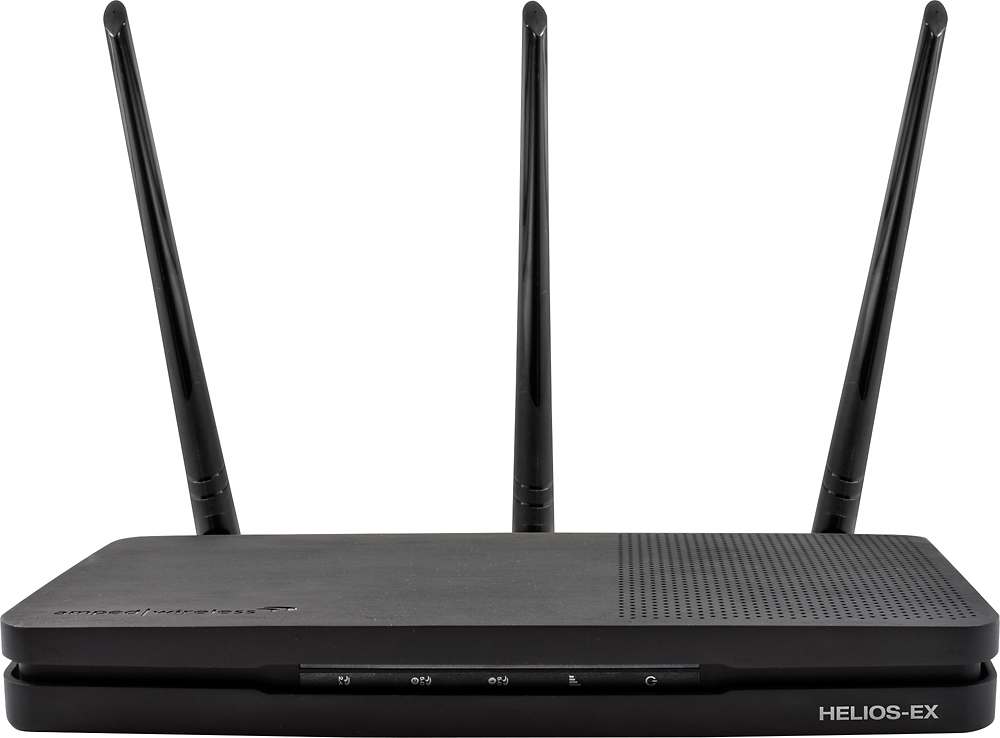
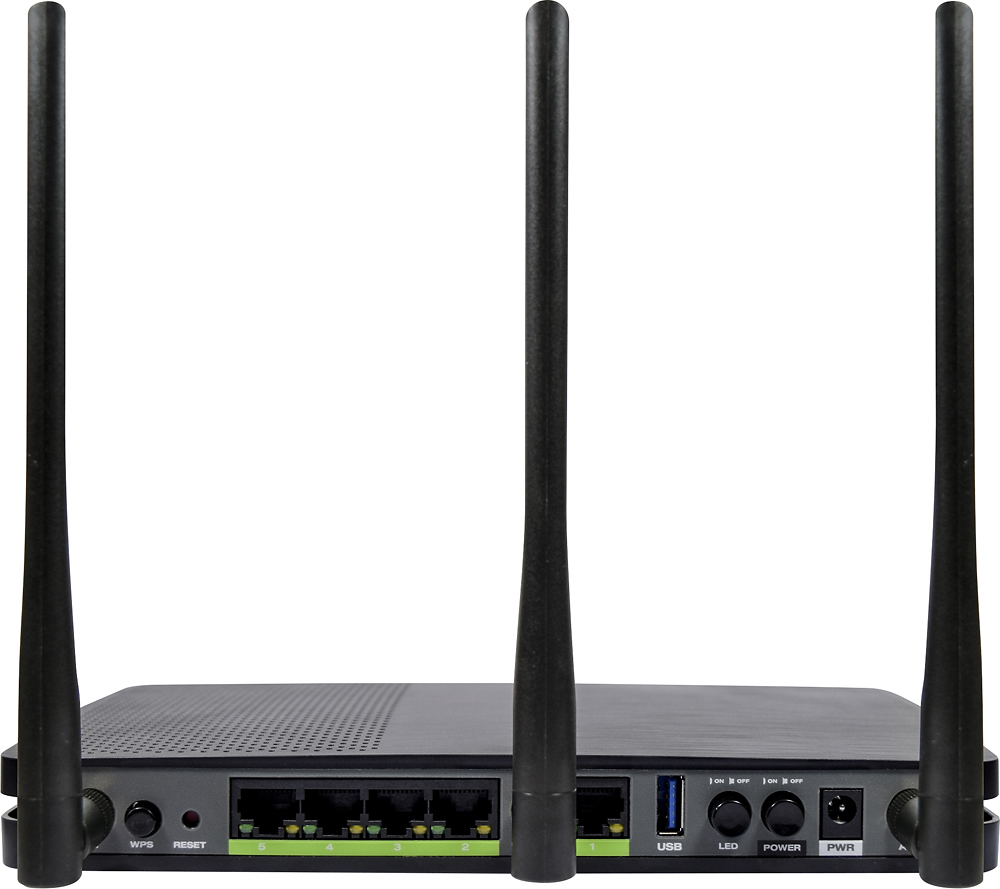
|Posted .This reviewer received promo considerations or sweepstakes entry for writing a review.Disclaimer - Best Buy gave me a sample of the product in return for my fair and honest opinion. TL;DR version - this extender is actually pretty great for what it is. Some networks may have issues with setting it up after the initial setup, but even with that quirk, you shouldn't have too many problems with an otherwise rock-solid connection. Long version: Amped Wireless always seemed more of a niche brand to me than something I'd be willing to pick up off the shelf, as it's a brand I knew little about other than they sell high-powered wifi routers, access points, extenders, and adapters. I went into testing the Helios-EX extender not knowing must about the brand's reliability and knowing nothing of their setup process. Amped was also a brand that I'd see at my local computer emporium and on the major online parts sellers, usually buried below the names we all know and love. I must say that I'm pretty impressed overall with the Helios EX and the brand in general, though there is some disappointment with the setup process. First, the rundown on my current network configuration: Arris SB6183 connected to Comcast with 250/50 speeds. Apple Time Capsule (3rd gen) as router and firewall TP Link 8 port gigabit switch Linksys EA7500 as access point Various computers, smartphones, an iPad, an Android tablet, 2 smart TVs, Apple TV, Fire Stick, home theater receiver, Blu-Ray player, Nintendo Wii, Nintendo Switch, crock pot, and thermostat connected via WiFi for load testing Some notes on the hardware: Overall, the Helios-EX is pretty well designed. The body might be smooth plastic, but it's solid and has a stylish brushed metal look to it. The front indicator LEDs light up large portions of the front side of the unit, but aren't annoyingly bright like some other routers and stick with a generally blue aesthetic (green, yellow, or red for the incoming signal indicator). All ports on the back are clearly labeled as to what they do, though you might look at the 5 ethernet ports and think this was a router instead of a extender. It can be used as a wireless-to-ethernet bridge as well, though I never fully tested that ability. The antennas are of the proper (read - detachable) variety, meaning you can swap them out with higher-gain antennas if need be. There are only three of them, but that's enough to handle what you can throw at this device. So with the setup process: You connect your device via WiFi to either the 2.4 or 5 GHz network created by the access point, open a webpage, connect it to your main WiFi network, tell the device whether you want to clone your network's name or give it a unique name, and then you're done. Unfortunately, I wasn't able to log back into the device on my iPhone after around 15 minutes without resetting it back to factory defaults. I don't know if this is a bug in the Helios' firmware or if it's unique to my network, but it is an annoyance. (Apple routers default to 10.0.0.x ip address ranges.) Where the Helios EX wins me over, however, is performance: I decided to hop in my car with an inverter just to see how far I could get into my field before I lost the 2.4 GHz signal. I hit around 400 feet - with the unit in my car - before it became unusably slow. I'm sure that if I strapped it to the roof of my car I could have probably made it another 100 feet or so before it dropped out. The 5 GHz was also pretty impressive, reaching around 125 feet before becoming unusably slow. To compare, my iPad air reaches around 200 feet on 2.4 and 75 feet on 5 GHz, my Acer Iconia One 8 (B1-850) hits around 300 and 60, respectively, my iPhone 6s hits 225 and 75, respectively, and my Moto Z Play hits 150 and 50, respectively. Wireless performance is also pretty great. My iPhone 6s maintained a download speed of 300 mbit/s on the cloned network at 50 feet total (20 feet from the EA7500 to the Helios, an additional 30 feet from the Helios to the phone). My Sony XBR850C TV maintained a network connection speed of 867 mbit/s from the Helios-EX at 25 feet. It was able to sustain transfer rates of 60 MByte/s from an attached USB 3.0 hard drive to a Windows 7-based computer over both the wireless and wired connections (speed limited by the drive, not the Helios). I was able to throw the entire wireless portion of my network onto the Helios EX, and didn't have a single problem with slowdown among devices thanks to it's "tri-band" design. The wireless AC connections aren't the fastest in the world (2.4 GHz 399 mbit/s plus 2 x 5 GHz 866 mbit/s is close enough to 2200 mbit/s for marketing purposes), but they're plenty fast; through the extender, I was able to maintain 300 mbit/s download speeds through the nPerf internet speed test. All in all, the Helios EX is perfect for those with large homes who can't run network cabling due to any reason. It allows for great wireless coverage in your home, on your property, and even into part of your neighborhood. The unit handles high traffic loads with ease and doesn't become very warm like some other extenders can. If the software issues are addressed, this device would be pretty close to perfect. Even with the software issues, it's still an 7.5 out of 10 because the hardware is more important than the software in an extender.
I would recommend this to a friend- Pros mentioned:Signal strength, Wi-fi range
Difficult to Start but Good Finish
|Posted .This reviewer received promo considerations or sweepstakes entry for writing a review.This set-up was a bit above my pay grade. So, I ended up having to call in someone who was very tech savvy to help. Once he explained the steps to me in the way a 56 year old can understand (if I had a 6 year old around I probably wouldn't have had a problem), it was much easier. I think a lot of new tech manuals should take into account people who did not grow up with technical jargon and short-cut language. Anyhoo, the next problem we had was not with the unit but my house. Think the "Burrow" and you have it. A house made of different materials in an odd configuration. Arthur probably had more plugs than I have outlets. So, next we had to find a "hot spot" which had an outlet. We finally found it. It did look funny watching my tech savvy friend walking around looking for the signal. I now have wifi all through my house and also my back patio so the kids are happy, I'm happy and also amazed. Given how many dead spots there were in my house, shows the strength of the signal. My tech savvy friend likes this better than his so he's gone to get his own.
I would recommend this to a friend - Pros mentioned:Ease of use, Signal strength, Speed
Range extender that works well-Simple Setup
|Posted .This reviewer received promo considerations or sweepstakes entry for writing a review.The range extender works well and I was able to achieve maximum speeds for my DSL modem. The setup was very simple and straight forward and the signal is strong in my two story home. This is the first range extender that I've used and I am pleased with it. It has the 2.4 GHz and 5 GHz wireless with four of the lower speed amplifiers and eight of the high speed amplifiers. Additionally, it has three Wi-Fi radios and physical ports. This is a quality product with a well thought out design.
I would recommend this to a friend - Pros mentioned:Speed
Uninspired design but it gets the job done
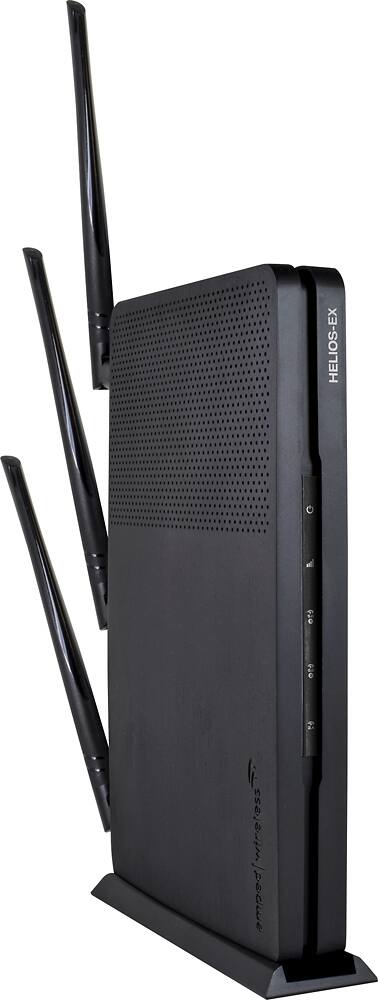
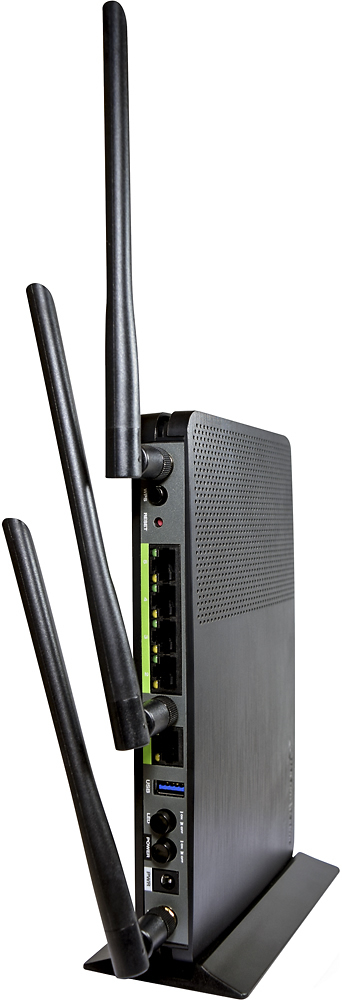
|Posted .This reviewer received promo considerations or sweepstakes entry for writing a review.Summary: Though this extender isn’t the best designed or the most fairly priced, it gets the job done with good range and speeds. The plastic used on this extender feels cheap but Amped has textured the top giving it a nice brushed metal look. The antennas are not spaced evenly, a small knock to make against it, but it takes away from the appeal of the device when placed flat on a table. It does have the ability to be stood up vertically, which allows it to ventilate better. This repeater connects to your router and broadcasts as a separate network which might be inconvenient for some. It does however retain the same IP address network from the parent router which means you will be able to connect to the repeater and see any devices connected to the parent router. I use all the ethernet ports on the back of the device to connect my electrical engineering test equipment. It’s critical that I have a good connection with all the equipment to get consistent and accurate measurements. While admittedly this is a very special use case, I was able to connect to all my equipment and operate it reliably which is a testament to the overall capability of the product.
I would recommend this to a friend - Pros mentioned:Ease of use
Easy setup - Great Speeds
|Posted .This reviewer received promo considerations or sweepstakes entry for writing a review.Let me start by saying I have set up a LOT of network devices, both consumer and professional, in my life, and this has to be one of the easiest of all of them. This device is literally point-and-click setup with easy to follow instructions and no mess.. It's actually hard to write a review for this device BECAUSE it was so easy to set up. Once you connect to the default SSID, it presents you with a setup page tailored to either standard or mobile browsers, it auto-scans the nearby wifi signals, presents you with a list, you select yours, hit next, put in your password and hit save... The device reboots and you're done. Extremely easy... Why aren't all range extenders this easy? Something that does make this device stand out from the crowd is the dedicated 5GHz backhaul. This is traditionally only available on some of those 'home mesh' wifi systems, but you can create the same with this. What's great about this is that most new tri-band home wifi routers actually allow you to designate independent SSIDs for each radio, so you could, in essence, set up a TRUE dedicated backhaul between your wifi router and this access point to allow for a full speed wireless connection between the devices without any form of other device taking time away from it. This device is great, there's no other way to talk about it.
I would recommend this to a friend - Pros mentioned:Ease of use
Good wifi extender
|Posted .This reviewer received promo considerations or sweepstakes entry for writing a review.The setup process was pretty simple. I had it up and running in no time. After setting it up, I ran some speed tests against it and my wifi router. I had it setup halfway between me and my current router. While on the other side of the house, with the extender being halfway in between, I was still able to get faster speeds when connected to my wifi router. When I connected to the extender, I would loose about 10 GB of speed on average. I guess it still has some perks over other range extenders I thought about getting. It has a USB port and Ethernet ports. This will allow me to place it in a room with other devices that require an Ethernet for USB connection for my home setup.
I would recommend this to a friend