Customer Ratings & Reviews
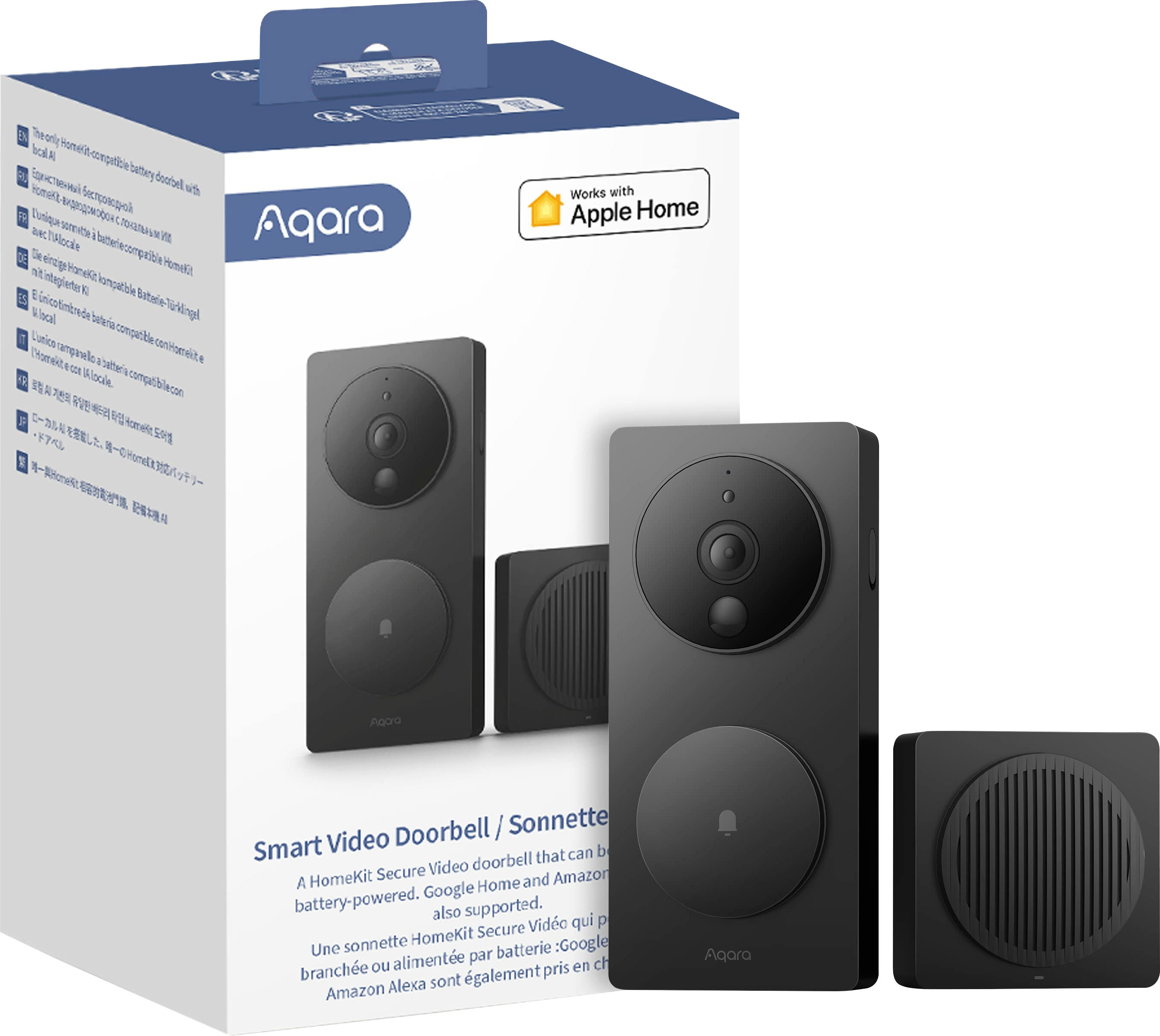
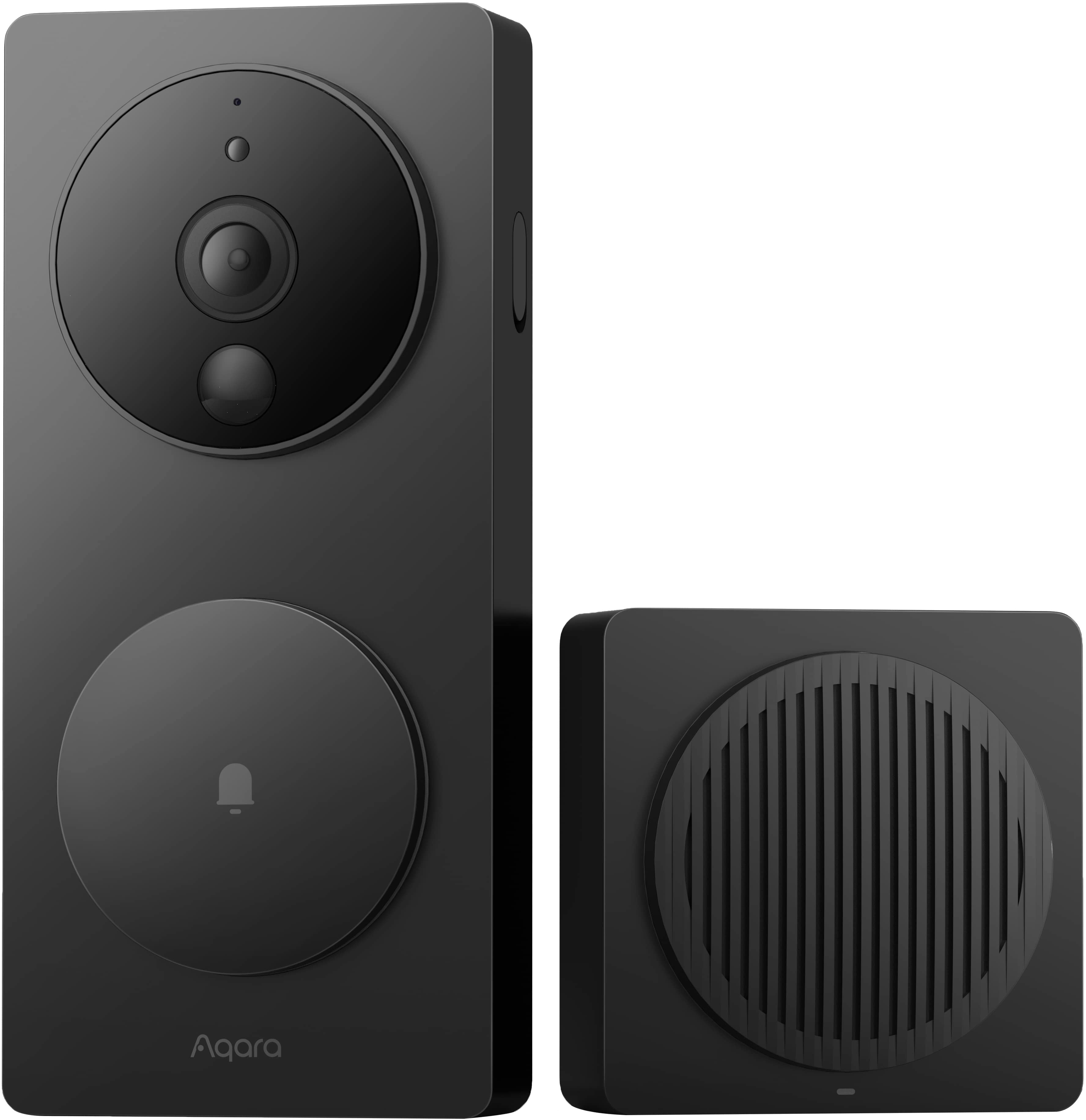
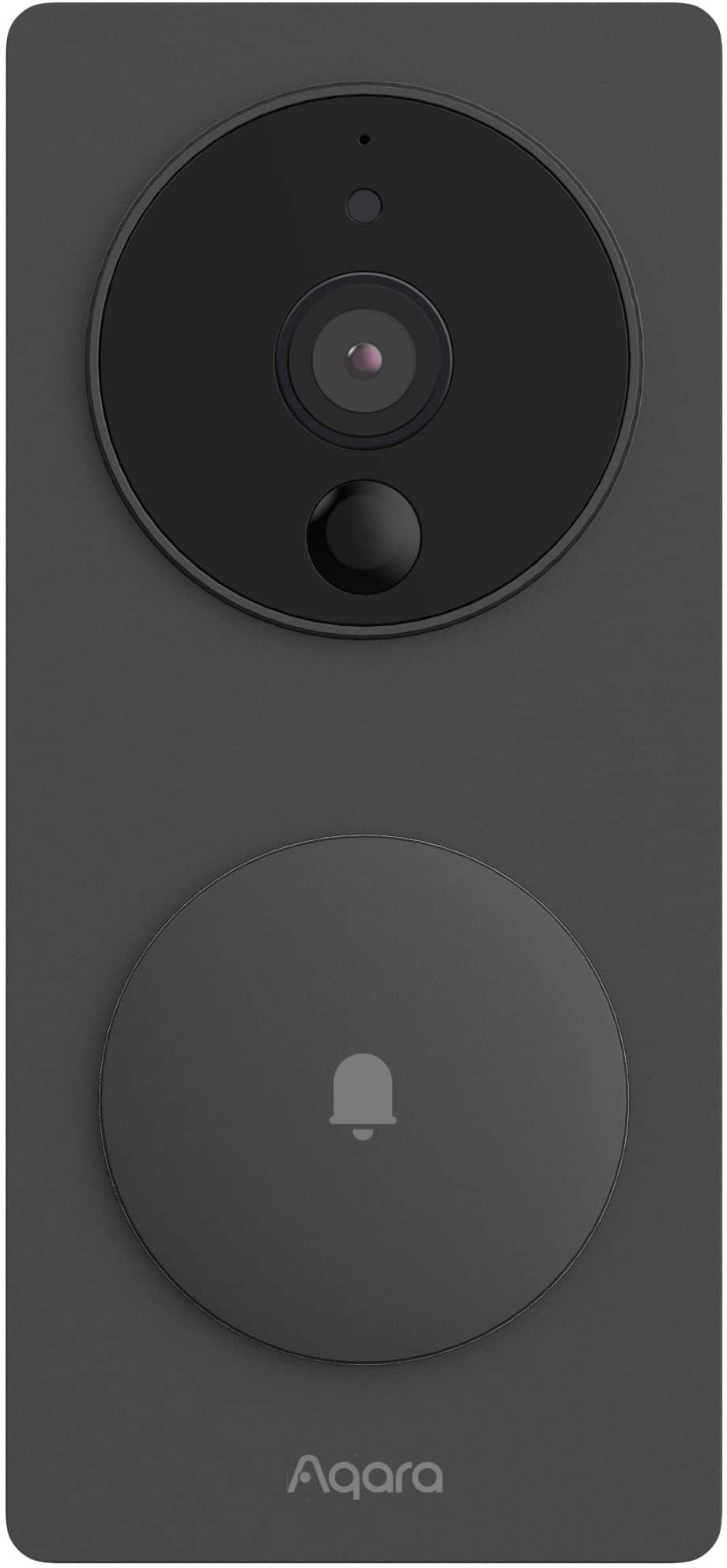

- Model:
- SVD-C03
- SKU:
- 6568827
Rating by feature
- Video Quality
Rating 4.3 out of 5 stars
- Mobile App
Rating 3.9 out of 5 stars
- Sound Quality
Rating 4.1 out of 5 stars
Customers are saying
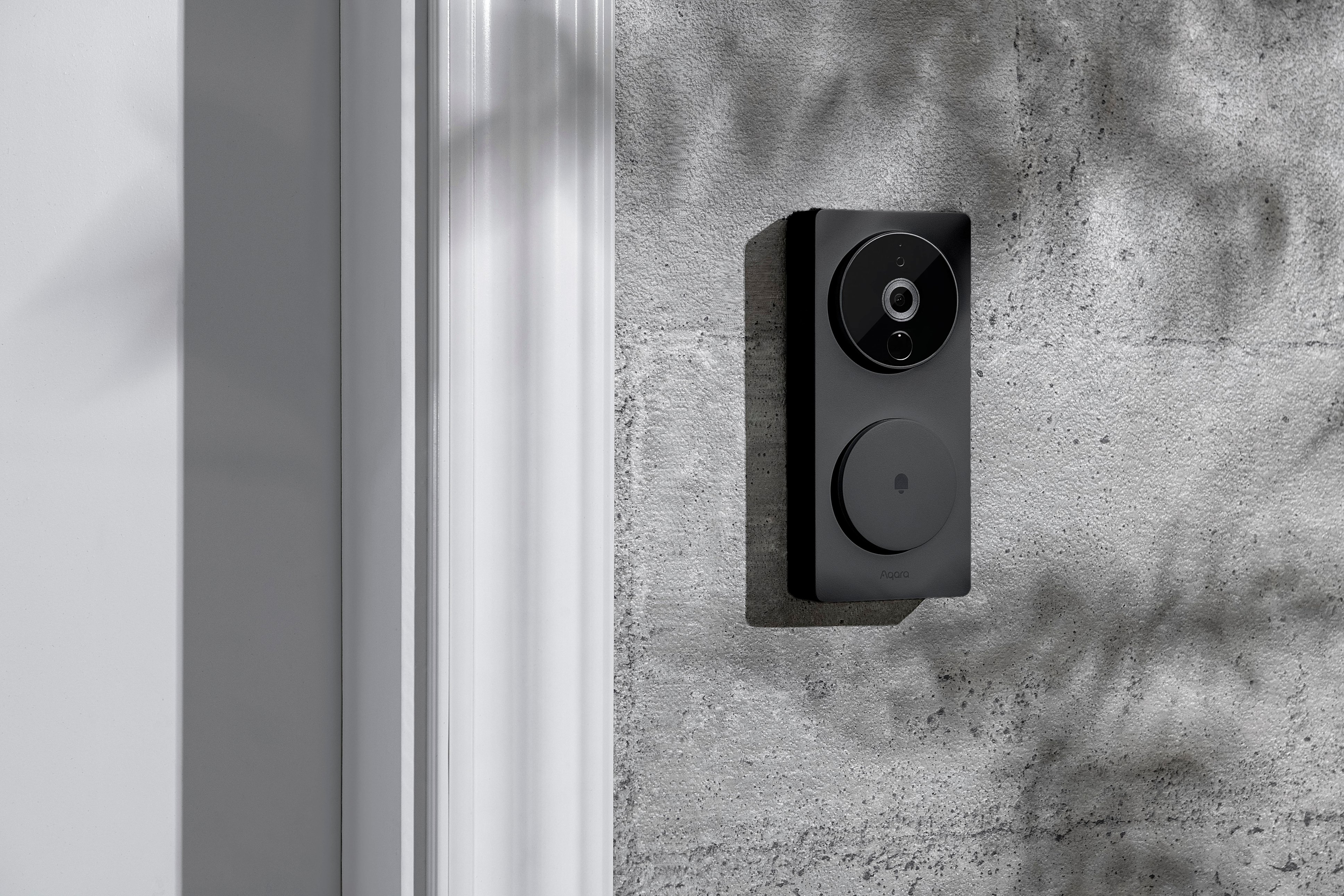
Customers are impressed with the G4 Smart Video Doorbell's video quality, battery life, and facial recognition capabilities. The doorbell is also praised for its ease of installation, free cloud storage, and impressive night vision. However, some customers have expressed concerns about the app. Overall, the G4 Smart Video Doorbell offers a range of useful features and a sleek design.
This summary was generated by AI based on customer reviews.
- Pros mentioned:Ease of use
Apple HomeKit Battery Powered Doorbell Camera
||Posted . Owned for 3 weeks when reviewed.This reviewer received promo considerations or sweepstakes entry for writing a review.Easy installation. Good Apple HomeKit integration. I hid it in the door where the peephole device was. Just be prepared to cut into the door on the inside to accomplish this. My photo shows interim positioning before hiding it inside the door.
I would recommend this to a friend - Pros mentioned:Battery life, Facial recognition, Storage

Great features, easy installation, good value.
|Posted .This reviewer received promo considerations or sweepstakes entry for writing a review.Tons of built-in smarts, full integration into Apple Home and others, plus local and free cloud storage make this smart video doorbell a worthy addition to any smart home. Highlights: * Modern-looking external camera/doorbell that matches the Aqara Smart Lock design. * Claims up to 4 months of life from the set of 6 AA batteries. * Easy installation. * Easy integration into Apple HomeKit, Alexa, Google Home and more. * Native app has a lot of features and customizations. * Apple HomeKit Secure Video compatibility. * On-device facial recognition. * Free cloud storage plus optional subscription plans for more. * Remote chime with optional local storage of video clips. Room for Improvement: * Materials feel plasticy. * Remote chime (provided) is required. * Remote chime must be USB-powered. * Doorbell battery replacement requires a screwdriver (and disablement of tamper alarm if previously enabled). Setup: Installation was straightforward and easy. There are two hardware parts; the Doorbell that is installed outside and the Chime that is placed somewhere inside to announce visitors without needing a phone nearby. The Doorbell connects wirelessly directly to the Chime and the Chime then connects to your network and/or home automation system. The printed documentation was minimal, but that’s OK for me. The sparse printed material had a QR code that directs you to get the free Aqara Home app. You don’t really need the app after setup if you’re using Apple Home or similar, but it has options and features that are only present in the app, so it’s a good idea to keep it around after setup. The app itself guides the installation with simple steps and short video demonstrations. The video and text sometimes felt like it was translated from another language but overall everything worked as expected. I was able to physically install the hardware in about 15 minutes with no questions or difficulties. Unlike other home automation products, my recommendation is to get everything set up and working before physically mounting the doorbell so you can see live video while choosing where to mount it outside for the best camera views. Before powering up the doorbell, first apply power to the Chime unit using any suitable USB-C power supply (cable and power supply not included). In the Aqara Home app, tap the “+” button and choose the Smart Video Doorbell to start installation. The setup guides you all the way through setting up the doorbell in Apple Home or other compatible automation systems. Once the Chime is set up in the Aqara App, you can power up the Doorbell itself. The Doorbell can either be powered directly from the house or you can pop in 6 AA batteries. There are obvious advantages and disadvantages to each installation, and the option is yours. If you decide to use batteries, there are power-saving options in the App to make them last as long as possible, but be aware that installation outdoors in a really hot or cold climate may increase the frequency of battery replacement. My recommendation is to set up everything using batteries in the doorbell first so you can see live video while mounting the doorbell. After that, you can take out the batteries if you’re going to power the doorbell from house wiring instead. A wedge is included to mount the Doorbell at an angle if that works best for your chosen location. Both the wedge and the doorbell itself have both adhesive tape and screws to make mounting them fast and secure. To secure the Doorbell to its mount, there is a single screw behind a rubber flap on the right side. Tighten that screw and close the flap to keep your Doorbell from being easily removed or tampered with. Note that you’ll need to open that flap and loosen that screw to replace the batteries, so keep that in mind with your mounting location that you’ll have to leave room for a screwdriver on the right side. Once you get the angle all set for the Doorbell and either leave the batteries in or remove them to go hard-wired, you can choose a good location for the Chime. Note that they must be within 15 feet of each other and the Chime must also be within range of your WiFi access points. By the way, the Chime has a speaker, a button to silence alerts, and a microSD card slot for use as local video storage, so you might want to mount it where you can get to if necessary. There is also the Apple HomeKit QR code sticker if needed later. Usage: Once fully set up in both the Aqara app and Apple HomeKit, when a visitor presses the doorbell button, the Chime plays a sound, the app issues a notification on my phone and my AppleTV shows a notification with a thumbnail (if the ATV is on). I can tap into the notification on the phone or AppleTV (if on) to connect to the Doorbell with live video and optionally speak with the visitor. I inserted a modest memory card into the Chime so video is recorded both locally and to the Aqara cloud service that is accessible via the app. The free service stores a rolling 7 days-worth of video but the local memory card can store as much as there is space for. Two-way audio is also available if you want to speak with the visitor. Video quality is quite good both during the day and night, but is limited to 1080p resolution. The video is wide-angle to capture about 160 degrees which is great but it does introduce a bit of fish-bowl effect. You can reduce that effect with a setting in the App, but doing so will diminish the effectiveness of the on-device facial recognition according to the app. Speaking of facial recognition; to set it up, you can upload photos of each person via the app to “pre-train” the doorbell. The recognition is done locally and a service subscription is not required. Unlike other doorbell cameras, you don’t need to first have a visitor approach the camera to train the facial recognition and instead can upload photos of the visitor prior to their first visit. The Doorbell has a passive infrared sensor to determine when a person is nearby. That sensor can be used to trigger “loitering” notifications and video recording without needing that person to press the doorbell button. If your doorbell is battery-powered, this sensor can also be used to “wake up” the doorbell from a sleeping state to prolong battery life. If you enable this Loitering recording on a battery-powered doorbell, it will shorten the device’s battery life, so just be aware of that. The Chime has a small LED light that also indicates the state of the Doorbell and its connection to the Chime that turns red when video recording is in progress. There is also a button on the top to silence any alerts locally so you don’t have to run for your phone if you’re closer to the Chime when the doorbell rings. Integration into home automation systems is really nice and I appreciate the alert with a thumbnail on my AppleTV as well as on my phone. However; if you have the Aqara Home app installed, you may need to tweak your phone’s notification settings. Otherwise you’ll probably end up with multiple notifications for the same event; one each from Aqara and Apple Home. The app isn’t the best I’ve seen, but it is mostly organized and there are tons of options you can set up. You can configure detailed notifications for visitor presence (aka “Loitering”), doorbell presses, tampering with the doorbell, etc… If you do turn on the Tampering alarm, just remember to disable that feature before taking the doorbell down to change its batteries. As mentioned above, you need to loosen a screw on the right side of the doorbell to replace its batteries. Be careful not to strip that screw or you won’t be able to access the battery compartment. If you have other smart home devices such as the Aqara Smart Lock, you can easily set up automations that either trigger by the Doorbell and control the Lock, or vice versa by recording video when someone unlocks the door… plus many other automations. Overall: The product is thoughtfully designed and has a modern and sleek appearance. While the materials are not amazing, they are adequate and the exterior portion looks nice and matches their Smart Home Lock if you have that installed as well. The features and video options are great - especially having the option for local video storage and on-device facial recognition. I haven’t had it installed long enough to confirm the stated battery life, but so far this doorbell was easy to install, easy to set up and easy to use. I love having the Apple Secure Video available to see visitors on my Apple TV as well as my phone. This smart video doorbell should definitely be on your short list if you value the feature set like I do.
I would recommend this to a friend - Pros mentioned:Battery life, Facial recognition, Storage
Clear, responsive video/audio, wired or wireless
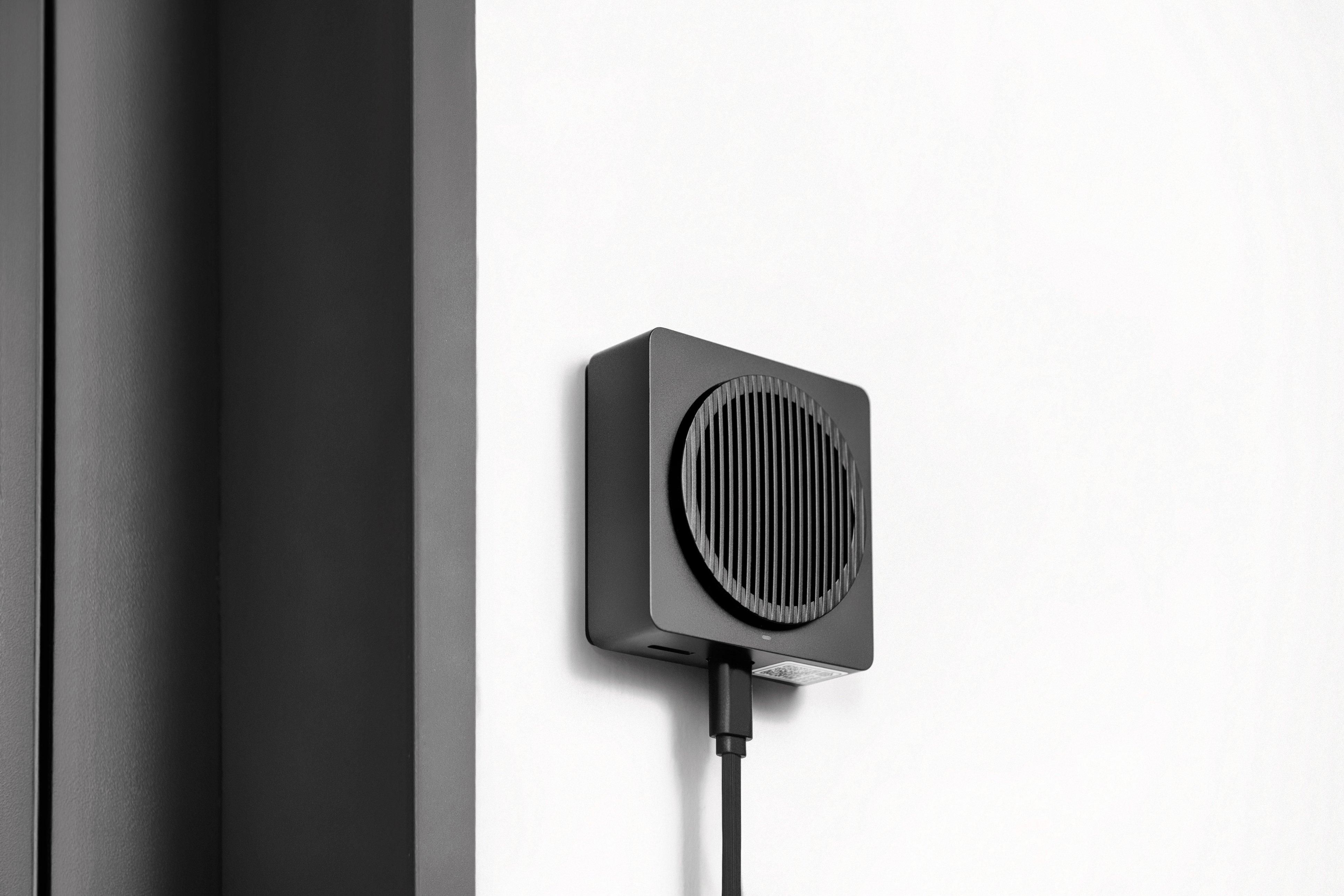
|Posted .This reviewer received promo considerations or sweepstakes entry for writing a review.The Aqara Video Doorbell isn’t my first smart video doorbell, however, it is my first one from this brand. The doorbell can be setup wirelessly to run on disposable batteries or wired to existing doorbell wiring; just note that your doorbell transformer needs to output 8-24V power. For installation and mounting, you’ll receive screws, wall anchors, and a 20° wedge if you need to horizontally angle the doorbell away from a corner wall. The kit also includes an indoor chime speaker, which acts as a WiFi hub, and USB-C cable to power it. The chime accepts a microSD card up to 512GB (not included) for local storage of videos and photos captured by the doorbell and does not require a subscription. Setup is simple and straightforward with the Aqara Home app, and you’ll connect the chime unit directly to a 2.4 GHZ WiFi network which in turn will transmit data to and from the video doorbell; note that 5 GHz networks are not supported. The camera is secured to the backplate using a spring-loaded security screw, which is a clever way to ensure that you don’t drop or lose it. Once you slide the housing up and away from it, you can load 6 AA batteries inside (included). The unit comes pre-fitted with double-sided adhesive tape or optionally you can mount the camera doorbell permanently with the screws and anchors. If you wish to wire the doorbell, a punch-out window in the mounting plate can be removed, so you can attach the wires to the screw terminals on the back of the camera unit. In the app, you can view a live feed from the video doorbell, manually capture recordings and stills, review recorded video footage and photos, and change the device’s settings. When the doorbell button is pressed, the indoor chime will sound (volume is adjustable up to 95 dB), and a LED ring around the button will illuminate indicating that the camera is recording; however, this light can be disabled in the settings. It automatically captures a short video clip of the event and sends push notifications to your app. You can also set the camera to record other events like loitering (general motion detection) and device tampering, as well as sound an alarm if the unit is removed from the backplate. The camera captures a wide-angle, horizontal, 162° FOV image in 1080p quality and has automatic IR night vision when it’s dark out. In general, I found the video, image, and sound quality to be quite good. It has decent contrast and color and the recordings are clear, though by default there is a fisheye effect that distorts the image at the edges. Enabling lens correction squares the image so it looks more natural, which I preferred. However, be aware that switching between the two modes often can affect the device’s ability to recognize faces properly. Nighttime footage appears in black and white and some details are lost or fuzzy which makes it harder for the facial recognition to be as accurate. The other thing is since the video is oriented horizontally, you can't see the ground close to the camera, so if a package is left in that area, you won’t see it. One smart feature you can enable is the AI facial recognition of frequent visitors. After capturing a collection of images, you can manage the facial data and tag them with names and trigger custom events when those individuals are detected on the camera, for example, playing a custom ringtone (up to 5 MP3s). Amazingly, all the AI facial recognition is performed in the chime unit itself and not on the cloud, so it’ll still work even without internet access. However, other advanced AI recognition like packages and animals were not available. You can interact with folks in front of the camera by using the intercom feature in the app and while doing so, mask your voice with 3 different sounding filters: uncle, robot, and clown, which I thought was interesting. You can also adjust the camera’s motion sensitivity, define up to 3 privacy/occlusion zones, and enable timestamps on your footage. Just note that the privacy areas will be masked in the recordings and motion in these areas will not trigger events. If you’ve inserted an SD card, by default the files saved to it are set to loop recording and will overwrite the oldest footage when the card is full. You can also have the files automatically sync/offload to network attached storage (NAS), like a computer on the same network, so that you’ll have access to more storage capacity for a longer video history, retaining up to 1 year of footage. However, an SD card is actually not required as the unit includes 7 days of free cloud storage without a subscription. Recorded events appear on a timeline in the app and you can color code/highlight different types of events so that you can find and review them quickly. Continuous 24/7 recording is available as an option, which would store about 3 days worth of continuous recordings on a 32GB card, though it is only available when the unit is wired as to not quickly deplete the batteries, which can last 4 months depending on frequency of usage and operating temperatures. When wired, the installed batteries act as backup power if your power goes out. The doorbell also has a number of compatible third-party integrations including Apple and Google Home, Alexa, and IFTTT allowing you to use the doorbell in custom automations with your other IoT devices, for example, having the video feed pop up automatically on a connected screen like Echo Show or Google Home Hub when the doorbell is pressed. Aqara also plans to add Matter integration as some point in the future through a firmware update. The responsiveness between the doorbell and app was very good, and there is very minimal lag between camera detection and notifications/automations. Not only does this allow you to respond to doorbell presses right away, it makes communicating via the intercom way more pleasant as you’ll be able to see and hear the camera’s live feed in nearly real-time. I also liked that you can link other devices to it, for example Aqara's smart locks, so that you can unlock it right from the video monitor screen. Overall, the Aqara G4 is the most fully featured video doorbell that I’ve tried to date, and I really appreciate the free cloud storage, unlimited 24/7 local recording, integrated facial recognition, and multiple compatible smart home integrations. With both wired and wireless options, anyone can install this doorbell, and combining its WiFi hub with an indoor chime is super convenient. The video and audio quality are already pretty good, but if a 2K or 4K version becomes available, I wouldn’t hesitate to trade up.
I would recommend this to a friend - Pros mentioned:Battery life, Storage, Video quality
A well capable doorbell at reasonable price
|Posted .This reviewer received promo considerations or sweepstakes entry for writing a review.The Aqara doorbell 4G is a very capable doorbell at a fraction of the price compared to the more expensive counterparts. The build quality is good. It is mostly plastic but sturdy. It definitely has a modern style and it looks good. Installation is pretty easy once you figured out the hidden screw on the side of the device. The installation instruction does not come in the box, instead you get a small manual with a QR code that will take you to the installation website. This doorbell can be powered with batteries (6 AA) which are included or it can be hardwired. If connected via hardwire, the batteries become a backup for power outages, that’s dope!. It connects via 2.4Ghz Wi-Fi and has a 1080p camera sensor with 162 degrees field of view. It also includes a wireless chime that also works as local storage. However, you have to provide your own MicroSD card up to 512GB. Matter will be supported in the near future, at the time of my review Matter was not available on this device. Finally to set it up you require the use of the Aqara home app. The doorbell button feels clicky, but when you install the batteries, it becomes sturdier. The video quality is surprisingly good, with clear images with great colors. The 162 degrees field of view is mostly wide so depending on the height of the installation you may not be able to see packages. I have that issue with most of the doorbells I used. The night vision was good as well, very clear even when zoomed. Like other smart doorbells this also has a two-way audio system. I find this one to have a louder speaker than the other video doorbell I used. This doorbell has plenty of features and some are customizable such as the ringtones. You can actually upload and use your own ringtone for the chime instead of using the preloaded one you get from the manufacturer. You can also mask your voice to answer door rings from preselected tones within the app. Some may find this silly but it is there. You also get 7 days of free cloud storage. The included wireless chime is small and can be placed pretty much anywhere. It connects via USBC to USB-A. If your outlet doesn’t have USB-A sockets, you will need a USB power brick. Despite the chime having a small form factor it is very loud. When it comes to home automation you can use Aqara home app or link your Aqara account with other third-party services like Google Assistant, Alexa, and IFTTT. If you are a Smartthing user this will not work with it yet, not even connecting the Aqara hub via Matter. This, like other Aqara products, it works with Apple Homekit out of the box. I bind the Doorbell to the Aqara E1 Hub and I was able to create some automations with the Aqara U100 smart lock. For some reason it did not let me use the facial unlock feature; the option was locked in the settings. Some of the automations you can create with this doorbell using the facial features like assigning ringtones to familiar faces are pretty cool. Another automation I created is using the doorbell chime, to make an alarm sound when a water leak is detected. The list of automation can go on. Overall this doorbell works extremely well at the price point, and not to mention all the features it’s packed with. It takes great videos day or night. It comes with a customizable loud chime. It offers 7 days free storage and the ability to store locally. You have the option to use it with batteries, hardwired or both. You do not require an additional Hub to use it. When it comes to home automation this doorbell is a pro. In the box you get the 4G Doorbell, 6 AA batteries, installation kit, wedge bracket, wireless chime, USB cable and manual.
I would recommend this to a friend - Pros mentioned:Battery life, Facial recognition, Storage
Ding Dong, or whatever sound you want!
|Posted .This reviewer received promo considerations or sweepstakes entry for writing a review.This doorbell can replace your current doorbell or become one that you don’t already have. Powered by 6 x AA batteries or use those batteries as backup in the case of power loss if you replace your standard doorbell. Fairly simple to set up, even without the directions ever mentioning how to hook the wires up for the power. Which is only 2 wires and it doesn't matter which terminal it connects to. Like their other products though, you have to have the app for installation and for some reason, they believe everyone has USB power for everything. Installation has you set up the hub first, which becomes the actual bell, or whatever ringtone you decide to upload to it, and is what provides the connection to your Wi-Fi and the port for a micro-SD card. Again, it comes with a USB-A to USB-C cable, so you have to provide your own adapter for it and the cord is kind of short. But, once it is set up, you connect the doorbell camera and you are ready to go. The installation of the doorbell itself is pretty simple, it has a small screw on the side that removes it from the base and the base is what you screw or stick to the wall. However, the base is plastic and bends easily. Trying to install it with the tiny screws it comes with leaves it feeling not very secure. If the base was metal and they gave the option for stronger screws it would have made the build feel stronger. However, with it all being plastic, it just feels like something you might be replacing in a few years with it being exposed to the weather. With that, it does not have a typical IP rating and expects you to have it installed under a porch or awning. So far we have only had a little rain and it has had no effect on it. But, if your installation will be direct in the weather all the time, this might not be the best option. By default, once everything is set up, it will record the interactions with the doorbell and store it on the cloud for up to 7 days. You can increase this amount through their monthly or annual plans. You also have the option to use up to a 512GB micro-SD card in the bell device which allows you to record up until the storage capacity you have installed. Also, the free plan only records at 360p, which is still enough for most situations. With the doorbell connected to power, you can also get additional recording before doorbell presses, with facial recognition and loitering. The facial recognition is interesting and you can let it detect faces and you put names to them or you can actually take images beforehand and set them up. It helps with the notifications and can be used for additional automations with other devices. Overall, this is a simple to set up and interesting smart video doorbell. It has a fair bit of customization and if paired with the Aqara smart lock allows you to also unlock the door while watching the live feed. The build quality feels a bit cheap and the lack of weather proofing could be a possible issue down the road. However, it’s a decent system.
I would recommend this to a friend Worked fine but quit quickly.
||Posted . Owned for 2 weeks when reviewed.This reviewer received promo considerations or sweepstakes entry for writing a review.This worked fine for about 2.5 weeks and then the camera only gave a “Network connection failed, please try again” message in the app. Resetting did not work and the manual was of little use. Other smart devices connected to the same network continued operating without issue.
No, I would not recommend this to a friendBrand response from Aqara Official
Posted .We are sorry to hear that you are having problems with your devices.
Please follow the steps below:
1. Please unplug the doorbell, and plug it again. (reinstall the battery if you use the battery)
2. Wait for 2 minutes and click the doorbell button, check if you hear sound from chime.
3. If not, please move it close to the chime and click the doorbell button again
4. It is the firmware is not updated, please try to update again.
If the steps above fails, please try to do factory rest for both G4 doorbell and chime, and reconnect to the Aqara Home app to update, here are the steps to take the factory reset
- Pros mentioned:Battery life, Storage, Video quality
Disconnect from subscription fees once and for all
|Posted .This reviewer received promo considerations or sweepstakes entry for writing a review.The Aqara G4 Smart Video Doorbell is a decent choice in the vast options of video doorbells. The main take aways that I would call out for this is the ability to capture 24/7 video footage onto a 512GB SD Card. If you hardwire the device, it includes a battery backup or just use the battery options for a few months of use. As a user of a few smart video cameras, I honestly am tired of having to pay subscription fees to store my own footage. Aqara offers 7 days of cloud based storage for your short events and notifications. You can expand even further with the SD card slot in the chime which I would prefer to not have someone else house my data. Apparently, they also plan on releasing the capability to store your footage in a NAS. This would make it even a more secure option to be able to house your own footage and not depend on someone else that may not be as secure. The device itself is a neat little package. It looks very modern and sleek. The chime itself is a good addition to have because it allows for power bank backup in case of an outage via USB-C. As for footage, 1080p is good enough for most up close situations. In the dark, footage is just ok, I think it could have been better. Being able to launch via the Aqara Home app makes modifying settings easy. I think for the most part it is easy to adjust zones, notifications, and view clips. For some reason, I have issues with viewing live footage. It doesn't affect when the doorbell gets pressed as this captures the video. This is enough for me not to rely on this as my go to doorbell. I need something I can depend on when I need it.
I would recommend this to a friendBrand response from Aqara Official
Posted .Thank you for sharing your detailed feedback on the Aqara G4 Smart Video Doorbell. We appreciate your insights and are pleased to hear that you found several features of the doorbell beneficial.
Storage and Subscription:
We're glad that you value the ability to capture 24/7 video footage onto a 512GB SD card and appreciate the flexibility of our storage options. We understand the frustration of recurring subscription fees for video storage, which is why we offer 7 days of cloud-based storage for short events and notifications at no extra cost. The SD card slot in the chime and the upcoming NAS storage capability aim to give you more control and security over your footage.
Video Quality and App Functionality:
We appreciate your honest assessment of the video quality. While 1080p resolution is generally sufficient for most situations, we acknowledge your feedback on the nighttime footage and will work on enhancing this aspect. We're pleased that you find the Aqara Home app user-friendly for adjusting settings, zones, notifications, and viewing clips.
Our team is committed to investigating and resolving this issue promptly to ensure a dependable experience for all our users
- Pros mentioned:Battery life, Ease of use, Facial recognition
Aqara G4 Video Doorbell – Clear, Smart, and Easy
||Posted . Owned for 1 month when reviewed.This reviewer received promo considerations or sweepstakes entry for writing a review.The Aqara G4 Video Doorbell is a top-notch smart doorbell with crisp 2K video and reliable motion detection. It’s super easy to install, and the battery-powered design is a game-changer. I love the seamless integration with Apple HomeKit, Alexa, and Google Home. Plus, the free facial recognition feature is a bonus. No subscriptions needed—just pure convenience. Highly recommend this sleek, feature-packed doorbell!
I would recommend this to a friend - Pros mentioned:Video qualityCons mentioned:App
Camera itself is good, experience a little flawed
||Posted .This reviewer received promo considerations or sweepstakes entry for writing a review.Torn about this camera. It’s one of the only ones on the market which offers a cloud service for video but also lets you save continuous video to an SD card so you don’t need to pay for any cloud subscription. But the worst part of this camera is the app itself. It is fine when it works, but can be very buggy. My camera usually connects quickly can sometimes take ~30 seconds to connect which is annoying, and you need to have quick access to the camera for occasions like the doorbell being rung. The features themselves are fine; the camera quality is pretty good, night vision works well, audio is alright. Also, the app received a UI overhaul which completely ruined how you review your continuous video footage. Other issues I’ve encountered: - Sometimes my camera will stop saving video. Not great because if you don’t notice and something happens, now you don’t have the camera footage. I wiped the SD card and now it has been saving again and is working for now, but given this happened twice not so great. - For a good period of time the camera would disconnect and I had to hard reset it to get it to connect to the receiver again. The issue is my camera is bolted to the wall. And I fit the wires really tightly so it is a pain in the butt to take apart. I go and flip the breaker that has the camera on it because that is easier which is not my favorite thing. It hasn’t done this an a while, so hopeful that this is fixed. Overall, great features and I like that your video isn’t held hostage by a big corpo like Amazon and you can save video locally, but definitely some flaws along the way.
I would recommend this to a friend - Pros mentioned:Video qualityCons mentioned:App
Many better options exist.
|Posted .This reviewer received promo considerations or sweepstakes entry for writing a review.I'm no stranger to smart home tech, including having used at least 4 different vendors for smart doorbells, this one unfortunately rides near the bottom of that list, and there were significant features on other vendors I just didn't love, this managed to lower those expectations even further. To start, unboxing is straightforward, the chime, some batteries, the doorbell itself, a wire, some hardware and a thin manual. Initially I couldn't even figure out how to open the back of the doorbell, sure the rubber flap on the side over the screw was a little obvious, but sliding it down was not, and the manual has zero information on using the doorbell itself, instead opting for a QR code to give you access to the full manual... I'm not sure why they bothered printing a manual at all if they expect you to scan the QR code. At the very least the printed manual, if included at all, should have been at least 'installation' or 'quick start' of which it was neither. Once I figured out how to open the battery compartment (more on that in a second) installing the included alkaline batteries was simple enough. I do have concerns with using alkaline batteries in this as I've used them in smart doorbells and door locks in the past, only to eventually have them leak, likely due to the heat of South Carolina in the summer. If you do go the battery route, then get some AA NIMH or Lithium batteries to avoid this, they arent expensive these days and it'll give you a quick rechargeable method to this doorbell. Linking it to the app was 'ok' in my opinion. What I do find interesting is that despite the Aqara brand, this is another Xiaomi device, and the app looks and feels identical to two other apps on my phone, the Tuya smart home app, and honestly I cant even remember the other, but it's irrelevant. I don't know if they all hired the same off-the-shelf companies to make these apps or are indeed the same company themselves (completely possible), but the app itself is pretty much garbage, just as the two identical apps I have on my phone from previous chinese-made tech. It gets the job done, but only barely. While adding the doorbell, you need to have the chime plugged in and the batteries in the doorbell itself first, then go through setup. The doorbell will only connect to 2.4GHz networks, which are not always shown in the app (if your phone is connected to the 5GHz version of your network assuming you're running WIFI 5, 6, 6E or 7, disconnect from it, or the app will assume it cant be used as a 2.4GHz network as well, then refresh it a lot until it sees your 2.4GHz network). Once connected, the doorbell 'works' and that's a win, the features of recording to the SDCard (which is kept in the chime by the way) is cool, it does have a feature to record to the cloud for a fee if you want, and in general the unit does work, it's just kinda 'not great'. There are two ways to mount the unit to the wall, which I appreciate, but neither of them are secure. You can either stick it to the wall using the pre-installed peal and stick, or using the provided hardware. The back plate I mentioned before is removeable with a single easily accessible screw behind a little rubber flap on the side (which also means, if you have a wall on that side, you'll never be able to access that screw again, this is why most smart doorbells have screws or releases on the bottom). Sure it has a 'tamper proof' switch behind the unit itself to let you know if someone steals it, but they'll be long gone with it before you get to the door, oh well. The video quality is 'decent', definitely better than my previous doorbell, but it's also 5 years old now, so I would only hope that there's been some progression in technology since that point. It's still limited to 1080p which is 'entry level' quality in my opinion. So why did I give it 2 stars instead of 1? Well, it does work, if you can get past all the initial hassles and understand that you just don't have a great device. All in all, it's just not good. Setup isn't good, the security isn't good, the app isn't good, the quality isn't good. Just go buy something else.
No, I would not recommend this to a friendBrand response from Aqara Official
Posted .Thank you for taking the time to share your detailed feedback on the Aqara G4 Smart Video Doorbell. I’m genuinely sorry to hear that your experience has been disappointing. We appreciate the opportunity to address the issues you’ve encountered and provide some clarification and assistance.
Unboxing and Setup:
I apologize for the confusion you experienced with the manual and the battery compartment. Your feedback is invaluable, and we will work on improving the clarity of our instructions and packaging. Please visit our website for more detailed installation video
Battery Concerns:
Your concerns about the alkaline batteries are noted. We would recommend you to use the external power support for the G4 when using it under the extreme temperatures
- Pros mentioned:Ease of use
Nice Video Doorbell w/Apple Home support
|Posted .This reviewer received promo considerations or sweepstakes entry for writing a review.This is my second Aqara purchase and I have to say that up to this point I have soo far been impressed. The doorbell camera was very easy to install and setup unlike my previous other brand doorbell cam that I have owned. I have been fairly impressed with the video clarity, it is excellent in both day and night modes. I only have a couple of minor issues, The first being that I wish that the doorbell cam would let you setup individual zones, it does offer privacy areas but its only for 3 small sections and it’s kinda not the same as zones for alerts. My second issue is with the Aqara app, it doesn’t allow you to make changes the WiFi network that you set the device up for on the fly. The only way to change the WiFi network is you have to remove the current one from the device and configure it all over again. Both of these issues I think can be resolved possibly in a software update. My last issue would be with the overall build quality and feel, it just does not scream durability, other than these I would likely reccomend the product to others.
I would recommend this to a friend - Pros mentioned:Battery life, Storage
Million times better than ring doorbell
||Posted . Owned for 1 month when reviewed.This reviewer received promo considerations or sweepstakes entry for writing a review.Got fed up paying the yearly fee for the ring doorbell so researched options. This one seemed promising as it uses your icloud and doesn’t charge a fee. Seemed too good to actually work but it does and works perfectly! Install was very easy, drilled 2 holes into trim then mounted the plate. The included angle plate was perfect for our patio to give full coverage. The terminals for doorbell wiring power and connect to doorbell system. Doesn’t require batteries Once installed pairing it was very easy. Comes with an extender, I plugged mine into the other side of the house and paired to my phone then the doorbell works. Uses my icloud storage and works on apple homekit which means it will also popup on the tv when watching tv. Absolutely recommend.
I would recommend this to a friend - Pros mentioned:Facial recognition, Video quality
Great Doorbell!
||Posted . Owned for 3 weeks when reviewed.This reviewer received promo considerations or sweepstakes entry for writing a review.I recently installed the Aqara smart doorbell and am thoroughly impressed with its performance. The installation process was straightforward, and the doorbell seamlessly connected to my home Wi-Fi network. The quality of the video is excellent, providing precise and detailed footage of anyone approaching the door. I particularly like the motion detection feature, which alerts me to any activity at the door, even when I'm not at home. The smartphone app is easy to use and allows me to monitor my doorstep from anywhere. The Aqara smart doorbell has been a great addition to my home security setup, and the face recognition works perfectly. I highly recommend it to anyone looking for a reliable, feature-rich smart doorbell with full integration with Apple HomeKit.
I would recommend this to a friend Good upgrade for sound and visual
|Posted .This reviewer received promo considerations or sweepstakes entry for writing a review.I’ll start first with the doorbells look. It doesn’t stand out from any other style so don’t expect much. It does look modern and the black plastic ops for a clean look. Installation is easy no worries there. I’m not a fan of how huge the doorbell button is. it almost makes it look a little fake, almost like a dummy doorbell. The camera, however, is large and provides good visuals. I think the reason for the large doorbell button is that it matches the same circumference of the camera. The chime is small and can fit anywhere in your home as a plug-in. Together they are a great option for hearing and seeing who is at your front door. I haven’t used this app before but it seems pretty straightforward. If you get the deadbolt and motion sensor, you pretty much have a complete home security system that again allows you to hear and see what’s going on in your home, apartment, business. I think it’s a great upgrade to any structure. Overall, this is a good product. It would be hard to compete with this company.
I would recommend this to a friend- Pros mentioned:Battery life, Video quality
Yes yes yes!
||Posted .This reviewer received promo considerations or sweepstakes entry for writing a review.So happy i bought this doorbell cam! It was super easy to install and set up. As long as you use good batteries it lasts a good while before they need to be replaced. The view of the ddorway and tge yard is crystal clear. I had a break in last year and this immediately made me feel so much safer. Definite thumbs up abd the price is fantastic compared to other cameras i was comparing.
I would recommend this to a friend - Pros mentioned:Battery life
Really good battery powered, homekit option.
||Posted . Owned for 3 weeks when reviewed.This reviewer received promo considerations or sweepstakes entry for writing a review.We recently converted our smarthome hub to homekit from alexa, and this was pretty much the only option for a doorbell monitor that runs on batteries. We live in an apartment complex that does not have an external doorbell installed or any sort of power supplied to that area of the door, so the battery powered options are the only type of doorbells we can use. It works wonderfully and does everything our previous model did. My only gripe is the size. It is a bit on the wide side for my liking, but it is otherwise as good as can be expected for this price point. If you are using homekit and need a battery powered option, this is pretty much it - and it's really decent. Battery life is respectable and we use rechargeable batteries so there's not to much waste or hassle there either.
I would recommend this to a friend - Pros mentioned:Facial recognition
Sorta Supports Homekit, Poor Battery Life
||Posted . Owned for 2 months when reviewed.This reviewer received promo considerations or sweepstakes entry for writing a review.As a video doorbell, it functions fine, and supports homekit notifications which is nice. But for me, it has two big sore spots that make me regret purchasing it. I give it two stars (or 'Fair') rating because it works, but it could use a lot of improvement. This item claims to fully support Homekit, but this isn't quite the case. In order to be fully HomeKit compatible, a device should function 100% out of the box without the need to create an account (like the Logitech branded HomeKit cameras). However, without creating an account, one cannot update firmware, control device power settings (critical, which I'll discuss later), or get low-battery notifications. The device will just die and you'll get no notice, because HomeKit only gets the status of the attached chime, which always has full power due to being hard wired. Essentially, you cannot use this effectively without making an account, which defeats a lot of the core draw of using HomeKit in the first place. Beyond that, be sure to buy 2800mah+ batteries for this. Without creating an account, you can't manage power settings, and this device will eat through 6 normal AA batteries in a few days. Even with tweaking power settings, a typical AA battery set barely lasts a week. You will want to look for high capacity Lithium (preferably rechargeable) batteries for this.
No, I would not recommend this to a friendBrand response from Aqara Official
Posted .Thank you for sharing your detailed feedback. We truly appreciate your insights and are sorry to hear that the experience hasn’t been as seamless as expected.
Regarding HomeKit compatibility, we understand your concerns about the account requirement for accessing key features like firmware updates and power management. While the device can function out of the box with HomeKit for basic operations, features like power optimization and notifications do indeed require an account to enhance functionality. We recognize that this might not align with expectations of full HomeKit integration, and your feedback will help us work on improving transparency in our product descriptions.
As for the battery issue, we agree that opting for high-capacity rechargeable batteries will improve performance. We appreciate your suggestion and will look into ways to improve power efficiency in future updates.
Thank you again for your review, and we hope we can address these issues in future updates to improve your experience. Your feedback is invaluable in helping us improve!
Great for Apple home with some flaws
||Posted .This reviewer received promo considerations or sweepstakes entry for writing a review.This works great. It connects well with all my Apple products and offers some nice features. I didn’t hardwire mine in and using the AA batteries worked fine but used a lot. Rechargeable batteries didn’t last as long and in cold weather would drain very fast. Frequently changing batteries make me not want to recommend if you can’t hardwire in.
No, I would not recommend this to a friendLiked it but returned after pairing issues
||Posted . Owned for 1 week when reviewed.This reviewer received promo considerations or sweepstakes entry for writing a review.Camera was great while it was working. I had it paired to my appletv and my android phone and it somehow got crossed and would not longer pair to anything even after a factory reset. So I returned it. I think if you were only paired to one or the other it might work better. I will say that it has good motion detection at night and the in app features are nice.
I would recommend this to a friendWorth the price for a homekit camera
||Posted . Owned for 2 months when reviewed.This reviewer received promo considerations or sweepstakes entry for writing a review.Overall good. Works perfect with homekit. Few issues during setup, had to set it up twice. Camera can be better or they need to figure out solution for very bright background
I would recommend this to a friend