Customer Ratings & Reviews
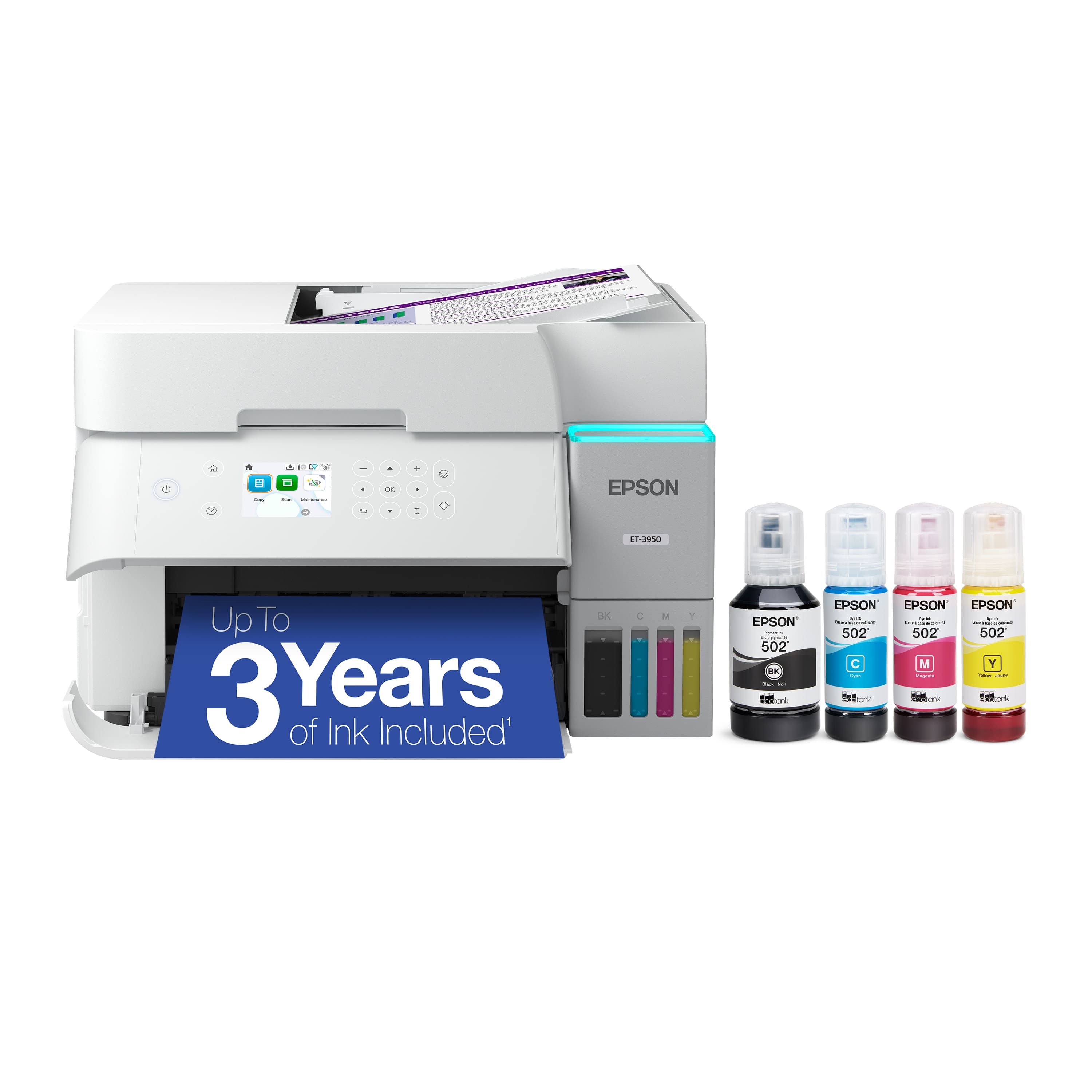

- Model:
- C11CL43201
- SKU:
- 11132430
Rating by feature
- Value
Rating 4.5 out of 5 stars
- Quality
Rating 4.6 out of 5 stars
- Ease of Use
Rating 4.5 out of 5 stars
Scans don't work.
||Posted . Owned for 1 month when reviewed.This reviewer received promo considerations or sweepstakes entry for writing a review.Problem scanning to e-mail. Somthing is not allowing my scans to y e-mail address.
No, I would not recommend this to a friendBrand response from Epson
Posted .Hello MarkR, we apologize for the disappointing experience you’ve encountered with your Epson printer. Your ET-3950 includes free technical support for the life of your product. Please reach out to our Epson Support Team for assistance at (562) 276-4382; Hours: Monday – Friday, 7 a.m. to 4 p.m. (PT). We’re here to help. Sincerely, Joseph – The Epson Team.

Coach
||Posted . Owned for 1 week when reviewed.This reviewer received promo considerations or sweepstakes entry for writing a review.Great price for your money and could not find anywhere
I would recommend this to a friendBought for convenience of INK but quality is just
||Posted . Owned for 3 weeks when reviewed.This reviewer received promo considerations or sweepstakes entry for writing a review.The scanning function is difficult to set up and use and the print quality is not as good as HP
No, I would not recommend this to a friendBrand response from Epson
Posted .Hi KimberlyL, you can find product information, including FAQs and for additional information and to help optimize photo print and scan settings in the product User’s Guide at www.epson.com/support/et3950. If you continue to have problems with your printer, our Epson Support Team would be happy to help you and can be reached at (562) 276-4382; Hours: Monday – Friday, 7 a.m. to 4 p.m. (PT). Have a great day. Sincerely, Joseph – The Epson Team.
Mr. J
||Posted . Owned for 1 month when reviewed.This reviewer received promo considerations or sweepstakes entry for writing a review.It is okay. Not my favorite one but it is okay for the money.
I would recommend this to a friendBrand response from Epson
Posted .Hi JamesS, thank you for sharing your experience. Epson takes into consideration all feedback to improve the performance and quality of our products. We will forward your feedback to the relevant Epson department, as we are always looking to make future Epson products better. Once again, thank you. Regards, Joseph – The Epson Team.
So, So
||Posted . Owned for 2 weeks when reviewed.This reviewer received promo considerations or sweepstakes entry for writing a review.Prints are not so clear. They come out a little faded. I hav a different model epson but same resolution that prints a lot better. It doesn't matter if you use photo quality setting, it still doesn't print like ti should.
No, I would not recommend this to a friendBrand response from Epson
Posted .Hi Junior, we are sorry to hear that you are experiencing issues with your printer. Your ET-3950 includes free technical support for the life of your product. Our Epson Support Team would be happy to help and can be reached at (562) 276-4382; Hours: Monday – Friday, 7 a.m. – 4 p.m. PT. Sincerely, Joseph – The Epson Team.
Printer
||Posted . Owned for 1 month when reviewed.This reviewer received promo considerations or sweepstakes entry for writing a review.Did not have the fax feature on it I need faxing capabilities
No, I would not recommend this to a friendBrand response from Epson
Posted .Hello Mikie, we appreciate your time in sharing your experience with your Epson ET-3950 printer. If you have questions and/or need assistance with another model that better fits your needs, our Epson Support Team is available to help and can be reached at (562) 276-4382, Monday through Friday, 7 a.m. to 4 p.m., Pacific Time. We greatly appreciate your business, and we hope you have a wonderful day. Sincerely, Joseph — The Epson Team.
Photo quality
||Posted . Owned for 1 month when reviewed.This reviewer received promo considerations or sweepstakes entry for writing a review.Printing photos are not very good quality. Spotty, and not very prominent. Have seen better out of less expensive printers.
No, I would not recommend this to a friendBrand response from Epson
Posted .Hi RonW, we are sorry to hear that you are experiencing issues with your printer. Your ET-3950 includes free technical support for the life of your product. Our Epson Support Team would be happy to help and can be reached at (562) 276-4382; Hours: Monday – Friday, 7 a.m. – 4 p.m. PT. Sincerely, Joseph – The Epson Team.
Decent Printer
||Posted . Owned for less than 1 week when reviewed.This reviewer received promo considerations or sweepstakes entry for writing a review.Not real easy to use as for as scanning and emailing. Good printer though
I would recommend this to a friendBrand response from Epson
Posted .Hi DadMark, we are sorry to hear that you are experiencing issues with your printer. Your ET-3950 includes free technical support for the life of your product. Our Epson Support Team would be happy to help and can be reached at (562) 276-4382; Hours: Monday – Friday, 7 a.m. – 4 p.m. PT. Sincerely, Joseph – The Epson Team.
Epson 3850
||Posted . Owned for 1 week when reviewed.This reviewer received promo considerations or sweepstakes entry for writing a review.Since I haven't picked this unit up yet from the store I can not yet give it a rating hence the average rating.
I would recommend this to a friendBrand response from Epson
Posted .Hi Rcpc, thank you for sharing your experience. Epson takes into consideration all feedback to improve the performance and quality of our products. We will forward your feedback to the relevant Epson department, as we are always looking to make future Epson products better. Once again, thank you. Regards, Joseph – The Epson Team.
No installation CD.
||Posted . Owned for 1 week when reviewed.This reviewer received promo considerations or sweepstakes entry for writing a review.Printer didnt include a cd for installation. It made me dowload an app that wants a subscription.
No, I would not recommend this to a friendBrand response from Epson
Posted .Hello PATTIH, we apologize for the disappointing experience you’ve encountered with your Epson printer. Your ET-3950 includes free technical support for the life of your product. Please reach out to our Epson Support Team for assistance at (562) 276-4382; Hours: Monday – Friday, 7 a.m. to 4 p.m. (PT). We’re here to help. Sincerely, Joseph – The Epson Team.
Do NOT buy
||Posted . Owned for 3 weeks when reviewed.This reviewer received promo considerations or sweepstakes entry for writing a review.Almost the worst printer I have ever owned, have to turn it on and off constantly to make it work, has updates all the time that fixes nothing, garbage!
No, I would not recommend this to a friendIncompatible with Windows 11
||Posted . Owned for 3 weeks when reviewed.This reviewer received promo considerations or sweepstakes entry for writing a review.I bought a Microsoft Surface laptop in December 2024. Then in July 2025 I bought this Epson printer to replace my older HP. Got an "installation failed" trying to download the printer app and the Geek Squad couldn't figure it out and referred me to Epson support. After some time and escalation with them they told me that their printers don't yet support the Windows 11 version on my laptop and couldn't say exactly when they would, only that they are working on it. It seems ridiculous that they don't support such a widespread release that's been out for 6-12 months. I wish Best Buy and Geek Squad would have been aware as i was sold this printer at a Best Buy retail store and the advice of an agent.
No, I would not recommend this to a friendBrand response from Epson
Posted .Hello JohnB, we apologize for the experience you’ve encountered with your Epson printer. Your ET-3950 includes free technical support for the life of your product. Please reach out to our Epson Support Team for assistance at (562) 276-4382; Hours: Monday – Friday, 7 a.m. to 4 p.m. (PT). We’re here to help. Sincerely, Alissa A. – The Epson Team.
- Pros mentioned:Connectivity, Print quality

Fast. Ink lasts a long time. Color is a bit off.
|Posted .This reviewer received promo considerations or sweepstakes entry for writing a review.Pro: -No warm up time -Fast printing and scanning speed -Ink tanks can last a long time -Wifi and Airprint ready Con: -Colors a bit washed out -Automatic retracting paper tray can be a point of failure -Epson print and scan apps are still clunky to use Overall this printer does a good job of printing and scanning. The prints look good, though colors may not be that accurate. It’s fast at printing and scanning. It has a top feeder for batch copying, but lacks support for longer paper. The auto paper tray is a potential point of failure. There are two ways to set up the printer. The recommended way is to use the phone app and run through the steps. Some minor hitches but overall it went smoothly, albeit slowly. Some steps, like adding the printer to my wifi network, took a bit of time. The other way to set it up is to install the drivers and print utilities on your computer. That one was much quicker. Functionally, the phone app is not very useful to me. It simply does what’s already displayed on the printer screen. I’m already near the printer so I didn’t see a point in using my phone to copy or print. It is AirPrint ready, though you don’t need the app for that. The print and scan utilities on the computer seem clunky, a problem that Epson has had for years now. There’s multiple apps that could have been combined. For instance, to batch scan and save pictures, I opened ScanSmart but then to scan, it opened Scan Utility (the default scanning app) to scan. It then closes the Scan Utility window and you have to repeat the process for each image. The print speed is pretty good, taking anywhere between 5 to 30 seconds to print a full color page, depending on the image and quality, and a few seconds for documents. Color accuracy runs cool, at least on office paper. On lightweight copy paper, it can look washed out. On more premium paper, reds had a bluish tone. A great feature is that there’s no warm up time to print. Once the printer is on, it’s ready to go. Scanning is quick. Using the flatbed, it scans within seconds. When using the top feeder to batch scan or copy, documents take a couple of seconds. It can batch scan images, but the quality is terrible since it’s in document mode. The feeder is incompatible with the photo mode. This printer has a paper tray that automatically extends and retracts, which while nice, seems unnecessary and is a point of failure. In fact, the first one I got had a defective tray that didn’t work. It was misaligned or off its track. The eco tanks, if it’s anything like my other printer, can last for months for an average home user. The ink usage is very efficient.
I would recommend this to a friend Not Happy
||Posted .This reviewer received promo considerations or sweepstakes entry for writing a review.Terrible print quality and extremely slow. Bought it to replace an inkjet printer to save $ on Ink. Returned it for the HP7602. Still much slower than my old HP InkJet but much better quality.
No, I would not recommend this to a friendBrand response from Epson
Posted .Hi JamesB, Epson takes into consideration all feedback to improve the performance and quality of our products. We will forward your feedback to the relevant Epson department, as we are always looking to make future Epson products better. Regards, Joseph – The Epson Team.
need better customer service
||Posted . Owned for 3 weeks when reviewed.This reviewer received promo considerations or sweepstakes entry for writing a review.Terrible , tried working with Geek squad 8 times to connect to my computer still not working i am thinking of returning this item to the store
No, I would not recommend this to a friendBrand response from Epson
Posted .Hello myprinter, we apologize for the disappointing experience you’ve encountered with your Epson printer. Your ET-3950 includes free technical support for the life of your product. Please reach out to our Epson Support Team for assistance at (562) 276-4382; Hours: Monday – Friday, 7 a.m. to 4 p.m. (PT). We’re here to help. Sincerely, Joseph – The Epson Team.
- Pros mentioned:Connectivity, Print quality, Setup ease
Feature Rich Home Printer
|Posted .This reviewer received promo considerations or sweepstakes entry for writing a review.I am a big fan of Epson Printers and this is no exception. This unit is incredible. From the beginning youEpson has designed an incredibly easy setup. Even a first time user will be guided through the setup process. I have a small business I operate and I am needing to print quite often. I love the ink bottles that are provided with this unit. And you get FULL bottles to start. I was a little nervous during the set up with the ink bottles but the process was easy to follow and I had no issues. This has an auto load tray for scanning, which worked really well. Some printers I have had in the past did not offer this or they did but it did not work very well. No issues so far, paper is fed easily into the printer for scanning. Love this as I need to make copies of documents to store digitally quite often. There is a nice and easy to reach LCD screen, not this one is NOT touchscreen. That is fine, I prefer to use the mobile app to control the printer. There are a few different options for connecting to your network, I chose to use the Wi-Fi route and it worked seamlessly, no issues at all with setup or being discoverable by my other home devices. Print quality is excellent. I print many flyers and need the images and text to be clear and precise. These pages print with no issues, I am extremely happy with the results so far. This printer is packed full of features and I can already see the savings with the ink bottles compared to my other printers in the past with ink cartridges and ink subscriptions. This is the way to go.
I would recommend this to a friend Terrible printer
||Posted . Owned for 4 months when reviewed.This reviewer received promo considerations or sweepstakes entry for writing a review.Horrible printer. After three months, the WiFi still does not work, and I cannot return it. I will not recommend it to anyone. Now I am stuck with an over $400 useless printer
No, I would not recommend this to a friendBrand response from Epson
Posted .Hi Egpicture, we are sorry to hear you are having issues with your Epson printer. Your ET-3950 includes a 1-year limited warranty plus free technical support for the life of your product. Our Epson Support Team would be happy to hear from you and can be reached at (562) 276-4382; Hours: Monday – Friday, 7 a.m. to 4 p.m. (PT). Sincerely, Joseph – The Epson Team.
- Pros mentioned:Connectivity, Print quality, Setup ease
A Great all-around printer for home / small busine
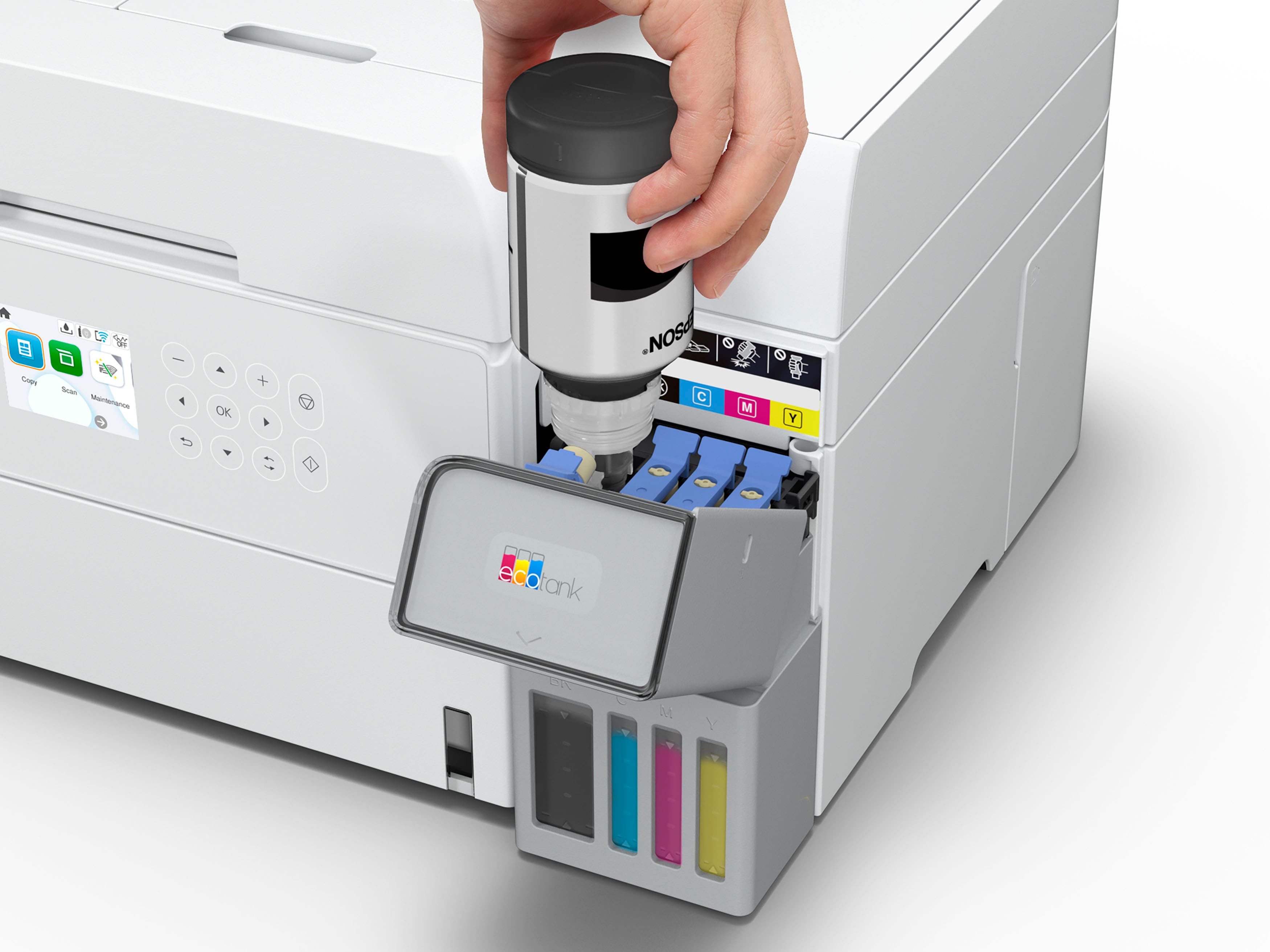
|Posted .This reviewer received promo considerations or sweepstakes entry for writing a review.I have been using the Epson ET-3950 for close to a week now and overall, I am very happy with this printer. This printer replaces another multi-function printer from another brand and has all the same features I am used to (minus fax machine functionality). Setup of the printer is easy. The most complicated part is removing all the tape used to keep all the parts in place during shipping… After powering the printer on, the display will show a QR code that you can scan on your phone to download the Epson Smart Panel app. The app will guide you through all the steps to get your printer up and running. This includes filling the ink. I was worried that filling the eco tank on the printer might result in some spillage but thankfully it is a no mess operation. The printer has mechanisms that stop flowage once the ink reaches the top marker in the tank. Once all the ink has been transferred to the tanks, the printer will go through an initialization phase for the print heads. This does bring down the ink from the top notch to the second level. Thankfully the enclosed toner bottles have some extra fluid, and you can fill the tank back up once the initialization is completed. After setup you are ready to Print and Scan. My iPhones and Windows desktops were easily able to locate the printer on my Wi-Fi network. The printer comes out of standby quickly and starts printing right away. You can print one or two sided. The scanner also works well. You can scan directly from the glass or use the Auto-Document Feeder. The ADF even supports scanning documents on two sides.
I would recommend this to a friend - Pros mentioned:Connectivity, Print quality, Setup ease
Best printer I've had in years
|Posted .This reviewer received promo considerations or sweepstakes entry for writing a review.Just wow. I never thought that I'd be so happy with a printer. This Epson EcoTank ET-3950 was replacing another major brand printer that I had grown extremely frustrated with. The ink didn't last. The Wi-Fi kept disconnecting. The printer would randomly disappear from the app and I'd have to reconnect, and sometimes it took numerous tries to reconnect. So a new printer became a necessity and I saw the Epson EcoTank system and I started researching. I decided that I like the idea and ended up with the Epson EcoTank ET-3950. It fit everything that I needed in being wireless, has a flatbed and ADF scanner. I couldn't be happier. Set up was easy. You download the app and it walks you through. I connected to Wi-Fi, filled the tanks and there was even some ink leftover, and you're off. It took less than 5 minutes. You do a firmware update afterwards and it prints an alignment/configuration page and the machine is running. Printing is fast for my simple home use and the colors and text are high quality. Scanning is also easy. You can use the buttons on the machine or initiate from the app. But most importantly, it stays connected and I can print something from anywhere, if I choose to. I'm definitely an Epson convert and would recommend this Epson EcoTank ET-3950 to anyone.
I would recommend this to a friend doesn't work as promised
||Posted .This reviewer received promo considerations or sweepstakes entry for writing a review.You can email your small file to the printer and a mere 7 hours later it will print out - maybe.
No, I would not recommend this to a friendBrand response from Epson
Posted .Hello West, we apologize for the disappointing experience you’ve encountered with your Epson printer. Your ET-3950 includes free technical support for the life of your product. Please reach out to our Epson Support Team for assistance at (562) 276-4382; Hours: Monday – Friday, 7 a.m. to 4 p.m. (PT). We’re here to help. Sincerely, Joseph – The Epson Team.


















