Customer Ratings & Reviews

- Model:
- C11CG43201
- |
- SKU:
- 6167507
Customer reviews
Rating 4.4 out of 5 stars with 369 reviews
(369 customer reviews)Rating by feature
- Value4.2
Rating 4.2 out of 5 stars
- Quality4.4
Rating 4.4 out of 5 stars
- Ease of Use4.2
Rating 4.2 out of 5 stars
Customers are saying
Customers value the Expression Photo HD XP-15000 Wireless Inkjet Printer for its excellent print quality and ease of use. Many also appreciate its convenient size, straightforward setup, and wireless capabilities. However, some customers have reported issues with paper jams and reliability, while others have noted the absence of a scanner and a high noise level during operation.
This summary was generated by AI based on customer reviews.
- Pros mentioned:Print quality, Setup, Wireless
Rated 5 out of 5 stars
I love it
||Posted . Owned for 3 months when reviewed.This reviewer received promo considerations or sweepstakes entry for writing a review.The Epson Expression Photo HD XP-15000 delivers excellent photo quality with vibrant colors and sharp details. It supports wide-format printing up to 13″×19″, making it perfect for creative projects and photography. Setup is simple, wireless printing works smoothly, and overall performance is reliable. A great choice for anyone who wants professional-looking prints at home.
This review is from Epson - Expression Photo HD XP-15000 Wireless Inkjet Printer - Black
I would recommend this to a friend - Pros mentioned:Print quality
Rated 4 out of 5 stars
A Quality, Multi-Function Printer that Saves $$$
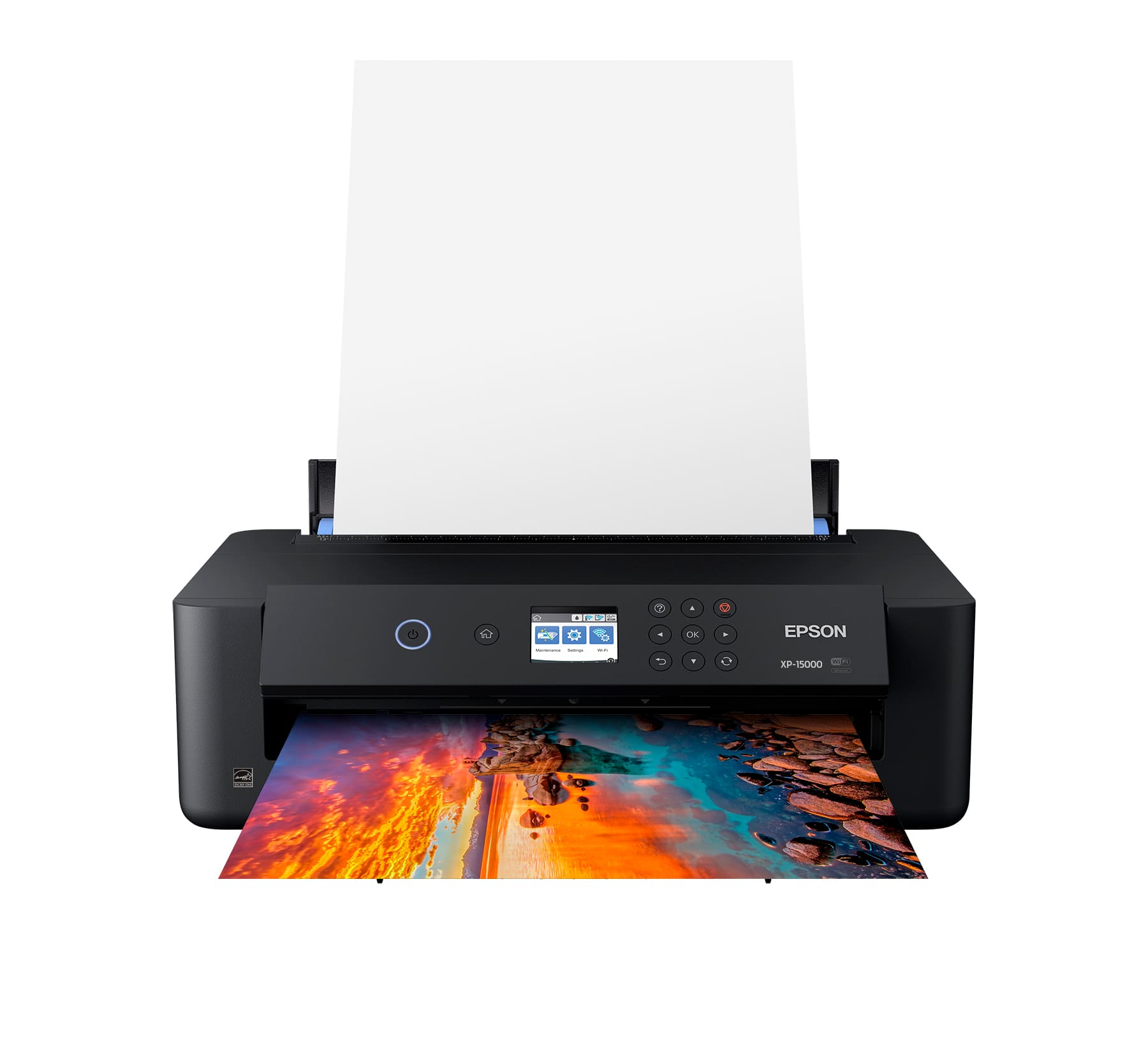
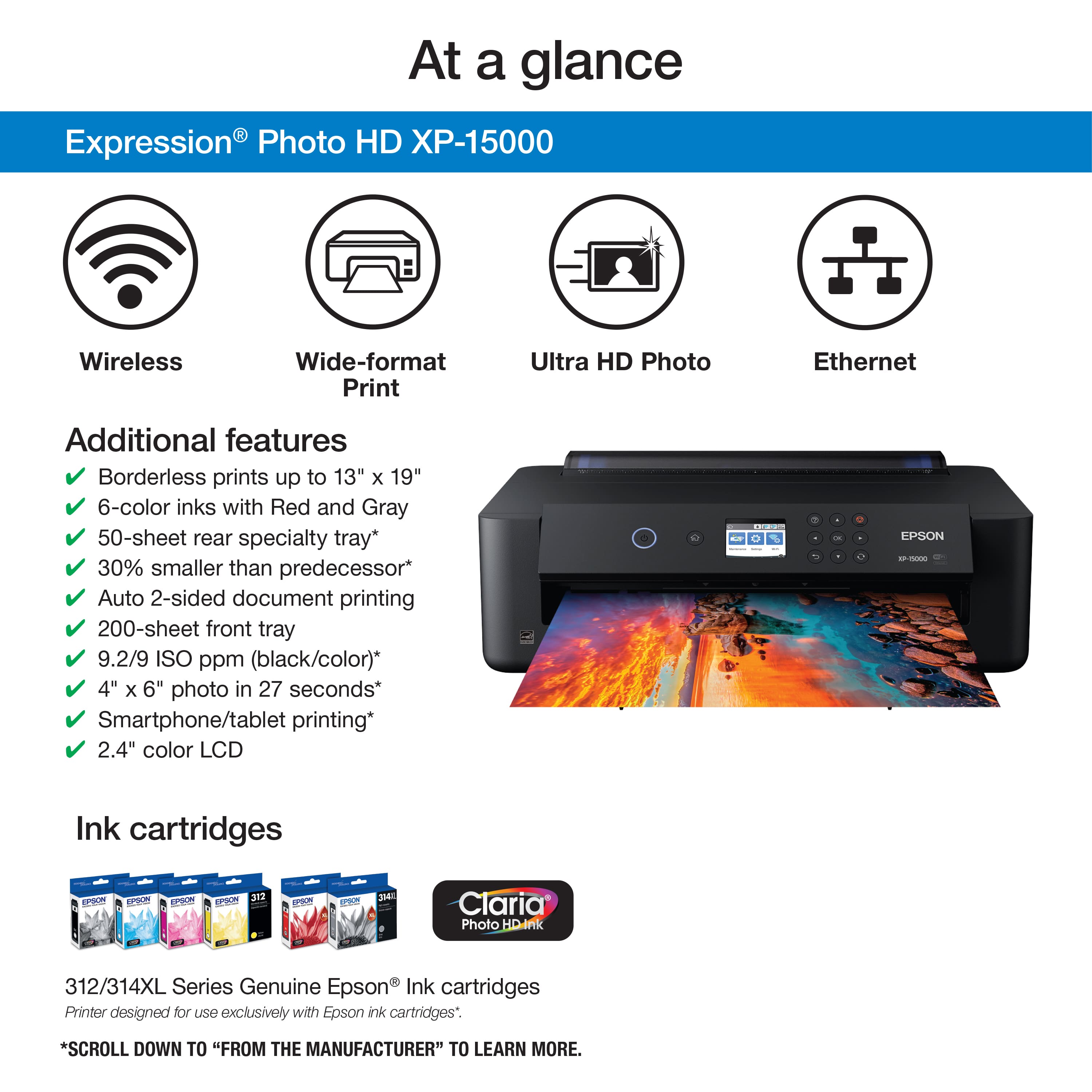
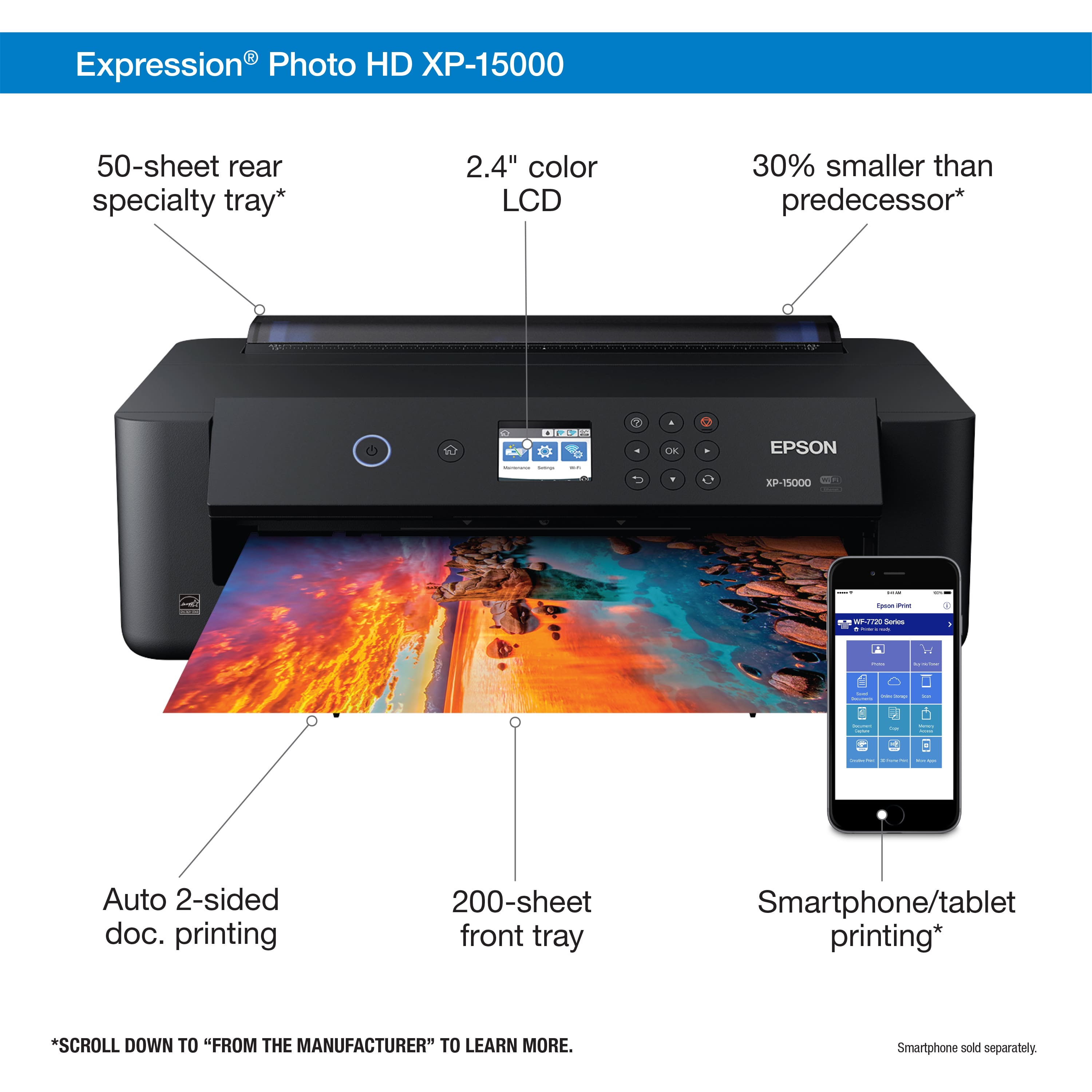
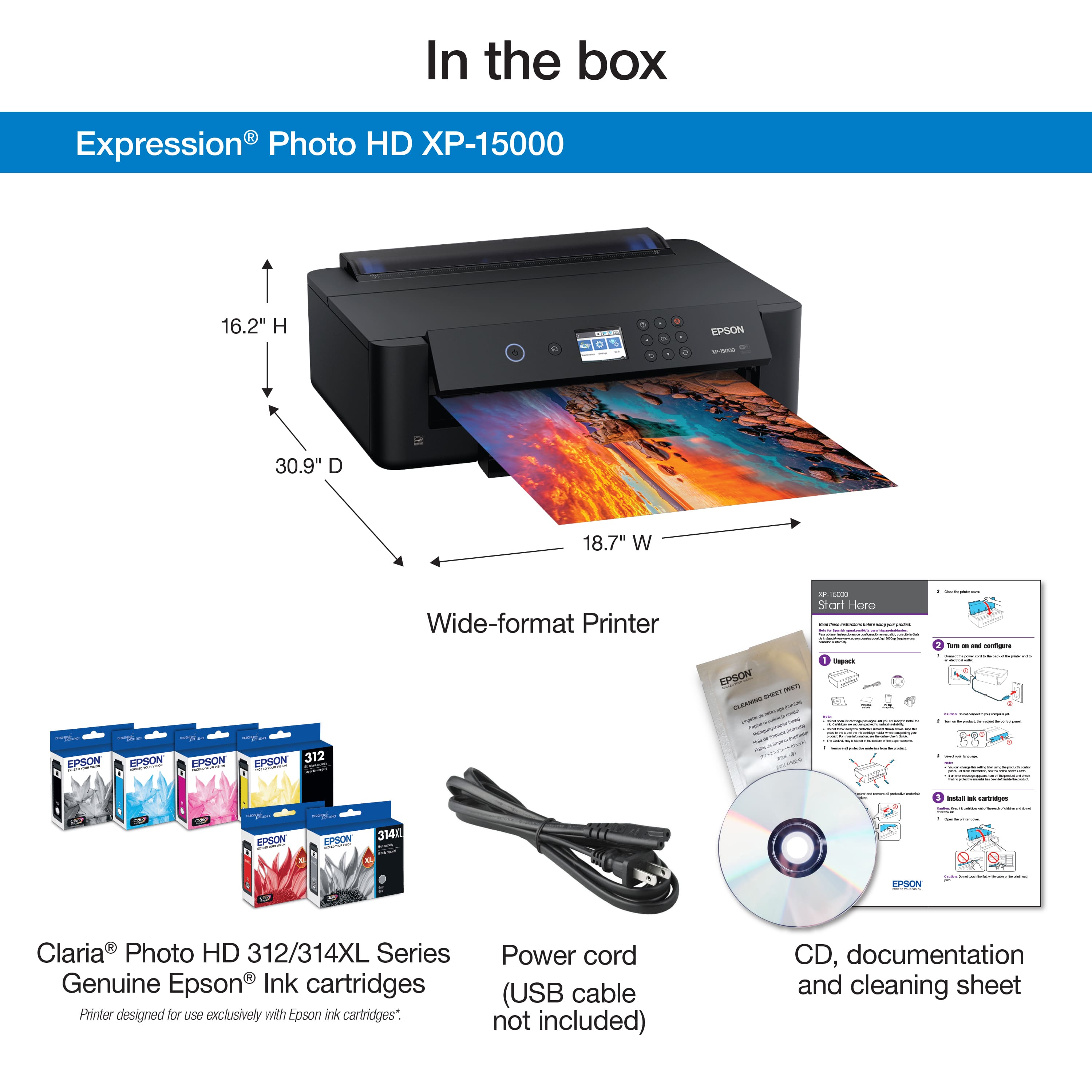
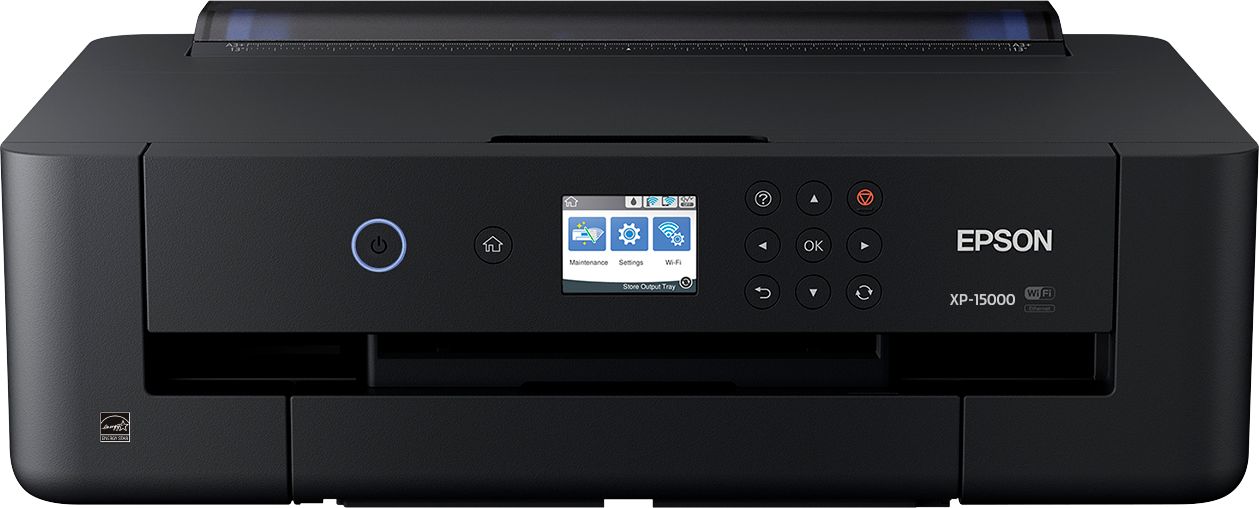
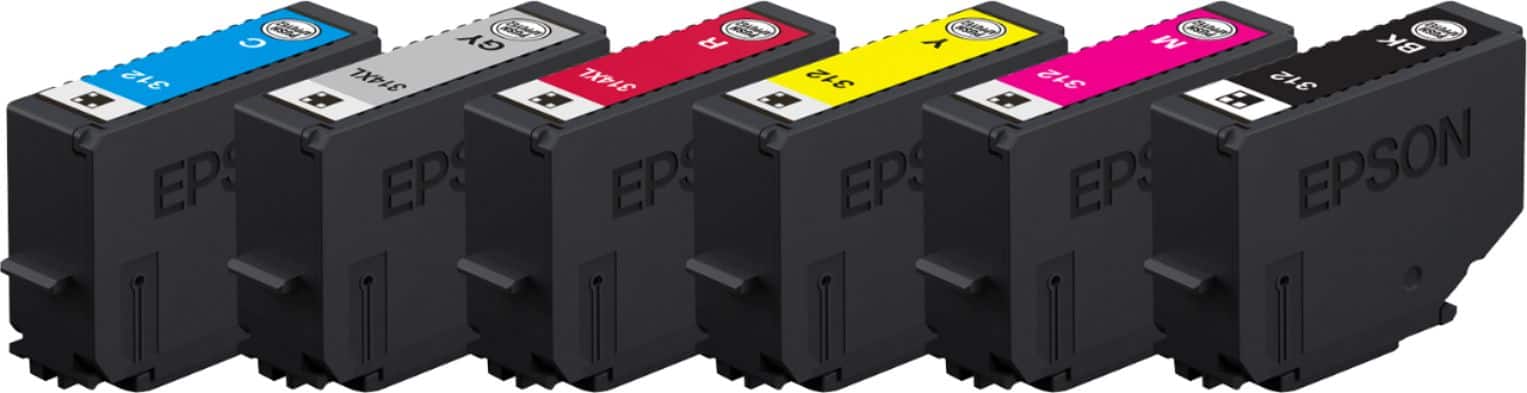
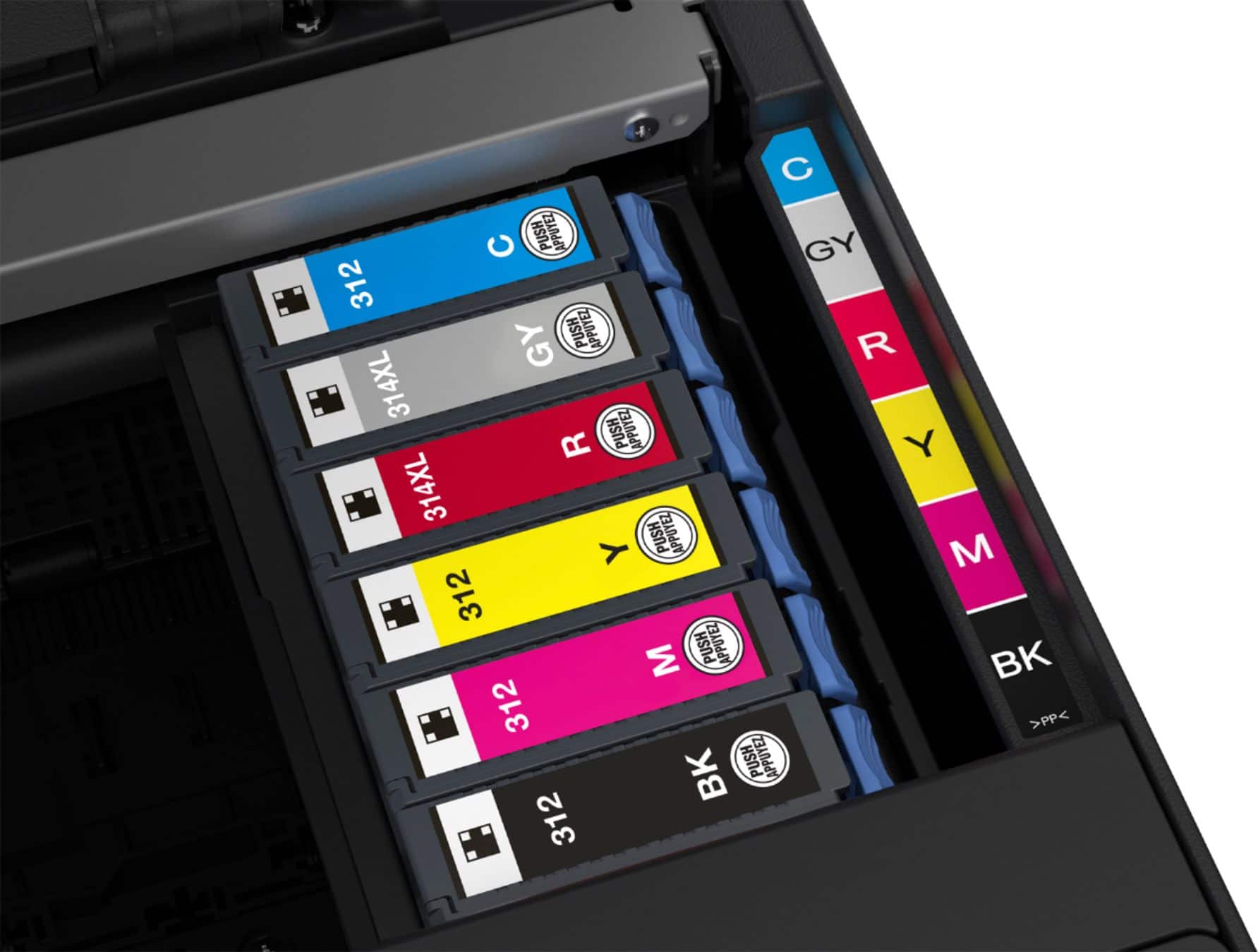
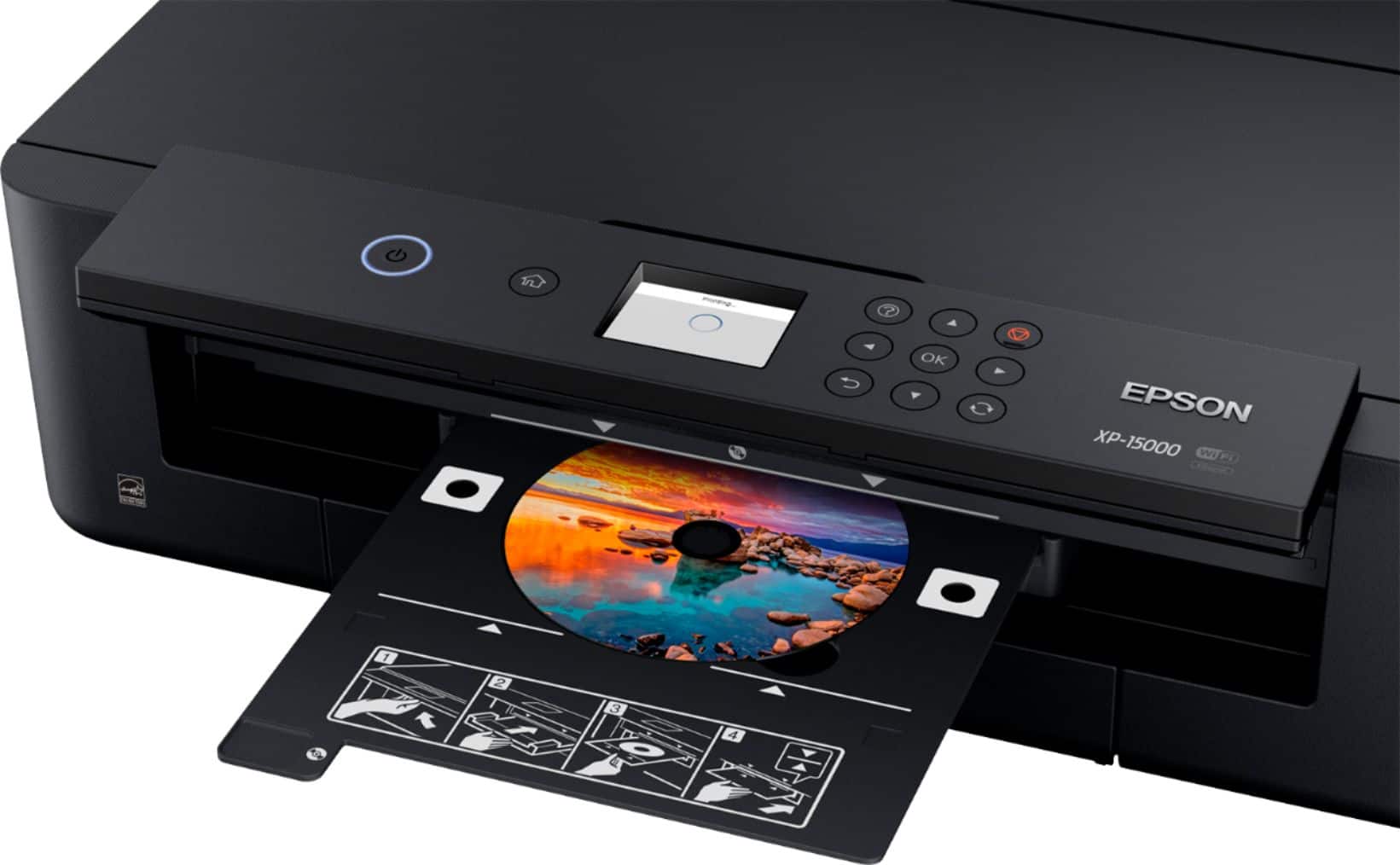
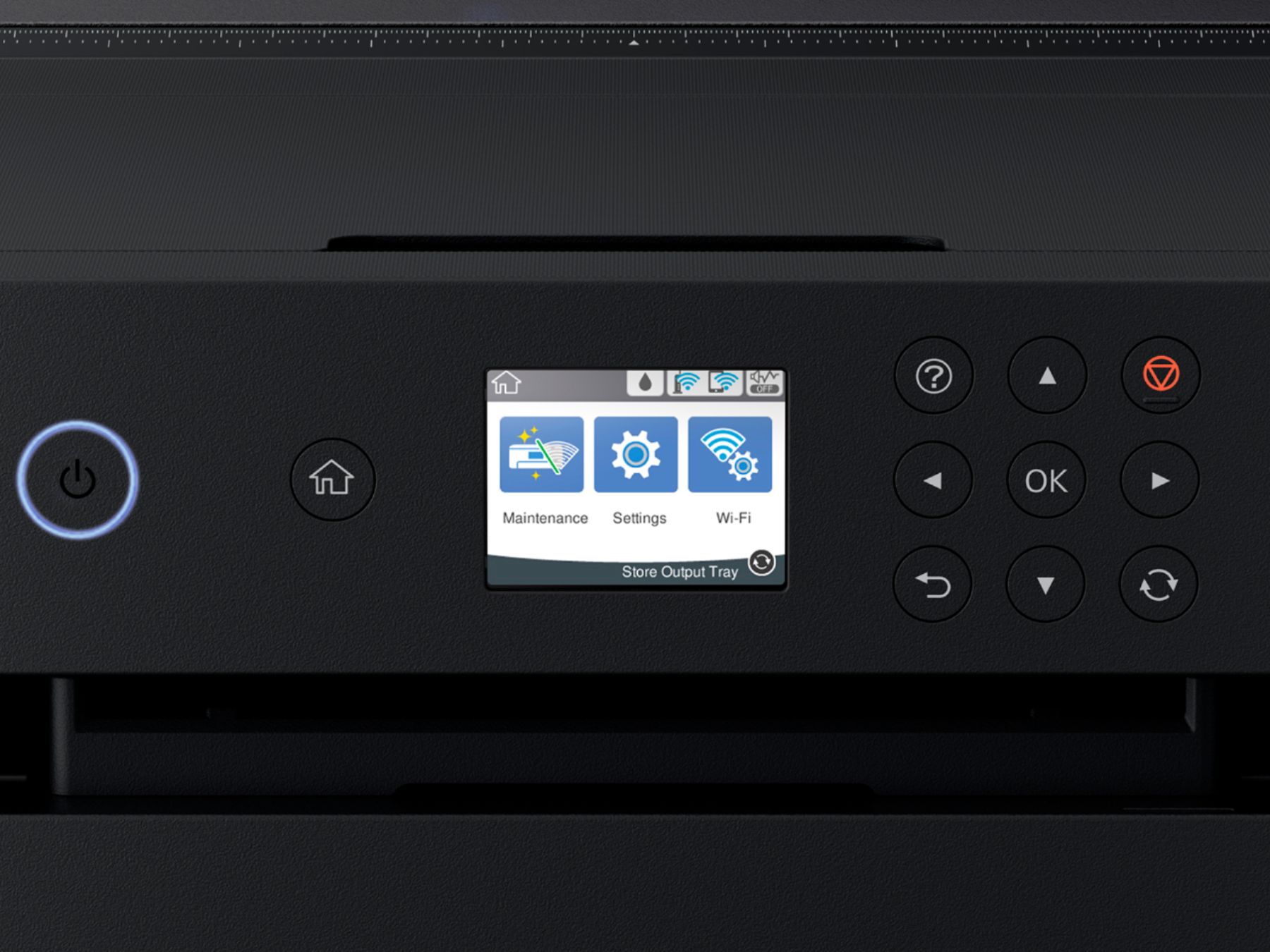
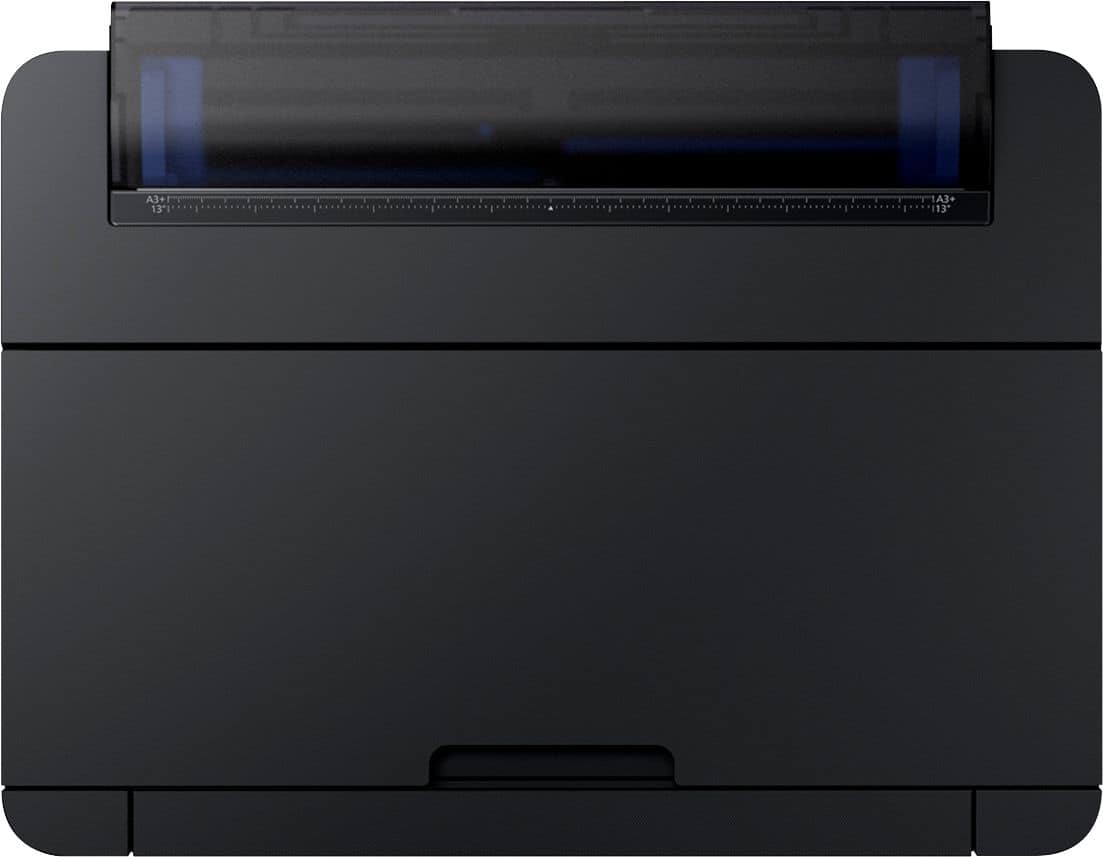
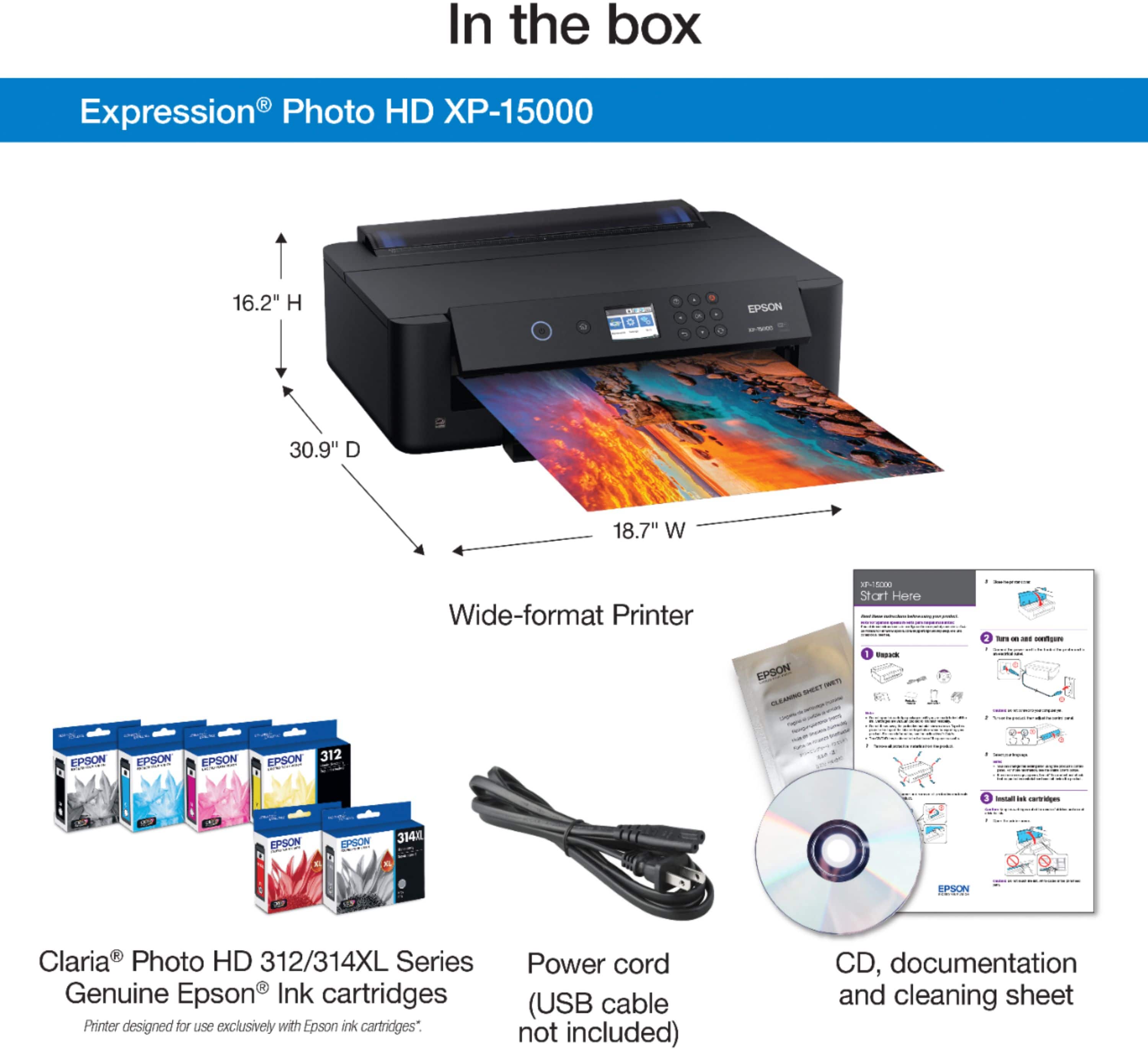
Posted .This reviewer received promo considerations or sweepstakes entry for writing a review.Epson presented me an opportunity to beta test their Expression Photo HD XP-15000 Wide-format Printer (referred to from now on as the “15K”). I own another Epson printer (the Workforce 3460). Throughout the review, where applicable, I’ll make comparisons to that printer. I used the 15K for roughly a week. This review is broken into different sections. If you want the full run-down, please read on. If you’re only interested in the final yea or nay, please skip to the end. Packaging & Unboxing: Packaging draws you in. Colors pop. The box provides information needed to make a purchase decision -- printer dimensions, speeds, resolutions, accessories, etc. The printer is securely packaged. Unboxing took about 10 minutes. Printer Footprint & Build: Surprisingly small footprint -- 18.7” (L), 14.5” (W), 6.3” (H), with all trays/supports collapsed. Easily fit on my work desk, which has two monitors. Front tray, fully extended, adds possible 10.5”. Top, three-tier support, fully extended, adds 11.5” height. Housing is made of same plastic used in most mid- to high-end printers. Internal components (metal, plastic, rubber, & cork) are well-made. 15K will be able to handle bumps & items placed on it. External build looks high-end. Top of printer is “rough,” lessens fingerprints you’d see otherwise. Front control panel, also not reflective, can be pivoted out. Rotates on internal gears that provide decent resistance & allow you to easily view LCD screen. Panel stays in place, removing need to hold panel while pressing controls. Still easy to press control housing into printer body. Slides (trays, supports, etc.) are typical of Epson builds. Can be interesting to pull out, but stay in place. Front tray holds up to 200 sheets of paper (max 8.5”x13”). Top tray holds up to 50 sheets (max 13”x19”). Output tray is automatic (elegant touch). If closed, will open to hold printouts. Given 15K offers two-sided printing, has removable duplexer on rear of housing, to clear jams. Rollers seem meaty, well-made. Cartridges glide seamlessly. Printer offers a “normal” & “quiet” mode. “Normal” mode is quieter than my 3640. Printer doesn’t offer SD card reader. Control Panel & Buttons: Provides 11 buttons & 2.4” LCD screen. Left of LCD, are power & home buttons. On right is a keypad to control print jobs, navigate printer’s built-in user interface, & control automatic output tray. Buttons provide nice response. LCD screen isn’t a touch screen. Onscreen images are clear. Navigation & confirmation of selections is intuitive. Can’t click through menu or other options too fast. Interface takes a second to catch up, sometimes resulting in need to hit “back” button to enable selecting on-screen options. Go relatively slow, shouldn’t face problems. Accessories: Power cord; 6, full-size cartridges (Black, Cyan, Magenta, Yellow, Red, & Gray); CD with drivers, etc.; assortment of hard-copy documentation; cleaning sheet; bag for print cartridge protectors; &, nice sample pack of printing paper -- premium glossy photo paper, borderless glossy photo paper, heavyweight matte paper, & premium semi-gloss photo paper (about 5 sheets of each). All sets of sheets separated by non-acidic paper. Epson chose not to include printer USB cable. For $350, they should have. Setup: General setup fairly straightforward, although I found initial software-guided setup to be wonky. Epson provided auto-connect method. It’s supposed to form temporary WiFi network (not involving your router) between 15K & PC, failed for me. With no USB cable, I didn’t test wired option. I closed software-guided setup & installed another way, which I recommend doing. Connect the 15K to your wireless network, first; run PC installer (selecting “Wireless connection”); choose “The printer is already on my wireless network,” &, follow setup instructions. Better than auto-connect, IMHO. ***General Setup: Hardware setup is easy. Read & follow "XP-15000 Start Here" guide & 15K’s onboard instructions. Full setup took about 30 minutes. YMMV, depending on how thorough/careful you are with unboxing, etc. Don’t rush. Follow instructions carefully. Setup & use experience will be better for it. ***WiFi Setup (Do 1st): WiFi setup was a snap. Used 15K’s wizard, in A/C (5GHz)/N, G, B (2.4GHz) network. Printer saw N 2.4 GHz band with no problem. Noted on the box, 15K only supports 2.4GHz wireless radios. After selecting 2.4GHz channel & entering router's password, connecting was buttery smooth. 15K has a strong wireless radio & (despite decent distance from router, with obstructions) found my network immediately. 15K prompted me to run firmware update, which I did. I then installed drivers on my PC. ***Win 10 Install: Didn’t use included CD. Drivers tend to be outdated. If you don’t have web access, CD will get you up & running. Used web browser to hit 15K’s driver/software page. Downloaded & installed full driver & utilities combo. 15K’s page offers: print drivers (local & remote print), Epson software updater, print CD software, & Epson Connect printer setup. Page provides links to mobile apps (Creative Print & iPrint, for Android/iOS). Installer completed in three minutes. Setup will prompt you to run Epson Connect & Google Cloud printing -- not Apple AirPrint. After install, Epson’s monitoring software, found in PC’s taskbar, shows overall status of printer (jobs, ink, ways to clean & adjust print nozzles, software updates, etc.) ***Online Registration, Etc.: Was directed to my Epson user page (previously configured with 3640 setup). Logged in, 15K appeared, along with 3640. Easily configured & customized email-to-print, etc. Opened Epson iPrint app on my Android. App found 15K right away. Could now print from my phone. Set up is easy. Take your time. Online instructions can help if you hit a snag. Epson does a great job of making seamless mobile/remote-print experience. If opting to set up Google Cloud Print or AirPrint later, find printer's IP (use Epson iPrint app), enter IP in internet browser, log into printer’s interface as admin (if needed), locate Google Cloud Print or AirPrint option, open either/both, & follow instructions to set them up. Mobile print allows you to print from any Android device or browser (when logged into your Google account) or Apple device (when on same WiFi network as 15K). Print Quality, Speed, & Ink: My 15-year-old son is a photography hobbyist. He purchased a decent Nikon camera, lenses, etc., began shooting photos semi-professionally, & needed a printer that could produce high-quality photos. 15K is really for him (although, despite being deemed a photo printer, it can produce any document type you want). My son tested photo prints, using included sample paper. He timed a print on “normal,” using 8.5x11 semi-gloss paper. Generated in 3 minutes, 30 seconds. He said final print was decent quality, but lost some definition. IMO, minor amount of detail was lost, but you’d really have to look close to see it. FWIW, I’m happy with the photos. They’re every bit as good those online or from a brick & mortar store. Regarding ink cost, despite the use of six cartridges, the cost of sheets, & the $350 price tag for the 15K, you’ll save roughly 5 times the money printing your own photos with the 15K, vs. using an online developer or in-store photo-development kiosk & shops. Can’t speak to using cheaper cartridges or refilling those provided. Epson doesn’t recommend it (for different reasons). Regarding cartridge life, Cyan, Yellow, Magenta, & Black seem most used. With roughly 20 document prints, in normal quality, & a few hi-res, full-sheet photos, & nozzle charge, clean, & alignment, about 1/8 of the four cartridges listed was used. Gray/red barely touched. Regarding paper, use high-quality paper to get great results. Summary: ***Packaging & Unboxing: 5-star. Inside & out, 15K presents well & is well-protected. Will arrive safe & sound to your workplace. ***Printer Footprint & Build: 4-star. Aesthetically pleasing, relatively small footprint, seems solid, all-around. Loses a star, as trays can be difficult to pull out. Once out, they stay where they should. ***Control Panel & Buttons: 4-star. Overall feel & operation is good. Loses a star due to somewhat laggy, but sufficient, user-interface. ***Accessories: 4-star. Items included are wonderful. However, Epson should’ve included a USB cable. ***Overall Setup: 4- (or possibly 5-) star. Not a fan of WiFi auto-connect, which Epson tries to push during setup (either that or wired connect... impossible without USB cable). If you can get around WiFi auto-connect, process is seamless. YMMV. Some people have no problems with auto-connect. If you don’t, experience is 5-star. ***Print Quality, Speed, & Ink: For both documents & photos is a 5-star, IMO. YMMV, depending on paper & settings used & source files. Print speeds are reasonable for this price range. Printouts are every bit as good as online or brick & mortar stores. Also, using the 15K, you’ll end up saving time & money. Recommended Purchase?: Are you really getting the bang for your buck? Yes, this is a solid 4-star purchase and absolutely worth the cost. It’s a photo printer with a reasonable footprint. One capable of delivering high-quality photos. It can serve as a multi-function printer that can print CD/DVD/Blu-Ray labels, high-resolution documents, iron-on transfers, etc. It allows you to print photos/files from your PC, Android or iOS device, or by using email-to-print. If you have access to the web, you have access to your printer. Epson delivers quality with the XP-15000. Seriously consider the purchase. You’re not likely to regret it. This is a review for the Epson Expression Photo HD XP-15000 Wide-Format Printer that I received free of charge to do a beta test & review. If I find a need to change my review, I’ll do so ASAP. ‘Til then, happy printing.
I would recommend this to a friend - Pros mentioned:Ease of use, Print quality
Rated 5 out of 5 stars
Beautiful Quality
Posted .This reviewer received promo considerations or sweepstakes entry for writing a review.My experience with the Epson - Expression Photo HD XP-15000 Wireless Printer has been a very positive experience. It was so easy to set up! From taking it out of the box, to completion was about 25 minutes. I only hit a few snags which I was able to figure out within a few minutes. It comes with a quick start guide that guides you through the set up. First step was the unpacking. It had everything on the list except for the ink cap storage bag. So I used a Ziploc bag instead. No big deal. This step also requires you to remove the blue tape holding everything in place for shipping purposes. It has a few pictures as to where you will find the tape. However it does NOT have a picture for the paper tray to remove the tape. This may have been helpful to clear up some confusion on loading the paper later down the road. Next step was to turn on and configure. (Simple) Next step was to install the ink cartridges. It was very easy. Everything was labeled and pretty self explanatory. This part was such a breeze. Next part is to load the paper. This is where I hit my first snag. I was trying to load the paper in the output tray instead of the paper tray. This was probably just an error on my part. I did read the directions over and over but for some reason I was getting it wrong. LOL. Next was the alignment of the ink cartridges and test papers. One of the first print outs is a bunch of squares in a line and you have to choose which one is the most solid. That part was easy. The last part of it was these bars that printed and you were supposed to choose which one had no gap between and were not overlapping. With both bars being the same color, it was very hard to distinguish the best choice. I wish they were different colors. I would have been more confident in my choices. Next was installing the software onto my computer. This part was pretty easy as well. I hit another snag when I was trying to set up a wireless connection. No where in any of the directions on the quick start guide or in the CD directions did it say to set it up directly on the printer. I thought myself to check this and set it up on there. If it was someone such as my parents who were trying to set this up would not have thought to check that. I think it should be added to the directions. I hooked mine up through wireless network. After all of that, I was ready to print! This printer came with a sample pack of photo paper!! Gotta love that!!! So I chose regular glossy paper and tested this bad boy out!! I chose one of my best quality photos to print. I have to say, the quality is AMAZING!!! It is professional quality!! I included a photo of my photo that printed, but even that does not give it the justice it deserves!! I am AMAZED!! Every single picture I have printed has been amazing quality!! This not only prints photos, it is all of your printing needs in one!! I totally recommend this product!! “This is a review for the Epson Expression Photo HD XP-15000 Wide-Format Printer that I received free of charge to do a beta test and review.”
I would recommend this to a friend - Pros mentioned:Print quality
Rated 5 out of 5 stars
More than just a photo printer
Posted .This reviewer received promo considerations or sweepstakes entry for writing a review.Well first I start by saying, I knew this printer would be pretty amazing after reading the features and descriptions, but when I got it and actually had time to use it I’m just blown away at how incredible this machine really is. Although I am an IT professional, instructions were rather easy to follow. With that being said, you don’t need a computer and electronics engineering degree to set up this printer or be a rocket scientist. Anyone with common basic knowledge would be able to easily set up. I set up the machine on a laptop that didn’t isn’t equipped with a cd drive. Which I had to download the software, now this process was about 45 minutes or an hour which could have been because I was at home and I have the worst internet provider, but with faster speeds it shouldn’t take so long. Anyways, I didn’t have any trouble finding the software. The first thing I noticed was that this printer has two options to insert your photo paper. It has one entry at the top that opens, and one at the bottom, that slides open and shut. Something that you would see at an office building or something professional. So I was suprised by that. Now, this printer comes with a few options of photo paper. With the glossy, matte, you even get pre cut say for instance if your just looking to print a smaller photo and you don’t want to waste the full size. Anyways I tested one of each. My findings: -prints photos unbelievably fast, I’m talking seconds. - the photo quality is extremely professional. Like having a photo professionally printed from a printing service, it’s that good. No one could tell the difference, I’m that confident and impressed by them. I can actually say that I’ll never use professional printing services again! That is as long as this printer is still working, of course. But I have faith that this printer should last me sometime. I do have one complaint, not really a complaint because it still costs less by printing at home. Anyways there are 6 separate ink cartridges. But after looking at the prices of each which range of up to 22 dollars, some cheaper, it’s not all that bad. That’s one thing I like about Epson Printers is that their ink cartridges are cheaper than other brands. Anyways, I didn’t do the math but all and all I’m still going to save and I’ll get to print photos in the comfort of my own home. This machine will print photos, labels, stickers, different sizing, greeting cards, post cards, the list goes on but I’ll stop at that. My point is, this machine does more then photos. It’s very versatile. You also have the cloud option, you can download an app and print from a mobile device or at a different location, which is just wonderful. If your looking to print professional photos and more in your own home and not looking to spend an arm and a leg, then this printer will be a great selection. This is a review for the Epson Expression Photo HD XP-15000 Wide-Format Printer that I received free of charge to do a beta test and review.”
I would recommend this to a friend - Pros mentioned:Print quality, Setup
Rated 4 out of 5 stars
Good large-format printer at this price-point
||Posted . Owned for 1 month when reviewed.This reviewer received promo considerations or sweepstakes entry for writing a review.I needed a large-format printer, not for photos, but for printing out music scores. This printer does an admirable job cranking out clear, 11 x 17 inch pages, with decent resolution, and at a reasonable price point. The good: * reasonable price for a large format printer, about $400 -- this is less than I paid for my HP DeskJet some years ago, and that only handles regular office size paper * handles multiple paper sizes with ease -- up to a theoretical 12 x 19" -- I've tried it up to 11x17" and it works great * Nice, clear prints with good resolution, both in black & white and in color * reasonably fast -- not a speed demon like a $14,000 pro office machine, but for the home office and similar applications it's plenty fast enough; no complaints here. * basic set up was simple and fast * ink cartridge installation is straight-forward * comes with an actual CD containing the drivers and PDF manual -- no need to go searching the internet (although you can find this stuff there as well, if you really want to) * relatively small footprint for a large-format printer, and it is not back-breakingly heavy, either. * can also print directly on printable CDs -- an unexpected bonus The not so good: * My main complaint concerns setting up internal paper sizes. Product description and manual say that you can do this, but the procedure is not straight forward, and it isn't addressed in the manual. Certain standard sizes are preset, right out of the box -- letter, A4, legal, etc. But large format sizes -- which is what I mainly bought the printer for -- were not in there, and I couldn't figure out how to get them in there. Every attempt to setup an 11x17 inch paper size was rejected as an "invalid" size. * Them manual was no help here, and on-line tech support was less than sterling. I had to set up an account just to send them an email, and then I had to wait 3 days for a reply. And when they did reply, it was with a list of generic questions which had nothing to do with my particular issue. In several email exchanges they never did actually address my question. I finally figured out -- by trial and error -- that I didn't actually NEED to set up these paper sizes internally, because the software from which I am printing overrides those settings anyway, and works just fine. Still, a note in the manual or in an email about this fact would have been handy, and saved me days of random poking around. * The internal paper cassette only take the smaller paper sizes -- letter, A4, and legal. Larger pages: 9x12, 11x17, etc. are loaded in a hopper at the top back -- which is fine, except the hopper has limited capacity -- 50 sheets. Since an average score for me can easily be in the 200-page range, this means I have to hover around the printer and load paper several times in the course of a job. Not sure why it is designed like this, since the printer seem amply larger to accommodate a cassette for 11x17 paper. But I'll live with it. * The only other issue concerns the ink cartridges -- and this is a complaint that could be made about pretty much any modern printer. There are six (6) ink cartridges in a full set for this printer, and they are NOT cheap. A full set can set you back somewhere between $120-$150. Printer manufacturers know which side their bread is buttered on, and Epson is no exception. Still, for the size and clarity of the printed pages produced, and the (relative) ease of setup, at this price point, the HD XP-15000 is a good deal.
I would recommend this to a friend - Pros mentioned:Print quality, Wireless
Rated 4 out of 5 stars
Creativity
||Posted . Owned for 1 month when reviewed.This reviewer received promo considerations or sweepstakes entry for writing a review.If you’re in the market for a high-definition color printer, here’s a quick breakdown of what you can typically expect, as well as a review based on commonly praised features. High-definition color printers, particularly those geared toward professionals, are designed to produce rich, vibrant, and accurate colors. They’re a great choice for photographers, graphic designers, and businesses needing high-quality marketing materials. Here are some key aspects to consider: 1. Print Quality Most high-definition printers offer excellent color reproduction, crisp details, and smooth gradients. The latest models, especially inkjet options, use advanced ink technology with more color options (like added gray or photo black inks) to capture subtle variations, making them a strong choice for photos, artwork, or complex graphic designs. 2. Resolution and Color Accuracy Resolution in HD color printers typically goes up to 4800 x 2400 dpi or higher, ensuring sharpness and clarity. These printers often include color calibration features that allow precise adjustments to match the display’s output with print output. Models from brands like Canon, Epson, and HP have been highly rated for achieving close-to-perfect color accuracy. 3. Speed While high-definition color printing can be slower than standard printing due to the level of detail, higher-end printers are equipped to process at a decent speed. Laser-based HD color printers tend to be faster than inkjets, although for the best color detail, many still prefer inkjets. 4. Media Flexibility Many HD printers are versatile with different media types and sizes—ideal if you’re printing on glossy, matte, or specialty paper. Some models can even handle thicker cardstock, fabric, or canvas, which is excellent for unique projects. 5. Cost of Ink and Maintenance One downside of HD color printers is the ink cost, as they use more color variations and high-quality ink. However, brands now offer refillable ink tanks that help reduce long-term costs. Regular cleaning and calibration may be necessary to maintain print quality, so keep in mind the maintenance aspect. 6. Connectivity and Software Modern HD color printers come with wireless, Bluetooth, or app-based connectivity. Some models are compatible with cloud storage, making it easy to print remotely or from multiple devices. They often come with helpful software for design layout and photo editing, streamlining the entire printing workflow. Summary Overall, a high-definition color printer can be a valuable investment if color accuracy and print quality are top priorities. The initial cost may be higher, and ink expenses can add up, but the quality of results and professional output are generally worth it for those with regular high-quality printing needs. Canon and Epson tend to dominate in this space with consistently high reviews.
I would recommend this to a friend - Pros mentioned:Print quality, WirelessCons mentioned:Paper jam
Rated 4 out of 5 stars
Great Output Quality But Get a USB cable.
||Posted . Owned for 1 month when reviewed.This reviewer received promo considerations or sweepstakes entry for writing a review.As an inkjet printer, this does a great job compared to toner-based copier-printers. Colors and gradients are beautiful with the dedicated paper. Connectivity is good; but if you are printing hi-res or high-memory files it is probably best to be hard-wired with a USB cable (as it does not come with one). It will tell you when ink is low; but if you choose to run your ink to the end, be aware that you could run out of ink in the middle of a print and it will terminate the print job in the middle of the print and you will loose that sheet of potentially expensive paper. I love the printer as a whole but there are some cheap and flimsy parts to it like the trays to hold 11x17 and bigger paper. Results are overall excellent. Build quality is typical (cheapish plastic), ink is expensive and really available online mostly; but the results are great. Four stars for now. It would have been five stars if the materials were more readily available and lower cost. Very pleased overall and would not expect better for the money. Good value for making great looking tabloid prints on premium Epson paper.
I would recommend this to a friend - Pros mentioned:Print quality
Rated 5 out of 5 stars
STORE QUALITY, at HOME!
Posted .This reviewer received promo considerations or sweepstakes entry for writing a review.The Epson Expressions photo printer far exceeded my expectations! Setting the printer up took me longer than I would have liked but once I got it set up, the rest was a breeze. My husband set it up in a pinch, and we were up and running in as little as 30 minutes. Right after getting it going, I realized I was confused as to where the paper fed through. The tray loads from the bottom of the printer and comes out in the same area. I was under the impression that it was supposed to come out from the top of the and exit through the bottom! That was my own misguided idea. Nevertheless the photo came out in the next minute; very quickly and nicely. The paper quality makes a difference in the photo printing, I’m sure, however, the printer itself is superior quality! I own a previous photo printer that after two years, began to have problems. It had never printed this well. The Epson Expressions printer also printed wirelessly! I did not have to download any specialty app. My phone had the print option readily available and my printer showed up without any lag or issue. I printed a 8.5x11 full sized, borderless print from an image on my phone. It came out just as beautiful, if not better than if I had taken it to my local drug store for printing. Not without fault for me, though. The cord is just a smidge too short for me. I run most things out of my home/office. I have everything set up vertically, so I would have liked the cord to reach so that I did not have to rearrange everything. Also, I am in the midst of trying to print from different devices, but I’d like to note that it was set up as default for me, to print on a CD/DVD TRAY. I did not even realize I could print on a cd! So initially I got an error message. Great printing thereafter! Easy to see LCD screen, convenience of using differing paper types, and will definitely get plenty of use in my home! This is a review for the Epson Expression Photo HD XP-15000 Wide-Format Printer that I received free of charge to do a beta test and review.”
I would recommend this to a friend - Pros mentioned:Print quality
Rated 4 out of 5 stars
Worth the buy for photo printer
Posted .This reviewer received promo considerations or sweepstakes entry for writing a review.I run a small family owned business. We rely on pictures to be able to sell. With that being said it was getting really expensive to keep going back to the print shop every week. I have been looking at printers on and off for a while not knowing which one to get. The thing is this is an investment for my business and I want something that will last. So obviously I ended up getting this one. This is 24lbs. I thought that this was going to be a huge printer due to the weight but its actually really desk friendly! It doesn’t have a scanner to it or fax-its strictly a photo printer so if you need those features, this isnt for you. The setup for the printer took me roughly 10 minutes. It does come with the hardware disk for you to pop in and set up with no problems. The first few days it would pop up asking me to do updates on it so just be ready for that. Something that I noticed about it that had me a little worried were all printer cartridges it has with it. There is one for every color. The reason why I was worried was cause I was afraid that they were going to be pricey but the range from $11-$15 dollars a piece depending where you buy them at. The only con I can see is if you use one color more than another color you will be replacing it alot faster so your ink levels wont all be ran the same. So how well does it print? I did a print comparsion for yall to see. I am happy with the quality. One thing that I did notice is that it dries super quick. Problems that I have had in the past is that when a print comes out its still wet so it smears. With this the moment it comes out it its dry so no smearing. The pixels on the print arent exactly like a print shop but for it being a home printer, its pretty good. This is a review for the Epson Expression Photo HD XP-15000 Wide-Format Printer that I received free of charge to do a beta test and review.
I would recommend this to a friend - Pros mentioned:Print quality, Wireless
Rated 4 out of 5 stars
Vivid prints
||Posted .This reviewer received promo considerations or sweepstakes entry for writing a review.I purchased this printer because it was supposed to be an upgrade from the one I bought before. The model 14 30. I like that it's nice bright clear print quality. It can be very quiet and slow when it's print sometimes. I like that it is Wi-Fi and direct Wi-Fi capabilities. I like that is wide format printing, and which I need for some of them products that I print. The ink cartridges don't last as long unless you get the super xl kind. But the prints look amazing.
I would recommend this to a friend - Pros mentioned:Ease of use, Print quality, Setup
Rated 5 out of 5 stars
Excellent for Quality and Print Size
||Posted . Owned for 2 weeks when reviewed.This reviewer received promo considerations or sweepstakes entry for writing a review.Prints paper, photos and stickers very clear once claibrated for paper change between projects. Easy to setup, decent screen size for menus and fast printing. The 13”x19” print size was an awesome feature over similarly priced printer.
I would recommend this to a friend - Pros mentioned:Print quality, Size
Rated 4 out of 5 stars
Epson XP-15000 is an excellent 13” 6 color printer
||Posted . Owned for 1 month when reviewed.This reviewer received promo considerations or sweepstakes entry for writing a review.This Epson XP-15000 13” printer was a steal at $199. For me, it adds the options at home to do occasional high quality large 11 x 14, 11 x 17, and 13 x 19 prints. I have an older Epson XP-837 Claria ink 6-color printer that handles most of my normal daily household printing and 5x7, 8 x 10 quality photo prints. The popularity of the newer Epson ink tank printers has created discounts on their cartridge printer models, but my rate of use better fits cartridges…and I would have had to pay way too much ($400-600) to get 6 or more color wide format in an eco tank model. I have done a few 13 x 19 on Epsons Ultra Premium Luster paper, and a dozen 11 x 14 on Epson Premium Glossy Photo paper now and I definitely like the resulting presentation quality. Color accuracy seems very good. Only regret is that I think Epson could have made their XL cartridges hold a bit larger quantity of ink…a bit annoying going through cartridges already but after the learning period of trying different print jobs I won’t be printing on it nearly as often. Positives: *excellent print quality with 6 color Claria dye based inks using Epson papers *13” & 11” format printing via rear feeder works very well and dries very fast *good looking solid quality printer has a very small desk footprint for a wide format inkjet *great value price for a widely respected Epson wide format 6 color inkjet Negatives: *can go through the XL quantity ink cartridges pretty quickly at $22 each ..gotta have spare cartridges on hand *popular Epson branded specialty papers are quite expensive and can be hard to find at times
I would recommend this to a friend - Pros mentioned:Print quality, Size
Rated 5 out of 5 stars
Love this printer
||Posted .This reviewer received promo considerations or sweepstakes entry for writing a review.It prints wonderfully and vibrant colors. I also love being able to print large sizes.
I would recommend this to a friend - Pros mentioned:Ease of use, Print quality, Size
Rated 5 out of 5 stars
Perfect photo printer!
||Posted . Owned for 1 week when reviewed.This reviewer received promo considerations or sweepstakes entry for writing a review.Produces great images, easy to use, fast printer, quiet, and offers great paper size variety. Ink dries amazingly quick and no smudges-don’t mind still using the cartridges. Lastly, love the small footprint-sure it’s wide but it’s light and fits anywhere.
I would recommend this to a friend - Pros mentioned:Ease of use, Print quality, Setup
Rated 5 out of 5 stars
Epson Printer
||Posted . Owned for less than 1 week when reviewed.This reviewer received promo considerations or sweepstakes entry for writing a review.Great quality in Photo, Love this printer. Easy set up and easy bluethooth set up
I would recommend this to a friend - Pros mentioned:Ease of use, Print quality
Rated 5 out of 5 stars
My printer
||Posted . Owned for 3 months when reviewed.This reviewer received promo considerations or sweepstakes entry for writing a review.Great purchase excellent price and quality best colors Easy to use and connect to the computer
I would recommend this to a friend - Pros mentioned:Print quality
Rated 5 out of 5 stars
Very sharp
Posted .This reviewer received promo considerations or sweepstakes entry for writing a review.I love this I have needed a new printer for so long. I am thrilled that I finally got one and love it. It was pretty simple to connect. You can connect a handful of devices. It was very quick when I hit print. I loved that. My old printer took way to long to print and it did not print the best. I think that the price point is pretty good. I like that it is a bigger size and can print a bigger size picture. It is simple to install the ink as well. They snap right in. This is a review for the Epson Expression Photo HD XP-15000 Wide-Format Printer that I received free of charge to do a beta test and review.”
I would recommend this to a friend - Pros mentioned:Ease of use, Print quality
Rated 4 out of 5 stars
Amazing photo quality
||Posted .This reviewer received promo considerations or sweepstakes entry for writing a review.If you want great 13x19 prints, this is the printer to get. I have owned the Canon printers and the difference is visible. The printer can be connected by USB and/or Wi-Fi. It is easy to setup. However, it suffers from the same problems as most printers in the market. The ink goes fast and it can be pricey. There are options for an XL or regular size ink cartridges. Keep in mind that these are generally cheaper than the Canon counterparts but in the end it comes down to how often they need to be replaced. I knew this when buying the printer but I really needed a 13x19 capable unit. Again, it is something you have to deal with for most printers in the Market. I also wish the screen was touchscreen but that's a minor issue. Otherwise, I highly recommend it.
I would recommend this to a friend - Pros mentioned:Print quality
Rated 5 out of 5 stars
Printer purchase for design and art
Posted .This reviewer received promo considerations or sweepstakes entry for writing a review.Works great! Good customer service too! Had some trouble with trying to get it to print full bleed 13x19in so still need to figure that out but overall it produces beautiful prints. I just need to really take the time to sit down and learn everything about it.
I would recommend this to a friend - Pros mentioned:Ease of use, Print quality
Rated 5 out of 5 stars
Amazing Prints
||Posted . Owned for 4 months when reviewed.This reviewer received promo considerations or sweepstakes entry for writing a review.I was in search of a new printer, specifically for pictures, without breaking the bank. After some research, I ended going with the Epson Expression XP-15000. Set up was very easy and required little to no effort. The ink cartages were easy to install. Had a few pictures printed in both color and black & white. The quality of the pictures are amazing. The color photos are variant and rich, black & white photos are clear and have depth. Overall, I'm very impress with the quality and resolution of the photos.
I would recommend this to a friend