Customer Ratings & Reviews




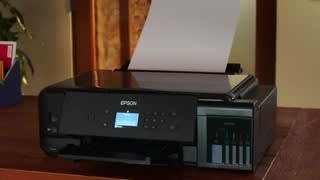

- Model:
- ET 7750
- SKU:
- 6042500
Rating by feature
- Value
Rating 3.9 out of 5 stars
- Quality
Rating 4.2 out of 5 stars
- Ease of Use
Rating 4.1 out of 5 stars
Customers are saying
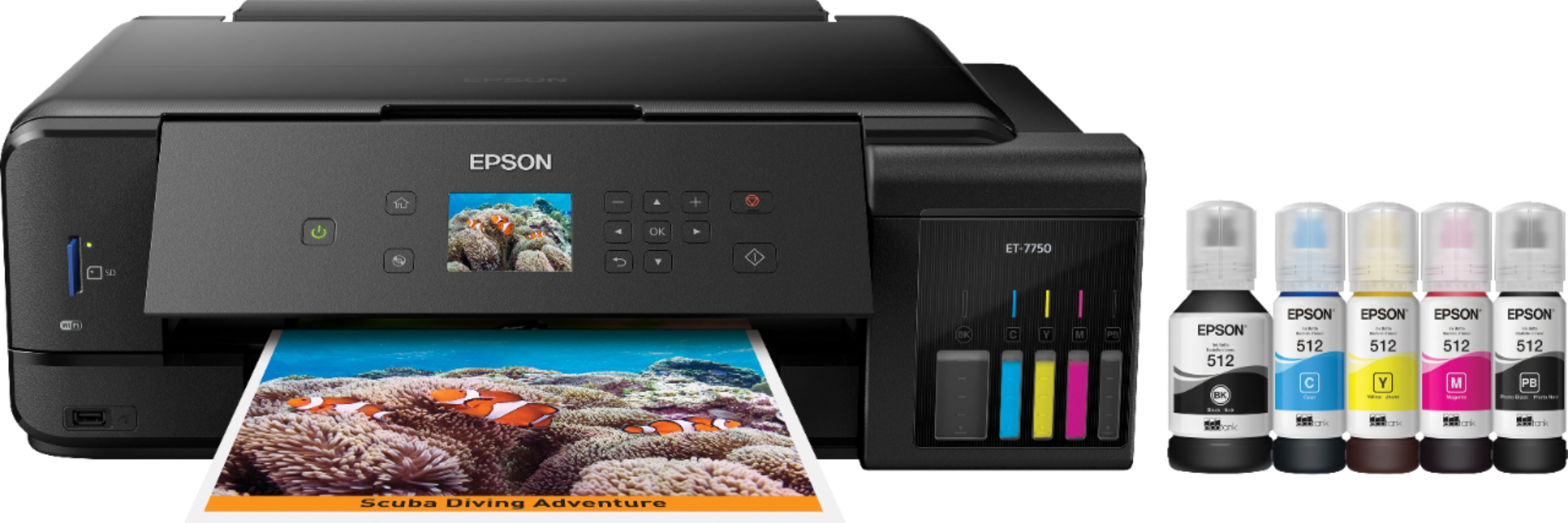
Customers are delighted by the superb print quality and ease of use of the Expression Premium EcoTank ET-7750 Wireless All-in-One Inkjet Printer. Many found setup to be quick and straightforward. However, some users expressed concerns about the sturdiness of the scanner lid and output tray, and a few mentioned the small, non-touchscreen display as a drawback. The printer's relatively large size and higher price point were also noted as potential downsides by some customers.
This summary was generated by AI based on customer reviews.
- Pros mentioned:Print quality
Great printer for business and personal!
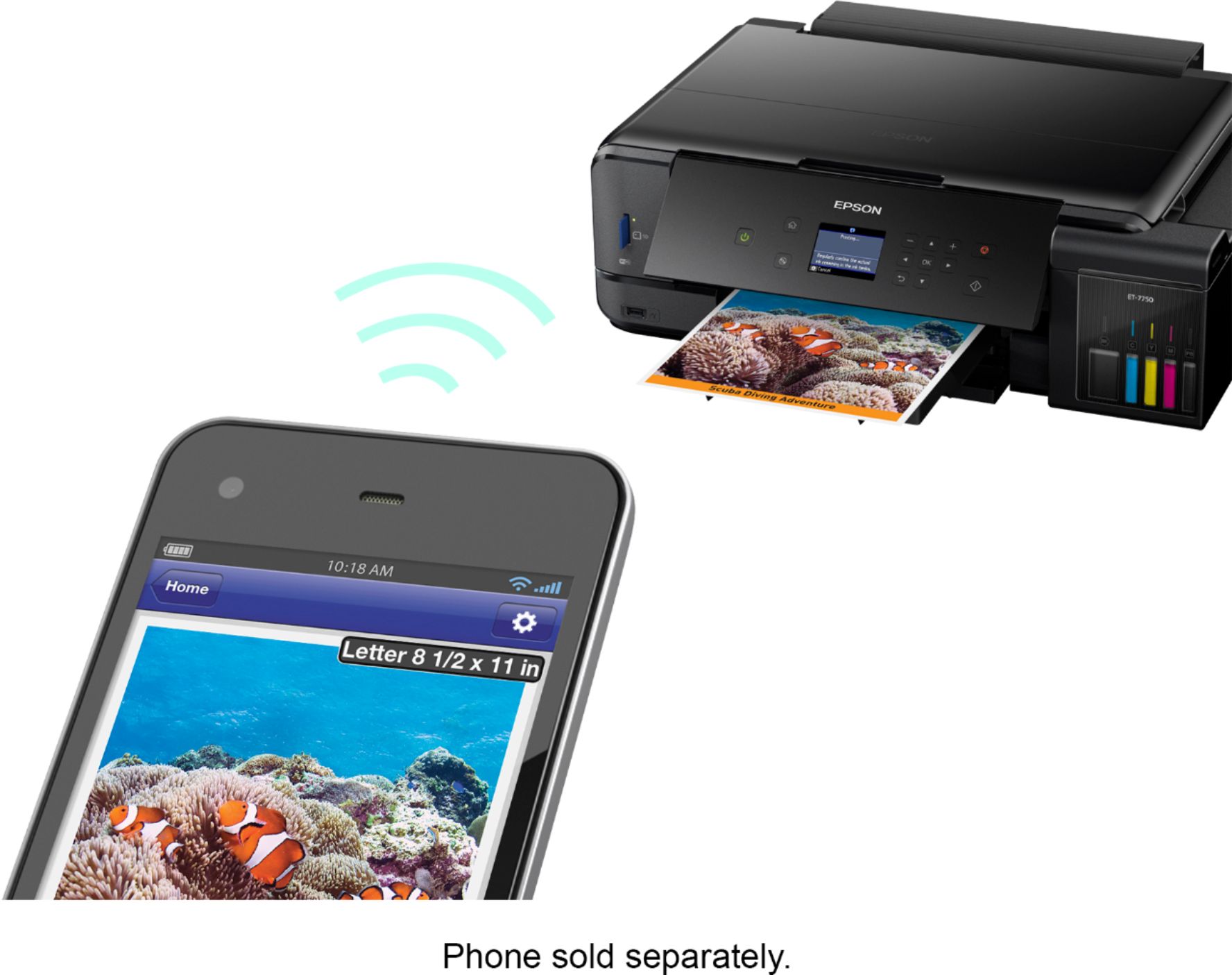
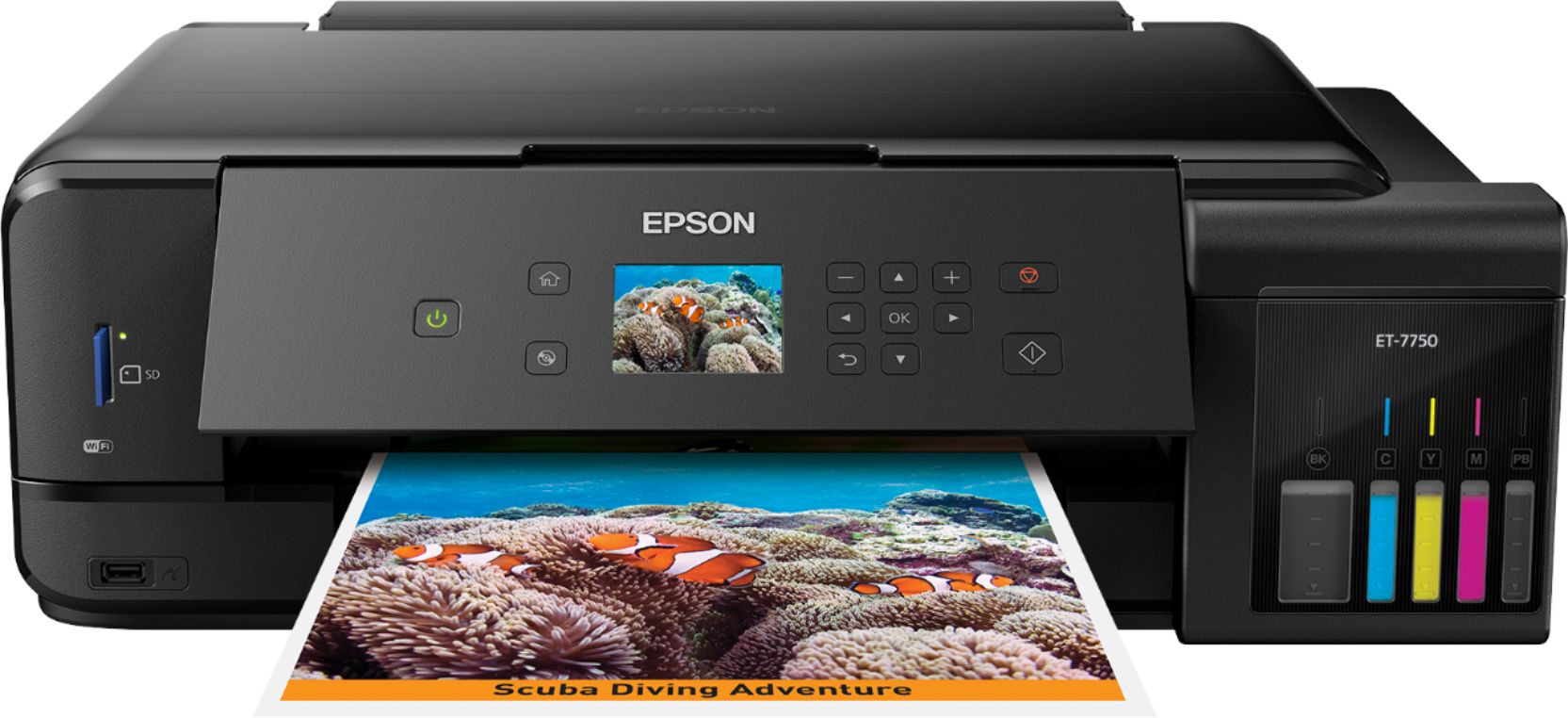
Posted .This reviewer received promo considerations or sweepstakes entry for writing a review.This is the first Epson printer I have owned. After using it for a few weeks, I am very satisfied with the quality that Epson put into this printer. My printer always sits in my home office where it is used mainly for scanning documents and receipts, and printing reports for customers. But I also use it to print photos for scrap-booking. The scans are good and the copies print very fast. One feature that I like the most about this printer is how easy it is to connect to your wireless computers and especially smartphones. It's so much more convenient to print from my iPhone when I'm in a hurry without turning my computers on. I also appreciate that Epson included different paper trays in this setup. There is a tray for paper, and a different tray that can be used for photo paper. That way both papers can be loaded in the machine at the same time. That's nice. I would always get annoyed when having to pull out regular paper to install photo paper, than pull out the photo paper to put back the regular paper. This printer solves that problem. As far as the initial setup, just make sure you have some time to spend getting it all ready to go. It's easy to do, there are just different steps you have to go through. The printer's screen walks you through it after you install the ink. I think it took me about 45 minutes from opening the box to printing first pages. That includes loading the ink (more on that below). So, on the ink. Here's the thing - this printer doesn't use ink cartridges. I can't stand ink cartridges. They sometimes don't work, or get stuck in the machine, or aren't aligned right, or get a clog, etc. etc. etc., they can just be really annoying. And they always seem to run out RIGHT when you are in the most hurry to print something. This printer uses the newer ink bottle system to fill the printer. Each color has it's own bottle, which can be bought individually when you run out of a specific color. One of the reasons I think it took me longer to set up this printer is because I was REALLY WORRIED about having to pour the ink into the containers in the printer. I didn't want it to spill and stain anything in the office, so I did this part really slowly. But, I was happy to find out that it actually worked exactly how it is supposed to. The bottles have "pressure sensitive" tops where the ink doesn't pour out until the bottle is inserted into the reservoir area on the printer. I still took it slow, but it was nice that it worked as advertised. The only other thing to keep in mind is that this is a large printer. Not huge, but I've been used to the smaller inkjets, and this one is bigger than those. Overall, this is a solid printer for both business and personal use and once you get it set up, you can start saving money on all those ink cartridges you don't have to buy anymore. This is a review for the Epson Expression Premium ET-7750 EcoTank All-in-One Printer that I received free of charge to do a beta test and review.
I would recommend this to a friend - Pros mentioned:Print quality
Solid Printer!
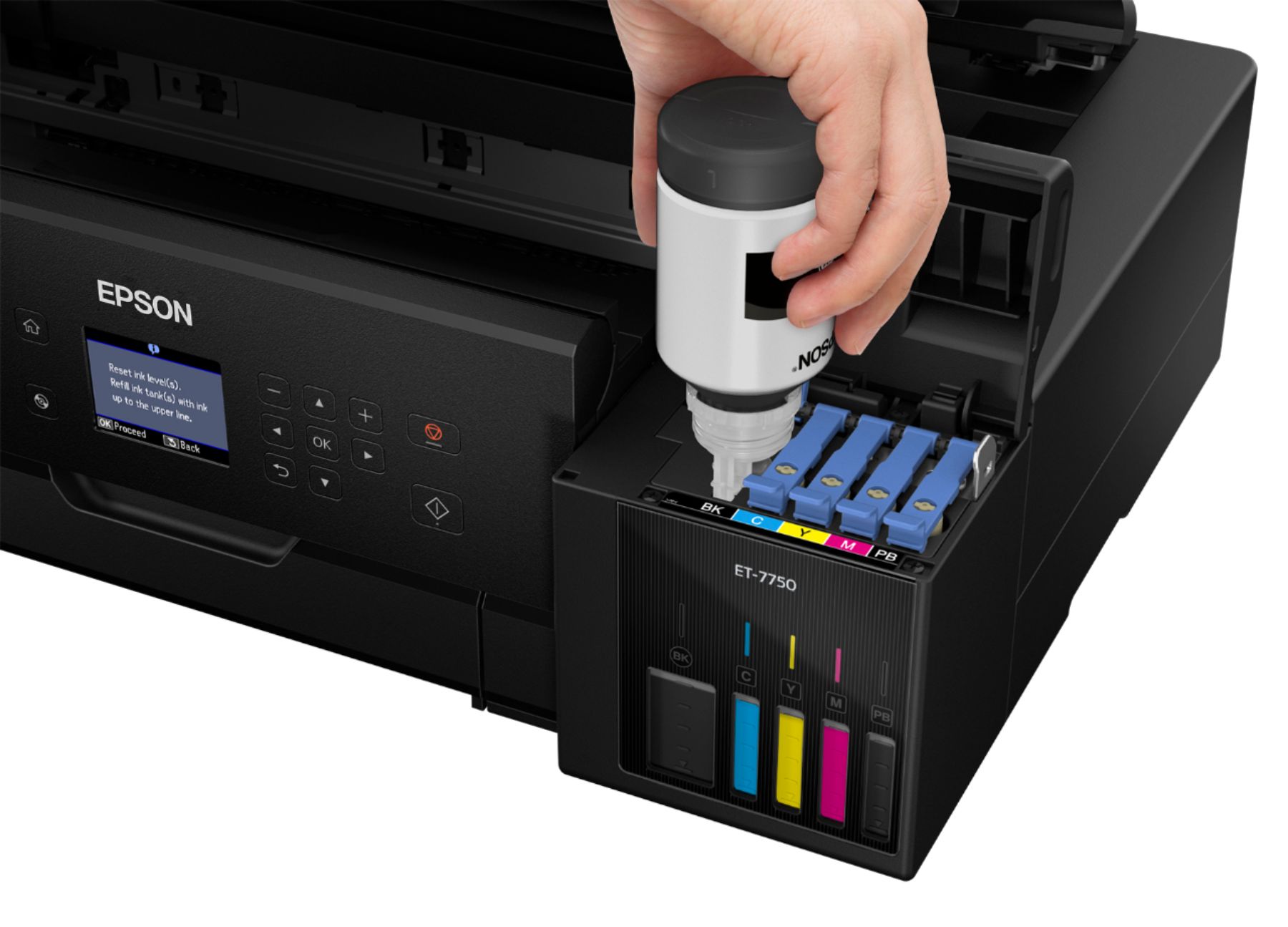
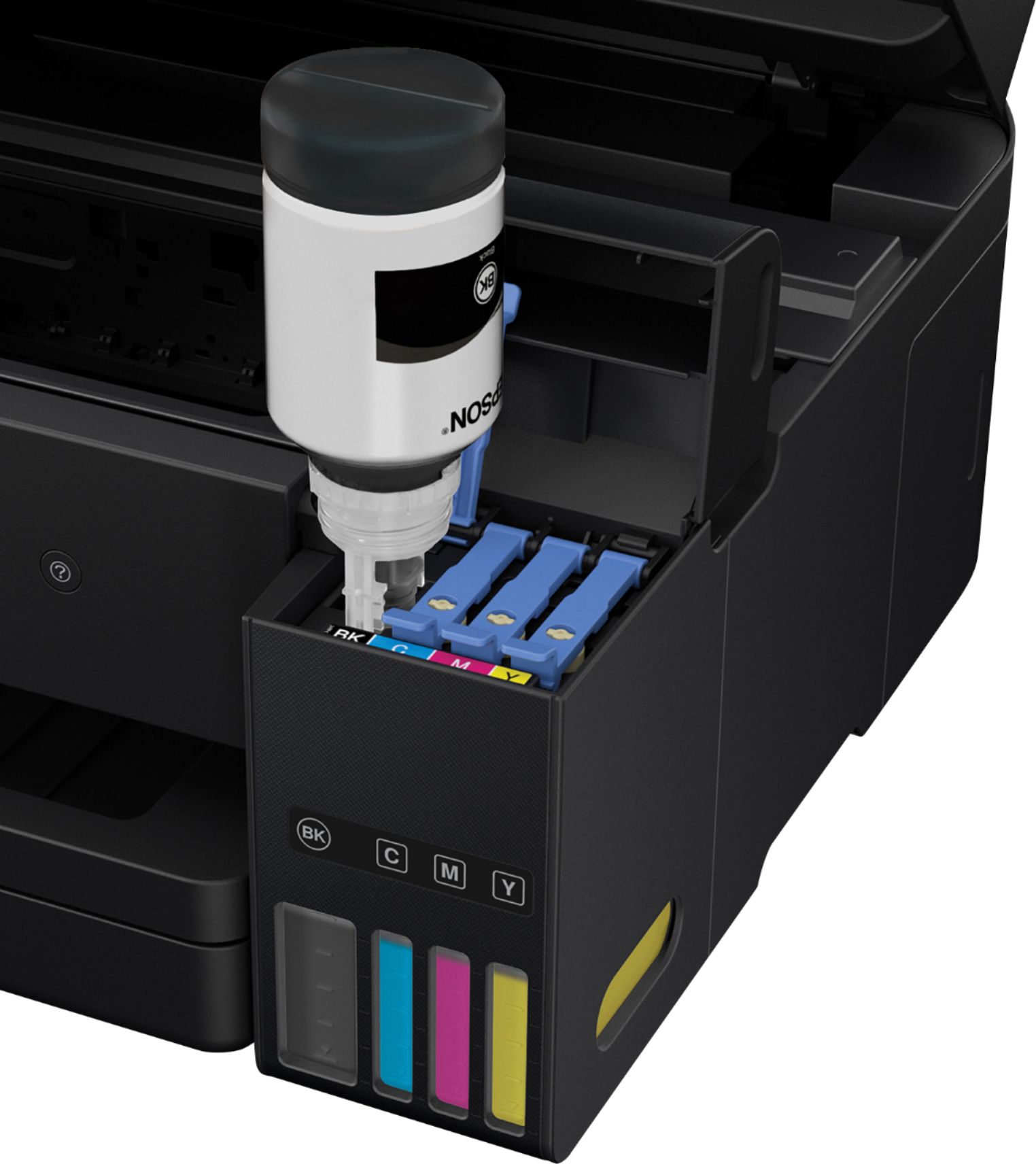
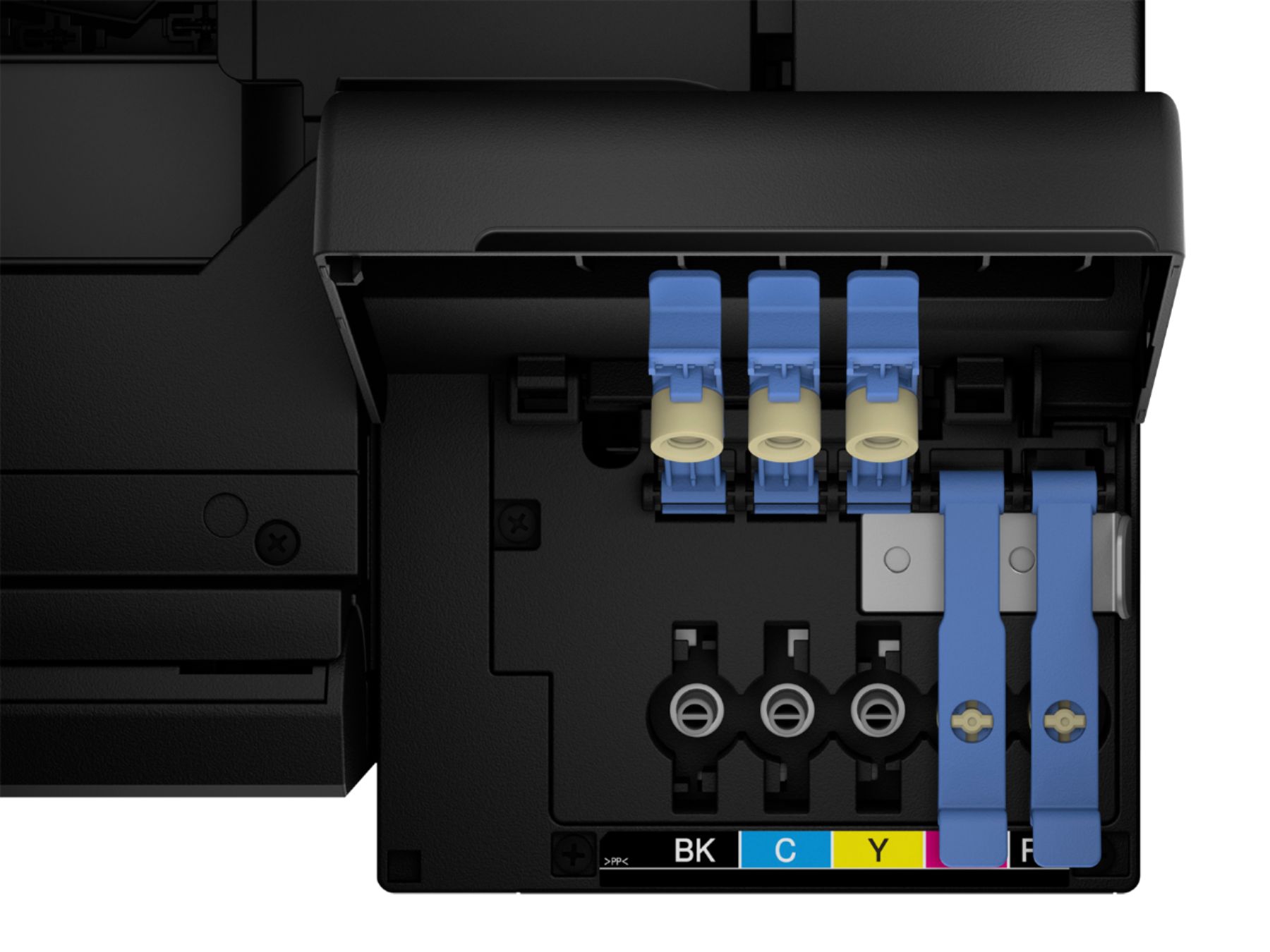
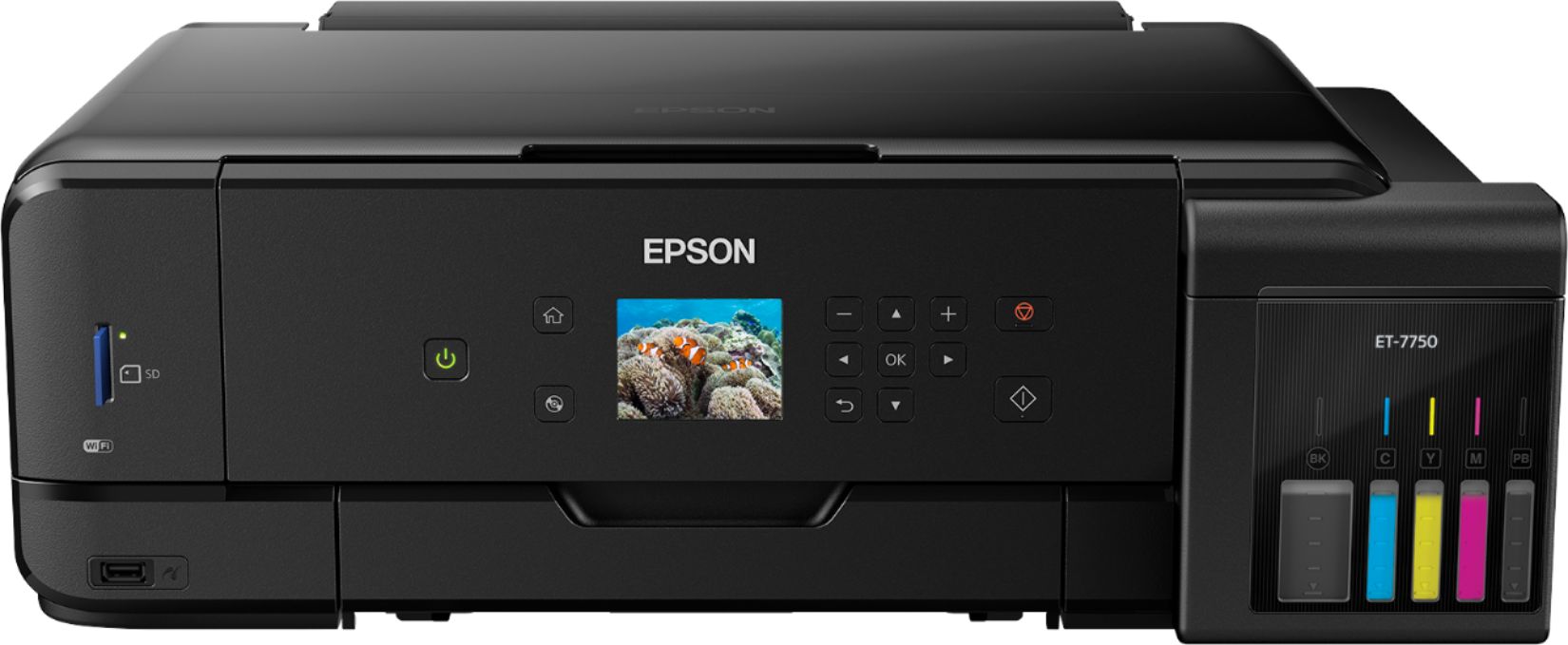
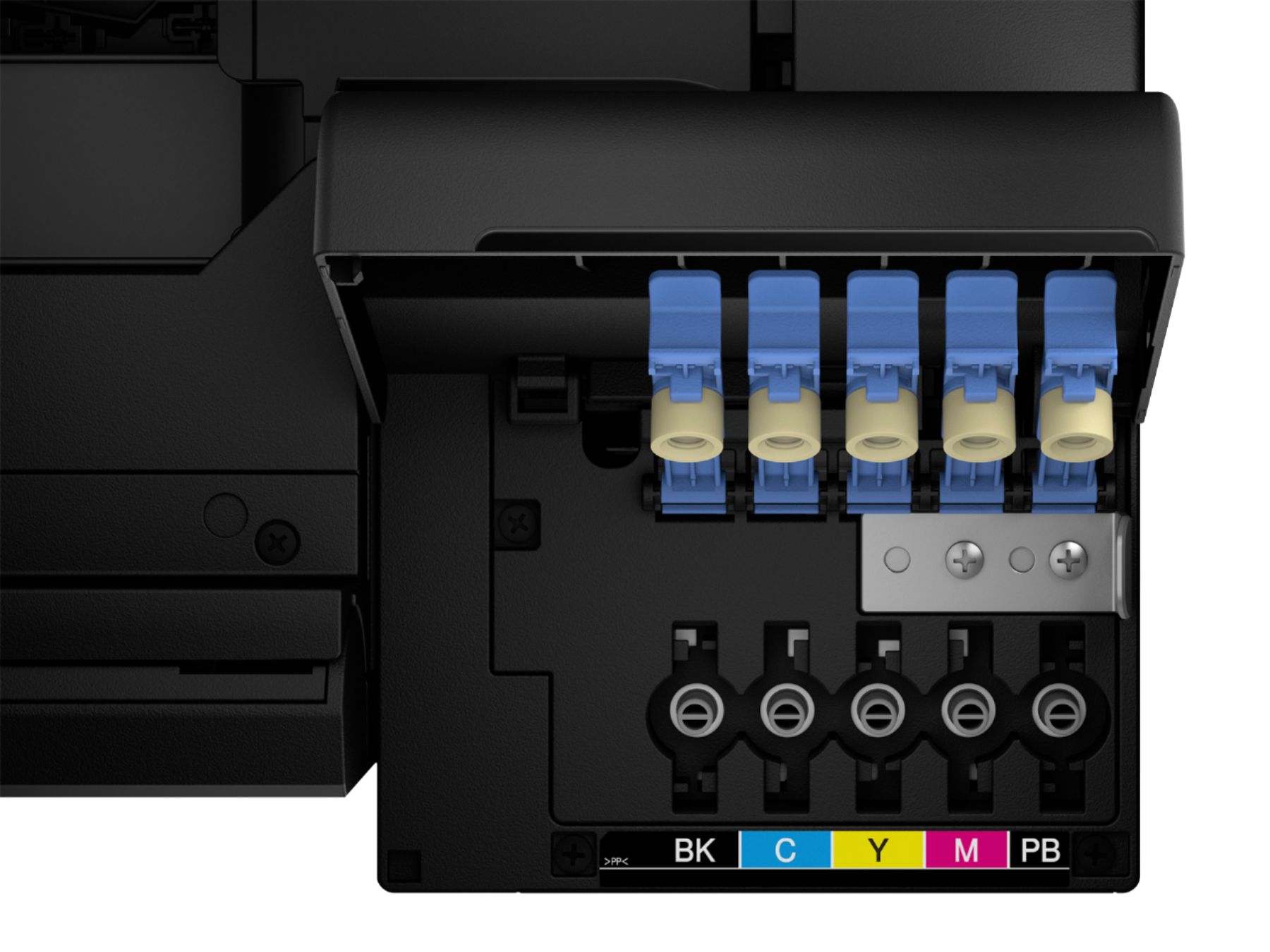
Posted .This reviewer received promo considerations or sweepstakes entry for writing a review.Overall this is a very solid printer. I’d like to start with the basic look and feel. The unboxing was pretty typical. Initially somewhat intimidating since it comes with so many bottles of ink. I began to wonder what they were all for but I soon figured that out. More on that in a minute. My initial thought was that the front face of the printer had a TON of unused real estate. The front control panel measures 12”+ wide and 4+” tall…. Yet there is only a small 2.5” screen (non touch screen). All controls are manipulated by the physical buttons on the left and right of the screen. I think this printer would greatly benefit from a larger display and possibly a touch screen. The rest of the design is pretty awesome. The footprint is a wide and somewhat squat form. Would be great for a large desk or even sitting on the floor. The USB and SD card slots are a big plus as well. The large amount of ink that it comes with is a plus but somewhat intimidating (as I noted earlier) but when I realized how to actually use the ink bottles I was pleasantly surprised. Super easy to fill the ink tanks. Simply pop the cap off, lift the lever on the appropriate color ink and fill. Once the ink is filled you can easily see your ink levels through the transparent ink reservoirs on the bottom left. That is a pretty neat feature. Installation was pretty easy. If you need to download the drivers be sure you have internet access. Otherwise installation from the CD is quick and easy. I did the install over my wireless network. I installed by IP and it has worked flawlessly. Now for print quality. I focused on the color printing quality as I’m sure that is why many people are attracted to this printer. I was super impressed by the picture quality. In the past I’ve used a number of photo printing services and this printer was on par with all of them. I printed some 8 ½ by 11 photographs. I showed them to a number of my friends and family. They were all just as impressed as I was. Printing speed is certainly adequate. Each picture shot out quick enough where I didn't feel like I had waited too long. It certainly wasn’t a “I’ll go make myself a coffee and come back” kind of wait. In closing I’d say this printer is very very solid with a little room for improvement (mostly the screen / aesthetics). I’m not the kind of person to go out and spend a ton of money on a printer but this printer gives photo lab quality prints. I am the kind of person , however, that believes in the “buy once, cry once” model. Spend the money on something quality and you’ll be thankful in the end. This is a review for the Epson Expression Premium ET-7750 EcoTank All-in-One Printer that I received free of charge to do a beta test and review.
I would recommend this to a friend Nearly the perfect Ecotank model
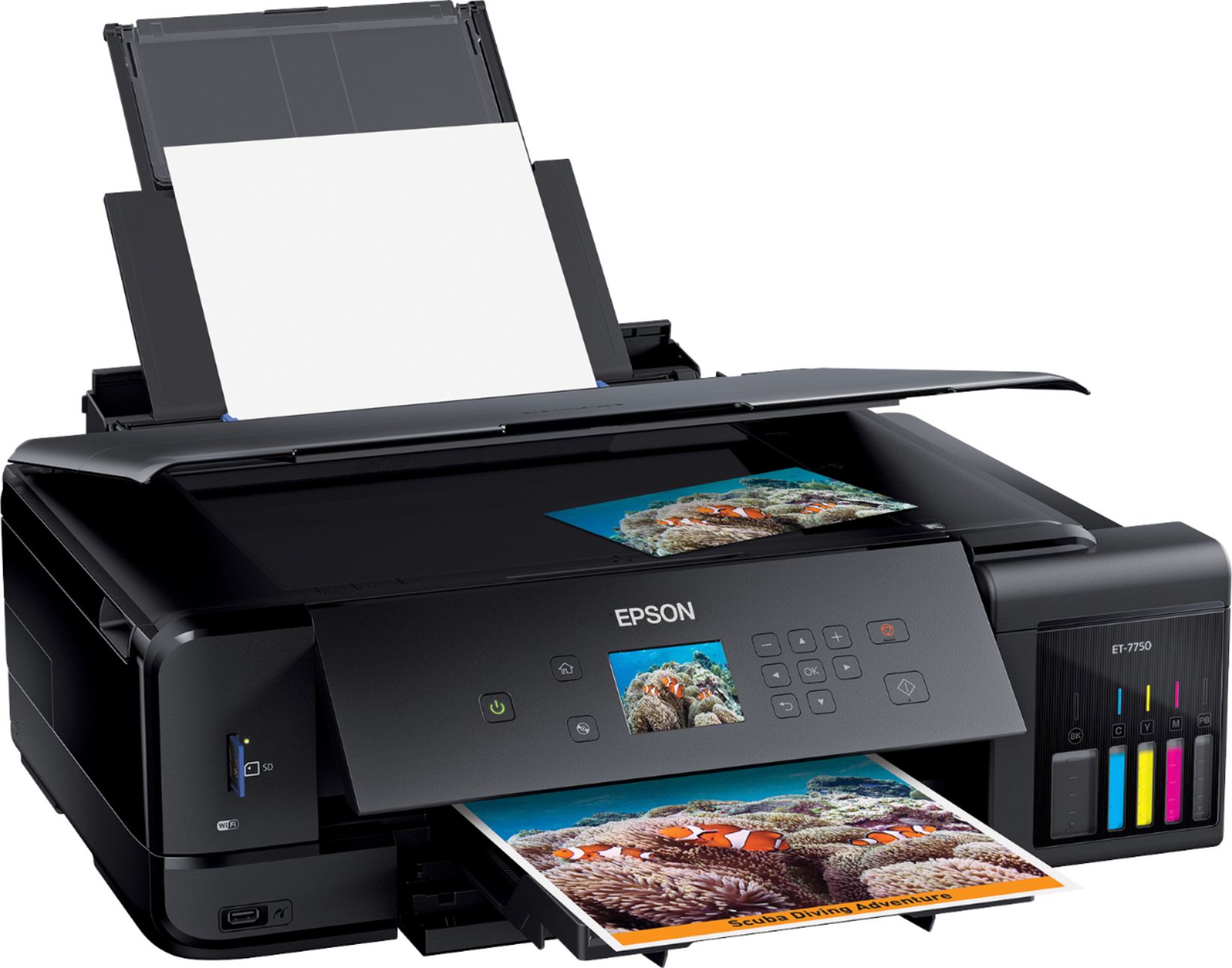
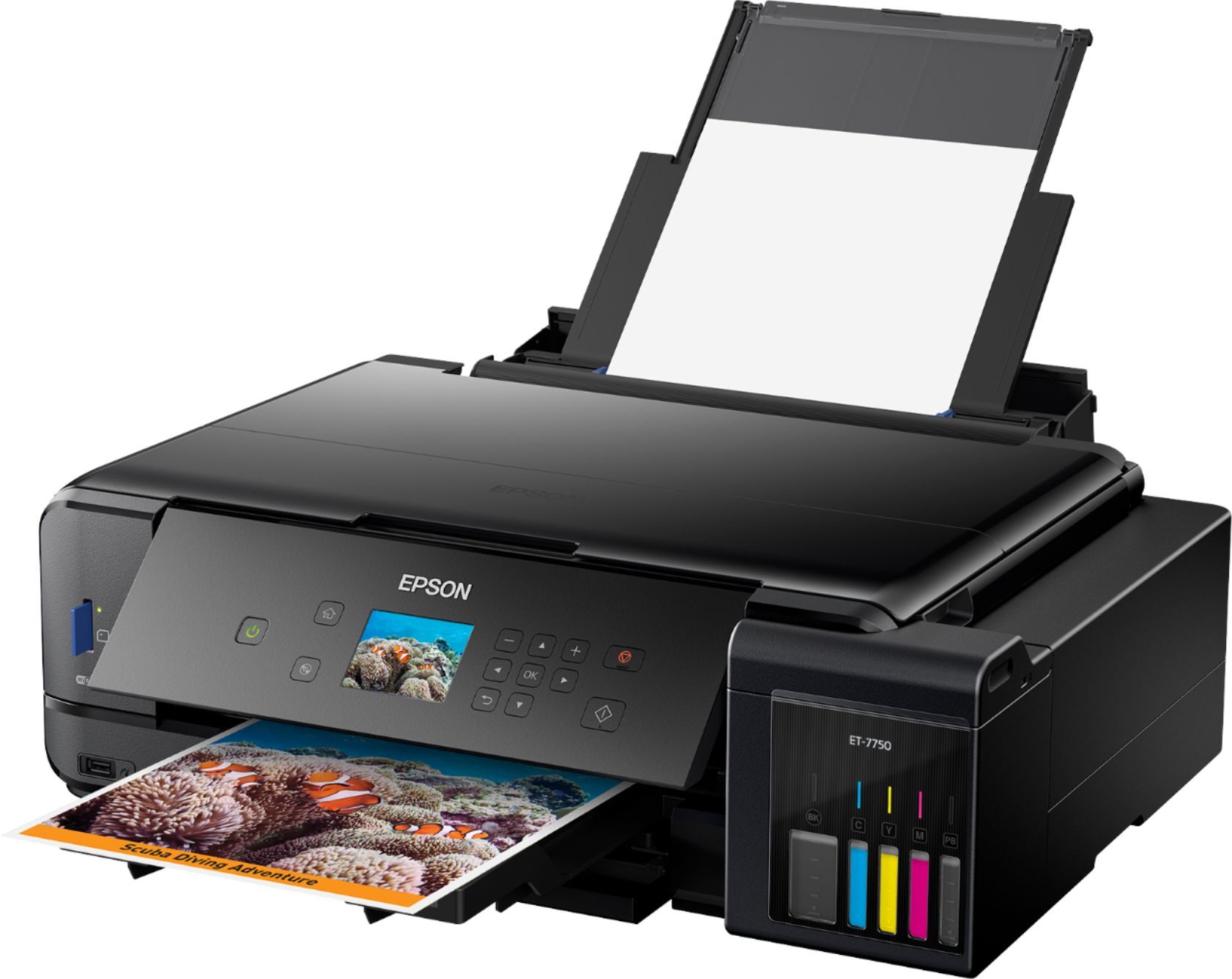
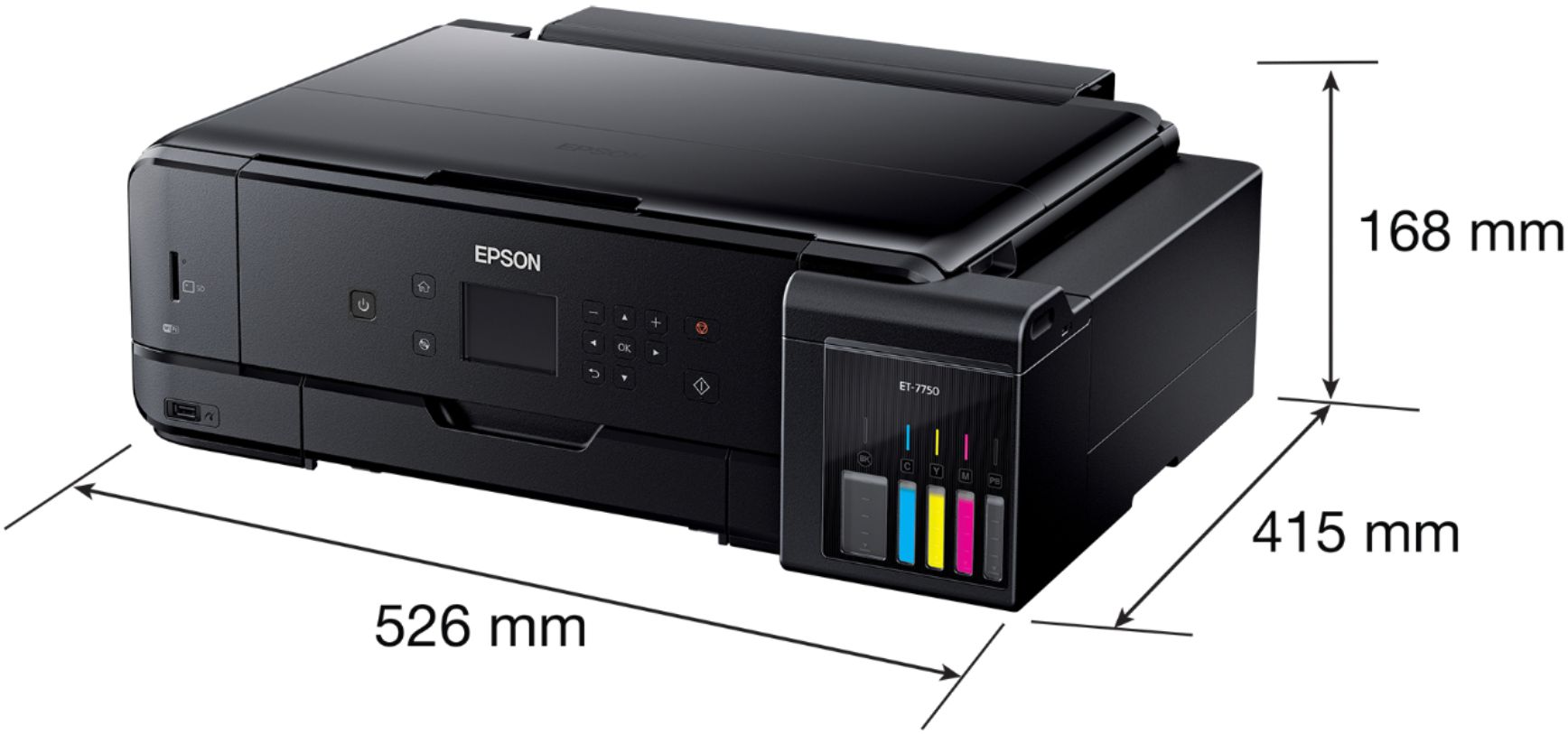
Posted .This reviewer received promo considerations or sweepstakes entry for writing a review.Having had an ET-3600 Ecotank printer for over a year, I'm sold on the general idea of the Ecotank printers. The amount of bundled ink is huge and if you print a moderate or large amount, the extra upfront cost of the printer is quickly offset by not having to buy ink cartridges. When I had the opportunity to try one of the latest models, I jumped at the chance to see what improvements Epson had made. My initial thought after the first filling of the ET-3600 a year ago was that it was kind of a nerve-wracking process. I was worried about spilling ink or putting the wrong ink in a tank (which would have rendered the printer useless). Epson has actually made some big improvements in this area with the ET-7750. The bottles now have special seals which reduces the worry about dripping, and more importantly, they are specially shaped so that you cannot put the wrong ink in a tank, so the whole process is significantly simpler now. Open a tank, open a bottle, line it up (ink wont come out until it's seated on the tank) and wait for it to drain. I initially missed a step in setup - the entire bottles of ink do not fit in the tanks; after priming the system you are supposed to finish off the bottles to top off the tanks. Overall, setup is not difficult, but it's not a quick process. After filling, it could take 30 minutes or more before you will be able to print anything. It takes several minutes to prime the system with ink and then you have the option to print print quality tests (you can skip them and do them later), and then you can go about setting up your connectivity and the software on your computer, which itself takes quite a bit of time. Once the printer is filled, there is not much "special" about the Ecotank system other than you will not have to buy ink for a long time. The printer cannot physically measure the ink remaining (it can only estimate), so as you use the printer you get lots of warnings to visually check the levels (looking at the little windows on the front of the tanks). This looks like a pretty large printer, because it can print up to 11x17" (technically, 11.7"x44"!), although if you consider the trays and duplexers that stick out of other printers, it’s actually quite compactly designed. It is nice that you can push the output tray in and push the display panel down for a nice clean look when you're not using the printer. The paper tray system on this printer is a big letdown. There is a dedicated photo tray which I appreciate, but it cuts into the height of the main paper tray so that neither holds very much paper. The trays feel a little flimsy and there is no chance of loading paper quickly. I had a paper jam that needed cleared and it was very difficult to fit my hand in there. There is a rear paper feed, but you have to remove the main tray to use it. The rear feed is needed if you want to print 11x17 size - the paper tray only accepts up to legal size (8.5x14). The output tray is not great either, kind of hiding under the control panel. I would have preferred the printer have another inch in height so that the trays could be larger. The tray for printing on (printable) CD/DVDs is normally stowed away under one of the other trays and needs to be inserted in a slot to use it. Some comments on general features: This printer does duplexing (automatic 2-sided printing) although I do not see it mentioned anywhere on Epson's product page. Scanning and copying are limited to 8.5x11”. The top cover is hinged across the middle so that it flexes when you open it and which I really do not like or understand the purpose of, but on the good side, the main hinge for the top cover is designed to accommodate scanning/copying thick materials. One of the things that appears new to the Ecotank line is proper photo printing. The ET-7750 has all the photo-related features you’d expect like a memory card slot, USB media port, dedicated photo tray, borderless printing, and photo black ink. Like all of Epson’s other printers, you have a lot of connectivity options and ways to print from various devices. Setting up the printer for printing on a Windows 10 pc is very easy (you do not need to install the Epson software if you just want to print). The Epson Scan 2 software needed for scanning is the less-capable version (compared to Epson Scan) but it does the job. You can scan directly to memory card, cloud services, or the computer from the control panel, which is pretty handy. Overall: If you can spend the money up front, the Ecotank printers will eventually save you a lot on ink, and the newest models are easier to fill than the previous ones. The ET-7750, while being relatively compact for a wide-format printer, is still large, and if you do not need the wide-format printing you could do just as well with the ET-7700. The major downside I find with this printer is the small, crowded paper trays. But, since the main thing I found lacking in the ET-3600 was lack of true photo printing, the ET-7750 is becoming my main printer. This is a review for the Epson Expression Premium ET-7750 EcoTank All-in-One Printer that I received free of charge to do a beta test and review.
I would recommend this to a friendTedious to use
||Posted . Owned for 6 months when reviewed.This reviewer received promo considerations or sweepstakes entry for writing a review.I do not care for this Epson. Prints are okay if you can get it to cooperate. Will be stuck with this expensive printer for probably next 10 years. At least, hat is how long the HP that I was replacing lasted....
No, I would not recommend this to a friend- Pros mentioned:Print quality
Large format printer and scanner
Posted .This reviewer received promo considerations or sweepstakes entry for writing a review.I previously had the Epson 2600 printer that has the same EcoTank technology. This printer took everything it learned from that model and made it better. The ink on these machines is cheaper than similar machines as the ink can just be poured into the holding tank. My issue with the Epson 2600 was that it was hard to tell when the ink tank was full and I ended up overfilling and getting ink all over me and the printer. The ET-7550 improved the design so that can no longer happen. The ink bottle is just placed upside down over the tank and it only leaves the bottle when its sitting on the printer, not only that but it stops filling the tank once it reaches the top line. Another issue one may have is filling the wrong color in the wrong tank and damaging the printer as the colors will always be off. The ET-7550 fixed that as every bottle only fits into the correct color so it's impossible to accidentally fill the wrong tank. The ET-7550 can scan and print on pages up to 11 x 17 which is larger than the standard 8.5 x 11 for the ET-2600. The ET-7550 also has a screen on it so it's easy to see what you are doing and to start scanning or printing from the machine. It has an SD card slot as well as a USB slot for easy printing without a computer. Personally I do most of my printing and scanning using the Epson mobile app as it's super simple to use and real quick to load. I printed photos on 4 x 6 and 8 x 10 photo paper and they all came out stunning. The scanner has a feature that allows the cover to displace up about an inch to make it easy to scan textbooks etc. Overall I am very satisfied with the printer. I like the software as well as the mobile app. The printing speed is ok though it's not laser fast. My only improvements I would like in the next version would be ADF for faster scanning of stacks of documents. A touchscreen on the panel would be nice also as I am so used to everything being touchscreen I am constantly tapping the screen instead of the buttons. This is a review for the Epson Expression Premium ET-7750 EcoTank All-in-One Printer that I received free of charge to do a beta test and review.
I would recommend this to a friend - Pros mentioned:Print quality
Good printer, with a few flaws
Posted .This reviewer received promo considerations or sweepstakes entry for writing a review.This printer replaced a lower cost HP printer that I had bought a few years back. One thing that is an added expense with a lot of printer manufacturers is ink costs. The HP printer was what I would call, ink hungry. Epson addressed this by giving you bottles for the ink (more on that later). After getting the printer, I went ahead and started getting it ready. There were a few times when I would say that the instructions were a bit confusing (once again, this had to do with the ink), but for the most part installation was pretty easy. Onto the ink - instead of giving you print cartridges, Epson ships this printer with two sets of printer ink. You need to go through a process of filling up the tanks. This is a bit stressful (you don't want to spill any ink) and then after it goes through it's calibration, you can hopefully add any leftover ink to the cartridges. I still ended up with leftover ink. So onto the pros/cons of the printer itself. Pros: - This printer prints well. The photo I printed looks pretty good - This printer is like a swiss army knife. I can print to it via Epson's tool, Google Print, or an e-mail address - The ink is supposed to last a long long time (I haven't had a chance to test that yet). - It updated it's firmware first thing - this is good, because it can get rid of problems that others have already found Cons: - The entire ink process is somewhat painful. And where am I going to store this extra ink (and how will I remember where it is?) - The entire paper path is kinda weird. You have to open up the printer so that you can have paper in the printer, and get paper back. - Parts of the printer feel flimsy. I worry about breakage (Again, I haven't had it long enough to know if this is a real issue or not. TLDR: Overall, I like this printer. It's got the geek friendly options that draw me, and will hopefully reduce on the ink costs of my family. At this point, I'd recommend getting one. In the interest of full transparency This is a review for the Epson Expression Premium ET-7750 EcoTank All-in-One Printer that I received free of charge to do a beta test and review. This in no way has altered my impressions of this printer, nor changed my review.
I would recommend this to a friend - Pros mentioned:Print quality
Epson ET-7750 is Practically Perfect in Every Way!
Posted .This reviewer received promo considerations or sweepstakes entry for writing a review.If you are looking for a printer that does everything, look no further than the Epson ET-7750 All-in-One Printer. It’s practically perfect in every way! I was a little overwhelmed setting it up but found it to be pretty simple. The only trouble I had was finding out where the output tray was to print the test pages. Once I found that I was able to complete the set up. Once I completed set up I was able to try the printer out and I am impressed! This printer is quite bigger than the other printers I have had in the past, but I was able to find a good place in my home where everyone has access to it. The Epson does more than print, scan and copy. You can print on DVD/CD, print photos, use your memory card to print and most importantly you can connect wirelessly and do all of this! I’ve been able to print wirelessly from my laptop, iPhone and iPad with no problems. The quality of the prints is fantastic! It prints more than just black & white and color it prints high quality photos as well. No more sending photos to the store to print and paying for them. I can do it on my own. Another plus is no printer cartridge is needed as it uses liquid ink. The printer comes with ink to last you 2 years! No more buying expensive cartridges that won’t last a long time. Plus, I found the ink system super easy to set up. Even though this printer is awesome there are a few things I would improve. The paper tray doesn’t hold as much paper as some of the previous printers I have owned. The output tray is hidden under the control panel which took me awhile to find during setup. Lastly the control panel leaves a lot to be desired. It’s small and not as high tech for a printer of this quality. The control panel reminds me of a simple printer I owned many years ago. Overall I am super impressed and have enjoyed testing out all the features the Epson ET-7750 comes with. This is a review for the Epson Expression Premium ET-7750 EcoTank All-in-One Printer that I received free of charge to do a beta test and review.
I would recommend this to a friend - Pros mentioned:Print quality
Works wonderfuly for printing pictures
Posted .This reviewer received promo considerations or sweepstakes entry for writing a review.I’ve tested a few products from Epson and I’ve never had to contact customer support. This time was different. I emailed customer support; I was having a problem getting it to install all of the way. It would get to a point in the install and it wouldn’t install a driver that I needed. I received a response to try a different driver, it was an older one but they felt it should work. It didn’t so I emailed the same person back and told him that it didn’t and that I had to get it working so I could finish the test. I never heard anything back. It’s been over a week. This morning I called customer support, he was a very patient man and told me step by step of different things to try. The printer and my laptop were in sync so it wasn’t that. He asked me if I had a firewall which of course I did. He told me to disable it, install the software and then turn the firewall back on. He even looked up the number for me to call. I did what he told me to do and it works perfectly! So far I’ve printed off well over 50 save the date cards for an upcoming wedding and they are perfect. Only 100 more to go. I would recommend this printer; it comes with 2 years of ink that’s included in the box. I’m sure it will last longer than that, I have the little brother to this printer and I’ve been printing things off for well over a year and I’ve barely made a dent in the ink. I do like this one better, the ink wells are located in the front which once you have it in place you won’t have to move things around in order to refill the ink. I would however suggest if you have a problem to call customer support, they are friendly and have you up and running in no time. “This is a review for the Epson Expression Premium ET-7750 EcoTank All-in-One Printer that I received free of charge to do a beta test and review.”
I would recommend this to a friend Useless
||Posted . Owned for 1 week when reviewed.This reviewer received promo considerations or sweepstakes entry for writing a review.I am a technical person, but I had a hard time to set it up and then also it would not except any paper and keeps on saying paper jam, even though there is no paper in the printer.
No, I would not recommend this to a friendBrand response from Epson
Posted .Hi Tejbir, we are sorry to hear that you are having issues with your Epson ET-7750 printer. Please visit https://epson.com/Support/Printers/All-In-Ones/ET-Series/Epson-ET-7750/s/SPT_C11CG16201#manuals for useful product information on optimizing print settings and avoiding paper jams. Your Epson includes free technical support for the life of your product. Our Epson Support Team would be happy to help you and can be reached at (562) 276-4382; Hours: Monday – Friday, 6am – 8pm PT; Saturday, 7am – 4pm PT. We appreciate your purchase, and we value your feedback. Sincerely, Christopher – The Epson Team.

Dont buy
||Posted . Owned for 1 month when reviewed.This reviewer received promo considerations or sweepstakes entry for writing a review.I just recently unboxed my brand new printer. First time putting ink in the printer. Doesn't want to print black now it's saying error 031006.
No, I would not recommend this to a friendBrand response from Epson
Posted .Hello AnitaRodriguez, we sincerely apologize for the issues that you've experienced during the initial setup. Your Epson ET-7750 is backed by a 1-year Limited Warranty and includes free lifetime tech support. Our Advanced Support Team would like to hear more about the Error 031006 and can be reached directly at 1-800-241-5794 between 7 am - 4 pm (PT), Monday - Friday. We hope to hear from you soon. Kind Regards, Bobby - The Epson Team.
- Pros mentioned:Print quality
As close to a perfect printer that exists
Posted .This reviewer received promo considerations or sweepstakes entry for writing a review.This printer defines the “Return” of “Return On Investment”. If you print from home or from the office, this printer will SAVE you money. From the moment you set this Epson up, and do your test prints, you too will be confident it is worth far more than they charge. The benefits of this printer begin with the unboxing. Immediately you will see (and feel) the high quality of the printer build. It is wide, but not tall. Unlike my other printers in this price range, it does not look obnoxious, but really adds to the professional look of an office, or home office. Setup takes a little bit longer than most printers. You must start by filling the extremely large ink tanks. The ink that comes with it allows for THOUSANDS of pages. No more refilling your ink every 3 months! The box includes everything you need to print on a regular basis for TWO YEARS. The Print quality is amazing. It is about as crisp and fast as laser printer. The scans are high quality, and what you hope for (but do not usually get) when you buy an all in one. You will not be disappointed in the scan or print quality. The mobile application exceeds their competitors, and I love using it for business receipts, etc. This printer is the first time I have ever said a printer has everything. It is easy to setup, amazing print quality, and best of all incredible ink technology. This is a must have for a home or small business. As an IT professional who has purchased dozens of printers, this is the one I will be buying from now on! This is a review for the Epson Expression Premium ET-7750 EcoTank All-in-One Printer that I received free of charge to do a beta test and review.
I would recommend this to a friend - Pros mentioned:Ease of use
Great All-in-One printer!
Posted .This reviewer received promo considerations or sweepstakes entry for writing a review.Epson Expression Premium ET-7750 EcoTank is a great All-in-One printer. It was super easy to set up, all the instructions were very clear and understandable. I was afraid at first to start loading the ink, which I thought will be messy, but actually it was very quick and not messy at all! I really love the wireless feature, I can print pictures right away, I don’t need to upload them to my computer, which is great. I was really surprised by the picture quality, which is excellent. I printed many photos with it, and the quality is better than I get in the photo printing offices. Scanner works great, very quick and scanned documents look very clear. One thing that I didn’t like about this printer was a small LCD screen, which made this printer look cheap. Less expensive printers that retail for around $100 have the same size and quality LCD screens. In my opinion, a printer which retails for more than $600, should not only perform, but also look good. Overall, this is a great All-in-One printer and I would recommend it to anyone. This is a review for the Epson Expression Premium ET-7750 EcoTank All-in-One Printer that I received free of charge to do a beta test and review.
I would recommend this to a friend It Really is a Wonderful Printer
Posted .This reviewer received promo considerations or sweepstakes entry for writing a review.This is my review for the Epson Expression Premium ET-7750 EcoTank All-in-One Printer. My biggest frustration with color printers are the ink cartridges. They are normally expensive, hard to find, and do not last very long. I have been the owner and user of multiple printers from multiple brands. Not many have impressed me. Some have disappointed me. A few have completely frustrated me. I have found it difficult to find a reliable printer that is easy to use, quick to recognize and install on multiple devices, and remain virtually maintenance free. This is one of those printers. Out of the Box The printer is packed tight and taped for maximum protection. As a result, I felt good about the condition of the product as I unpacked it. No issues getting it out of the box. Setup Preparing the printer for first time operation is easy and straightforward. It does require some extra time but not excessive. The Start Here Instructions are well written with plenty of illustrations to make the process easy to follow. Ink Fill The ink bottles are designed well for ease and to minimize mess. The ink fill procedure requires patience and careful attention but is not difficult. It is outlined step-by-step in the Start Here Instructions. Configuration Loading paper and final physical setup is easy. The LCD screen is bright and easy to read. Software configuration is one of the easiest on the market. You can download it from the internet or install from CD. You don't even have to install the software. If your PC runs Windows 10 or even Windows 8, the printer will be automatically found and configured as long as you have an internet connection. I even tried this on Windows 7 without issue. The same can be said for mobile devices such as iPhones and Androids. Easy and fast. Paper Loading Three ways to load paper with two cassettes and one rear load. The rear load feature is really nice for printing envelopes and other specialty type needs. Printing I have found the print quality for documents and graphics to be outstanding. Not quite on the level of a laser printer but pretty darn close. Print quality for photographs is exceptional and better than most printers within this class/cost range. The speed is acceptable. The ability to print 11" x 17" is a nice bonus. Scanning Scan quality is excellent with above average speed. Aesthetics and Build The look of this printer is pleasing to the eye. It is sleek and professional. It is well built and solid. Overall I have found this printer to be a quality product that is versatile in features and practical in design. I am able to produce professional documents and pictures with this printer without issue. It is worry free and reliable. The ink capacity and duration is remarkable. Having the ability to physically know with a glance the ink levels remaining is a great feature. I highly recommend this printer. It will not disappoint you. I am pleased to own it and use it on a regular daily basis. This is a review for the Epson Expression Premium ET-7750 EcoTank All-in-One Printer that I received free of charge to do a beta test and review.
I would recommend this to a friend- Pros mentioned:Print quality
Awesome Printer
Posted .This reviewer received promo considerations or sweepstakes entry for writing a review.This printer was super easy to setup, it went from box to printing in about 15 minutes. I'm very happy with the quality of the print outs. It is replacing an old HP and I can't believe how great pictures look when printed. I also have another HP that is about a month old and the pictures printed on this Epson are way better quality! My HP is going to be getting very little use thanks to the Epson. I'm so impressed with the amount of Ink that came with the printer! I love not having an ink cartridge! It's so awesome to just fill the tanks! Some improvements I would make: In a world of touch screens, it would be nice if this had a touch screen and large screen. When trying to print, when set to auto it wants to print to the rear feeder, not the cassette tray. I wish it would check and see there is no paper in the rear and then check the cassette and print. I had to cancel print jobs and resent selecting the cassette. I have set my printing default to the cassette. I also wish the cassette could hold more paper. Other than that this is an awesome printer! I'm very happy with this printer and I'm now a former HP fan, now an Epson fan! This is a review for the Epson Expression Premium ET-7750 EcoTank All-in-One Printer that I received free of charge to do a beta test and review.
I would recommend this to a friend - Pros mentioned:Print quality
Great Printer!
Posted .This reviewer received promo considerations or sweepstakes entry for writing a review.Overall when I look at a printer I look at 1 thing.... Does it print what I want? The Epson Expression Premium ET7750 EcoTank All-in-One Printer does exactly that. Documents, Photos, it handled everything I threw at it. Overall it was obvious that Epson took some time and some attention to detail to create this printer. That being said, this printer is a beast. If you're looking to replace a small/medium business office printer, this printer should be on your list. Awesomne Features: Duplex Printing! Airprint! Definitely fast. B&W was faster than other printers I've owned Photo Quality was awesome! The ink fill feature is the star here. I hope that Epson keeps the ET line going as this would revolutionize the inkjet space. Reminds me when places like OfficeMax started doing ink refill services. I hope this continues to change the industry as currently, this is a premium feature that seems to be offset by the cost of the printer itself. “This is a review for the Epson Expression Premium ET-7750 EcoTank All-in-One Printer that I received free of charge to do a beta test and review.”
I would recommend this to a friend - Pros mentioned:Print quality
Excellent printer for any home
Posted .This reviewer received promo considerations or sweepstakes entry for writing a review.This printer is amazing. We have started using the Epson printer and are pretty impressed with the quality. Initial setup was a breeze and didn't take very long to get going. The ecotanks are particularly interesting as they really do last a long time. I am curious to see how long we will go until we need to refill them. The touchscreen panel is really easy to use and it can stoy away when not in use. The printer can also print really great looking photos when you use photo paper. I really enjoy the scan feature that lets you scan any document into a PDF or JPEG directly to any computer on the network, you do need to set this up on each computer. The wireless connection is also really good compared to our old brother printer that would constantly need to be rebooted. I am very impressed with this product and would recommend it to anyone looking for a new printer. This is a review for the Epson Expression Premium ET-7750 EcoTank All-in-One Printer that I received free of charge to do a beta test and review.
I would recommend this to a friend - Pros mentioned:Print quality
Great Small Office Printer
Posted .This reviewer received promo considerations or sweepstakes entry for writing a review.This printer is replacing a good Canon all in one that has lasted me about 6 years in my home office. What a leap forward this printer is in that time frame. This was very easy to set up including the Wi-Fi. It has all of the features I look for in my home office printer. The scanner is a good quality and is fast and easy to use. The software was very easy to navigate as well on my PC. The print quality is excellent and I've been really happy with the quality it printed my photos. I know I've had spotty success with printing photos from home but this is by far the best quality that I've gotten at home. The eco tank is pretty straight forward and definitely is a nice edition to a printer. I've printed loads of photos and am yet to even use up all of the included ink. This is a review for the Epson Expression Premium ET-7750 EcoTank All-in-One Printer that I received free of charge to do a beta test and review
I would recommend this to a friend - Pros mentioned:Setup
Great Printer
Posted .This reviewer received promo considerations or sweepstakes entry for writing a review.This Epson Expression Premium ET-7750 Printer is an impressive printer! The copies come out crystal clear and are very professional looking. The pictures are crisp. The SD card slot for picture to print are amazing as well. This printer came in a huge box but the printer itself isn't quite as large. The set up was a snap and I really love the idea with the ink bottles versus the cartridges. I also love the ink viewer on the front to see how much ink you still have available, and the ink is reasonably priced. You can buy 1 individually or all the bottles. This printer fits with my busy lifestyle. I will give this printer a 5 thumbs up for anyone looking for a real good, professional printer. This is a review for the Epson Expression Premium ET-7750 Eco Tank All-in-One Printer that I received free of charge to do a beta test and review.
I would recommend this to a friend - Pros mentioned:Print quality
Epson Expression
Posted .This reviewer received promo considerations or sweepstakes entry for writing a review.This is the second Epson printer that I have tested and I will say probably the best printer I have used to date. The setup was a little time consuming but easy. I have never had a printer that used a tank system for ink but this is a huge plus, filling the ink was an easy process and having a way to clearly see the levels is nice. The quality of the print jobs is truly amazing and having three different trays for paper sizes with the ability to print to cd or dvd is a nice feature. Overall I really like this printer and would highly recommend it. Great print quality, easy to setup, and easy to use. This is a review for the Epson Expression Premium ET-7750 EcoTank All-in-One Printer that I received free of charge to do a beta test and review.
I would recommend this to a friend Such an amazing printer!!!
Posted .This reviewer received promo considerations or sweepstakes entry for writing a review.This Epson ET-7750 printer is one of the best printers I have ever used. I used this printer for 3 weeks and the easy to use features, quickness of printing and refilling ink process was so simple. The paper trays was a super nice feature, making me able to print different paper in each tray. The setup process is a breeze using the display screen. I do wish it was touchscreen or if the display was a bit bigger for the size of the printer, but still very useful. I thought putting in bottles of ink was going to be a messy process, but it was actually super quick and clean. Once the tank is full, you it stops and does not let you overfill the ink with the bottles. I was quickly able to setup wireless to laptops and mobile phones in household. The whole setup process took me about 25 minutes. After the initial setup, I was able to start using for business purposes, the printer was able to print pages quickly, didn’t notice much loading time at all. I briefly used the USB/SD Card Slots, which is standard on a printer. The scanning feature was up to par as other printers. My daughter needed to print a picture for a school project, which I was able to print from my mobile phone. The photos came out in high quality equal to a photo shop. This cost of this printer makes up for the money you will save on buying ink cartridges repeatedly. It comes with 2 years’ worth of ink! Which will save you in the end. In addition, no more clogged ink from cartridges. After using for 3 week, this is a printer I would recommend to family and friends. It is a bit bigger than the standard printer is, but the ease of less problems related to ink and the high quality output makes up for it to me. This is a review for the Epson Expression Premium ET-7750 EcoTank All-in-One Printer that I received free of charge to do a beta test and review.
I would recommend this to a friend