Customer Ratings & Reviews


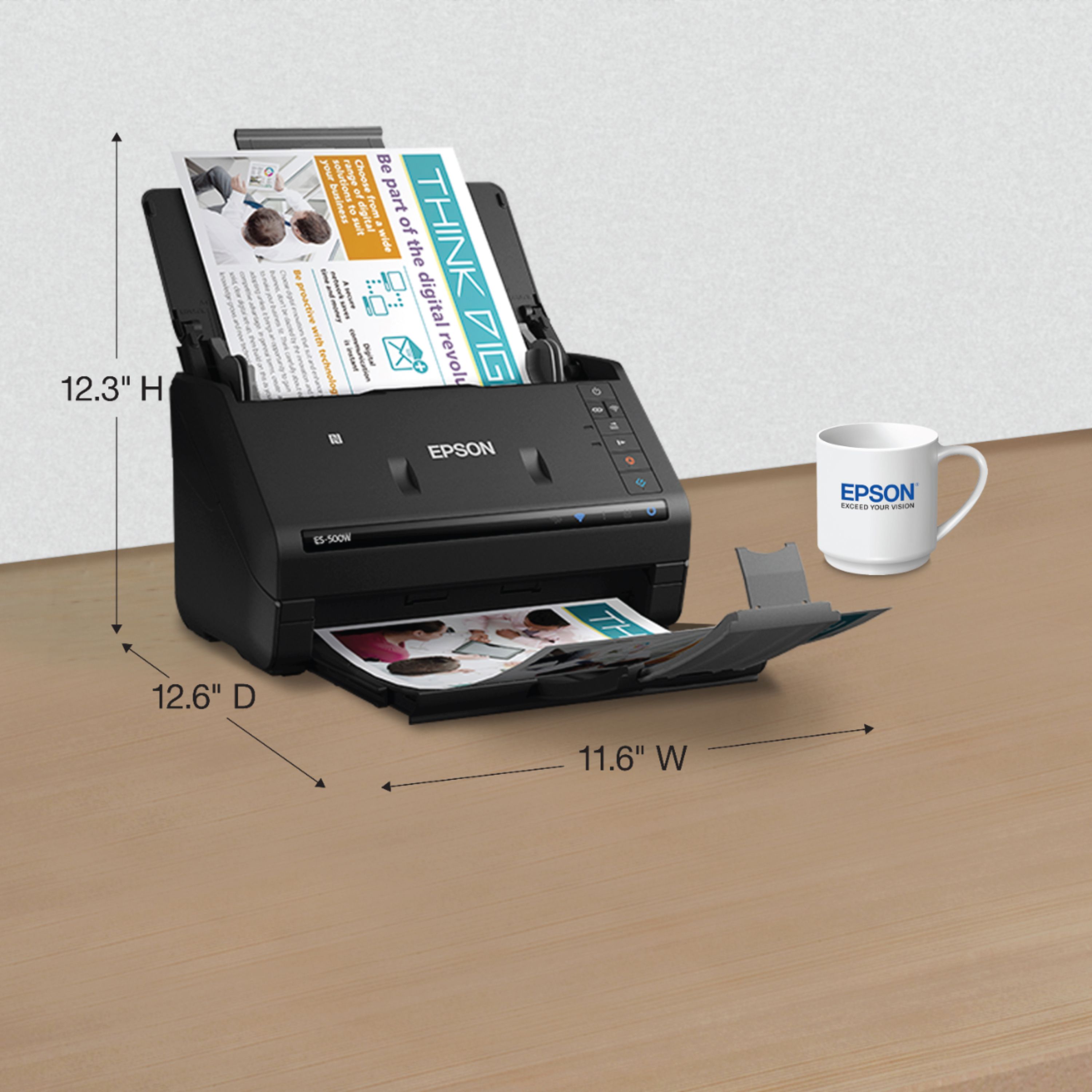

- Model:
- B11B228201
- SKU:
- 5689000
Rating by feature
- Value
Rating 4.4 out of 5 stars
- Quality
Rating 4.6 out of 5 stars
- Ease of Use
Rating 4.5 out of 5 stars
Customers are saying
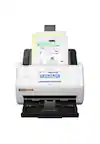
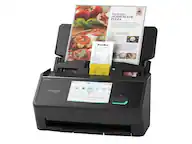
Customers have good things to say about the WorkForce ES-500W Wireless Document Scanner's ease of use, scan quality, wireless functionality, and compact size. Many appreciate the straightforward setup process and reliable performance. However, some users have expressed dissatisfaction with the provided software and occasional paper handling challenges. A few users reported issues with the scanner jamming, though this was not a widespread concern.
This summary was generated by AI based on customer reviews.
- Pros mentioned:Ease of use, Scan quality
Great Scanner for Anyone that Works at Home.
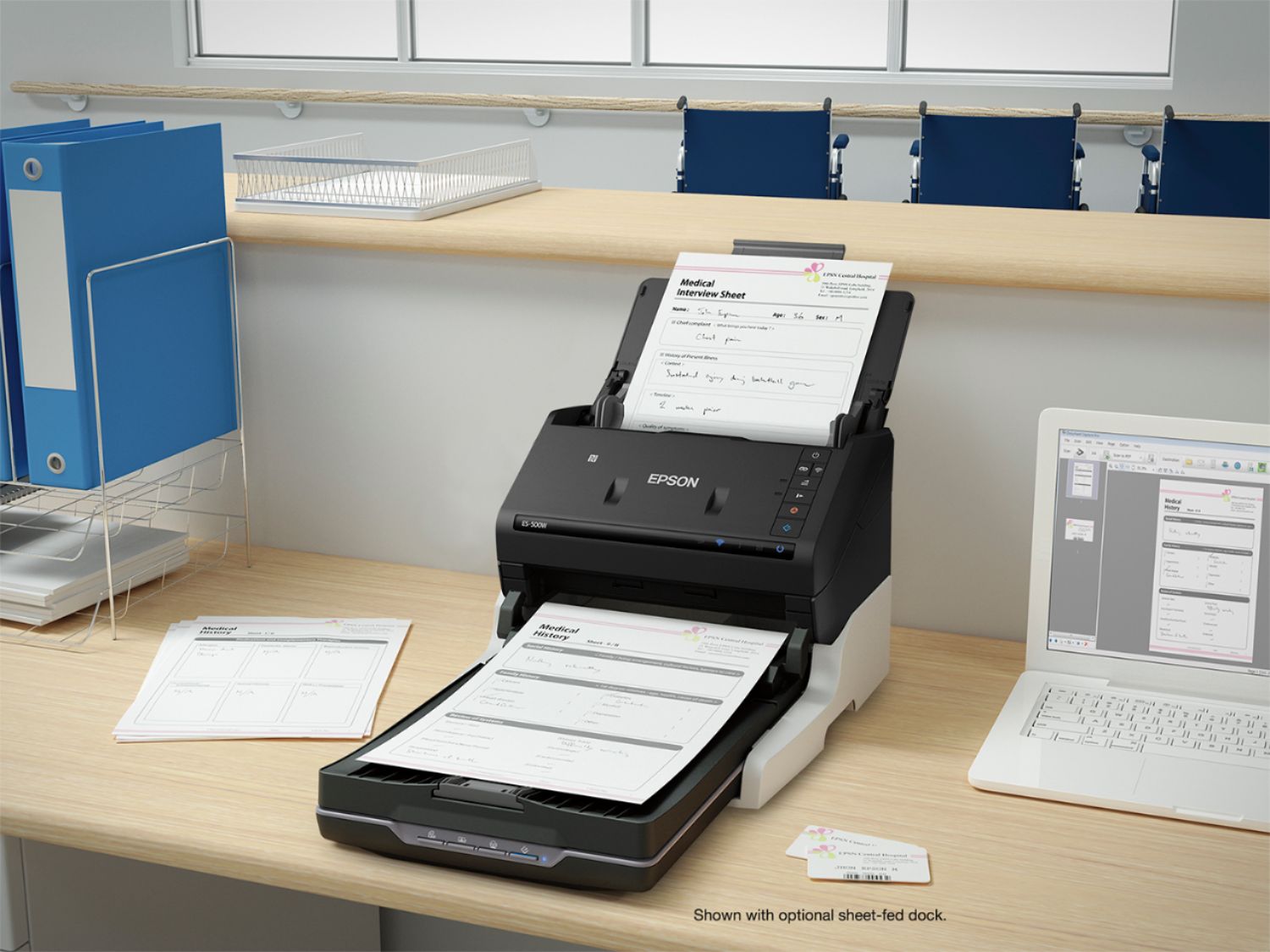
Posted .This reviewer received promo considerations or sweepstakes entry for writing a review.I work at home and having a good scanner can save me a lot of time by not having to always go into the office. The Epson Workforce ES-500W was very easy to setup. I personally like that it did not come with an installation disc as it is just as easy for me to go to the link it provides to download the software. It took about 20 minutes to set up fully, including downloading all the updates and drivers. I connected my scanner completely through the wireless method as it is going to be located in a different room than where my main computer is located. After setting up the scanner I tested out all the functions that I need to use for my job. It excelled on all of these tasks. The main thing I need in a scanner is something that is very fast with decent resolution. Most of the documents that I need to scan are text documents so I could set it to the lower resolution and it was very fast. With other scanners that I have used in the past it would take much longer. When I need to scan a high quality photograph it only took a few more seconds per page. I am also impressed that this scanner can copy both the front and back of your documents with one scan. I use Google Drive as my cloud storage for everything and it was very easy to save the documents I scan directly to it. I would highly recommend this scanner to anyone that is in need of a fast compact scanner. This is a review for the Epson ES-500W Wireless Duplex Document Scanner that I received free of charge to do a beta test and review.
I would recommend this to a friend - Pros mentioned:Speed
Very reliable and fast
Posted .This reviewer received promo considerations or sweepstakes entry for writing a review.I held off buying a document scanner for quite a while. I own two flatbed scanners that are great for photos and slides but I really wanted to make my home office paperless and the flatbeds are just too tedious for that kind of job. Many of the other scanners I considered had too high a percentage of negative reviews, some of them complained about feeding problems; definitely not what I want in a sheet fed scanner at all. So finally I came back to good old Epson. Yeah, I know they have been bought out but I remember the old dot matrix printers they sold years ago and they were pretty good and always a good price point. Bit the bullet and bought this scanner and I am very pleased. The only thing I really had a problem with was the wireless setup. The PC software install would fail every time even though it looked like it had configured the scanner correctly according to the lights. After trying on Windows I tried it on Mac and same thing. The strange thing was that the EpsonNet configure program saw the printer fine on both plaforms, I could ping it on the network (gave it a static IP address) and there weren't really any errors except when using the Epson Document Capture on either platform it would fail. So for a while I just used the USB (3.0 yay!). Turns out I needed to use the Epson Scan 2 program once on each platform, get that working, then the Document Scanner (Pro) worked fine after that over the wireless. I have to say that I am really impressed with the paper feeding. I have scanned a few thousand pages and only had two or three jams. And it even fed some old wrinkled receipts in without issue. On those few jams I had, it was easy to clear them out because there is a release that lets you get the stuck page out without pulling. I was able to clear it and resume my scan in each case. So now a few pet peeves. As some other reviewers have mentioned, when using it with the wireless you can't just put the document in the scanner and push the button. You have to put it in and click on the scan button on your PC/Mac. If you have it connected via USB, the buttons work fine and you can configure what they do from the software program. Probably not a big deal if your printer is close enough to the PC but would be a pain if you had to walk across the room to start your scan. If you scan lots of legal documents they scan through fine, but the document delivery tray is a little short so you'll have to leave the end stop folded down and the pages may not stack up perfectly or get pushed out by subsequent pages. Not a biggie for me but I did notice that. Finally, there are a few little grooves on the input of the feeder tray that sometimes catch on the edge of the paper when you're putting it in. More of a nuisance than anything else, just takes a little extra wiggle to make sure it doesn't catch sometimes. No, it doesn't scan directly to the cloud. But you can set the destination folder for scans to a folder on your PC or Mac that auto syncs to Google Drive, One Drive, DropBox or whatever else. I actually think that's better because you don't have to worry about upgrading your scanner software if your cloud provider makes changes to their API or something like that. On the positive side, the scanner is really fast when you use the Document Scan (Pro) program. I like to scan at higher resolution (600 dpi) but it's still pretty quick. If you don't care as much about looks and use 200 or 300 the thing really flies. When using the other bundled application (AABBYY Sprint 12) it didn't scan as fast. I opted to upgrade my AABBYY to the full version 14 because it does have some nice features but for just raw document scanning the Epson Document Capture software does fine and it's way faster. You can set up a job to automatically scan, OCR, and then save the file into a folder with date/time in the filename all in one operation. I'm easily getting rid of lots of old paper documents on my way to a paperless household. So overall I gave this product five stars because it really hits the mark on reliability, features and price point. It has a few little issues but they're not major. It does one job (document scanning) and it does it very well. I'm super glad I got this scanner. Looks like it will last me a while too, just noticed that you can get replacement roller assemblies for it if they wear out!
I would recommend this to a friend Terrible
||Posted .This reviewer received promo considerations or sweepstakes entry for writing a review.I would never buy another Epsom . Terrible terrible
No, I would not recommend this to a friend- Pros mentioned:Ease of use, Speed
EPSON ES500W REVIEW
Posted .This reviewer received promo considerations or sweepstakes entry for writing a review.This is a review for the Epson ES-500W Wireless Duplex Document Scanner that I received free of charge to do a beta test and review. The set up for me right out of the box was not as easy as the instructions explained it to be. I was able to download the software to my computer without a problem. However, I was unable to get the scanner to join my wireless network utilizing the easy set up option. The easy set up did not give me the error icon as it stated it would if wireless set up was unsuccessful. I tried twice and gave up on having it join my network. So I had to go the route of the USB hookup. The firmware updater via USB was unsuccessful on my first attempt. So I had to start that process all over again and luckily it worked on the 2nd try. Once the firmware was finally updated it was very easy to access their scanning program/application, Document Pro Capture. To make it easier for my I pinned it to my start menu applications screen. The document I used to test the scanning capabilities was a glossy party flyer I received on my car. The flyer background was black or dark brown with dark yellow/gold and white type. I was able to adjust the tray holders without issue to fit the flyer type, pressed the “scan” button, and the document slid through easily. I was able to save my newly scanned document easily in the location/folder of my choice. All in all it is a user friendly scanner and look forward to incorporating it more into my personal and business use.
I would recommend this to a friend - Pros mentioned:Speed, Wireless
Great Compact Scanner!
Posted .This reviewer received promo considerations or sweepstakes entry for writing a review.This scanner was really easy to set up on my network. The wireless feature is awesome! I am able to put the scanner next to my wireless printer and I don’t have to plug it in via USB like I did with my older clunky scanner. I love how the scanner closes down to become very compact, this is a great feature in my small office. The scanner is pretty fast and does a great job scanning multiple sheets. I use this scanner to digitize my documents that I use every day for my small business. There are a bunch of presets and you also have the option to customize the settings to fit your particular needs. Even though I have not had the scanner very long the build quality seems to be quite high and it seems very durable. I have used it to scan in business cards, documents, annotated documents, photos, and even receipts. Seems great so far and I look forward to using for years to come! This is a review for the Epson ES-500W Wireless Duplex Document Scanner that I received free of charge to do a beta test and review.
I would recommend this to a friend - Pros mentioned:Scan quality, Wireless
Excellent Product!!
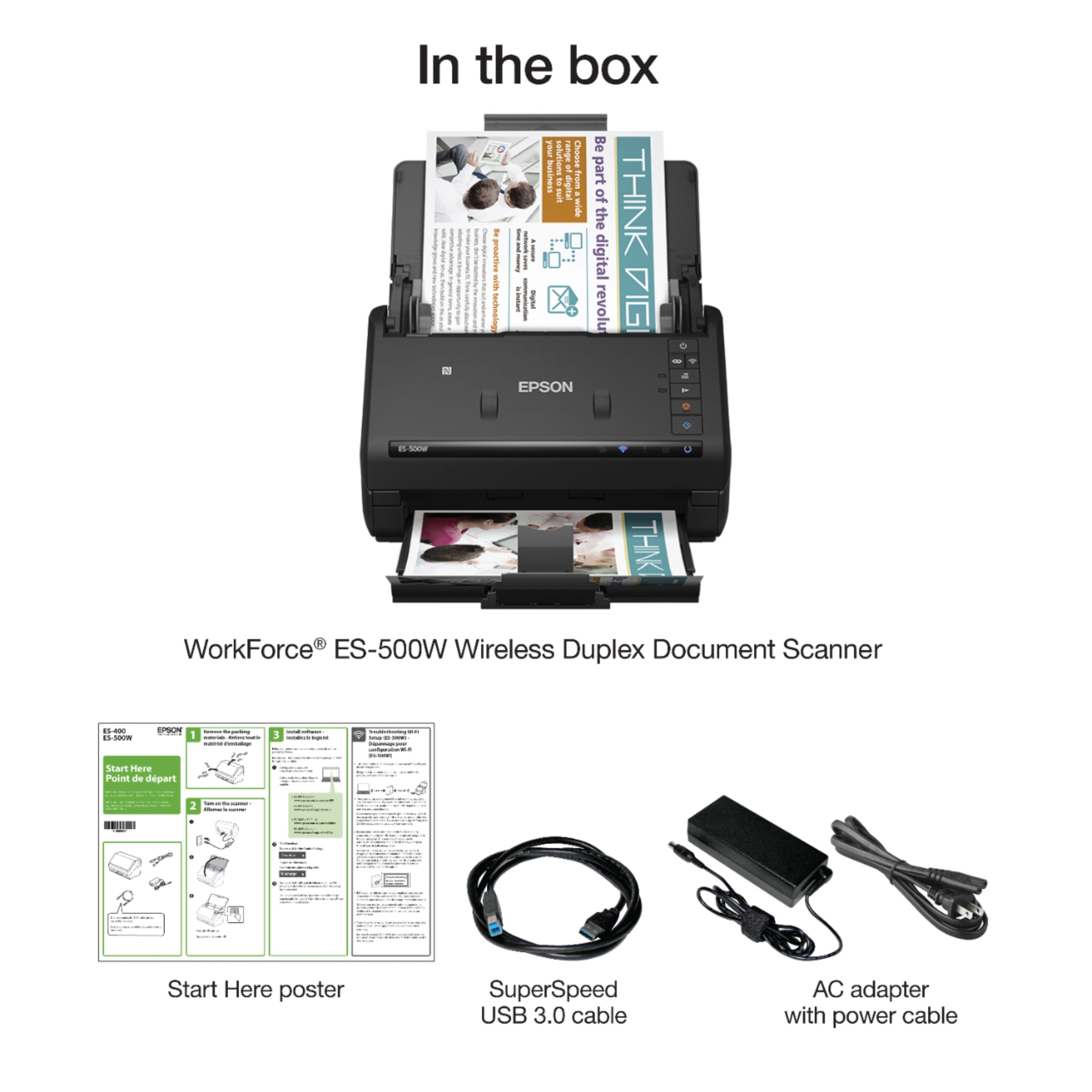
Posted .This reviewer received promo considerations or sweepstakes entry for writing a review.This is a review for the Epson ES 500W Wireless Duplex Document Scanner that I received free of charge to do a beta test and review. I have used previous scanners like the Fujitsu iX500, I love the fact that the Epson 500W is wireless. I can have the scanner in a different room of my house and I'm able to scan my documents and receipts flawlessly. The scanner didn't come with a CD installation, but the download instructions for the software were very clear and easy to follow. Download and set up was done in 15 minutes. I had the choice to use the scanner with the USB cable provided or wirelessly, for now I have decided to use it wireless connection. The speed and quality of the scanned images are great, I'm very pleased with this scanner. I strongly recommend this scanner for personal or business needs.
I would recommend this to a friend - Pros mentioned:Scan quality
Perfect Tool for Digitizing
Posted .This reviewer received promo considerations or sweepstakes entry for writing a review.If you're wanting to digitize your life and go paper-less at home or the office, this scanner is suited for the job. Setting up was a breeze. The instruction manual is easy to read. The user is able able to download an app and do the setup completely wirelessly, through a smart phone. I especially like the Google Drive setup. You will no longer have to scan to your computer, crop it, save it and then upload it to your cloud. It's all done for you. The quality of the scanned documents is superb. This scanner will definitely help those who wish to minimize, keep digital records and save time. This is a review for the Epson ES-500W Wireless Duplex Document Scanner that I received free of charge to do a beta test and review.
I would recommend this to a friend - Pros mentioned:Size, Speed
Fast and easy to use
Posted .This reviewer received promo considerations or sweepstakes entry for writing a review.This is a review for the Epson ES-500W Wireless Duplex Document Scanner that I received free of charge to do a beta test and review. The Epson ES-500W document scanner was easy to setup and use. I was able to download and install the Epson Android app on my phone and quickly and easily connect to the scanner with no problems. The first couple of pages that I scanned came out a bit crooked but all other pages after that were perfect. It would be great if the resolution were higher for scanned photos and illustrations but for documents, this thing is fast and reliable. It's speed and compact size would make it perfect for any home-office or small business.
I would recommend this to a friend - Pros mentioned:Ease of use, Scan quality
This is a review for the Epson ES-500W Wireless Du
Posted .This reviewer received promo considerations or sweepstakes entry for writing a review.I was offered chance to try a new scanner. I have used all kind of scanners.. Flatbeds, feed kind and all in one and never had one like this. I usaly have a disaster trying to get it installed to my computer, find a extra usb port for it to plug to and a place for all the cords. I want to tell you I never had a easier setup. It was easy to install the program and setup the scanner wirelessly. This product is so simple to use and the clarity of the pages scanned to the computer is remarkable. I never knew it could be so easy. I love it
I would recommend this to a friend - Pros mentioned:Ease of use
An excellent scanner
Posted .This reviewer received promo considerations or sweepstakes entry for writing a review.This is a review for the Epson ES-500W Wireless Duplex Document Scanner that I received free of charge to do a beta test and review. This scanner is excellent. It has many features, but it is very easy to set up and easy to use. It also has an awesome text enhancement feature, so even papers and documents that were formerly blurry become easy to read and see after being scanned. One very nice feature is the fact that I am able to scan many documents at one time. I have been used to scanners where you could only scan one document, so this is a nice change. The only gripe that I have is DOCX export seems to take a very long time, but that could be an issue on my end. I have been using this scanner as a student for uploading my old tests from all of my classes. This lets me have them at any time, anywhere instead of having to rely on my backpack. The scanner will also be of use to me for personal documents. I can now scan them, and have them available to me at any time I need them. All in all, this scanner is EXCELLENT. I would recommend to anyone, whether a small business owner or a student.
I would recommend this to a friend - Pros mentioned:Speed
Great scanner with a great overall performance
Posted .This reviewer received promo considerations or sweepstakes entry for writing a review.I have had this scanner for a little over a week now and I am very impressed with it. The speed at which it scans is blazing fast and will definitely help me to declutter my filing cabinet. With tax season upon us, it's great to be able to scan all my tax documents in virtually an instant. This is a great improvement upon my conventional scanner/printer combo which can take upwards of 30 seconds to scan as opposed to 2 seconds for this scanner. The only drawback (and only thing holding back 5 stars) is I had trouble connecting it to my laptop using the local wireless (not network) setup. I was able to connect to my phone through the app without issue and I was able to connect with my laptop through my network, but the local connection did not work for me. Overall, a great little piece of equipment that everyone should have. I can definitely see it making my life easier in regards to organizing my documents. This is a review for the Epson ES-500W Wireless Duplex Document Scanner that I received free of charge to do a beta test and review.
I would recommend this to a friend - Pros mentioned:Ease of use
Great scanner for a small office
Posted .This reviewer received promo considerations or sweepstakes entry for writing a review.This is a review for the Epson ES-500W Wireless Duplex Document Scanner that I received free of charge to do a beta test and review. Out of the box, the set up was very easy. There was very little to assemble and we were ready to connect to the scanner less than five minutes out of the box. In the office we have both Windows and Mac OS’. Set up and discovery for the Windows laptops was very quick and easy. For the Macs, to get started we had to download the scanner drivers. This was easy, but took a little time. Once we had drivers, we scanned for the scanner, but were unable to find it. Not much of a problem, we just had to power the scanner off and on. Once the scanner came back up we were able to connect to the scanner. Once we did this, scanning documents was fairly easy as well. Overall, the scanner is a good quality device and works very well for a small office. We are currently an office of five people. It is perfect for this number. However, if you start to scale upward, you will need a different scanner.
I would recommend this to a friend - Pros mentioned:Scan quality
Great Scanner
Posted .This reviewer received promo considerations or sweepstakes entry for writing a review.This is a review for the Epson ES-500W Wireless Duplex Document Scanner that I received free of charge to do a beta test and review. My first thought when unboxing this scanner was how am I going to set up the wifi without a screen to do it from. It was actually really easy to set it up. Paring it to my WiFi took less than 5 minutes. I found out that the scan quality was amazing. I scanned Photos and color documents and they lost absolutely no color. I also found out after playing with it for a bit that you can download an app for your smart phone and connect to the same WiFi and scan documents into your smart phone. That was really cool and came in handy for a school project where I had to scan in a map and show it to my professor. Overall this product was great and I would recommend it to friend and family. We use the wired version of this at work and I think that this works even better than the ones there.
I would recommend this to a friend Exactly what I wanted
Posted .This reviewer received promo considerations or sweepstakes entry for writing a review.This is a review for the Epson ES-500W Wireless Duplex Document Scanner that I received free of charge to do a beta test and review. That said, I've done my best to be as honest and unbiased as I can be. I have been wanting a scanner for my home office for some time, primarily to scan years of back financial records, as well as the occasional photograph I'd like to preserve digitally. I didn't have anything two-sided to scan, so I haven't tested that functionality. Nor did I have any interest in cloud-based on wireless scanning, so I didn't even try to set any of that up. Everything I'll talk about is based on connecting the scanner over USB to my 2016 MacBook Pro running macOS Sierra (10.12). Out of the box, the scanner is impressively small. Unpacking was easy (although there was a lot of blue tape to remove). No manual or software is included in the box, you have to download both. But all the cables necessary were included. I was hoping that my computer would recognize the scanner when I plugged it in and I would be able to use it with macOS's built-in scanning tools without having to install third-party software. No such luck. The software Epson provides is required to use the scanner. It was a 147MB download. It offered the option to automatically update, but being a cautious user, I declined. I verified that it didn't install any launch daemons or launch agents, only scanner plugins and applications. (I did have a component crash, but that only happened once, and it recovered without incident.) The provided software is quite functional, if not pretty (for example, the icons for the "Document Capture" app, the one I use the most, are quite low resolution on a Retina display). When I began to scan, my first reaction was "Wow, that's fast!" I scanned 50 legal size pages in less than two minutes. Performing OCR (which I've generally found to be accurate) took another three minutes. The resulting black-and-white PDF was 30MB. Document skew correction works, mostly, but OCR will have trouble with missing spaces in those documents. I have scanned upwards of 80 pages at once through the automatic document feeder with no incident, more than the claimed capacity. I'm happy to report that the automatic size detection feature of the software works well, correctly switching between legal and letter-sized pages; however, watch the output tray, sometimes it can cause pages to curl and fall of when you do. Also, jam detection works well, and after fixing the problem you can resume the scan without starting over or creating a new PDF. (Pages that are heavily creased, like bank statements, have more of a tendency to jam.) The few photos I've scanned have come out beautifully at 600 DPI. In fact, the scanner picked up dust that I couldn't even see by eye! I had to carefully clean them to make sure the scan had the clarity I wanted. Naturally a 600 DPI scan is a bit slower than the 300 DPI scan I used for paperwork. I've also scanned a few receipts and business cards and it did exactly what I wanted. Other remarks: - Scanning blue-and-white tax documents to black-and-white with OCR worked flawlessly. - It takes about 15 seconds to become ready to scan after pressing the power button. It appears to be searching for the (absent) wireless access point. - When turned on but idle, it consumes about 8 watts. When turned off, it still consumes about 1.6 watts (about $2 worth of electricity per year where I live).
I would recommend this to a friend- Pros mentioned:Speed
Lightning fast and accurate
Posted .This reviewer received promo considerations or sweepstakes entry for writing a review.“This is a review for the Epson ES-500W Wireless Duplex Document Scanner that I received free of charge to do a beta test and review.” Setup for this scanner over Wi-Fi could not be any easier, plug it in, press the Wi-Fi on button, turn on your laptop, and follow the prompts. What you get once it's set up is impressive. I work for a large corporation that scans documents for every patient we see and the scanners the company uses pale in comparison. I have tested the scanner with plain text as well as full color documents and the speed and accuracy is consistent. No product is perfect and plastic cards have proven a challenge to scan but I don't have much use for that application. If you need to scan documents quickly, and accurately with no fuss then this is your scanner.
I would recommend this to a friend Great scanner for home office use
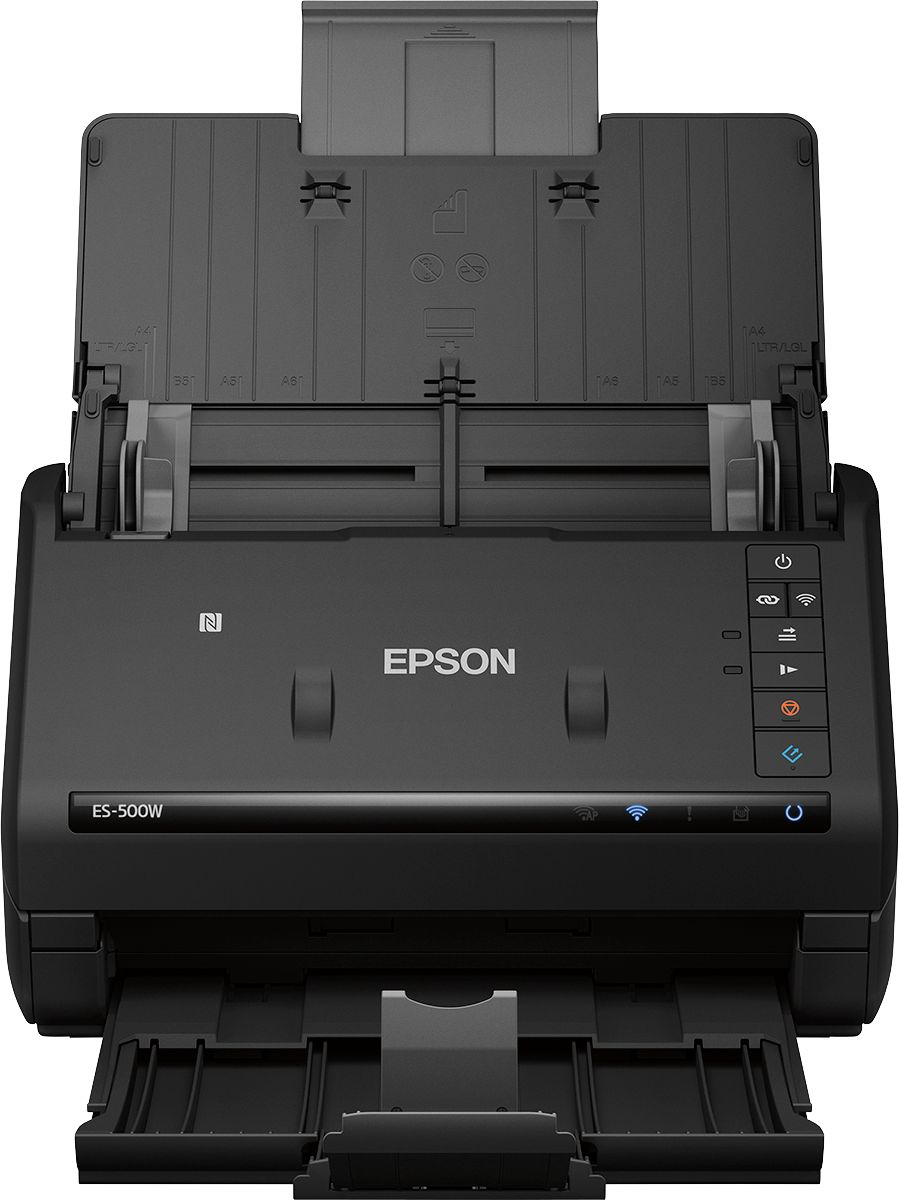
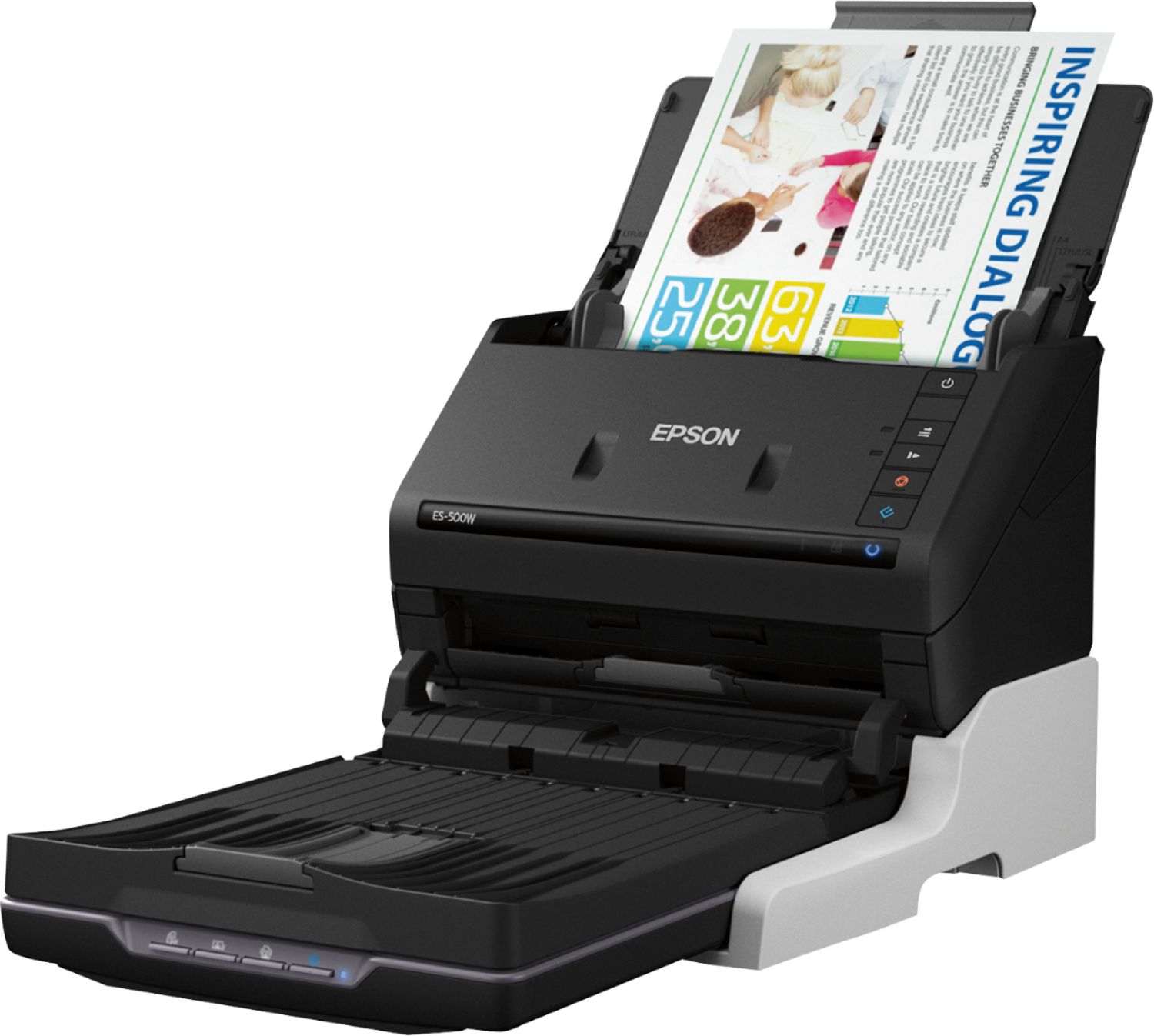
Posted .This reviewer received promo considerations or sweepstakes entry for writing a review.This is a review for the Epson ES-500W Wireless Duplex Document Scanner that I received free of charge to do a beta test and review. When I got notice that I was chosen for the review, I was relieved that I would be able to scan, store, and archive all of the paperwork associated with our Health Savings Account and not need to keep paper backups beyond a year. The best part of this scanner is the double-sided scanning. With just a single path, both sides of the paper get captured, which means that you do not need to scan the pile of paper (up to 50 sheets at a time), flip them over, and send them back through the scanner to get the other side. Having a smaller scanner that can sit on a smaller area of a tabletop is much better than having to pull out the Epson photo scanner every time we need to scan a document in. Without auto document feed, it becomes cumbersome to do more than one or two sheets at a time. This scanner is compact when folded, unobtrusive when opened to 'ready' mode. The paper trays for both input and output fold up to cover portions of the scanner so it protects the paper path from dust and other foreign debris while stored. For higher volume users, having user-replaceable rollers is a major asset as it allows for consumers to do most of the major maintenance on the scanner negating the need of a costly & time consuming service call for roller or paper path cleaning/repair. The software was not provided in the box, but Windows users are directed to the Epson site to download the driver/application software bundle from there. Windows 10 did initially recognize it as a scanner, but the proper driver was installed once the Epson package was downloaded and ran. Document Capture Pro as well as a couple of Epson branded utilities are provided to ensure that scanning items into PDFs or other archival types such as .tiff or .jpg is a painless process. Setting up and configuring the software packages to run with this scanner was quite easy & required little to no configuration. The default scanning presets should be more than adequate for almost everyone's usage scenarios. I have not configured the scanner to sit on my wireless network for multiple PC access just yet, but that is a capability worthy of further exploration. Overall the scanner has made a very positive impression on me and I will hope to enjoy years of use from it.
I would recommend this to a friend- Pros mentioned:Wireless
Epson ES-500W
Posted .This reviewer received promo considerations or sweepstakes entry for writing a review.This is a review for the Epson ES-500W Wireless Duplex Document Scanner that I received free of charge to do a beta test and review. My favorite part of this scanner is that it is wireless. My old scanner was not, so I would have to hook my laptop up to it and sit on the floor while scanning. This is so much more convenient. I also like that it's Mac and PC friendly because I have both types in my home. The setup was a little challenging for me, but maybe I'm not very tech savvy. You can scan directly to Google Drive, which is a huge plus for me. Overall I definitely recommend the Epson SW-500W for anyone looking for a quality scanner.
I would recommend this to a friend Fast, Efficient and Small Footprint!
Posted .This reviewer received promo considerations or sweepstakes entry for writing a review.One of the best scanners for a home office one can buy. The Epson Workforce ES-500W has a wonderfully small footprint which gives me back some of my desk space. I appreciated that there wasn't a setup disk included which meant less waste. EPSON is a friend to the 'earth' in this respect. The instructions are very clear. The setup is simple and quick. It took me about 15 minutes to unbox and the ability to scan. Everything from tiny register receipts, pictures, flyers and legal documents scanned extremely well. The quality on everything scanned was fantastic. Some items were almost impossible to distinguish which one was the original. I am very impressed. EPSON Workforce ES-500W can easily process and I'm able to leave a stack of up to 50 documents of various size and both sides. Yes, it is duplex! Sending documents to my cloud storage was a breeze and the ability to scan searchable PDF's makes this machine even better! Setting up Google drive was very fast. This scanner is truly a game changer when it comes down to home-office equipment. I am more efficient with my time since I've started using it. This is a review for the Epson ES-500W Wireless Duplex Document Scanner that I received free of charge to do a beta test and review.
I would recommend this to a friend- Cons mentioned:Jamming, Software
Poor Features & Technical Support
Posted .This reviewer received promo considerations or sweepstakes entry for writing a review.I replaced a Fujitsu S1500 because it would no longer work with Apple 64 bit OS. I bought the Epson based on the features, overall reviews and price. The Epson does scan well, does not jam, but lacks features the Fujitsu had. The Fujitsu allowed for continuous scanning of multiple documents (not pages), opening a separate window for each one once the scan was complete. I could scan more than 20 different documents, one after another, then when finished scanning save each one. The Epson allows me to scan multiple documents, but when finished and ready to save it treats the as one, instead of individual ones. I worked with a support person who admitted there was a flaw in Epson's software and told me it would be escalated to resolve the problem the end of March and he would get back to me when that happened. As of today it has not been fixed and I never received any additional feedback. Very disappointed with Epson's lack of concern for their customer's satisfaction. I posted this same review on Epson's website, but they never display it.
No, I would not recommend this to a friendBrand response from Epson
Posted .Hi photoguy88, we're sorry to hear about the disappointing experience you've encountered with our support team. Epson takes into consideration all feedback to improve the performance, quality, and support of our products. We will forward your feedback to the relevant department. Please give us another chance to help by calling our Advanced Support Team directly at 1-800-241-5794; Hours: Monday - Friday, 7 am - 4 pm (PT). We appreciate your time and look forward to your call. Kind Regards, Bobby D. - The Epson Team.

Was Expecting More for the Price
Posted .This reviewer received promo considerations or sweepstakes entry for writing a review.This is a review for the Epson ES-500W Wireless Duplex Document Scanner that I received free of charge to do a beta test and review. I was expecting more out of this... Thought it would at least be able to print besides scan. By the looks of it, it looks like a laser printer/copier it is not. The ES-500W does good at what it does, scanning and saving documents and photos at a very hefty price. It really would save time for double sided documents as it scans both sides at once cutting time in half not having to flip and rescan. The Epson scanner would be great for home business or any other types of businesses. Saving written documents or papers filled out by others. For the average user like me.. I think this would be great for scanning paycheck stubs, any medical records or personal documents you don't want to lose. I could see someone with family albums that pictures were developed and do not have any digital backups this would be great for. You could remaster the pictures with a photo editor and make a slideshow, PDF or just for basically backing them up as image files. Wireless setup is absolutely frustrating with the ES-500W. I had better luck using AP wifi mode and connecting in to the scanner instead of trying find it with your pc/router. Yes, I had WPS enabled and UPnP. Not to blame this on the scanner, it could be windows 8.1,the AC router and USB adapter I have.Just make sure you write down the SSID and the Password on the back of the printer, so you can click into the AP network and enter the password. Since this can't print I really don't see the use of the wifi. You would be better off just using the USB cable. The wifi would be beneficial if you need documents sent to your phone or tablet instead of just your computer as it has the capability to save to anything it is connected to using the correct software or internet storage service. Overall, for business use the Epson ES-500W is extremely practical for storing important documents providing a digital document file instead of just a physical paper file. Could be practical for a home business user depending on the amount of physical documents handled and still provides some functionality for the average user.
No, I would not recommend this to a friend