Customer Ratings & Reviews
- Model:
- GCS2HU
- |
- SKU:
- 6237764
Customer reviews
Rating 4 out of 5 stars with 36 reviews
(36 customer reviews)to a friend
Customers are saying
Customers express satisfaction with the 2-Port KVM/HDMI/Audio/USB Switch for its easy setup process and reliable performance. They appreciate that it works well with standard keyboards and mice, making it compatible with various devices. However, some users have reported experiencing occasional monitor flashing issues.
This summary was generated by AI based on customer reviews.
- Pros mentioned:Usb
Rated 3 out of 5 stars
Works well enough
||Posted . Owned for 2 months when reviewed.This reviewer received promo considerations or sweepstakes entry for writing a review.I bought this KVM switch for its HDMI ports when a lot of others have VGA or are very expensive. I use a wireless Microsoft mouse and keyboard combo with a single USB dongle, and it works fine. However, I still need both USB cables plugged into the computers or else I'll get lagging in the mouse cursor. One problem I have with it is that if I have the mouse cable plugged in when I turn on my computers (either of them), they freeze at BIOS startup. I have to unplug the cable and power cycle the computer. It also can cause the other computer to turn back on after putting it to sleep. These problems are a little annoying, but I've managed to make it work.
I would recommend this to a friend Rated 4 out of 5 stars
Is working fine, fast so far
||Posted .This reviewer received promo considerations or sweepstakes entry for writing a review.The one thing I would say is, as this is the first HDMI-format KVM switch I have tried, I have nothing to compare it against. I am using it mainly to switch between a Windows 7 desktop with a pretty good graphics card, and a brand new laptop running Windows 10. No issues on the Windows 10 side, but sometimes there is a lag issue on the desktop side with the video. Using with an Acer monitor that is four years old. Audio and K/M response time have been great. In the worst case scenario, I have had to unplug the HDMI cable on the desktop and plug it back in, but that has been infrequent. Usage is about 12 hours a day, 5-6 days per week.
I would recommend this to a friend- Pros mentioned:Ease of use, Reliability
Rated 5 out of 5 stars
Great Product!
||Posted . Owned for 10 months when reviewed.This reviewer received promo considerations or sweepstakes entry for writing a review.I have been using this KVM Switch for a while now and it's been working like a true champ! I've really been enjoying being able to quickly/effortlessly switch back and forth using my keyboard and mouse with both my work computer and my personal computer. Having only one keyboard and one mouse is very nice, especially since I have only one keyboard/mouse tray in my home office desk. I highly recommend this product because it has always seemed very good quality.
I would recommend this to a friend Rated 3 out of 5 stars
Okay at first...
||Posted .This reviewer received promo considerations or sweepstakes entry for writing a review.Initially this product worked great… But recently I am having issues with the monitor flashing to black for about 2 seconds and then back on. This can happen every 10-15 seconds or so at times. Very annoying. Not much help on Iogear website. Works better if 2nd computer is turned off. A little disappointing.
No, I would not recommend this to a friendRated 4 out of 5 stars
If you need a KVM switch, it works
||Posted .This reviewer received promo considerations or sweepstakes entry for writing a review.Doesnt work with RGB keyboards/mice. Was a bit of a let down. Does work with a standard keyboard/mouse
I would recommend this to a friendRated 5 out of 5 stars
Solid, simple, does the job
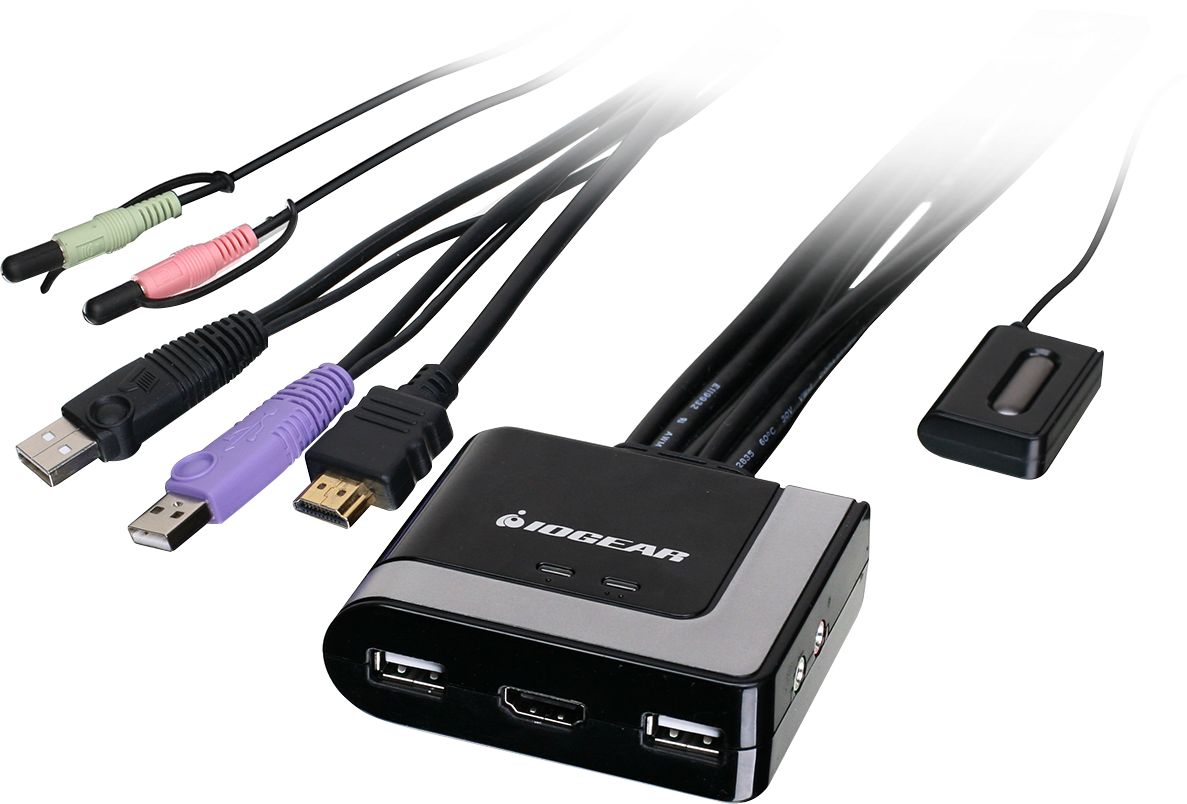
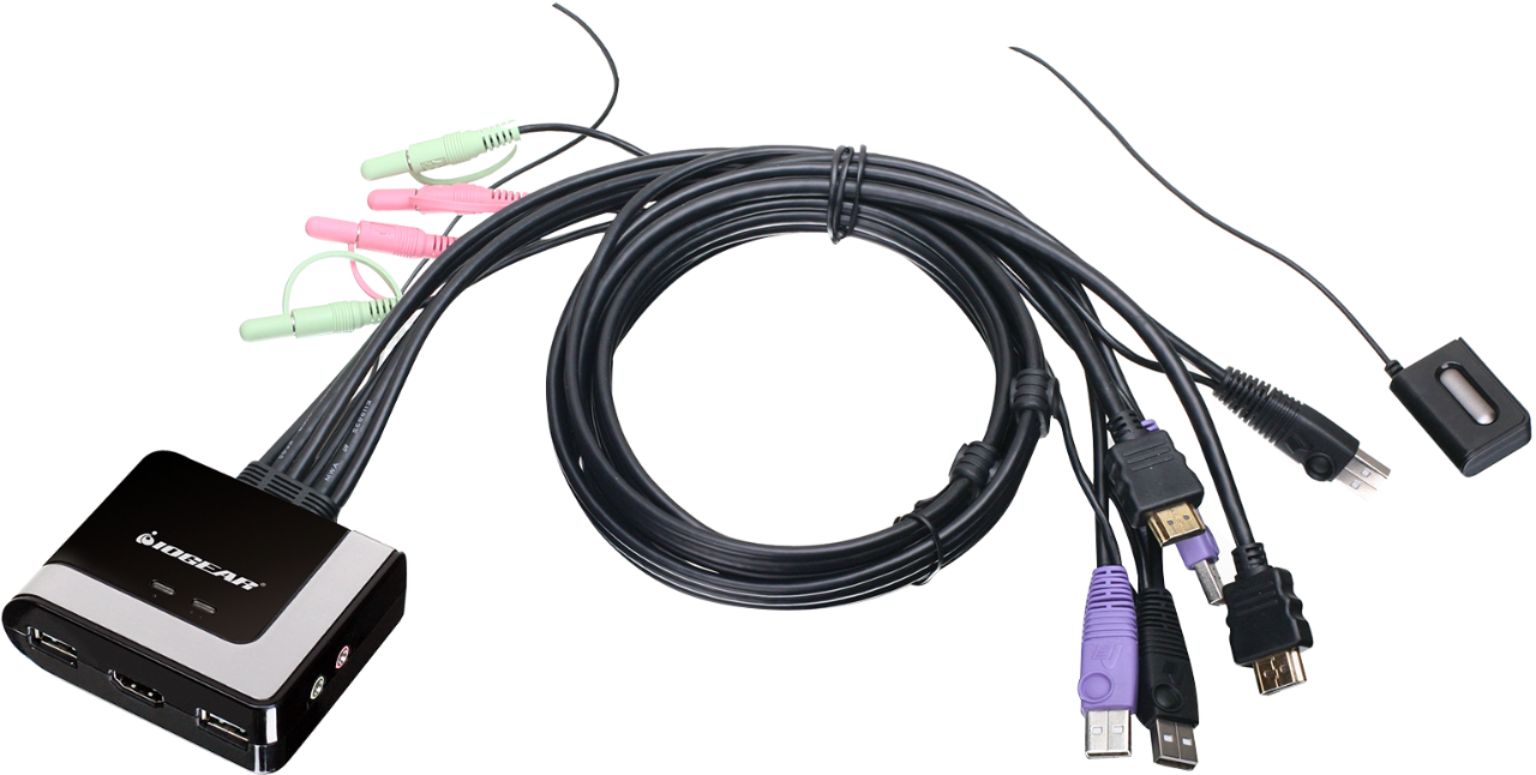
||Posted .This reviewer received promo considerations or sweepstakes entry for writing a review.I use the IOGear switch to connect my keyboard, mouse and monitor to both a regular PC (running Windows) and a Raspberry Pi (running Linux). The switching is seamless, with less than 2 seconds needed for the other machine to come up. The main body of the switch has clear icons for where each device needs to go, so setup is as easy as it could be. I'm actually using a smaller Mac keyboard so I'm sure any USB keyboard will work. (NOTE: I have *NOT* tested it on a Macintosh computer.) The cables that reach to the machines are quite sturdy and of decent length (I think about 5 feet, but I haven't measured them). The button to change inputs is also on a fairly long cable (about 6 feet), so you can hide the switch itself and still have access. However, the switch has nice LED indicators that tell you which machine ("1" or "2") is active, so if you have very similar machines (say, a dev and production machine similarly configured) this indicator light could help. The button to swap between machines is fool-proof. Just push to switch. Even younger kids would have no problem using this, so it's perfect for a parent's machine/kid's machine setup. You could even label the LEDs so they know it's on the right machine. The stability of this switch is key here -- I had three kids age range 5-8 at one point using another switch, which frequently crashed or froze the mouse. A major pain. There is NO additional power supply needed. I was very nervous about other cheap switches that some reviewers said were blowing out their motherboards when attaching external power, but there is no need to worry about that issue with the IOGear. Bottom line: This is a solid little switch that just works. No need to spend hundreds on a simple switch, but don't cheap-out, either, or you may risk your hardware.
I would recommend this to a friend- Pros mentioned:Ease of use
Rated 5 out of 5 stars
What Can I Say
||Posted . Owned for 1 week when reviewed.This reviewer received promo considerations or sweepstakes entry for writing a review.Works great, Able to use mouse, keyboard, monitor and audio with 2 CPU. Good price, easy to switch between computers.
I would recommend this to a friend Rated 4 out of 5 stars
Generally works well
||Posted . Owned for more than 2 years when reviewed.This reviewer received promo considerations or sweepstakes entry for writing a review.Aside from an occasional audio glitch (which may be coming from one of the computers itself) I haven't had any issues
I would recommend this to a friend- Pros mentioned:Usb
Rated 5 out of 5 stars
Worked right out of the box.
||Posted . Owned for 3 weeks when reviewed.This reviewer received promo considerations or sweepstakes entry for writing a review.Plugged in HDMI and audio to two computers, one mouse, keyboard, and HDMI to the monitor and it worked. Previously had tried with a different KVM switch that failed to work using VGA (this KVM uses HDMI). Tip: If your screen turns off each time you close a laptop lid, make sure you don't have some type of battery saver mode on that is effectively switching you between "plugged in" and "battery" modes.
I would recommend this to a friend - Pros mentioned:Ease of use
Rated 4 out of 5 stars
KVM Switch
||Posted . Owned for 1.5 years when reviewed.This reviewer received promo considerations or sweepstakes entry for writing a review.I use this to switch from my laptop to me desktop and still be able to use the same keyboard, mouse and monitor.
I would recommend this to a friend - Pros mentioned:Ease of use
Rated 5 out of 5 stars
Easy to install
||Posted . Owned for 1 month when reviewed.This reviewer received promo considerations or sweepstakes entry for writing a review.I had to bring my work computer home, and for space reasons, I needed to combine my home and work computers to one monitor, mouse and printer. This did the trick, and was quite easy to install, being that I am not that technologically inclined, I had it up and running in minutes, and I love it! Press one little button and it switches right over to the other computer.
I would recommend this to a friend - Pros mentioned:Ease of use, Reliability
Rated 5 out of 5 stars
Simple tech that simply works
||Posted .This reviewer received promo considerations or sweepstakes entry for writing a review.Easy to install with color coded cables. Easy to use and very reliable.
I would recommend this to a friend Rated 3 out of 5 stars
Meets most needs but no mouse functionality
||Posted . Owned for less than 1 week when reviewed.This reviewer received promo considerations or sweepstakes entry for writing a review.Very convenient to be able to switch between machines but my mouse will not function at all. Using a Logitech G300s mouse and while it lights up, it is not recognized at all by either machine. Keyboard and monitor function well at least and it isn't too awful to need two mice at my desk... just not ideal.
No, I would not recommend this to a friendRated 4 out of 5 stars
Must have for dual use of 4K
||Posted .This reviewer received promo considerations or sweepstakes entry for writing a review.Needed faster access to my 4K monitor from 2 computers. This device fills the bill so far
I would recommend this to a friend- Pros mentioned:Reliability
Rated 4 out of 5 stars
Not too bad
||Posted . Owned for 3 weeks when reviewed.This reviewer received promo considerations or sweepstakes entry for writing a review.Not so easy to figure it out. Quality is fine. Just do your research.
I would recommend this to a friend Rated 3 out of 5 stars
Does the job but is a mess
||Posted .This reviewer received promo considerations or sweepstakes entry for writing a review.Bought this to connect two computers to one monitor using one keyboard and mouse and to easily switch back between the two. It does that very nicely. However the cables are quite lengthy with additional plug ins I didn’t need and looked like an absolute mess so I returned it.
No, I would not recommend this to a friend- Pros mentioned:Ease of use
Rated 5 out of 5 stars
Easy to use and works great
||Posted .This reviewer received promo considerations or sweepstakes entry for writing a review.I highly recommend this 2 port KVM. It has a switch to click to go back and forth between the computers. Unlike other 2 port KVM where you have to enter a combination of keyboard keys. It also has a light to indicate which computer you are working on.
I would recommend this to a friend - Pros mentioned:Usb
Rated 5 out of 5 stars
Works great
||Posted .This reviewer received promo considerations or sweepstakes entry for writing a review.I have two computer towers and Space for 1 screen keyboard and mouse, this device allows me to use both computers with a click of a button.
I would recommend this to a friend - Pros mentioned:Reliability
Rated 5 out of 5 stars
It actually works!
||Posted .This reviewer received promo considerations or sweepstakes entry for writing a review.This is the first KVM switch that I have purchased that actually works reliably. I bought it for a customer and they haven’t complained and I’m so happy.
I would recommend this to a friend - Pros mentioned:Reliability
Rated 2 out of 5 stars
Inconsistent
||Posted .This reviewer received promo considerations or sweepstakes entry for writing a review.Not happy with this switch. I have a desktop and laptop connected with a few peripherals connected to a hub that is in turn, connected to the USB port on the switch. It worked three days out of the 5 I used it. My desktop would only recognize the display every once in a while. Now I have a simple hdmi switch and separate usb switch and works much faster and has not failed me.
No, I would not recommend this to a friend