Customer Ratings & Reviews


- Model:
- U112020
- SKU:
- 10202358
Rating by feature
- Value
Rating 4.4 out of 5 stars
- Quality
Rating 4.4 out of 5 stars
- Ease of Use
Rating 4.4 out of 5 stars

Verging on greatness, massively hobbled by the app
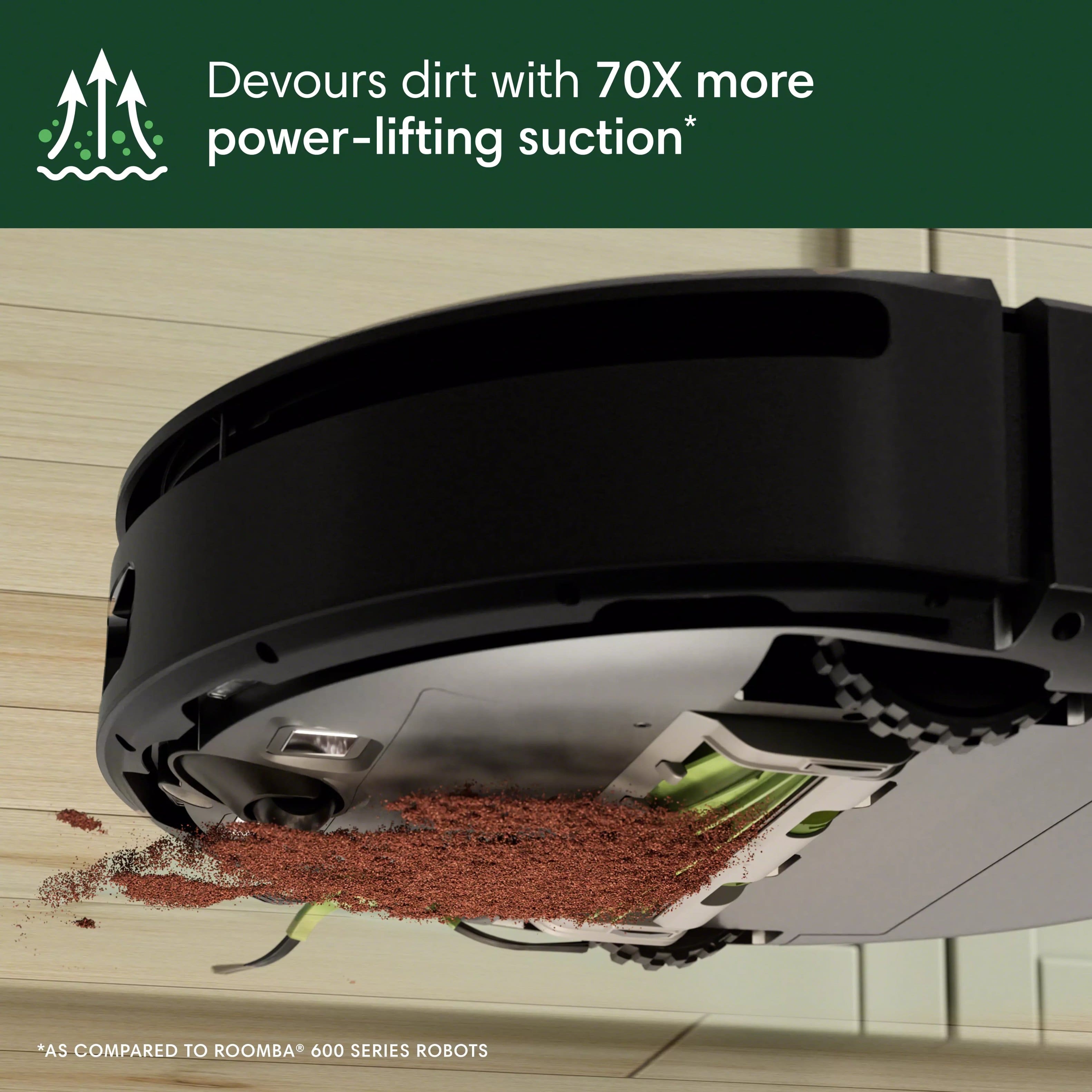
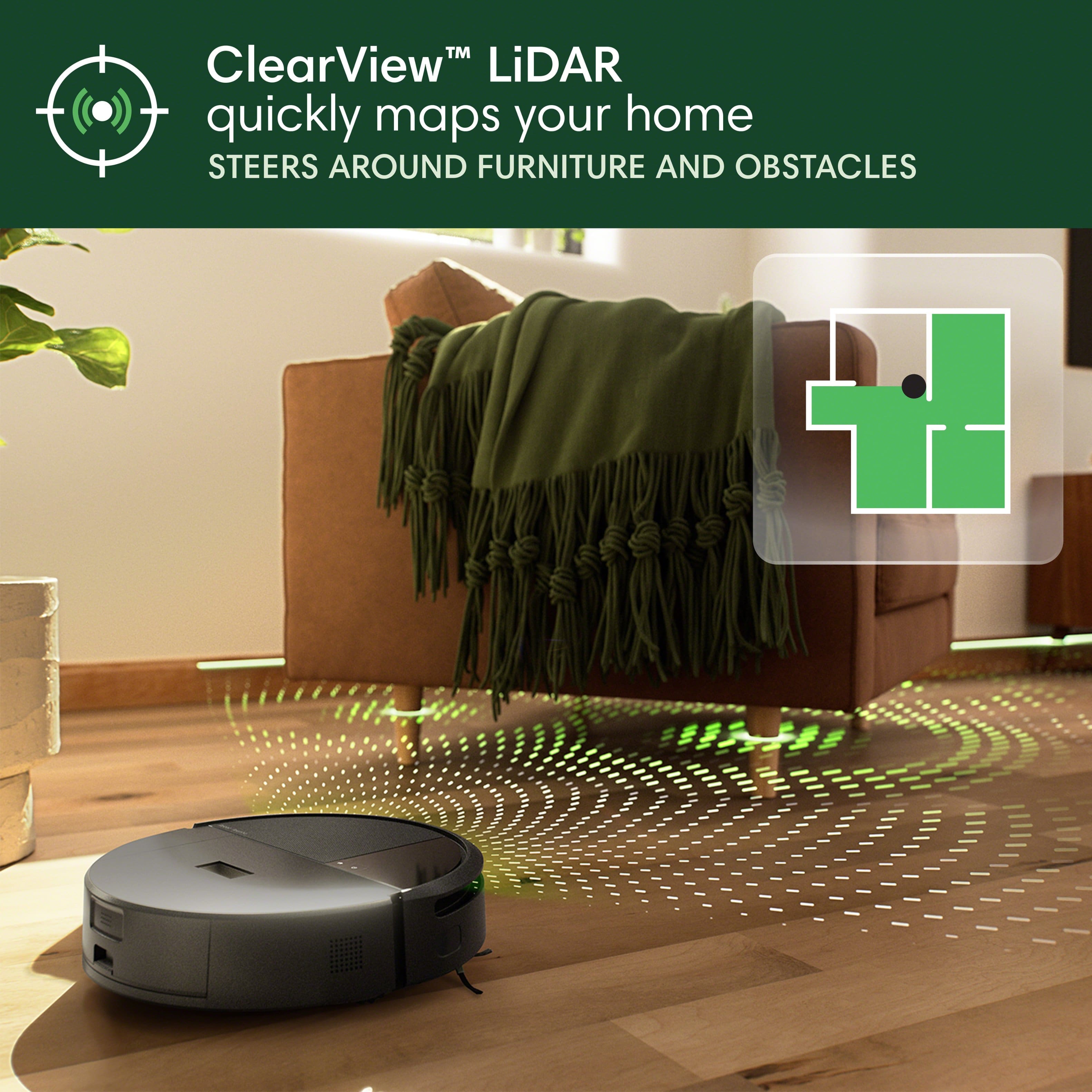
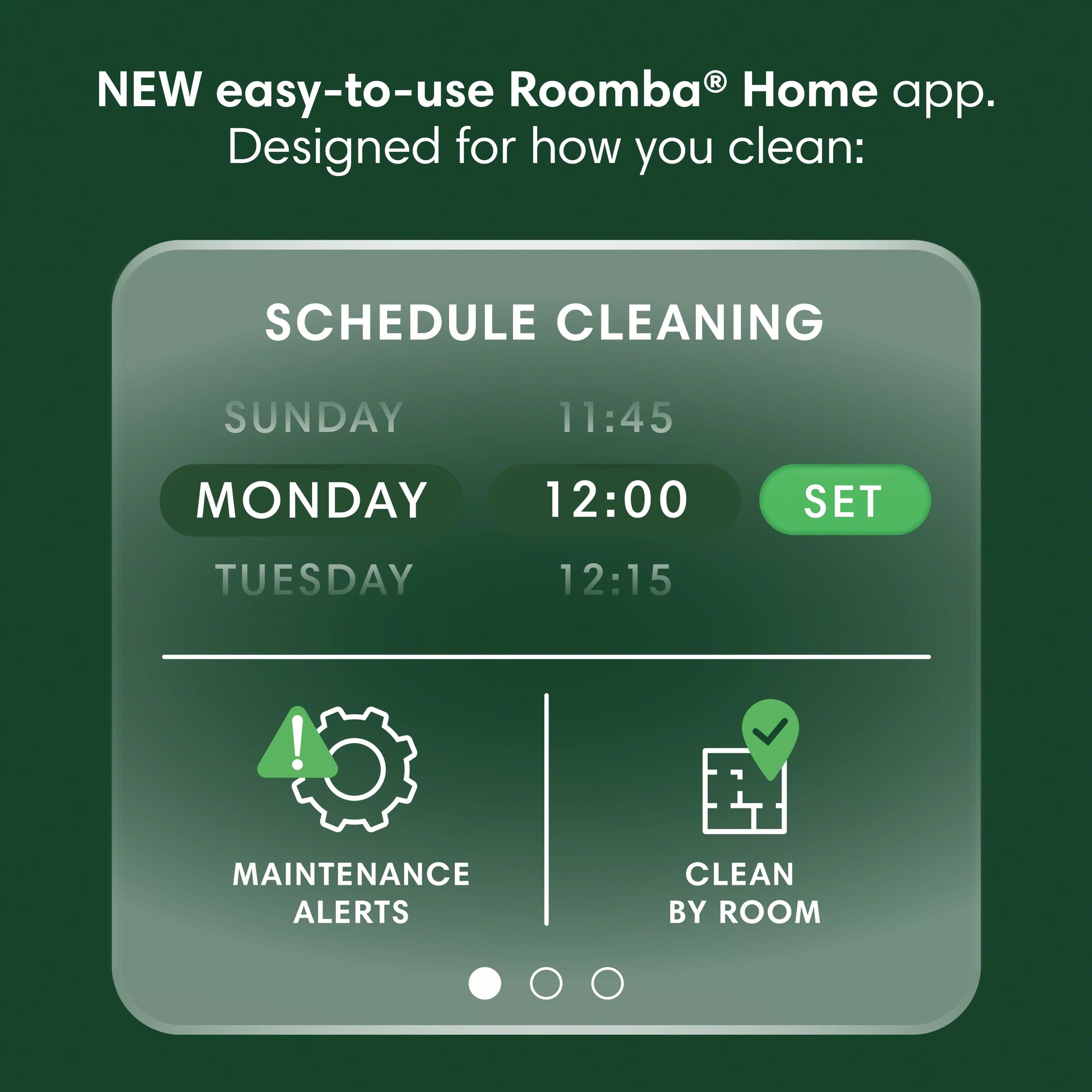
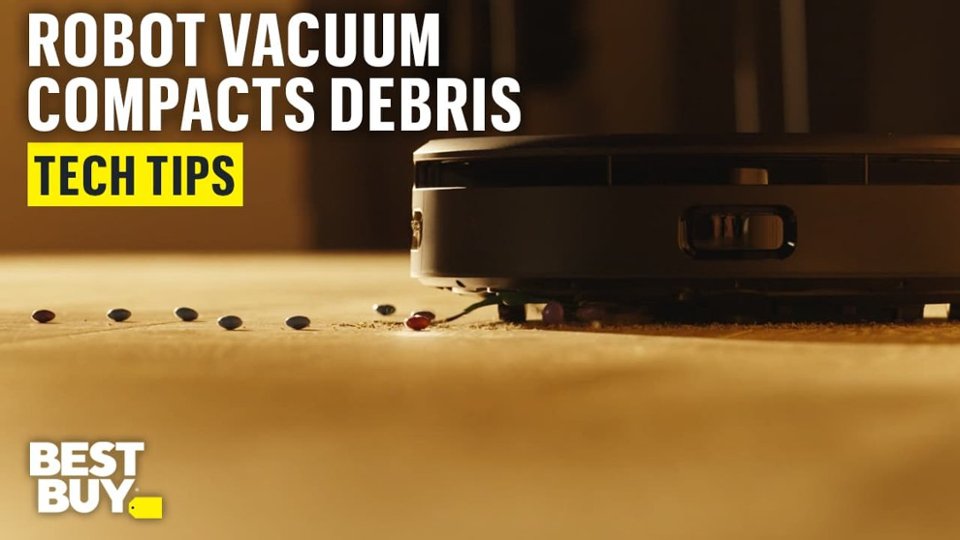
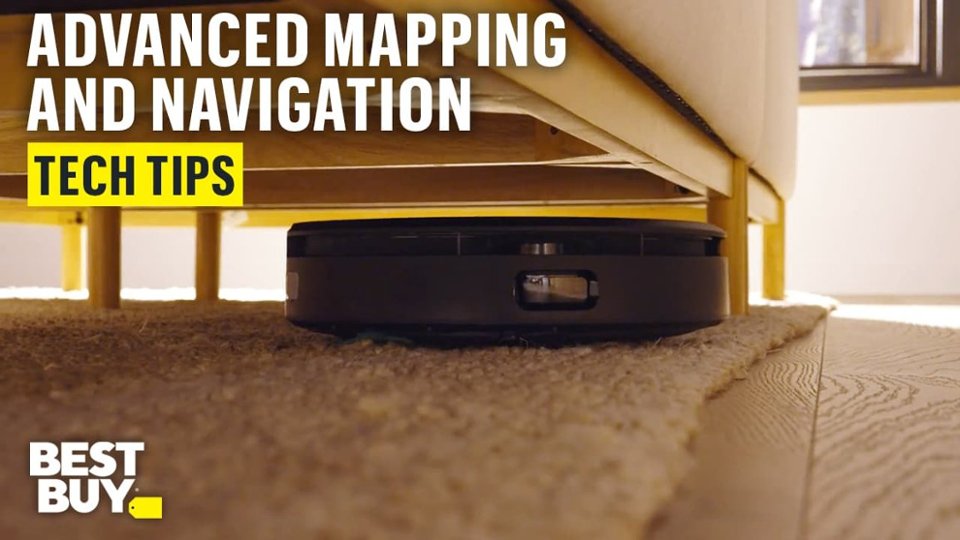
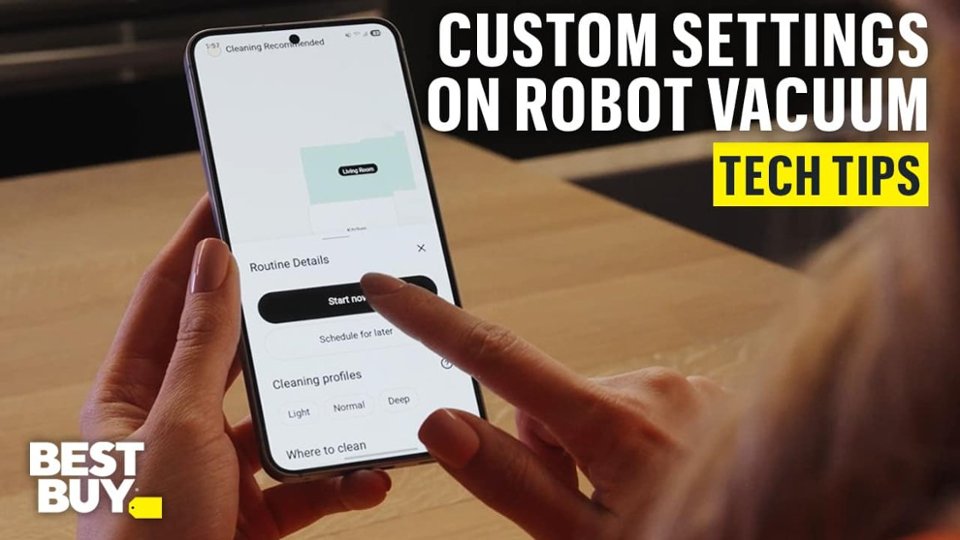
|Posted .This reviewer received promo considerations or sweepstakes entry for writing a review.I'm coming from an older, cheaper, dumber Roomba and I'm pretty happy, but there's one major caveat. The Roomba 205 is a pretty standard robo-vac, that has some nice features for the price. This one comes with a built-in lidar sensor which should (and does) make mapping and cleaning your home much faster and more accurate. It also has a very large bin that compacts the dirt, dust, and other junk it picks up on its little cleaning journeys. Setup and operation are all done through the newer Roomba home app (more on that later). Assembly is quick and easy ... then there's the setup So out of the box you get your little docking/charging base, power cable, robot vac, replacement filter, and edge cleaning brush. Getting the Roomba ready to go took no time at all. It literally took me more time to get everything out of the box and unwrapped than it did to get the base connected and robot situated. My unit came with some cosmetic defects on the surface - scratches, smudges, and what looked like a water stain (more in a sec). Anyway it was plugged in, charging and ready to go! So moving on to the setup. Setup was agony. I could not get this thing to work for hours. Once the robot was on the dock I let it charge for 6 hours. Pushing the home and power buttons did nothing. I could not get the thing to power on. Maybe the battery was completely depleted, I don't know. It's supposed to ship with a 40% charge and mine was shipped directly from the manufacturer so /shrug. I kept waiting and kept coming back and still nothing. Eventually I got on a call with customer support and they walked me through a bunch of steps that yielded the same results. Nothing. Around the 45 minute mark on the phone the customer service rep asked me to pick up the robot to take more pictures as we were going through the laborious steps of getting a support ticket going. A few seconds after I put the robot back down it played a loud sound and said "charging". Finally, but why wasn't it responding to any input commands from the two buttons? No idea. Thus ended my customer service call. In case you were wondering what customer service said about the obvious damage (documented with pictures) on the top of the Roomba, their response was "we're sorry but that damage isn't eligible for replacement". That's absolute garbage. The bare minimum a company should be able to guarantee is a product free from defect out of the box, but I guess that's too tall an order for Roomba. Moving on ... Setup wasn't smooth. I first tried to add the Roomba from the app I used on my old model, but it told me I can only control it with the new app. No problem, it automatically opened the play store to the download page and in a few seconds I was good to go (but not really). I followed the instructions in app up to the point where I was connecting to my home network and the setup failed. No explanation just a "something went wrong" message with a number attached. Tried again and no dice so I tried to find the error code which led me to - nothing. Nothing whatsoever. I tried a third time. A fourth time. And on the fifth attempt a new error message popped up saying something like "your Roomba is only compatible with 2.4ghz wireless networks". A lead! Great! So I try to select that network from the app. Error. I try again. Error. Doing a big sigh I opened up my router's settings on my phone and was reminded that this router combines the 2.4 and 5ghz bands into one, handling the assignment of devices on its own. No problem, I'll just split the bands and ... oh wait. Can't do that on this router apparently. So I bang my head against the wall, metaphorically, for awhile. I try to disable the 5ghz and 6e bands to force it to connect. Nah. Error. I try renaming the different bands and connecting that way and nah. Error. I try hiding the broadcast SSIDs for the incompatible bands. Nah. Finally I decided to forget all networks on my phone, restart my router with only the 2.4ghz band active, connect my phone to that, and try again. Voila! That does the trick. After this setup completed. Almost. The very last step for setup is to completely power off the Roomba, then "wake it up" by placing it on the dock. I was very leery about this after the difficulty I had getting the thing to turn on in the first place and wouldn't you know it? It wouldn't power on! I reseated the Roomba a few times and gave up. I held the power button and it popped right back to life. Horrible setup experience. Oh and the battery was a very healthy 85% after 10ish hours on the dock so it probably was shipped dead from warehouse. Not a great first impression. Next we get to the actual function and performance of the robot. I keep mine docked in our living room which has a bunch of furniture in it, maybe not the ideal setup, but mapping went very smoothly. It zoomed around the living room for a bit, stopped here and there then moved on to the next room. Mapping took less than 10 minutes. So far I'm happy with the performance. Once it returned to the dock I picked up a bunch of stuff from the floor to provide a clear path for the Roomba, waited for it to get a little more charge, then sent it on a full cleaning run for its first time out. Immediately ran into a problem where the Roomba would suck up the edges of the throw rug in the living room. Got caught on one of the tassels and I had to go help it out. I decided to tuck the tassels under the edge of the rug as a stopgap and that seemed to do the trick (for now). After that it ran perfectly. I could watch the cleaning map update the position of the Roomba in real time. Pretty cool. It was obvious that it was doing a much better, much more thorough, much faster job than my old bump-into-everything model. Unfortunately 80+% battery was insufficient juice for the thing to do a complete cleaning run. No worries, it returned back to the dock to charge. Very slowly. It became obvious that it wasn't going to be ready to vacuum for hours and hours so I ended the job in the app and started returning the various odds and ends I'd picked up in the rooms it had completed (kitchen and living room). After another 5 hours or so it was in the 90% range so I sent it out, one room at a time, to complete the rest of the floor. Only this time there was no real time tracking of the Roomba. The app just showed me a blank map. No other information. It did the same thing for the next room. In fact, out of the four "jobs" I had the Roomba do on the first day, only the mapping run and the first two rooms it was able to complete before the battery drained displayed the real time cleaning map. Bummer. The app also didn't save those jobs in history, so it looked like I'd only done the mapping run and the two room clean. Strange. This brings me to the app. There are a lot of features in the app. Features you'll love. You can add exclusion zones where you don't want the Roomba to vacuum. You can add special cleaning zones for high traffic areas so you don't have to clean the whole room. You can split rooms apart, or join multiple detected rooms together. It's great! But none of it works. I was able to create a custom cleaning zone, but the Roomba refused to vacuum it. It just drove around up to the location, then said "cleaning failed" and returned to the dock. I tried this multiple times and it never worked. So I decided to delete that cleaning zone except wait, I cant! Every time I tried to delete it the app would "think" for 30+ seconds then return an error. I tried to delete it the following day and it worked. Alright that's good I guess, but strange. The second day I started doing one room runs to see how it would do again. I was able to turn down the suction settings, a feature that thankfully works, for the living room which prevented it from sucking up and folding over the rug. It ran in there without issue, AND I was provided with a real time map once again. Nice. I continued on to every other room and it performed as expected. Quick, efficient pathing, thorough cleaning. However the battery life on this thing. The robot seems to tap out after cleaning 60sq ft or so which seems odd. The older, dumber, Roomba would run for much longer, and clean a much larger area before needing to recharge. I think something may be wrong with the battery or maybe this model simply uses that much more power. I think it's probably the latter, as this does seem to have much stronger suction, the previous model never came close to sucking up and folding over the throw rug. So that's good I think. The actual performance of the vacuum seems great, but it's severely limited by a very buggy app. Overall thoughts: This vacuum could be amazing, and maybe one day it will be, but right now the "new" Roomba home app is so bad that it dramatically limits the performance of this thing. Setup was painful, sucking up hours of my time for a process that should've taken no more than 20 minutes. I essentially spent an entire day getting this thing up and running. When the app doesn't return an error this thing is great. The cleaning is quick and accurate. Coverage is perfect. Doing a deep clean in the kitchen gave wall to wall coverage along one axis then the other. No complaints there. Being able to turn down the suction to avoid issues like with that living room rug, or max it out for problem areas, is a nice touch and I'm very glad that it worked. Unfortunately sometimes the app seems like it doesn't know what you asked it to do, or maybe just refuses to do it. The app needs a lot of work, and if it improves significantly this will be an amazing product. Right now they've only got 50% of the equation locked down, the hardware. That's an F. This is far from the kind of set it and forget it cleaning that most people are looking for. It could be, but right now it's not.
No, I would not recommend this to a friendBrand response from iRobot Team
Posted .We appreciate you taking the time to provide feedback on the Roomba 205. We're sorry to hear about the difficulties you are experiencing. Please reach out to https://homesupport.irobot.com/s/contact-support-info, so we may properly diagnose your issue.

Does a good job cleaning with less emptying
|Posted .This reviewer received promo considerations or sweepstakes entry for writing a review.The iRobot - Roomba 205 DustCompactor Robot Vacuum – Black is an advancement from previous iRobot models with its built in compactor to lessen the need for daily dumping. First, I downloaded the iRoomba app on my phone. Then I plugged in the charger base to set the iRoomba on for charging. I was easily directed how to set up the Internet connection. With Internet connected, I could begin mapping my home. The Roomba 205 has LIDAR that helps navigation around my home. The Roomba 205 operates fairly quietly. The suction is just as strong a bigger standing vacuum cleaner. The Roomba 205 is very efficient at picking up all the dirt and/or dust on the floors and returns back to its charging station. I have only had the Roomba 205 for almost a week and I appreciate its new technology making my home maintain clean floors on a schedule with the iRoomba app. I do not need to empty the compactor yet. In my final analysis, maintenance is simple, the app controls the functions and is no problem to use, and the iRobot - Roomba 205 DustCompactor Robot Vacuum – Black has made keeping my floors clean with no real effort on my part.
I would recommend this to a friendBrand response from iRobot Team
Posted .Hello, thank you for taking the time to share your feedback about the Roomba 205. We’re thrilled you are loving your new robot. Three cheers for clean floors!
Cheaper one is better
||Posted . Owned for 1 week when reviewed.This reviewer received promo considerations or sweepstakes entry for writing a review.She stops at 6 inches from every wall doesn’t go around furniture very well and makes my house into 20 rooms instead of nine. She’s stupid.
No, I would not recommend this to a friendBrand response from iRobot Team
Posted .We appreciate you taking the time to provide feedback on the Roomba 205. We're sorry to hear about the difficulties you are experiencing. Please reach out to https://homesupport.irobot.com/s/contact-support-info, so we may properly diagnose your issue.
Space Saver/Time Saver
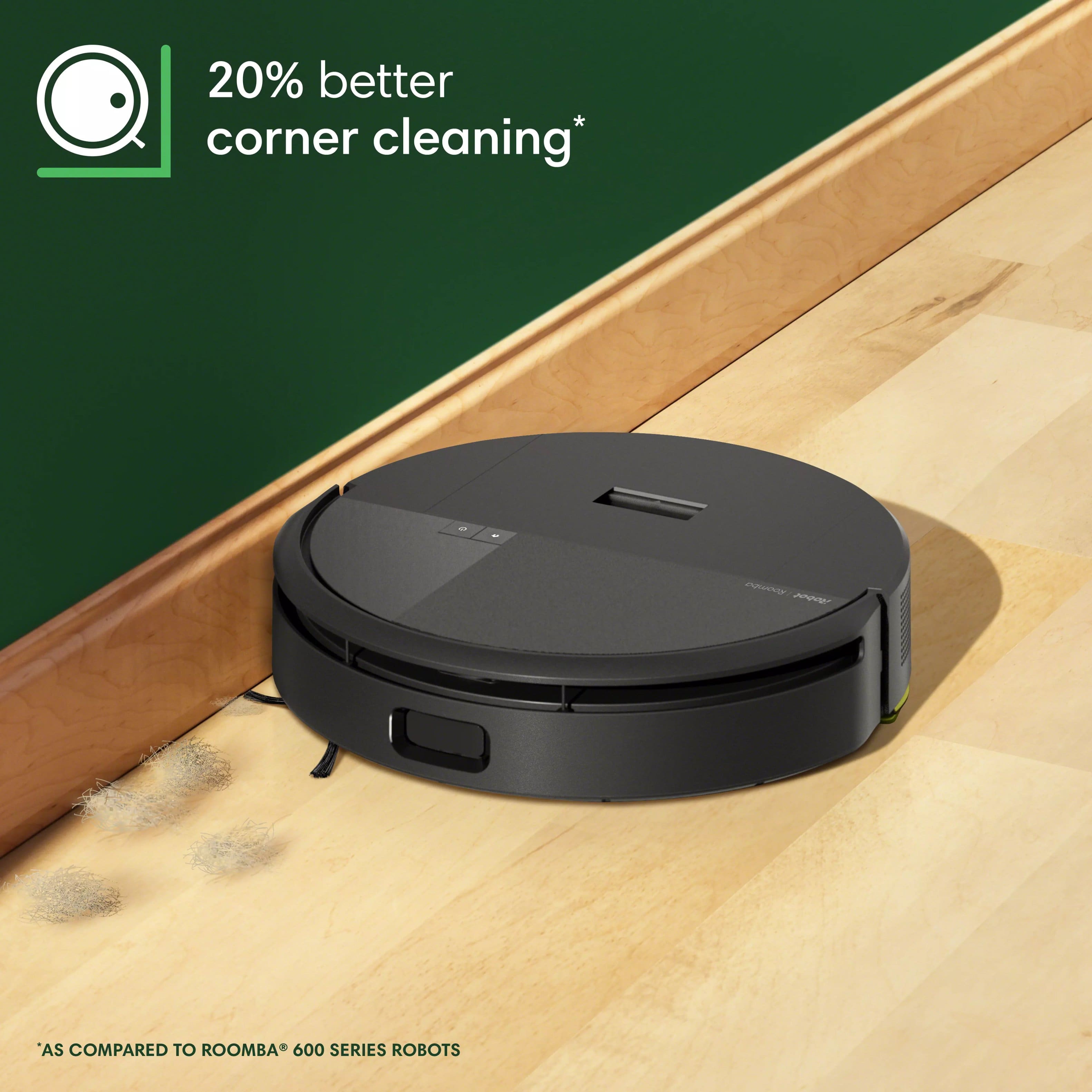
|Posted .This reviewer received promo considerations or sweepstakes entry for writing a review.We’ve had an iRobot Roomba i3+ for a few years now & we’ve been happy with it. Other than basic maintenance & occasionally replacing the sweeper brush, it’s been a reliable unit. But we needed another robot vac for a smaller space; so this 205, sans the large disposal bin looked like a good choice. Initial setup was simple. After removing all the stickers & foam, we downloaded the new Roomba Home App. One of the first things we discovered is that the new app doesn’t work with our older Roomba i3+ vac, nor does the older iRobot Classic App work with the new Roomba 205 vac. So, we need a dedicated app downloaded to our phone for each Roomba vac. Anyway, the new 205 vac paired quickly with the new App, which was an improvement right off the bat, as the old App sometimes has trouble connecting w/the older i3+. There are no instructions in the box, so I don’t think we would ship this to my elderly parents to set up on their own. They’re old school & probably wouldn’t find the minimalistic pictures printed on the box, directing them to scan a QR code for the App, to be terribly helpful. We’d like to see iRobot begin including a manual with setup & operating instructions for older customers as the elderly are a growing market for robot vacs. The LiDAR technology feature is a big improvement. After an initial mapping, the first cleaning run was comprehensive, & the path of overall navigation was more efficient than the older i3+. The new 205 cleans our hardwood floors well, even if the suction power appears to be about the same as the i3+. But it doesn’t seem to clean the corners of the room quite as thoroughly as we’d hoped. Thankfully, its low profile does allow the vac to slip under some of the furniture & cabinets, & it hasn’t gotten stuck on anything like our other robot vacs have in the past. It’s also noticeably quieter than our previous robot vacs. After using it for a week, I checked the large dust collection bin, & the compactor is doing a good job so far. The only downside with this 205 is that it doesn’t include the mopping feature that many of the other new models have, which is a disappointment at this price point. Overall, this is a good choice as a space saving robot vac. I don’t think it’s the best choice for carpet, but it does a solid job on our hardwood floors. There’s room for improvement on corner cleaning, but I look forward to the time I’ll save by not having to empty the debris cup after each cleaning.
I would recommend this to a friendBrand response from iRobot Team
Posted .Hello, thank you for taking the time to share your feedback about the [specific product]. We’re thrilled you are loving your new robot. Three cheers for clean floors!
In Spite of Setup Challenges, A Great Product
|Posted .This reviewer received promo considerations or sweepstakes entry for writing a review.The iRobot - Roomba 205 DustCompactor Robot Vacuum is no exception - once you get it set up. THE CHALLENGE: You need to know that you may run into some of the setup challenges I encountered. After unpacking the unit, plugging it in, and leaving it to charge, it was time to download the app and go thru the setup process. I had no problem getting the new app for my iPhone and installing it. Following the steps seemed fairly straightforward until I ran into 2 problems: The unit needed to go through an upgrade process, but the wifi connection process kept failing. It would connect with my wifi, verify the password, and then crash while ‘connecting with the Cloud’. After trying a few more times, I called Roomba support. They were friendly and helpful, but it took over 90 minutes before we seemed to have it ready for use. The final step required taking the battery out, disconnecting it, and waiting 15 mins to reconnect and begin the setup process all over. It appeared to be ready for use but low on power so I left it to charge overnight. The following day I opened the app. It recognized the unit and encouraged me to create a map. Unfortunately, I couldn’t do that because the app said the unit was, once again, not connected to my wifi. Thinking I was back at square one again was not a happy moment for me. Thankfully, after restarting the app, the unit not only showed up, but was in fact connected! I’ve concluded these issues are app-centric and not a reflection of the Roomba itself. I did have a couple other instances where I had to go thru the process of making choices on the app more than once before it would work. THE GOOD NEWS: In spite of the challenges with the initial setup, I really like the Roomba 205. Our needs are for basic floor and rug cleaning with a routine that requires minimal attention. The Roomba mapped out our space and created a map with various rooms and zones separately designated by number. You can easily edit the map and combine or separate rooms. It’s great to touch a couple of rooms on the map and send the Roomba there to clean. You can also add ‘no go’ zones on the map. This saved me from trying to find something to block the unit where I’ve got a jumble of cords that cannot be relocated. I imagine it can take some trial-and-error to get the zone in the right place, but I got it the first time. So cool to see the unit come right up to the zone, stop, and go around it! Although I spent some time elaborating on my setup woes, I fully recommend this unit. I am very pleased with it and think you will be also.
I would recommend this to a friendBrand response from iRobot Team
Posted .Hello, we are happy you love our products! Please know that we are driven to continually improve our products to help you do more, every day.
Worth the upgrade, next Gen product.
|Posted .This reviewer received promo considerations or sweepstakes entry for writing a review.The Roomba 205 is a next generation robot vacuum. Setup was very simple. Connected to wifi easily. After connected, there was an update that took a bit but after allowing to update, the Roomba 205 was ready. The initial step was to create a map of the floor it was on. Rooms were able to be labeled making the robot very easy to operate. The Roomba 205 gives you verbal feedback on what it is doing. You don’t have to interpret lights or colors, it simply tells you what it is doing. Once the map is complete, the Roomba 205 is ready to clean. You can have it do a single room, a selection of areas or the entire map. You can schedule tasks or do them on demand from the app. This is a next generation product and many improvements from previous models and certainly these devices have come a long way. The product cleand very well. What I really like is if something jams, it alerts you, allowed you to clean the jam, and restarts where it left off. Previous versions would make you start over.
I would recommend this to a friendBrand response from iRobot Team
Posted .Hello, thank you for taking the time to share your feedback about the Roomba 205 We’re thrilled you are loving your new robot. Three cheers for clean floors!
Did I Need It? YES!
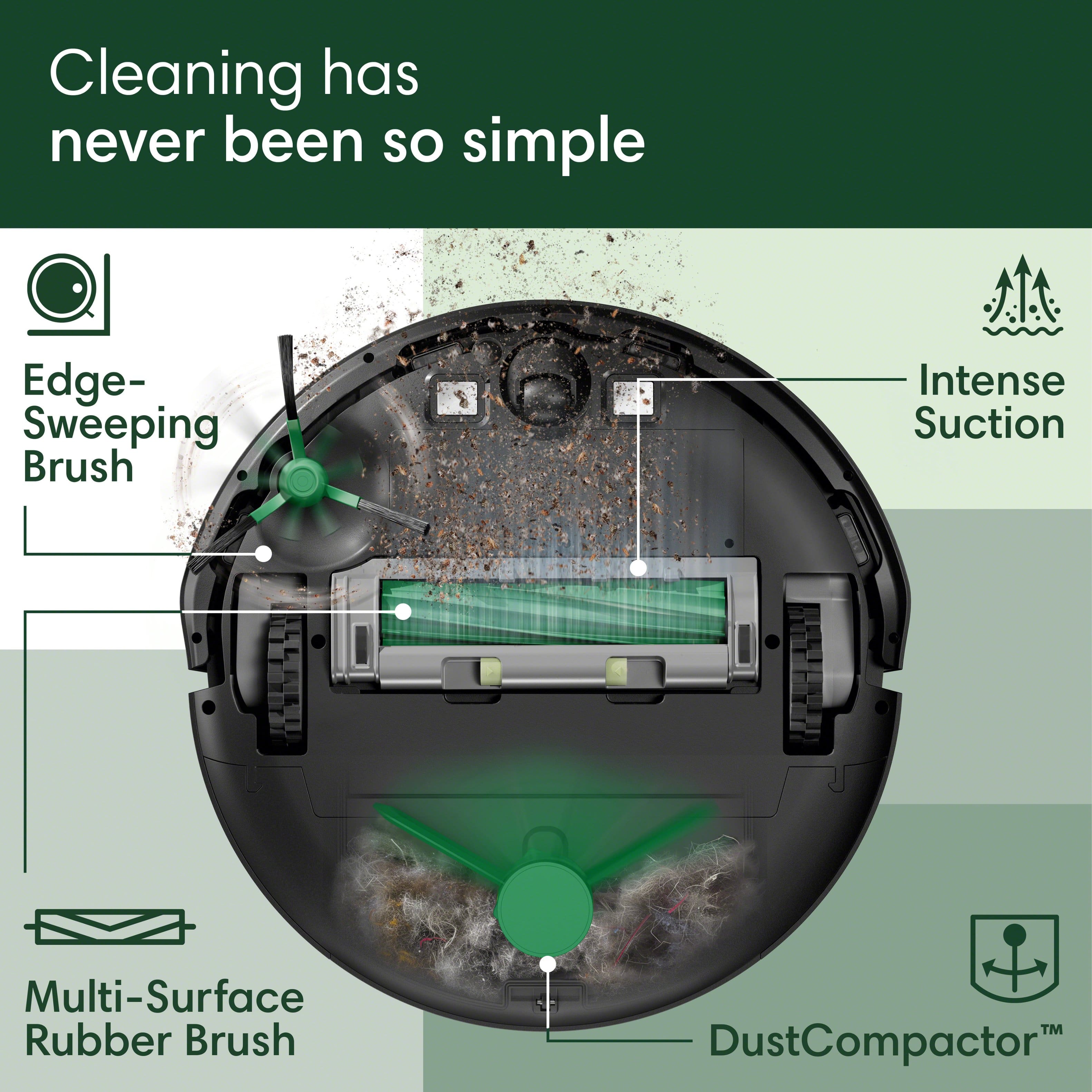
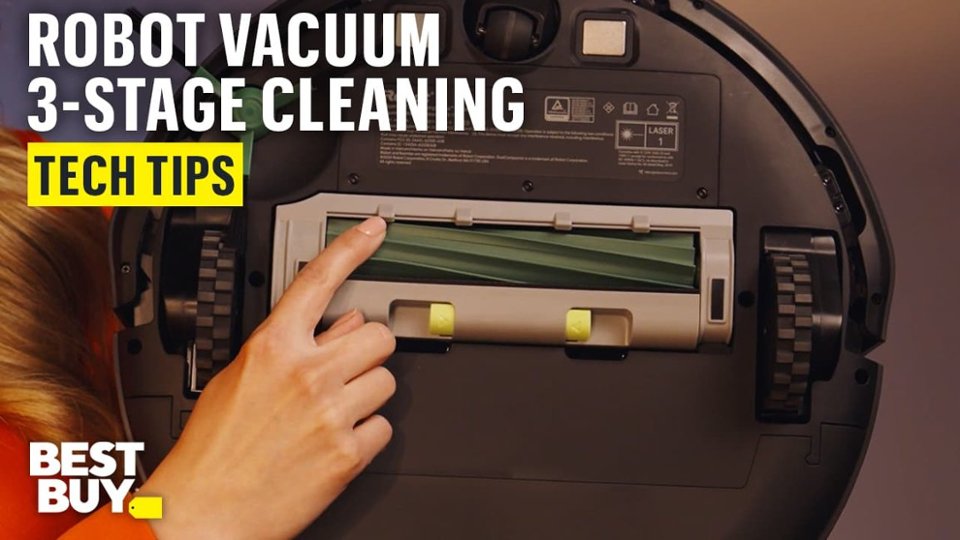
|Posted .This reviewer received promo considerations or sweepstakes entry for writing a review.Never thought I would get a robot vacuum before, as it just didn’t seem practical. But now, with two shedding dogs, my mind has been changed. The iRobot Roomba 205 is an interesting product that on the surface isn’t necessary but sure is helpful. The robot came in a clearly labeled box, very securely packaged. It was mostly assembled, but you need to remove some tape and attach the “Sweeping Arm” that helps pull debris into the vacuum. On the bottom is the very rubbery multi-surface brush that pulls in the mess. It is a little loud on bare surfaces and makes that squiggly rubber noise. The charging pads and wheels are also located here. The guide wheel had some protective tape on it, but easily removed. Along the sides are the plastic “bumpers” that help the robot know it’s against something and needs to change direction. In the front is the mapping camera and Lidar (ranging) sensor. Lots of tape here too that you need to make sure you remove so the vacuum can “see” clearly while mapping and vacuuming. The top is very simplistic with only two buttons (On/Off and Home) and the collection bin. I put on the sweep arm and the collection bin, then downloaded the iRobot app from the App Store. There are several so make sure you get the right one. There is a QR code you can point your smartphone camera at to take you to the correct app. Once the app was set up and the robot was connected to my Wi-Fi, it was time to map the house. You have to make sure it was fully charged on the included docking station prior to initiating mapping. Don’t want it to die before finishing or you would have to do it all over again. Also, removing or placing items easily “eaten” by the robot need to be put away. Make the area as clear as you would if you were hand vacuuming and realize it needs room to move and get to everything. The initial mapping was simple, although you need to know it is not actually vacuuming at that time. Once all areas are mapped, you can go in to the app and set-up zones, name them, and restrict areas you don’t want it to go. After mapping and re-charging fully, it was time to vacuum; and that was where my initial frustration began… The app had to update the robot. No issues and kind of to be expected. The issue was it updated, then turned off, then requested an update again. It also lost my Wi-Fi a few times. I was about to box it up when it said it was ready for its first cleaning. It did a great job at finding dust, dog hair and debris that was not necessarily visible. Then, it dropped off and said it needed updating again. Very frustrating! After a complete reset and revising the map, I was back on point. You can revise the house maps as many times or as much as you want. So now that everything is functional I can tell you that it has become a necessity! The ability to just have this thing automated to run is excellent. It does, however, totally terrorize my dogs, to the point I think it tracks them. Made of ABS plastic, I hope it has a long life but we'll have to see. So overall, do I want a robot vacuum? I didn't think so prior to owning this one. Do I need a robot vacuum... After owning and using the Roomba 205 (after the setup issues) I would say the answer is definitely yes! Especially if pets are in your home, this thing is a time saver.
I would recommend this to a friendBrand response from iRobot Team
Posted .Hello, thank you for taking the time to share your feedback about the Roomba 205. We’re thrilled you are loving your new robot. Three cheers for clean floors!
Decent vacuum/sweeper
|Posted .This reviewer received promo considerations or sweepstakes entry for writing a review.The iRobot - Roomba 205 DustCompactor Robot Vacuum turned out to be somewhat of a mixed bag for me. The setup seemed simple enough, but I was a bit confused by the power button initially and ended up draining the battery instead of charging it. When I went to perform a cleaning a second time, again the battery was dead and unable to vacuum. The charging base is rather light and small, so it’s easy to get knocked around from its original position, which is not necessarily a good thing. After some initial stumbles, I was able to successfully load the app on my iPhone, update the firmware, and start the mapping of areas to clean. Of course, I had to name it “Rosie” in honor of the futuristic maid on the Jetsons cartoon back in the early 60’s. Vacuum suction has four settings and the number of cleaning passes can be set to 1 or 2 passes. It did a good job of mapping the house, but it did seem to get hung up on some of our Ruggable rugs, especially at the corners. However, it did an overall good job of sweeping and vacuuming and I was surprised to see how much dust and debris were collected in the dust bin. Emptying the bin can be a bit messy but that’s to be expected without any kind of bag. Through no fault of its own, the Roomba 205 was unable to clean under the dining table, simply because it couldn’t navigate through the forest of chair legs. Unfortunately, it’s an area of the floor where a lot of crumbs are found, especially with what falls from our year-and-a-half grandson. It did a terrific job cleaning under our sectional sofa, and I surmise that’s where most of the dust and pet hair were vacuumed up. I did notice some scratches on the top of Roomba after cleaning, probably from scraping some of the lower wood portions of the sofa…no doubt battle scars! It’s relatively quiet in operation and it didn’t seem to bother our two dogs, and they didn’t seem to bother it either, which is a good thing. I would be hesitant to have it clean while I am away, not at least until I get some history under my belt of how well it cleans on a consistent basis. I suspect if you are OCD like me, it will be nice to have the Roomba do a quick cleaning on a frequent basis, but it won’t replace a good thorough cleaning with a hand vacuum to get in the corners and under the dining table.
I would recommend this to a friendBrand response from iRobot Team
Posted .Hello, thank you for taking the time to share your feedback about the Roomba 205. We’re thrilled you are loving your new robot. Three cheers for clean floors!
Perfect for homes with shedding pets!
|Posted .This reviewer received promo considerations or sweepstakes entry for writing a review.My family and I were so excited to put this new iRobot Roomba 205 to the test, we have come to love our very old automatic vacuum and have even named it since it had such a personality. Considering this model is so much newer than our old model, we were expecting a drastic improvement in performance, accuracy, and reliability. However, we unfortunately see this Roomba 205 model as being the same quality, or perhaps even a step behind our old model. Setup of this beast was a bit tedious but the app became more user friendly as we went further along. The vacuum charged very quickly out of the box and its first trip around our home was entertaining to say the least. The obstacle avoidance system is very basic and definitely a step down from what we are used to. Although it learns the layout of our home quickly and continues to get more accurate, it still runs into things of all sizes and picks up things it shouldn't do pretty frequently. One thing we noticed right away was how much quieter this vacuum is compared to our first one, it is very noticeable and we appreciated the difference! We all agreed though, that the compactor feature of this vacuum is definitely what makes it stand out. Fortunately we do not have too much dog or human hair around our home that would need compacting, but from the little bit it did pick up, we can tell this would be so helpful for home with big dogs that shed. For us we noticed the compacting of the debris made cleaning the vacuum out a little less messy. Usually when we empty our old one it is a little fluffy still and tends to go everywhere on the way to the garbage can. This one has the debris staying more compact cutting down on the mess. Overall we recommend this vacuum, especially to households with large shedding dogs. The compactor feature is perfect for that! If you do not mind the sometimes chaotic running into things and picking up things it should not, then this would be perfect for you.
I would recommend this to a friendBrand response from iRobot Team
Posted .Hello Katie, thank you for taking the time to share your feedback about the Roomba 205. We’re thrilled you are loving your new robot. Three cheers for clean floors!
Game Changer for Keeping up with Everyday Messes!
Posted .This reviewer received promo considerations or sweepstakes entry for writing a review.I can't say enough good things about the iRobot Roomba 205! This little machine has completely transformed the way I keep my floors clean. As someone with a busy schedule (and 2 young kids who are constantly dropping food etc), I was skeptical it could keep up, but the Roomba 205 has exceeded every expectation. It's super easy to set up, and navigates my home like a pro. It is the same technology as self-driving cars! It handles floors, rugs, and even tricky spots. The suction power is great and I’m always amazed at how much dirt it picks up, even when I think the floor looks clean. I love how low-maintenance it is. Just empty the bin, clean the brushes occasionally, and you're good to go. Definitely grab yours... it is worth every penny. My home feels cleaner, and I spend way less time thinking about vacuuming. Total win!
I would recommend this to a friendBrand response from iRobot Team
Posted .Hello, thank you for taking the time to share your feedback about the [specific product]. We’re thrilled you are loving your new robot. Three cheers for clean floors!
Another great model by iRobot
|Posted .This reviewer received promo considerations or sweepstakes entry for writing a review.So I already have a roomba that I use for my hardwood floor in the kitchen / dining area and I use for mopping. It worked ok on the carpet, but I noticed that it would leave lint bunnies on the carpet where it would seem to suck things up and bundle it together but just leave on the floor. As a result I didn’t really like using it on the carpet and kept it mostly on the hardwood. This one seemed like it would have more suction so I gave it a shot on the carpet. I have to say that it was for sure a step up from my previous model. The suction must be better because it doesn’t seem to leave those annoying lint bunnies so its been working great for us on the carpets. The compaction mode seems cool and it hasn’t gotten full yet, but it says it can go for quite a while before needing to empty and we have vacuumed with a pretty powerful upright recently so it may take a bit before I can see how long it actually takes to fill it. Of course, this is still a robot vacuum and it doesn’t compare to someone manually cleaning with a good upright. The brush works decently to pull things from the baseboards to keep the edges clean, but it works mostly for bigger things. Little pieces of paper (about the size of confetti) don’t really get pulled up by the brush and the suction is more in the center of the vacuum so it just misses a few of those. I just take a cordless vacuum every once in a while and scan the edges of the room for something and suck them up. So it may not be perfect, but it still saves me a lot of time and effort. The app works well and is similar to any other roomba. There may be a few new features, but I don’t know if it was for this model or just the app generally. If you don’t have time to vacuum a lot this is a great investment. Just understand that it is still a machine and isn’t perfect so you’ll need to vacuum or spot check your rooms occasionally. Still, if you are pretty busy like me and don’t get to the vacuuming every day, then letting it run daily will make your house a lot cleaner than if you had to wait until you had time to vacuum. Overall a fantastic investment.
I would recommend this to a friendBrand response from iRobot Team
Posted .Hello, thank you for taking the time to share your feedback about the Roomba 205. We’re thrilled you are loving your new robot. Three cheers for clean floors!
Decent Robot For Homes Sans Kids - App needs Work
|Posted .This reviewer received promo considerations or sweepstakes entry for writing a review.The iRobot Roomba 205 DustCompactor is a robo vacuum with a slight twist. We’re back to having to empty the bin on the robot versus having a base that vacuums it out into bags for us. But is this really a step backwards? We’ll see. Unboxing the robot, one’s presented with a device in iRobot’s familiar round form factor. This robot looks particularly plain compared to some others, and doesn’t have anything that particularly stands out. It comes with a charging base - still need those and the footprint that they take up. So, if you’ve been a long time robovac user, nothing new on that front. Set up was where I first noticed a difference. This robot doesn’t work with my existing iRobot app. And in the process of figuring this out, I noticed that it’s now gained the “classic” moniker. Setup otherwise proceeds as before, you’d pair the robot, do a firmware update, then do some initial mapping runs. Unfortunately, the new app struggles even more than the classic one did with this. Pairing still worked flawlessly but getting an actual map still took several attempts and annotating it to split my first floor into rooms was still a pain. As with the last time I onboarded an iRobot vacuum, I decided after two failed mapping runs to just let it map and vacuum at the same time. It takes longer, but at least the robot is being productive while the app figures things out. During this vacuum run, one quickly sees a plus and minus of the 205 DustCompactor. On the plus side, suction is definitely improved with this model. I’m not sure if it’s part of what’s needed to “compact” things, but that’s definitely an improvement I can get behind - less need to clean up after the robot. I’m already annoyed with our pre-cleaning for the house cleaner. However, a minus cropped up - with great suction comes greater battery consumption - runtime on a full charge has definitely gone down. Before, my previous Roomba needed one charging break to over the first floor (and just the part I actually section off for the Roombas). Now, there’s two charging runs. Things take longer to complete, but on the upside, I don’t need to do a manual follow up pass. . .as much - there’s still a size limit and some legos and other toys still get caught or end up stopping the robot as I’d find out over the next week. It’s been several years since I had a robot where one empties the bin directly so memory doesn’t serve me well on how often I needed to empty things. I get the sense that compacting definitely is increasing the relative storage for the same size robot but given that non-compatactable stuff is a big part of the mess in my household, I don’t really much of a benefit here and this ends up being one where I need to manually empty the robot almost the same was when I had a non-compacting non-vacuum base before children. So, for a kidless household, this could be a compact improvement that saves on the need to buy Roomba specific bags. But for us, let’s just say the kids have now picked up a new chore. In all, the Roomba gets a solid four stars but the annoyances with the app, even after it actually got a map completed, cause me to drop this to a 3. Unfortunately, the app is pretty integral to normal use of the robot and so I don’t feel right rating this without consideration of the primary user interface.
I would recommend this to a friendImpressed!
Posted .This reviewer received promo considerations or sweepstakes entry for writing a review.This is my first robot vacuum and I am thoroughly impressed! I love the idea of the dust compactor since I don't have a lot of extra room for some of the larger docks. Easy set up using the quick start guide printed right on the box. After super quick mapping, my robot was out on its first mission to the kitchen and picked up all the crumbs, including flour I had dropped on the floor from dinner prep. I am loving not having to drag out the upright vacuum and do it myself. Even the kids are planning the next mission and watching the maps. I'm excited that I can get clean floors while spending time on something else.
I would recommend this to a friendI Wanted To Like This.
|Posted .This reviewer received promo considerations or sweepstakes entry for writing a review.I really liked one of my older versions of this robot. So I was super excited when I seen it, and couldn't wait for it to come to my house! I wasted a lot of time trying to program it to my app, because I was looking for a card that had the Scan code, but it was actually on a box inside the box it came in. I originally downloaded the iRobot app, and it wasn't the one for the particular robot I had. I have multiple products that does a lot of different things from the same company, and they're all on one app. I didn't have issues trying to get the robot to charge because it was dead when it arrived. After finally getting everything set up, and Bluetoothing it to my phone and Wi-Fi, I set up the rooms for it to clean and it was off! For the most part you've done a really good job with a deep cleaning feature, the problem is, I couldn't get it to go down the hallway where my front door is. I restarted and sent it off again, but for some reason it would not go down that entryway. Finally I ended up getting it to go down the entryway, that didn't have anything in it to block the robot from doing his job, but it just would not clean the entire floor. I delayed my review for an extra couple days to see if it was anything I was doing wrong, and I don't think it's me. I really hope whatever glitches they have in the app is updated and fixed, because I really love my older version of this robot, and I wanted to have one downstairs and one upstairs.
I would recommend this to a friendBrand response from iRobot Team
Posted .We appreciate you taking the time to provide feedback on the Roomba 205. We're sorry to hear about the difficulties you are experiencing. Please reach out to https://homesupport.irobot.com/s/contact-support-info, so we may properly diagnose your issue.
IRobot
Posted .This reviewer received promo considerations or sweepstakes entry for writing a review.Works great. cleans very well. Love the Automation features.
I would recommend this to a friendBrand response from iRobot Team
Posted .Hello, thank you for taking the time to share your feedback about the Roomba 205. We’re thrilled you are loving your new robot. Three cheers for clean floors!
Satisfied long time customer
Posted .This reviewer received promo considerations or sweepstakes entry for writing a review.I'm a long-time Roomba owner and am happy with this purchase so far. I bought this as an upgrade for my 'experienced' 600 series robot and am impressed with the improved cleaning power after a few runs. The new mapping system took a fraction of the time to create a map of my house, and I love the new app where you can follow the path of the robot while it cleans.
I would recommend this to a friendSingle Brush Failure
Posted .This reviewer received promo considerations or sweepstakes entry for writing a review.With three dogs and hair galore, my older Romba was being overwhelmed. This seemed perfect, but failed to pick up hair my older unit handled with ease, the difference is two brushes vs one.
No, I would not recommend this to a friendBrand response from iRobot Team
Posted .We appreciate you taking the time to provide feedback on the Roomba 205. We're sorry to hear about the difficulties you are experiencing. Please reach out to https://homesupport.irobot.com/s/contact-support-info, so we may properly diagnose your issue.