Customer Ratings & Reviews
- Model:
- JCD3199
- SKU:
- 6557480
Rating by feature
- Value
Rating 3.6 out of 5 stars
- Quality
Rating 3.7 out of 5 stars
- Ease of Use
Rating 3.8 out of 5 stars
Customers are saying
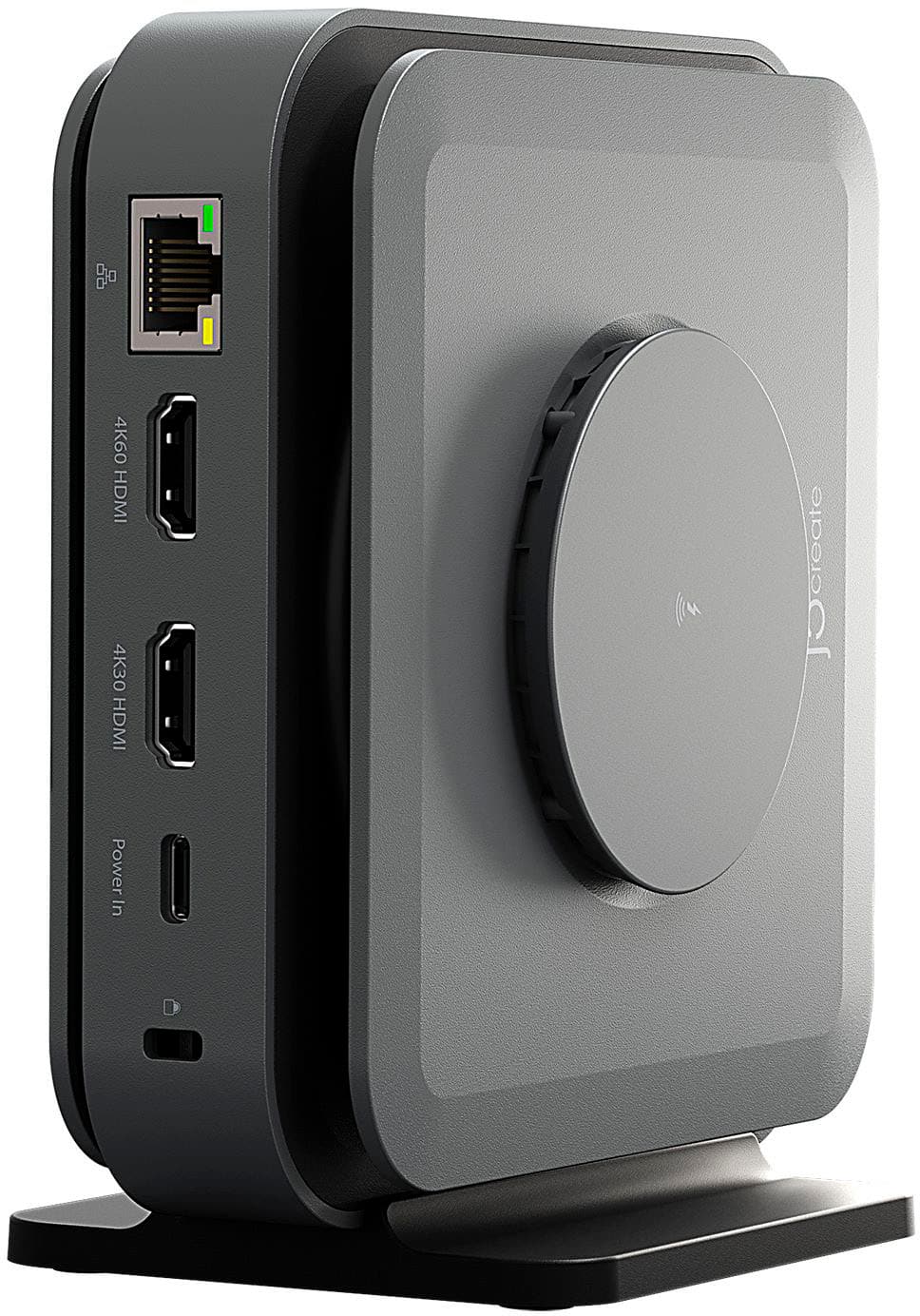
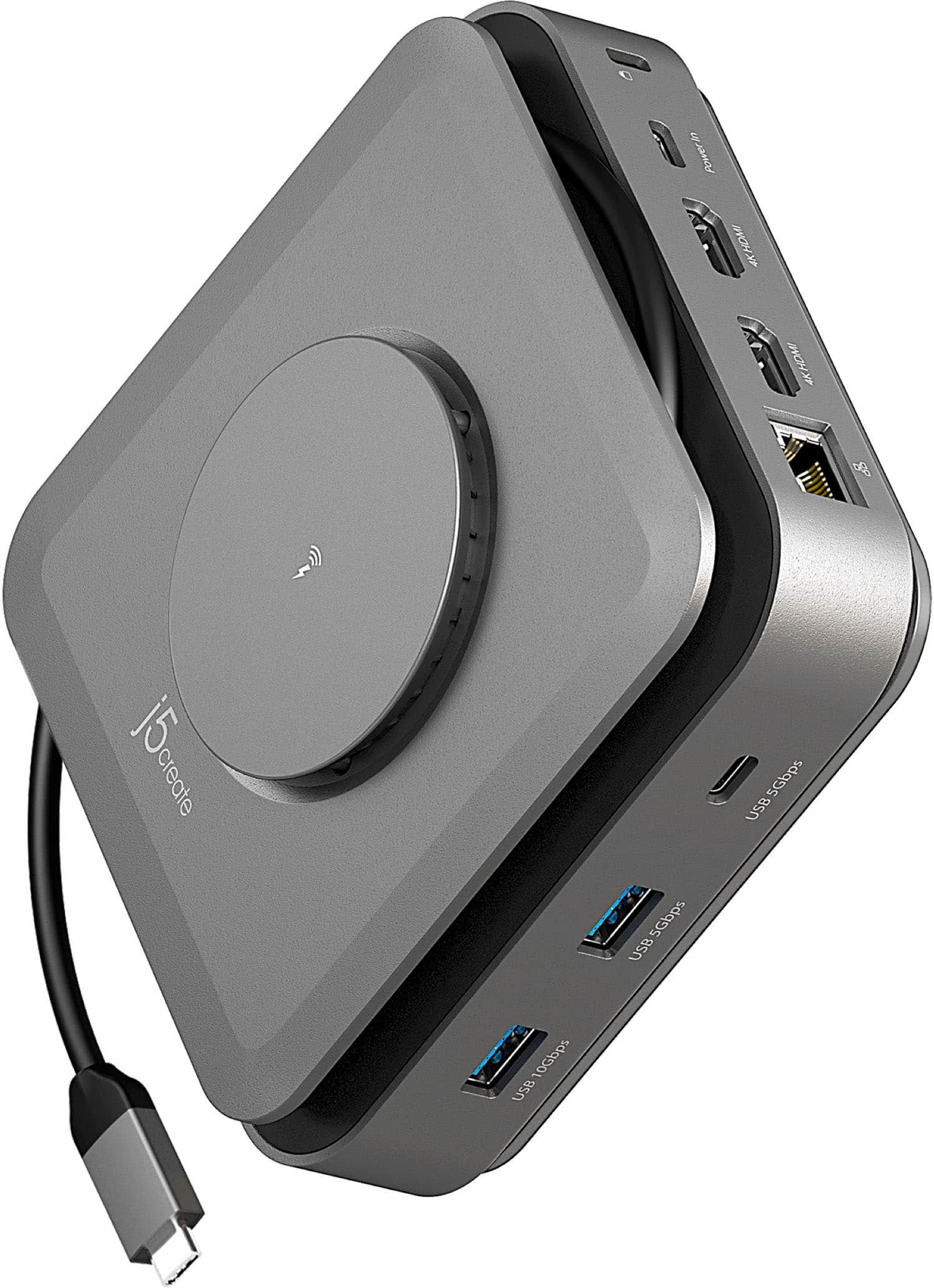
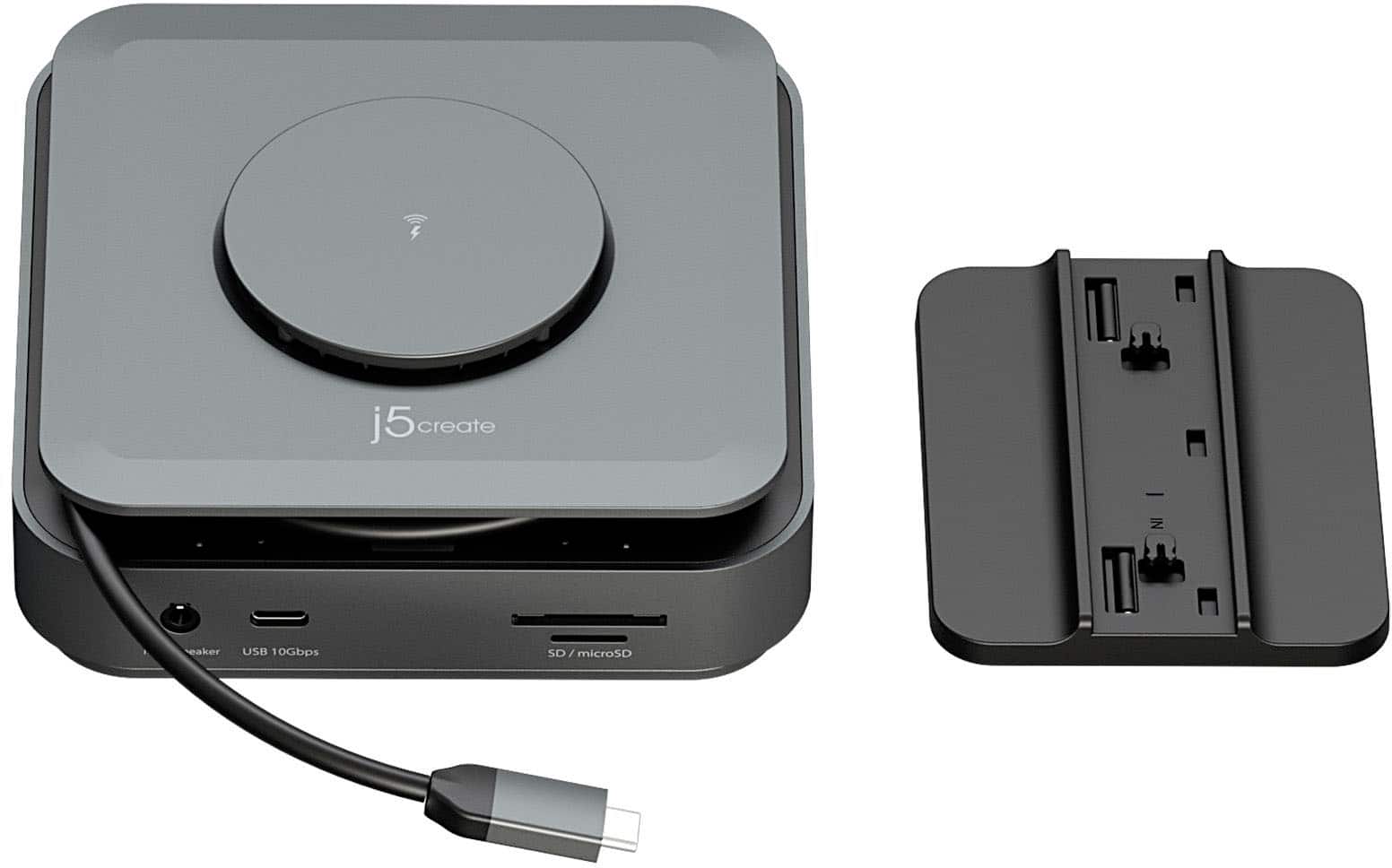
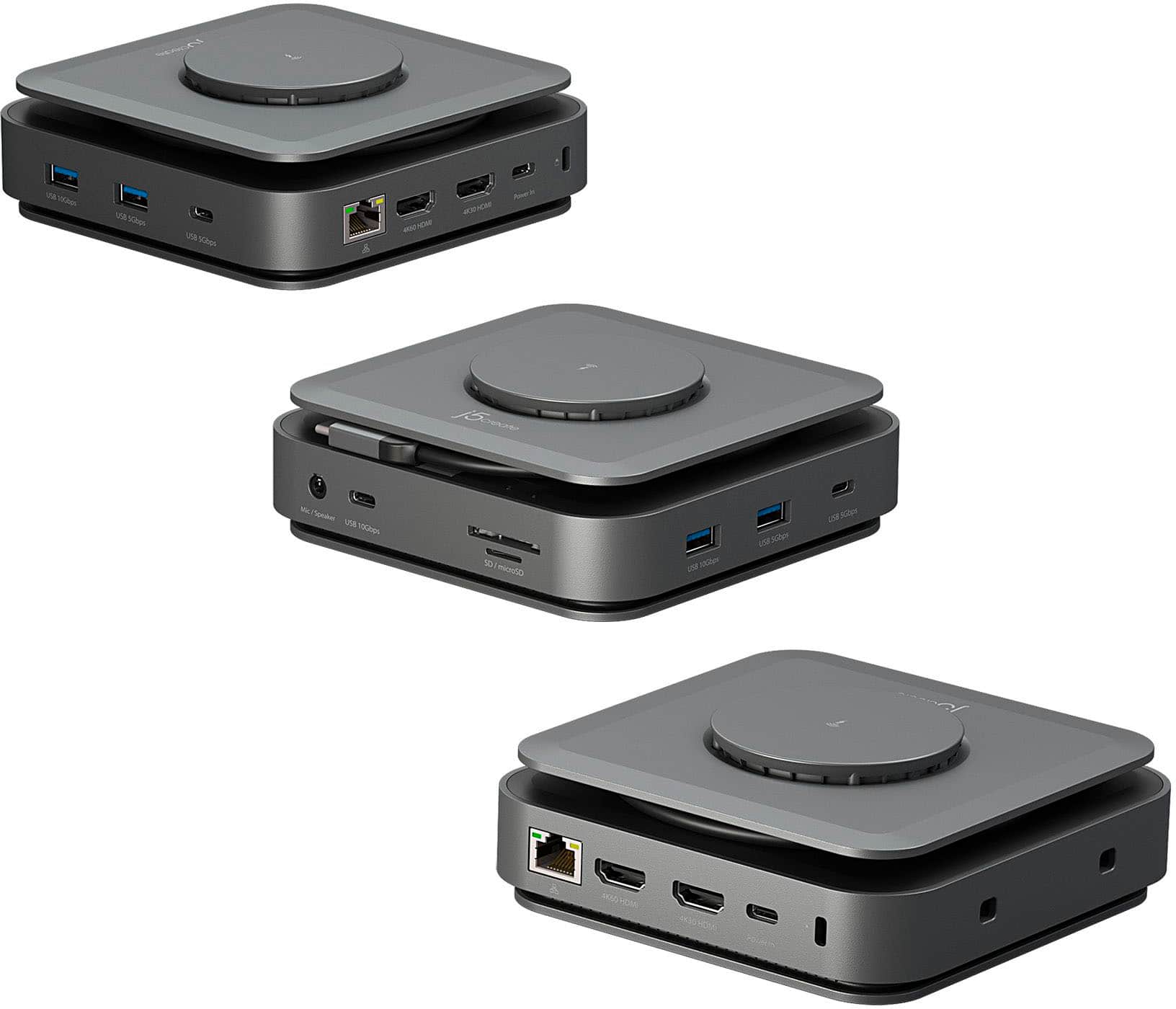
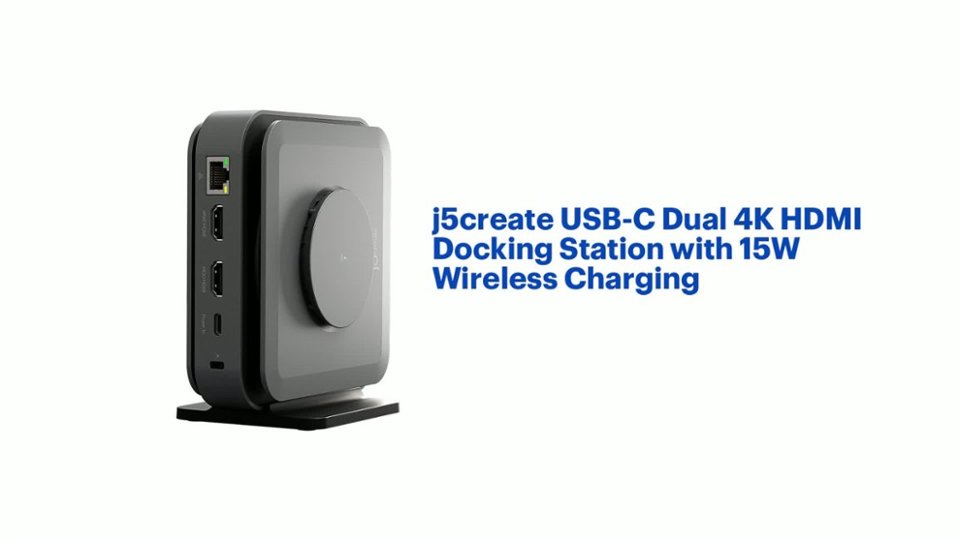
Customers value the USB-C Dual 4K HDMI Docking Station with 15W Wireless Charging for its wireless charging capabilities, overall performance, ease of use, and variety of ports. The compact size and sleek design are also appreciated. However, some customers have reported compatibility issues, unwanted noise, and problems with the HDMI ports. Additionally, some customers have noted that it does not include a power supply and feel that the price is too high.
This summary was generated by AI based on customer reviews.
- Pros mentioned:Ease of useCons mentioned:Noise level
Good,but has coil whine when charging laptop
||Posted . Owned for 1 week when reviewed.This reviewer received promo considerations or sweepstakes entry for writing a review.This product is easy to use. Just install the necessary drivers and it worked flawlessly for my dell laptop. It also worked for my macbook pro. The only bad thing was that the first unit I got had extremely high pitched coil whine. I exchanged it for another unit and it wasnt as bad. Still some noise, but not as loud.
I would recommend this to a friend - Pros mentioned:Ease of use, Wireless charging
Best buy for your money.
||Posted . Owned for 2 weeks when reviewed.This reviewer received promo considerations or sweepstakes entry for writing a review.Love this gadget! I travel a lot and this unit has everything you need! I am not a tech savy person and this was very easy to use. Was able to plug in my extra monitors, laptop and carge my phone and earbuds! Love it, love it!
I would recommend this to a friend Not able to support dual monitors correctly
||Posted . Owned for 2 weeks when reviewed.This reviewer received promo considerations or sweepstakes entry for writing a review.My view is that I downloaded the software or drivers or whatever any word for a little bit and then it stopped so I was not able to use one of the HDMI ports to for my TV on my monitors I'm sure they have a fix for it but I really just don't have time I'm sure it works correctly but it should have been easier I'm sure I won't get the $4,000 but it's okay
I would recommend this to a friendBrand response from J5create Team
Posted .It sounds like the issue may be related to an incomplete driver installation or a conflict that prevented one of the HDMI ports from functioning properly.
To help resolve this quickly, we recommend the following steps:
1. Reinstall the Driver:
Please uninstall the current driver/software associated with the dock, restart your computer, and then reinstall the latest driver from our official support site (https://en.j5create.com/pages/drivers#jcd3199-show)
2. Check DisplayPort Alternate Mode Support:
The 4K60 HDMI port on the JCD3199 requires your USB-C port to support DisplayPort Alternate Mode (DP Alt Mode). If your computer’s USB-C port does not support this feature, the 4K60 HDMI output will not function. Please refer to your device’s specifications to confirm compatibility.
3. Firmware or OS Compatibility:
Ensure your system is fully updated. If you’re using Windows, check for the latest updates. For Mac users, compatibility can vary by macOS version.
- Pros mentioned:Wireless charging
Efficient
||Posted . Owned for 1 month when reviewed.This reviewer received promo considerations or sweepstakes entry for writing a review.Does as described. A final answer for my multiple screens connection. Doubles for a phone charger when power port is connected through a fast charging block & lightning cable. It magsafe-charges my iphone 14pro max Problem solved.
I would recommend this to a friend - Cons mentioned:Noise level
Avoid the j5 create if you can
||Posted . Owned for 1 month when reviewed.This reviewer received promo considerations or sweepstakes entry for writing a review.Docking station overheats and has loud buzzing noise when in operation. HDMI port does not read connected monitor well.
No, I would not recommend this to a friendBrand response from J5create Team
Posted .Please contact our Technical Support Team for further information. Their information can be found on j5create website under the Support tab. Thank you.
- Pros mentioned:Ports
Best Docking Station
||Posted . Owned for 1 month when reviewed.This reviewer received promo considerations or sweepstakes entry for writing a review.Best dock I have had thus far, no lack in ports, quick response and no issues!
I would recommend this to a friend Heavy duty adapter
||Posted . Owned for less than 1 week when reviewed.This reviewer received promo considerations or sweepstakes entry for writing a review.This is a heavier adapter that requires a power cord connector to the wall for the phone charger to work otherwise perfect.
I would recommend this to a friend- Pros mentioned:Hdmi, Wireless chargingCons mentioned:Power supply
Works, but may not "just work"
||Posted . Owned for 1 week when reviewed.This reviewer received promo considerations or sweepstakes entry for writing a review.It took me a long time to get this working. I'd say at least 2 hours. So, the contents of this review are also to help anyone who may be struggling with this, as at one point I found myself searching the web, including these reviews, for any helpful information. Since it wasn't working the first time around after installing the driver, I opted to use their provided uninstall script (if the OS won't let you run the install script, opt to "Open in terminal"), rebooted, re-installed with the dock disconnected, and rebooted again, THEN connected the dock - I STILL wasn't seeing the USB Display app in the status menu, and never did receive a prompt about it. I went System Settings > Privacy and Security > Screen & System Audio Recording, and manually added the USB Display application. Then disconnected the dock and rebooted again, re-connected the dock. Still no dice. I went through all the specs again, wondering if it was a power issue, as I was using my 30W Macbook Air block for power. It seems this could present an issue for 4K, or functionality of other features, but I wasn't doing that stuff yet. I then tried the other Thunderbolt port on my mac and voila!; the USB Display app appeared in the status menu. Switched back to the original port - activated/allowed in system settings - still not working. Rebooted again, disconnected/reconnected the dock, and then followed the remaining steps to unblock the USB Display app. It was then working on the desired Thunderbolt port. As I was struggling with this, I was getting quite upset about the product. Upon reflection, however, these types of issues seem to be widespread with macOS IME working in tech, so don't know that I can blame j5 or their software for this. I suspect other docks potentially face a similar probability of similar issues with macOS and/or M series silicon. As a troubleshooting step, I had also set Privacy & Security > Allow accessories to connect to "Always" (temporarily). TBD if disabling this will cause a problem. At this point, it looks like I'll have go to the USB Display icon in the status menu and select Driver System Extension > Activate/Update Driver System Extension, each time I re-connect to the dock, which is rather disappointing. The caveats should be more aggressively presented by the manufacturer, and they should have the kind of troubleshooting steps I completed included in the product documentation. On the lack of power supply: Realistically, this should come with a 140W PD block and cable at a higher price point. Now I apparently need to go buy like an $80 PD block to get the full functionality of the unit for my Macbook Air. I know they've responded to other reviews, essentially being like, "Oh, well, the contents are clearly indicated on the package". While that may be true, I think it's a deliberate and sneaky omission to not state on the packaging and product details, in large-ish text, "POWER ADAPTER/CABLE NOT INCLUDED. Ultimately, it was a royal pita to get this working, and I can't say I'd recommend it for the average consumer, if anyone, but it does seem to work. I'll certainly be seeking better alternatives, and may still return it in the end. While much of the blame here might be with macOS, j5 could also handle this better in many ways, because not everyone is sufficiently adept at troubleshooting and digging into documentation, troubleshooting dysfunction, and going through specs with a fine toothed comb. Even those of us that are experienced, are not expecting this level of effort to get a dock working.
No, I would not recommend this to a friendBrand response from J5create Team
Posted .Appreciate your thorough review of the product. Regarding the 140W power adapter, we do sell the same model but with a 140W power adapter included on our j5create website which is our JCD3199P model. If you have any other questions please contact our customer support team by visiting the j5create website then click on the "SUPPORT" tab at the top right of the webpage. Thank you.
- Pros mentioned:Overall performance
Almost perfect
||Posted . Owned for 3 weeks when reviewed.This reviewer received promo considerations or sweepstakes entry for writing a review.This is an excellent unit perfect for a laptop or similar setup where you can have the USB port from the computer on the side. My setup has a USB port on the top and it is not ideal for me but it works great. I would give it five stars if I could have a longer cable to setup the unit further away from the PC itself. This gives me 3 USB C ports, SD and Micro SD card reader and 4K HDMI. I only with it shipped with a 3 foot cord. Performance is excellent.
I would recommend this to a friend - Pros mentioned:Ports, Wireless charging
Don’t let the price fool you
||Posted . Owned for 2 weeks when reviewed.This reviewer received promo considerations or sweepstakes entry for writing a review.Amazing product, at first the price threw me off, but the product more then supports the price, fast charging as well as all ports working quickly and efficiently, i just this on my mac and boy does it help me
I would recommend this to a friend - Pros mentioned:Ease of useCons mentioned:Noise level
High Pitch Squealing is Non-stop!
||Posted . Owned for 3 months when reviewed.This reviewer received promo considerations or sweepstakes entry for writing a review.High Pitched Squeal Makes it Almost Unbearable! This item is functional-- and it works-- but when powered on, it is squealing, non-stop. It is hard to deal with. This is the second one that I have, so it's not just this singular item. First one I had failed just out of warranty. Overall, it works, but I'd find a better item.
No, I would not recommend this to a friend - Pros mentioned:Overall performanceCons mentioned:Noise level
Buzzes like a bumblebee.
||Posted . Owned for 1 month when reviewed.This reviewer received promo considerations or sweepstakes entry for writing a review.Does the job really well, but the one we got makes an awful buzzing sound when using it. If you’re getting one of these, make sure you also have a pair of noise canceling headphones in your cart because you might need them.
No, I would not recommend this to a friend - Pros mentioned:Wireless chargingCons mentioned:Power supply
Good, but power died after a month of use.
||Posted . Owned for 1 month when reviewed.This reviewer received promo considerations or sweepstakes entry for writing a review.I've been quite happy with this, although I wouldn't install the foot again. Somehow it takes up more room with all of the wires. However, I got this about a month ago, and it just gave up the ghost. No power is being passed through from the USB C connection. I tried many different power sources. So, no I will contact Best Buy and see what they say.
No, I would not recommend this to a friendBrand response from J5create Team
Posted .If you have more specific details about the issue, please reach out to j5create customer support team. Their information can be found on j5create website under the Support tab. Thank you.
- Pros mentioned:Overall performanceCons mentioned:Power supply
Does the job.
||Posted . Owned for 2 weeks when reviewed.This reviewer received promo considerations or sweepstakes entry for writing a review.Its great but fails to mention that it does not include a 110v power bank to power it first. Maybe I am just blind. Got it handled and it works awesome now.
I would recommend this to a friend - Pros mentioned:PortsCons mentioned:Compatibility
Good
||Posted .This reviewer received promo considerations or sweepstakes entry for writing a review.Good if you are looking for something for Windows, but forget about anything Mac ARM related. It just doesn't work well with the new chips, even with the drivers that I downloaded. Would recommend spending extra money on a thunderbolt 4 dock. The build quality was decent, it is compact and has tons of ports. But do not recommend for Mac users.
I would recommend this to a friend - Pros mentioned:Hdmi, Wireless charging
Needs software to work properly
||Posted . Owned for less than 1 week when reviewed.This reviewer received promo considerations or sweepstakes entry for writing a review.I purchased this for my work setup but unfortunately you need to install display driver software to use both the HDMI ports on this device. My work laptop doesn’t allow installation of this software so I’ll have to return it. I WISH the need to install this additional software for basic functionality was mentioned somewhere in the product description.
No, I would not recommend this to a friendBrand response from J5create Team
Posted .If you have a work computer, you will have to contact your IT department in order to see if they will allow you to install the software. The Driver is for the 4K30 HDMI port only. The rest of the ports are Plug n Play.
- Cons mentioned:Noise level

Good in theory...but
|Posted . Owned for less than 1 week when reviewed.This reviewer received promo considerations or sweepstakes entry for writing a review.Liked what it offered, but didn't work for me. My company's security permissions prevented me from installing the drivers required to properly use. Though HDMI to my monitor worked, the aux to my external speakers did not. After a couple of uses, when connected to power, machine would have a high pitch whinnying. That was the deciding factor to return.
No, I would not recommend this to a friend - Pros mentioned:Ease of useCons mentioned:Noise level
Ideal functional dock with obnoxious buzzing noise
||Posted . Owned for less than 1 week when reviewed.This reviewer received promo considerations or sweepstakes entry for writing a review.I purchased one of these in store and it setup fine, although had an obnoxious buzzing noise. I thought it was a defective unit, so I returned it in store for another dock (same model), which also had the buzzing noise. Wondering if it was a bad batch, I purchased a third dock (same model) off Amazon, and that one ALSO has the obnoxious buzzing/hissing noise. The noise is constant, and audible over my office's white noise. I ensured that my computer software (MacBook Pro Intel) was updated to latest and that I properly installed the driver. All the functionality of the dock works great, except that annoying buzzing noise. Unfortunately I think I need to find an alternative dock.
No, I would not recommend this to a friendBrand response from J5create Team
Posted .Please contact our Technical Support Team for further information about this issue. Their information can be found on j5create website under the Support tab and a specialist will be ready to assist you. Thank you.
- Pros mentioned:Overall performance
Useful product.
||Posted . Owned for 1 month when reviewed.This reviewer received promo considerations or sweepstakes entry for writing a review.I have purchase it just for the 3.5mm jack output. My idea was to connect a midi keyboard, my ipad and a speaker on the 3.5mm jack...but I couldn't manage it to make it sound. Despite of that, all the features of the hub works perfects, good quality and useful.
I would recommend this to a friend - Pros mentioned:Ease of use
Perfect Dock for the Job
||Posted .This reviewer received promo considerations or sweepstakes entry for writing a review.I normally dislike the quality of product put out by J5, especially at the price point they put it at. However, they've really stepped up their game. This dock was perfect and intuitive to use. Love the cable, space saving wrapping knob of the side.
I would recommend this to a friend