Customer Ratings & Reviews


- Model:
- T8H-00001
- |
- SKU:
- 10187541
Customer reviews
Rating 4.5 out of 5 stars with 128 reviews
(128 customer reviews)Rating by feature
- Value4.1
Rating 4.1 out of 5 stars
- Quality4.7
Rating 4.7 out of 5 stars
- Ease of Use4.6
Rating 4.6 out of 5 stars
Rated 5 out of 5 stars
Surface Thunderbolt 4 Dock Streamlined Connectiv
||Posted . Owned for 5 months when reviewed.This reviewer received promo considerations or sweepstakes entry for writing a review.As a proud owner of a Microsoft Surface device, I recently added the Surface Thunderbolt 4 Dock to my setup to simplify connectivity and enhance productivity. After several weeks of use, I can confidently say that this docking station is a game-changer, delivering on its promises of seamless connectivity and impressive performance.
This review is from Microsoft - Surface Thunderbolt 4 Dock - Black
I would recommend this to a friendRated 5 out of 5 stars
Better than what HP or Dell makes
||Posted . Owned for 1 month when reviewed.This reviewer received promo considerations or sweepstakes entry for writing a review.Great dock, been using it for over a month now. Had no issues, I wish it had some more ports.
This review is from Microsoft - Surface Thunderbolt 4 Dock - Black
I would recommend this to a friendRated 5 out of 5 stars
Great TB4 Expansion for MS Surface 11 X-Elite
||Posted . Owned for 10 months when reviewed.This reviewer received promo considerations or sweepstakes entry for writing a review.Great ThunderBolt 4 Expansion for my MS Surface 11 X-Elite - or any TB4 or TB3 computer or laptop - I use this to connect a lot of external SSD & other devices
This review is from Microsoft - Surface Thunderbolt 4 Dock - Black
I would recommend this to a friendRated 5 out of 5 stars
From Desk to Go in Seconds—Seamless and Smart
||Posted . Owned for 1 month when reviewed.This reviewer received promo considerations or sweepstakes entry for writing a review.After decades of juggling both a desktop and a laptop, my new Surface Laptop 7 paired with this Dock has completely streamlined my setup. Now, my laptop functions as both. When I leave my desk, I just unplug a single USB-C cable, and I’m ready to go—no more disconnecting monitors, keyboard, printer, mouse, or even the power cord! Best of all, I no longer have to grab a separate laptop, make sure it’s charged, and hope it’s up to date before heading out. There’s nothing worse than booting up in a meeting and being hit with a surprise update. Unprofessional, anyone? To keep everything scratch-free, I use a plexiglass keyboard cover (the kind meant to keep cats off your keyboard) that protects the laptop while I use a full-size keyboard. It’s a simple, efficient setup that makes transitioning between mobile and desktop work seamless.
This review is from Microsoft - Surface Thunderbolt 4 Dock - Black
I would recommend this to a friendRated 4 out of 5 stars
Quality Dock
||Posted . Owned for 2 weeks when reviewed.This reviewer received promo considerations or sweepstakes entry for writing a review.I have been using the Thunderbolt 4 Dock with my new Surface Pro for several weeks and it has worked well. I have had it connected to both legacy USB A and newer USB C peripherals without any issues so far. Functionally it is great but I think it is priced high compared to the competition and could have at least one or two more ports. That being said, the most important thing for me is that it has worked well with my peripheral equipment with no glitches.
This review is from Microsoft - Surface Thunderbolt 4 Dock - Black
I would recommend this to a friendRated 5 out of 5 stars
expand your capabilities
||Posted . Owned for 1 month when reviewed.This reviewer received promo considerations or sweepstakes entry for writing a review.The convenient and powerful docking station provides seamless connectivity. A must-have for expanding your device's capabilities.
This review is from Microsoft - Surface Thunderbolt 4 Dock - Black
I would recommend this to a friendRated 5 out of 5 stars
Universal Powerful Docking Station
||Posted . Owned for 1 week when reviewed.This reviewer received promo considerations or sweepstakes entry for writing a review.Perfect to use on both my Microsoft Surface and Macbook Air!
This review is from Microsoft - Surface Thunderbolt 4 Dock - Black
I would recommend this to a friendRated 5 out of 5 stars
Nice Dock
||Posted . Owned for 3 weeks when reviewed.This reviewer received promo considerations or sweepstakes entry for writing a review.Pricey, but great dock for my Surface Pro 9. Has all the inputs I need.
This review is from Microsoft - Surface Thunderbolt 4 Dock - Black
I would recommend this to a friendRated 5 out of 5 stars
Our go to docking station
||Posted . Owned for 1 week when reviewed.This reviewer received promo considerations or sweepstakes entry for writing a review.We have multiple Surface laptops in our office and this is our go to answer for docking stations. Easy setup and they always work. Could use a few more ports if you're a power user
This review is from Microsoft - Surface Thunderbolt 4 Dock - Black
I would recommend this to a friendRated 5 out of 5 stars
Great for working from home
||Posted .This reviewer received promo considerations or sweepstakes entry for writing a review.This docking station worked perfectly to solve the sync issues my wife was experiencing with her work laptop and dual monitors. Her old setup constantly disconnected, but since using this device, the displays stay stable and reliable. Easy to install, solid performance, and great value for productivity.
This review is from Microsoft - Surface Thunderbolt 4 Dock - Black
I would recommend this to a friendRated 5 out of 5 stars
Great power supply
||Posted .This reviewer received promo considerations or sweepstakes entry for writing a review.Great for my Surface pro and has no problems also can be used with Ethernet
This review is from Microsoft - Surface Thunderbolt 4 Dock - Black
I would recommend this to a friendRated 5 out of 5 stars
Finally—A Dock That Handles Everything I Throw at
||Posted . Owned for 1 week when reviewed.This reviewer received promo considerations or sweepstakes entry for writing a review.The Microsoft Surface Thunderbolt 4 Dock is an absolute powerhouse. It’s the only docking station I’ve used that can handle all my peripherals without breaking a sweat—multiple monitors, external drives, audio gear, and more—all connected and running smoothly. The build quality is solid, the ports are well laid out, and setup was effortless. It works flawlessly with my Surface device, delivering fast data transfer, stable power delivery, and zero lag or dropout issues. Thunderbolt 4 really makes a difference. If you're tired of juggling multiple hubs or underpowered docks, this is the one to get. It just works—and keeps working.
This review is from Microsoft - Surface Thunderbolt 4 Dock - Black
I would recommend this to a friendRated 5 out of 5 stars
Great for operating a mobile setup
||Posted . Owned for 1 month when reviewed.This reviewer received promo considerations or sweepstakes entry for writing a review.I am mobile, so I have to setup my workstation at various locations. This is much lighter than my previous dock. I use two portable hi-res monitors. It is thunderbolt 4, but compatible with older versions. My portable monitor isn't thunderbolt 4 compatible, but it works perfectly on this. Because the dock can also supply power, I don't have to carry the monitor AC adapters with me. I am able to have a three monitor setup on the road, and I still have an additional type-c USB and two USB 3 ports. This was definitely worth the investment.
This review is from Microsoft - Surface Thunderbolt 4 Dock - Black
I would recommend this to a friendRated 4 out of 5 stars
Little Power House
||Posted . Owned for 3 weeks when reviewed.This reviewer received promo considerations or sweepstakes entry for writing a review.This little device is pricey and doesn't have as many ports as I'd like, but it does the job very well. I got this on an open-box deal, and it's been great. I wouldn't pay full price for this dock. It's very lightweight and only requires one USB-C port to run. I keep my Surface Studio plugged in all the time, and it doesn't affect my laptop's battery level when I go places without it.
This review is from Microsoft - Surface Thunderbolt 4 Dock - Black
I would recommend this to a friendRated 4 out of 5 stars
Ok but oversight
||Posted . Owned for 2 weeks when reviewed.This reviewer received promo considerations or sweepstakes entry for writing a review.It does what it advertises but it's really expensive for what is needed. Monitor output design oversight makes it too forward thinking. There are no native HDMI ports like one would assume it to have (because who's gonna think it wouldn't support current mass market tech). So you're left needing to spend additional funds on adapters to connect to a not that old monitor. I could see having one native HDMI port and one USBC port or at least include an adapter for that price.
This review is from Microsoft - Surface Thunderbolt 4 Dock - Black
No, I would not recommend this to a friendRated 5 out of 5 stars
Good value
||Posted .This reviewer received promo considerations or sweepstakes entry for writing a review.Great product with many modern connections, with good value
This review is from Microsoft - Surface Thunderbolt 4 Dock - Black
I would recommend this to a friendRated 5 out of 5 stars
The OG
||Posted .This reviewer received promo considerations or sweepstakes entry for writing a review.Still the OG and works the best with Surface Pro; having used cheaper versions, this remains the dock of choice for Surface Pro users with multiple monitors to be docked with Still quite expensive, but it's worth the money in my opinion
This review is from Microsoft - Surface Thunderbolt 4 Dock - Black
I would recommend this to a friendRated 4 out of 5 stars
Good Dock Overall
||Posted .This reviewer received promo considerations or sweepstakes entry for writing a review.Decent connectivity options, but disappointed in the lack of dedicated video connections. This requires purchase of adaptors, as most monitors include only HDMI or VGA connection.
This review is from Microsoft - Surface Thunderbolt 4 Dock - Black
I would recommend this to a friendRated 5 out of 5 stars
A must have for Surface Pro users
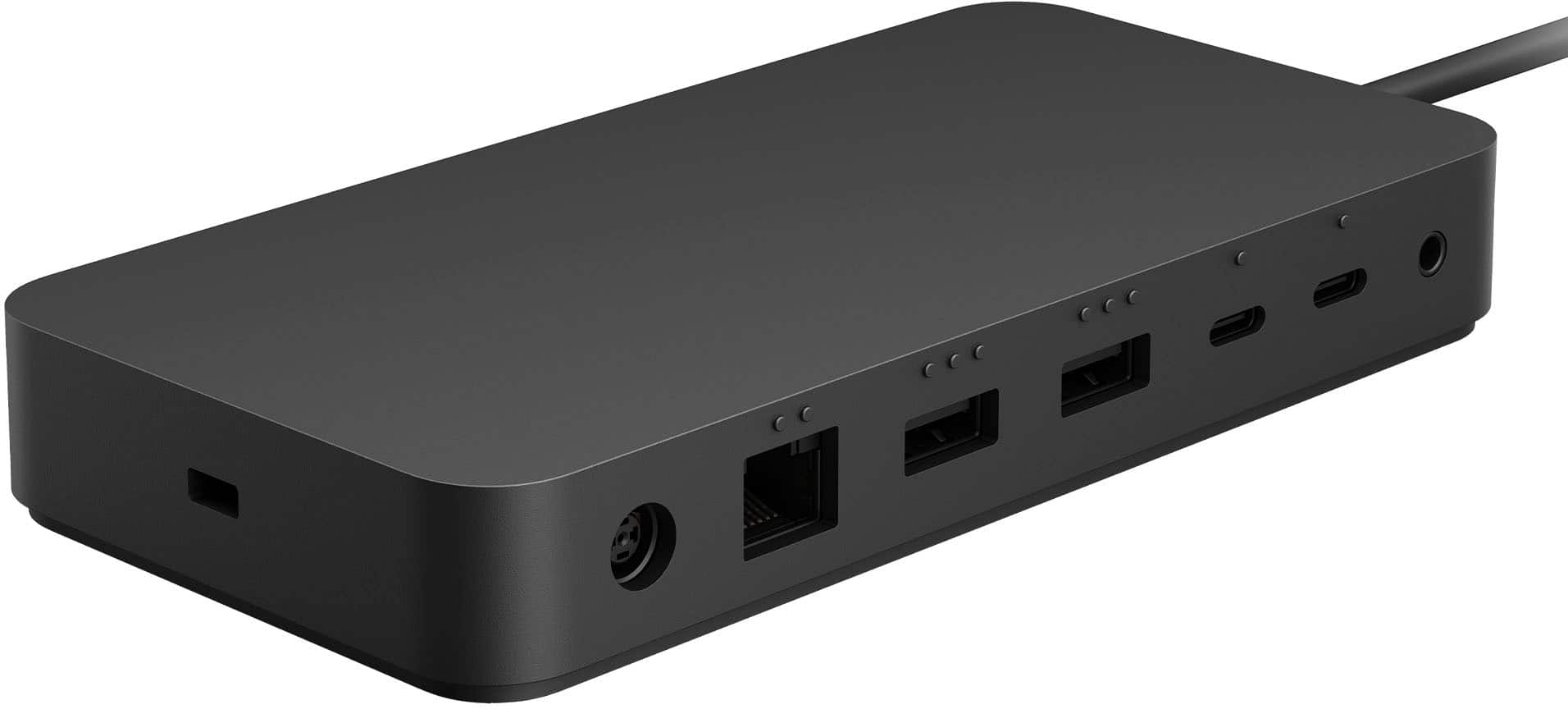
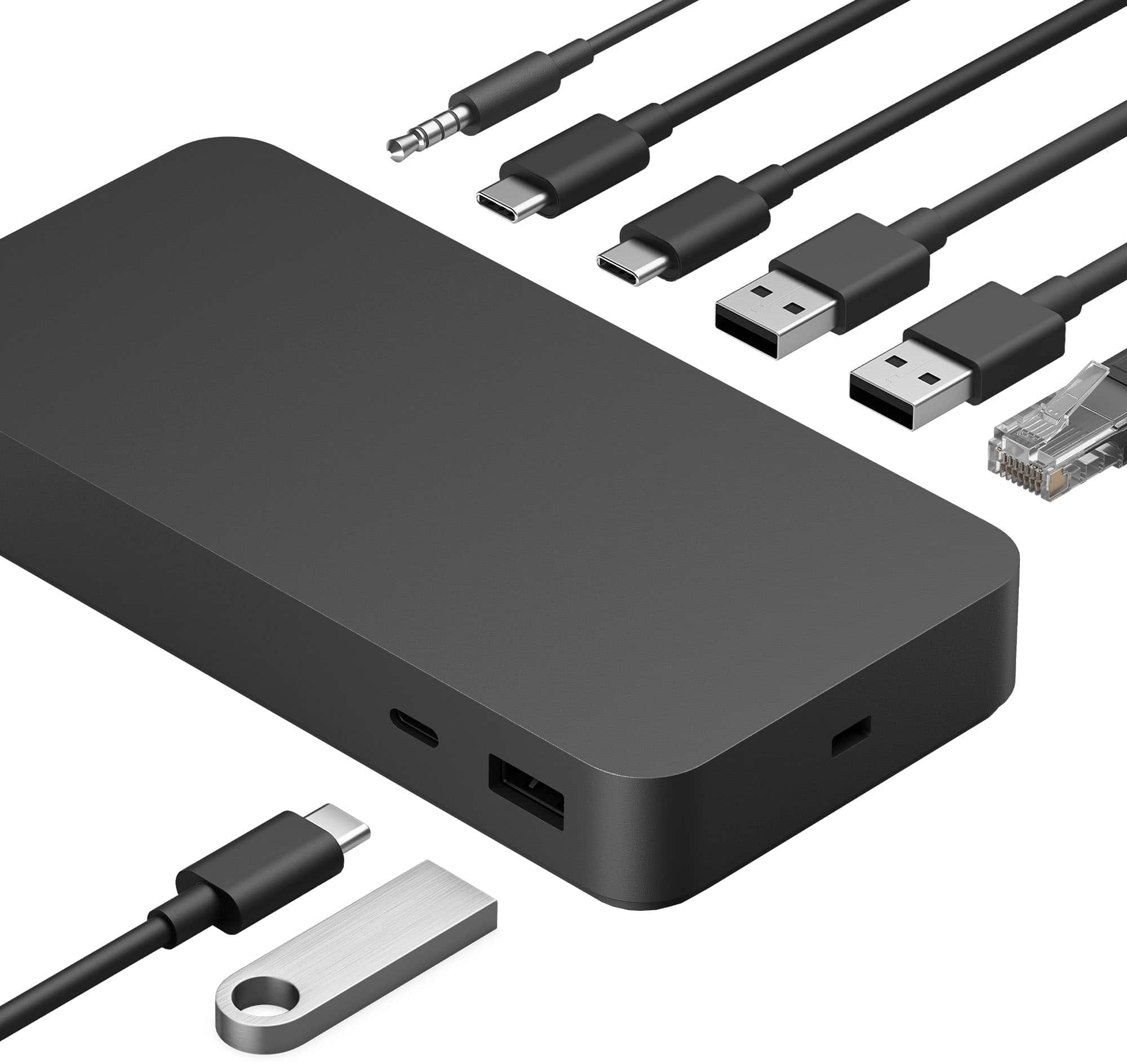
||Posted . Owned for 1 week when reviewed.This reviewer received promo considerations or sweepstakes entry for writing a review.It is compact, durable design provides versatile connectivity options, including Thunderbolt 4, USB-C, USB-A, HDMI/DisplayPort, and Gigabit Ethernet, catering to my professional needs. Supporting dual 4K displays ensures excellent extended display quality, while 40Gbps data transfer speeds deliver fast performance for external drives. With the Surface Pro’s reliance on USB-C ports, this dock greatly enhances usability, making it an essential tool for streamlining workflows. It has proven invaluable for my daily office tasks, offering seamless multitasking and efficient device management.
This review is from Microsoft - Surface Thunderbolt 4 Dock - Black
I would recommend this to a friendRated 5 out of 5 stars
Expensive but worth the price
||Posted .This reviewer received promo considerations or sweepstakes entry for writing a review.Expensive but works great. Easily portable. Size allows you to stow it away from view.
This review is from Microsoft - Surface Thunderbolt 4 Dock - Black
I would recommend this to a friend