Customer Ratings & Reviews
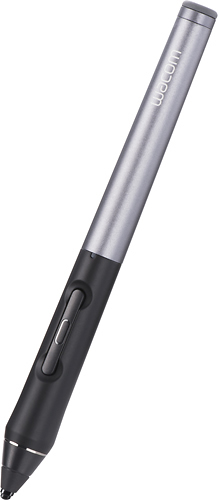


- Model:
- CS600PK
- |
- SKU:
- 8199039
Customer reviews
Rating 3.6 out of 5 stars with 161 reviews
(161 customer reviews)to a friend
Customers are saying
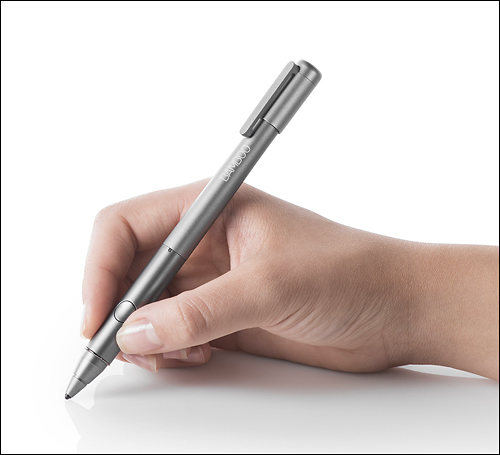
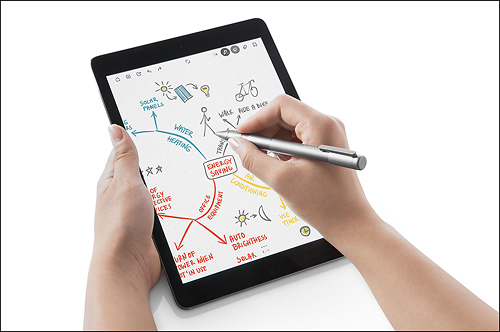
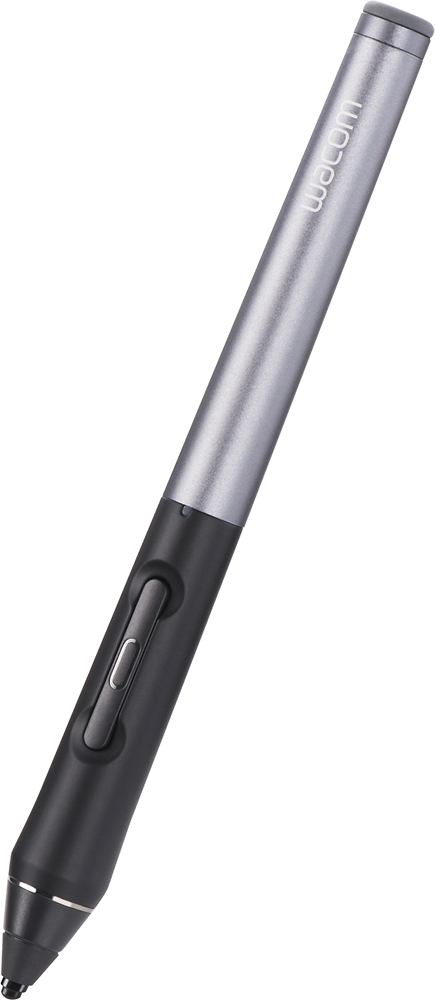
Customers are impressed with the Intuos Creative Stylus 2's ease of use, pressure sensitivity, and long battery life, finding it enjoyable for drawing and note-taking. However, some users experienced compatibility issues and accuracy problems, particularly with tilting the stylus. Concerns were also raised regarding the price and occasional lag or Bluetooth connectivity problems. Despite these drawbacks, many appreciate the stylus's precise tip and comfortable feel.
This summary was generated by AI based on customer reviews.
- Pros mentioned:Ease of use
Rated 4 out of 5 stars
Wacom has another hit on its hands.
||Posted .This reviewer received promo considerations or sweepstakes entry for writing a review.Feels great, can really control my brush strokes with ease and feels gracefully resting on my fingers. My only complaint is to charge it, you cannot simply plug it into a wall socket but only into a usb port. other than that, this is my favorite physical drawing tool.
I would recommend this to a friend Rated 4 out of 5 stars
Great stylus
||Posted .This reviewer received promo considerations or sweepstakes entry for writing a review.This stylus works quite well and is very precise. Doesn't need to be on either for basic functions. Only problem is the buttons are often hit accidentally due to their location.
I would recommend this to a friend- Cons mentioned:Accuracy
Rated 5 out of 5 stars
Wacom does it again.
||Posted .This reviewer received promo considerations or sweepstakes entry for writing a review.Awesome stylus. A little error in accuracy when using with a protective shield like the ZAGG glass. Works as advertised, great!
I would recommend this to a friend - Pros mentioned:Ease of use
Rated 1 out of 5 stars
Wacom's complicated set up needs review
||Posted .This reviewer received promo considerations or sweepstakes entry for writing a review.This is an example of a product, that you believe to be the real deal from the 4 stars out there. Extremely disappointed with this stylus, the company who makes amazing PC drawing tools created a less than intuitive and extremely complicated set up. I followed instructions, watched YouTube videos and the video Wacom has on its website. Won't work very well with apps it suggest you to use. Give Pencil by 53 a chance, it was my last choice due to its shape but it is easy to use, fast set up and you get premium content from their app!
No, I would not recommend this to a friend Rated 4 out of 5 stars
Works great once you get use to writing with it.
||Posted .This reviewer received promo considerations or sweepstakes entry for writing a review.Had trouble drawing in detail but I like writing with it. Overall I would recommend this and enjoy my purchase
I would recommend this to a friendRated 5 out of 5 stars
Another awesome Wacom tool
||Posted .This reviewer received promo considerations or sweepstakes entry for writing a review.I have only had the opportunity to use the stylus a few times so far. I have had fun learning how to use the stylus. It feels just like a real writing tool. It does take a little practice to get used to the "pressure" feature but it works well. I am impressed by the Wacom company once again. I look forward to using the stylus for many of my artistic and design doodles. The only downside for me is getting used to the software app(s) but that is my problem not the hardware.
I would recommend this to a friend- Pros mentioned:Ease of use
Rated 5 out of 5 stars
Wacom does well!
||Posted .This reviewer received promo considerations or sweepstakes entry for writing a review.My Intuous Creative Stylus 2 works wonderfully. It does exactly what is says and I like using it to draw or write.
I would recommend this to a friend Rated 4 out of 5 stars
Its okay
||Posted .This reviewer received promo considerations or sweepstakes entry for writing a review.I like the fifty three pen better due to the fact that the button is easily pressed and can erase you progress easily. I dont appreciate that.
I would recommend this to a friend- Pros mentioned:Battery life
Rated 5 out of 5 stars
Awesome
||Posted .This reviewer received promo considerations or sweepstakes entry for writing a review.Perfect for the iPad! Battery life is great for long projects! Not bulky and easy to hold.
I would recommend this to a friend - Cons mentioned:Bluetooth
Rated 5 out of 5 stars
Great stylus
||Posted .This reviewer received promo considerations or sweepstakes entry for writing a review.no need for blue tooth, but be careful. don't drop it. or remember to retract after usage.
I would recommend this to a friend Rated 5 out of 5 stars
GREAT STYLUS
||Posted .This reviewer received promo considerations or sweepstakes entry for writing a review.Works as advertised. Adjustable point. Consistent feel.
I would recommend this to a friendRated 5 out of 5 stars
Great stylus!
||Posted .This reviewer received promo considerations or sweepstakes entry for writing a review.Live it. Works great with all programs. Not great with palm rejection but great overall .
I would recommend this to a friend- Pros mentioned:Pressure sensitivity
Rated 5 out of 5 stars
Best for tabs or notes.
||Posted .This reviewer received promo considerations or sweepstakes entry for writing a review.Very good response, pressure sensitivity is excell, great for graphics or drawing.
I would recommend this to a friend Rated 4 out of 5 stars
Great choice for drawing on the iPad
||Posted .This reviewer received promo considerations or sweepstakes entry for writing a review.This is a great device for drawing with precision, the sensitivity and thin point are great for all the little details.
I would recommend this to a friendRated 5 out of 5 stars
Great stylus
||Posted .This reviewer received promo considerations or sweepstakes entry for writing a review.Very good feeling in the hand. It has nice solid feel. I love the error correction.
I would recommend this to a friendRated 4 out of 5 stars
Good for now. Better soon.
||Posted .This reviewer received promo considerations or sweepstakes entry for writing a review.This stylus works great with my ipad air 2 on some programs. More programs say compatibility coming in the next update.
I would recommend this to a friendRated 4 out of 5 stars
does what its supposed to
||Posted .This reviewer received promo considerations or sweepstakes entry for writing a review.this stylus synced up with my Ipad with no problems.I find I can use it with various apps, not just the wacom ones.
I would recommend this to a friend- Cons mentioned:Compatibility
Rated 5 out of 5 stars
nice pen
||Posted .This reviewer received promo considerations or sweepstakes entry for writing a review.This pen works perfectly on old iPads. But it is not so well with iPad air 2
I would recommend this to a friend Rated 5 out of 5 stars
Stylus pen for iPad Gen 3
||Posted .This reviewer received promo considerations or sweepstakes entry for writing a review.I totally love this pen it has many features . Love that is black.
I would recommend this to a friend- Pros mentioned:Ease of use
Rated 4 out of 5 stars
Writing Stylus - True Fine Point
||Posted .This reviewer received promo considerations or sweepstakes entry for writing a review.A pleasant relief from all those broad rubber tip stylus. As more apps come to support the full capability of this stylus, the benefit will be clearly seen.
I would recommend this to a friend
People also viewed
- $99.00Your price for this item is $99.00$129.00The comparable value for this item is $129.00
- $69.00Your price for this item is $69.00$79.00The comparable value for this item is $79.00
- $39.99Your price for this item is $39.99
- $129.00Your price for this item is $129.00
- $99.00Your price for this item is $99.00
- $39.99Your price for this item is $39.99
- $56.99Your price for this item is $56.99$69.99The comparable value for this item is $69.99
- $9.99Your price for this item is $9.99
- $103.99Your price for this item is $103.99$129.99The comparable value for this item is $129.99
- $79.99Your price for this item is $79.99
- $73.39Your price for this item is $73.39$82.99The comparable value for this item is $82.99
- $49.99Your price for this item is $49.99
- $49.99Your price for this item is $49.99
- $99.99Your price for this item is $99.99
- $139.97Your price for this item is $139.97$179.99The comparable value for this item is $179.99
- $79.00Your price for this item is $79.00
- $89.99Your price for this item is $89.99
- $40.99Your price for this item is $40.99
- $19.99Your price for this item is $19.99
- $129.00Your price for this item is $129.00