Customer Ratings & Reviews



- Model:
- PTH660
- |
- SKU:
- 5708931
Customer reviews
Rating 4.7 out of 5 stars with 678 reviews
(678 customer reviews)Rating by feature
- Value4.5
Rating 4.5 out of 5 stars
- Quality4.8
Rating 4.8 out of 5 stars
- Ease of Use4.5
Rating 4.5 out of 5 stars
Customers are saying
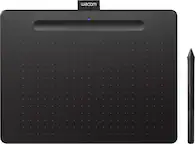
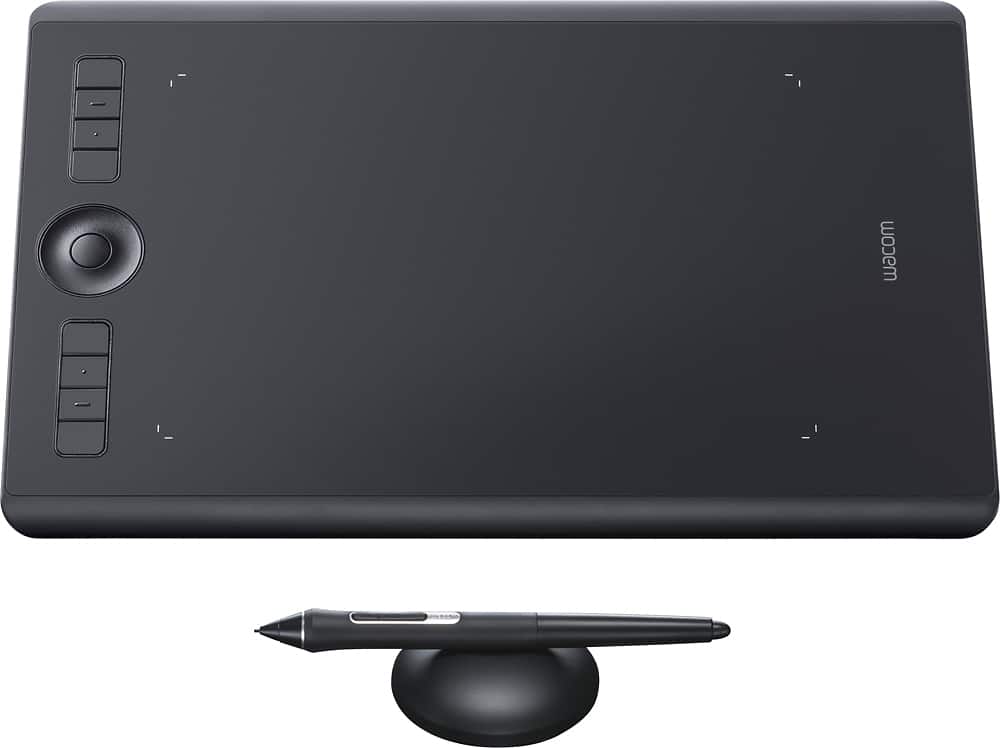
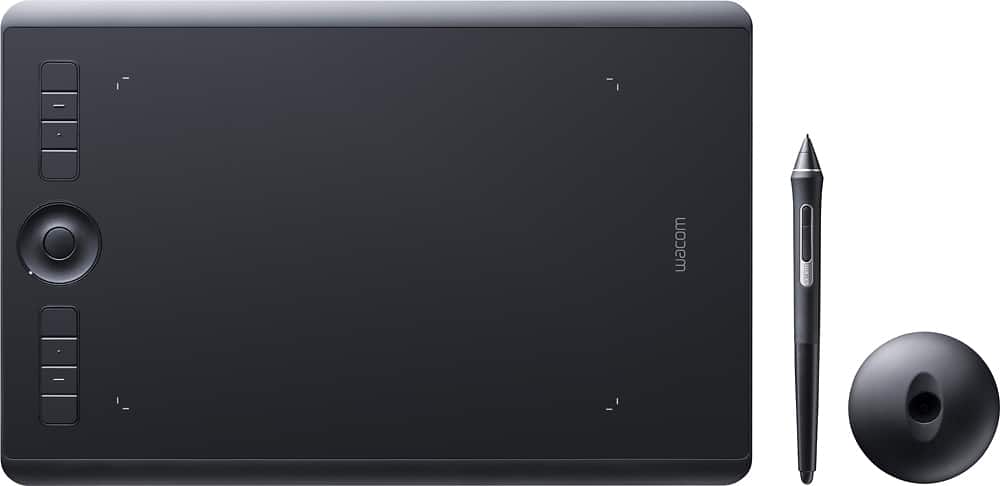
Customers love the Intuos Pro Pen Drawing Tablet (Medium) for its ease of use, precise sensitivity, and the quality of the pen and Bluetooth connectivity. Many appreciate the medium size, perfect for personal use, and its compatibility with various software. However, some users find the tablet surface to be rough and have noted issues with the included software. A few also mentioned experiencing occasional lag.
This summary was generated by AI based on customer reviews.
- Pros mentioned:Sensitivity
Rated 4 out of 5 stars
Work smarter not harder. Time saver.
||Posted . Owned for 1 week when reviewed.This reviewer received promo considerations or sweepstakes entry for writing a review.First time using a drawing tablet. I won't lie to you, the learning curve is big, and it will take time, but it is definitely worth it! It will cut your work time in half. So far, I have used it for illustrations and photo editing. Youtube tutorials helped me tremendously! I do think it is a little too expensive for what it does, but then again, I'm just getting to know it.
I would recommend this to a friend Rated 5 out of 5 stars
Use the Wacom
||Posted . Owned for 1 week when reviewed.This reviewer received promo considerations or sweepstakes entry for writing a review.I stated with the mini Wacom in 2018 and have been with the brand ever sense. Definitely great for editing. I primarily use this for retouching and it has been a photo saver. It give me so much control in the edit bay. My friends say it’s great for graphic design and 3D modeling. I suggest you try it out if you fall on these creative worlds.
I would recommend this to a friend- Pros mentioned:Sensitivity
Rated 5 out of 5 stars
Excellent tablet
||Posted .This reviewer received promo considerations or sweepstakes entry for writing a review.Great for professional work! Very light touch, right amount of pressure, amazing pen.
I would recommend this to a friend - Pros mentioned:Ease of use, Sensitivity
Rated 5 out of 5 stars
Excellent
||Posted .This reviewer received promo considerations or sweepstakes entry for writing a review.Excellent for retouching photos within photoshop. Allows you to make precise edits with brushes.
I would recommend this to a friend - Pros mentioned:Size
Rated 5 out of 5 stars
Wacom artist
||Posted .This reviewer received promo considerations or sweepstakes entry for writing a review.I have been using Wacom since 1999 being fairly known for my my Wacom art work on major art sites and finally broke down for a newer model because Windows newest update did not like the driver for the older model, I won't be the first to find this out. Transition to a newer medium size tablet was simple. I also searched for lowest price and found it was pretty well locked. Best Buy just made it easiest.
No, I would not recommend this to a friend - Pros mentioned:Ease of use, Size
Rated 5 out of 5 stars
very good
||Posted .This reviewer received promo considerations or sweepstakes entry for writing a review.easy to start. Bluetooth has problem connect to win10. M size is perfect for 24 inch monitor
I would recommend this to a friend - Pros mentioned:Ease of use
Rated 5 out of 5 stars
Great product
||Posted .This reviewer received promo considerations or sweepstakes entry for writing a review.Great product and easy to use. Works well with Photoshop. Wife is the main user and loves it
I would recommend this to a friend - Pros mentioned:Ease of use
Rated 5 out of 5 stars
All you need if you are an on-line instructor
||Posted . Owned for 3 weeks when reviewed.This reviewer received promo considerations or sweepstakes entry for writing a review.I am old fashioned Ptofessor that likes to use the whiteboard in class. I am teaching an on-line class for the first time and found the perfect solution to continue my demonstration on the Intuos Pro Pen Tablet like I never left the classroom. I share my screen by using Notes as the software. Perfect!!
I would recommend this to a friend - Pros mentioned:Ease of use
Rated 5 out of 5 stars
Great for drawing
||Posted .This reviewer received promo considerations or sweepstakes entry for writing a review.Setup is easy and the product works great. Works with multiple drawing software packages.
I would recommend this to a friend Rated 4 out of 5 stars
Works fine
||Posted . Owned for more than 2 years when reviewed.This reviewer received promo considerations or sweepstakes entry for writing a review.I ended up returning this item. It worked fine just wssnt what i was looking for. Doesnt have a built in screen
I would recommend this to a friend- Pros mentioned:Size
Rated 5 out of 5 stars
very satisfied with this purchase
||Posted . Owned for 1 month when reviewed.This reviewer received promo considerations or sweepstakes entry for writing a review.good size writing tablet. stylus is very seamless to use on smooth tablet surface. i am a graphic designer so i developed a bit of carpel tunnel using a regular mouse. using the stylus has helped with the pain in my wrist and makes using adobe applications like illustrator and photoshop very easy.
I would recommend this to a friend - Pros mentioned:Bluetooth
Rated 4 out of 5 stars
Absolutely fantastic - but check your computer
||Posted . Owned for 3 weeks when reviewed.This reviewer received promo considerations or sweepstakes entry for writing a review.This is a great tablet! One thing you should pay attention to is the age of your computer and what version of Bluetooth it's running. I'm using this with a 2012 iMac so there is a significant delay when using it wirelessly. The fix has been to simply plug it in. Then it zips! I have no doubt that it would perform just as well if my computer was running more modern bluetooth. On the fence? DO IT! It's awesome. :-)
I would recommend this to a friend - Pros mentioned:Ease of use
Rated 5 out of 5 stars
100 % ecommend
||Posted . Owned for 3 weeks when reviewed.This reviewer received promo considerations or sweepstakes entry for writing a review.I use this tablet for more than 8 hours at a time and its so easy to use. Make the whole process really easy with its customizable buttons. I would recommend to even beginners like me.
I would recommend this to a friend Rated 5 out of 5 stars
Not just the luck of the draw. Worth the price!
||Posted . Owned for 8 months when reviewed.This reviewer received promo considerations or sweepstakes entry for writing a review.I bought this after years of using Wacom older tablets at work, and I love it. The main thing to know about this type of tablet is the tactile experience of using the stylus directly on the surface. Some other tablets feel like you're dragging a cheap plastic stylus over a cheap plastic surface, but with this (and similar) tablets it's a lot smoother, much closer to rubber-on-rubber. Altogether it's a smooth experience that makes it easier to do precision work. The response time is fast, and this generation in particular seems to be very adept at ignoring ghost touches. I do wish the stylus tips would last longer--I replaced the tip on mine after only a few months, most of it spent painstakingly painting out the backgrounds on photos--but out of the box they come with plenty of replacements so that I can live with. The price tag does sting a little, but it's worth the investment if you do any kind of work that requires a stylus. The only genuine downside is that I haven't figured out (yet) how to get this to work with OneNote.
I would recommend this to a friendRated 3 out of 5 stars
Good..but not great.
||Posted . Owned for 3 weeks when reviewed.This reviewer received promo considerations or sweepstakes entry for writing a review.Why the three star you might ask? Well.. I took one for the team on this one. I had read numerous reviews about the tips not lasting long enough, and let me tell you something--they don't, unfortunately. I probably worked on 6-8 images on Photoshop and it wasnt something drastic to say the least, just a few things to touch up here and there, and to my avail, the tip was already on its last breath by the time I took on my 8th-9th image. Before you get all mad at me thinking that I was being hard on the pen, as I noted in the beginning, I had prior knowledge of this occurring. I was thinking that if I were to be easy on it, maybe I could get away with it from not easily degrading the tip. I was one of those thinking that maybe the others were just too hard on the tip. Nope. It does not last long at all. I did the math, so by the end of the year, I would have bought enough tips equivalent to buying another tablet. I did figure something out. You can make your own tip/s. I made my own from a plastic pin that comes in those drywall screw packages. Its a plastic pin that pushes in the plastic piece prior to screwing in the actual screw. It works really well and I have not seen any degrading of the tip so far, yet. As far as the tablet goes, its actually great! I really enjoy editing with this thing. For those that have owned prior models, should know how good this is. I want to recommend this so bad, but the tips...come on Wacom..not good. So, I hope this helps those that are juggling with a decision wether to buy this or not. Good luck.
No, I would not recommend this to a friend- Pros mentioned:Sensitivity
Rated 5 out of 5 stars
A must for designers
||Posted . Owned for 1.5 years when reviewed.This reviewer received promo considerations or sweepstakes entry for writing a review.I actually own two which should tell you something. This is a really good pad which we use to design graphics and artistic designs. We then print and sell or create illustrations with them. Basically this pad can be used for anything "photo editing" and provides support to desktop applications which tablets yet can't.
I would recommend this to a friend - Pros mentioned:Ease of use, Sensitivity
Rated 5 out of 5 stars
Best Tablet on the market for designers
||Posted .This reviewer received promo considerations or sweepstakes entry for writing a review.I love this tablet. It's easy to use, responsive and has a sleek design.
I would recommend this to a friend - Pros mentioned:Bluetooth
Rated 5 out of 5 stars
Love that this can be used wirelessly
||Posted .This reviewer received promo considerations or sweepstakes entry for writing a review.I have used Wacom tablets for over 20 years and really love this latest design. It’s very slim and the pen holder is much nicer, love that it stores the nibs inside also. So happy that this can also be used wirelessly (via Bluetooth). It only lasts about a day or a little longer before having to plug back in, but at least it is an option. I highly recommend this product!
I would recommend this to a friend - Pros mentioned:Ease of use
Rated 5 out of 5 stars
My magical tablet
||Posted . Owned for 1 month when reviewed.This reviewer received promo considerations or sweepstakes entry for writing a review.This is an amazing product, I very recommended specially, for people who are using Photoshop to edit it images it’s just perfect and easy to work with .
I would recommend this to a friend - Pros mentioned:Sensitivity
Rated 5 out of 5 stars
Great Art Tablet
||Posted .This reviewer received promo considerations or sweepstakes entry for writing a review.I been using Wacom tablets for over ten years, this is a must have if you are a graphic artist using software like Corel Painter or Photoshop. It gives you control with thick to thick lines using pressure. One of the best features that I like is Wacom's software allowing you to program hundreds of shorts into the tablet, you even have shortcuts for the pen as well.
I would recommend this to a friend