Samsung - 34" Odyssey OLED G8 Curved WQHD FreeSync Premium Pro Smart Gaming Monitor with HDR400, (Micro DP, Micro HDMI, USB) - Silver
FREE shipping to
Related Item

Specifications
- Refresh Rate175HzMaximum Resolution3440 x 1440Response Time0.1 millisecondsPanel TypeNot ApplicableSynchronization TechnologyFreeSync Premium Pro (AMD Adaptive Sync)Screen Size34 inches
- Key Specs
- Refresh Rate: 175Hz (The number of frames per second the device can produce natively without enhancement. Higher rates help produce smooth, seamless pictures.)
- Maximum Resolution: 3440 x 1440 (Maximum resolution refers to the highest number of pixels that a screen can process and display. Higher resolution signals produce more detailed images.)
- Response Time: 0.1 milliseconds (The speed at which pixels can change colors is called response time. It is measured in milliseconds (ms).)
- Panel Type: Not Applicable (Technology that affects response time and image quality.)
- Synchronization Technology: FreeSync Premium Pro (AMD Adaptive Sync) (Generally, these technologies allow syncing between a computer/console game's frame rate and the device's refresh rate for a smoother display without tearing.)
- Screen Size: 34 inches (Size of the screen, measured diagonally from corner to corner.)
- Display Connector(s): 1 x Mini DisplayPort (The number and type of connectors used to connect to an external display.)
- General
- Brand: Samsung
- Model Number: LS34BG850SNXZA
- Product Name: 34" Odyssey OLED G8 Curved WQHD FreeSync Premium Pro Smart Gaming Monitor with HDR400, (Micro DP, Micro HDMI, USB)
- Color: Silver
- Operating System Compatibility: Windows, Mac
- Display
- Refresh Rate: 175Hz (The number of frames per second the device can produce natively without enhancement. Higher rates help produce smooth, seamless pictures.)
- Maximum Resolution: 3440 x 1440 (Maximum resolution refers to the highest number of pixels that a screen can process and display. Higher resolution signals produce more detailed images.)
- Contrast Ratio: 1,000,000:1 (Measured difference between a displayed image's brightest whites and darkest blacks. The larger the first number, the more detail and color that can be displayed.)
- Response Time: 0.1 milliseconds (The speed at which pixels can change colors is called response time. It is measured in milliseconds (ms).)
- Display Type: OLED
- Panel Type: Not Applicable (Technology that affects response time and image quality.)
- Synchronization Technology: FreeSync Premium Pro (AMD Adaptive Sync) (Generally, these technologies allow syncing between a computer/console game's frame rate and the device's refresh rate for a smoother display without tearing.)
- Aspect Ratio: 21:9 (The measurement of the width of a screen compared to the height of a screen, expressed as a ratio.)
- Curved Screen: true
- Brightness: 250 candela per square meter (A measure of the total light output.)
- Screen Size: 34 inches (Size of the screen, measured diagonally from corner to corner.)
- High Dynamic Range (HDR): true (An HDR-compatible 4K TV or other HDR-compatible product displays HDR video content when it's available from sources like 4K Ultra HD Blu-ray Discs and 4K streaming services.)
- High Dynamic Range Format: HDR 10, HDR 10+, VESA Certified DisplayHDR 400 True Black (There are a few HDR formats that tell the TV or other HDR-compatible product how to best utilize its capabilities to display HDR content. HDR technology can support one or multiple formats, each with various benefits to picture quality.)
- Horizontal Viewing Angle: 178 degrees (The maximum angle at which the display can be viewed with acceptable visual performance from either side.)
- Vertical Viewing Angle: 178 degrees (The maximum angle at which the display can be viewed with acceptable visual performance from above or below.)
- Touch Screen: false (Touch-screen devices make navigating more intuitive. Using a touch-screen display, you can do things such as tap to select, hold and drag to move items, swipe to scroll, and pinch to zoom.)
- Color Gamut (NTSC): 0 percent
- Color Gamut (Standard RGB): 0 percent
- Connectivity
- Number of DisplayPort Inputs (Total): 0
- Number of HDMI Inputs (Total): 1
- Number of VGA Ports: 0 (VGA (Video Graphics Adapter or Video Graphics Array) is a display standard that transmits via analog signals. This type of interface is typically used to connect a computer to a display device such as a monitor, projector, or TV.)
- Number of DVI Inputs: 0 (The number of digital cables carrying analog (VGA) video signals that can be connected to the product.)
- Number of Mini DisplayPort Inputs: 1
- Number of Thunderbolt Ports (Total): 0
- Display Connector(s): 1 x Mini DisplayPort (The number and type of connectors used to connect to an external display.)
- Number of USB Ports (Total): 2
- USB Ports: 2 x USB-C 2.0 (The number and type of USB ports the product has.)
- Headphone Jack: false (The device features an interface that allows for the connection of headphones.)
- Compatibility
- Wall Mountable: true (The product is able to be secured to a wall. Some products are designed ready to mount, while others may require additional hardware/accessories for installation.)
- VESA Wall Mount Standard: 100mm x 100mm (VESA wall mount standards refer to the spacing of screw holes built into a TV in order to fit with standard TV wall mounts. These standards are implemented into most TVs and monitors.)
- Works With: Amazon Alexa, Nest, SmartThings (Compatible with or able to be connected to other smart devices or applications.)
- Voice Assistant Built-in: Amazon Alexa, Bixby (A digital assistant built into the device that uses voice commands to answer questions and control smart devices.)
- Features
- Tiltable: true
- Adjustable Stand Height: true
- Anti-Glare: false (Product has features, such as a matte finish, that reduce the likelihood for screen glare.)
- Eye Relief Features: Flicker free, Low blue light
- Built-In Webcam: false
- Integrated Speaker(s): true
- Dimensions
- Product Height With Stand: 20.6 inches
- Product Height Without Stand: 14.3 inches
- Product Width: 32 inches (The out of box width of the item. Width is measured as the horizontal distance from one side of the item to the other as it would be primarily used or placed.)
- Product Depth (With Stand): 7.6 inches
- Product Depth Without Stand: 5 inches
- Product Weight: 16.5 pounds (The out of box weight of the item.)
- Stand Included: true
- Cord Length: 59.05 inches
- Certifications Listings & Approvals
- ENERGY STAR Certified: false (Devices carrying the ENERGY STAR service mark, such as computer products and peripherals, kitchen appliances, and other products, generally use 20% to 30% less energy than required by federal standards.)
- EPEAT Qualified: false (The Electronic Product Environmental Assessment Tool (EPEAT) was designed to provide an environmental assessment tool for purchasers. In order to qualify for EPEAT, a product must meet all 23 required criteria.)
- Warranty
- Warranty - Parts: 1 year
- Warranty - Labor: 1 year
- Other
- UPC: 887276712208
Get ready to experience mesmerizing gaming with Samsung's 175Hz QD-OLED screen. Enhanced with the Neo Quantum Processor, it delivers brighter whites, deeper blacks and near-infinite color contrast, for an intensely captivating view in QD-OLED. The fastest Odyssey yet moves at electrifying speed with a hair-raising 0.03ms GTG response time. Instantly access top streaming services via Gaming Hub and enjoy smooth play with Samsung’s advanced streaming technology. Additionally, your game room will be instantly upgraded with the Odyssey QD-OLED G8's super slim frame, premium metal finish and visually stunning Core Lighting+.
- OLED & Neo Quantum Processor: With the advanced Neo Quantum Processor, every frame on the QD-OLED panel is instantly analyzed and optimized for maximum quality. Colors, shades and contrast unify to deliver a bright and brilliant picture at all times.
- 0.03ms GTG Response time & 175Hz Refresh rate: Dodge, counter and engage faster than the rest. QD-OLED technology creates near-instant reaction time with the blistering 0.03ms GTG response time and 175Hz refresh rate. Milliseconds count when you face the best.
- 110 PPI: Don’t sacrifice detail, even with a larger screen. More pixels per inch gives you the level of clarity you need to pick up on the small, but significant, details across the 34" Odyssey OLED G8 screen
- Ultra WQHD: The Ultra-WQHD display with a 21:9 ratio surrounds your gaming peripherals to give you more field of vision in combat, races and more. With a wider field of view, attack before your opponent can react.
- AMD FreeSync Premium pro: Hyper action gaming made seamless. Fast-action and complex game scenes are projected stably and stutter-free with AMD FreeSync Premium pro to power your competitive edge.
- DisplayHDR True Black 400: Uncover every secret with infinite expression. See true black and dark colors on screen without pixel light bleed for supreme color and depth expression in every game.
- CoreSync & Core Lighting+: Sync up with your surroundings. With CoreSync technology and new Core Lighting+, in-game colors project into the real world at the back of your monitor to further immerse you and instantly shift your setup's vibe.
- Monitor Ports: The USB Type-C port enables you to power up, transmit data, and even send display signals between devices with just one connection. Its single connection architecture offers an intuitive PC setup that's both clutter-free and stress-free
- Samsung Gaming Hub: ¹ Gaming Hub* allows instant access to top streaming services and your favorite consoles. Smooth visuals and responsive gameplay are powered by Samsung’s advanced game streaming technology without downloads – just turn on and play.
- Game Bar: Check and control game settings in an instant. Now, you can easily view the status of the most important settings such as FPS or HDR. Modify response time, screen ratio, and game picture mode all on one in-game screen for uninterrupted but more optimal gameplay.
- Smart TV Experience: Take a break from marathon gaming sessions and catch up on must-see streaming content, with just a simple Wi-Fi connection. Samsung TV Plus ² offers free live content with no downloads or sign-ups as well as personalized content recommendations from Universal Guide.
- IoT Hub & Voice Assistants: Stage your victory straight from your monitor. Dim the lights, set the thermostat and pull the blinds down, all using SmartThings integration to create the perfect gaming environment.
- Auto Source Switch+: With Auto Source Switch+, your monitor detects when connected devices are turned on and instantly switches to the new source signal. This helps you to get into action faster without flipping through multiple input sources.
- Slim Metal Design: Upgrade your gaming station with razor-sharp design. Featuring a premium and modern metal finish measuring at just 3.9mm at its thinnest, Odyssey OLED's unmatched design will suit your stylish sense.
- Ergonomic Stand: Pivot into victory. Tilt and adjust your monitor until all enemies are in perfect view. Your display can be moved freely so you can find total gaming comfort
Whats Included
- Mini-Display Port Cable
- Remote Control
- 1.5 m Power Cable
- User Manual
Q: How do I connect my ps5 to the monitor
A: I own this monitor and wondered the same thing when I first bought it. Because it has a micro HDMI port, you'll have to purchase that specific type of cable to connect the PS5 to the monitor (Amazon has inexpensive micro HDMI 2.1 cables). So, in other words, the monitor is compatible to connect to the PS5, but only with a "micro" HDMI 2.1 cable. The downside is (at the time of this writing) the PS5 does not output 21:9 Ultrawide (or wider) resolutions. So, you'll have to lower your output (black bars) or play with a stretched picture on your display. I hope this answer helps.
Q: When is this coming back out
A: idk but I have been checking practically every day and I guess the day I didn't check it was released and sold out same day?
Q: How is this monitor for movies
A: I would pass as it’s not a 4K monitor your tv would be better if you have an oled
Q: I'm assuming this has no built in speakers? As I don't see any mention of them.
A: Yes it has built in speakers. The sound quality is ok if you sit near it. The monitor is also very buggy, I've had this for 3 weeks and i keep the monitor volume at 20 or 30 and it consistently increases throughout the day to 50 or 60 before I turn it back down. Using the smart tv apps like Netflix or any other app the audio will only come out through the monitor speakers. It won't matter if your PC speakers are connected, the sound for the built in apps don't work with PC speakers. However you'll have to just use your web browser on the computer for your computer speakers to work.
A: Sounds like the ratio is off. Try doing this on the monitor: Settings > Picture > Picture Size Settings > set the ratio to 21:9.
Q: Can this be mounted to a monitor arm?
A: Yes. Vesa 100 mm.
A: It comes with the cable you need to connect it to a full sized display port. You can also purchase an adapter if you want to use hdmi.
Compare similar products
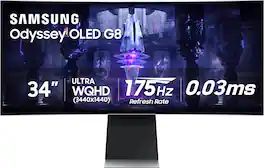
Get ready to experience mesmerizing gaming with Samsung's 175Hz QD-OLED screen. Enhanced with the Neo Quantum Processor, it delivers brighter whites, deeper blacks and near-infinite color contrast, for an intensely captivating view in QD-OLED. The fastest Odyssey yet moves at electrifying speed with a hair-raising 0.03ms GTG response time. Instantly access top streaming services via Gaming Hub and enjoy smooth play with Samsung’s advanced streaming technology. Additionally, your game room will be instantly upgraded with the Odyssey QD-OLED G8's super slim frame, premium metal finish and visually stunning Core Lighting+.

Samsung's 34" Odyssey OLED G8 Ultra-WQHD Gaming Monitor features OLED technology for a wider color spectrum and vibrant images. 175Hz refresh rate, 0.03ms response time (GtG), and AMD FreeSync Premium Pro allows for faster, exhilarating gameplay without image tearing. 34" 21:9 Ultra-WQHD display with 110 pixels per inch for stunning detail and clarity. Glare Free technology significantly reduces glare from external light sources, so the OLED screen’s perfect black and color experience are presented without distractions. OLED Safeguard includes Thermal Modulation System, Logo and Taskbar Detection & Screen Saver to help prevent burn-in. A Slim Metal Design and Ergonomic Stand provides unparalleled style and comfort, with connectivity that enables access a variety of input options. Gaming Hub offers instant access to streaming with Smart TV Apps for access to mustsee shows and free live content. 3-Year warranty.

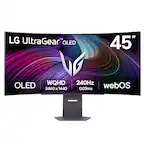
Experience lightning-quick speed with up to a 240Hz refresh rate¹ and 0.03ms response time on a huge 34 Inch WQHD curved OLED monitor. The steep 800R curve surrounds you in the action. And with the 240Hz refresh rate, and 0.03ms response time, the action is fast, the play seamless and precise. Dive into UltraGear OLED’s immaculate visuals with up to 98.5% of DCI-P3 color coverage and a 1,500,000:1 contrast ratio for stunning blacks and vibrant colors. Adaptive sync technologies FreeSync Premium Pro and NVIDIA G-SYNC compatibility ensure tear-free, stutter-free performance, whether you're on PC or next-gen consoles. Plus, the UltraGear's 2-year OLED limited warranty and OLED Care features give you peace of mind, keeping your UltraGear monitor in top shape. Designed for gamers, the virtually borderless design complements any gaming setup, with height, tilt, and swivel adjustments for optimal comfort. The RBG backlighting creates the mood that’ll upgrade any battlestation.

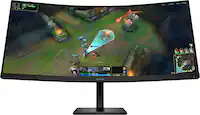
Alienware 34 240Hz QD-OLED Gaming Monitor - AW3425DW. Meet unmatched immersion with an ultrawide 34" QD-OLED, delivering greater speed and a striking new design.
| Pros for Samsung - 34" Odyssey OLED G8 Curved WQHD FreeSync Premium Pro Smart Gaming Monitor with HDR400, (Micro DP, Micro HDMI, USB) - Silver | |||
|---|---|---|---|
| There were no pros for this product— | Picture Quality, Refresh Rate, OLED Quality, Color, Design | Picture Quality | Refresh Rate, Color Quality, Connectivity, Contrast, HDR Performance |
| Cons for Samsung - 34" Odyssey OLED G8 Curved WQHD FreeSync Premium Pro Smart Gaming Monitor with HDR400, (Micro DP, Micro HDMI, USB) - Silver | |||
| There were no cons for this product— | There were no cons for this product— | OLED Quality | There were no cons for this product— |
Specs
Reviews
Customer Images
The vast majority of our reviews come from verified purchases. Reviews from customers may include My Best Buy members, employees, and Tech Insider Network members (as tagged). Select reviewers may receive discounted products, promotional considerations or entries into drawings for honest, helpful reviews.
- Rated 4 out of 5 stars
Phenomenal monitor but...
After an extensive comparison with its rivals, the Samsung Odyssey OLED G8 34" stands out as the pinnacle of gaming monitors, offering a perfect blend of style and substance. Its sleek design not only elevates any gaming setup but also packs a punch with features like high-quality built-in speakers and a convenient 65W USB-C port. I personally bought the LG 45" UltraGear OLED, Alienware - AW3423DWF 34" OLED, and the Samsung Odyssey OLED G8 34" to compare all three models side-by-side. The Samsung Odyssey OLED G8 34" won and here's why. Design and Features: The G8's design is nothing short of elegant, fitting seamlessly into a professional environment while boasting features tailored for the ultimate gaming experience. Its surprise package? The remarkably good built-in speakers and the versatile USB-C port, a boon for MacBook users. Gaming Performance: Paired with an RTX 4080, the G8 offers an immersive gaming experience. The visuals are crisp, colors pop, and the overall performance is fluid, making every gaming session an event to look forward to. Pros: - Crisp, vibrant display - High-quality built-in speakers - Sleek, professional design Cons: - Clunky UI - Wobbly stand without a stable desk - Micro display ports could be a turnoff Final Verdict: This monitor is a beast in the gaming world, and at its sale price of $899.99, it's an absolute bargain. While it has its flaws, they are overshadowed by its performance and design. A solid 4/5 stars from me.
This review is from Samsung - 34" Odyssey OLED G8 Curved WQHD FreeSync Premium Pro Smart Gaming Monitor with HDR400, (Micro DP, Micro HDMI, USB) - Silver
Posted by Thomas
- Rated 5 out of 5 stars
Excellent display, poor port options
I recently purchased an open-box monitor in good condition from Best Buy. The display is excellent, with a crisp and vibrant image quality that exceeded my expectations. Watching content or working on this monitor is a pleasure due to the sharpness and color accuracy. However, I do have a couple of caveats to mention. First, the monitor's port options are limited to a mini DisplayPort and micro HDMI, which are quite rare and inconvenient. It would have been much more user-friendly to include standard HDMI or DisplayPort options. Regarding the open-box condition, while the monitor functions perfectly, there were a few cosmetic issues. I noticed some scratches on the back and a bit of sticky residue on the display itself. Fortunately, these haven't affected the monitor's performance.
This review is from Samsung - 34" Odyssey OLED G8 Curved WQHD FreeSync Premium Pro Smart Gaming Monitor with HDR400, (Micro DP, Micro HDMI, USB) - Silver
Posted by Verkent
- Rated 5 out of 5 stars
Happy gamer
Samsung Odyssey G8 Review: Gaming Excellence Redefined The Samsung Odyssey G8 stands out as a premium gaming monitor, blending top-tier performance with cutting-edge design. Design and Build: The monitor’s sleek, futuristic design is complemented by a robust build quality. The curved display provides an immersive viewing experience, drawing you deeper into your games. Display Quality: Featuring a QHD resolution and a high refresh rate, the Odyssey G8 delivers sharp, vibrant visuals. The color accuracy and contrast are exceptional, enhancing both gameplay and multimedia experiences. Performance: With a rapid response time and support for adaptive sync technologies like G-Sync and FreeSync, the Odyssey G8 ensures smooth, tear-free gaming. It handles fast-paced action effortlessly, making it perfect for competitive gaming. Features: The monitor boasts a variety of connectivity options, including HDMI, DisplayPort, and USB ports, making it versatile for multiple devices. The user-friendly on-screen display allows for easy adjustments to settings.
This review is from Samsung - 34" Odyssey OLED G8 Curved WQHD FreeSync Premium Pro Smart Gaming Monitor with HDR400, (Micro DP, Micro HDMI, USB) - Silver
Posted by HoChief