Elgato - 4K Pro – 8K60 Passthrough/4K60 Capture for PC, Nintendo Switch 2, PS5, Xbox Series X with HDMI 2.1, VRR, HDR10 - Black
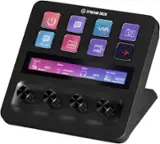
 Elgato - Stream Deck + Studio Controller with customizable touch strip and dials - Black$199.99
More Buying Options

Specifications
- Video Input(s)HDMIVideo Output(s)HDMIMaximum Supported Resolution (Video Capture)2160p (4K) @ 60 FPSMaximum Supported Resolution (Video Passthrough)2160p (4K) @ 60 HzCompatible Platform(s)Windows, PlayStation 5, Xbox Series X, Nintendo Switch, Steam Deck, Nintendo Switch 2
- Key Specs
- Video Input(s): HDMI
- Video Output(s): HDMI
- Maximum Supported Resolution (Video Capture): 2160p (4K) @ 60 FPS (The highest video resolution supported by the device to capture video from another source.)
- Maximum Supported Resolution (Video Passthrough): 2160p (4K) @ 60 Hz (The highest video resolution supported by the device for passing through video to another device.)
- Compatible Platform(s): Windows, PlayStation 5, Xbox Series X, Nintendo Switch, Steam Deck, Nintendo Switch 2
- General
- Brand: Elgato
- Model Number: 10GBK9901
- Product Name: 4K Pro – 8K60 Passthrough/4K60 Capture for PC, Nintendo Switch 2, PS5, Xbox Series X with HDMI 2.1, VRR, HDR10
- Color: Black
- Device Type: PC Card
- Connectivity
- Video Input(s): HDMI
- Audio Input(s): HDMI
- Video Output(s): HDMI
- Audio Output(s): HDMI
- Display
- Maximum Supported Resolution (Video Capture): 2160p (4K) @ 60 FPS (The highest video resolution supported by the device to capture video from another source.)
- Maximum Supported Resolution (Video Passthrough): 2160p (4K) @ 60 Hz (The highest video resolution supported by the device for passing through video to another device.)
- Dimensions
- Product Height: 0.75 inches (The out of box height of the item. Height is measured as the vertical distance from the bottom of the item to the top as it would be primarily used or placed.)
- Product Width: 4.76 inches (The out of box width of the item. Width is measured as the horizontal distance from one side of the item to the other as it would be primarily used or placed.)
- Product Length: 2.2 inches (The out of box length of the item. Length is measured as the longest dimension of the item.)
- Product Weight: 0.89 pounds (The out of box weight of the item.)
- Compatibility
- Compatible Platform(s): Windows, PlayStation 5, Xbox Series X, Nintendo Switch, Steam Deck, Nintendo Switch 2
- Minimum System Requirements: Windows 10 (64-bit) or newer 8th-generation Intel Core i5 CPU (i5-6xxx) / AMD Ryzen 5 (or better) NVIDIA GeForce GTX 10xx (or better) PCIe x4/x8/x16-slot
- Warranty
- Warranty - Parts: 2 years
- Warranty - Labor: 2 years
- Other
- UPC: 840006677680
8K60 passthrough, 4K60 capture! VRR and true 10-bit HDR. 4K Pro turns your high-end PC or dual PC setup into the ultimate streaming machine, and leaves your gameplay alone. Equipped with HDMI 2.1, you can even play in high resolutions at high frame rates, like 4K240, and capture ultra smooth 1080p240 footage of your performance – all while ultra-low latency circuitry keeps your gameplay and capture feed perfectly synced. From PC, PS5, and Xbox Series X to Nintendo Switch, Steam Deck, ROG Ally, even iPhone 15 – we’ve made sure 4K Pro plays beautifully with your beloved machine. Because you‘ve invested in high-end gear for the best gaming experience possible, and you shouldn’t have to compromise that.
- Ready for your console: Capture Nintendo Switch 2, Playstation, Xbox, Steam Deck - anything.
- Pure gameplay: Play in 8K60 while capturing 4K60.
- HDMI 2.1 in/out: Record high frame rates up to 240fps in 1080p resolution.
- VRR passthrough: Enjoy smooth gameplay with zero screen tearing.
- Ultra-low latency: Your broadcast and gameplay, perfectly synced.
- Onboard tonemapping: 10-bit HDR gameplay, SDR capture.
- Super compatible: Capture PC, PS5, Xbox Series X, Switch, Steam Deck, Mac, iPhone 15, etc.
- Plug and play: Easy setup on Windows PC.
- Multi app support: Stream to multiple apps at the same time.
- Broadcast via any app: OBS, Streamlabs, Twitch Studio, Restream, Zoom, Teams.
- Stream to any platform: YouTube, Twitch, Discord, Facebook Gaming, etc.
Whats Included
- Game Capture 4K Pro
- 8K HDMI cable (200 cm | 78.7 in)
Q: How is the latency with this capture card?
A: This capture card is designed with ultra-low latency circuitry, ensuring your gameplay and capture feed remain perfectly synchronized.
Q: Does this capture card support HDR?
A: Yes, the Elgato 4K Pro supports HDR10 passthrough and offers onboard tonemapping to convert HDR gameplay to SDR capture.
Q: What is the maximum resolution supported for video capture with this capture card?
A: The maximum resolution supported for video capture is 2160p (4K) at 60 frames per second.
Q: Can I use this Elgato capture card with a Mac?
A: Yes, the Elgato 4K Pro is compatible with Mac computers, along with PC, PS5, Xbox Series X, Switch, Steam Deck, and even iPhone 15.
Q: Which streaming platforms and software can I use with this capture card?
A: The Elgato 4K Pro allows you to stream to various platforms like YouTube, Twitch, Discord, Facebook Gaming, etc., and use broadcasting software such as OBS, Streamlabs, Twitch Studio, Restream, Zoom, and Teams.
A: 4K Pro does not come with a low-profile bracket, but you can purchase one here: https://www.elgato.com/us/en/s/spare-parts. -James
Q: Does this support 1440p120FPS passthrough and/or capture?
A: Dear Soul, yes. Our 4K Pro can passthrough and capture 2560x1440p120 in SDR and HDR. You can also find supported resolutions for passthrough and capture at our product page: https://www.elgato.com/us/en/p/game-capture-4k-pro
Q: Can I use this capture card for dual pc streaming
A: Hi there! Yes, 4K Pro can be used in a dual PC streaming setup.
Compare similar products

8K60 passthrough, 4K60 capture! VRR and true 10-bit HDR. 4K Pro turns your high-end PC or dual PC setup into the ultimate streaming machine, and leaves your gameplay alone. Equipped with HDMI 2.1, you can even play in high resolutions at high frame rates, like 4K240, and capture ultra smooth 1080p240 footage of your performance – all while ultra-low latency circuitry keeps your gameplay and capture feed perfectly synced. From PC, PS5, and Xbox Series X to Nintendo Switch, Steam Deck, ROG Ally, even iPhone 15 – we’ve made sure 4K Pro plays beautifully with your beloved machine. Because you‘ve invested in high-end gear for the best gaming experience possible, and you shouldn’t have to compromise that.

The 4K HDMI USB 3.0 Video Capture Card delivers smooth 1080p/60FPS recording, seamless low-latency streaming, and universal compatibility. With plug & play setup, mic input for commentary, and support for all major platforms, it’s perfect for gamers, content creators, and live streamers.

4K X is game capture at its best. Equipped with HDMI 2.1, our most powerful USB card lets you capture the latest titles up to 4K with HDR at 144 frames per second, or even 1080p240. Say goodbye to screen tearing with VRR passthrough. Enjoy ultra-low latency technology that keeps your broadcast and gameplay synced. 4K X works with almost any HDMI-compatible device, including PS5, Xbox Series X, Switch, Steam Deck, PC, Mac, even your iPhone 15. And it works seamlessly with leading broadcast apps like OBS, so you can stream like a pro on Twitch, YouTube, or Discord.

Showcase your gameplay at its best with Elgato Game Capture 4K S. Play and capture in crisp 4K60, ultra-smooth 1440p120, or even 1080p240—all with near-zero latency. With VRR passthrough, HDR10 capture on Windows, and analog audio input, this external USB-C card delivers pro-level features in a plug-and-play form factor. Whether you’re streaming or recording, it works seamlessly on Windows, macOS, and iPadOS—no drivers needed. 4K S is compatible with OBS Studio, Streamlabs, Discord, Zoom, and more. Connect your PS5, Xbox, or docked Switch 2, and share your gameplay in cinematic detail.
| Pros for Elgato - 4K Pro – 8K60 Passthrough/4K60 Capture for PC, Nintendo Switch 2, PS5, Xbox Series X with HDMI 2.1, VRR, HDR10 - Black | |||
|---|---|---|---|
| Ease of use, Overall Performance, Passthrough | There were no pros for this product— | Overall Performance, Ease of use, Video Quality, HDMI, Setup | Overall Performance, Video Quality, Portability, Latency, Compatibility |
| Cons for Elgato - 4K Pro – 8K60 Passthrough/4K60 Capture for PC, Nintendo Switch 2, PS5, Xbox Series X with HDMI 2.1, VRR, HDR10 - Black | |||
| There were no cons for this product— | There were no cons for this product— | Lag, Connectivity, Software | There were no cons for this product— |
Specs
Reviews
Customers are saying
Customers recognize the 4K Pro capture card's ease of use, praising its simple installation and user-friendly software. Its overall performance also receives high marks, with users highlighting its suitability for various streaming setups. The seamless passthrough functionality is another frequently lauded feature.
Customer Images
The vast majority of our reviews come from verified purchases. Reviews from customers may include My Best Buy members, employees, and Tech Insider Network members (as tagged). Select reviewers may receive discounted products, promotional considerations or entries into drawings for honest, helpful reviews.
- Rated 5 out of 5 stars
The best capture card company
Been using elevators since the original elgato, had the Og elgato, hd60s , hd60 pro and now 4k pro. The best capture cards easy to install and software is super easy to use. I use this for my dual pc streaming setup and the passthrough is instant and seamless. Audio easy to get working on 2 pc setup also you can’t go wrong with this card
Posted by TaylorS
- Rated 5 out of 5 stars
Does everything I need It to do.
Plays my PS5 & Xbox Series X at the highest quality with all the HDR, VRR and ALLM features with no lag. Paired with OBS studio I can live stream In full 4K 60fps on YouTube. Looks Incredible!
Posted by Rafcave
- Rated 5 out of 5 stars
Graphics phenom!!!
What can you say that hasn’t already been said about this capture card? It’s super awesome!! Make sure you have the pc slots though. It’s powerful and i love the graphics it renders !! Of course monitor not included lol
Posted by Alonge