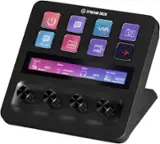
Elgato - Stream Deck MK.2 Full-size Wired USB Keypad with 15 Customizable LCD keys and Interchangeable Faceplate - Black
Color
Black Elgato - Stream Deck + Studio Controller with customizable touch strip and dials - Black$199.99
Related Item

Specifications
- Lighting TypeMulticolorForm FactorFull-sizeConnection TypeWired
- Key Specs
- Lighting Type: Multicolor
- Form Factor: Full-size (The size, arrangement, and physical configuration of the product.)
- Connection Type: Wired
- General
- Brand: Elgato
- Model Number: 10GBA9901
- Product Name: Stream Deck MK.2 Full-size Wired USB Keypad with 15 Customizable LCD keys and Interchangeable Faceplate
- Color: Black
- Features
- Lighting Type: Multicolor
- Numeric Keypad: false
- Touchpad: false
- Keyboard Type: Keypad, Programmable
- Palm Rest: false
- Spill Resistant: false (Designed to resist some degree of accidental liquid spill. The level of spill-resistance is indicated by the product manufacturer, but the degree of protection may not be guaranteed after normal wear of the product.)
- Foldable: false
- Functions
- Form Factor: Full-size (The size, arrangement, and physical configuration of the product.)
- Number Of Keys: 15
- Adjustable Tilt Function: false
- Multimedia Keys: false
- Internet Keys: false
- Connectivity
- Connection Type: Wired
- Wired Connectivity: USB-C
- Cable Length: 4.92 feet
- Detachable Cable: true
- Compatibility
- Operating System Compatibility: Windows, Mac
- Plug and Play Operation: true
- System Requirements: Windows 10 (64-bit) or later; macOS 10.13 or later (The software that a product must have for it to be able to integrate with another product.)
- Dimensions
- Product Height: 3.31 inches (The out of box height of the item. Height is measured as the vertical distance from the bottom of the item to the top as it would be primarily used or placed.)
- Product Width: 4.65 inches (The out of box width of the item. Width is measured as the horizontal distance from one side of the item to the other as it would be primarily used or placed.)
- Product Depth: 3.3 inches (The out of box depth of the item. Depth is measured as the distance from the front of the item to the back as it would be primarily used or placed.)
- Product Weight: 5.12 ounces (The out of box weight of the item.)
- Mouse
- Mouse Included: false
- Warranty
- Warranty - Parts: 2 years
- Warranty - Labor: 2 years
- Other
- UPC: 840006640554
Stream Deck gives you 15 LCD keys to control your apps and tools. Trigger actions, launch social posts, adjust audio, play sound clips, activate lights, and much more. Get visual feedback to confirm your commands. Set Stream Deck to automatically switch key configurations as you jump between apps. It’s the ultimate workflow hack, and it’s fully customizable. Personalize your Stream Deck with custom icons, screensavers, and a growing range of interchangeable faceplates. Use the app to configure keys with ease, and hit the Stream Deck Store for app plugins, icon packs, thousands of royalty free tracks, effects, and more.
- 15 Customizable LCD Keys: Instantly control your apps, tools and platforms.
- One-Touch Operation: Trigger single or multiple actions, launch social posts, adjust audio, mute mic, turn on lights, and much more.
- Visual Feedback: Know that your command has been executed.
- Powerful Plugins: Elgato 4KCU, OBS, Streamlabs, Twitch, YouTube, Twitter, Spotify, Philips Hue, and many more.
- Hotkey Actions: Streamline your film editing, music production, photography workflow, etc.
- Smart Profiles: Automatically switch between unique key configurations for different apps.
- Interchangeable Faceplate: Choose from a growing range of designs or customize your own.
- Stream Deck Store: Download plugins, icons, thousands of royalty-free tracks, SFX, and more.
- Easy Setup: Drag and drop actions onto keys in the Stream Deck app, and assign icons.
- Included Accessories: Detachable stand and USB-C cable.
- 15 Customizable LCD Keys: Instantly control your apps, tools and platforms.
- One-Touch Operation: Trigger single or multiple actions, launch social posts, adjust audio, mute mic, turn on lights, and much more.
- Visual Feedback: Know that your command has been executed.
- Powerful Plugins: Elgato 4KCU, OBS, Streamlabs, Twitch, YouTube, Twitter, Spotify, Philips Hue, and many more.
- Hotkey Actions: Streamline your film editing, music production, photography workflow, etc.
- Smart Profiles: Automatically switch between unique key configurations for different apps.
- Interchangeable Faceplate: Choose from a growing range of designs or customize your own.
- Stream Deck Store: Download plugins, icons, thousands of royalty-free tracks, SFX, and more.
- Easy Setup: Drag and drop actions onto keys in the Stream Deck app, and assign icons.
- Included Accessories: Detachable stand and USB-C cable.
Whats Included
- Stream Deck
- Desktop Stand
- USB-C Cable
- Quick Start Guide
- Stream Deck
- Desktop Stand
- USB-C Cable
- Quick Start Guide
Product Manuals
Q: Can I trigger multiple actions with one touch?
A: Yes, you can trigger single or multiple actions.
Q: Does this keypad have a wired connection?
A: Yes, this keypad has a wired USB-C connection.
Q: Does this device allow visual feedback?
A: Yes, this device provides visual feedback for commands.
Q: Does this device come with a detachable cable?
A: Yes, this device comes with a detachable USB-C cable.
Q: Is it easy to set up this device?
A: Yes, it is easy to set up this device.
Q: How many keys does this keypad have?
A: This keypad has fifteen customizable LCD keys.
Q: Are there powerful plugins available for this device?
A: Yes, there are powerful plugins available for this device.
A: In terms of functionality it's pretty much identical. They've adopted a slightly different design for the stand which makes the whole thing look a bit more streamlined, added the option to remove and replace the faceplate for increased customization, and modernized the USB interface. I'd say it's more like a refresh of the original aimed at extending the product's lifespan than a wholly new device.
Compare similar products
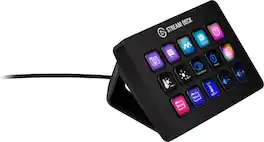
Stream Deck gives you 15 LCD keys to control your apps and tools. Trigger actions, launch social posts, adjust audio, play sound clips, activate lights, and much more. Get visual feedback to confirm your commands. Set Stream Deck to automatically switch key configurations as you jump between apps. It’s the ultimate workflow hack, and it’s fully customizable. Personalize your Stream Deck with custom icons, screensavers, and a growing range of interchangeable faceplates. Use the app to configure keys with ease, and hit the Stream Deck Store for app plugins, icon packs, thousands of royalty free tracks, effects, and more.

Iconic Stream Deck tech with LCD keys, dials, and touch strip. Fully customizable. Perfect for any workflow. Stream Deck + is your audio mixer, studio controller, production console – anything you want it to be. Trigger actions. Control mics and cameras. Adjust volume, lighting, and much more. Create limitless pages for different apps and swipe between them on the fly. Set up with ease in the Stream Deck app. Unlock Elgato Wave Link mixing software, and hit the Stream Deck Store for plugins, icon packs, thousands or royalty-free music tracks, sound effects, and more. With new plugins and updates added regularly, Stream Deck + evolves with your workflow.
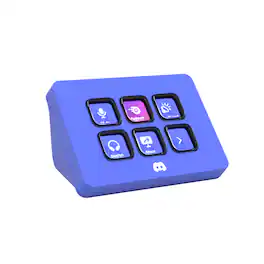
Meet the Elgato Stream Deck Mini – Discord Edition, the ultimate companion for Discord power users. With six fully 1. 2. 3. 4. 5. 6. 7. 8. 9. 10. customizable LCD keys and preloaded Discord actions, you can mute, deafen, screen share, and switch chats in a single tap. Wrapped in Discord’s iconic blurple and bundled with a free 1-month Discord Nitro voucher, this Stream Deck Mini goes beyond voice and chat. Whether you’re in-game, live streaming, or just hanging with friends, it lets you move fast, stay organized, and express yourself with ease. Plug it in, power up, and take control—because it’s your deck, your rules.

Great workflows made easy. Meet Stream Deck Neo, an eight-key controller that makes everyday tasks fast and fun. It automates the little repetitive stuff, such as pasting text or browsing folders, so you can focus on bigger things. Tap to manage Spotify music or mute your mic in Teams, even when apps are running in the background. Customize your keys with a simple drag-’n-drop, all insid efree software for Windows or Mac. It’s got an Infobar that shows your most important info in real time, plus two Touch Points to tap between pages of actions. Others will wonder how you do it.
| Pros for Elgato - Stream Deck MK.2 Full-size Wired USB Keypad with 15 Customizable LCD keys and Interchangeable Faceplate - Black | |||
|---|---|---|---|
| Ease of use, Overall Performance, Customization, LCD Keys, Software | Ease of use, Customization, Quality, Knobs, Volume Control | There were no pros for this product— | Ease of use, Overall Performance |
| Cons for Elgato - Stream Deck MK.2 Full-size Wired USB Keypad with 15 Customizable LCD keys and Interchangeable Faceplate - Black | |||
| Price, Stand | There were no cons for this product— | There were no cons for this product— | Button Count |
Specs
Reviews
Customers are saying
Customers value the Stream Deck MK.2 for its ease of use and overall performance. Users appreciate the customizable LCD keys and the extensive customization options available through its intuitive software. While the price is a concern for some, and there are a few comments about the button quality and stand, the positive aspects of the device appear to outweigh these drawbacks. Many customers find it enhances their streaming experience.
Customer Images
The vast majority of our reviews come from verified purchases. Reviews from customers may include My Best Buy members, employees, and Tech Insider Network members (as tagged). Select reviewers may receive discounted products, promotional considerations or entries into drawings for honest, helpful reviews.
- Rated 5 out of 5 stars
Amazing
can't even begin to tell you just how much I use this in my day-to-day. Well, actually I can, this is a review, it's kind of the point. But most people see "STREAM" deck and think "oh, this is for streaming". No, my mistaken friend, this is a multitool that is only limited to your imagination. Got a wireless keyboard? That's cool. What happens when it runs out of battery and you need to charge it? Make a folder on the Stream Deck specifically for shortcuts like Ctrl +, Ctrl X, Shift, Alt Tab, and more, and you've got all your non-typing needs met through it. Need some control in your life? This has plugins available through the program's built-in library for things like light control. As an example, I use Govee lights. From my Stream Deck, I can control which lights are on, what their brightness is, what their color is, and more! I also do game development on the side. Having to type out "\n<\n[3]>" to insert the name of the third character into text can get a little annoying every time you need to say their name. So I've got a system text button that types out fourteen different character names with a press of a button (the button in question has their face on them, too, did I mention image button customization?), as well as thirteen color codes to change the text's color mid-sentence. Of course, you can also use this to LAUNCH programs as well. If you're like me and you have hundreds of programs and you don't have your desktop icons turned on, going into your folders or scrolling through your program bar can be a hassle. Add buttons for it! You can even set up folders to hold game series (KH or FF anyone?), a folder for emulators, you can even put in Steam games. Forget the games for a bit, literally every single "exe" file can be executed with a single press of a button. And of course, lastly, YES I use mine for streaming too. Switching between scenes, opening up a dynamic text file to change the weekly shout-out, turning on/off my microphone, instant clips, alerts, chat commands...heck, I even have three clocks on here to show me the times of other viewers' time zones so I can stream a game THEY like when they're actually awake. And the multi-action tool allows me to create a button that does five or six different things in a row, which is perfect for if you need to put your streams into a lockdown for something serious. All in all, I haven't found a single thing this Stream deck CAN'T do. And if there IS something, the additional add-on plugins easily fix that. 10/10 would recommend for any streamer, but also any computer user to make life so much simpler and easier.
This review is from Elgato - Stream Deck MK.2 Full-size Wired USB Keypad with 15 Customizable LCD keys and Interchangeable Faceplate - White
Posted by Silas
- Rated 5 out of 5 stars
PHENOMENAL (not a gamer/streamer)
It's hard to overstate how much of a game changer this has been! My workflows include extensive work via web browser, music notation, document creation/editing, and light editing of audio and video. I've been able to set up profiles and workflows that have streamlined ALL OF THIS using this device. One crazy cool button type is the Multi-Action—in which, true to the name, you can create chains of events as complicated as you want to make them, even down to creating time delays between one action and the next if needed. Wow. My work with the Stream Deck is further optimized by combinations with other elements. As a Mac user, I use Keyboard Maestro which plays super well with the SD. I also have a second Stream Deck (a Neo) and have created profiles that let the two devices work in tandem. Using a Stream Deck does require a bit of tinkering when setting up buttons, folders, and profiles—and some logical puzzling along with trial-and-error to figure out just how you want things set up. Once it is though, it's golden! Icons—You can apply custom icons to the buttons you create. There are a decent number of free icons (Elgato's and others'), as well as third party icon packs for purchase. If you're like me, though, and REALLY want to customize, that process can be time-consuming if you're not already a whiz at visual design. Sometimes it's worth it; others I just grab icons off-the-shelf or leave the generic icons that come with different button types. Some folks complain about the lack of "grippiness" on the bottom of the unit. On my glass desk, this does indeed slip around. But I've gotten used to it and the functionality more than makes up for the fairly minor annoyance. Anyway, can't say enough good things about this. I definitely recommend—especially if you can pick it up on sale!
This review is from Elgato - Stream Deck MK.2 Full-size Wired USB Keypad with 15 Customizable LCD keys and Interchangeable Faceplate - White
Posted by BBGadgeteer
- Rated 5 out of 5 stars
Very helpful while streaming
The Stream Deck helps me so much when streaming since I can’t always tab out to change my OBS scene or change the song on Spotify, thanks to the plugins I can change them with the push of a button. The Stream Deck has helped me a lot since I got it.
This review is from Elgato - Stream Deck MK.2 Full-size Wired USB Keypad with 15 Customizable LCD keys and Interchangeable Faceplate - White
Posted by David