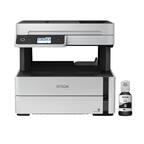
A:AnswerHi perio3900, The EcoTank ET-2800 does not have an Ethernet port, but the EcoTank ET-3830 does. The ET-3830 is currently available at Bestbuy.com (inventory levels can vary). Regards, Mark - The Epson Team.
A:AnswerHi Ernie, The EcoTank ET-2800 is designed for use with Epson 522 refill bottles. Other brands of ink supplies are not compatible and, if described as compatible, may not function properly or continuously. Regards, Mark - The Epson Team.
A:AnswerHi John, Yes, the EcoTank ET-2800 supports WPA2 and WPA3. Wireless network security types supported are as follows: WPA2-PSK (AES), complies with WPA2 with support for WPA/WPA2 Personal; WEP (64/128 bit), not supported for Wi-Fi Direct mode; WPA3-SAE (AES), not supported for Wi-Fi Direct mode. Regards, Mark - The Epson Team.

A:AnswerHello Billy. Unfortunately, we have not tested Hydrographic printing on the ET-2800, so we cannot guarantee print functionality. We recommend reaching out to the paper manufacturer to confirm compatibility. Additionally, this printer uses a mixture of dye and pigment-based inks for printing. Regards, Kevin - The Epson Team.
A:AnswerHi Sue, Please visit the Epson support site for the ET-2800 to see FAQs and user's guides with trouble-shooting tips, or contact support for assistance. Regards, Mark - The Epson Team.
A:AnswerHi Philly, Make sure the printer driver for the EcoTank ET-2800 is installed on your computer. Then, when you print a PDF make sure you select the ET-2800 as the output device. Printer drivers are available for download from the Epson support site. Regards, Mark - The Epson Team.
A:AnswerHi Sarah. Unfortunately, we have not tested the ET-2800 with waterslide printing paper, so we cannot guarantee print functionality. We recommend reaching out to the paper manufacturer to confirm compatibility with our all-in-one dye-based printers. Regards, Kevin - The Epson Team.
A:AnswerHello Liz. You can scan multiple pages and save them as one file using the Epson Scan software. You must select a file format that supports multiple pages such as PDF or Multi-TIFF; otherwise, each scanned original will be saved individually. Under the main settings select the file type, and after you scan it will give you the option add the page or save it individually. Regards, Kevin - The Epson Team.
A:AnswerHello Smit. The ET-2800 can only copy originals on the scan bed. Unfortunately, it does not include an Auto Document Feeder. Regards, Kevin - The Epson Team.
A:AnswerHello Merrie. Yes, you can manually copy both sides of a document with the ET-2800. Before starting a job, go into the Copy Settings and select the setting you would like to use under the "Multi-Page" option. Regards, Kevin - The Epson Team.
A:AnswerHello. Yes, the ET-2800 can be connected to Apple notebooks running macOS. You can find setup instructions and printer software downloads directly on our official Epson Support page. Alternatively, you can contact our Technical Support team if you need any direct assistance setting up your product. Regards, Kevin - The Epson Team.
A:AnswerHello Mickey. Different variables, including driver software installation, product setup, and settings issues, can lead to an error notice on the ET-2800. We want to get more information to resolve this issue for you. Please visit our official Epson Support page to contact our Technical Support team for assistance. Regards, Kevin - The Epson Team.
A:AnswerHi Curious, As long as the EcoTank ET-2800's ink tanks are not empty there are no adverse affects for the printer. The ink tank unit is not user serviceable. Regards, Mark - The Epson Team.
A:AnswerHello Lydia. The ET-2800 and ET-2850 are very similar printers, both in specs and design. The main difference is that the ET-2850 includes Automatic 2-sided printing functionality. Regards, Kevin - The Epson Team.
A:AnswerHello Tiaaa. Yes, the ET-2800 can be connected via Wi-Fi to your smartphone. You can download the Epson iPrint application to print and scan from your device. If you are using an iPhone, you can find the app via the Apple App Store, or if you have an Android device, it can be found on the Google Play Store. Regards, Kevin - The Epson Team.