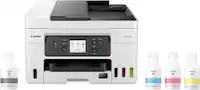
A:AnswerHello Relado. Yes, four Epson 522 ink bottles (Cyan, Yellow, Magenta, and Black) are included with the ET-2800. Regards, Kevin - The Epson Team.
A:AnswerI don’t see why it would, they still update drivers and firmware for other printers that have long been discontinued, like any large manufacturer should.
A:AnswerHello DianaKay. Unfortunately, the ET-2800 does not include Bluetooth functionality. The printer can only be connected via a Wi-Fi or USB cable connection. Regards, Kevin - The Epson Team.
A:AnswerHi Epsson, You can continue printing with black ink once one or more colors are expended, but we recommend that you refill ink tanks as soon as possible to prevent ink from drying around the nozzles and potentially damaging the print head. Regards, Mark - The Epson Team.
A:AnswerHello. When using Epson 522 Ink bottles on the ET-2800, you can expect to print approximately 4,500 Black ISO pages or 7,500 Color ISO pages. Regards, Kevin - The Epson Team.
A:AnswerHi LeeLee, Sorry, no, the EcoTank ET-2800 does not have a slot or port to print directly from a USB flash drive or memory card. Regards, Mark - The Epson Team.
A:AnswerHello aknerd. Yes, the ET-2800, ET-2803, and ET-2720 are all compatible with Microsoft Windows 11. To download the latest driver software, please visit our official Epson Support page. Regards, Kevin - The Epson Team.
A:AnswerHello Firephotog51. The ET-2800 will not work unless all four ink tanks (Cyan, Magenta, Yellow, and Black) are filled. The printer is designed to work with Epson 522 ink bottles. Regards, Kevin - The Epson Team.
A:AnswerHello Mimi. The ET-2800 is not a dye-sublimation printer. Unfortunately, we have not tested transfer paper on the machine to confirm functionality. We recommend contacting the paper manufacturer to verify that it is compatible with our All-In-One inkjet printers. Regards, Kevin - The Epson Team.
A:AnswerHi HTV. Unfortunately, we have not tested the ET-2800 with transfer paper, so we cannot guarantee print functionality. We would recommend reaching out to the paper manufacturer to confirm compatibility with our inkjet printers. Regards, Kevin - The Epson Team.
A:AnswerHello Belin. The two printers are virtually identical in specifications. However, the ET-2720 is available in both black and white and is minimally faster when printing pages in black. Regards, Kevin - The Epson Team.
A:AnswerHello KJ. Yes, we offer the XP-15000, its a wide format printer that can print on paper sizes up to 13" x 19" and includes six colors instead of the traditional 4. For more information on this printer, please visit our official Epson Support page. Regards, Kevin - The Epson Team.
A:AnswerHi George, The ET-2800 can print on sheets up to 8.5" x 47.2". The largest sheet it can print without borders is 4" x 6". Regards, Mark - The Epson Team.
A:AnswerHello Tony. They are identical printers when it comes to specifications. However, there is a minor design difference as the ET-2800 has a textured front panel. Regards, Kevin - The Epson Team.


.](https://pisces.bbystatic.com/image2/BestBuy_US/images/products/6b8343ea-50ad-4766-b78d-ebdbb694bc44.jpg)

. 1 Most features require an Internet connection to the printer, as well as an Internet- and/or email-enabled device. For a list of Epson Connect enabled printers and compatible devices and apps, visit [www.epson.com/connect](http://www.epson.com/connect).](https://pisces.bbystatic.com/image2/BestBuy_US/images/products/5bf434fa-75e7-457c-b1f8-67b7b737348f.jpg)