A:AnswerNope. I'm not smart enough to use a smart phone. I just used a usb cable to computer, though you can do a lot more through the phone on wi-fi. Lots of info on internet.
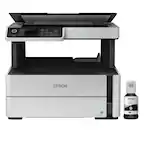
A:AnswerHello Susna. When the ET-2800 is being used, it measures 14.8" x 22.8" x 10.0", and when stored, it measures 14.8" x 13.7" x 7.0". Regards, Kevin - The Epson Team.
A:AnswerHello Burnie. We have not tested ledger paper in the ET-2800. The printer normally requires the paper to be plain and free of any marks to be properly recognized. We recommend reaching out to the paper manufacturer to make sure it is compatible with our All-In-One Inkjet printers. Regards, Kevin - The Epson Team.
A:AnswerIt isn' a real manual, but it has a sheet of instructions (fairly small print) and i got it going OK. I liked the old "plug and play routine but things get more complicated. And I am definitely not techy
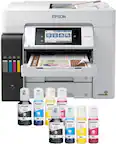
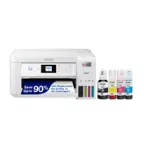
A:AnswerHello justaquestion. The ET-2800 comes packaged with empty ink tanks. The printer includes four ink bottles separately to use in the machine. Regards, Kevin - The Epson Team.
A:AnswerHello Serena. To help better assist you with your ET-2800, we need to know the specific error code displayed on the printer. You can always try restarting the machine to see if that clears the error. If not, please contact our Technical Support team by phone for assistance. Regards, Kevin - The Epson Team.
A:AnswerHi Paco, The EcoTank ET-2800 can scan a single sheet at a time. You can use the included software to combine the scanned sheets into a single PDF, or consider another model like the EcoTank ET-3850 which has a 30-page auto document feeder. The ET-3850 is currently available at Bestbuy.com. Inventory levels can change. Regards, Mark - The Epson Team.
A:AnswerHello TANIA. The ET-2800 has a maximum print resolution of 5760 x 1440 dpi. Unfortunately, we haven't tested vinyl on this printer. To confirm compatibility with our All-In-One Inkjet printers, we recommend contacting the manufacturer of the vinyl paper. Regards, Kevin - The Epson Team.
A:AnswerHi TeresaT, You can use the EcoTank ET-2800 to scan one page at a time. It does not have an auto document feeder. The EcoTank ET-3850 has an auto document feeder for the scanner that holds 30 sheets. The ET-3850 is currently available at Bestbuy.com. Inventory levels are subject to change. Regards, Mark - The Epson Team.
A:AnswerHello. Yes, the ET-2800 can be connected wirelessly via Wi-Fi to your Apple iPad. You can set up the device through Airprint or download the Epson iPrint app from the App Store to use your printer. Please see the User's Guide on the official Epson Support page for more information. Regards, Kevin - The Epson Team.
A:AnswerHello Sp. The ET-2800 can print on supported Epson media such as Epson Premium Photo Paper Glossy that weighs 79 lb. The 27 lb paper specification is listed for printing on plain paper. Regards, Kevin - The Epson Team.
A:AnswerHi John, The EcoTank ET-2800 works on 2.4 GHz Wi-Fi networks. If your router is 5 GHz and dual band-capable you can set it for 2.4 GHz/5 GHz to use the printer. Regards, Mark - The Epson Team.
A:AnswerHello. The heaviest paper supported by the Epson ET-2800 is 27lb (100 g/m2). If the card stock you are planning on using meets this specification, make sure it is inkjet compatible and select Thick Paper in the printer driver when printing. Unfortunately, we have not tested high gloss label paper on the machine. We recommend reaching out to the paper manufacturer for confirmation. Also, the colors cannot be changed, as the printer is designed to only work with 522 Epson Ink Bottles (Cyan, Magenta, Yellow, and Black.) Regards, Kevin - The Epson Team.